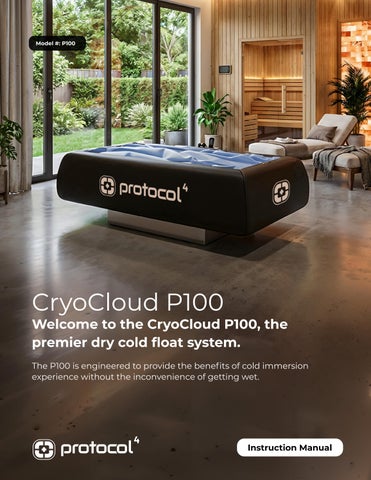
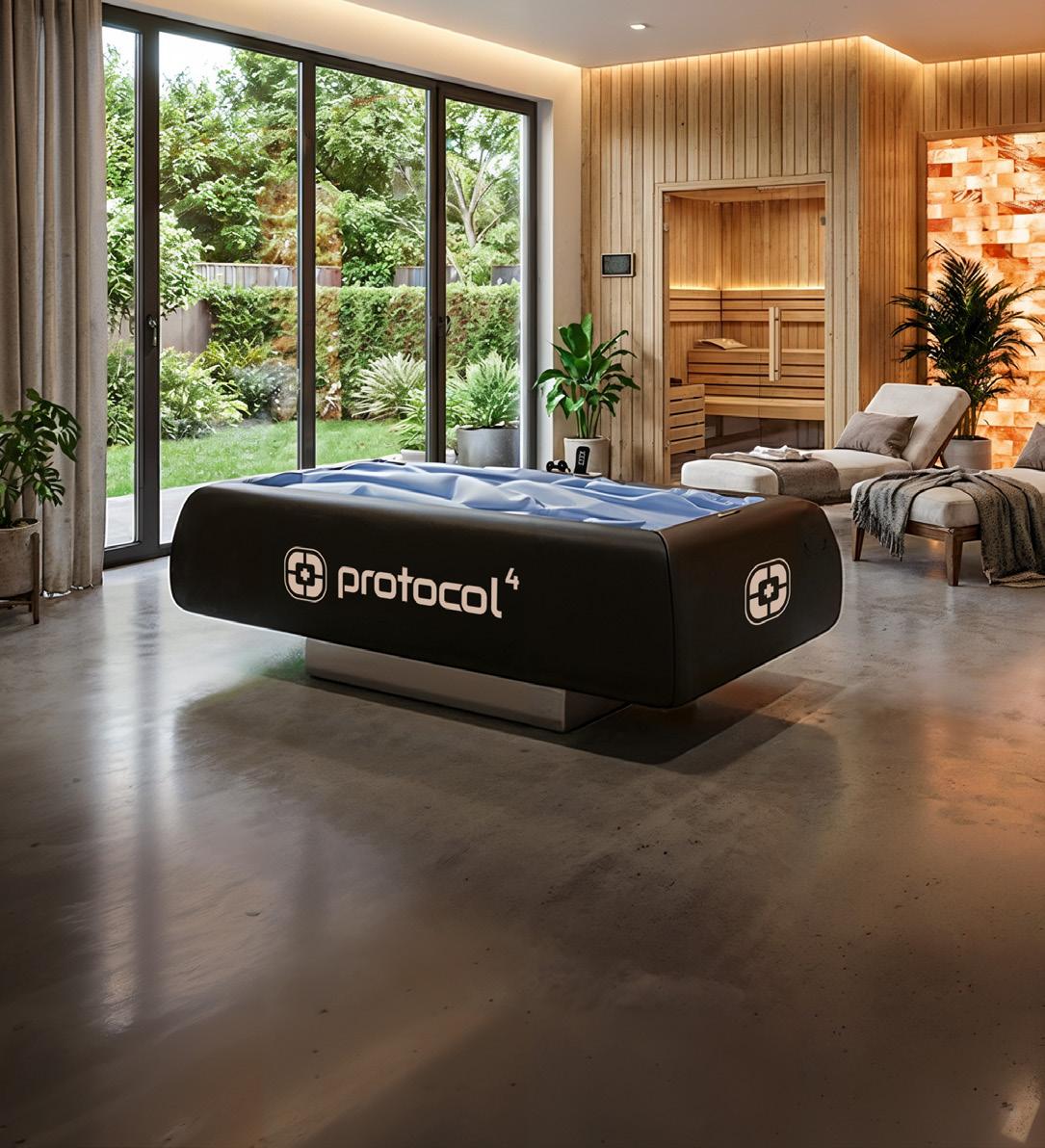
Safe operation of the CryoCloud™ P100 requires user cooperation and compliance with all instructions provided by facility personnel.
Operators may refuse or terminate participation at any time if a user fails to comply with safety requirements.
GENERAL USER REQUIREMENTS
Users shall:
• Follow all operator instructions
• Comply with facility policies and procedures
• Report discomfort immediately
• Use the equipment only as intended
• Exercise reasonable care while entering, using, and exiting the system
PROHIBITED CONDUCT
Users shall not:
• Operate the equipment without authorization
• Tamper with controls, valves, hoses, or equipment components
• Jump, stand, kneel, or place excessive force on the membrane
• Intentionally damage equipment
• Use sharp objects while participating
• Bring food or beverages onto the equipment
• Engage in horseplay or unsafe conduct
• Distract operators during active sessions
JEWELRY AND PERSONAL ITEMS
Prior to participation, users shall remove:
• Watches
• Jewelry
• Keys
• Belt buckles
• Sharp accessories
• Objects that may damage the membrane
Users are responsible for securing personal belongings.
CLOTHING RECOMMENDATIONS
Users should:
• Wear clean, comfortable clothing
• Remove footwear prior to entering the system
• Avoid clothing with sharp fasteners, studs, rivets, or abrasive components
INTOXICATION AND IMPAIRMENT
Participation is prohibited if a user appears impaired by:
• Alcohol
• Recreational drugs
• Controlled substances that impair judgment or coordination
• Any condition that prevents safe participation
Operators may refuse participation when impairment is suspected.
RIGHT TO TERMINATE PARTICIPATION
Operators may terminate a session immediately if:
• Safety concerns arise
• User distress is observed
• Equipment misuse occurs
• Facility rules are violated
• Continued participation appears unsafe
FACILITY AUTHORITY
Facility owners and operators may establish additional participation requirements, behavioral expectations, dress requirements, consent procedures, and operational policies consistent with applicable laws and facility practices.
TECHNICAL SPECIFICATIONS
Refrigeration System: The CryoCloud utilizes an R-32 refrigerant-based closed-loop refrigeration system. The refrigerant circuit is factory sealed and contains no user-serviceable components. Servicing the refrigeration system may only be performed by qualified service personnel.
Component
Product Name
Product Type
Intended Use
Specification
CryoCloud P100
Dry Cryotherapy Float Bed
Commercial wellness and recovery applications
Voltage 220–240V AC, 50/60Hz
Frequency 60 Hz
Dedicated Circuit Requirement 16 Amp
Chiller Type 3 HP Industrial Chiller
Cooling Capacity 3080 Watts Operating Water
Maximum Water Capacity 500 Liters (132 Gallons)
CryoCloud
CryoCloud
CryoCloud
CryoCloud
Chiller
Chiller
Chiller
Chiller Unit
Maximum
CryoCloud
Chiller
Chiller
Environmental Use
Facility Type
Indoor Use Only
Commercial Wellness Facility Use
NOTICE: Specifications are subject to change without notice as part of ongoing product improvements.
Delivery Inspection and Acceptance
NOTICE
The purchaser is responsible for inspecting the CryoCloud™ P100 and all related components immediately upon delivery.
Failure to promptly identify and report shipping damage may affect freight claims, warranty evaluations, or replacement requests.
INSPECTION UPON DELIVERY
Upon receipt of the shipment, the purchaser should inspect:
• Shipping containers
• Packaging materials
• CryoCloud™ bed
• Chiller unit
• Hoses and fittings
• Electrical cords and connectors
• Accessories and supplied components
Verify the following:
• Correct model received
• Correct quantity received
• No visible shipping damage
• No punctures, dents, cracks, or deformation
• Packaging remains intact
• All ordered components are present
CONCEALED DAMAGE
Certain shipping damage may not be immediately visible.
If concealed damage is discovered during unpacking or installation:
• Photograph the damage immediately
• Retain all packaging materials when possible
• Document the condition of the equipment
• Notify the carrier if required
• Contact technical support promptly
DO NOT OPERATE DAMAGED EQUIPMENT
Do not install or operate equipment if:
• Structural damage is observed
• Electrical damage is observed
• Water system components are damaged
• The membrane has been punctured or compromised
• Safety-related components appear damaged
If damage is identified, place the equipment out of service and contact technical support.
REPORTING SHIPPING DAMAGE
Shipping-related damage should be reported as soon as reasonably possible.
When reporting damage, provide:
• Model number
• Serial number (if available)
• Photographs of the damage
• Photographs of packaging materials
• Delivery information
• Description of the issue
RETENTION OF SHIPPING MATERIALS
Packaging materials should be retained until the equipment has been fully inspected, installed, and verified operational.
Retaining packaging materials may assist with freight investigations, transportation claims, or equipment relocation.
Initial Setup & System Priming
Filling the Water Membrane
1. Inlet Connection: Attach your water source to the Red Inlet Valve on the bed frame.
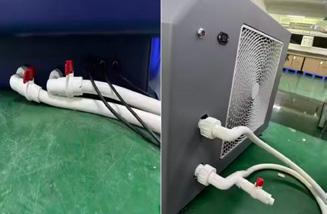
2. Pipe Integration: Securely connect the two white insulated pipes between the chiller and the bed.
3. The 5/6 Rule: Fill the patented membrane until it is approximately 83% (5/6) full.
Note: Never fill the membrane completely. The remaining 1/6 of space is required for displacement when the user is lowered into the bed.
4. Sealing: Once filled, close the inlet valve by turning it counter-clockwise until hand-tight.
Bleeding the System (Air Removal)
If the chiller displays a flow error or the pump sounds “hollow,” there is air trapped in the lines.
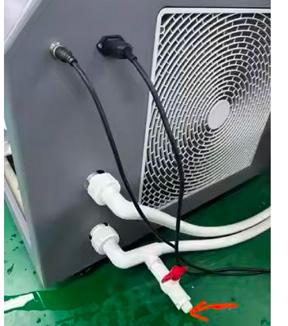
• Locate the red air-bleeding valve on the chiller unit.
• Twist the valve to align with the release hole.
• Wait for air to hiss out. Once a steady, solid stream of water exits the hole, close the valve immediately.
WARNING Do not exceed the maximum user capacity of 661 lbs (300 kg). Exceeding the maximum user capacity may result in equipment damage, unsafe operation, or personal injury.
Operation Instructions
Temperature & Chromotherapy Setup
Pre-Cooling: The P100 cools at a rate of approximately 18 degrees Fahrenheit (10 degrees Celsius) per hour. To reach the recommended operating temperature of 41 degrees Fahrenheit from room temperature, start the system at least 2 hours prior to the session.
Interface Controls:
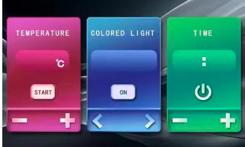
Temp: Use the [+] and [-] icons on the touch-screen or remote to set your target.
Lights: The system features 7-color LED Chromotherapy. Use the [<] and [>] icons to cycle through colors and the center [ON/OFF] button to activate the lights.
Managing the Session
Entry: Have the user lie on the dry membrane.
Audio: Sync the provided Bluetooth headset to the user’s preferred relaxation media.
Immersion: After the session begins, the motorized platform automatically lowers approximately 9.1 in (23 cm) into the treatment position. This movement is slow and controlled. Users should remain still while platform is moving.
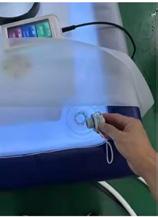
Buoyancy Adjustment: To achieve a deeper “wrap” around the body, briefly open the red valve while the user is lying on the lowered platform to release excess air.
Thermal Protection: Wrap the user in the provided 8.2ft x 8.2ft (2.5m x 2.5m) thermal blanket. This maintains core body heat while allowing the cold to focus on the musculoskeletal system.
Safety: Ensure the user is aware of the ON/OFF button, which immediately halts the session and raises the platform.
Troubleshooting Guide Emergency Procedures
WARNING
Operators must remain available and capable of assisting users throughout operation of the CryoCloud™ P100.
If an emergency, malfunction, or user distress occurs, immediately discontinue operation and follow the applicable procedure below.
EARLY SESSION TERMINATION
A user may end a session at any time for any reason.
Procedure:
1. Press the ON/OFF button.
2. The platform will automatically return to its raised position.
3. Wait until the platform reaches its fully raised starting position.
4. Assist the user if necessary.
5. Allow the user to exit the system safely.
6. Evaluate whether additional assistance or medical attention is required.
POWER FAILURE PROCEDURE
In the event of a power interruption:
1. Instruct the user to remain calm and remain in position.
2. Do not attempt to exit the system without assistance.
3. Verify whether power can be safely restored.
4. If power is restored, allow the platform to return to normal operation.
5. If power cannot be restored, assist the user in exiting the system.
The CryoCloud™ platform lowers only approximately 9.1 inches (23 cm). Users can generally exit the system with operator assistance if power cannot be restored.
After power restoration:
• Inspect the equipment.
• Verify normal control function.
• Confirm normal platform operation before returning the unit to service.
MEDICAL EMERGENCY PROCEDURE
If a user experiences:
• Chest pain
• Shortness of breath
• Loss of consciousness
• Seizure activity
• Severe dizziness
• Severe distress
• Any serious or unexpected medical event
Immediately:
1. Terminate the session.
2. Raise the platform.
3. Remove the user from the equipment.
4. Contact emergency medical services when appropriate.
5. Follow facility emergency response procedures.
6. Do not resume operation until the situation has been evaluated.
WATER LEAK PROCEDURE
If water leakage is observed:
1. End the session immediately.
2. Raise the platform and remove the user.
3. Disconnect electrical power if water is present near electrical components.
4. Identify the source of the leak if it can be done safely.
5. Place the equipment out of service.
6. Contact technical support before returning the equipment to operation.
Do not operate the equipment if an active leak is present.
Troubleshooting Guide Emergency Procedures
CHILLER FAILURE PROCEDURE
If the chiller stops operating, displays an error code, or fails to maintain temperature:
1. End the current session if user safety or comfort may be affected.
2. Record any displayed error codes.
3. Verify power supply and visible connections.
4. Allow the equipment to return to a safe idle condition.
5. Contact technical support if the issue cannot be immediately resolved.
Do not continue operating the equipment if cooling performance cannot be maintained.
USER DISTRESS PROCEDURE
If a user requests assistance or reports excessive discomfort:
1. End the session immediately.
2. Raise the platform.
3. Assist the user from the equipment.
4. Monitor the user’s condition.
5. Provide water and a comfortable recovery environment if appropriate.
6. Seek medical assistance if symptoms persist or worsen.
EQUIPMENT MALFUNCTION
If unexpected operation, unusual noise, visible damage, electrical issues, or other malfunctions are observed:
1. Stop operation immediately.
2. Remove all users from the equipment.
3. Disconnect power if necessary.
4. Place the equipment out of service.
5. Contact technical support.
Do not operate equipment suspected of malfunctioning until the issue has been resolved.
Session Operation and Supervision Requirements
WARNING
The CryoCloud™ P100 should only be operated under appropriate supervision. The CryoCloud™ P100 is intended for use by one (1) person at a time.
Users should never be placed onto the system without access to assistance if needed.
OPERATOR RESPONSIBILITIES
The operator is responsible for:
• Verifying completion of pre-session screening
• Reviewing contraindications and precautions
• Ensuring proper equipment setup
• Monitoring user condition during operation
• Responding to user requests for assistance
• Following emergency procedures when necessary
• Ensuring compliance with facility policies and applicable regulations
PRE-SESSION RESPONSIBILITIES
Prior to beginning a session, the operator shall:
• Verify proper equipment operation
• Confirm proper water temperature
• Verify platform operation
• Review session procedures with the user
• Explain session termination procedures
• Verify removal of jewelry and sharp objects
• Confirm user readiness
USER SUPERVISION
Users should not be left without access to assistance during operation.
An operator or designated staff member should remain available throughout the session and be capable of responding promptly if assistance is required.
SESSION MONITORING
During operation, the operator should monitor for:
• Signs of discomfort
• Dizziness
• Distress
• Requests to terminate the session
• Unusual equipment operation
• Alarms, error codes, or system malfunctions
SESSION TERMINATION
The session should be terminated immediately if:
• The user requests termination
• User distress is observed
• Equipment malfunction occurs
• Unsafe conditions are identified
• Operator judgment determines continuation is inappropriate
POST-SESSION PROCEDURES
Upon completion of a session:
• Raise the platform completely
• Assist the user if necessary
• Verify the user exits safely
• Inspect the membrane surface
• Perform required cleaning and disinfection procedures
• Prepare the system for the next session
FACILITY POLICIES
Facility owners and operators may establish additional supervision, monitoring, consent, screening, documentation, and operational requirements consistent with their business practices and applicable laws.
The requirements contained in this manual represent minimum operating recommendations and do not replace facility-specific policies or professional judgment.
Maintenance & Safety Standards
Bladder Integrity: The patented membrane is a precision-engineered material. Users must remove all jewelry, watches, and sharp accessories. Check for long or sharp fingernails, as punctures require specialized repair.
Hygiene: Wipe the membrane surface after every session using a non-corrosive, medical-grade disinfectant. It is recommended that users wear light, comfortable clothing and remove shoes before lying on the bed.
Failure to properly clean, disinfect, inspect, and maintain the CryoCloud™ P100 may result in equipment damage, reduced performance, unsanitary conditions, and voided warranty coverage.
Always follow the procedures contained in this manual.
GENERAL REQUIREMENTS
• Disconnect power before performing maintenance when appropriate.
• Use only approved cleaning and disinfecting products.
• Never use abrasive pads, steel wool, scrapers, or sharp tools on the membrane surface.
• Immediately remove equipment from service if damage is observed.
APPROVED CLEANING PRODUCTS
Only clean potable water shall be used within the CryoCloud™ P100 membrane system. The addition of chemicals, fragrances, disinfectants, salt, antifreeze, or other additives is prohibited unless expressly approved by Quest Global Fulfillment, LLC. The membrane surface should be cleaned only with silicone-safe disinfectants.
Approved products include:
• CaviWipes®
• Silicone-safe quaternary ammonium disinfectants
• Manufacturer-approved disinfecting wipes
• Mild soap and water when appropriate
PROHIBITED CHEMICALS
Do not use:
• Bleach or chlorine-based cleaners
• Concentrated hydrogen peroxide products
• Acetone
• MEK (Methyl Ethyl Ketone)
• Petroleum-based solvents
• Paint thinners
• Abrasive cleaning compounds
• Ammonia-based cleaners
• Harsh degreasers
• Any chemical not approved for silicone surfaces
Use of prohibited chemicals may damage the membrane and void warranty coverage.
4. Wipe the entire user-contact surface using an approved disinfectant wipe.
5. Allow disinfectant contact time in accordance with manufacturer instructions.
6. Allow the surface to dry before the next session.
DAILY PROCEDURES
• Clean and disinfect all user-contact surfaces.
• Inspect membrane condition.
• Verify operating temperature accuracy.
• Inspect hoses and visible fittings for leaks.
• Verify normal platform operation.
• Verify proper operation of controls and lighting.
WEEKLY PROCEDURES
• Inspect chiller ventilation openings.
• Remove dust and debris from accessible exterior surfaces.
• Inspect visible electrical connections.
• Verify secure hose connections.
• Inspect membrane seams for signs of wear.
MONTHLY PROCEDURES
• Verify temperature performance.
• Inspect refrigeration performance.
• Inspect membrane for wear, discoloration, or deterioration.
• Inspect all visible fasteners and fittings.
• Review maintenance records.
QUARTERLY PROCEDURES
• Perform comprehensive equipment inspection.
• Verify proper operation of all controls.
• Inspect chiller airflow and cooling performance.
• Inspect all accessible plumbing connections.
• Inspect structural components for damage or wear.
ANNUAL SERVICE
Annual service should be performed by qualified service personnel.
Annual service should include:
• Full system inspection
• Cooling system evaluation
• Electrical inspection
• Plumbing inspection
• Functional testing
• Replacement of worn components as necessary
MEMBRANE PROTECTION REQUIREMENTS
Prior to each session:
• Remove jewelry.
• Remove watches.
• Remove belts and sharp accessories.
• Remove keys and hard objects from pockets.
• Inspect for sharp fingernails when appropriate.
Damage caused by punctures, cuts, or user negligence may not be covered under warranty.
MAINTENANCE RECORDS
Facility operators should maintain records of:
• Cleaning activities
• Maintenance activities
• Inspections
• Repairs
• Service visits
Maintenance records should be retained in accordance with facility policies and applicable regulations.
Failure to comply with the cleaning, inspection, maintenance, and service requirements contained in this manual may void warranty coverage.
Service, Repair, and Replacement Parts Policy
WARNING
Improper repairs, unauthorized modifications, or the use of non-approved replacement parts may result in equipment damage, unsafe operating conditions, personal injury, and voided warranty coverage.
AUTHORIZED SERVICE
Routine cleaning, inspection, and operator-level maintenance may be performed as described in this manual.
Repairs involving:
• Electrical systems
• Chiller components
• Refrigeration systems
• Platform drive systems
• Internal controls
• Plumbing systems
• Structural components should be performed only by qualified service personnel.
UNAUTHORIZED REPAIRS
Do not:
• Modify equipment components
• Bypass safety features
• Alter electrical systems
• Modify plumbing systems
• Alter controls or software
• Perform repairs beyond those specifically authorized in this manual
Unauthorized repairs or modifications may:
• Void warranty coverage
• Create unsafe operating conditions
• Reduce equipment performance
• Transfer responsibility and liability to the party performing the modification
NO USER-SERVICEABLE PARTS
The CryoCloud™ P100 contains no user-serviceable parts within the chiller, electrical systems, controls, refrigeration components, or platform mechanisms.
Users and operators should not disassemble, modify, or access internal components except as specifically described in this manual.
REFRIGERATION SYSTEM
The CryoCloud™ P100 utilizes a factory-sealed refrigeration system containing R-32 refrigerant. Under normal operating conditions, the refrigeration circuit requires no routine refrigerant maintenance or replacement.
WARNING
Do not puncture, disconnect, modify, recharge, or attempt to repair any refrigeration component or refrigerant line. The refrigeration system is factory sealed and may only be serviced by qualified refrigeration service personnel using approved equipment and procedures.
Unauthorized service may result in refrigerant release, equipment damage, fire hazard, personal injury, and void warranty coverage.
REPLACEMENT PARTS
Replacement parts should be obtained through authorized sources.
Use of non-approved replacement parts may:
• Affect equipment performance
• Create compatibility issues
• Create safety hazards
• Void warranty coverage
TECHNICAL SUPPORT ASSISTANCE
Before performing major repairs or replacing critical components, operators are encouraged to contact technical support.
Support Contact:
Email: support@protocol4health.com
Phone: 561-323-8350
Hours: Monday – Friday
10:00 AM – 6:00 PM Eastern Time (EST)
SERVICE DOCUMENTATION
Facility operators should maintain records of:
• Repairs
• Service visits
• Component replacements
• Equipment inspections
• Maintenance activities
Documentation should include:
• Date of service
• Description of work performed
• Parts replaced
• Service provider information
• Corrective actions taken
Equipment service records should be retained as part of the facility’s maintenance documentation program.
TROUBLESHOOTING GUIDE
The following table provides basic troubleshooting information for common operating issues. If a problem cannot be resolved using the steps below, discontinue use and contact Protocol⁴ Health Technical Support.
Issue: Platform does not move when session is started
Possible Cause:
• No electrical power
• Power switch not activated
• Circuit breaker tripped
• Electrical connection loose
Corrective Action:
• Verify power is connected
• Confirm power switch is ON
• Check facility circuit breaker
• Inspect visible power connections
• Contact technical support if issue persists
Issue: Platform does not return to raised position
Possible Cause:
• Power interruption
• Control system fault
Corrective Action:
• Verify electrical power is available
• Restart the system
• If power cannot be restored, assist user from the float bed
• Contact technical support if issue persists
Issue: Water temperature does not reach set point
Possible Cause:
• Chiller not operating
• Insufficient cooling time
• Ventilation obstructed
• High ambient room temperature
Corrective Action:
• Verify chiller is powered on
• Allow additional cooling time
• Check ventilation openings
• Remove obstructions around chiller
• Contact technical support if cooling performance remains inadequate
Issue: Chiller displays an error code
Possible Cause:
• System fault
• Chiller malfunction
Corrective Action:
• Record the error code
• Restart the system if appropriate
• Contact technical support and provide the error code
Incident Reporting and Removal From Service
WARNING
The CryoCloud™ P100 must be removed from service immediately if operation may present a risk of injury, equipment damage, or unsafe conditions.
Continued operation of equipment known or suspected to be unsafe may result in injury, property damage, warranty denial, or additional equipment damage.
INCIDENT REPORTING REQUIREMENTS
Water leaks, regardless of severity, should be documented and investigated before returning the equipment to service.
• User injury
• Medical emergency
• Loss of consciousness
• Equipment malfunction
• Water leak
• Electrical issue
• Unexpected equipment behavior
• Membrane damage
• Chiller failure
• Property damage
• Any event requiring emergency response
Incident documentation should include:
• Date and time
• Operator name
• User name or internal identifier
• Description of the event
• Equipment status at the time of the event
• Actions taken
• Photographs when available
• Witness information when applicable
REMOVE EQUIPMENT FROM SERVICE IF:
• Electrical damage is suspected
• Water is present near electrical components
• Active water leakage is observed
• The membrane has been punctured, torn, or damaged
• Platform operation is abnormal
• Controls malfunction
• Structural damage is observed
• A safety-related malfunction occurs
• Equipment performance cannot be verified
• User safety may be compromised
OUT-OF-SERVICE PROCEDURE
When equipment is removed from service:
1. End all active sessions.
2. Remove users from the equipment.
3. Disconnect electrical power when appropriate.
4. Attach an “OUT OF SERVICE” notice to the equipment.
5. Prevent further use until inspection is completed.
6. Contact technical support if necessary.
POST-INCIDENT INSPECTION
Prior to returning equipment to service:
• Identify the cause of the issue.
• Complete necessary repairs.
• Verify proper operation.
• Verify all safety functions.
• Confirm no additional damage is present.
• Document corrective actions taken.
TECHNICAL SUPPORT NOTIFICATION
Protocol⁴ Health and Quest Global Fulfillment should be notified promptly regarding:
Facility operators should maintain incident and maintenance records in accordance with facility policies and applicable legal requirements.
Records should be retained for a period determined by applicable laws, insurance requirements, and facility riskmanagement practices.
NOTICE
Failure to remove damaged or malfunctioning equipment from service may void warranty coverage and increase the risk of injury or property damage.
Maintenance & Safety Standards Cont.
Issue: Water leak observed
Possible Cause:
• Loose fitting
• Damaged hose
• Damaged membrane
Corrective Action:
• End the session immediately
• Raise platform and remove user
• Disconnect power if water is near electrical components
• Inspect visible fittings and hoses
• Contact technical support if source cannot be identified
Issue: Excessive noise during operation
Possible Cause:
• Loose component
• Obstructed fan
• Chiller issue
Corrective Action:
• Stop operation
• Inspect for obvious obstructions
• Verify unit is level
• Contact technical support if noise persists
Issue: Chromotherapy lighting not functioning
Possible Cause:
• Lighting system disabled
• Electrical connection issue
Corrective Action:
• Verify lighting settings
• Restart the system
• Contact technical support if issue persists
Issue: User reports excessive cold discomfort
Possible Cause:
• Temperature setting too low
• User sensitivity to cold exposure
Corrective Action:
• End the session if necessary
• Verify temperature setting
• Review user screening requirements
• Adjust future sessions as appropriate
Issue: ON/OFF button does not respond
Possible Cause:
• Power interruption
• Control system malfunction
Corrective Action:
• Verify electrical power
• Restart the system
• Remove unit from service if issue persists
• Contact technical support immediately
Failure to perform the cleaning, inspection, and maintenance procedures outlined in this manual may void warranty coverage.
Limited Warranty
Quest Global Fulfillment, LLC (“QGF”) warrants that the CryoCloud P100 will be free from defects in materials and workmanship under normal use and operation for a period of one (1) year from the date of delivery to the original purchaser.
This warranty applies only to the original purchaser and is non-transferable.
Warranty Coverage
During the warranty period, QGF will, at its sole discretion:
• Repair defective components;
• Replace defective components;
• Provide replacement parts; and/or
• Dispatch qualified service personnel to perform warranty-covered repairs when determined necessary by QGF.
Warranty service, replacement parts, labor, and approved service visits are provided at no cost to the purchaser for defects covered under this warranty.
Warranty Conditions
To qualify for warranty coverage:
• The equipment must be installed and operated in accordance with this manual.
• Required maintenance and cleaning procedures must be performed.
• The equipment must not have been modified, altered, or repaired by unauthorized personnel.
• The reported issue must not be the result of misuse, neglect, abuse, accident, improper installation, improper maintenance, or operation outside the specifications contained in this manual.
Warranty Exclusions
This warranty does not cover:
• Normal wear and tear;
• Cosmetic damage that does not affect operation;
• Damage caused by misuse, abuse, negligence, accident, or improper operation;
• Damage resulting from failure to follow instructions contained in this manual;
• Damage resulting from unauthorized repairs, modifications, or alterations;
• Damage caused by improper installation or electrical supply issues;
• Damage caused by flooding, fire, acts of nature, power surges, or other external events beyond QGF’s control;
• Damage caused by use of unapproved cleaning agents or chemicals;
• Damage resulting from operation outside recommended specifications.
Membrane and Surface Materials
The CryoCloud membrane is a precision-engineered component.
This warranty does not cover punctures, cuts, tears, abrasions, staining, discoloration, or other damage caused by:
• Jewelry, watches, belts, keys, or sharp objects;
• Improper cleaning procedures;
• Improper maintenance;
• User-caused damage;
• Failure to follow membrane protection requirements contained in this manual.
Warranty Claim Procedure
To initiate a warranty claim, the purchaser must contact Quest Global Fulfillment and provide:
• Proof of purchase;
• Model number;
• Serial number;
• Description of the issue;
• Photographs or videos when requested.
QGF may request additional information necessary to evaluate the claim.
Serial Number Identification
The serial number label is located on the rear service panel of the CryoCloud P100 and on the exterior packaging. Record the serial number below for future reference.
Serial Number: __________________
Limitation of Liability
To the fullest extent permitted by applicable law, Quest Global Fulfillment’s responsibility under this warranty is limited to the repair or replacement of defective components.
QGF shall not be liable for indirect, incidental, consequential, special, or punitive damages, including loss of business, loss of revenue, loss of profits, loss of use, or loss of goodwill arising from the use or inability to use the product.
Maximum Liability
QGF’s total liability under this warranty shall not exceed the original purchase price paid for the product.
Technical Support and Warranty Service
Quest Global Fulfillment, LLC
Email: support@protocol4health.com
Phone: 561-323-8350
Hours: Monday–Friday 10:00 AM–6:00 PM EST
Address:
101 Plaza Real South, Suite i, Boca Raton, FL 33432
Disposal and End-of-Life Information
At the end of its service life, the CryoCloud P100 should be disposed of in accordance with all applicable local, state, federal, and international regulations.
General Disposal Requirements
• Do not dispose of the equipment in household or municipal waste.
• Follow all applicable environmental regulations governing disposal of commercial electrical equipment.
• Dispose of all components through authorized recycling, recovery, or waste-management facilities where required.
Electrical Components
The CryoCloud P100 contains electrical and electronic components that may require special handling during disposal.
• Electrical components should be recycled or disposed of in accordance with applicable regulations.
• Do not incinerate electrical or electronic components.
Cooling System Components
The CryoCloud™ P100 contains a factory-sealed refrigeration system utilizing R-32 refrigerant.
• Refrigeration system service and disposal should be performed by qualified personnel.
• Refrigerants, compressors, and cooling system components must be handled in accordance with applicable environmental regulations.
• Do not release refrigerants into the environment.
Water Removal
Prior to disposal, transportation, or long-term storage:
• Drain all water from the system.
• Inspect the unit for residual water accumulation.
• Dry all accessible components as appropriate.
Membrane and Structural Components
The membrane, frame, insulation materials, and structural components should be disposed of in accordance with local waste-management requirements.
Product Decommissioning
Prior to disposal:
1. Disconnect electrical power.
2. Drain all water from the system.
3. Remove accessories and removable components.
4. Ensure the unit cannot be unintentionally operated.
5. Follow applicable disposal regulations for all equipment components.
For questions regarding disposal, decommissioning, or environmental compliance, contact Quest Global Fulfillment Technical Support.
Certain jurisdictions may impose additional recycling, recovery, or disposal requirements. The owner is responsible for compliance with all applicable local regulations.
Quest Global Fulfillment, LLC and Protocol⁴ Health™ reserve the right to revise, update, modify, or replace this manual at any time without prior notice as part of ongoing product improvement efforts.
Updated manuals may contain revised:
• Safety information
• Installation requirements
• Operating procedures
• Maintenance requirements
• Warranty provisions
• Technical specifications
• Regulatory information
REVISION HISTORY
Version 1.0
Date: 07/26/2026
Description: Initial Release
DOCUMENT RETENTION
This manual should remain available to all operators, service personnel, and facility management personnel at all times.
If this manual becomes damaged, lost, or illegible, contact support@protocol4health.com to obtain the most current version.
CONTROLLED DOCUMENT NOTICE
Printed copies of this manual may become outdated. Users should verify they are using the most current revision available from Quest Global Fulfillment, LLC or Protocol⁴ .
Regulatory Notices
Unauthorized modifications to the equipment, software, controls, instructions, labeling, or intended use may create unsafe conditions, void warranty coverage, and transfer responsibility to the modifying party.
General Wellness Product Notice
The CryoCloud P100 is intended for general wellness, relaxation, comfort, and recovery applications.
The CryoCloud P100 is not intended to diagnose, treat, cure, mitigate, monitor, or prevent any disease, injury, or medical condition.
No Medical Claims
No medical, therapeutic, rehabilitative, physiological, or clinical claims are made regarding the CryoCloud P100 unless expressly provided in separate written documentation authorized by Protocol⁴ Health or Quest Global Fulfillment.
Operators, distributors, resellers, and facility owners shall not make claims regarding diagnosis, treatment, cure, mitigation, or prevention of disease.
Not a Substitute for Medical Care
The CryoCloud P100 is not intended to replace professional medical advice, diagnosis, treatment, or supervision.
Individuals with medical concerns should consult an appropriately licensed healthcare professional before participating in cold exposure or wellness recovery activities.
Operator Responsibility
Facility owners and operators are responsible for:
• Compliance with all applicable local laws and regulations
• Staff training
• User screening
• Safe operation of the equipment
• Development of facility policies and procedures
Quest Global Fulfillment does not supervise or control equipment use after installation.
International Compliance
Regulatory requirements vary by country, state, province, and local jurisdiction.
The purchaser, owner, importer, distributor, reseller, and operator are responsible for ensuring compliance with all applicable laws, regulations, permits, certifications, and operational requirements in their jurisdiction.
Product Improvements
Quest Global Fulfillment and Protocol⁴ Health reserve the right to modify product specifications, design features, documentation, and operating procedures without prior notice as part of ongoing product improvement efforts.
Manual Revisions
This manual applies only to the model and revision identified within this document.
Updated versions of this manual may be issued periodically.
Intellectual Property
CryoCloud™, Protocol⁴ Health™, and associated product names, logos, graphics, documentation, and related materials are proprietary to their respective owners and are protected by applicable intellectual property laws.
No part of this manual may be reproduced, distributed, modified, translated, republished, transmitted, stored, or used for commercial purposes without prior written permission from Quest Global Fulfillment, LLC.
All trademarks, service marks, product names, and trade names referenced in this manual remain the property of their respective owners.
MARKETING AND REPRESENTATION NOTICE
The CryoCloud™ P100 is intended for general wellness, relaxation, comfort, recovery, and lifestyle applications.
The CryoCloud™ P100 is not represented as a medical device unless expressly stated otherwise in writing by Quest Global Fulfillment, LLC.
Operators, distributors, resellers, marketers, affiliates, and facility owners should ensure that all advertising, promotional materials, social media content, and public representations regarding the CryoCloud™ P100 comply with applicable laws, regulations, and industry requirements.
No representation should be made that the CryoCloud™ P100 diagnoses, treats, cures, mitigates, monitors, or prevents any disease or medical condition unless expressly authorized in writing by Quest Global Fulfillment, LLC.
Unauthorized modifications to the equipment, labeling, instructions, intended use, or marketing materials may void warranty coverage and transfer responsibility to the modifying party.
Service and Support
Quest Global Fulfillment is committed to providing timely technical support, service assistance, replacement parts, and warranty support for the CryoCloud™ P100.
Technical Support and Service Requests
For all technical support inquiries, troubleshooting assistance, service requests, warranty claims, replacement parts requests, and product-related questions, please contact:
Email: support@protocol4health.com
Phone: 561-323-8350
Hours of Operation:
Monday – Friday
10:00 AM – 6:00 PM Eastern Time (EST)
Response Time
All support inquiries submitted by email will receive a response within 24–48 business hours, and often sooner. When contacting support, please provide the following information:
• Product name
• Model number
• Serial number
• Description of the issue
• Photographs or videos of the issue, if applicable
Replacement Parts
Software, firmware, controls, and system settings may only be modified by authorized personnel. Unauthorized modification may impair operation, create unsafe conditions, and void warranty coverage.
Warranty Support
For warranty-related assistance, please contact support@protocol4health.com and include:
• Proof of purchase
• Model number
• Serial number
• Description of the issue
• Supporting photographs or videos when requested
Additional Resources
Updated documentation, product information, and support resources may be made available by Quest Global Fulfillment and Protocol⁴ Health from time to time.
Please retain this manual for future reference.
Appendix A: Certifications and Compliance
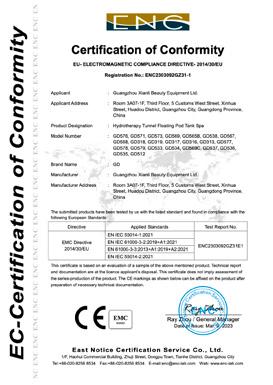
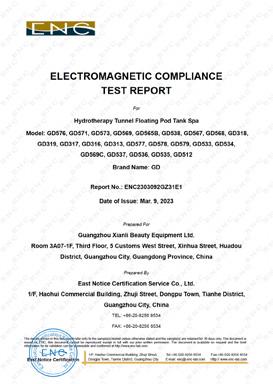
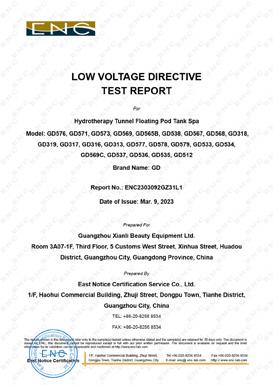
CryoCloud is manufactured using equipment that has been tested to applicable international electrical safety and electromagnetic compatibility standards.
The OEM has provided the following documentation:
• CE Low Voltage Directive (2014/35/EU) Certificate of Conformity
• CE Electromagnetic Compatibility (2014/30/EU) Certificate of Conformity
• Low Voltage Directive Test Report
• Electromagnetic Compatibility Test Report
Copies of these certifications are maintained by Protocol⁴ Health and are available upon request.
Appendix B: SERVICE LOG
Purpose
This Service Log is intended to document all service, inspections, repairs, component replacements, software or firmware updates (if applicable), and warranty-related work performed on the CryoCloud™ P100.
Maintaining accurate service records assists with preventive maintenance, warranty administration, equipment performance, and regulatory compliance. Only qualified service personnel should perform service requiring disassembly, electrical work, refrigeration service, or replacement of internal components.
Equipment Information
Model: _______________________________ Serial Number: ________________________