Chicagoland CybersecurITy Support
January 2021
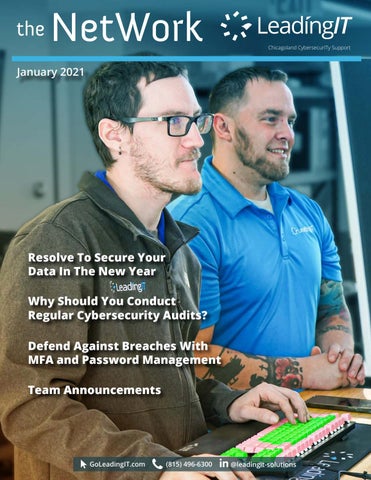
Resolve To Secure Your Data In The New Year Why Should You Conduct Regular Cybersecurity Audits? Defend Against Breaches With MFA and Password Management Team Announcements
GoLeadingIT.com
(815) 496-6300
@leadingit-solutions
Resolve To Secure Your Data In The New Year Data is the new oil—you’ve probably heard this a million times. Information is every organization’s most priceless asset. How well you collect, store, analyze, and use data plays a significant role in your company’s survival and growth.
Why Not All IT Is Good IT At LeadingIT, we have an all-inclusive cybersecurity and IT support policy—we either handle everything or nothing. So, if you contact us to manage your IT infrastructure, we have to first assess your entire network to identify your cybersecurity posture and areas that need adjustments moving forward.
4 Common Cybersecurity Mistakes You May Need To Verify 1. Lackluster Password Policies Do you have a password complexity policy? How about an expiration protocol? Do you occasionally monitor the dark web for compromised company passcodes? Which password managers do you have? How long are your passcodes? Do your users have different passwords for different accounts? A strong password is not just about having random letters, numbers, and symbols. Every passcode you use should be unique and set to expire in between 90 to 180 days. If your IT support team is not doing this, they’re sleeping on their job and exposing your network to threats.
2. Unrestricted User Access For a cyberattack to occur, the bad guys must access your systems. They usually do this by duping your employees, either by coaxing them to divulge their logins or tricking them into visiting sites that automatically mine these credentials. Simply put, your staff is your weakest link. Therefore, it’s essential to limit what your users can access. You should lock domain admin accounts and restrict access to a select few, preferably high-level executives and IT leaders.
3. Backup Mistakes
Mallory
All IT service providers will tell you they maintain reliable backups, but how reliable is reliable? How often does the IT team back up your files? How reliable do they secure the backups from unauthorized access? How easily can you retrieve the backups for emergency use? Our BackUPOverdrive solution is completely secured from any outside access. Our solution provides three full copies in three separate locations to ensure we always have your data.
4. IT Teams Doing the Bare Minimum While firewalls and passwords are a good starting point, they are not enough. A competent IT team should adopt a multifaceted approach that includes MFA if the bad guys get past your primary security measures, employee cyber awareness training, and regular network assessments. Continue reading: goleadingit.com/blog
Why Should You Conduct Regular Cybersecurity Audits?
A rule of thumb in cybersecurity is that nobody is entirely safe. In other words, even the most sophisticated data security technologies are susceptible to breaches. The sooner you can spot and avert potential threats in your organization’s network, the safer you become. And that’s where cybersecurity audits come in —they help you identify your posture and areas that need adjustments.
What Is a Cybersecurity Audit? As the name suggests, a cybersecurity audit is a comprehensive review of your organization’s IT infrastructure to identify vulnerabilities, high-risk practices, or threats hiding in your systems. It checks whether you have all the necessary policies, procedures, and protocols in place and if they are working effectively. An audit enhances your cybersecurity posture by exposing any systemic or procedural vulnerabilities that a bad actor may use to compromise your network. Some of the critical areas cybersecurity audits focus on include: • Data security: Do you encrypt crucial files? Which access control measures do you have in place? How do you safeguard your data during transit and storage? • Network security: Which measures have you implemented to safeguard your work environment from unauthorized access, and how effective are they?
Why Are Cybersecurity Audits Important? The Federal Information Security Management Act (FISMA) mandates all U.S. businesses to conduct cybersecurity audits on their systems at least twice per year. For a long time, organizations have been performing assessments merely for compliance with this and other related data security regulations. Fast-forward to today—cybersecurity audits are no longer a luxury or compliance tactic; they are essential.
• Operational Security: Which cybersecurity procedures, policies, and security controls do you have, and how responsive are they? You can also assess how well your staff is with these protocols and their cyber awareness levels. • System Security: How do you manage privileged accounts? How efficient are your patching and hardening processes? How do you control and monitor system access and restrict what specific users can see?
Mike, Jose and Anthony at Leading IT Woodstock office • Physical security: Here, you look at disk encryption, biometric data, and role-based access controls. You can also assess the effectiveness of your multifactor authentication and threat detection and prevention protocols.
LeadingIT would like to announce the achievement of exclusive Blue Diamond partner status with Datto. Datto Blue Diamond status represents the top 2 percent of the company’s partners, worldwide. “Not all IT companies are equal. Our Blue Diamond status with Datto is yet another showcase that LeadingIT is the best choice when it comes to protecting your company from cyberthreats, fast + friendly support that empowers your team + technology, and having a partner to navigate your company’s growth, alongside ours. It’s an honor to be acknowledged for deploying industry leading backup and disaster recovery solutions to our clients.” —Stephen Taylor, CEO of LeadingIT
Defend Against Breaches With MFA and Password Management Cybercriminals are tricking employees into revealing their login credentials. So, if passcodes are your only recourse, you are not doing enough. Multi-Factor Authentication (MFA) adds an extra layer of protection besides your passwords. According to Microsoft, MFA can help prevent up to 99.9% of unauthorized access and other cyberattack attempts. What is Multifactor Authentication? As the name suggests, MFA is a cybersecurity method that requires users to verify their identities using more than one authentication factor. It does not replace your passwords and other existing verification processes. No. Instead, it works with them to enable you to confirm that users are who they claim to be and ensure that your network is safe even if cyber actors compromise employee logins.
MFA can prevent 99.9% of unauthorized access.
How Does MFA Work? Before accessing a database or system, users must verify their identity using two or more authentication factors. MFA verification factors fall into three broad categories: 1. Knowledge: These refer to what the user knows—for instance, passcodes, personally identifiable information, pin, or any other login credentials. 2. Possession: What does the user have that they usually use to access the system? Examples include a PC, smartphone, software token, or smart card. 3. Biometric: The third factor is something that only the user can have. For example, their fingerprints or retinal scans. Continue reading: goleadingit.com/blog
Welcome to the Team! LeadingIT would like to introduce Katelynn and Scott! Katelynn joins us as a Level 1 tech and Scott as a Bench Technician. We are excited to have them aboard!
Katelynn
Scott
WE ARE CELEBRATING! Serving the Chicagoland area with offices in Woodstock, IL and now in downtown Chicago. Check out our blog at goleadingit.com/blog
Anniversaries
Birthdays
Stephen Taylor- 1/1/2010 Jacob Patterson - 1/6/2021 Justin Gackowski - 1/25/2021
Devin Lindelof - January 6th Dave Gregory - January 7th