Guide for Students



At PennWest, we believe that opportunity, success, and a bright future are within reach for every student. Your decision to join our community is an important first step toward achieving your goals, and we are honored to be part of your journey.
As you begin this chapter, I encourage you to take ownership of your success. Create your future by staying curious, getting involved, spending time on campus, attending events, joining organizations, and exploring your interests! Don’t hesitate to ask questions, seek guidance, and use the resources designed to help you succeed.
Just as important, find the people who will take your journey with you. At PennWest, you will meet classmates who will study with you late into the night, faculty and staff who will offer steady support, and friends who celebrate your progress. These connections will become the heart of your college experience and can last well beyond graduation.
I look forward to meeting many of you during Welcome Weekend. Until then, know that at PennWest, your future is within reach.
Sincerely,
Jon Anderson, Ph.D. President

Making the transition to college is an exciting but challenging time. With preparation and support from our staff and faculty, we aim to make this transition as smooth and seamless as possible.
The PennWest New Student Orientation program is designed to help you complete the final steps before returning for Welcome Weekend in August. Reviewing your fall class schedule, confirming housing and dining plans, and working with Financial Aid and Student Accounts are all part of your NSO experience.
You’ll also have the opportunity to meet new friends, learn about clubs and organizations, and gain valuable tips and insights from current students — so be sure to take it all in and leave with no questions unanswered.
Parents and supporters, this day is for you too! Take all the photos, ask all the questions, and enjoy the experience alongside your student.
We hope you have a wonderful time with us during New Student Orientation. If you need anything, we’re here to help!
Melissa Dunn Director of Student Development
✓ Check
✓ Visit Information Technology Services
• Email login assistance
• Wifi connections
• Password issues
✓ Visit With Admissions
• Major changes
• Name or address changes
• Add a parent or supporter to your contacts
• Transfer credits
• College in the high school credits
• Dual enrollment credits
8–8:45 a.m.
Check-in
• Visit IT Services to log into My.PennWest.edu
• Visit Admissions for any major changes or name updates
• Visit Office of the Registrar - Transfer Credits and Transfer for transfer credit information, Dual Enrollment, and College in the High School credits
• Campus Services Fair
8:45–9:15 a.m.
9:15–10 a.m.
• Continental breakfast available for all guests Welcome
• Overview of the Daily Schedule
• Special welcome from PSECU, Academic Affairs
• FERPA information
Student Connections
• Meet your fellow students and Orientation Leaders
• Campus Connections
• Campus Engagement
Parents and Supporter Information Session
• Parent and Supporter services
• Campus Connections
• Q&A
10–10:10 a.m.
10:15–11 a.m.
Break
IYKYK – What you need to know before you begin classes in August
• Financial Aid and Student Accounts
• Panel discussion:
• Health and Wellness
• Campus safety, parking and conduct
• Living in a new community
11:10–11:30 a.m.
Commuter Students tour
11:30 a.m.–12:45 p.m.
Meet faculty from your college
• Review First Semester Schedule
• Classroom Expectations
12:30–3 p.m.
Lunch available in Campus Dining Halls; tickets provided at check‑in. AVI staff will be available to discuss meal plan and dining options
• Visit offices to take care of last-minute business:
• Financial Aid
• Student Accounts
• Honor Program
• Academic Coordinators
• Residence Life and Housing
• Campus Store
• IT Services
• Health and Wellness Services
• Office for Students with Disabilities
• Admissions
• Office of the Registrar - Transfer Credits
• Fitness Center Tours
• Residence Hall Tours
1:30–2 p.m.
• Athletics (California and Edinboro)
• ACT 101 (All campuses)
• TRIO (California and Clarion campuses)
DON’T FORGET TO TURN IN YOUR NSO EVALUATION. STUDENTS AND GUESTS RECEIVE A FREE GIFT!
First-Year Move-In: Friday, August 21, 9 a.m. - 3 p.m.
Upperclass Move-In: Saturday, August 22, 9 a.m. - 3 p.m.
Thanksgiving Break: Residence Halls close Tuesday, November 24, 6 p.m.; reopen Sunday, November 29, 2 p.m.
Fall Semester Closing: Friday, December 11, 6 p.m. (No need to take home all items if returning in spring)
Registration Reminder: Students must be registered for Spring 2026 (minimum 12 credits for financial aid eligibility)
Residence Halls Open: Sunday, January 17, Noon
Spring Break: Residence Halls close Friday, March 5, 6 p.m.; reopen Sunday, March 14, 2 p.m.
Spring Semester Closing: Friday, May 7, 6 p.m.
(Remove all belongings)
Registration Reminder: Students must be registered for Fall 2026 (minimum 12 credits for financial aid eligibility)
• Did you complete your housing application and select a room?
• Did you complete the meningitis form and submit vaccine dates or sign a waiver?
• Did you send in your picture for your Student ID? (You will receive your Student ID at move-in day)
• Did you connect with your roommate(s) and/or suitemate(s)?
• Are you prepared to unload your vehicle? Did you consider bringing a dolly or cart? (Remember, our campus carts are limited.)
• Do you have an ID holder and lanyard for your keys?
• Did you review the What to Bring and What NOT to Bring list?




These links give you quick access to what you need for your first days at PennWest.
You can also connect with Student Success on social media for helpful tips, resources and opportunities to engage with current student leaders.
At PennWest, dedicated academic coordinators work closely with your faculty and department chairs to build your first semester schedule. This schedule will be part of your foundation of learning and may vary based on incoming credits (AP, dual enrollment, transfer) and your placement scores/choices.
You can ask questions at any time and be quickly connected to the resources you need. Use the Raise Your Hand tool 24/7: PennWest.edu/raise-your-hand. Some questions receive immediate automated responses, while others are routed to a support team member who will follow up during business hours (Monday–Friday, 8 a.m.–4 p.m.)
Your instructors and faculty advisor will guide you in the classroom, but academic connections don’t stop there. PennWest’s Success Network connects you with people and resources to help you navigate challenges, build skills and stay on track throughout your academic journey.
This free book offers simple, actionable strategies to help you connect with peers, professors, and mentors in ways that make your college experience more meaningful and transformational.
This is one of the books that you will read in FYS 1000, PennWest’s First-Year Seminar course. Each section of the course will cover Chapters 1-6. The other text required for the course, Navigating Your College Journey, will available through ACCESS. See the information on the right.

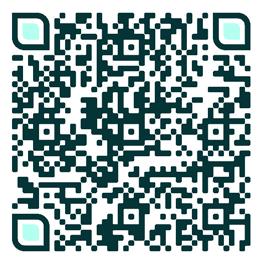
WANT TO GET STARTED ON YOUR READING? YOU CAN DOWNLOAD A PDF OF CONNECTIONS ARE EVERYTHING BY SCANNING THIS QR CODE AND SELECTING “VIEW FULL BOOK.”
Students can purchase their textbooks via the PennWest University Campus Stores website for delivery to their home campus bookstore at no charge. Students should log in to My.PennWest.edu and go to the bookstore link under “Student Quick Access”. Students can also purchase textbooks in-person at the California campus location, or if enrolled in an ACCESS course, materials may be delivered digitally via PennWest.edu email or D2L.
ACCESS covers required materials as part of school charges and provides access on or before the first day of class. After course selection, ACCESS course lists go to the Campus Store, which prepares materials. Students should check email for access instructions.
A week before school begins, ACCESS students receive an email. Materials are marked as ACCESS on the store website and cannot be purchased separately.
Students can save up to 60–80% due to Campus Store partnerships and bulk purchasing. The program also reduces stress and provides easy access to materials.
Students may choose to opt out of an ACCESS course. Students wishing to opt out must do so by the specific date at the beginning of each term. Students in ACCESS classes are automatically enrolled in the ACCESS program and must take action to opt out of the program. Information about how to opt out is included in the email welcoming students to the program. Students who opt out of the ACCESS program are responsible for finding and purchasing their required course materials on their own.
Planning for your future can feel overwhelming, but at PennWest, you won’t navigate it alone. The Career Center helps you explore your interests, prepare for the workforce, and apply your strengths as you work toward your own definition of career and life success. Support is available 24/7/365 with online tools that help you understand your interests and make informed choices about majors and paths.
As a student, you’ll follow a clear, personalized process: exploring options, preparing your materials, gaining experience, and building connections. Along the way, you’ll have access to:
• One-on-one career coaching from NACE-certified professionals.
• Workshops on résumés, interviews, and the job or internship search.
• Opportunities to take part in eight types of employer-valued experiences through our Experiential Learning Center.
• More than 500,000 internship and job opportunities on Handshake.
• Networking and recruiting events with employers across industries.
Students who connect with the Career Center are more likely to stay on track and complete their degree.
Visit career.PennWest.edu and take the 11-question quiz to see where you are on your career development journey.
• An upper-class student, typically in a similar major or with shared interests
• Someone who can guide you on topics related to academics and student life
• A built-in resource who can answer questions and help you understand what to expect before arriving on campus
• A support person paired with you during your first academic year at PennWest
On-campus jobs offer more than a paycheck. They help you build practical skills, meet people, and feel connected to the PennWest community.
Through our Reflections in Student Employment (RISE) program, supervisors help you connect your work with the skills you’re developing in class and elsewhere, including communication, leadership, teamwork, and problem-solving.
Most positions offer 8 to 12 hours per week at the state minimum wage or higher. Jobs are available in academic departments, the library, Admissions, the fitness center, and other areas across campus.
You will receive access to Handshake once you have a class schedule. Then you can begin exploring on-campus openings.
1. Access Handshake
Download the Handshake app or visit PennWest.joinhandshake.com, and sign in with your PennWest credentials. Incoming students receive a Handshake account after they have a class schedule.
2. Start Your Search
• Go to “Jobs”
• Under filters, select “PennWest Collections”
• In the search box, type “On-Campus Student Employment”
3. Choose Your Campus
Typing this phrase will show three autofill options:
• On-Campus Student Employment at Cal Campus
• On-Campus Student Employment at Clarion Campus
• On-Campus Student Employment at Edinboro Campus
Select the option that matches your home campus. This opens the full list of jobs available at that location.
4. View and Apply
Review the postings, then apply directly in Handshake
Job postings typically appear shortly before the semester begins. Once your account is active, you can start exploring opportunities that fit your interests and schedule.
At PennWest, you have the option to create proxy accounts for any trusted individual you wish to have access to your student records.
Those you give access to may set up an account for Proxy Access via My.PennWest.edu.
Student records include tuition statements, financial aid award packages, grades, tax documents, and more.
1. Log in to My.PennWest.edu
2. Click “Student Self-Service”
3. Click the waffle in the top left corner of the page
4. Click “Banner” then “Personal Information”
5. Click “Proxy Access”
6. Click “Add New”
7. Enter the first name, last name, and email address of the parent or guest you would like to allow for Proxy access
8. Use the “relationship” drop-down menu to select their relationship type (i.e., family member). Use the “description” box to write in this individual’s exact relationship to you (i.e., “mom”).
9. Enter a “Passphrase” for this parent or guest The passphrase is a special word or phrase this individual will provide to faculty and staff when requesting to discuss your student records over the phone or in person.
*Note: Start and stop dates are set to four years, but you may modify start and stop dates to specify an exact time frame for which a parent or guest has access to your record(s). You may remove access by deleting their portal account.
10. Under “Authorizations,” check mark boxes for the record items you authorize this parent or guest to have access to. You may select individual record items or all record items. This will be the information they can view and/or discuss with PennWest. Click “submit” when finished.
11. On the finished screen with their name/account, click the blue pencil icon
12. Click “Email Passphrase” at the bottom. This will trigger the system to send an email notification to your parent or guest about accessing and registering their portal account.
13. Log out of My.PennWest.edu. You may also repeat these steps to register additional individuals to have Proxy Access.
*Note: To authorize a parent or guest to pay your bill, you must visit the “billing” tab in My.PennWest.edu to add them as an “authorized user” for making credit card payments.

At PennWest, Campus Life helps students establish connections and support through interactive programs and organizational opportunities while adjusting to college life and gaining valuable skills.
• Improves retention
• Decreases feelings of homesickness
• Encourages connections to campus
• Reduces anxiety and stress
• Increases sense of belonging
• Builds confidence
• Provides opportunities to enhance public speaking
• Leads to networking opportunities
• Fosters organizational and time management skills
• Promotes civic engagement and community service
• Aids in the development of critical thinking skills
Regardless of your interest, PennWest offers a wide variety of unique spaces to make getting involved easy! Student Centers, E-Sports lounges, recreational facilities, theater production space, and art studios are just a few examples of facilities that will enhance your experience.

Getting involved truly shaped my success as a student and made my college experience unforgettable. “
Brady Bizzarri ’21

1. Go to My.PennWest.edu
2. Click on the “Student Accounts Portal” link on the Student Quick Access card
3. Click “Authorized Users” on the right side of the screen
4. Click “Add Authorized User”
5. Enter the email address of the authorized user
6. Choose what you want the authorized user to see
7. Click “Continue”
8. Review the agreement
9. Click “I Agree”
10. Click “Continue”
11. The authorized user will receive an email with further information and a second email with a temporary password
1. Go to My.PennWest.edu
2. Click on the “Student Accounts Portal” link on the Student Quick Access card
3. Once inside the portal, click “Electronic Refunds” on the right side of the page
4. Set up Multi-Factor Authentication by clicking the blue “Complete multi-factor authentication” button near the top of the page.
5. Click “Set Up a New Account”
6. Fill in all the required info on the “Set Up Refund Account” screen
7. Double-check that you have entered your account information correctly
8. Click “Continue”
9. The system will return to the “eRefunds” page. You should see your new account under “Current Refund Method”
10. Setup is complete
Please review the following checklist to ensure completion of these very important steps. Failure to complete any of these tasks may delay payment of aid to your university bill.
Students: Log in to My.PennWest.edu
• Complete the following:
• Click the “Financial Aid Self-Service” link in the Student Quick Access card
• Complete all requirements on the home tab
• Accept or decline federal loans on the Award Offer tab under “Options to Pay Net Cost”
For Federal Loans: Visit StudentAid.gov
• Complete Entrance Counseling, which educates you on your rights and responsibilities as a borrower
• Sign the Master Promissory Note (MPN), a legal document in which you promise to repay your loan(s) and any accrued interest and fees
PA Residents: Log in or create an account at GrantUs
• Students should watch for an email from PHEAA with a link to sign into their account. The email will be sent to the email address entered on the FAFSA.
• Make sure PennWest is listed as the school you are attending
• The email may go to the SPAM/Junk folder
Federal Direct Parent PLUS Loan
• The parent will need to log into StudentAid.gov with their FSA ID and apply for the loan. The maximum amount a parent can apply for is $20,000 each academic year, with an aggregate limit of $65,000.
• If approved: The Master Promissory Note (MPN) must be signed for the loan to be applied to the bill
• If denied: The parent can choose the option not to pursue the loan, allowing the student to be considered for additional aid, if eligible, on their federal unsubsidized loan
Alternative Private Loan
• Private loans typically require a creditworthy cosigner if you do not earn enough to demonstrate your ability to repay the loan or if you have not yet built up enough credit. We recommend that you only borrow what you truly need.
• We have an online comparison tool at elmselect.com, which allows you to review and compare private lenders that students have used in the past.
• PennWest works with all lenders; we do not have a preferred list
A student’s rights are protected under FERPA, the Family Educational Rights and Privacy Act. A student can grant permission to another person (parent, spouse, guardian, etc.) to be able to access the student’s university records, such as financial aid information, billing information, grades, schedules, transfer credits, etc. To do this, the student accesses the Proxy Access Portal, enters the information for the person(s) they want to allow as proxy, and establishes a passphrase that the proxy must provide when communicating with university staff regarding the student’s record. The student will set the permissions for the proxy access and may restrict the information that the proxy can access. The student may revoke proxy access at any time.
Financial Aid
Email: financialaid@pennwest.edu
Phone: 724-938-4415

With so many things on your mind, you may not have given much thought to how you will be eating when you are on campus — but we have! It is our goal to keep students happy and healthy by providing meals that are nutritious, quick, convenient, and delicious. The best way to eat on campus is with a dining plan tailored to fit your needs.
PennWest California California Map
Whether you’re here every day or visiting for the first time, understanding your parking and transportation options will help your time on the California campus go smoothly.
PennWest Clarion Clarion Map
Both frequent and occasional visitors can move around the Clarion campus with more ease by reviewing available parking and travel routes, taking a moment to understand where key lots, walkways, and transit options are located before they arrive.
PennWest Edinboro Edinboro Map
If you’re coming to the Edinboro campus, knowing your parking and transportation choices — whether it’s your first visit or one of many — can help you move through campus with confidence.
✓ Complete survey before you leave campus today, and turn in for an exclusive NSO gift!
✓ Submit photo for your student ID
✓ Check your PennWest email regularly
✓ Check the Orientation section of the PennWest website for monthly check lists and newsletters
✓ Follow campus life and PennWest on Instagram
This FAQ provides a straightforward overview of how students can use Starfish to stay connected with their instructors, advisors, and support services. It explains key features — such as raising a hand for help, viewing your Success Network, scheduling appointments with faculty, the Writing Center, peer tutoring, Supplemental Instruction and other offices; checking midterm and final grades, and understanding roster verification and progress surveys — so students know where to go and what to expect throughout the semester.
Find direct phone numbers for key campus offices and services to help you reach the support you need quickly. Each list is organized by location to make it easy to connect with the right team.

ORIENTATION@PENNWEST.EDU
PENNWEST.EDU