
Rebecca Williams Noushin Pourmirza Presented by Designed by VIRTUAL PRESENTATION SKILLS WORKBOOK Find Confidence in Front of the Camera
/PART _01 _0302_MESSAGEYOURMASTER IDEACONTROLLINGADEFINE/WORKBOOKSKILLSPRESENTATIONVIRTUAL WILLIAMSREBECCA/ 1pg./
Lead your audience on a journey of understanding

/PART _01 _0302_MESSAGEYOURMASTER IDEACONTROLLINGADEFINE/WORKBOOKSKILLSPRESENTATIONVIRTUAL WILLIAMSREBECCA/ 2pg./ YourMasterMessage DEFINE A CONTROLLING IDEA - What is a controlling idea - Your controlling idea as your North Star - How to craft a controlling idea START WITH A PROBLEM - Why start with a problem - How to define your problem STRUCTURE YOUR PRESENTATION - Why audiences need structure - Hook, Meat, Payoff structure - How to organize your ideas END WITH A SMART CALL TO ACTION - Give the audience something to do - What is SMART? - Virtual Presentation Messaging Framework PART
/PART _01 _0302_MESSAGEYOURMASTER IDEACONTROLLINGADEFINE/WORKBOOKSKILLSPRESENTATIONVIRTUAL WILLIAMSREBECCA/ 3pg./
A great virtual presentation starts with CLARITY

A confident virtual presenter can influence large Newaudiences.leadership development is critical for fast-growing companies. Being able to tell a story will help you succeed in business.
Your audience needs to know what they’re listening for at the very beginning. This way they can sort the information you’re sharing with them as you speak. Your point needs to be very explicit, concise, and interesting enough to make them want to listen for more. Your point is known as the controlling idea.
Everything you say in your presentation must support the controlling idea
/PART _01 _0302_MESSAGEYOURMASTER IDEACONTROLLINGADEFINE/WORKBOOKSKILLSPRESENTATIONVIRTUAL WILLIAMSREBECCA/ 4pg./
The first thing any audience wants to know is “What is this presentation about?”
Think of your controlling idea as a filter: everything in your presentation must support your controlling idea. As such, defining a controlling idea will help you narrow the scope of your presentation to make a clear point. Without a controlling idea, your presentation will lack focus and your audience will wonder where your talk is going.
Define a controlling idea
A complete sentence Interesting
Example controlling ideas
When to say your controlling idea
At the very beginning of your talk
Defining a controlling idea requires being ruthless. What is the ONE point you want to make? How will you make that point concise? Is what you want to say interesting? Just because we have the mic doesn’t mean people are going to listen. We have the opportunity to say something unique. We have the opportunity to influence. Make your opportunity count: challenge yourself to say something your audience will remember.
At the very end of your talk—even after Q&A if you’re doing that
A controlling idea is Concise (less than 15 words)
Interesting
Now that you have some statements to play with, identify three that resonate most with you. Which one are you the most passionate about? Which one do you have the most to say about? Which one feels personal? Choose the statement that has the most juice for you, then check it to the checklist below.
Identify a broad topic you’d like to speak about (Eg. same-sex marriage, politics in the US, conspiracy theories, etc.). Now time yourself (5 mins) and write as many opinion statements as you can about that topic following the sentence prompts below.
YOUR CONTROLLING IDEA:
Opinion statements
EXERCISE: DEFINE A CONTROLLING IDEA
A complete sentence
Concise (less than 15 words)
Same-sex marriage is ... Same-sex marriage will... Without same-sex marriage... In spite of same-sex marriage... Same-sex marriage is how...
/PART _01 _0302_MESSAGEYOURMASTER IDEACONTROLLINGADEFINE/WORKBOOKSKILLSPRESENTATIONVIRTUAL WILLIAMSREBECCA/ 5pg./
Check to make sure your controlling idea is
Topic = same-sex marriage
Example
/PART _01 _0302_MESSAGEYOURMASTER PROBLEMAWITHSTART/WORKBOOKSKILLSPRESENTATIONVIRTUAL WILLIAMSREBECCA/ 6pg./ A withoutiswithoutpresentationaproblemlikeamovieaplot

Eg. Most people haven’t learned the skill set they need to be confident when presenting on camera.
Use negative verbs and modal verbs: struggle to, don’t, can’t, won’t, suck at, fail to, miss, lose, waste, etc.
Controlling Idea: New leadership development is critical for fast-growing companies.
Start with a problem
/PART _01 _0302_MESSAGEYOURMASTER PROBLEMAWITHSTART/WORKBOOKSKILLSPRESENTATIONVIRTUAL WILLIAMSREBECCA/ 7pg./
Problem: There aren’t efficient ways to train new leaders at scale.
HERE ARE SOME WAYS TO CONSTRUCT NEGATIVE STATEMENTS:
When we’re presented with a problem, our minds immediately start working on how to solve it. As presenters, we can use this aspect of human nature to capture and keep the attention of the audience.
Problems make things interesting. Humans are problem-solving machines.
Controlling Idea: A confident virtual presenter can influence large audiences.
Problem: Most people haven’t learned the skill set they need to be confident when presenting on camera.
Your problem must be stated in a negative construction or it will not be percieved as a problem
HERE ARE SOME CONTROLLING IDEAS AND THEIR ASSOCIATED PROBLEMS:
Eg. Youth is wasted on the young.
Eg. We don’t know what we don’t know.
Just like a story, every presentation must start with a problem. If there’s no problem, there is no real reason for the audience
to listen. That’s why in the first several minutes of any film we’re presented with the main character and the problem she must solve. The rest of the film is about her trying to solve that problem. Will she escape the cult? Will she diffuse the bomb? Will she find love? These are the questions that keep us on the edge of our seats. We must give our audience a problem or they will lose interest.
Problem: We have forgotten how to tell stories.
Controlling Idea: Being able to tell a story will help you succeed in business.
How does your audience struggle with your topic?
Check to make sure your problem is Stated in a negative construction Concise (less than 15 words) A complete sentence
Once you have landed on a problem statement that feels right to you, check it to the checklist.
EXERCISE: DEFINE YOUR PROBLEM
/PART _01 _0302_MESSAGEYOURMASTER PROBLEMAWITHSTART/WORKBOOKSKILLSPRESENTATIONVIRTUAL WILLIAMSREBECCA/ 8pg./
Why does your audience need to know what you’re presenting?
Now answer the questions below to help you define your problem. Some questions may not make sense for your controlling idea. If they don’t skip them.
What’s the problem your audience will see if they believe your controlling idea?
Start with your controlling idea from page 5.
YOUR PROBLEM STATEMENT:
Now look at the answers to your questions and make some problem statements using negative construction. Which statement feels the most true to you? Which statement would resonate most with your audience? Which statement sets up the content you want to deliver best?
WRITE IT HERE:
Structure your presentation
How do you expect people to enjoy and get nourishment from what you serve them if it’s all over the table? It’s actually kind of rude when you think about it. “HERE! THIS IS EVERYTHING I KNOW! IT’S UP TO YOU TO FIGURE OUT HOW TO CONSUME THIS!” Presenting your ideas like this is no way to get people to come back for seconds.
You have to build your presentation so it takes people where you want them to go. YOU are the leader. That means you have to plan where you’re taking people and how you’re going to get them there. What do you want them to walk away with? What do you want them to understand? How will you organize all the thoughts you have about your topic so they tell a cohesive story? This is not a garage sale—this is a seduction.
/PART _01 _0302_MESSAGEYOURMASTER PRESENTATIONYOURSTRUCTURE/WORKBOOKSKILLSPRESENTATIONVIRTUAL WILLIAMSREBECCA/ 9pg./
A presenter is a teacher, a leader, an entertainer, a guide. This means you are responsible for your audience understanding what you’re trying to communicate. And helping someone understand something requires breaking it down into parts. What do I want them to know? What do they need to know first? Then what can be revealed? How do I tie it all together so it’s meaningful? Creating a structure for how you will present your ideas will help you answer these questions.
A presentation without structure is like soup without a bowl.
Consider this style when
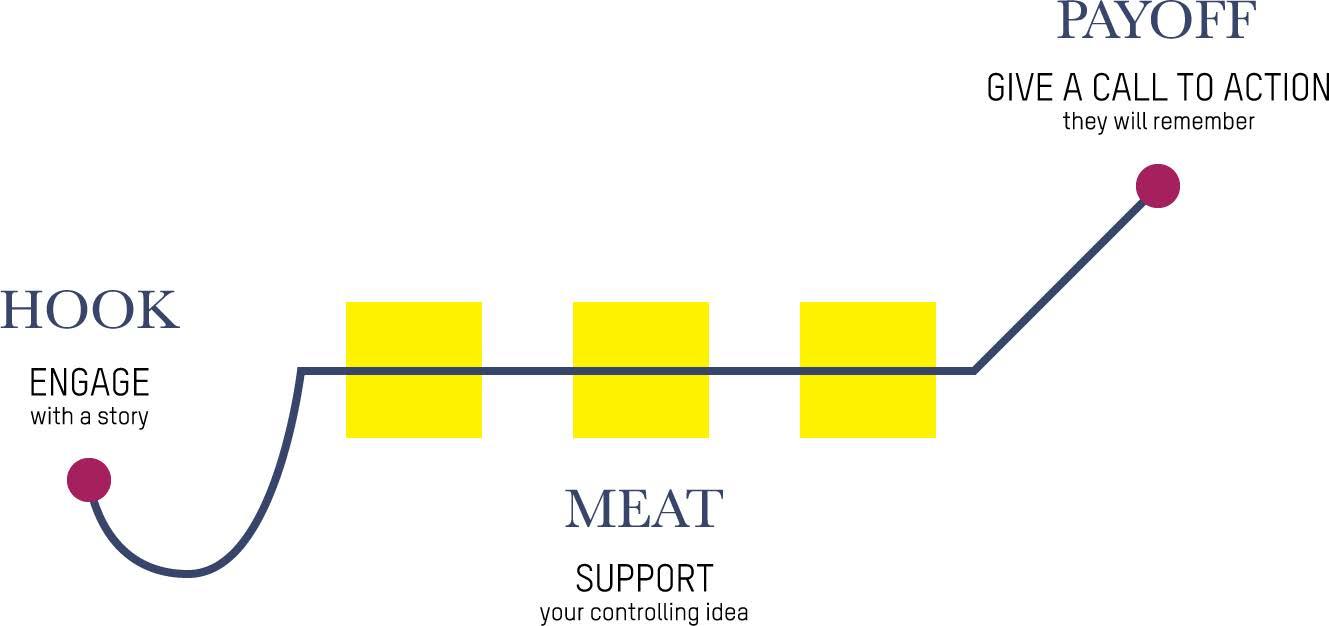
There are many ways to structure a presentation. It’s helpful to start with one solid framework. The Hook, Meat, and Payoff presentation structure is useful when you want to change what someone KNOWS. It starts with a hook to engage the audience (usually a story), moves on to three areas you want your audience to understand, then closes with the payoff, or call to action, that you want your audience to remember. Keep in mind that this is a high-level structure for organizing your ideas. You’ll need to add in texture and support for your controlling idea along the way.
/PART _01 _0302_MESSAGEYOURMASTER PRESENTATIONYOURSTRUCTURE/WORKBOOKSKILLSPRESENTATIONVIRTUAL WILLIAMSREBECCA/ 10pg./
You want to change what your audience KNOWS. You want to teach or share a lot of information, like a report or a work presentation.
Hook, Meat, and Payoff Structure
post-its saying the same things? If so, choose the one that expresses what you’re trying to say best.
Once you have these families of ideas together, give each family a name. For example, for my presentation on presenting, I grouped my three families under the titles CLARITY, CONNECTION and DELIVERY. After you’ve done this, you may want to go back and see if some of your post-its fit better in another family.
WRITE IT HERE:
01 02 03 04 05 06
Now organize your post-its into families by sticking them in groups on the butcher paper. What ideas naturally go together? Which overlap? Start to create structure by seeing similarities and differences in what you want to share.
Are all the points you’ve captured necessary to share? Which ones can you leave out?
Start with your controlling idea from page 5.
What is a controlling idea?
How to create a controlling idea
EXERCISE: ORGANIZE YOUR IDEAS
Get a pad of post-it notes, a pen, and a big piece of butcher paper you can stick on the wall.
Every presentation has to start with a problem
Are there any ideas that don’t help support your controlling idea? If so, get rid of them. (Sometimes you have to kill your babies.)
/PART _01 _0302_MESSAGEYOURMASTER PRESENTATIONYOURSTRUCTURE/WORKBOOKSKILLSPRESENTATIONVIRTUAL WILLIAMSREBECCA/ 11pg./
Set a timer for 15 minutes. Use the post-it notes to write out each idea you have that fits within the scope of your controlling idea. Keep your notes simple. For example, if I’m putting together a presentation on how to give a virtual presentation, some post its would say...
Every presentation needs structure
Now it’s time to go through each family and be Areruthless.some
/PART _01 _0302_MESSAGEYOURMASTER PRESENTATIONYOURSTRUCTURE/WORKBOOKSKILLSPRESENTATIONVIRTUAL WILLIAMSREBECCA/ 12pg./
ExampleMycontrolling
For the HMP structure, you want three main points for your presentation. From your post-it families, which three have the most ideas? If you don’t have three families, can you break up one of the larger families you already have? Decide which three families have the most “meat”. These will be the three central points to your presentation to support your controlling idea.
Now turn these three points into complete sentences to help you stay clear. For example, the three areas I wanted to touch on were CLARITY, CONNECTION, and DELIVERY. See the example on the right for how I turned them into complete sentences so I keep myself on track with what I want to communicate.
idea: A confident virtual presenter can influence large audiences.
Is each point a distinctly different thought than the other?
Remember: Your audience can only eat so much soup
Point 1: Point 2: Point 3:
07 08
Great virtual presenters know how to maintain audience GreatCONNECTION.virtualpresenters understand the importance of DELIVERY.
Does each point support your controlling idea?
Is each point clear and concise?
Problem: Most people haven’t learned the skill set necessary to be confident when presenting on camera.
Supporting ideas:
Write the three main points you will use to support your controlling idea here then check them to the checklist on the right.
A great virtual presentation starts with CLARITY.
Problem: We have forgotten how to tell stories.
A presenter takes the virtual stage as a leader.
End with a call to action
Call to action: Start your next sales presentation by telling a story.
Problem: Most people haven’t learned the skill set they need to feel confident when presenting on camera.
Call to action: Download our new AI coaching app to start training your team today.
Controlling idea: Being able to tell a story will help you succeed in business.
/PART _01 _0302_MESSAGEYOURMASTER ACTIONTOCALLSMARTAWITHEND/WORKBOOKSKILLSPRESENTATIONVIRTUAL WILLIAMSREBECCA/ 13pg./
You have presented the audience with a problem. Now you need to give them something to DO about it. A call to action literally calls your listeners to take action on the problem you’ve revealed. Without a call to action, your audience will be left to stew on the problem, which leaves your presentation unresolved in their minds.
Call to action: Craft your next virtual presentation by following the steps in this workbook.
Controlling idea: New leadership development is critical for fast-growing companies.
Problem: There aren’t efficient ways to train new leaders at scale.
Controlling idea: A confident virtual presenter can influence large audiences.
Examples of calls to action:
Your call to action needs to be actionable, or else it’s not a call to action. This means there needs to be a reasonable expectation that your audience can do it, or else it will fall flat or sound cliché. Think of a general on a battlefield. The regiment is about to take the field for battle, and he needs to call the troops to action so they can defeat the enemy (i.e. solve the problem). What would the general say?
A call to action is the last thing you say in your presentation
SMART is a popular goal-setting framework acronym that says goals should be Specific, Measurable, Achievable, Relevant, and Time-bound. You can use SMART as a guide for how to build a call to action that is explicit and actionable.
Start by writing a list of SPECIFIC things your audience can DO to solve this problem.
EXERCISE: CRAFT YOUR CALL TO ACTION
/PART _01 _0302_MESSAGEYOURMASTER ACTIONTOCALLSMARTAWITHEND/WORKBOOKSKILLSPRESENTATIONVIRTUAL WILLIAMSREBECCA/ 14pg./
From the box above, choose the call to action that resonates with you the most. Write it here.
Your call to action should inspire your audience to DO something about the problem you have presented to them. It should be something they can actually accomplish, not some pie in the sky ideal. Crafting calls to action that make meaningful change happen requires being explicit. If you make a vague call to action, you will get a vague response.
MY DRAFT CALL TO ACTION:
Is your call to action TIME-BOUND? That is, have you given your audience a deadline in which to take action by? If not, add in a time clause.
Is your call to action MEASURABLE? That is, will your audience be able to know if they have achieved it? If not, what can you add that makes it clear what success looks like?
01 02
MY REVISED CALL TO ACTION:
Is this call to action RELEVANT to the problem? If not, how can you make it address the problem more directly?
Now further clarify your call to action by making sure it follows the SMART guidelines by answering the questions below.
03 04
Is your call to action ACTIONABLE? That is, is it something that is realistic for them to do? If not, choose another call to action that is.
What is a SMART call to action?
Using your answers to the questions above, rewrite your call to action so it is specific, measurable, actionable, relevant, and time-bound.
/PART _01 _0302_MESSAGEYOURMASTER ACTIONTOCALLSMARTAWITHEND/WORKBOOKSKILLSPRESENTATIONVIRTUAL WILLIAMSREBECCA/ 15pg./
Communicating a clear message in your presentation starts with having a clear outline. When giving a presentation, the tendency is to want to throw everything you’ve ever thought about your topic into your presentation, but this does the audience a disservice. Here’s why.
Put it all together to master your message
A clear outline helps you explain your message in its simplest terms. It helps you maintain discipline on what you’re going to share in your presentation. To keep your message tight, use the Virtual Presentation Messaging Framework on the next page to help you outline your next presentation.
“If you can’t explain it simply, you don’t understand it well enough.” - Albert Einstein
you. It’s like telling a group of strangers to give your newborn baby a name. “Well, I guess we could call her Sally?” You must control the message of your presentation so everyone ends up on the same page. “Everyone, I’d like to present Sofia!” “Hello, Sofia!”
Your audience expects you to have a point. They expect you to take them on a journey of understanding so they “get” what you mean. If you don’t do the work to lead the audience where you want them to go, they’ll be left to figure out what you’re trying to say on their own. This thought should terrify
Present your message in this order: Controlling idea PointProblem#1to support your controlling idea Point #2 to support your controlling idea Point #3 to support your controlling idea Controlling idea Call To Action EXERCISE:
Point #2: Great virtual presenters know how to maintain audience CONNECTION.
Point #1: A great virtual presentation starts with CLARITY
Here’s an example of the Framework in action:
Controlling idea: A confident virtual presenter can influence large audiences.
Call To Action: Use what you’ve learned here to influence your audience in your next virtual presentation.
Controlling idea: A confident virtual presenter can influence large audiences.
Problem: Most people haven’t learned the skill set they need to be confident when presenting on camera.
/PART _01 _0302_MESSAGEYOURMASTER ACTIONTOCALLSMARTAWITHEND/WORKBOOKSKILLSPRESENTATIONVIRTUAL WILLIAMSREBECCA/ 16pg./
Virtual Presentation Messaging Framework
Point #3: Great virtual presenters understand the importance of DELIVERY.
_01/PART 02 _03AUDIENCETHEWITHCONNECT STORIESTELL/WORKBOOKSKILLSPRESENTATIONVIRTUAL WILLIAMSREBECCA/ 17pg./ Great virtual presenters know how to maintain audience CONNECTION
_01/PART 02 _03AUDIENCETHEWITHCONNECT STORIESTELL/WORKBOOKSKILLSPRESENTATIONVIRTUAL WILLIAMSREBECCA/ 18pg./ Connect with the Audience TELL STORIES - What is a story? - Where to use stories in virtual presentations - How to build a story CREATE AUDIENCE ENGAGEMENT - The five-minute rule - Virtual Audience Engagement Toolkit USE SLIDES TO MAINTAIN AUDIENCE CONNECTION - Revealing meaning in bite-sized chunks - Using animations GOOD SLIDES ARE SIMPLE SLIDES - Slide creation checklist PART
_01/PART 02 _03AUDIENCETHEWITHCONNECT STORIESTELL/WORKBOOKSKILLSPRESENTATIONVIRTUAL WILLIAMSREBECCA/ 19pg./
A presentation is a two-way conversation that can only happen if you connect with the audience
Where can you use stories in your presentation?
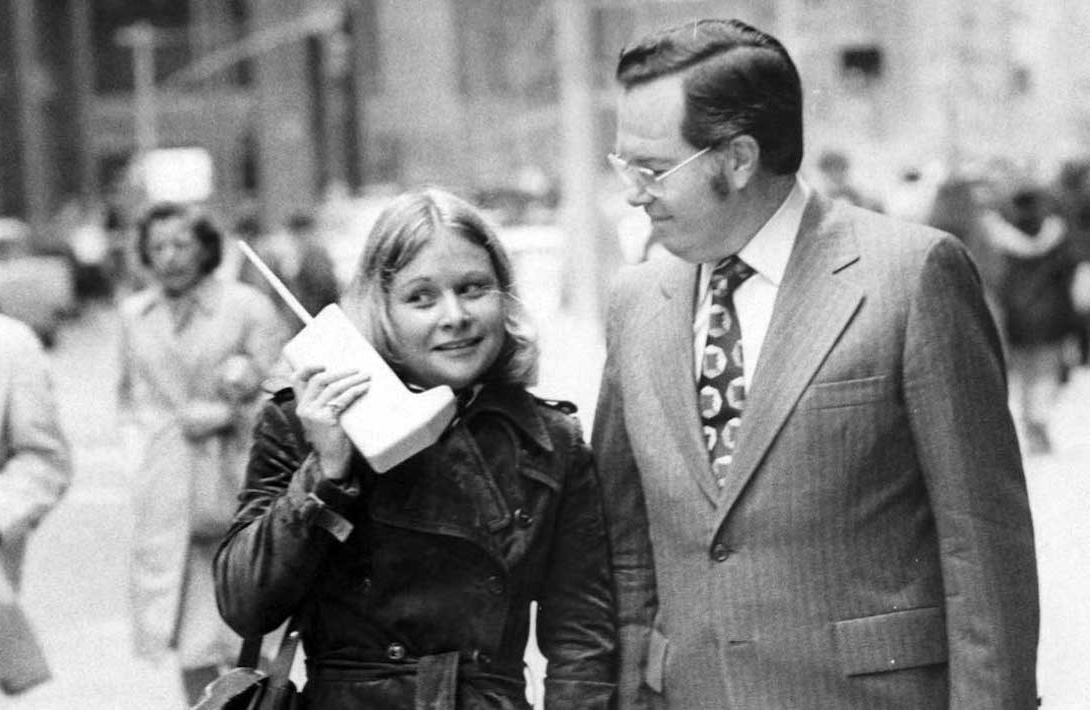
Stories are a virtual presenter’s secret weapon.
As a hook at the beginning of your presentation to connect with your audience. To break up dense areas of informational content. People need stories to make meaning from data.
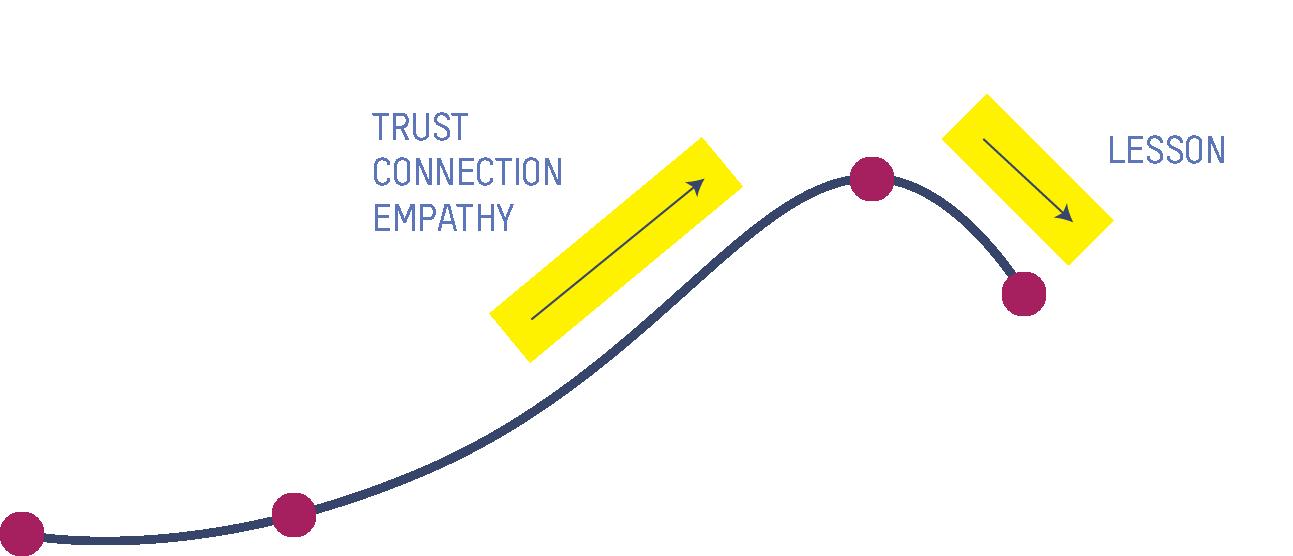
Stories can stimulate oxytocin release that creates trust, connection, and empathy. Stories also create emotions. Once this emotional pathway has been created, our audience is ready to receive information that they might have otherwise rejected. Stories are your Trojan Horse. Use them to connect with the audience on an emotional level before endeavoring to change what they know or believe.
Tell stories
WHAT IS A STORY, ANYWAY?
To illustrate a point. Show, don’t tell.
A story is information shared within a rising action and falling action. The information shared in the rising action builds trust, connection, and empathy in the listener. The falling action steeps the listener in a lesson. Every story has a hero, a problem the hero faces, and stakes for solving or not solving the problem. A story can be told in six seconds or six hours. It can be told in a single image or a feature film, a sentence or a lifetime.
_01/PART 02 _03AUDIENCETHEWITHCONNECT STORIESTELL/WORKBOOKSKILLSPRESENTATIONVIRTUAL WILLIAMSREBECCA/ 20pg./
_01/PART 02 _03AUDIENCETHEWITHCONNECT STORIESTELL/WORKBOOKSKILLSPRESENTATIONVIRTUAL WILLIAMSREBECCA/ 21pg./ Stories create EMOTIONS
STAKES
What did you stand to lose if you didn’t solve the problem?
SET-UP
How to build a story
GUIDE
When did this story happen? At that time, what did you want?
_01/PART 02 _03AUDIENCETHEWITHCONNECT STORIESTELL/WORKBOOKSKILLSPRESENTATIONVIRTUAL WILLIAMSREBECCA/ 22pg./
PROBLEM
What was getting in the way of you getting what you wanted? How did that make you feel?
RESOLUTION
Who / What helped you gain the tools / wisdom / strength you needed to solve the problem?
CLIMAX
What was the result of getting that help?
What did you learn? What do you believe now because of this experience?
Data is 22 times more likely to be remembered when it’s shared as part of a story
_01/PART 02 _03AUDIENCETHEWITHCONNECT STORIESTELL/WORKBOOKSKILLSPRESENTATIONVIRTUAL WILLIAMSREBECCA/ 23pg./

Edgar Dale
Create audience engagement
In a webinar, you can’t see the audience so it’s hard to imagine engaging them in a meaningful way. But what’s true is that there are people on the other side of your camera, and they want more than TV. They didn’t tune in to numb out; they logged in because they want to hear what you have to say. And the best way to get them to hear you is to create
_01/PART 02 _03AUDIENCETHEWITHCONNECT ENGAGEMENTAUDIENCECREATE/WORKBOOKSKILLSPRESENTATIONVIRTUAL WILLIAMSREBECCA/ 24pg./
It’s tempting to think that presenting to a virtual audience means you’re going to be giving a one-way “performance”.
The Five-Minute Rule
In a virtual environment, the default is for the audience to hide. But if you let them hide, you can’t connect with them—and connection with the audience is the most important ingredient for any presentation, be it virtual or in-person. You want participants, not observers. They want a conversation, not a monologue. The Five Minute Rule states that in order to sustain a meaningful dialog with your audience, you can’t go longer than five minutes without givng them an opportunity to participate. That means in a 15 minute virtual presentation, you need to give your audience two to three well-defined and meaningful audience engagement opportunities. Look at the virtual audience engagement toolkit on the next page for ideas on how to connect with and engage your virtual audience.
opportunities for them to participate. Sure, not everyone will want to, but there are many who will. When you create an experience that includes the voices of your audience, it takes the pressure off you to perform and gives an unscripted liveliness to your event that they’ll remember.
10% of what we read 20% of what we hear 30% of what we see 50% of what we see and hear 70% of what we discuss with others 80% of what we personally experience 95% or what we teach others
We remember
Example
_01/PART 02 _03AUDIENCETHEWITHCONNECT ENGAGEMENTAUDIENCECREATE/WORKBOOKSKILLSPRESENTATIONVIRTUAL WILLIAMSREBECCA/ 25pg./
At the very beginning of your presentation, you have an opportunity to make your audience feel heard. Don’t miss it. You want to ask a question that everyone is interested in answering and get them to answer it via the chat function or by unmuting themselves. Why do you want to do this? Here’s why.
INVITE VOICES INTO THE ROOM
USE THE CHAT FUNCTION
When you fire up your camera and log on to your platform, you’re naturally going to feel a lot of pressure. “It’s just me on camera, and I have to speak for how long?” Even a seasoned professional can struggle with this tension. Inviting the audience’s voices into the room is how we pop that balloon. It makes us, as presenters, register that it’s actually a conversation and not a speech. Doing this also lets the audience know that there’s a reasonable expectation for them to participate—that you want them to be a part of the conversation.
What are you hoping to take away from this webinar? What is your biggest struggle with giving virtual Whatpresentations?wouldyou give a presentation about if you felt more confident on camera?
For a presentation about giving virtual presentations, you could ask:
Before you go into any content, ask an open ended question related to what you’re going to talk about that elicits a short answer.
The chat function is a simple and efficient way to keep people engaged throughout your talk. Use this function to give your audience opportunities to answer simple questions in real-time. Make it clear you want them to answer your question right now by telling them to “go ahead and drop your answer in the chat”. Then, while you’re waiting a few seconds for the answers to populate, take a drink of water or tell a quick story. You’ll come across more relatable if take a second to show them you are human!
Virtual Audience Engagement Toolkit
Eg. How many of you dread giving virtual presentations?
Eg. Can engaging the audience every five minutes really make your presentation better?
Creating Suspense
Eg. So I fire up my camera and turn on Zoom, and what happens?
_01/PART 02 _03AUDIENCETHEWITHCONNECT ENGAGEMENTAUDIENCECREATE/WORKBOOKSKILLSPRESENTATIONVIRTUAL WILLIAMSREBECCA/ 26pg./
Provoking Thought
MIX FACTS AND STORIES
Asking questions transforms a one-way speech into a conversation because it asks listeners to reflect on their own lives. Presenters on the TED stage typically ask 2 questions per minute. Questions keep the audience engaged because people can’t stand an unanswered question. So they’ll answer it in their mind even if they can’t raise their voice. Here are four question types you can use to engage your audience.
Eg. If you don’t engage the audience right away, you’ve lost them, right?
Facts are mind-numbing. No one wants to sit through your hour-long presentation of every fact you’ve gathered about your topic. People need stories to make meaning from data. Stories help us visualize meaning, and that’s why they are a great way to engage the audience. When you tell a character-driven story, mirror neurons fire in the mind of the listener. That means while the audience listens to your words, they feel the emotions of the character in the story in real-time. A story doesn’t need to be long—you can tell a story in a sentence or two. Sprinkle stories like pepper throughout your presentation to keep the audience engaged.
ASK QUESTIONS AND ELICIT ANSWERS
Polling
* Pause to acknowledge your audience’s unspoken thoughts after you ask a question. This sustains a two-way dialog even though your audience can’t respond verbally.
Seeking Confirmation
01 02 03 04
Virtual Audience Engagement Toolkit (continued)
Should be an open-ended question (i.e. starts with ‘what’, ‘how’, ‘why’)
Your poll question
Should be interesting
Should be offered with a maximum of 3 answer choices
Should engage the audience as individuals, not as a group (i.e. “you”, not “everyone”)
Example
Virtual Audience Engagement Toolkit (continued)
B. Struggle to engage the audience
_01/PART 02 _03AUDIENCETHEWITHCONNECT ENGAGEMENTAUDIENCECREATE/WORKBOOKSKILLSPRESENTATIONVIRTUAL WILLIAMSREBECCA/ 27pg./
C. Communicating confidence on camera
Topic = Virtual presentations
Poll question = “What’s the biggest struggle you have giving virtual presentations?”
A. Can’t communicate a clear message
Must be relevant to your topic.
CONDUCT A POLL
Poll choices =
The poll function is a great way to use the technology available to you in your chosen presentation platform because it gives your audience a quick and meaningful way to share their voice as well as hear all the other voices in the “room”. To make sure your poll resonates, follow these best practices.
When two minutes is up, you must take back the mic. You are in control of this stage. Don’t ever forget that.
Virtual Audience Engagement Toolkit (continued)
You have to be mindful that people can go on and on. If you let them do this, they will disrupt the energy you have worked so hard to create. You’ve got to keep things tight and keep them moving or else you’ll lose your audience’s attention. That means you have to set yourself up for success by being explicit in how you expect the audience member to participate before you engage them.
A word of caution
CREATE AN AUDIENCE SPOTLIGHT MOMENT
_01/PART 02 _03AUDIENCETHEWITHCONNECT ENGAGEMENTAUDIENCECREATE/WORKBOOKSKILLSPRESENTATIONVIRTUAL WILLIAMSREBECCA/ 28pg./
This means you are literally getting an audience member or two to go on camera with you for a short period of time for a very specific thing. For example, you ask a question, and instead of getting answers through the chat, you ask someone to come on camera to answer. Sharing the spotlight like this does two things. First, it shows that you’re willing to let others take center stage, which makes the presentation more inclusive. Second, it gives the presentation energy because it is not scripted and people can feel that.
For example, “Now we’re going to take two minutes to hear from one of you. Who would like to volunteer?... Welcome, John! Thanks for being willing to raise your voice. What’s the biggest struggle you have giving virtual presentations? You have two minutes to answer.”
will
_01/PART 02 _03AUDIENCETHEWITHCONNECT CONNECTIONAUDIENCEMAINTAINTOSLIDESUSE/WORKBOOKSKILLSPRESENTATIONVIRTUAL WILLIAMSREBECCA/ 29pg./
Text-heavy slides yourkillpresentation

The sad fact is, most presenters struggle with creating slides—and it often shows. They either don’t know how to tell a story with images, they don’t know enough about design, or they just don’t have the time. So they end up creating a
Each slide should aim to communicate only ONE message.
WORKBOOKSKILLSPRESENTATIONVIRTUAL WILLIAMSREBECCA/ 30pg./ _01/PART 02 _03AUDIENCETHEWITHCONNECT CONNECTIONAUDIENCEMAINTAINTOSLIDESUSE/
Just like in a film, images and words can be used in tandem to convey meaning and conjure emotion. When you engage your audience through multiple senses like this, they are more likely to understand and remember what you say—that is, if you use your slides well.
Create your slide deck AFTER you write your script. Get your message clear first, THEN build your deck to help you tell that story.
Use high-quality imagery.
If using a single word on a slide to clarify meaning, make sure it is surrounded by white space.
Use slides to maintain audience connection
deck that distracts, confuses, bores—or worse, annoys the audience— and that all-important connection is broken.
Use only ONE font (regular and bold if needed). * Using too many fonts is one of the most common mistakes amateur designers make. Use only ONE color for your background and ONE for your font. Keep it simple.
Slides have the ability to facilitate or destroy the connection between you and your audience.
Creating slides for virtual presentations: Best Practices
DO NOT create text-heavy slides (your audience cannot read your slide and listen to you at the same time).
The truth is, in a virtual presentation, your slides are going to fill about 85% of the screen. You can’t rely only on your magnetic on-camera presence to carry the show when you’re dwarfed in comparison. That means you have to create slides that are engaging, clear, and that advance the story you’re trying to tell. So how do you do that?
register. Remember, it’s your job to lead your audience on a journey of understanding. That means you have to reveal meaning bit-by-bit as you go. Giving them a slide with a bunch of text on it is asking them to do all the work—it’s lazy, and your audience will feel that.
Imagine you’re back in fifth grade. You walk into your classroom in the morning and your teacher has filled the whiteboard with everything you need to know about the topic for the day. It’s overwhelming. I hope this never happened to you. Most teachers know how important it is to reveal a little bit at a time when they’re teaching. They can’t just dump everything on you at once. It’s the same for presenters.
It is impossible to read and listen at the same time. That’s why using slides that have a lot of text on them doesn’t make sense. Your audience is natually going to start reading that slide as soon as it is presented to them—they can’t help it. That means what you’re saying at that moment won’t fully
_01/PART 02 _03AUDIENCETHEWITHCONNECT CONNECTIONAUDIENCEMAINTAINTOSLIDESUSE/WORKBOOKSKILLSPRESENTATIONVIRTUAL WILLIAMSREBECCA/ 31pg./
Why text-heavy slides will kill your presentation
Why you have to reveal meaning in bite-sized chunks
So how do you reveal meaning little by little when you’re giving a virtual presentation?
If you want your audience to follow you—if you want to change what they feel, believe, or know, you have to lead them step-by-step where you want them to go. Just like a good teacher, you have to reveal meaning in small bites so your audience can digest it before you move on. If you give them too much information at once, they won’t be able to take it in. You want them sipping tea, not drinking from a firehose.
POINT #1
WORKBOOKSKILLSPRESENTATIONVIRTUAL WILLIAMSREBECCA/ 32pg./ _01/PART 02 _03AUDIENCETHEWITHCONNECT CONNECTIONAUDIENCEMAINTAINTOSLIDESUSE/
EXERCISE: CREATE A SLIDE WITH ANIMATIONS
Create a slide that lists these three points as concisely as possible.
Add an animation to each of these points so you can animate them as you speak them.
01 02 03 04
POINT #2
POINT #3
Animating text or imagery in a presentation is how you can communicate information a little at a time. For example, if you have three points you want to make in your presentation, you want to share those points when you start so your audience knows where you’re going. Don’t put them all on the screen at once or they will be reading them while you’re talking, which means they’re not listening to you. Add an animation to each point so you can reveal them as you speak them. This reinforces the point visually and auditorally, which means there’s that much more chance they’ll remember it.
What are the three points you want to make in your presentation to support your controlling idea? Write them here.
Use this slide toward the beginning of your presentation so your audience knows where you’re taking them.
Use Animations
Slide Creation Checklist
too much text. You want to create slides that deliver a clear meaning in a memorable way. The best way to do that is to focus on the essence of what you want to communicate and strip everything else away.
Is each slide illustrating only ONE idea?
Does every slide make the audience laugh, learn, think, or feel?
There are, however, some best practices to follow that will aid you in making decisions while you’re creating. Most have to do with exercising restraint in your decision-making. That means resisting the urge to create slides that are trying to do too much: too many ideas, too many fonts, too many colors,
Good slides are simple slides
Is every image striking? (i.e. Would my audience WANT to look at it?)
_01/PART 02 _03AUDIENCETHEWITHCONNECT SLIDESSIMPLEARESLIDESGOOD/WORKBOOKSKILLSPRESENTATIONVIRTUAL WILLIAMSREBECCA/ 33pg./
Use this checklist to help you create your slide deck
Am I using only ONE font, or ONE font in regular and bold?
If there is text, is it surrounded by white space OR animated to reveal meaning in bite-sized chunks?
Creating striking and memorable slides doesn’t have to be hard—and you don’t have to be a designer either.
WORKBOOKSKILLSPRESENTATIONVIRTUAL WILLIAMSREBECCA/ 34pg./ __01/PART02 _03DELIVERYYOURTUNEFINE DELIVERYYOURTIME/ Great oftheunderstandpresentersvirtualimportance DELIVERY

__01/PART02 _03DELIVERYYOURTUNEFINE DELIVERYYOURTIME/WORKBOOKSKILLSPRESENTATIONVIRTUAL WILLIAMSREBECCA/ 35pg./ Fine Tune Your Delivery TIME YOUR DELIVERY - Using a script table USE TRANSITIONS - Classic vs. summary transitions - Transition Toolkit PROJECT PRESENCE THROUGH THE CAMERA - Don’t get flattened by video - Gestures to utilize your on-screen real estate - Best practices for on-camera presence REHEARSE, REHEARSE, REHEARSE - Virtual Presentation Rehearsal Checklist PART
WORKBOOKSKILLSPRESENTATIONVIRTUAL WILLIAMSREBECCA/ 36pg./ __01/PART02 _03DELIVERYYOURTUNEFINE DELIVERYYOURTIME/
across two slides to pair the right word and visual. For example, the statement, “Great virtual presenters understand the importance of delivery” could be split between “of ” and “delivery” because “delivery” holds the most meaning in the sentence. When done well, timing your delivery like this gives your presentation an air of professionalism that can’t be denied.
It says, “I have thought of every aspect of your experience because I care if you get what I’m trying to communicate.”
Timing your delivery means advancing your slides so they work together with your words to achieve the greatest impact. Sometimes this means you’ll have to break a sentence apart
Comedians know if they don’t deliver their lines at the right moment, the joke they’ve worked so hard to craft will fall flat. Delivering a virtual presentation can be thought of in the same way: What’s the point of putting in all that work if what you’ve created is just going to die in delivery?
Here are some best practices to follow as you plan how you’re going to time your delivery.
Comedians understand the importance of timing—it’s no laughing matter.
Build your slides after you’ve identified how you’re going to break up your script for emphasis Rehearse your presentation by advancing your slides as you say your lines If anything feels unnatural in your delivery, adjust your script or your slide deck
After you’ve written your script, break it up by putting it into a script table (see next page) Go over your script and ask yourself what words or phrases are important to emphasize. Can you break up any sentences so you advance to a slide that reinforces your meaning on a specific word or phrase?
Time your delivery
Best practices for timing your delivery
One of the greatest things about giving virtual presentations is the ability to use a script. When you’re presenting in person, you can’t do this because you’ll break the connection with the audience. But when you’re delivering virtually, you can position your script just below the camera—not above or it will look like you’re trying to think of what to say.
The key here is to use a script table that organizes the lines of your script with their corresponding slides. You want to make sure you leave plenty of space around the words in your script so it’s easier to find your place as you deliver. You can
split sentences between rows in your script table so you can time that slide’s delivery with emphasis on a specific word. This helps reinforce your point because your audience will experience an auditory and visual cue at the same time.
__01/PART02 _03DELIVERYYOURTUNEFINE DELIVERYYOURTIME/WORKBOOKSKILLSPRESENTATIONVIRTUAL WILLIAMSREBECCA/ 37pg./
It takes practice to use a script without sounding like you’re reading, but using a script table will make it a lot easier. When you’re rehearsing, practice glancing down at the script table to quickly memorize what’s coming next. If you’ve built in enough audience engagement, you won’t be delivering a monologue anyway.
When you’re under pressure, the last thing you need to be doing is hunting around a page for what you have to say next.
Use a script table
Can you find examples of these best practices in the script table on the right?
Minimized screenshots of slides are placed to the left of the script
Audience engagement opportunities are highlighted to ensure they are present and Wordsfrequentthatwould benefit from emphasis are bold
There is a lot of white space around the text so you never get lost
Create your script table using your word processing software of choice. Use two columns, one for your slide screenshots and one for your script.
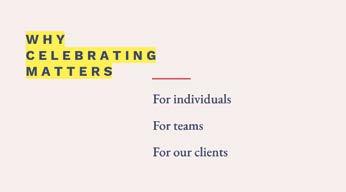
Here are some more reasons why ... ...celebrating success matters: For us as individuals For teams
EXERCISE:
Important

For our clients
WORKBOOKSKILLSPRESENTATIONVIRTUAL WILLIAMSREBECCA/ 38pg./ __01/PART02 _03DELIVERYYOURTUNEFINE DELIVERYYOURTIME/
Some sentences are split so as to emphasize the word that the slide advances with
Wait until AFTER you’ve arranged all your script in the table to start creating your slides. This will help you zero in on exactly which slides you’ll need to create.
Why do you think sharing wins matters? [chat]
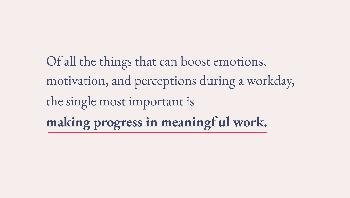
First, why is celebrating even small wins important to ...us...as individuals? Here’s what’s true: Of all the things that can boost emotions, motivation, and perceptions during a workday,...
the single most important is... making progress in meaningful work.
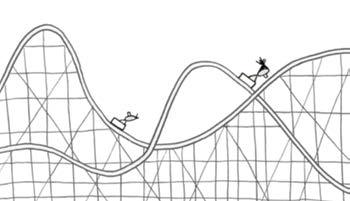
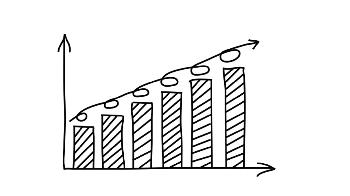
But in reality, it looks... like this.
There are up days when you succeed at making progress, and down days when you don’t.
Each row contains very few ideas—often just ONE
We want work to look like this...
From the Audience Engagement Toolkit on p.25
Conduct a poll
Use the chat function
It’s tempting to think we have added in enough opportunities for the audience to engage with us, but the truth is it is a rare thing that we have. Remember, we are using the Five Minute Rule to build this presentation. Before you even start rehearsing, you need to check that you’ve built in ways for the audience to participate so they don’t retreat into their digital black holes.
Create an audience spotlight moment
Mix facts and stories
Don’t forget audience engagement
Don’t be convinced you have engaged the audience enough until you see evidence in your script
EXERCISE: HIGHLIGHT AUDIENCE ENGAGEMENT
Now that you’ve created your script table, go through and highlight all the audience engagement opportunities you’ve created. You can use the list below to refresh your memory on the different types of engagement that are available to you. You should have at least one highlight every other page. If you have less than that, use the list below to add some in.
__01/PART02 _03DELIVERYYOURTUNEFINE DELIVERYYOURTIME/WORKBOOKSKILLSPRESENTATIONVIRTUAL WILLIAMSREBECCA/ 39pg./
Ask a question
“Tell them what you’re going to tell them. Tell them. Tell them what you told them.” —Aristotle
Classic vs summary transitions
There are two types of transitions: classic and summary. Classic transitions are shorter because they only state what the speaker is going to say next. Summary transitions are true to their name: they summarize the point that came before and remind the audience what the presentation is about. Summary transitions are recommended because they guide the listener better. Here are examples of classic and summary transitions.
Use transitions to move between sections of your presentation so your audience always knows where they are in the journey
WORKBOOKSKILLSPRESENTATIONVIRTUAL WILLIAMSREBECCA/ 40pg./ __01/PART02 _03DELIVERYYOURTUNEFINE TRANSITIONSUSE/
Classic transition
As a presenter and guide, it’s your job to always let your audience know where they are in their journey of understanding. They can’t see your script so they’re looking for your words to help them navigate the content. What did you just talk about? What are you going to talk about next? How does all this fit together? Your audience wants clarity, which means you have to be extra clear. This is why using transitions is so important.
Use transitions
“So we discussed how to communicate a clear message, now let’s talk about delivery.”
“And that’s why communicating a clear message is crucial if you want to influence a virtual audience. Now let’s discuss the next skill set you need to master—delivery.”
Summary transition - RECOMMENDED
Transitions are phrases that guide your listener by summarizing what was said or what is going to be said. Imagine you are a waiter serving a meal to guests. Would you just plop down a dish without announcing it first? Never. Transisitions are how you provide excellent service as you guide your audience through the experience of your presentation. Not using transitions can make your presentation feel stilted or abrupt because your listeners have to work harder to connect the dots of your content.
Let’s take a look... Here’s how... Here’s TodayHowWhatFirstFirst...Second...Third...why...off...aresomeways...arewegoingto...I’mgoingtoshare with you... There are three...
Review
Choose transitions from the list below to help guide your audience from one area of content to the next.
There are lots of transitions you can use to review what you’ve already presented and preview what you’re going to say next. Make sure you’re combining a phrase from the REVIEW column with a phrase from the PREVIEW column if you are building a summary transition.
So we’ve covered... We’ve established that... So far, So,Lookingwe’ve...back...we’vedetermined that... And that’s why... In Toconclusion...wrapup/sum up... Looking back at the process...
__01/PART02 _03DELIVERYYOURTUNEFINE TRANSITIONSUSE/WORKBOOKSKILLSPRESENTATIONVIRTUAL WILLIAMSREBECCA/ 41pg./
Transition Toolkit
Preview
Example
“So we’ve covered why communicating a clear message is important if you want to influence a virtual audience. Now let’s take a look at why delivery skills are equally important.”
Write your controlling idea from page 5 here. #1
POINT #2 POINT #3 01 02
EXERCISE: CREATE TRANSITION STATEMENTS
What are the three points you will make to support your controlling idea? Write them here.
Add transitions to your script
POINT
WORKBOOKSKILLSPRESENTATIONVIRTUAL WILLIAMSREBECCA/ 42pg./ __01/PART02 _03DELIVERYYOURTUNEFINE TRANSITIONSUSE/
Now use the Transition Toolkit on the previous page to create transition statements that help you move from one point to the next. Be sure to reference your controlling idea when you review a point.
__01/PART02 _03DELIVERYYOURTUNEFINE TRANSITIONSUSE/WORKBOOKSKILLSPRESENTATIONVIRTUAL WILLIAMSREBECCA/ 43pg./
Now add these transition statements to your script table.
Transition from point #3 to wrap up
review previewtransitiontransition remind your audience of your controlling idea
Example
Transition from point #1 to point #2
Transition from point #2 to point #3
“So we’ve covered why communicating a clear message is important if you want to influence a virtual audience. Now let’s take a look at why delivery skills are equally important.”
03 04
WORKBOOKSKILLSPRESENTATIONVIRTUAL WILLIAMSREBECCA/ 44pg./ __01/PART02 _03DELIVERYYOURTUNEFINE CAMERATHETHROUGHPRESENCEPROJECT/ Give your audience 10% more energy

The director yells, “ACTION!” And with that, you are called to focus all your energy and deliver your performance. Part of your role as a virtual presenter is keeping your audience entertained—a virtual presentation is a kind of performance, after all, because when you fire up your computer and log into your webinar or meeting, you’re ON! Even if you’re not an actor and you hate the way you look on camera, there are some simple things you can do to project more presence on camera so you get and keep attention.
Video is a flattening medium. That means projecting presence through the camera for a virtual presentation takes more work than in person. You’ve heard of someone, maybe a movie star, being “magnetic”. This means they come through the camera with energy and aliveness, and it makes you want to watch them. Being “watchable” like this requires giving 10% more energy to your audience. You can access more energy by standing up when you give your presentation. When your legs and your core are engaged, you naturally have more energy than when you’re sitting down. Standing up when you present also makes it easier for you to use more gestures because you can use your legs to literally keep you “grounded” as you emphasize your points.
__01/PART02 _03DELIVERYYOURTUNEFINE CAMERATHETHROUGHPRESENCEPROJECT/WORKBOOKSKILLSPRESENTATIONVIRTUAL WILLIAMSREBECCA/ 45pg./
GIVE YOUR AUDIENCE 10% MORE ENERGY
Project presence through the camera
Imagine you’re on set getting ready to shoot the next scene of your feature film.
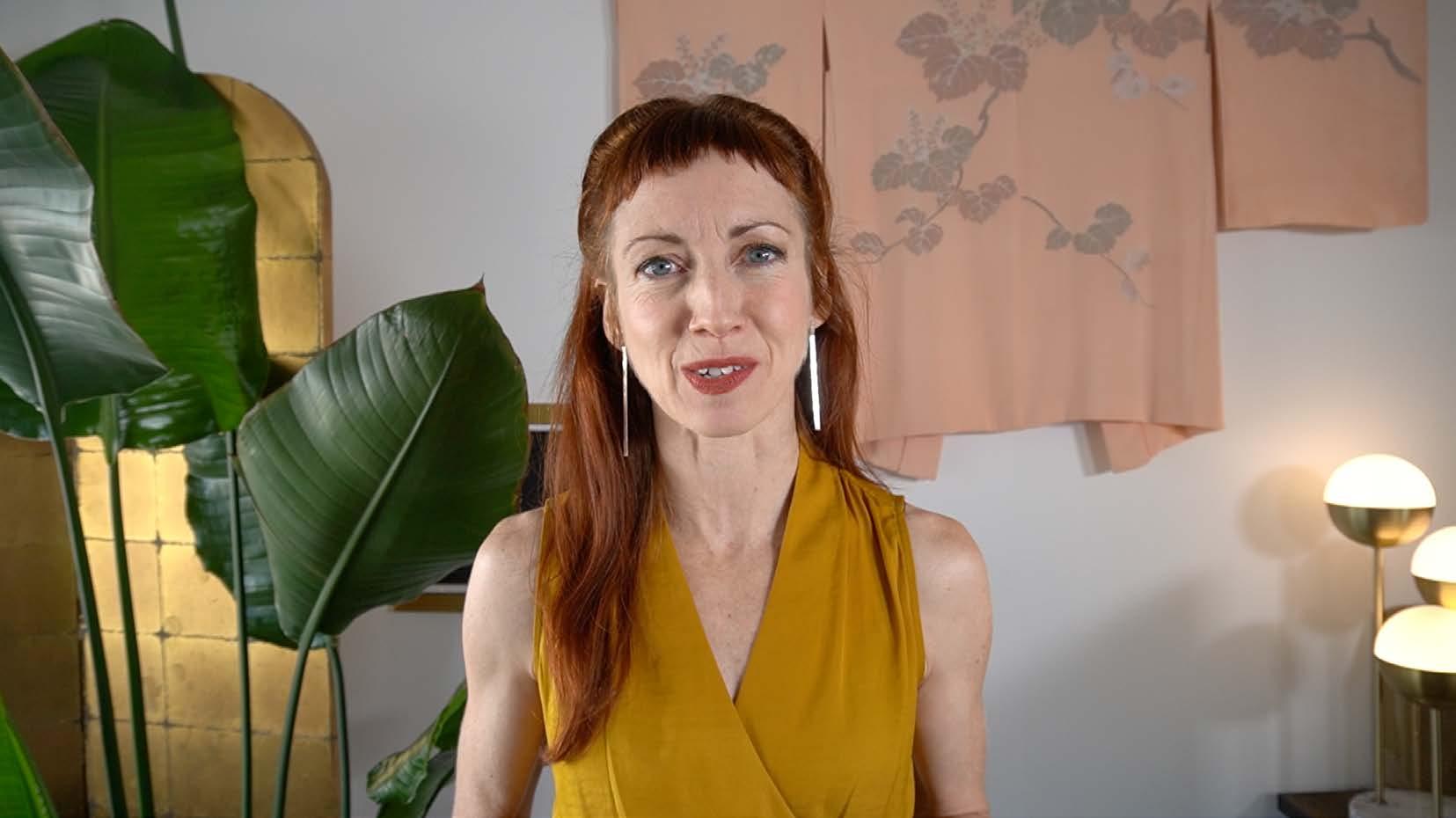
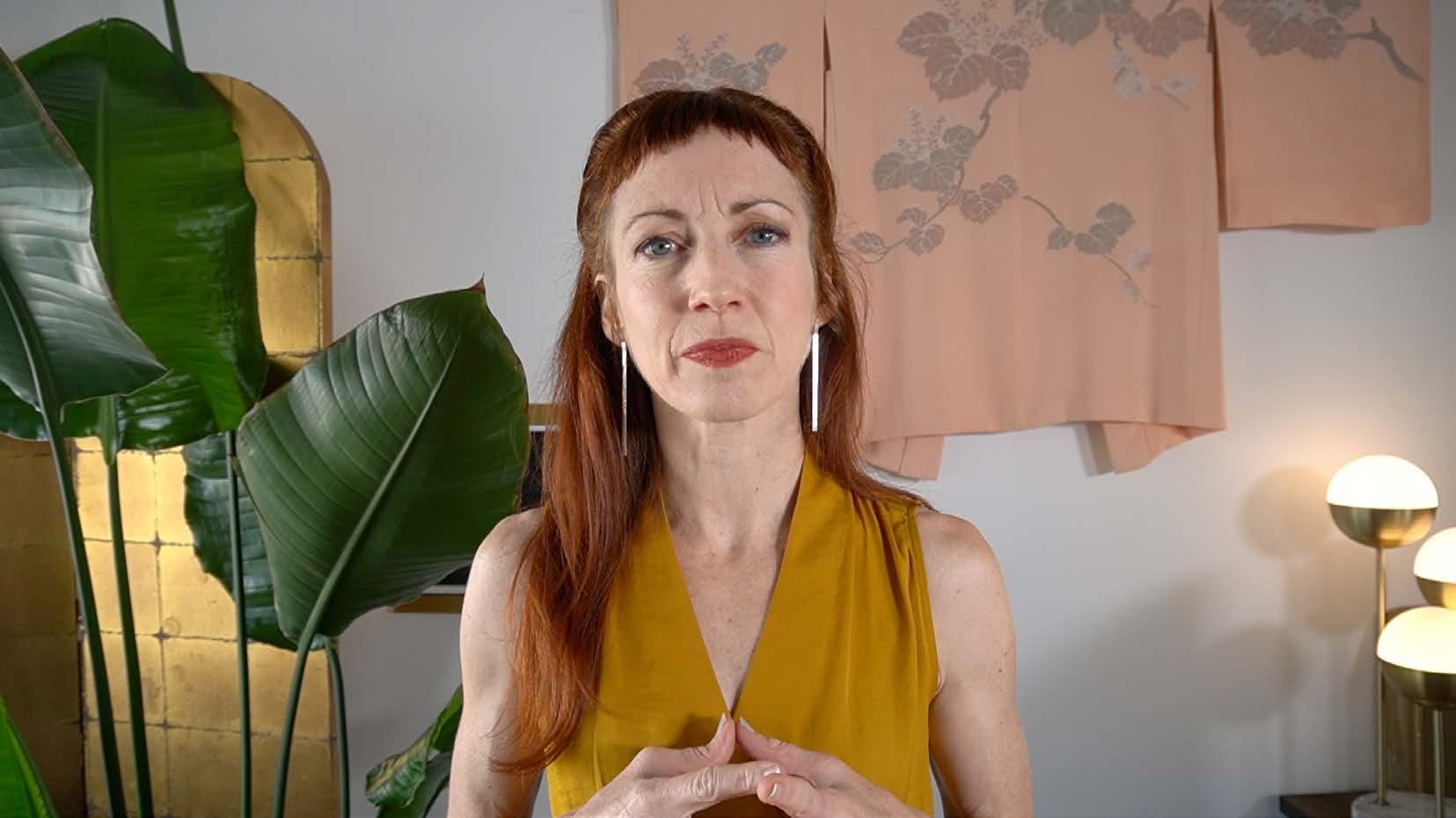
I look more severe when NOT smiling with my eyes. Smiling with my eyes makes me feel more approachable.
SMILE MORE
WORKBOOKSKILLSPRESENTATIONVIRTUAL WILLIAMSREBECCA/ 46pg./ __01/PART02 _03DELIVERYYOURTUNEFINE CAMERATHETHROUGHPRESENCEPROJECT/
So many people hate how they look on camera because the camera has a way of making you look severe and serious. Smiling more when you present is one way to diffuse that seriousness and create more energy—in you and in your audience. Of course, it’s unnatural to smile all the time, and it’s not always appropriate for your content. But learning to smile with your eyes as a neutral facial expression will help you project more presence through the camera so you connect with your audience.
use your
Your audience—whether in person or virtual—is always looking for nonverbal cues to understand what you’re trying to communicate. But in a virtual presentation, your audience can only see half your body. And when you’re sharing slides, your on-screen real estate shrinks even more—to only about 15% of the total screen. When you’ve been reduced to such a small rectangle, and you’re also battling audience distractions, you have to utilize the space you have by being more expressive with your upper body. Keep in mind, you don’t need to gesture on every word, but you do want to use a gesture in at least every sentence. The goal here is to allow your arms to “help you do the talking.”
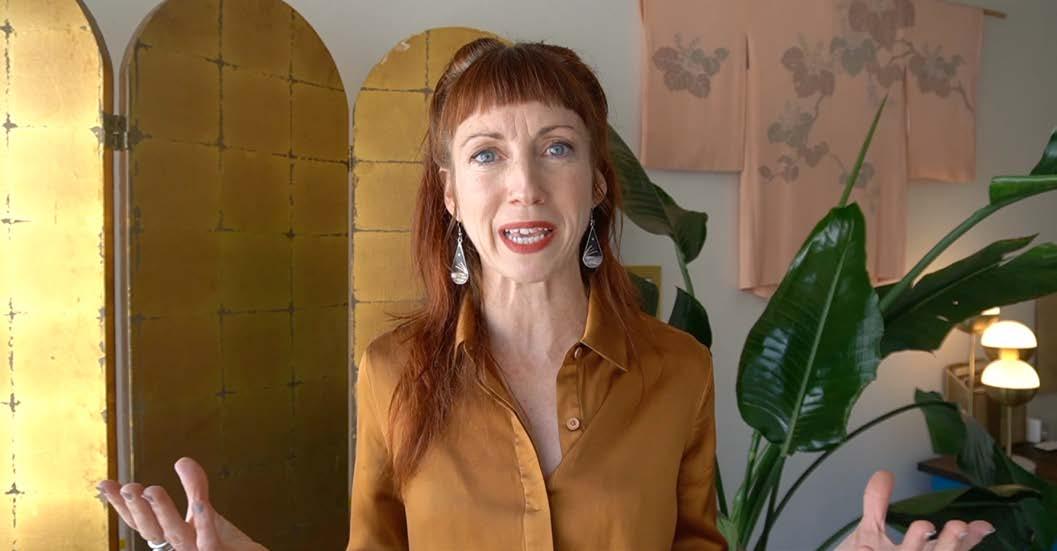
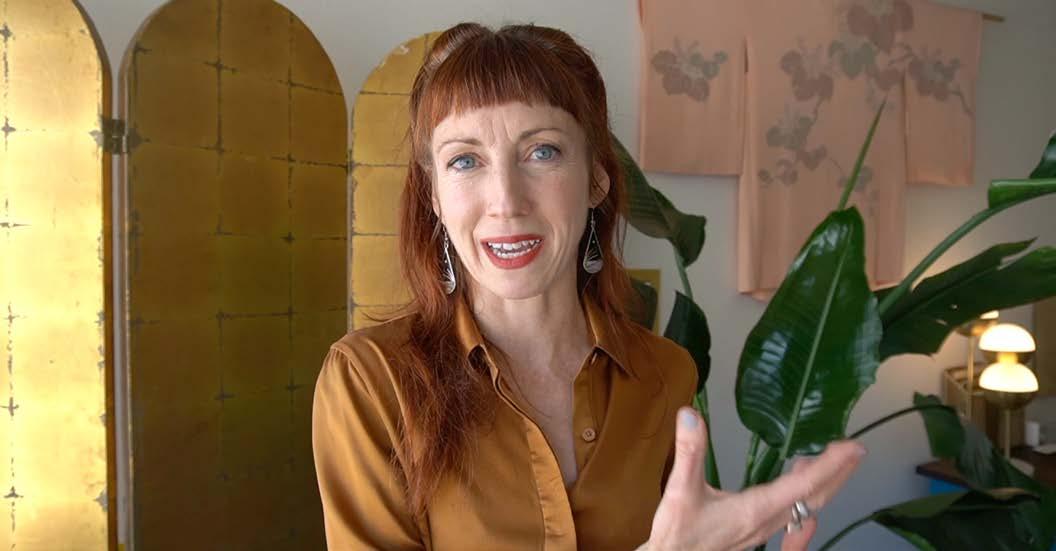
is nonverbal
“The first point...” “I / Me / My / This...” “One the one hand...” “You / Yours / These...” “One the other hand...” “Now is the time...”
__01/PART02 _03DELIVERYYOURTUNEFINE CAMERATHETHROUGHPRESENCEPROJECT/WORKBOOKSKILLSPRESENTATIONVIRTUAL WILLIAMSREBECCA/ 47pg./
Here are some gestures you can add to your body language vocabulary for your next virtual presentation. The phrases shown below each gesture are examples of the context in which each gesture can be used. communication
93% of
Gestures to on-screen real estate
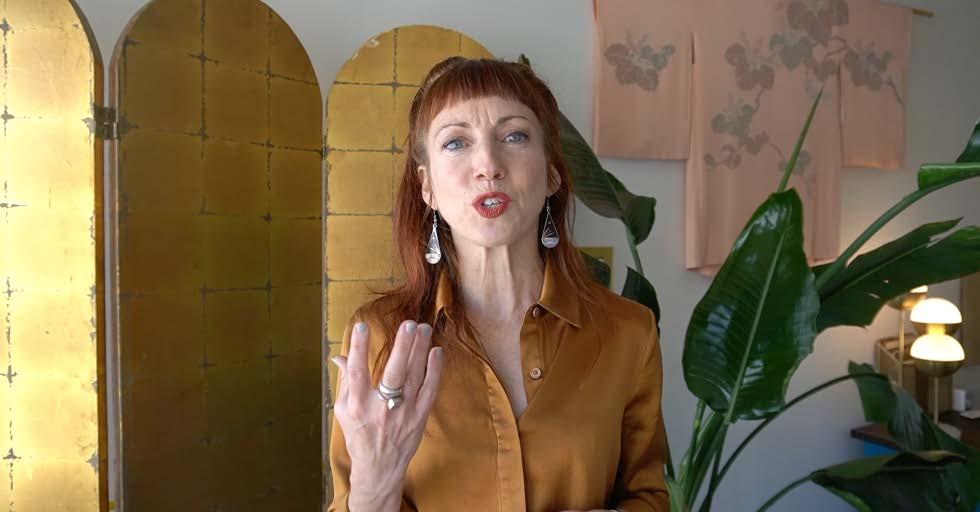
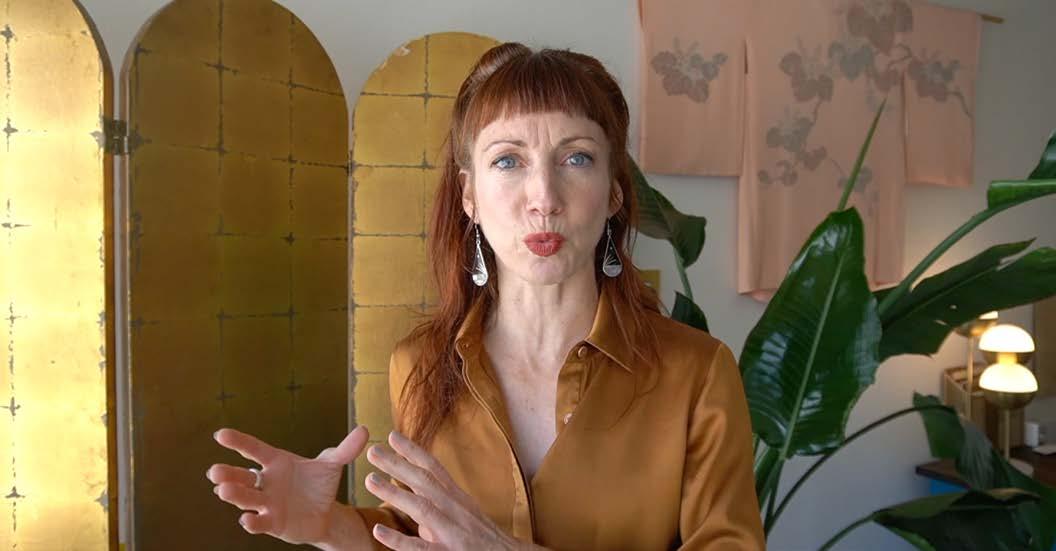
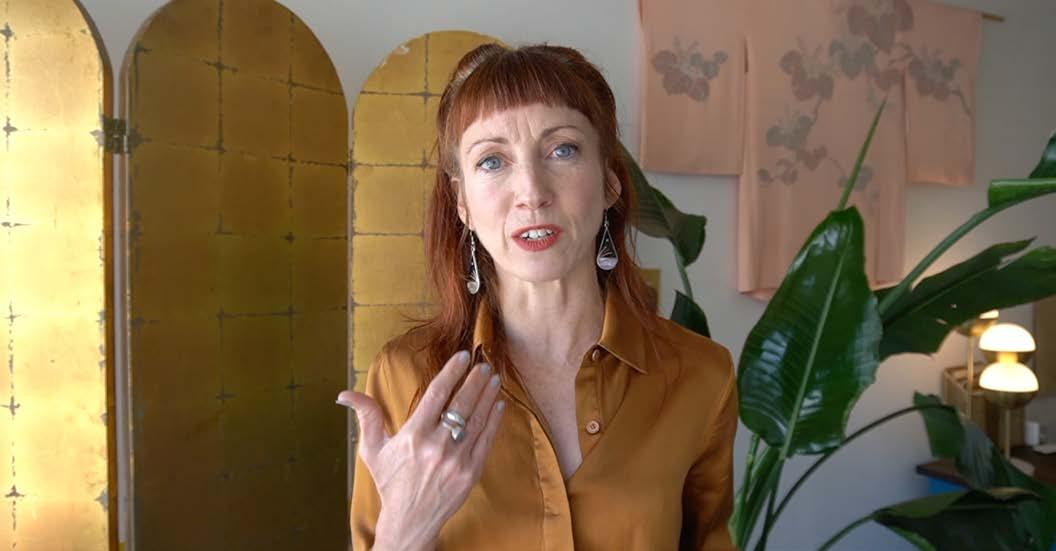
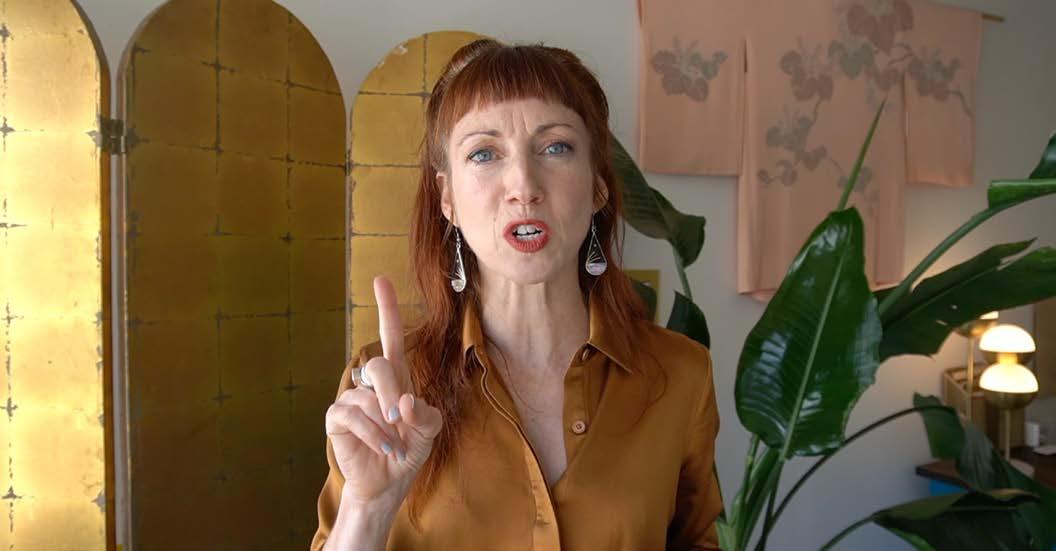
Make sure you have enough light—natural light is best Frame yourself in the camera so your arms can be seen when you gesture
Avoid busy patterns and logos
Stand up when presenting Smile with your eyes when speaking
If you hate the way you look on camera, you’re not alone. Most people who haven’t been trained to do work on camera struggle to make peace with their appearance, how they sound, and all the little things that make them who they are when they see themselves on video. But here’s the thing: you are YOU! You cannot be someone else, and the idea that somehow what you’re seeing isn’t good enough is a bad story you’re telling yourself. Sure, the camera is harsh, but that’s no excuse to shy away from it. Just like a 10x mirror, you can use what it’s telling you to help you refine the details you might not have seen otherwise.
Use these best practices to help you make friends with your on-camera self.
Use 10% more energy
MAKING FRIENDS WITH THE VIDEO CAMERA
Make sure your background helps you tell a story, but that it’s not distracting Get enough sleep before your presentation
WORKBOOKSKILLSPRESENTATIONVIRTUAL WILLIAMSREBECCA/ 48pg./ __01/PART02 _03DELIVERYYOURTUNEFINE CAMERATHETHROUGHPRESENCEPROJECT/
Use gestures to emphasize points when you speak
Best practices for on-camera presence
Avoid black clothes—try jewel tones instead
__01/PART02 _03DELIVERYYOURTUNEFINE REHEARSEREHEARSE,REHEARSE,/WORKBOOKSKILLSPRESENTATIONVIRTUAL WILLIAMSREBECCA/ 49pg./Rehearse, rehearse, rehearse!
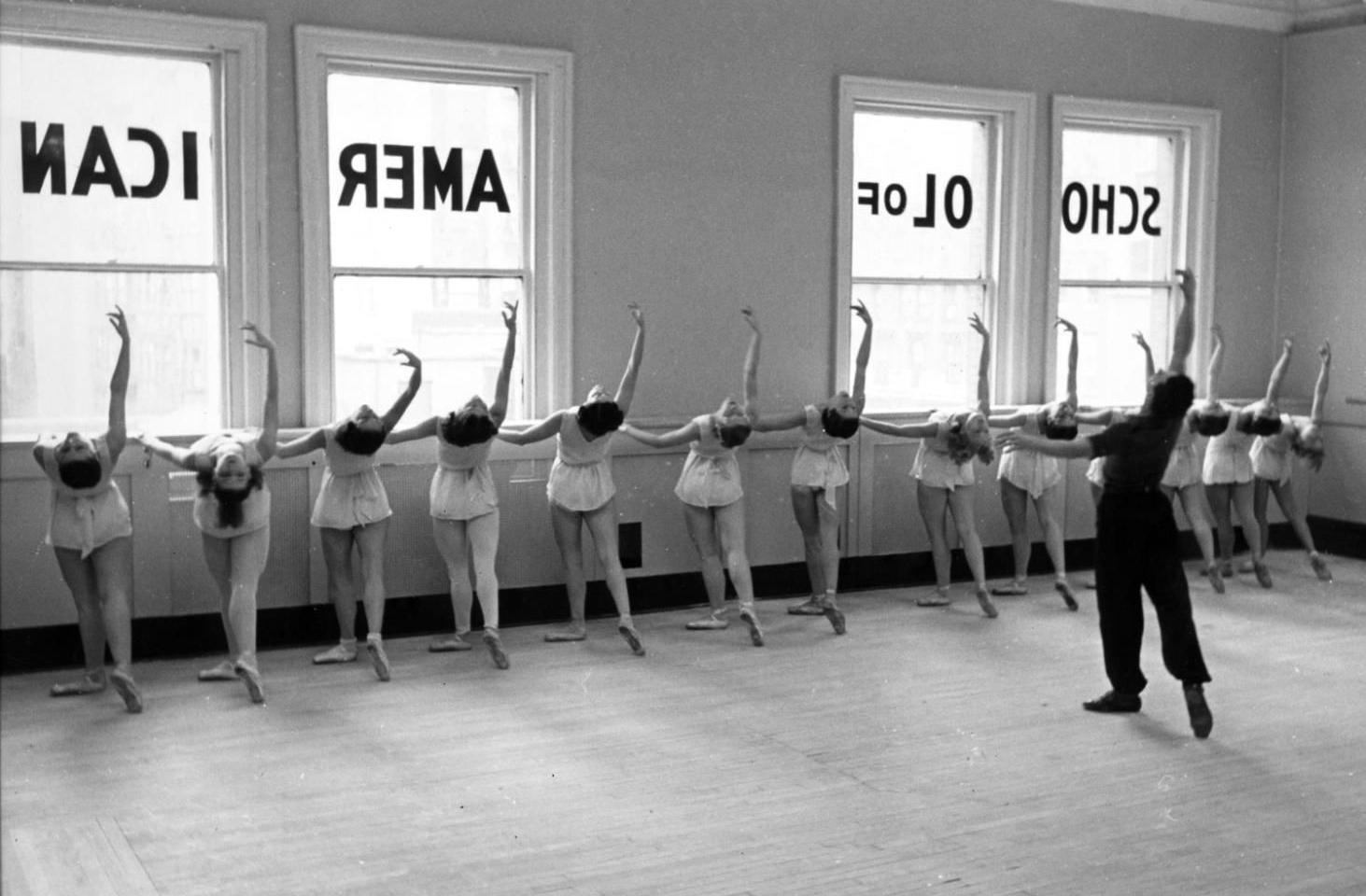
Rehearse, rehearse, rehearse
Rehearse not only what you’re going to say, but all the clicks you need to make to manage your audience too
Rehearse at least 2-3 times inside the presentation platform you plan to use for your event
Check the tech to make sure everything is as pro as possible: lights, camera, sound
Perfect your timing by practicing advancing slides according to your script table
While we’d like to believe that giving a virtual presentation is easier than an in-person presentation, this is not the case. Communicating a clear message to a large audience on camera is hard work, and it requires practice. But not just practice as in “do it a few times so you’re then good at it”.
A great virtual presentation doesn’t just happen—you’ve got to work for it.
Record a “dress rehearsal” with the clothes you’ll be wearing when you present
Voice your script when you’re rehearsing, don’t just run it through in your head
Virtual Presentation Rehearsal Checklist
Use your script to rehearse your delivery with slides. If something’s not working with your flow, change it
Check your test recording to make sure you’re smiling with your eyes when you speak
Keep a big clock nearby so it’s easy to see how long it’s taking you to get through each section
What’s required is rehearsal before each presentation you give so you’re ready and confident when the curtains swing open. The virtual stage promises a much greater reach than presenting in person, therefore it demands more from you. Make sure you’re ready.
WORKBOOKSKILLSPRESENTATIONVIRTUAL WILLIAMSREBECCA/ 50pg./ __01/PART02 _03DELIVERYYOURTUNEFINE REHEARSEREHEARSE,REHEARSE,/
__01/PART02 _03DELIVERYYOURTUNEFINE REHEARSEREHEARSE,REHEARSE,/WORKBOOKSKILLSPRESENTATIONVIRTUAL WILLIAMSREBECCA/ 51pg./
Take the virtual stage to raise your voice for something you believe in

©Rebecca Williams 2020 Companion workbook to the Virtual Presentation Skills Bootcamp, November 2020