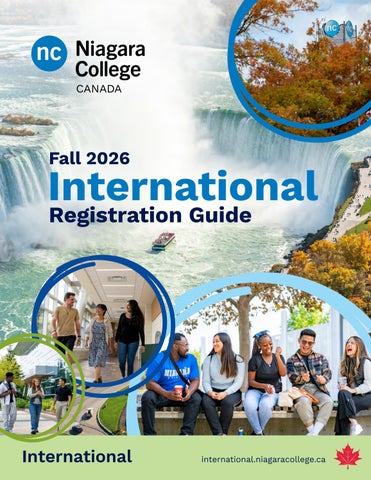
Fall 2026
International Registration Guide
International
international.niagaracollege.ca
Fall 2026
International Registration Guide
Please review the list below carefully. You must review and complete each item in order to continue with your registration. All Niagara College programs open to international students will have on-campus learning in the Fall 2026 term. This means that all international students are required to be in Canada and able to attend Niagara College’s campuses in the Niagara Region for their classes.
Registration Checklist 1. Click here to setup your MyNC account 2. If you have not received a receipt for your payment, click here 3. If you have not submitted all of your outstanding academic documents as outlined in your Acceptance Package, scan and email all remaining documents to international@niagaracollege.ca 4. If you have not shared a copy of your visa approval or Canadian study permit documents, please scan and email a copy to international@niagaracollege.ca 5. Click here to view the NC Discovery Pass Portal and register for an upcoming pre-departure session for all new students 6. Click here to submit your Student ID photo 7. Click here to complete the Be Nc Ready modules 8. Download the NC Engage app on the Apple or Google Play store by searching “NC Engage” or visit the web-based version at ncengage.ca 9. Click here to check the technology requirements for your program 10. Click here to view the Orientation Agenda 11. Click here to view the Fall 2026 Timetable Selection Dates’ announcement posted near the start of term on timetable selection begins for your program 12. Begin your program – classes begin on September 9, 2026. Click here to check out other important dates this term
Selecting your Timetable Sign up for MyNC 1.
Create your account 2-3 days after fee payment.
2.
Go to mync.niagaracollege.ca
3.
Click “Set Password”.
4.
Complete the steps to receive your User Identification (ID), Password and Niagara College (NC) email address.
5.
Record and keep this information safe.
6.
Check your new email often to receive important NC information.
7.
Congratulations! You now also have access to Brightspace, the College’s learning management system. You will access all of your courses on Brightspace just prior to the start of the term, and training resources will be available through the platform. Brightspace has innovative and intuitive features, including a responsive mobile experience via the Pulse App for Android and iOS.
Enrol Online with NICOLE NICOLE is Niagara College’s online enrolment system where you can select and print your timetable, pick your electives, and swap or drop classes.
Choose Your Timetable and Enrol in Your Classes As a reminder, students need to have the following to select their timetables: •
Notify Niagara College of visa and/or study permit approval. Note: Visa and/or study permit approval is required no later than August 6th. Failure to provide an approved visa or study permit by the due date may result in your offer being rescinded. Note: A copy of your study permit must be submitted once it is received.
•
Pay your tuition fees by the payment deadline indicated on your most recent invoice. If you have not already paid at least your first semester fees (full-year fees are recommended) please pay by the due date listed on your most recent invoice. Note: Fee payment is required to confirm your seat and to select your timetable. If you do not pay your fees by the due date, your admission will be revoked and your seat will be offered to someone else. Not sure how to make a payment? Click here for Payment Portal
Using NICOLE, you can select your timetable and enroll in your classes. Space is limited, so select your timetable and electives early. Visit: mync.niagaracollege.ca Important: You must pay your fees, fulfill all conditions and have a visa before you can select a timetable. Provide your most current study permit status to avoid delays in registration. Email your study permit and Canadian visa status to international@niagaracollege.ca
Calendar 6
Starting: August 6 at 7:00am Eastern Standard Time (EST)
1.
Log into mync.niagaracollege.ca
2.
Go to “Dashboard”.
3.
Under “My student records”, click on “Manage Registration”. then click “Select/Manage Timetable”.
4.
Read the important notice and click “I Accept”.
5.
Click on “Select Your Timetable Block”.
6.
Click the drop down window beside ”Timetable Block” when you have one selected.
7.
Click the “Enroll in this Timetable Block” link next to the block of your choice.
8.
Click “View Timetable” for a printable version.
To view the ‘How to: Select a Timetable Block’ webpage, click here. Important: •
Some programs will only have one timetable to choose from.
•
Timetable selection dates vary by program. Please click here to find when your program opens for timetable selection.
If any time or room changes have occurred, print a new copy of your timetable on the first day of class.
Choosing Electives If your program requires an elective, you will be asked to choose it when you enroll in your Timetable. Do not choose your elective using the ADD Courses link. Space is limited, so choose your electives as soon as possible. If you wait, you can choose an elective by clicking on “Customize your Timetable”. For more information, click on the help button on the NICOLE homepage and read the document “Choosing your Elective”. niagaracollege.ca/mync/help/choose-electives Note: If you do not choose your elective this term, you will have to add it to a future term and pay for it again. Important: If you change your timetable block, you must reselect your elective.
The last day to customize your timetable or add additional courses is September 15.
Key Dates
To do so, visit: niagaracollege.ca/mync/add-change-courses
By This Date
You Need To
Note: If you add extra courses to your timetable, there will be additional charges to your fees.
Now
Submit all documents to Niagara College
Now
Submit study permit or if you have not arrived in Canada, proof of approval of your study permit
Tuition due date
Make sure all payments have been made • New students (all Level 1) – as per Final Invoice • Returning students – July 24
July 21 - 30
Virtual Pre-Departure
July 29
Latest date to submit your approved study visa or study permit to the College to secure your seat. Failure to do may result in your offer being rescinded. A copy of your study permit must be submitted once it is received.
July 29 September 3
Pre-orientation activities international.niagaracollege.ca/events
August 1
Latest date to submit all academic conditions to the College. Check your acceptance package for your specific due date international@niagaracollege.ca
August 6
Full-time online timetable selection begins (fees must be paid and visa proof must be provided first) niagaracollege.ca/mync/help/select-timetable
September 7
Labour Day (college closed)
September 8
Orientation niagaracollege.ca/orientation
September 9
Classes begin niagaracollege.ca/dates
September 10
Student Services Fair
September 12
Knight in the Falls
If you can’t find the answer to your question, send an email stating your name, student number, program and question to registrar@niagaracollege.ca.
September 15
Last day to submit a copy of your study permit to international@niagaracollege.ca
September 15
Last day to register or change sections niagaracollege.ca/dates
Withdrawal and Refund Process
September 15
For more information on Niagara College’s deferral, withdrawal or refund policies, please visit: international.niagaracollege.ca/withdrawal-refund-process
Update your address (if required) niagaracollege.ca/mync/help/update-contactinformation
September 22
Last day to withdraw with a refund (Tenth Day) international.niagaracollege.ca/ withdrawal-refund-process
October 12
Thanksgiving Day (college closed)
October 26 – 30
Mid-Term break
• F ind your textbooks by visiting: niagaracollege.ca/launchguide/textbooks
December 18
Classes end niagaracollege.ca/dates
• Dates are subject to change without notice and key dates may vary for specific courses due to program requirements. Please consult the Niagara College website for the most updated information and date exceptions.
December 24
Final grades are available online mync.niagaracollege.ca
Timetable Changes
Dropping a Course If you want to drop a course, please speak to your International Student Advisor before doing so as this may your ability to graduate from your program, immigration status, ability to work on/off-campus and Post-Graduation Work Permit (PGWP) eligibility.
Student Advisors For more information about International Student Advisors including helpful resources from their team, please visit: international.niagaracollege.ca/academic-immigration-advising
How do I know that I’m successfully enrolled in my classes? When logged into NICOLE, the status line will show you how many courses and credits you are enrolled in. Clicking on “Credit Requirements” will show you the total credits required for your program as well as the minimum allowed to be a full-time student. You must speak with your International Student Advisor before swapping or dropping a class. It is your responsibility to ensure you are enrolled in all your classes. To find out the contact information of your International Student Advisor, click here. Documents to help you are available online at mync.niagaracollege.ca.
Please Note:
• S tudents are required to comply with all immigration and study permit requirements as outlined by Immigration, Refugees and Citizenship Canada (IRCC). For the latest immigration updates and regulations, please consult the official IRCC website.
niagaracollege.ca/dates
We are always here to help you on your Niagara College journey. Contact your Inquiry Response Team via email at international@niagaracollege.ca.
international.niagaracollege.ca
That’s ncLIFE