HUB ADMIN WHOLESALER HANDBOOK
GET TO KNOW YOUR HUB SUBSCRIPTION
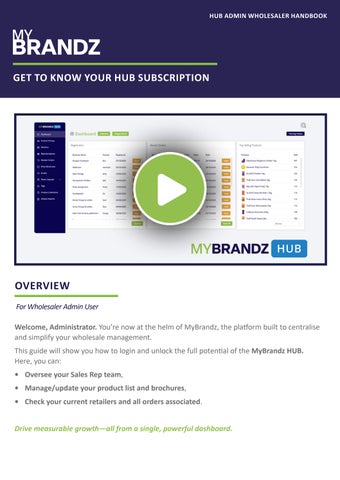
OVERVIEW For Wholesaler Admin User Welcome, Administrator. You’re now at the helm of MyBrandz, the platform built to centralise and simplify your wholesale management. This guide will show you how to login and unlock the full potential of the MyBrandz HUB. Here, you can: • Oversee your Sales Rep team, • Manage/update your product list and brochures, • Check your current retailers and all orders associated. Drive measurable growth—all from a single, powerful dashboard.
HUB ADMIN WHOLESALER HANDBOOK
GET TO KNOW YOUR HUB SUBSCRIPTION
LOGIN
MyBrandz HUB serves as the central operating core of the MyBrandz software suite, functioning as the main platform for data integration and service processing. To simplify access across all platforms, users will receive only 1 username & password when registering. These login details are to be used to sign in to all platforms in your subscription. If you have lost your login, please email us at karen@mybrandz.com.au.
PRODUCT PRICING
THE CORE OF HUB PMS
Product Pricing is the main source for everything related to your products. In this section, you can: • • • •
View and change prices Put product(s) on sale and apply a sale price Feature products in special collections (like “Top Sellers”) Update product details
When you change something here, it automatically updates everywhere else. Your team and all MyBrandz Platforms will always see the correct, latest information.
RETAILERS & THEIR ORDERS
GET TO KNOW YOUR CLIENTS & THEIR ORDERS VISUALLY
In MyBrandz HUB, a Wholesaler Administrator has a Retailers feature to manage their Retail Partners and view all orders placed by them. Admins can filter the display and see the order trends for different retailer users and service their customers more accurately. Tip: Retailers can register for an account in the Mobile App to browse the Wholesaler’s products and place orders directly through the platform, streamlining the entire wholesale purchasing process.
HUB ADMIN WHOLESALER HANDBOOK
GET TO KNOW YOUR HUB SUBSCRIPTION
BROCHURES
KEEP YOUR PROMOTIONS UP-TO-DATE
MyBrandz HUB includes a Brochures feature that allows admin users to upload their promotional brochures. To help manage documents that are frequently updated (like monthly or seasonal catalogues), the system allows users to update an existing brochure, cover image and publish dates. Contact us if you have further requirements.
REPRESENTATIVES
MANAGE YOUR SALES TEAM
The Representatives feature enables admin users to manage their sales team by adding, editing, and maintaining the contact details of all sales representatives. Furthermore, to monitor regional performance effectively, admins can filter orders by individual sales rep, providing a clear view of each area’s sales activity and contribution.
PRODUCT COLLECTION
TAGS
GROUP THE PRODUCTS IN SAME SALE BUNDLE
TAG YOUR PRODUCTS
The Product Collection feature allows Sales Representatives to quickly and efficiently group products that are part of a single deal or promotion.
Each product on promotion must be linked to a tag or a product group.
For instance, you can create a bundle of Products A, B, and C to offer customers a special discount when they are purchased together.
A tag created could be Nuts, Medium Bars, Clearance etc. It separates promotions from each other.
HUB ADMIN WHOLESALER HANDBOOK
GET TO KNOW YOUR HUB SUBSCRIPTION
COMMUNICATE DIRECTLY
The Email feature allows Admins to communicate directly with retailers and sales reps within the system. Admins can manage a central list of email contacts for their team and clients, and send out necessary information, such as brochures, directly through the HUB Platform.
TASKS
CREATE TASKS
The new Task feature allows a Wholesaler to create a task that their sales team can action in the field. Tip: This feature can also be used to upload images. E.g. If there is a Retailer competition, retailers can upload a photo of the product they have ordered.
HUB ADMIN WHOLESALER HANDBOOK
GET TO KNOW YOUR HUB SUBSCRIPTION
Get in Touch KAREN@MYBRANDZ.COM.AU