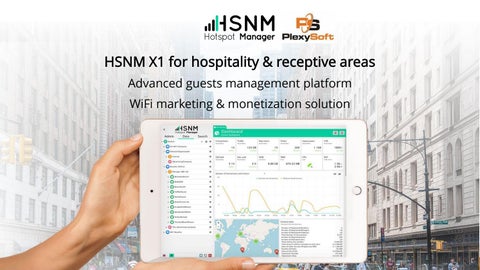
HSNM X1 for hospitality & receptive areas Advanced guests management platform WiFi marketing & monetization solution
Executive Summary Global WiFi Growth There is a growing trend globally where more and more service providers, network operators and enterprises are deploying managed WiFi services for their subscribers and guests to use when visiting venues and when travelling. Managed WiFi is an unexploited business opportunity for service providers and network providers. A WiFi network is a great advantage for doing business with service providers and enterprises by offering on premise platform and services.
Over 4 Billion Internet Users
New Concept, New Demands One Platform to Enhance Your Guest WiFi Over the next years, while travel is growing in most of the major markets around the globe, we will see mobile continuing to be a hot platform, as well as social media and digital innovations as tools to engage customers and build loyalty. • Possibility to login using the user’s language • Captive portal (Welcome Portal) invites and involves guests. Promotions and events • Apps with weather forecast or places of interest
• Easy & quick way to login thanks to Social login (Facebook/Twitter/Google+/ LinkedIn, Amazon...) and to share the experience using “I like” or “I follow” • Quick registration but collecting guests’ data, email validation • Security on data retention: registration by sending an SMS and receiving SMS with credentials
Market Targets Suitable for All Industries HSNM Hotspot Manager is an all-in-one appliance, developed with the purpose to improve the business activity of Distributors, ISPS, WISPs, Telecom, network Operators, WiFi Network Manager, Installers and System Integrators who want to give a high value solution to their customers.
All-In Solution All the Capabilities, All in One Place
Robust
Secure
Scalable
Adaptable
Unique
Powerful Advanced WiFi Solution Key Points to Grow your Portfolio of WiFi Venues HSNM Hotspot Manager is a complete solution, unique in its sector. While offering a simply fast access to get users on board, you can:
• • • • • •
Personalise guest engagement Increase customer satisfaction Build customers’ profile database Increase your online presence and reputation Marketing & advertising campaigns Site surveys and real-time feedback notification
“A satisfied customer is the best advertising that your business can receive. “
WiFi for Guests Quality WiFi Experience to Visitors Promote the brand and increase the presence on social media. A mean for transmitting information and delivering exceptional mobile experiences while collecting customer data. Unlimited custom splash pages to promote your app and unique offers.
Enhanced On-Site Experience Improved Customer Engagement Branded Welcome Portal, flexible internet plans and multiple login methods. ADS BANNER
CUSTOM APPS
Welcome Portal 100% Responsive Attractive, Relevant and Intuitive Experience when Accessing the WiFi Responsive: HSNM identifies the device resolution, recognizing if the user is connected from a mobile device or a laptop/computer. Welcome Portal is 100% responsive and it perfectly adapts to iPhone, iPad, Android.. Multilingual: no matter where your venues or customers are based, 5 languages to choose from, plus 3 custom languages
A Multi-all Welcome Portal Multi WiFi Landing Pages and Login Options Thanks to the possibility of setting multiple domains on the same Welcome Portal, you have the advantage of offering multi registration forms, different products, requesting different data to different user groups. You can offer Free WiFi for guests and Premium WiFi for VIP member or dedicate special WiFi plans to the hotel guests and Freemium plans to the participants at the Conference rooms. A multi-everything tool for turning anonymous visitors into engaged and loyal customers.
Virtual Gateways and APs Take Advantage of a Unique Hardware Infrastructure Offer multiple login forms, different WiFi landing pages, manage users across multiple domains and distinct networks with multiple SSID using the same hardware infrastructure. For example, in a school, you have the ability to create a WiFi network for students and one for teachers with different SSID, domains, Welcome Portal, authentication methods and WiFi plans.
A Tool for the Marketing The Landing Page becomes a Flow of Steps WiFi landing page is a tool for turning anonymous visitors into engaged customers and loyal customers. Completely customize your Welcome Portal by using HTML, JavaScript and CSS. Welcome Portal is a business communication tool that you can turn it into a flow of several steps that interact with guests and drive to the login page.
Customisable Login Options Fast, Simple and Secure Guest WiFi A key success factor is to offer the end-user an attractive, relevant and intuitive experience when they access the WiFi service. Users tend to otherwise abandon WiFi, which will limit the interest. The user will normally login to public WiFi through the device browser and a captive portal. This login process is a great opportunity to engage the user with a relevant message and/or survey. These messages and the portal design may be tailored to each location and/or location type. The portal design and content may either be controlled by the network provider, the service provider or the venue owner (enterprise).
THE MOST FAMOUS SOCIAL NETWORKS AT YOUR SERVICE
QR Code Connect Smartphones to WiFi by Scanning a QR code Most people prefer WiFi to mobile data for accessing the internet on their Smartphone or tablets. There’s an easy way to share your WiFi details using QR Codes. Guests have to scan the QR code with their Smartphone camera and they would automatically connect to your WiFi network. Just scan and they're in. No need to type the password into a form but only users who scan the QR Code will be able to login.
How to create a QR code Customers can print the QR Code automatically inside their HSNM, no additional tools or fees are required.
Connect to the WiFi network by scanning the QR Code Apart the specified authentication mode, users can connect to the WiFi network by scanning the QR Code. It is applicable to all authentication modes. Guests don’t need to scroll and select the WiFi network. They just scan the code using the webcam and instantly connect to that network.
Multiple Login Options Connect and Engage Guests with Ease Login methods and their benefits MANUAL LOGIN
Users may access to WiFi using credentials upon their choice or through their service provider or venue owner. The service is either free, charged prepaid with online top-up or postpaid.
SOCIAL LOGIN
Users may access through Facebook, Google+, Twitter, Instagram, LinkedIn, Amazon, VKontakte login using their social credentials. Integration with Microsoft Active Directory (LDAP).
MICRO INQUIRY
During login process, a user may have to complete micro inquiry before gaining access to WiFi. This inquiry will give the service provider and/or venue owner access to information about the user, to engage with the user with relevant offers and directed advertisements.
OTP LOGIN
Users may access to WiFi using One Time Password sent via SMS
SMS VALIDATION
This access method is used to verify the user’s identity and to capture their mobile number. The users type their mobile number and receive an SMS with the password. The user get access by simply typing the code into the captive portal. Another method is that users have to send an SMS to a specified number, then HSNM validates the number and users get access.
MAC ADDRESS
Provider or venue owner may decide that users are automatically recognized upon their first login, no matter where in the world they are. Users may access the WiFi without being redirected to the Welcome Portal. For charged WiFi venues, once the WiFi plan is exhausted, users are redirected to the Welcome Portal for a new purchase.
Login methods and their benefits EMAIL VALIDATION
This access method is similar to SMS validation with the link distributed through an e-mail. It can also be used just to verify the user’s email address and to capture it.
CARD LOGIN
The service provider or venue owner may sell WiFi access through a printed card check, where the user is typically given access to WiFi for e.g. one hour, four hours etc. Access can be free or prepaid.
CLICK & CONNECT
This method is probably the simplest way for the user to access WiFi, but gives the venue owner or service provider no opportunity for any granular marketing campaigns or offerings. This method is typically used at locations where the venue owner pays for the access, e.g. an enterprise or conference location.
QR CODE & CONNECT
This method is a simple way for the users to access WiFi as they don’t need to type the password into a form. It gives the venue owner the possibility to protect the free network but no opportunity for any granular marketing campaigns or offerings. This method is typically used at locations where the venue owner pays for the access, e.g. malls, shops, hotels or conferences. It’s a good opportunity for malls and shops to make users walk into the shop and let them login.
SHARED PASSWORD
This method a simple way for the user to access WiFi, but gives the venue owner or service provider no opportunity for any granular marketing campaigns or offerings. Used at locations where the venue owner pays for the access and want to grant free WiFi to the guests.
SPONSORED LOGIN
The user may need to view commercial information such as a short film to be given WiFi access free-of-charge. The access to WiFi is sponsored by this supplier of commercial information.
PMS Integration HSNM+Impala Connect to Hotel Data in Minutes
You can quickly and easily set up a connection between your customer's PMS system and HSNM Hotspot Manager with no technical work needed to get started. - WiFi access automatically authenticated upon arrival and access terminated on check out. - Flexible system allowing usernames to be generated from room number, booking numbers, user email address or any other user information.
WiFi Flexible Plans Easy-to-Manage Guest WiFi Offer Decide the traffic, time and number of devices. Charge customers for WiFi access based on time, time or a superior usage bandwidth. Complete autonomy in managing WiFi plans. Keep 100% of the profit. Built-in payment gateways: in case of service with fee-based plans, you can set easy methods of payment using credit cards: HSNM supports the most common payment gateways: PayPal/PayFast/Authorize.net/eWay, PaySafeCard... Vouchers and Cards: customise template, texts, set duration, limits and other key data which limit the usage as desired.
Surveys Survey Customers to Increase Engagement Monitor the quality of service provided to the guests using surveys, customize the graphics, the type of question and response options. It reports results in real time, saving hours of paperwork and avoiding negative reviews.
RESPONSE OPTIONS
Digital Maps and Route Planning Guide visitors with turn-by-turn directions and highlighted pathway Allow visitors to navigate your venues on external maps or interior buildings with turn-by-turn directions and highlighted pathways. Videos, images and audio files Location-based videos, audio files, images, descriptions allow you to engage content for visitors and inform them about events, daily activities, special offers and promotions based on their location in your venue in the form of an easy-to-use mobile App. Optimize the experience of visitors creating familiarity with amenities and points of interest and offer an exceptional service.
Surveys Improved Online Reputation A satisfied customer is the best advertising that your business can receive. Get Feedback via site surveys and real-time feedback notification. Improve online reputation and increase published positive reviews. Real-time feedback notification Do you prefer to know any kind of disappointment of your guest while still staying at your place rather than a bad review on TripAdvisor? Increase published positive reviews, avoid negative ones and make your guests come back.
Advertising The WiFi Part of the Marketing Strategy Promote the business on the devices that people use every day. Ads run on all devices, everything is visible and responsive to each screen size.
Your Quality Audience Offer WiFi Hotspot to visitors and turn those visitors into customers An audience that means business. Define the right audience based on criteria such as age, gender, geography…and more. With HSNM, you’re targeting a quality audience. Segmentation can be used to better understand your business and customers and to attract new audiences.
Reach everyone, or just a few Consumers no longer respond to blanket messaging from brands; they expect a personalized experience at every single touchpoint.
Injecting on the Welcome Portal Turning WiFi Into a Business Opportunity and a Revenue Generating Tool Inject advertising contents, promotional messages in the Welcome Portal, implementing a broad range of ad options to maximize the earning potential.
GPS Tracking Track the Route of the Mobile WiFi Network HSNM has expanded the possibility to offer connection even to moving vehicles. Enable GPS tracking and track the location of your mobile WiFi networks, increasing opportunities: trains, boats, planes, buses, vessels, ships, and cruise liners. Display the route of your vehicles on your website or Welcome Page App.
Target your AD Based on GPS Triggered Banners and Videos During the Various Stages of the Route Display location dependent different Ads, Messages or video. Target your Ad campaigns based on GPS coordinates and benefit from localised advertisements. Trigger banners, messages and videos, during the various stages of a route. Share information about places of interest, restaurants, museums, etc. encouraging customers to explore their surroundings.
Marketing and Data Analytics The Marketing Tools at your Fingertips
You have the ability to enter the Tag Manager ID in order to integrate Hotspot Manager with Google Analytics Tag management and its related services, HotJar. Google Tag Manager is a free platform that lets you select services from the Admin Panel of Google Tag Manager. Among the services available for integration, there is Google Analytics and HotJar, for which HSNM offers automatic integration.
Facebook Pixel Build your Audiences
Reach the visitors to the Welcome Portal and address a specific advertising campaign targeted to their interests.
Build audiences for your advertising campaigns by connecting Facebook Pixels to the Welcome Portal. Thanks to the integration between Facebook Pixels and the Welcome portal, Facebook will "remember" the visitor who have visited the hotspot and it will show them the specific advertising that had been previously created and scheduled in the Facebook timeline.
Sycronise Mailchimp Turn Data into Insights with Mailchimp
Connect guests' contacts and Mailchimp, the popular email marketing software. Manage mailing lists, send awesome emails, marketing messages and track results. It's easy to connect HSNM Contacts + Mailchimp and requires absolutely zero coding experience. Turn data into insights and insights into action.
Radius Server
Everything Within a Unique Solution HSNM has an integrated radius server that uses AAA concept (Authentication Authorization Accounting) to manage network access.
Radius Server
Built-in Triple A •
Authentication: the appliance can authenticate users via simple methods (PAP, CHAP). Many kinds of NAS are supported (LigoWave, MikroTik, Cisco Meraki, Ruckus, etc.) and a lot of client operating systems are supported, including Windows XP (SP1 and SP2) and Vista, Linux, Mac OSX, and many others.
•
Authorization: both pre-authentication and post-authentication policies are supported. Polices (time and traffic credit, speed, timeouts, etc.) is stored in databases. IP addresses is allocated based on the one defined inside the appliance.
•
Accounting: all common accounting methods are supported. Accounting data can be logged to internal database. Interim-update is also supported.
•
Proxy (Federation): any RADIUS request can be proxied to an external radius server (Federation). Standard RADIUS realms (IPASS, @, %, etc.) are supported.
High Availability
Ensuring High-Value Services and their Continuity High availability means having systems that are designed to ensure the survival of the service facing unexpected events, whether hardware or software type. HSNM is designed to respond to any negative events that can reasonably happen in order to continue to provide services without blocks for Customers. How it is obtained:
Round Robin Hosts: more than one HSNM provide services based on a circular order. In this way the work load is distributed (Load balancing). If a host is off or has problems, all requests arrive to other active hosts. This opportunity has been present for some time in the HSNM but the customer had to use the external DB. Data replication: allows you to have the same data synchronized in real time across multiple HSNMs. The replication system adopted is Multi Master Circular Replication "where on all the involved hosts, reading and writing can be performed and the data are propagated by each member to the rest of the group. If a host is off, or has problems or is switched on again, other hosts reconfigure themselves automatically.
Hardware Partners
Working with the Infrastructure in Place HSNM Hotspot Manager is directly compatible with Cisco, Ruckus, MikroTik, LigoWave, Cisco Meraki, Open Mesh, Cambium Network, Cradlepoint, Teltonika, Fortinet, TP-Link Omada Controller, Alcatel-Lucent OmniAccess Stellar, Unify Controller.
Extend the Features of your MikroTik
Tight MikroTik Integration
HSNM allows obtaining the maximum of integration as auto-configuration of the router, scripts are generated by HSNM, plus dynamic Walled Gardens based on the configuration inputs on active Ad campaigns and dynamic update of the gateways configurations. • •
Auto-configuration + self set up PPPoE support
Excellent addon • Hight level Captive Portal features • Emphasis on Graphical design • Network and AP monitoring • On-time warnings of the network health
HSNM X1 for hospitality & receptive areas
Combine the highest performance systems
All-in-one HSNM hardware with subsystem 2.0 HSNM hardware provided with HSNM license X1 that can manage 2 networks and MikroTik Router OS license level 1 (demo), upgradable to higher licence levels. Hospitality projects The reliable solution for successful system integration projects -hotels, camp sites, hospitals, trains, ships, marinas, them parks, museums, universities, libraries, companies, convention centers, municipalitiesTrusted by major hotel chains and resorts
AD Module
Pay-As-You-Need Approach
License levels
Max active AD campaigns
1
5
2
10
3
15
4
25
5
50
6
100
7
150
8
250
• Active campaigns = concomitant AD campaigns
HSNM AD is a Pay-As-You-Need module It’s an optional module and you pay only for the level you need, for as long as you use it, and once you stop using it, there are no additional costs or termination fees. A scalable model, you can adapt your business depending on need and not on forecasts, reducing the risk of over positioning or missing capacity.
Keep in Touch with HSNM Staff
Get More Information
Request a demo
Deploy the platform on premise
We are happy to build you a demo system on our demo HSNM portal and answer all of your questions. You’ll have the possibility to value the platform with the maximum comfort and test the system in a real life environment.
We will provide you with a virtual version to deploy on premise and a license to test the platform for a free period.
HSNM competency is a recognized tool that allows to streamline sales and service growth. Demo, commercials and presales questions: info@plexysoft.com