

• Signing Up for MODE IQ
• Navigating the Load Board
• Filters, Saved Searches and Alerts
• AI Search
• Booking Loads
• Contracted Offers
• Managing Your Loads
• Help and Support

Note: MODE IQ gives you access to posted freight from all MODE Global brands: Avenger Logistics, MODE Transportation, and SUNTECKtts. Each load is branded for the company posting it.



MODE IQ is open to every carrier connected with MODE Global through Highway with three completed loads. No invitation needed.
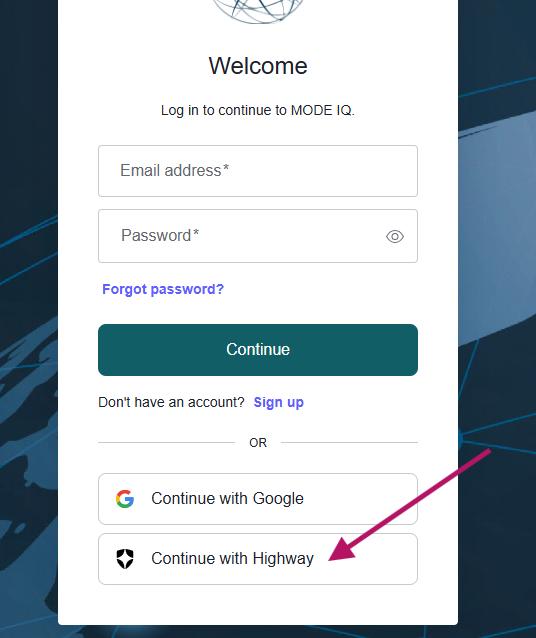
• Go to loadboard.modeglobal.com
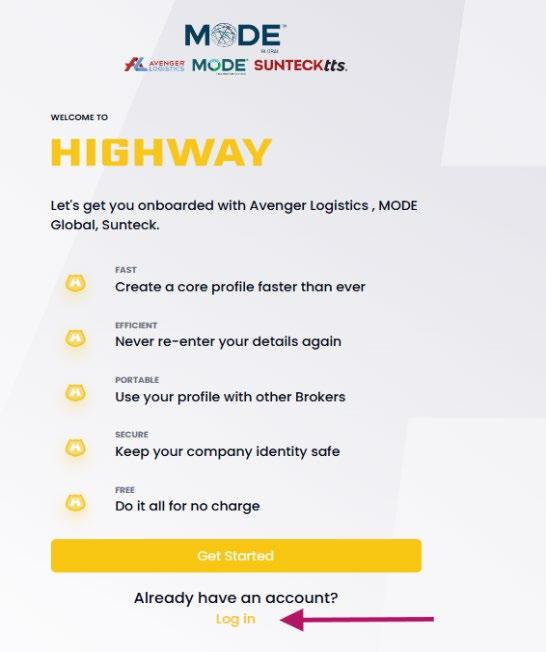
• Click “Continue with Highway”
• Sign in with your existing Highway credentials
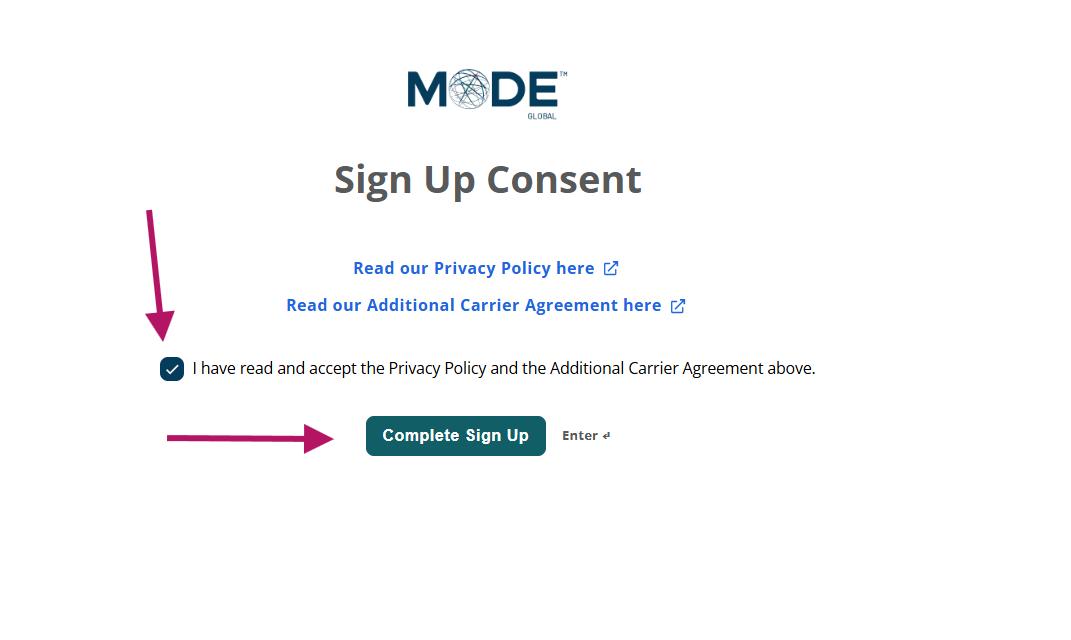
• Accept the terms and conditions to complete sign-up
Once setup is complete, you will see posted loads from all three MODE Global brands.

The New Offers tab shows all available spot freight across our brands. Search with filters or the AI search tool.
• Laneway: enter the origin and destination cities you want
• Radius: set how many miles around each location to search
• Click “See # Offers” to apply your filters
Combine multiple filters for more precise results. You can also save any search and turn on email alerts.
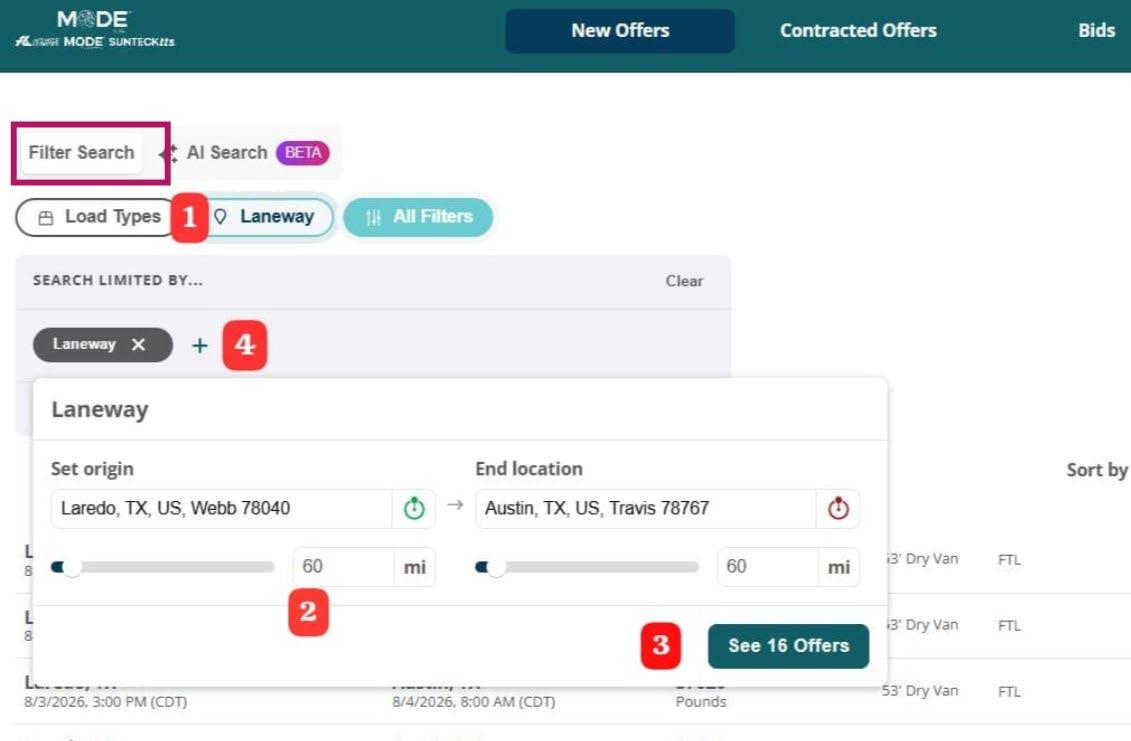
Click the “+” to open the full filter menu.
Narrow your search by:
• Pick-up and delivery windows
• Vehicle and equipment requirements
• Load and reference numbers
• Trailer requirements, zip code, and more
Stack as many filters as you need.
Results update as you go.
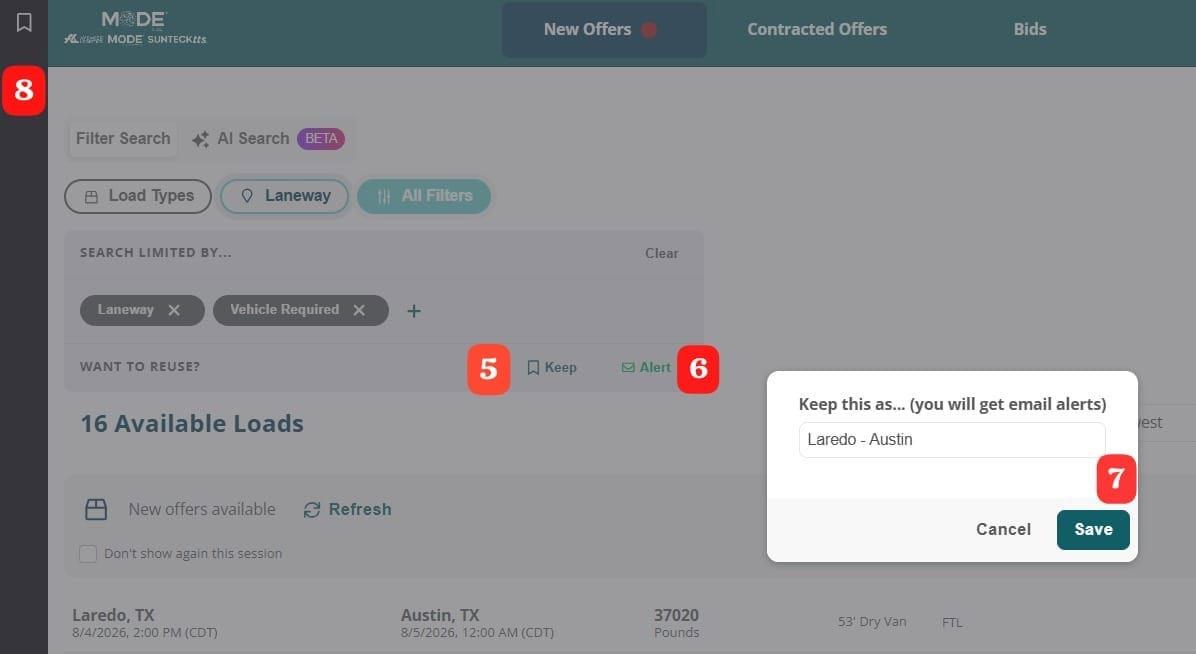
Found a search you will run again? Save it.
• Click Keep to bookmark the search
• Click Alert to get an email whenever a new load matches your criteria. Name your alert and hit Save
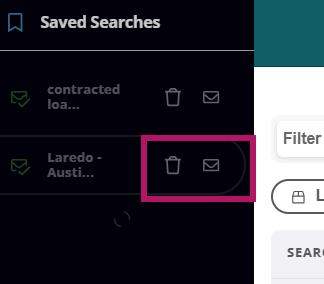
• Find your saved searches in the bookmarks bar on the left side of the screen
• Turn notifications on or off, or delete searches you no longer need
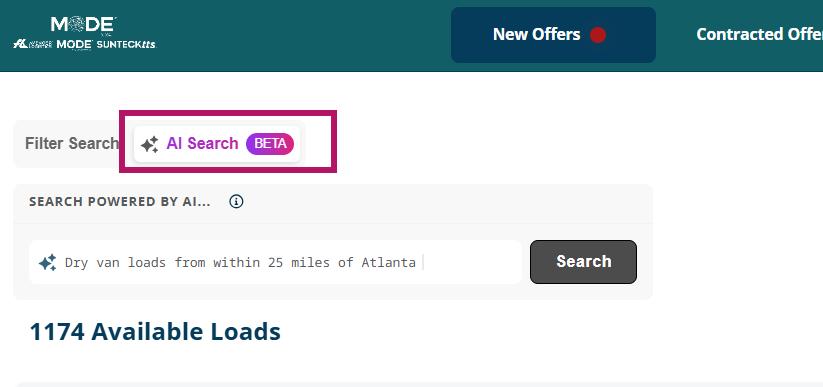
Skip the filters. Type what you are looking for and let AI find it.
• Select AI Search next to Filter Search
• Type keywords: cities, equipment type, rate, distance
• Example: “dry van loads from Dallas to Atlanta over $2,000”
Click any load to see full details and booking options.
• Match Now: book the load at the posted rate. Your rate confirmation arrives by email within minutes
• Bid: counter with your own rate. If approved, you receive the rate confirmation. If not, you are notified by email
A bid is a commitment. If the load is awarded to you, you are expected to run it.

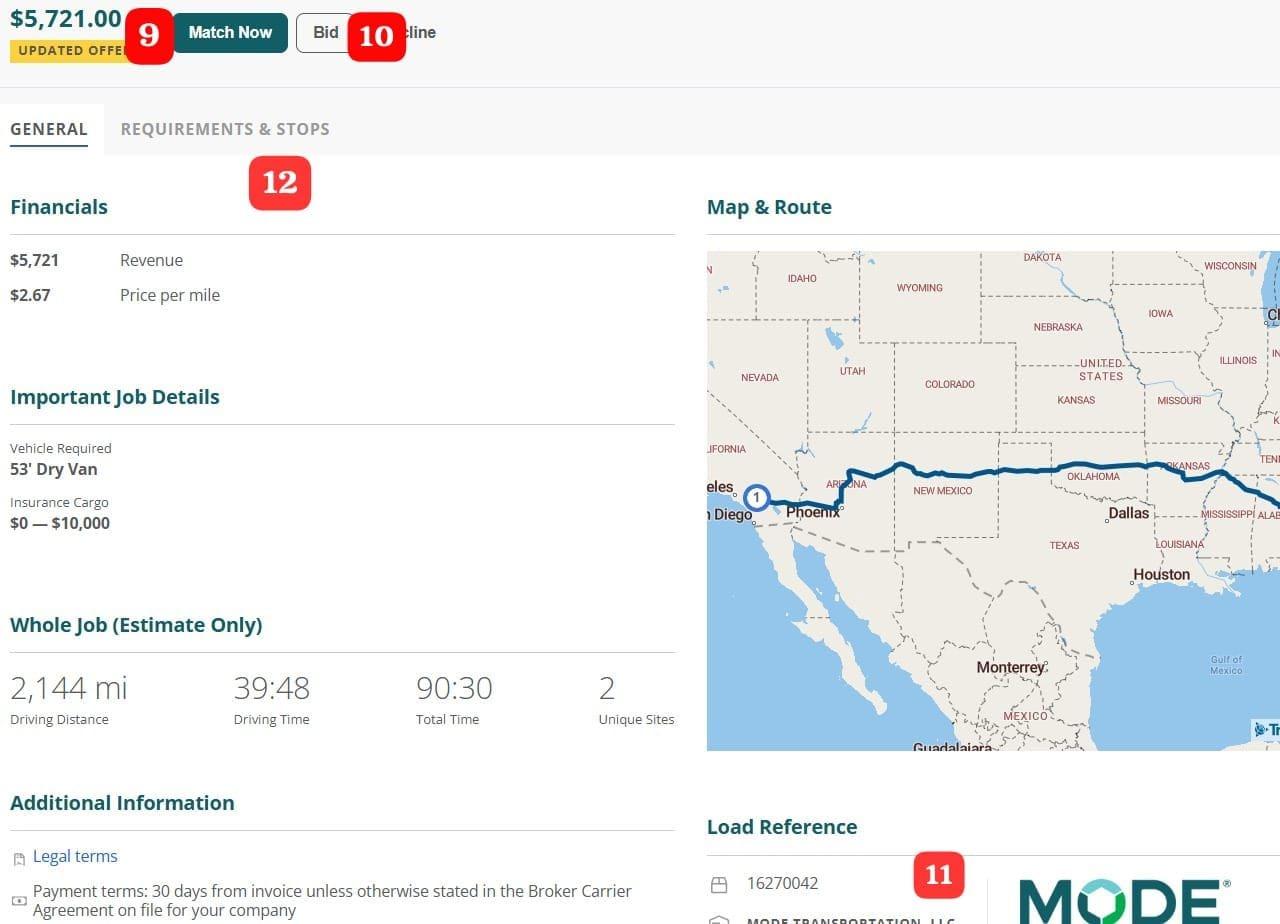
Every load is organized into two tabs.
• General: rate and price per mile, insurance and vehicle requirements, driving time, route map, load reference, and the company posting the load
• Requirements & Stops: cargo weight, pick-up and delivery times, and stop details
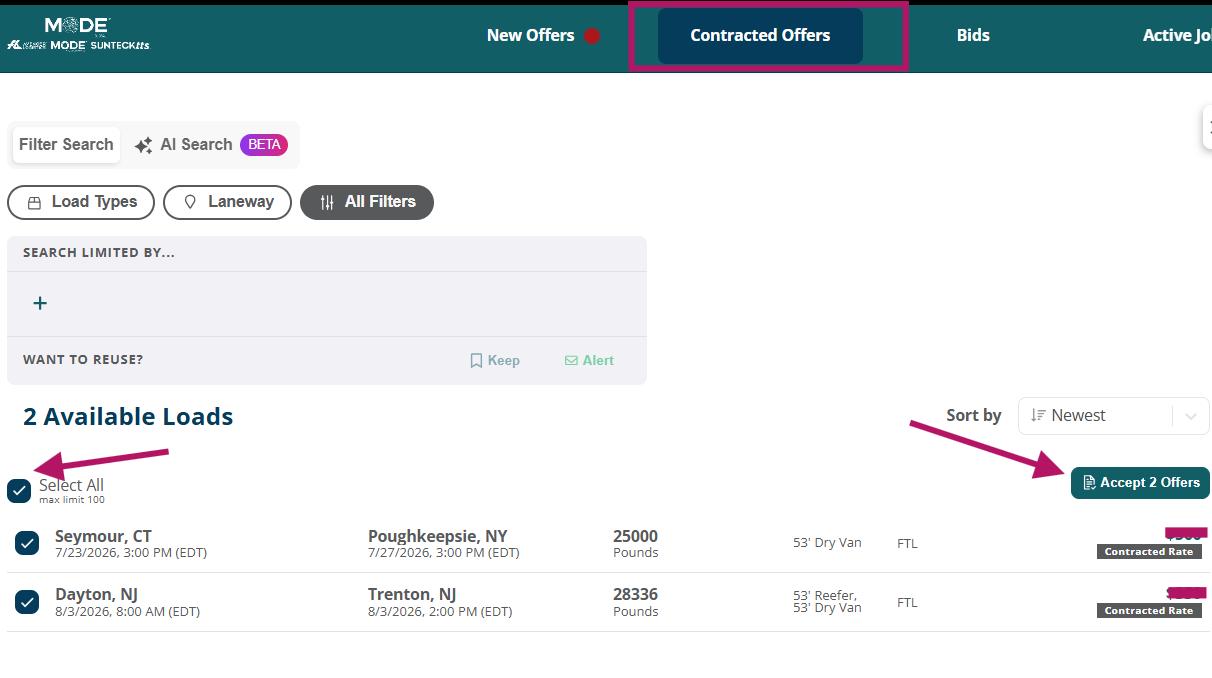
Dedicated freight reserved for your company. No other carrier can see these loads.
• Accept loads one at a time with Match Now
• Or click Select All and accept multiple offers at once Each accepted load generates its own rate confirmation.
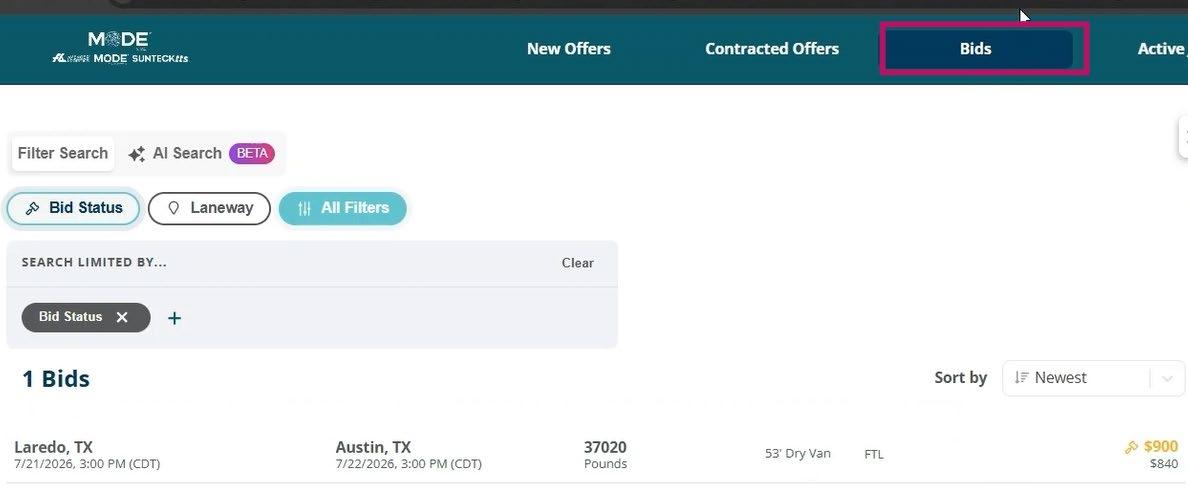
• Bids: loads you have bid on, pending broker review
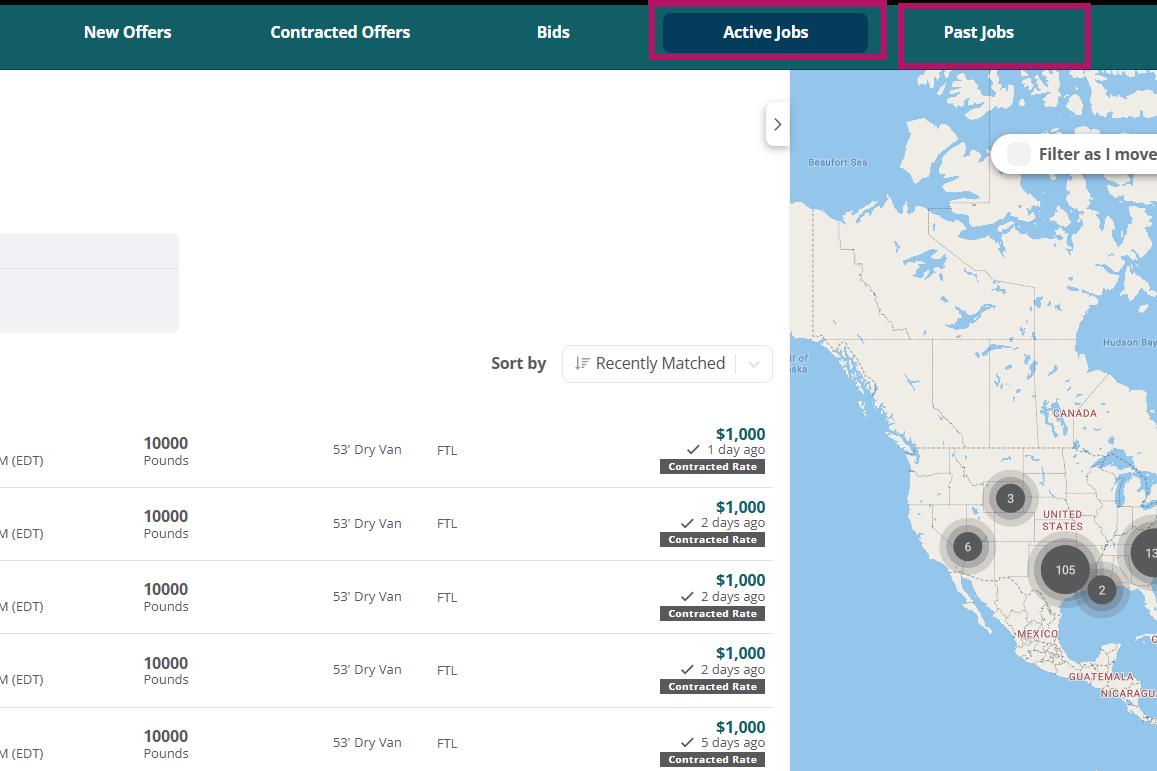
• Active Jobs: loads you recently booked. Add or update dispatcher and driver info for each one (next slide)
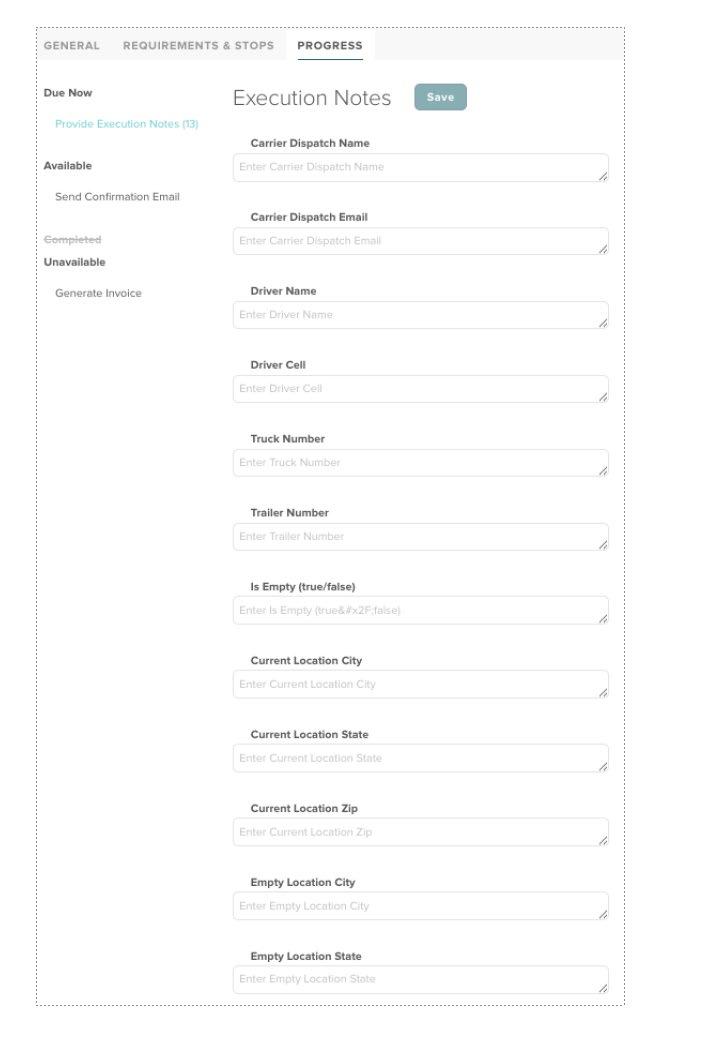
MODE IQ is the only place to send us driver info system to system. No calls or emails needed.
• Open the load from Active Jobs and click the PROGRESS tab
• Under Execution Notes, fill in any driver information and location details you have: dispatch name and email, driver name and cell, truck and trailer number, and current and empty locations
• Click Save and your info updates our system directly
• Revisit the fields to complete at any time, or update previous entries at any time by clicking Completed under the Available title
• Entries and/or Edits can be made until the load reaches DELIVERED status
• Past Jobs: records of completed loads booked through MODE IQ. Loads booked outside the portal will not appear here
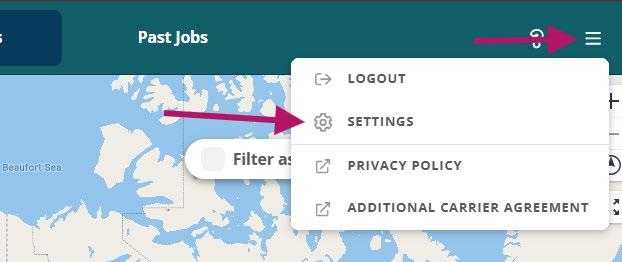
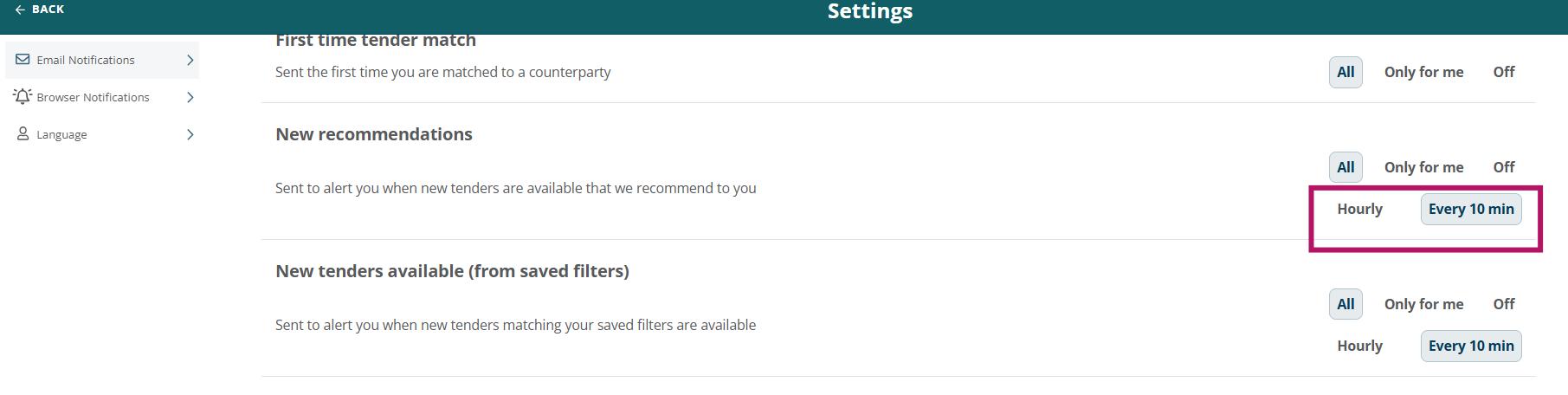
• Settings: customize your language and notification preferences.
o Note: Some notifications like MATCH notices, load updates, and bid approvals/declines will be sent regardless of what the notification preferences are set to