Searching for titles in Libby/Cycnus Library
Tobrowsecategories,simplyscrollthroughtoacategoryofchoice.Thenclickon “See all xx Titles >”
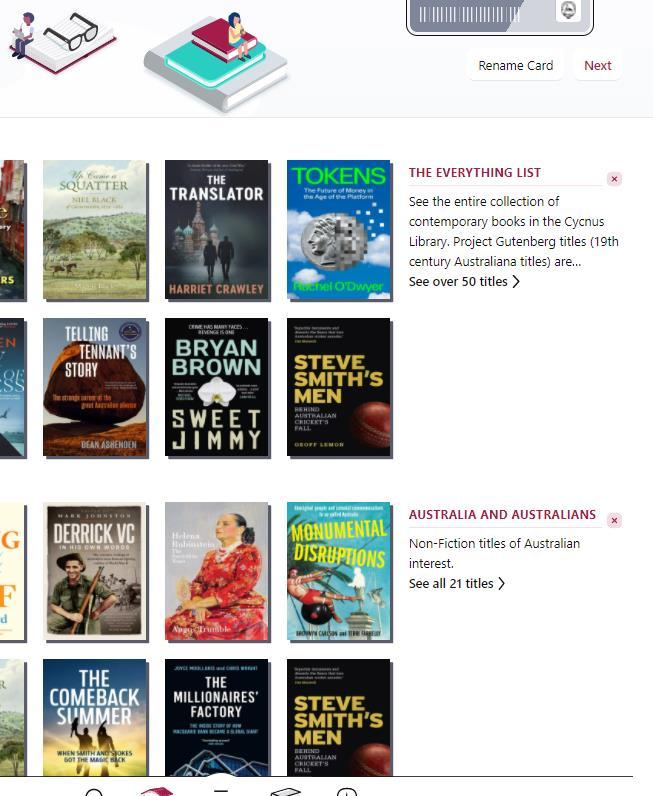
CurrentBrowsecategoriesinCycnusinclude:
• TheEverythingList
• AustraliaandAustralians
• AustralianafromProjectGutenberg(mostly19th Ctitles)
• BiographyandMemoir
• HistoryandPolitics
• Mystery-Detective-Crime
• Libby’sShowBag(newandnoteworthytitles)
• Fiction
• Non-Fiction
Tosearchforspecifictitlesbytitle,author,orpublishername:

1. Tap Search inthefooter.
2. Enteryoursearchterm(e.g.,atitle,author,narrator,orseriesname)inthesearch bar.

3. Selectasearchsuggestion(ifavailable),ortap toseeallresults.
Refining your search
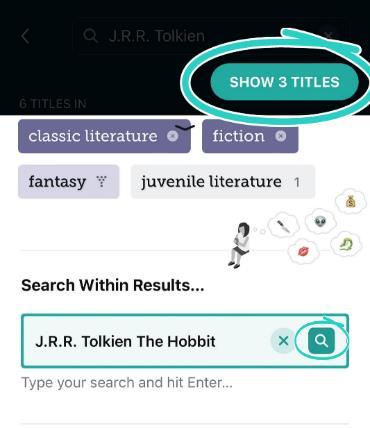
Torefineyoursearchresults:

1. Tap aboveyourresults.
2. Addasortfilteroradjustyoursearchtermsinthe"Search Within Results"box.

3. Ifyouadjustedyoursearchterms,tap orpress Enter onyourkeyboard.
4. Tap Show Titles.
Finding details and summary about a title
Onatitle'sdetailsscreen,you'llseeabriefdescriptionofthetitle,itsauthor(creator),the format,thenumberofcopiesinthecollection,andmore.
Youcangettoatitle'sdetailsinseveralways,including:
• Whilebrowsingorsearchingyourlibrary'scatalogue,tapanytitle'scoverimage.
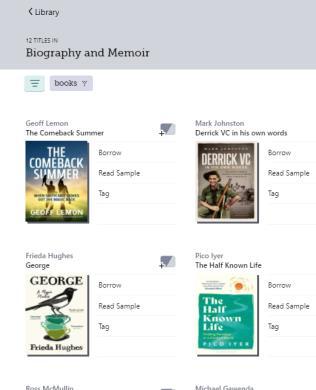

Borrow a Titles
Click on the book cover to see further details, including a summary.
Toborrowatitle,simplyclickon Borrow.
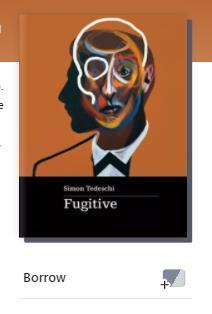
SEARCH_DOWNLOAD_READINLIBBY:April2024 5
Place a hold on a title
Ifabookisalreadyonloan,youmay Place a hold onit:

Managing your download settings
Go to Menu > Settings > Change Download Rules to update your download settings. You canchoosewhetherbooksdownloadautomaticallyafteryouborrowthem,andwhether theydownloadwhenyou'renotonWi-Fi.
Download settings
The download settings control whether titles are downloaded automatically right after youborrowthem.Youcanchoose Everything, Titles Under...,or Nothing.
Choose Titles Under... to automatically download smaller titles (usually books) but excludelargerones(likegraphicnovels).
Taptheunderlined 20 MB toadjustthetitlesizeyou'd like automaticallydownloaded. Mostbooksareunder20MB,manygraphicnovelsaremorethan100MB
"Download Only On Wi-Fi" setting
The"Download Only On Wi-Fi"settingpreventsloansfromdownloadingonacellulardata connection.
Downloading a loan manually
Todownloadaloanmanually:
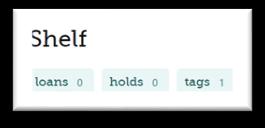
1. Tap Shelf
2. Tap loans atthetopofthescreen
3. Tap tomanuallydownloadthetitle
4. Titleswitha nexttothemaredownloadedtoyour device


Reading books
Tostartreadingabook:
1. Tap Shelf inthefooter.
2. Click(Tap)onOpeninLibby
3. OR –tap loans atthetopofthescreen
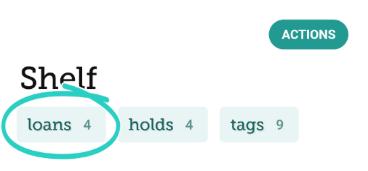
4. selectthetitleyouwanttoread,andtap“OpeninLibby”.
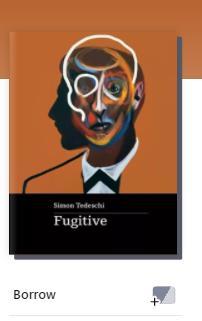
WhenthebookopensinLibby:
• Tap the centre of the screen to dismiss the navigation bar and timeline to start reading.

• Tap (nearthetopofthescreen)tochangethefont,adjustthetextsize,enable darkmode,andmore.
After you’ve borrowed a title, to see details and summary:

• From your Shelf , tap Manage Loan, Manage Hold, or . Then, tap the title's name.
• Fromyour Shelf ,tap tags (atthetopofthescreen),selectatag,thentapthetitle's name.
Loan Period
CycnusDigitalLibrarye-booksareloanedfor21days.
Renewing titles
Youcanrenewatitleafewdaysbeforeit'sdueusingthesesteps:
1. Tap Shelf .
2. Tap loans atthetopofthescreen.
3. Tap Manage Loan
4. Tap Renew Loan,then Renew.
Why can't I renew a title?
Thereareafewreasonswhyyoumightbeunabletorenewatitle:
SEARCH_DOWNLOAD_READINLIBBY:April2024 7
• Someone else has the book on hold. In this case, you'll see a Place Hold button (insteadof Renew),whichmeansyouneedtowaittoborrowthebookagain.
• It'stooearlytorenewthebook.You'llbeabletorenewabookafewdaysbefore it's due. If it's too early, Libby will tell you how much longer you need to wait beforeyoucanrenewit.
Returning titles
Titlesareautomaticallyreturnedtothelibraryontheirduedates.Whenthey'rereturned, they'realsoremovedfromyour Shelf anddeletedfromyourdevice(ifdownloaded).
Ifyoufinishatitleearly,youcan return it before its due date using the steps below:
1. Tap Shelf .
2. Tap loans atthetopofthescreen.
3. Tap Manage Loan.
4. Tap Return Early,then Return.
Ifyoudonothing,theloanexpiresafter21days.Thebookwill‘disappear’fromyourShelf.
Icon Explanations
ManyiconsinLibbyshowyourlibrary'scolours.Ifyoubelongtomultiplelibraries,the colourscanhelpyouquicklyidentifywhichlibraryyoucanborrowatitlefromorwhich libraryhastheshortestwaitlist.Whenyouborroworplaceaholdonatitle,you'llseean iconwiththatlibrary'scoloursnexttothetitleonyour Shelf
Theiconnexttoatitleshowsadditionalinformationaboutit.Herearesome iconsyou'llencounterinLibbyandwhattheymean:
Thetitleisavailabletoborrow
Thetitleneedstobeplacedonhold.
Thetitleisborrowedanddownloaded.
Thetitleisborrowedbutnotdownloaded.
You may tap on an icon next to a title to see your options or get more details about it.