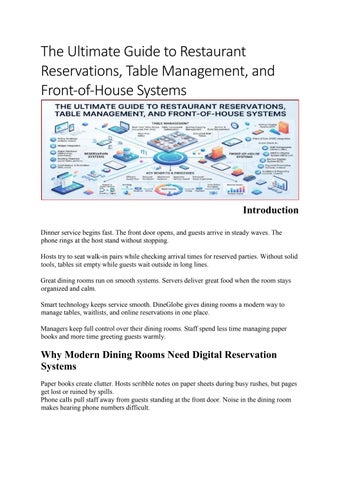
The Ultimate Guide to Restaurant Reservations, Table Management, and Front-of-House Systems
Introduction Dinner service begins fast. The front door opens, and guests arrive in steady waves. The phone rings at the host stand without stopping. Hosts try to seat walk-in pairs while checking arrival times for reserved parties. Without solid tools, tables sit empty while guests wait outside in long lines. Great dining rooms run on smooth systems. Servers deliver great food when the room stays organized and calm. Smart technology keeps service smooth. DineGlobe gives dining rooms a modern way to manage tables, waitlists, and online reservations in one place. Managers keep full control over their dining rooms. Staff spend less time managing paper books and more time greeting guests warmly.
Why Modern Dining Rooms Need Digital Reservation Systems Paper books create clutter. Hosts scribble notes on paper sheets during busy rushes, but pages get lost or ruined by spills. Phone calls pull staff away from guests standing at the front door. Noise in the dining room makes hearing phone numbers difficult.
Accidental double bookings happen easily on paper. Two hosts can write down different parties for the same table at seven o'clock. This mistake creates stress for guests and servers. Modern digital platforms solve these common issues instantly. A cloud-based Restaurant Reservation Software accepts verified bookings day and night. Guests pick their preferred times online without waiting on hold.
Direct Bookings vs Third-Party Dining Marketplaces Online discovery portals bring initial diners into your room, but they charge hefty per-cover fees on every guest. These middleman portals also keep valuable guest email addresses and dining histories for themselves. Booking Channel
Guest Data Ownership
Per-Cover Commission Fees
Brand Experience
Operational Control
Direct Restaurant Booking Page
Full ownership of emails, notes, and visit history
Zero per-cover fees on completed bookings
Pure restaurant branding without thirdparty ads
Complete control over seating rules and turn limits
High fees paid for every seated diner
Portal brand stays front and center
Per-Cover Commission Fees
Brand Experience
Third-Party Marketplace App
Booking Channel
Portal keeps diner data
Guest Data Ownership
Restricted settings limited by Operational Control
and markets rival eateries
marketplace rules
Traditional Phone Bookings
Manual notes taken by busy host staff
Zero software fees, but high labor costs
Personal voice touch with high risk of human error
Manual paper tracking with no automated checks
Walk-In Only Operations
No customer contact details collected
Zero booking fees, but unpredictable covers
Casual greeting at front door with variable wait times
High risk of empty tables during quiet service hours
Direct Restaurant Booking System and Customer Relationships A Direct Restaurant Booking System lets diners book tables straight from your own website. Guests skip middleman apps and reserve seats in seconds. Third-party portals often show ads for competing restaurants right next to your menu. Direct links keep diners focused entirely on your food. Your team keeps full ownership of guest details. You collect verified phone numbers, dietary preferences, anniversary dates, and seating requests. These diner profiles help your team deliver memorable visits. When a regular diner books, servers know to offer their favorite corner booth. An Online Restaurant Booking System sends instant confirmation codes by text and email. Guests appreciate quick responses that confirm their plans. Diners receive secure self-service links inside their messages. They modify guest counts or cancel their tables with a tap.
Restaurant Table Management Software and Live Seating Taking reservations is only half the battle. Your team must seat guests at the right tables at the right times. Modern Restaurant Table Management Software links online bookings directly to physical seats inside your building. The system matches party sizes to matching tables automatically. A party of two receives a two-top table. This keeps larger four-top booths open for bigger groups.
The system tracks live dining durations across the room. It calculates realistic seating buffers between seatings so hosts do not rush diners. A typical dinner takes ninety minutes. The software marks that table busy and schedules the next booking after a brief cleaning buffer. Hosts update table statuses on their screen with one tap. They mark tables as seated, appetizers served, dessert dropped, or paid.
Restaurant Floor Plan Software and Layout Optimization Every dining room has a unique physical layout. A visual layout tool gives your team a clear bird's-eye view of the space. Modern Restaurant Floor Plan Software lets managers draw their exact room layout. You can place two-top tables, large booths, bar stools, and outdoor patio seats accurately. The screen mirrors your real dining room floor. Hosts spot empty tables across the room in a split second. Large parties require special table arrangements. Digital tools let hosts combine two square tables into a single long table with a simple swipe. The software checks clearance paths to ensure servers can still walk by comfortably. It updates total room capacity immediately. Managers balance server stations evenly during pre-shift prep. One server will not get overwhelmed while another server stands idle.
Restaurant Waitlist Management Software for Peak Hours Friday and Saturday evenings push dining rooms to full capacity. Walk-in guests pack the entrance, hoping for an open table. Handling a crowded doorway with a pen and notepad causes frustration. Paper waitlists make estimating accurate return times almost impossible. A dedicated Restaurant Waitlist Management Software organizes walk-in traffic cleanly. Hosts enter guest names, phone numbers, and party sizes into a digital waitlist queue. The system calculates accurate wait times automatically. It analyzes current dining turn times and upcoming reservations before giving an estimate. Guests receive live queue updates directly on their mobile phones. They can grab a drink nearby instead of crowding the front entrance.
The system sends an automated text when their table is ready. Guests tap back to confirm they are heading to the host stand.
Restaurant Host Stand Software for Smooth Shift Handovers The front desk serves as the command center for the entire dining room. Hosts juggle phone calls, greeting guests, and directing servers. A dedicated Restaurant Host Stand Software consolidates every front-of-house task onto a single tablet screen. Hosts manage reservations, floor maps, and waitlists without switching tools. New hosts learn the interface quickly because visual cues use clear, universal colors. Green means clean, blue means occupied, and yellow means dessert. Shift handovers become quick and painless. The outgoing lunch host leaves clear shift notes right inside the software interface. The evening host reads these updates before the dinner rush begins. They see which regular guests are visiting and which tables have special requests. Managers monitor service pace from anywhere in the building. They glance at the tablet to see total seated covers and open tables.
Restaurant Walk-In Management Software for Spontaneous Diners Spontaneous diners bring valuable revenue to neighborhood eateries. However, taking walkins without checking upcoming reservations causes major seating delays. A two-top might sit down at six o'clock without knowing that table is reserved for seven o'clock. Rushing diners through their meal ruins their experience. Smart Restaurant Walk-In Management Software solves this problem instantly. The software scans the dining room schedule for open gap times between advance reservations. Hosts spot forty-five-minute openings at high-top tables or the bar. They seat walk-in guests safely for quick drinks and appetizers. The host informs the party upfront about the upcoming reservation time limit. Guests appreciate the honesty and enjoy their fast meal. Hosts register walk-in parties in less than ten seconds. They enter the party size and tap an open table on the screen.
Essential Front-of-House Shift Readiness Checklist A successful dinner rush depends on thorough preparation before the first guest arrives. Running through a structured check prevents seating bottlenecks, missed special requests, and server burnout during peak hours. Reviewing your dining room layout and upcoming covers guarantees that your front-of-house team works in harmony with the kitchen line all evening. Check Point
What to Review
Operational Impact
Table Availability & Holds
Verify physical table readiness and confirm reserved VIP tables
Prevents accidental seating of walk-in guests at pre-booked booths
Combined Table Layouts
Push physical tables together for confirmed large dining parties
Avoids noisy furniture moving during active dinner service
Expected Shift Covers
Review total booked guests across each service time slot
Helps kitchen prep appropriate food volumes and schedule cooks
Walk-In Seating Buffer
Reserve designated bar seats or high-tops for spontaneous diners
Captures high-margin walk-in guests without delaying reservations
Server Station Balance
Distribute covers evenly across active front-of-house staff sections
Prevents server overload and keeps guest service prompt
Special Guest Notes
Check dietary requests, birthdays, and high-chair requirements
Delivers personalized hospitality and keeps diners safe
Restaurant Reservation Software for Small Restaurants Independent bistros and small cafes operate with lean teams. Small eateries rarely have budget for full-time reception hosts. Servers often answer phones between running food and pouring water. A noisy room makes taking reservations over the phone difficult. A lightweight Restaurant Reservation Software for Small Restaurants provides massive relief for compact teams. The software handles bookings automatically in the background. Guests reserve tables online through a simple widget on their phones. Staff never have to stop plating dishes just to book a table. Small dining rooms operate with fewer tables, so empty seats hurt profits quickly. Automated text reminders reduce no-shows dramatically. If a party cancels, the system reopens the time slot for other diners online. Small venues keep their dining rooms completely full.
Free Restaurant Reservation System and Pilot Programs Investing in new software can feel risky for independent restaurant owners. Monthly subscriptions, setup fees, and hardware costs add up fast. Testing a Free Restaurant Reservation System allows managers to try modern tools without risking their operating budget. Free pilot programs offer hands-on experience during real shifts. Owners test core functions like digital floor maps, online booking links, and live waitlists. They evaluate how easily staff learn the software during a busy service. A good pilot provides transparent terms without lock-in contracts. You evaluate whether digital booking tools actually increase your weekly covers. Staff give direct feedback on tablet responsiveness and screen clarity. You see if the software saves time or creates unnecessary steps.
Multilingual Support and Modern Operations with DineGlobe Modern restaurant teams are diverse. Front-of-house and back-of-house employees often speak different native languages. International tourist destinations welcome diners from all over the world every single day. Language barriers create misunderstandings during busy services.
DineGlobe solves this challenge with built-in multilingual interfaces. The platform supports seamless operation in English, Japanese, and Arabic.
Real-Life Dining Room Scenarios •
•
•
A bustling downtown bistro seats walk-in couples at open high-top tables during the peak seven o'clock rush, while holding back prime window booths for confirmed anniversary reservations arriving twenty minutes later. A neighborhood family restaurant joins two square four-top tables into an eightperson banquet setting using visual floor-plan controls, ensuring clearance paths remain open for food runners carrying heavy trays. An independent sushi bar uses direct booking links on its website to eliminate thirdparty per-cover commissions, automatically collecting diner notes regarding shellfish allergies before guests arrive.
Common Mistakes to Avoid in Restaurant Table and Booking Management •
•
•
•
Taking reservations on paper slips that get misplaced during lunch service. Move to a centralized cloud booking log so every staff member sees updated table notes instantly. Overbooking peak dining hours without leaving physical seating buffers for delayed diners. Build a fifteen-minute cleaning and buffer window between bookings to keep table turns realistic. Relying entirely on third-party food portals and losing direct communication with loyal guests. Add direct reservation links to your website and social pages to capture guest contact details directly. Forgetting to update table statuses when seated guests finish paying their bill. Train floor servers to tap the host tablet immediately so bussers clear open tables without delay.
Simple Reservation Setup and Service Checklist • • • • •
Build your direct online booking page with clear service hours, maximum party sizes, and reservation policies. Draw an accurate digital dining room floor plan with exact table numbers, booth locations, and chair counts. Establish default dining duration rules based on group size, allowing ninety minutes for pairs and two hours for large parties. Train front-of-house staff on registering walk-ins, updating table statuses, and reading shift notes on the tablet. Configure automatic text confirmations and provide self-service cancellation links to keep no-show rates low.
Frequently Asked Questions 1. What is the difference between direct booking systems and third-party restaurant portals?
Direct booking systems process reservations straight through your own website or social media pages without charging per-cover commissions. Your restaurant keeps complete ownership of guest contact details and dining preferences.
2. How does online table management software stop double bookings during busy shifts? The software tracks physical table inventory in real time across all booking channels. When a diner books a specific table online, the system locks that time slot instantly.
3. Can small independent cafes benefit from digital reservation platforms? Yes, small cafes benefit greatly from digital booking tools. Independent venues operate with compact teams that do not have time to answer phone calls during busy hours.
4. How does restaurant floor plan software handle large party table combinations? The software allows hosts to merge adjacent tables digitally with a simple tap on the screen. The system joins the seating capacities and treats the combined tables as a single unit.
5. What is the best way to handle walk-in diners during fully booked evenings? Use digital walk-in software to scan the dining room for open time gaps between upcoming reservations. If a table has an open hour before the next party arrives, seat walk-ins for a quick meal.
6. How does digital waitlist software estimate accurate return times for waiting guests? The software monitors how long currently seated parties have been dining at their tables. It compares live seating times against historical meal duration averages for each specific table size.
7. Can guests modify or cancel their reservations without calling the restaurant? Yes, modern booking systems send confirmation messages containing secure self-service links. Guests tap the link to adjust their party size, pick a new arrival time, or cancel their visit.
8. What hardware or devices do host teams need to run modern host stand software? Most modern platforms run on standard consumer tablets, iPads, or desktop web browsers. Restaurants do not need to purchase expensive, proprietary computer terminals or complex servers.
Conclusion Running a successful dining room requires balancing hospitality, seating capacity, direct bookings, and smooth team coordination. Clunky paper logbooks and high-fee third-party apps cut into your profits and create service delays during dinner rushes. Moving to a modern, direct reservation system keeps your tables full, preserves your profit margins, and protects guest relationships. With visual floor layouts, automated waitlists, and clear host stand tools, your front-of-house staff can focus entirely on delivering warm hospitality. Clean table systems eliminate front-desk stress and turn first-time diners into loyal regulars for years to come.