Digital Inclusion Programs in Action: Practical Lessons from Neighborhood Learning Spaces Introduction Walk into any neighborhood library, community center, or adult learning room on a weekday evening, and the digital divide stops being an abstract policy issue. You see it on the face of a parent trying to reset a forgotten password to check their child's grades, or an older job seeker staring at an online portal that times out before their application can be submitted. While modern public services and daily transactions have moved to the web, the foundational skills and tools needed to navigate them remain unevenly distributed. Closing this divide requires more than unboxing refurbished equipment or opening public Wi-Fi access points. Real community progress happens when structured digital inclusion programs meet people where they are, offering consistent guidance, accessible tools, and patient human instruction.
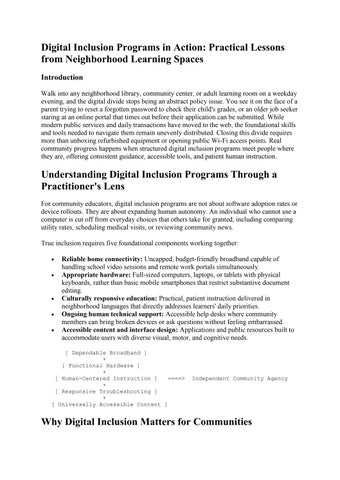
Understanding Digital Inclusion Programs Through a Practitioner's Lens For community educators, digital inclusion programs are not about software adoption rates or device rollouts. They are about expanding human autonomy. An individual who cannot use a computer is cut off from everyday choices that others take for granted, including comparing utility rates, scheduling medical visits, or reviewing community news. True inclusion requires five foundational components working together:
Reliable home connectivity: Uncapped, budget-friendly broadband capable of handling school video sessions and remote work portals simultaneously. Appropriate hardware: Full-sized computers, laptops, or tablets with physical keyboards, rather than basic mobile smartphones that restrict substantive document editing. Culturally responsive education: Practical, patient instruction delivered in neighborhood languages that directly addresses learners' daily priorities. Ongoing human technical support: Accessible help desks where community members can bring broken devices or ask questions without feeling embarrassed. Accessible content and interface design: Applications and public resources built to accommodate users with diverse visual, motor, and cognitive needs.
[ Dependable Broadband ] + [ Functional Hardware ] + [ Human-Centered Instruction ] ====> + [ Responsive Troubleshooting ] + [ Universally Accessible Content ]
Independent Community Agency
Why Digital Inclusion Matters for Communities
When internet access and technology skills are absent, everyday disadvantages multiply quickly across households. Educators and community mentors witness these real-world impacts every day.
Educational Equity and Academic Persistence Students without reliable home computers or high-speed connectivity routinely spend evenings sitting outside fast-food restaurants or public libraries just to download school reading materials. This creates persistent academic fatigue and stress. High-quality technology education programs bridge this gap by pairing home hardware with safe, structured study spaces and supportive tutoring.
Economic Mobility and Household Stability Submitting an application for almost any modern entry-level job requires uploading a digital resume, completing online aptitude forms, and communicating through email. When job seekers lack these basic skills, their employment options remain severely limited. Dedicated inclusion initiatives give adult learners the digital confidence to search for local jobs, apply for certifications, and manage household budgets online.
Healthcare, Civic Rights, and Daily Independence From local school board announcements to county housing assistance and prescription refills, civic life increasingly depends on web portals. When older residents or rural families cannot access these tools, they lose independence. Digital inclusion programs protect vulnerable populations by teaching them how to access public benefits, communicate with physicians, and participate in community decisions safely.
The Role of a Technology Nonprofit Organization Commercial technology providers focus primarily on high-yield commercial subscriber bases, which often leaves low-income housing developments, rural outposts, and marginalized communities underserved. A mission-driven technology nonprofit organization steps in to fill this gap by treating connectivity and foundational digital competence as public goods rather than commercial products. Nonprofit teams take time to listen before introducing tools. By following a clear operational model—Mission → Community Need → Responsible Technology → Measurable Impact—nonprofits design programs around actual community needs rather than vendor sales cycles. Instead of imposing pre-packaged solutions, nonprofit leaders train local organizers, recruit patient volunteer instructors, and adapt instructional materials to fit local cultures and dialects.
The Instructional Core of Digital Literacy Programs Providing a computer to a household without offering skills training often leads to frustration. The device is quickly tucked away in a closet or abandoned after an initial operating error.
Well-structured digital literacy programs provide the practical, reassuring foundation that transforms hardware into useful daily tools. Effective curricula focus on practical, real-world tasks:
Understanding operating systems, file directories, and basic system settings. Launching web browsers, managing tabs, and identifying official government websites. Creating secure email accounts, drafting professional messages, and organizing inboxes. Identifying phishing links, text scams, and misleading advertisements. Creating strong passwords and learning how multi-factor authentication works. Safely using online banking tools, school portals, and municipal payment systems.
When instructors break tasks into small, achievable steps, learner anxiety turns into confidence. A grandfather learning to join a family video call or a mother verifying that her child's immunization records reached the school clinic gains genuine, lasting independence.
Responsible AI Research and Practical AI for Social Impact As machine learning tools find their way into public housing decisions, social services, and school platforms, community educators must ensure that neighborhood residents understand how automated systems operate. Deploying AI for social impact requires a thoughtful, defensive workflow: $$\text{Clear Community Need} \longrightarrow \text{Carefully Scoped AI Tool} \longrightarrow \text{Continuous Human Verification} \longrightarrow \text{Evaluated RealWorld Impact}$$ For example, automated language processing tools can help small legal aid organizations translate housing rights guides into multiple local languages. However, without dedicated human review, inaccurate automated translations can misinform tenants about eviction timelines. Similarly, algorithms used to evaluate benefits eligibility can make mistakes based on biased historical records. Through practical, community-centered responsible AI research, educators and developers learn to ask tough questions about data transparency, algorithmic fairness, and human accountability. Social programs must verify that automated tools genuinely support human dignity rather than introducing unchecked errors.
Empowering Youth Innovation Programs Digital inclusion should not treat young people merely as passive consumers of online media. It should encourage them to become resourceful inventors and community problem-solvers. Thoughtfully run youth innovation programs invite neighborhood students to tackle local challenges using technology.
Mentors guide students through a structured design cycle: [ Identify a Local Challenge ] │ ▼ [ Brainstorming Solutions ] │ ▼ [ Research & Community Feedback ] │ ▼ [ Building a Prototype ] │ ▼ [ Community Testing & Refinement ] │ ▼ [ Tangible Local Improvement ]
Guiding Nonprofit Digital Transformation Local food banks, legal aid clinics, and community service organizations often struggle with fragmented paper files, outdated spreadsheets, and unsecured personal devices. Supporting thoughtful nonprofit digital transformation helps these essential teams spend less time on paperwork and more time serving families. A successful digital transformation balances technical tools with organizational capacity: Operational Area
Purchasing Tools in Isolation
Developing Organizational Capability
Initial Focus
Buying new cloud software licenses
Helping staff adapt routines and build confidence
Staff Training
One-time recorded webinars
Hands-on peer coaching and easyto-read reference guides
Data Security
Sensitive documents saved across personal email accounts
Clear organizational privacy rules and restricted access folders
Operational Area
Purchasing Tools in Isolation
Developing Organizational Capability
Program Longevity
Tools abandoned when initial funding ends
Affordable, open tools chosen for long-term budget sustainability
Cultivating Corporate Social Impact Partnerships Sustaining digital inclusion across many neighborhoods requires long-term resources that exceed the budgets of local charities. Authentic corporate social impact partnerships connect enterprise resources with on-the-ground community knowledge. Meaningful collaborations move beyond superficial public relations by delivering practical assets:
Donating durable, enterprise-grade laptops and desktops wiped and ready for community use. Sponsoring community broadband installations inside neighborhood community centers. Underwriting the ongoing translation of digital literacy materials into local languages. Supporting employee volunteer programs that allow engineers and data professionals to mentor community learners.
When corporate partners align their giving with genuine community goals rather than marketing deadlines, the resulting programs remain steady and reliable for years to come.
Organizing Technology Volunteer Opportunities Many experienced software developers, IT professionals, and university students want to support their local communities. Thoughtfully organized technology volunteer opportunities turn that goodwill into dependable, long-term community assistance. Volunteers contribute across a variety of vital roles:
Providing patient, one-on-one computer tutoring for senior citizens and adult learners. Mentoring middle and high school students during after-school coding and robotics clubs. Assisting small neighborhood charities with website accessibility checks and data cleanups. Translating technical instruction guides into indigenous or immigrant languages.
To protect both learners and volunteers, programs should establish clear boundaries, offer sensitivity training, and enforce strict privacy rules. When volunteer expectations are clear, community members receive reliable help without exhausting the instructors.
Accessibility, Inclusion, and Privacy by Design Digital inclusion initiatives must work for everyone, including people who have visual impairments, physical disabilities, or limited formal education. A service portal that requires high-speed connections or complex keyboard shortcuts leaves behind the very people who need it most. Inclusive programs rely on straightforward design standards:
Legible interfaces: Clear layouts, readable fonts, and simple navigation menus that work across mobile and desktop screens. Assistive tool support: Compatibility with screen-reading software, speech recognition tools, and high-contrast display options. Low-bandwidth optimization: Lightweight webpages and instructional videos that load smoothly over weak mobile connections. Respectful data handling: Collecting only the minimal personal data needed to run a class, securing explicit consent, and keeping family details safe.
Designing alongside community members with disabilities ensures that accessibility is treated as a core requirement from day one.
Practical Community Example Consider an urban community center partnering with local volunteers to launch a basic digital skills workshop for adult residents living in a nearby public housing community. Phase 1: Listening & Needs Discovery └─ Meet with residents to understand real priorities: finding steady work, managing benefits, checking grades. Phase 2: Access & Hardware Audit └─ Check what devices families own, test local cellular signal reliability, and map neighborhood languages. Phase 3: Community-Centered Curriculum └─ Develop clear, large-print, bilingual guides centered on completing common daily tasks. Phase 4: Small-Cohort Practice └─ Host evening and weekend classes using dedicated lab laptops with patient, one-on-one support. Phase 5: Online Safety & Account Security └─ Teach safe password habits, how to spot phishing messages, and how to protect family records. Phase 6: Open Help-Desk Hours └─ Provide drop-in sessions where learners can bring their own devices to troubleshoot everyday technical issues. Phase 7: Community Feedback Collection └─ Review attendance, course completion, and direct student confidence surveys. Phase 8: Continuous Program Adaptation └─ Adjust class schedules, language offerings, and lesson pacing based on direct student suggestions.
By prioritizing listening over assumptions, program organizers build trust and ensure their workshops solve real everyday problems.
Impact Measurement Tracking the success of digital inclusion requires looking past basic equipment counts to measure real growth in community capability: [ Program Activities ] ──► Workshops held, lab computers configured, community broadband set up. │ ▼ [ Direct Outputs ] ──► Learners attending sessions, hours of practice completed. │ ▼ [ Concrete Outcomes ] ──► Residents applying for jobs, filing tax documents, managing health records online. │ ▼ [ Long-Term Community ] ──► Greater household financial stability, higher graduation rates, less digital isolation. [ Impact ]
Potential Benefits
Expands practical access to vocational certifications, online job listings, and educational materials. Helps older adults stay connected with family, doctors, and community activities. Ensures students have the connectivity and hardware needed to complete their schoolwork. Keeps neighborhoods informed and connected during public health emergencies or bad weather.
Operational Challenges
Finding steady, multi-year funding to pay for recurring community internet bills. Sourcing replacement computer parts and maintaining older hardware. Helping adult learners work through initial feelings of embarrassment or fear around using computers. Retaining dedicated volunteer mentors over long academic semesters.
FAQs What is the main goal of digital inclusion programs? Digital inclusion programs ensure that all community members, regardless of income, age, or background, have affordable internet access, functional computers, and the practical skills needed to navigate digital tools independently. Their objective is to make sure technology opens doors for people rather than shutting them out of modern economic and civic life. Why is handing out free laptops not enough to bridge the digital divide?
Providing hardware alone does not address unaffordable home broadband, poor digital literacy, or fear of making mistakes on a computer. Without patient instruction, basic cybersecurity awareness, and ongoing troubleshooting help, many distributed devices end up broken, infected with malware, or unused. How do digital literacy programs improve local employment opportunities? These programs teach job seekers how to write resumes, apply through online job portals, communicate via email, and use common office tools. These practical skills help residents find job openings and apply with confidence for jobs that require everyday computer use. How does a technology nonprofit organization differ from a commercial tech firm? A technology nonprofit organization measures its success by community benefit rather than software sales or quarterly profit margins. Nonprofits focus on long-term local capability, ethical technology adoption, and providing free or low-cost learning resources to neighborhoods that private markets overlook. What is the role of AI for social impact in neighborhood programs? AI can help community organizations translate instructional materials, analyze local environmental records, or schedule community clinic appointments more efficiently. To prevent harm, these tools must always include active human oversight, strict data privacy safeguards, and regular checks for algorithmic bias. What does responsible AI research focus on? Responsible AI research examines how automated models can be built and evaluated to ensure fairness, transparency, user safety, and accountability. It works to prevent automated systems from reinforcing historical bias or making unfair decisions in social programs, public benefits, and hiring. How do youth innovation programs benefit students in underserved areas? These programs give young learners the space, tools, and mentorship to design technical solutions for everyday neighborhood problems. Rather than focusing on commercial startups, they emphasize collaboration, critical thinking, coding basics, and building community pride through hands-on technical projects. What makes nonprofit digital transformation different from buying software?
Buying software simply adds tools to an organization, while digital transformation focuses on helping staff build confidence, learn secure data practices, and improve daily service delivery. It ensures that technology investments match the organization's real mission, staff capacity, and long-term budget. How can businesses take part in corporate social impact partnerships responsibly? Companies can help by donating dependable, wiped enterprise computers, funding community broadband, and encouraging their technical staff to volunteer as mentors. The best corporate partnerships focus on meeting real, community-identified needs rather than chasing short-term marketing publicity. How do professionals find technology volunteer opportunities? Professionals can reach out to neighborhood libraries, adult education centers, local charities, and organizations like the Cotocus Foundation. Volunteers can tutor adult learners, lead after-school coding clubs, or help local nonprofits improve their website accessibility and data security.
Conclusion True digital equity is not measured by the number of laptops shipped or broadband cables laid. It is measured by the confidence, dignity, and independence that people gain when they use technology to improve their daily lives. When neighborhoods treat hardware, high-speed internet, and patient digital education as essential public foundations, they create dependable pathways toward better education, economic security, and civic participation. Building this inclusive future takes steady, compassionate teamwork among educators, community organizers, skilled volunteers, and mission-driven institutions like the Cotocus Foundation.