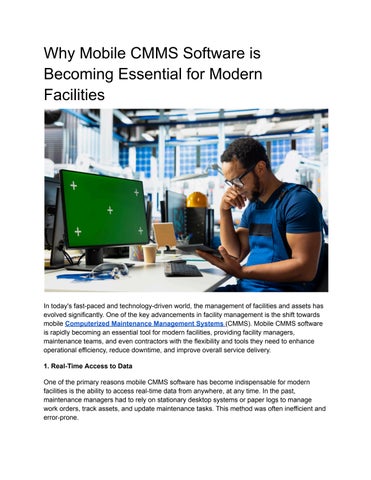
Why Mobile CMMS Software is Becoming Essential for Modern Facilities

In today's fast-paced and technology-driven world, the management of facilities and assets has evolved significantly. One of the key advancements in facility management is the shift towards mobile Computerized Maintenance Management Systems (CMMS) Mobile CMMS software is rapidly becoming an essential tool for modern facilities, providing facility managers, maintenance teams, and even contractors with the flexibility and tools they need to enhance operational efficiency, reduce downtime, and improve overall service delivery
1. Real-Time Access to Data
One of the primary reasons mobile CMMS software has become indispensable for modern facilities is the ability to access real-time data from anywhere, at any time. In the past, maintenance managers had to rely on stationary desktop systems or paper logs to manage work orders, track assets, and update maintenance tasks This method was often inefficient and error-prone.
With mobile CMMS, facility teams can receive instant updates, access detailed asset histories, and track ongoing work in real-time. Maintenance staff on the ground can check the status of work orders, update progress, and capture relevant data directly from their mobile devices This real-time access improves the decision-making process, allowing facility managers to respond quickly to issues as they arise and ensure that tasks are completed on time.
2. Increased Efficiency and Productivity
Mobile CMMS software significantly boosts the efficiency of maintenance operations The software allows field technicians to receive maintenance requests, work orders, and task assignments directly on their smartphones or tablets. Gone are the days of technicians needing to return to the office or wait for paper-based work orders to be assigned They can now receive real-time updates, log maintenance activities, and even scan barcodes or QR codes on assets to pull up critical information instantly.
The ability to complete tasks in real-time without needing to access a desktop system streamlines operations, reducing the time spent on administrative tasks and enabling maintenance personnel to focus more on actually performing the necessary repairs and preventative maintenance This increase in efficiency ultimately leads to cost savings, faster issue resolution, and less downtime.
3. Improved Communication and Collaboration
Mobile CMMS software fosters improved communication and collaboration across teams. Maintenance managers can send updates, provide instructions, and share important documents or images with technicians through the software. Field technicians can report issues, request parts, or ask for clarification directly through the app, eliminating delays that occur with traditional communication methods like phone calls or emails
Mobile CMMS also enables better coordination between on-site teams and remote management Facility managers can monitor progress, approve work orders, and even adjust schedules remotely, ensuring that resources are used effectively and that maintenance work is prioritized properly. This heightened level of collaboration ensures a seamless workflow and enhances overall facility management
4. Preventive Maintenance Made Easier
Preventive maintenance (PM) is crucial for extending the lifespan of assets and equipment Mobile CMMS software makes it easier to schedule and manage preventive maintenance tasks. Instead of relying on paper schedules or static desktop systems, maintenance managers can set up automatic reminders and alerts on their mobile devices This ensures that tasks are performed on time, reducing the chances of equipment breakdowns and costly repairs.
Technicians can also access maintenance manuals, maintenance histories, and detailed asset information while performing PM tasks in the field. This gives them the tools they need to complete the job efficiently and accurately, with all relevant data available at their fingertips