This documentation (original manual) is written in English by the manufacturer, LION Protects BV, and is determinative over any translated version.
Address: LION Protects BV
Chapter 1 Introduction
The present document is a user manual describing the elements installed by LION in the SMOKEDRILL (SD) 150, and their operations. It presents the correct and safe system operation, and, if applicable, further information on transport, installation, and maintenance.
The target audience of this manual is training facility instructors, service and maintenance personnel, operations management and safety personnel.
Authorized personnel from LION Protects BV only is allowed to provide training for the training facility instructors and the service and maintenance personnel.
In case of doubt, or if retraining is required, please contact LION TotalCare: ServiceEMEA@LIONprotects.com
1.1 Icons and Safety Notes
Safety notes provide additional information or warn readers about potential safety risks. They always have an icon, a keyword, and a text. Depending on the type of safety note and its content, a corresponding icon and keyword are chosen. The text provides additional information, including details about safety risks, potential consequences, and preventive actions in the event of a danger. The following types of safety notes are used in this user manual:
NOTICE
Safety instructions with this symbol and keyword refer to additional information or best practices.
CAUTION
WARNING
DANGER
Safety instructions with this symbol and keyword refer to instructions that warn of possible minor damage and/or injury.
Safety instructions marked with this symbol and keyword refer to warnings of potential severe damage and/or injury, including the possibility of death.
Safety instructions marked with this symbol and keyword refer to warnings of severe damage and/or injury, including death.
Chapter 2 Introduction to SMOKEDRILL (SD) 150
2.1 Product Overview
2.1.1 Product description
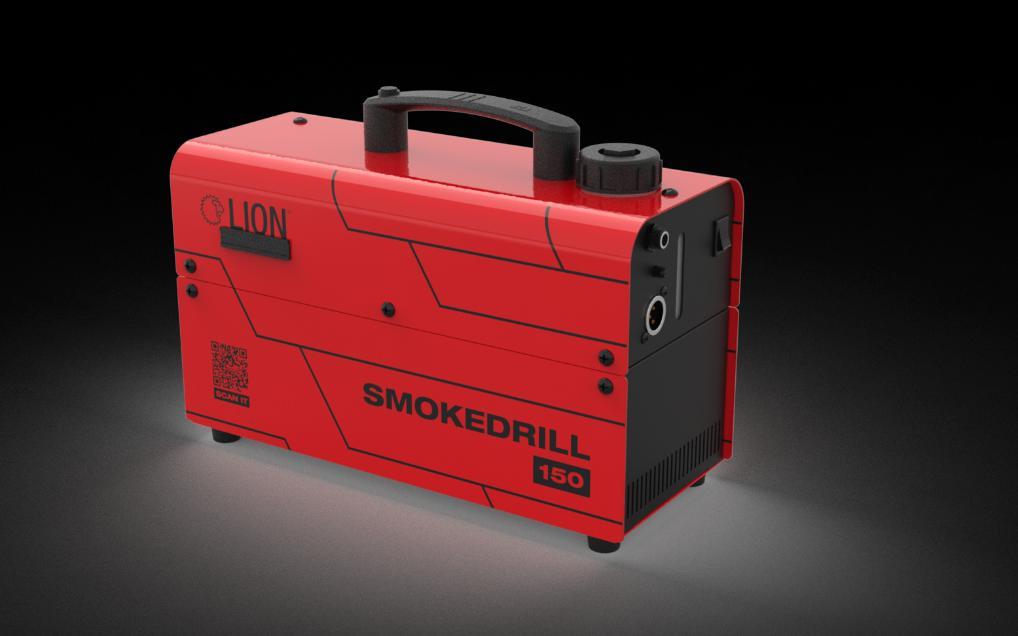
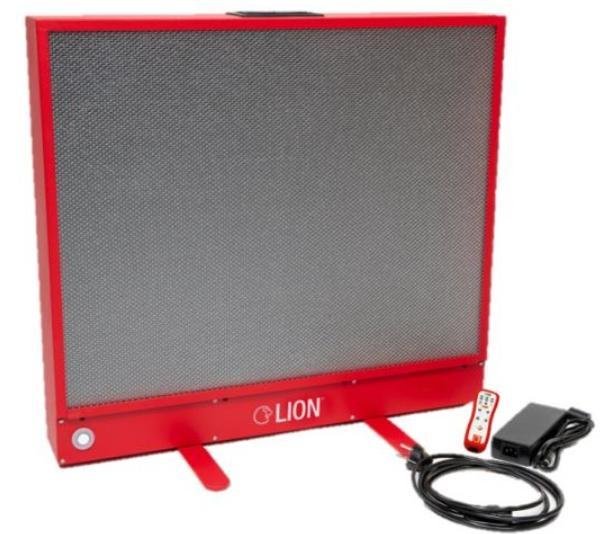
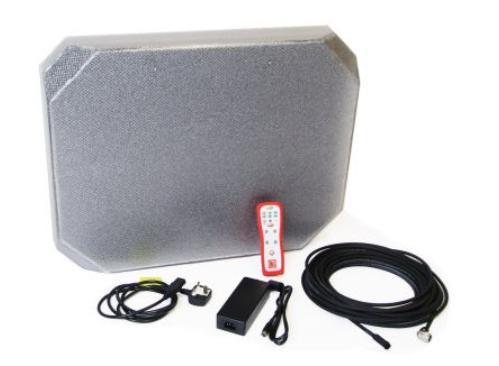
The SMOKEDRILL 150 is designed to generate artificial smoke by vaporizing smoke liquid. The vaporization of the smoke liquid has been optimized for LION smoke liquid. Using an alternative smoke liquid can damage the machine or release hazardous fumes.
Using an alternative smoke liquid will render the warranty immediately void
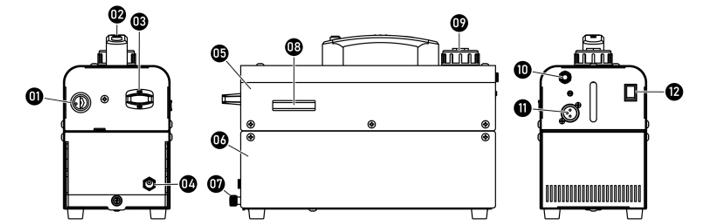
07.Lever (for separating the battery from machine body)
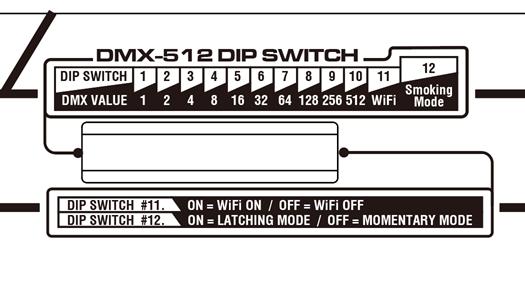
08. DIP Switch (Cover)
09. Fluid Tank Cap
10. Optional Wired Controller Socket
11. 3-pin DMX connectors
12. Power Switch
Chapter 3 Setup Instructions – Installation
3.1 Installation.
Step 1.Place the machine on a flat, level, hard and well-ventilated surface area and reserve at least 50cm open space around the machine, and make sure there is no flammable gas or material nearby;
Step 2.Fill the smoke liquid tank with LION-approved smoke liquid
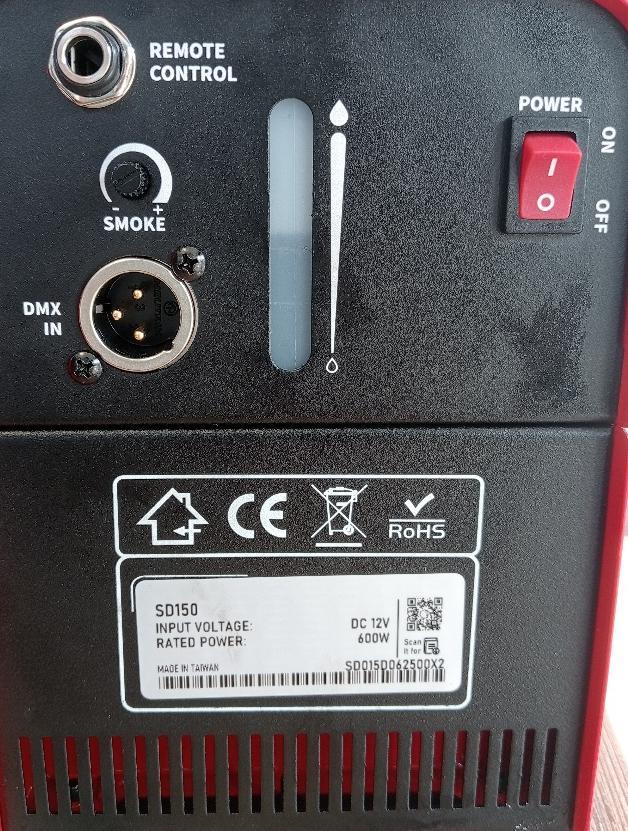
Step 3.If using a power base, connect the machine to the power outlet. Please read the technical label on the back of the machine and ensure the power outlet matches the rated voltage for the machine.
Step 4.Turn on the machine; the warm-up process takes approximately 10 seconds. Once the machine has reached operating temperature, the LED indicator light will be constant; Now the machine is ready for operation.
Step 5.For more detailed information on operating the machine, please scan the QR code on the following page.
3.2 Modification of the installation.
DANGER
Any modification of the installation without prior formal approval from LION is strictly forbidden.
If any modifications are made to the installation without LION's formal approval, the user shall bear all responsibilities, risks, and consequences of any problems, and LION shall carry no responsibility for any personal or material damages. All warranties will be void if any modification is performed or if the system is not used in accordance with the rules and guidelines outlined in this manual.
3.3 Mandatory / Not mandatory training
SAFETY INFORMATION
This product does not require Mandatory training to be operated safely.
If you want to be trained, please contact LION TotalCare: ServiceEMEA@LIONprotects.com
3.4 Before operation.
3.4.1 Checks
Verify that the machine presents a correct appearance and feel, and does not exhibit visible damage, before turning the smoke generator on.
3.4.2 Setup before usage
Refer to chapter 3.1
Make sure that - The smoke generator is filled with the LION smoke liquid
3.5 Access, PPE, conditions
3.5.1 Mandatory Personal Protective Equipment, PPE
SAFETY INFORMATION
This simulator is generating artificial smoke. Though the smoke does not present immediate danger to health, it is strongly recommended to use a filter mask A1/P2 when training involves high concentrations or continuous exposure
Chapter 4 Operation of the system
4.1 Operating the system
Step 1 Place the power button in the ON position,
Step 2 Adjust the level of smoke you desire to produce by turning to have more or less smoke.
Step 3
Press the Button on the Handle to generate smoke, or connect the remote (see following chapters).
4.2 Advanced functions : DMX connection
This machine has an XLR 3-Pin connector for DMX connection.
DIP Switch Settings and Functions:
DIP# 1 to 10 for setting DMX address DIP# 11 for switching Wi-Fi on and off DIP# 12 for switching the push button's modes
4.3 Usage of the remote control
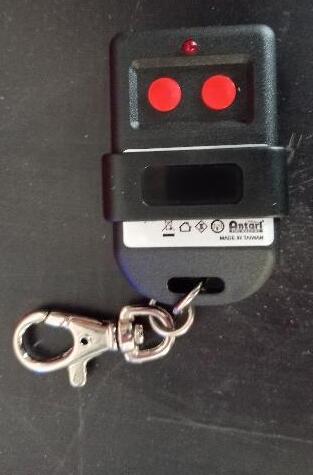
A small remote control is provided to be able to have limited control capacities of the smoke generator from a distance.
To operate the remote control, the receiver must be connected to the smoke generator before use. To do so, connect the receiver to the remote control plug in the back of the
smoke generator. The receiver is equipped with a magnet and can be stuck to the smoke generator.
To operate and produce smoke, press either of the buttons and keep it pressed, this will generate smoke as long as the button is pressed. When the button is released, the production of smoke is stopped.
Chapter 5 Optional Usage of the system with Other LION systems
The SD150 can be operated in conjunction with other LION systems. Those systems are optional but enhance the training experience.
5.1 Industrial Remote Control
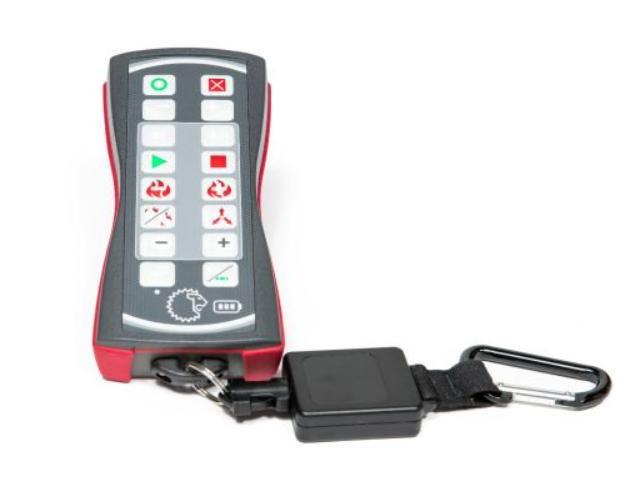
Industrial remote control
The industrial remote control can control much more than the smoke generator. But it can also control the smoke Generator SD150.
For a better understanding, refer to the user manual of the remote control. Underneath is just a quick guide on how to connect the remote.
1- Start the smoke generator,
2- Wait approximately 3 minutes for the smoke generator to establish the network.
3- Start the remote control
4- It should usually pair itself with the smoke generator; if not, press the pairing button. On the bottom left corner until it vibrates. (Attention: Pressing the button many times will unpair it.)
5- Press the smoke button to generate smoke.
5.2 Pairing an ATTACK™ or a BullsEye™
BullsEye™ ATTACK™
The SD150 is capable of being connected and automatically reacting to extinguishing performed on the BullsEye™ and/or ATTACK™ systems.
For a better understanding, you can refer to the user manual of BullsEye™ or ATTACK™ for more information. Underneath is just a quick guide on how to connect the BullsEye™ or ATTACK™
1- Start the ATTACK™ or BullsEye™,
2- Wait approximately 3 minutes for the BullsEye™ or ATTACK™ to establish the network
3- Start the SD150
4- It will pair itself automatically with the ATTACK™ and the BullsEye™ after 1 or 2 minutes.
5- It is then possible to control the smoke generator with the remote of the BullsEye™ or ATTACK™
Chapter 6 Safety Instructions DANGER
- Must connect the machine to the correct rated voltage, or it might lead to an electrical shock or a burn, and may cause serious consequences.
- Must connect the machine to a protected circuit and ensure it is properly grounded to avoid the risk of electrocution.
- Do not operate the machine with a bundled power cord; it could lead to a fire hazard.
- When operating the machine, do not point at people, animals, or fire.
WARNING
- The machine's nozzle is extremely hot; please keep at least 50cm distance from the nozzle when the machine is running.
- Please operate the machine on a flat, level, hard and well-ventilated surface area, reserve at least 50cm space around the machine, and make sure there is no flammable gas or material nearby.
- Do not disassemble, repair or modify the machine; it may cause damage, malfunction, risk of electrical shock or result in fire.
- The machine can only be operated by adults or professionals, and is not intended for use by persons with reduced physical or sensory, mental capabilities, or a lack of experience and knowledge, including children.
- Do not leave the machine running unattended; make sure all power is off when leaving.
- Children should be supervised to ensure that they do not play with the machine.
- Do not use the machine upside down or tilt it, as it might cause damage or malfunction.
- Please store the smoke liquid inside in a well-ventilated area without direct sunlight and keep out of reach of children. In the event of eye contact or accidental ingestion of the smoke liquid, seek medical attention immediately. Refer to the MSDS Appendix.
CAUTION
- Keep the machine dry at all times. The machine is not waterproof; therefore, do not expose it to water, rain, or a moist environment.
- Please make sure the power outlet is not damaged or loose before plugging in the power cord.
- If the power cord is damaged, it must be replaced by LION or its local dealers; otherwise, the warranty will be void.
- Before operating the machine, please ensure the fluid is filled in the fluid tank to avoid the pump being in an idling state, which could lead to overheating or malfunction.
- Before transporting the machine, please make sure the fluid is drained and the tank is empty. (Recommend using the original package)
- Do not operate the machine in any area with unstable voltage.
- If you experience a strange sound or malfunction, turn off the power and unplug the power cord immediately and contact your local LION dealer for assistance.
- Only use accessories recommended or sold by LION
- Please make sure the power is off when not using the machine and unplug the power cord if not intending to use it for an extended period of time.
- To disconnect, turn all controls to the off position.
- Do not unplug the charger by pulling on the cord. To unplug, grasp the plug, not the cord.
- Unplug from the outlet before servicing or cleaning.
- Do not operate the machine with a damaged cord or plug, or after the machine malfunctions, is dropped or damaged in any manner. Return the machine to the nearest authorized service facility for examination, repair, or adjustment of electrical or mechanical components
- To ensure the lifespan of the machine, please only use the LION smoke liquid; do not use other fluids or additives, otherwise it may clog the heater and cause a malfunction.
Chapter 7 Maintenance
7.1 Regular care
NOTICE
- Always keep the machine clean and dry.
- Can use an air compressor, a vacuum or a soft brush to remove the dust on the machine.
- Can use a slightly damp cloth to clean the casing.
- Before storing the machine, please make sure the machine is completely cooled down to avoid moisture inside, which could cause a malfunction.
- It is recommended to run the machine at least once a month to maintain the machine's best performance and output condition.
- Excessive dust and build-up of liquid residue will reduce the performance and cause overheating
WARNING
Failure to perform the regular care can lead to damage to the system and or injuries. The customer's responsibility is therefore engaged in those cases, which can be a reason for voiding the warranty.
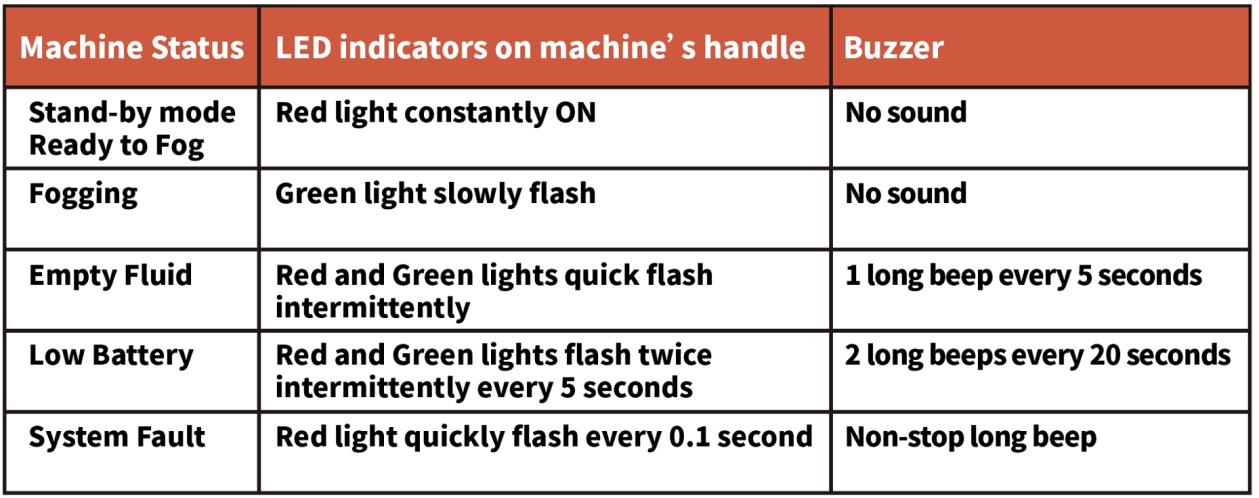
7.2 Troubleshooting
7.3
Contacting Support
If you encounter any issues that are not covered in this manual, please contact our customer support team at :
- Email: ServiceEMEA@LIONprotects.com
- Telephone number (General): +31 13 507 6800
- Telephone number (Service department): +31 13 507 6824
Chapter 8 Transport / Storage
8.1
Transport
Before moving the machine, ensure that it is shut down and cooled. Empty the smoke liquid tank. If possible, place the machine in its original box and ensure it is tightly fastened to prevent damage during transport.
8.2 Storage
For extended storage periods, keep the machine in a dry and clean place. Try to start up the machine once a month to maintain its good condition
Chapter 9 Warranty Information
Note: The warranty does not cover regular service actions that are required. Those costs are due as part of the service. Failure to follow the maintenance schedule might render the warranty void.
9.1 Warranty duration and startup date.
LION provides a guarantee on all goods supplied under the contract and services for a period of 12 months after delivery of the goods and/or services. Delivery of goods means :
- The date of shipment from the factory for goods sold under Ex. Works (INCOTERMS 2020) conditions.
- The date of signature of the SAT documents, for installation installed by LION.
NOTICE
Operating the goods by the customer before the signature of the SAT has the following consequences:
- Immediate acceptance of the goods, and renunciation of potential claims linked to the completion of the delivery by the user.
- Voiding the warranty.
9.2 Limits to the warranty.
The warranty covers failures of the system under typical usage of the simulator, as described in the user manual.
Failure to accomplish the maintenance as described in the maintenance chapter renders the warranty void.
Tampering with the system renders the warranty void.
Damage or malfunctions resulting from normal wear and tear, or improper use, are excluded.
All Subsequent damages are also excluded. A detailed description of the warranty conditions is available upon request.
For more information about the applicability of the warranty, please refer to the general terms and conditions.
9.3 Warranty extension.
LION can provide an extended warranty. Please contact your sales representative for more details.
9.4 Warranty replacement/service.
For all delivered equipment, goods, and installations, we would like to make you aware of our terms of delivery:
• LION Protects BV will replace any part that fails due to material or construction faults. Claims covered by warranty are only accepted during the warranty period.
• LION Protects BV cannot be held liable for damage to third parties or installations that fail due to lack of maintenance or necessary repairs.
• If a third party changesor modifies the installation in any way without permission from LION Protects BV, the warranty is immediately void, and LION Protects BV cannot be held liable for the following damages or injuries.
LION Protects BV cannot be held liable for damage, if the system:
• is used without following the instructions;
• has failed because of a lack of maintenance;
• has failed because the prescribed maintenance intervals were not followed
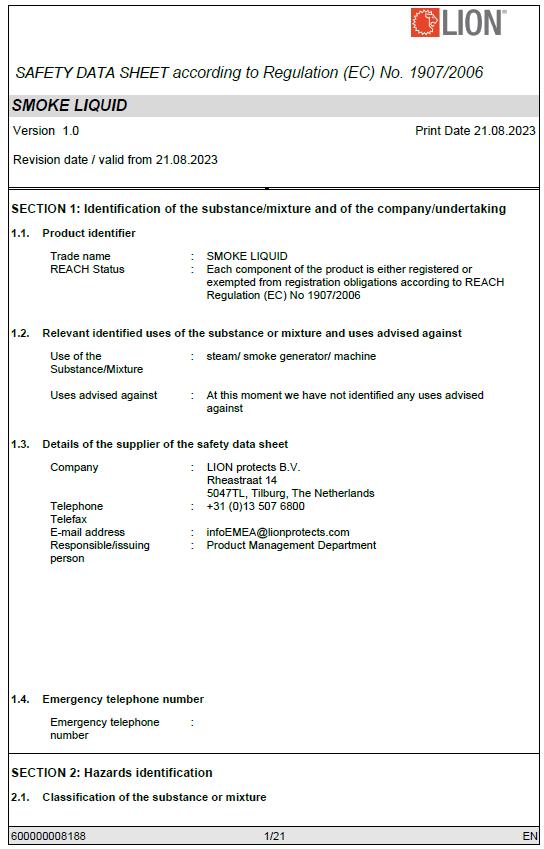
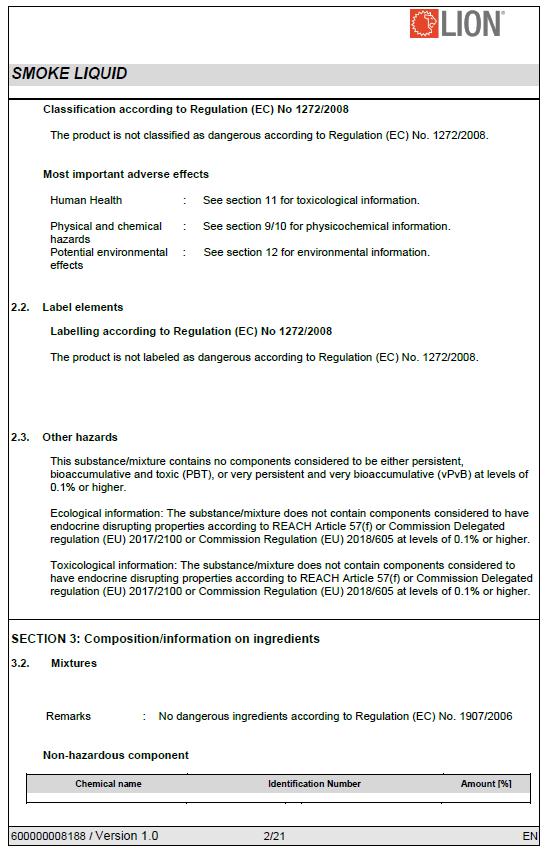
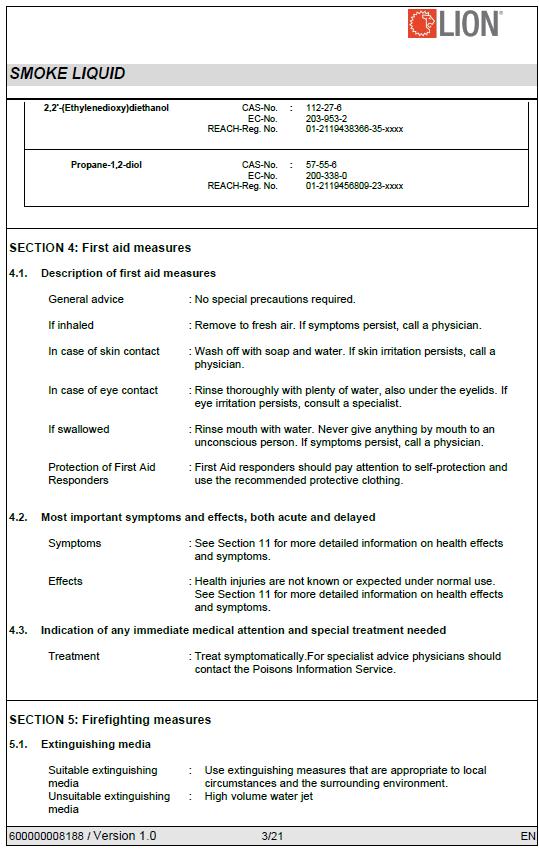
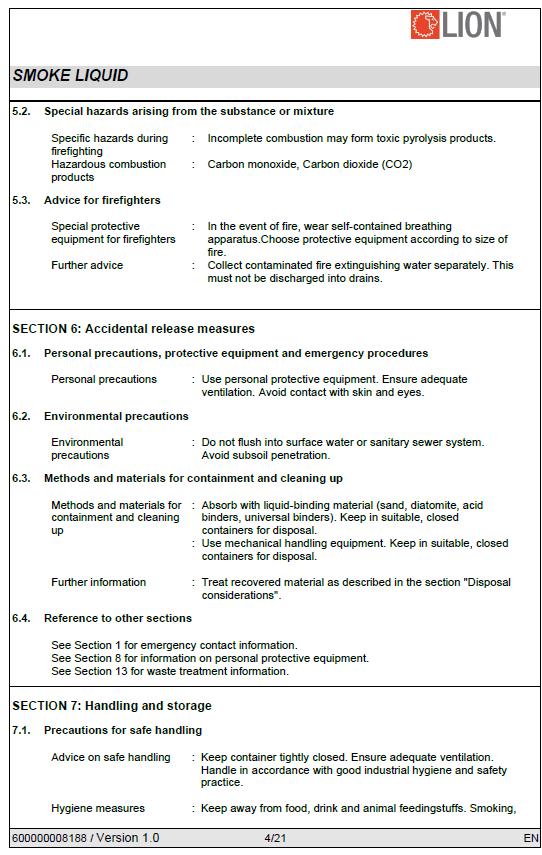
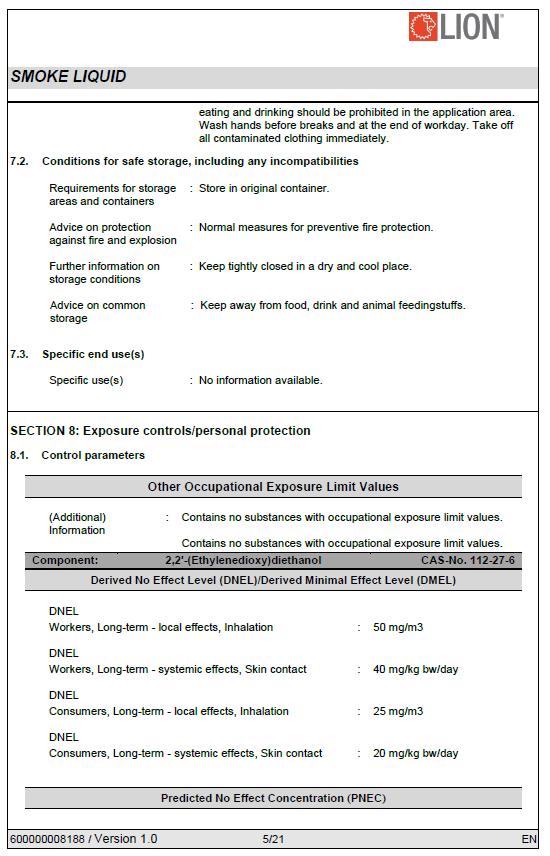
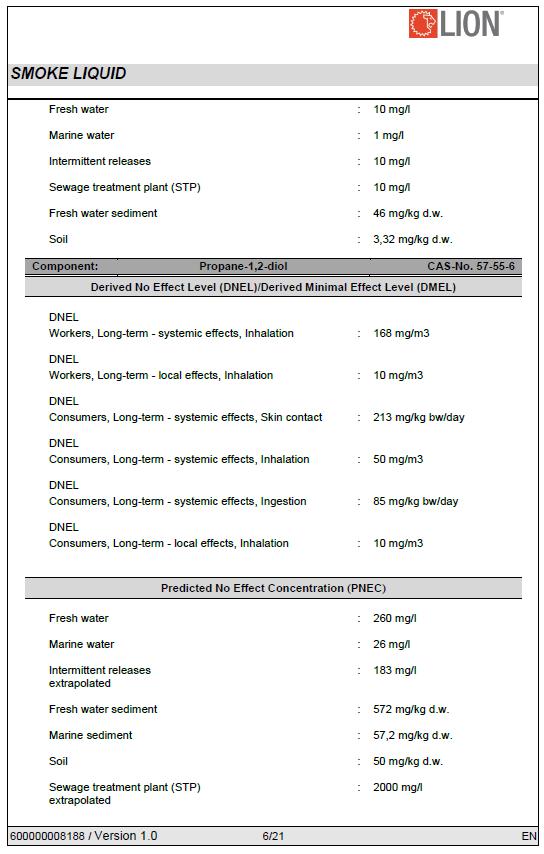
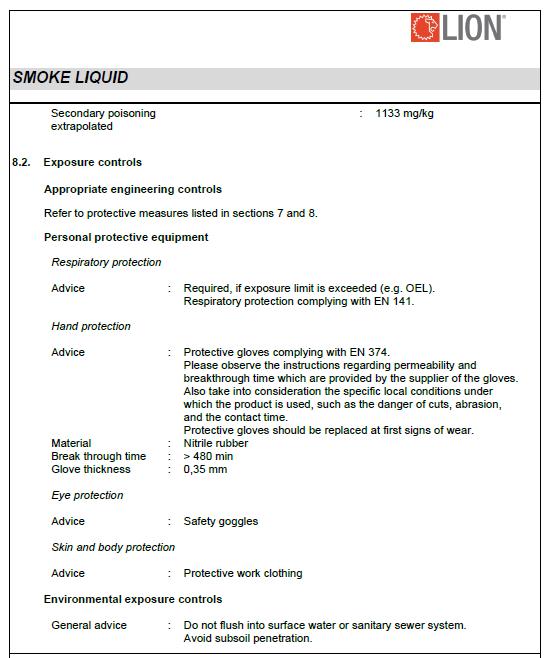
Appendix A) MSDS Smoke liquid extract
The following pages present an extract of the Safety Data Sheet for the smoke liquid of LION. For the full version, please contact LION TotalCare.