
A guide for Leeds Trinity University Franchise Partner Students

A guide for Leeds Trinity University Franchise Partner Students
Leeds Trinity students are required to register on their programme of study at the beginning of each academic year. Registration is the formal process of becoming a student of Leeds Trinity University. It enables you to attend lectures and seminars, receive tuition, sit examinations and register with the library and other services. It also requires you to confirm compliance with Leeds Trinity regulations. It is not about choosing and confirming the modules you wish to study – this is a separate exercise.
Below is a step-by-step guide on completing the registration process, it includes screenshots of each step and a description of the questions you are required to answer. This guide is intended to help you easily complete the registration process, if you require further assistance, please refer to the Help tab within e:Vision itself.
Login to your e:Vision account by clicking here You should have received your username and password via email. If you do not have this or do not know your username and password, please contact the IT Helpdesk.
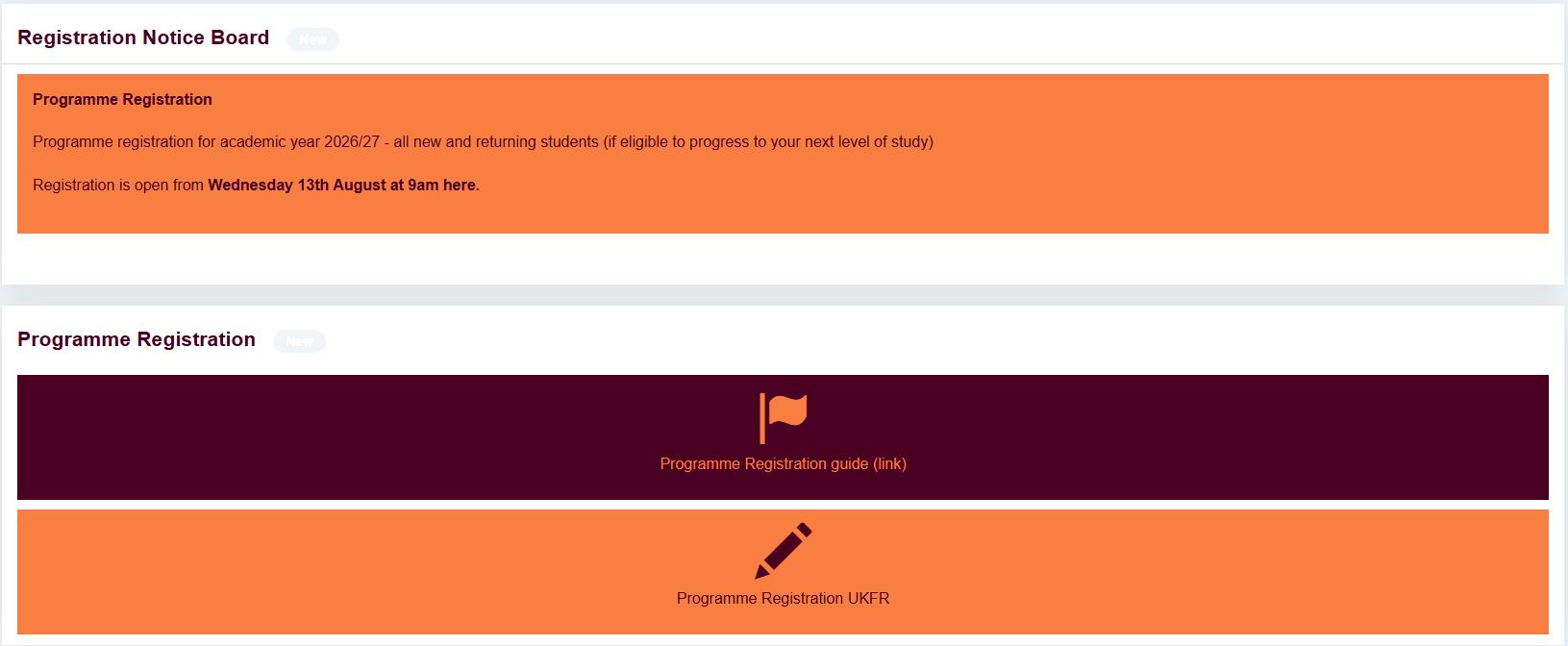
When you have successfully logged in, you will see the screen below which includes the Programme Registration button. Click the ‘Programme Registration’ button to begin. If you do not see this button, please select the ‘Registration’ tab on the left menu at the left hand side of the screen.
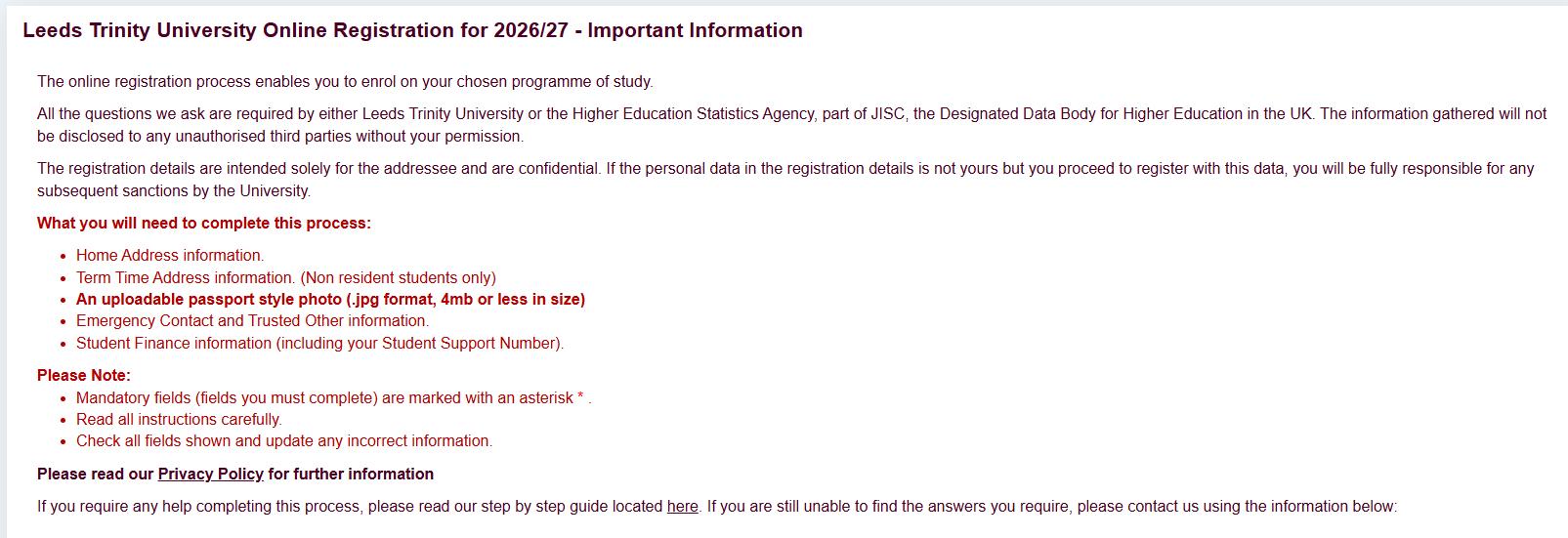
The introduction page of the registration process can be seen below. On this screen you need to read the information and confirm that you understand by checking the check box (lower middle) and click ‘Continue’.
(Please Note: Not all students will see this step)
Before you become a fully registered student, there are various ‘clearance checks’ that you must pass and provide evidence for. All valid checks and their current status are displayed here. If there are any checks that do not have a status of ‘Passed’ it means that we have not yet received and are still awaiting documentation from you.
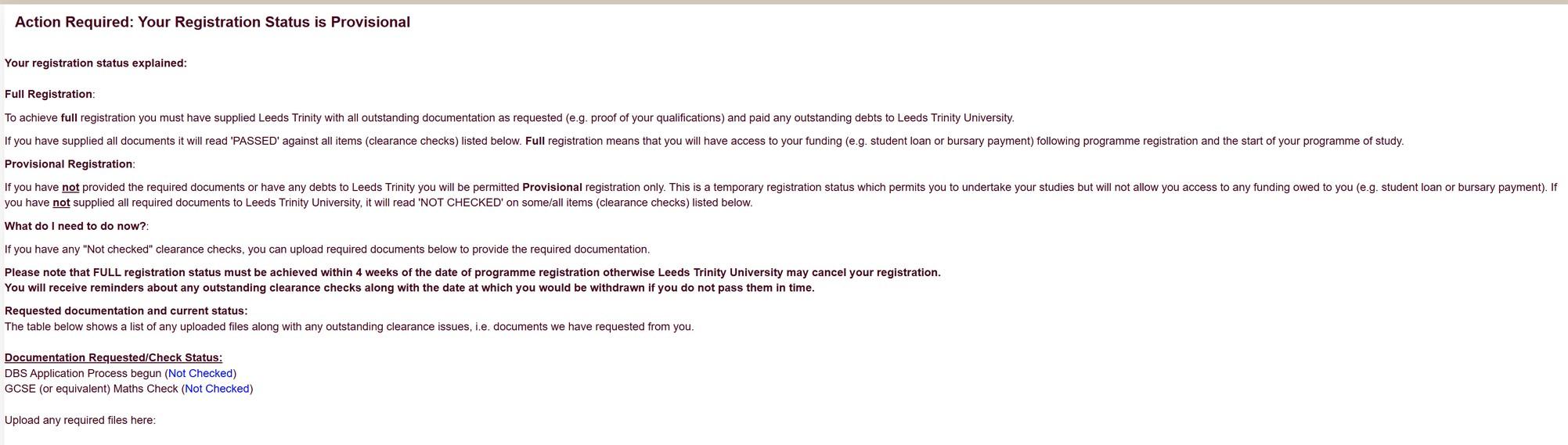
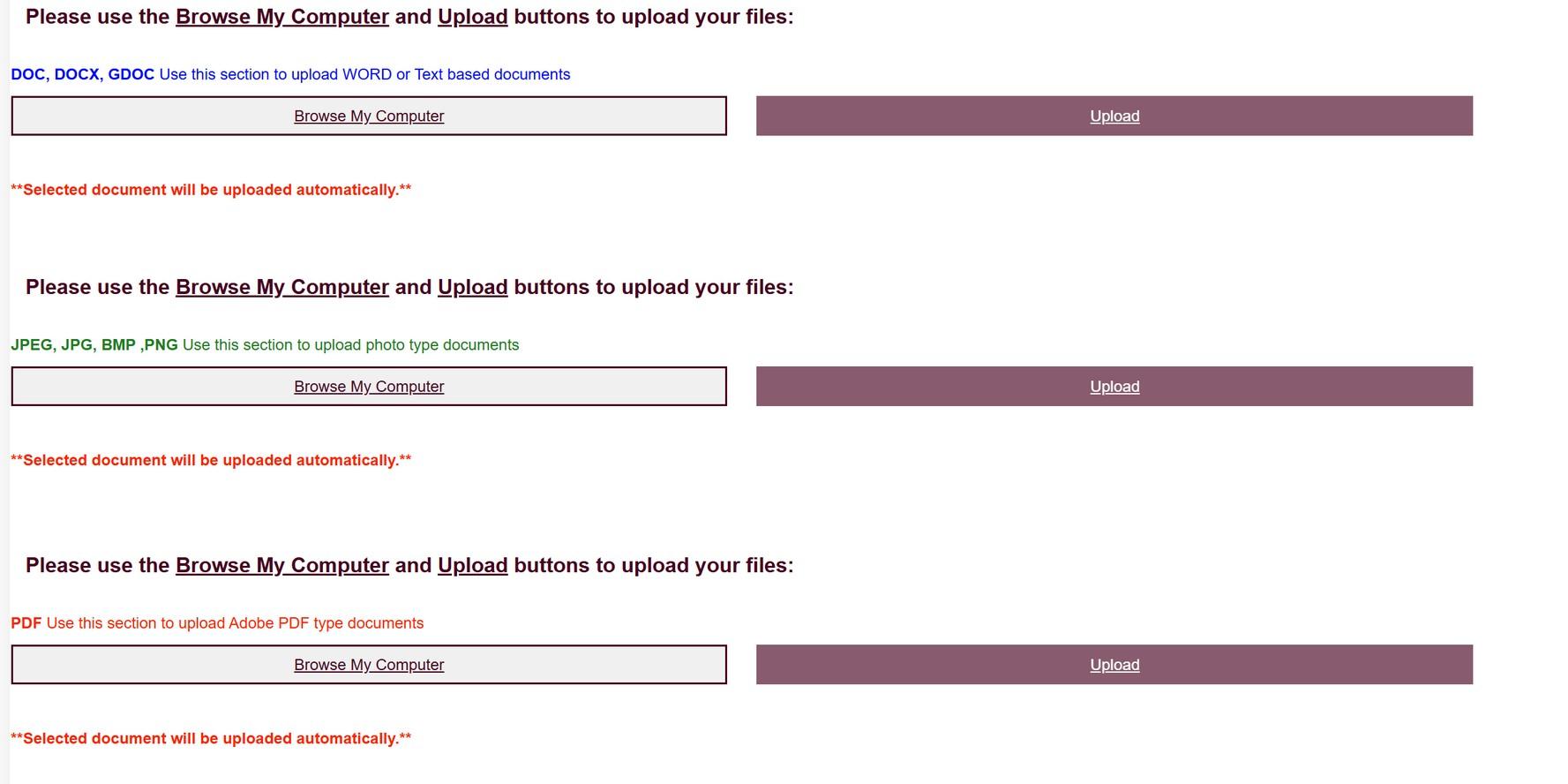
If required, this documentation can be uploaded on this page by selecting ‘Browse’ from the upload section and selecting the files that you’d like to upload (please use the relevant section based on the document type you are uploading e.g. docx, jpeg, etc). Once you have selected your files and entered any relevant information click the red ‘Upload’ button to upload your files.
If you have passed all your checks or do not wish to upload any documents, simply select ‘Continue’.
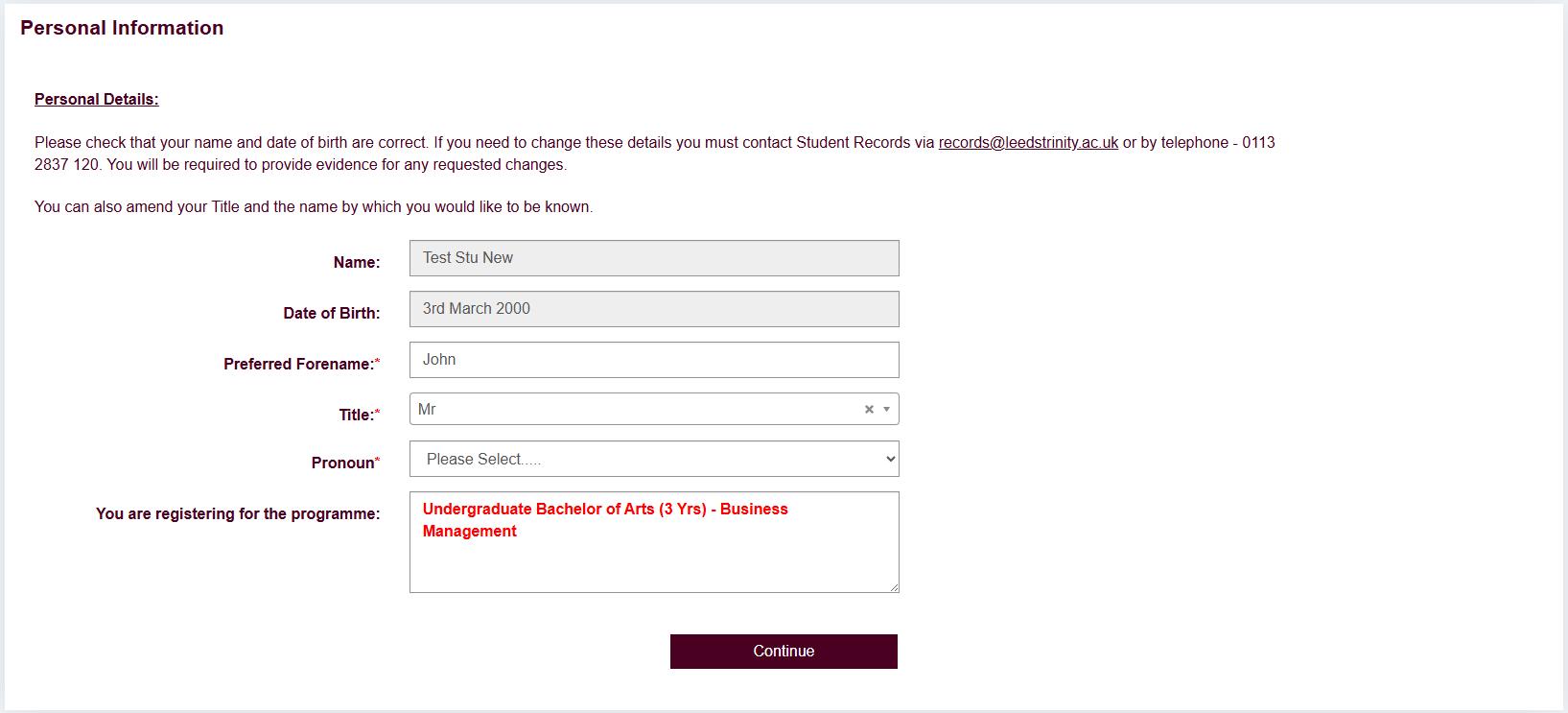
This step will display your official name, date of birth and the course you applied for when your original application was submitted. In addition, it will give you the opportunity to submit the name you wish to be known as, your official title and your preferred pronouns.
When you have entered all the relevant information click ‘Continue’.
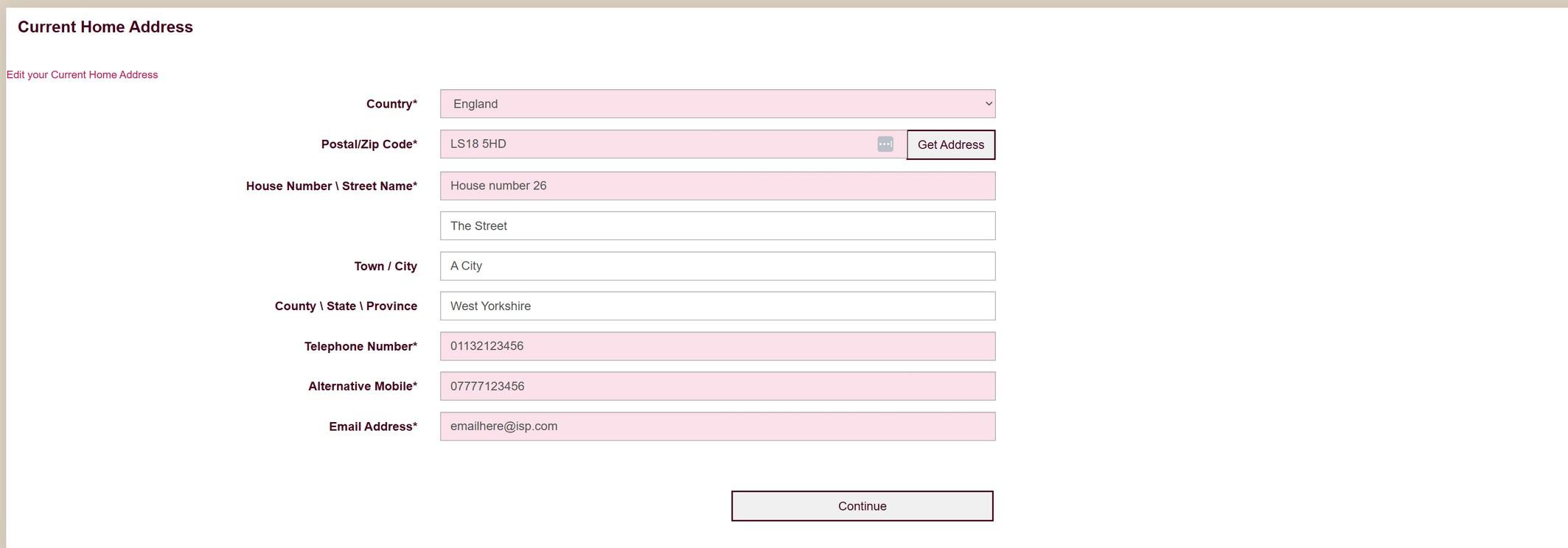
It is vitally important that we have up to date contact information for you during your studies at Leeds Trinity. This information may be amended at any time through your e:Vision account. Please make sure all the information here is accurate so that any correspondence, phone calls or text messages go to the right place.
Please enter your home postcode and click on ‘Get Address’ to begin.
When you have entered all the relevant information click ‘Continue’.
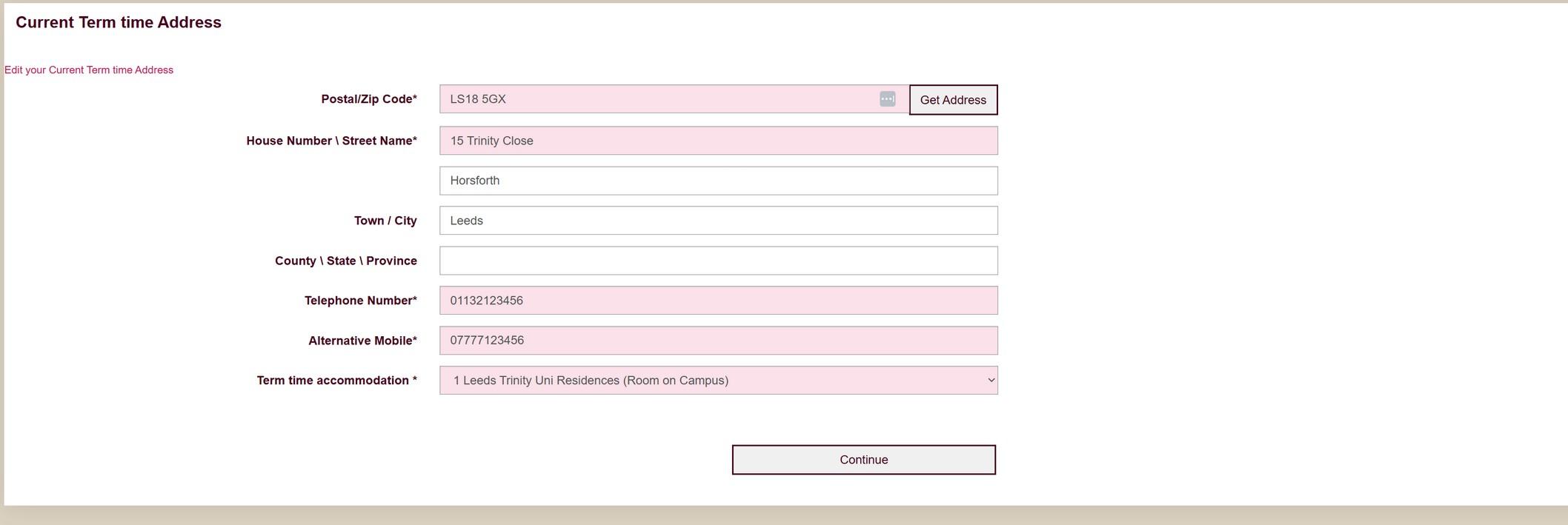
This page is a continuation of the Home Address section. Again, it is vitally important that we have up to date information for you during your studies at Leeds Trinity. This information may be amended at any time through your e:Vision account. Please make sure all the information here is accurate so any correspondence, phone calls or text messages go to the right place.
Please enter your Term time postcode and click on ‘Get Address’ to begin.
When you have entered all the relevant information click ‘Continue’.
Please follow the on-screen prompts to upload or update your photo. File type and size limits are in place; these are explained on screen.
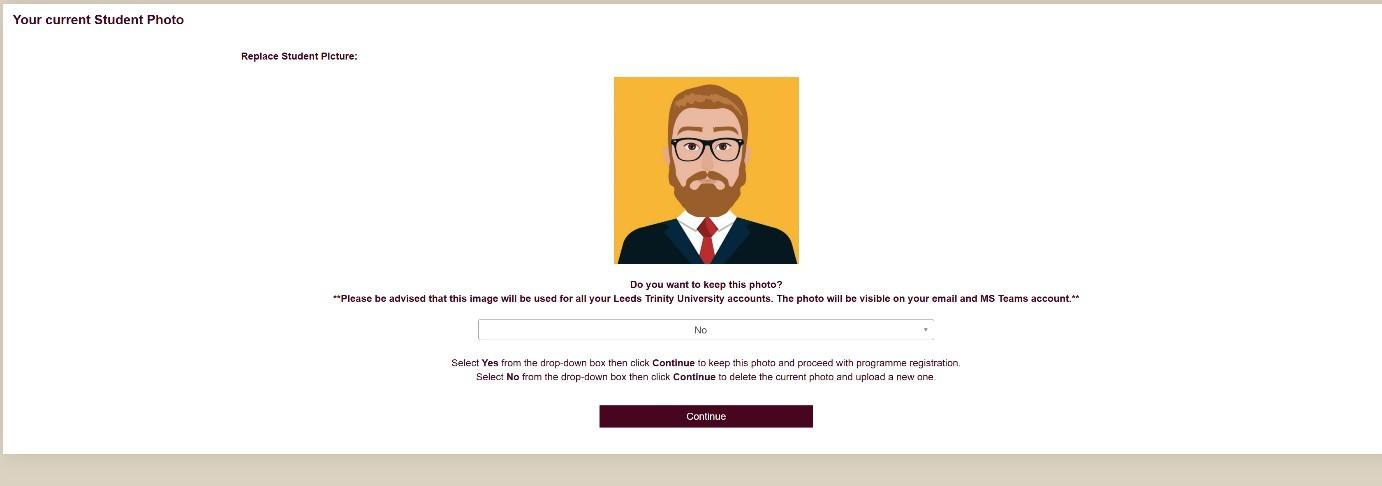
Returning students should see an option to review their current photo. Please read all information carefully then click ‘Continue’.
To complete the photo upload process:
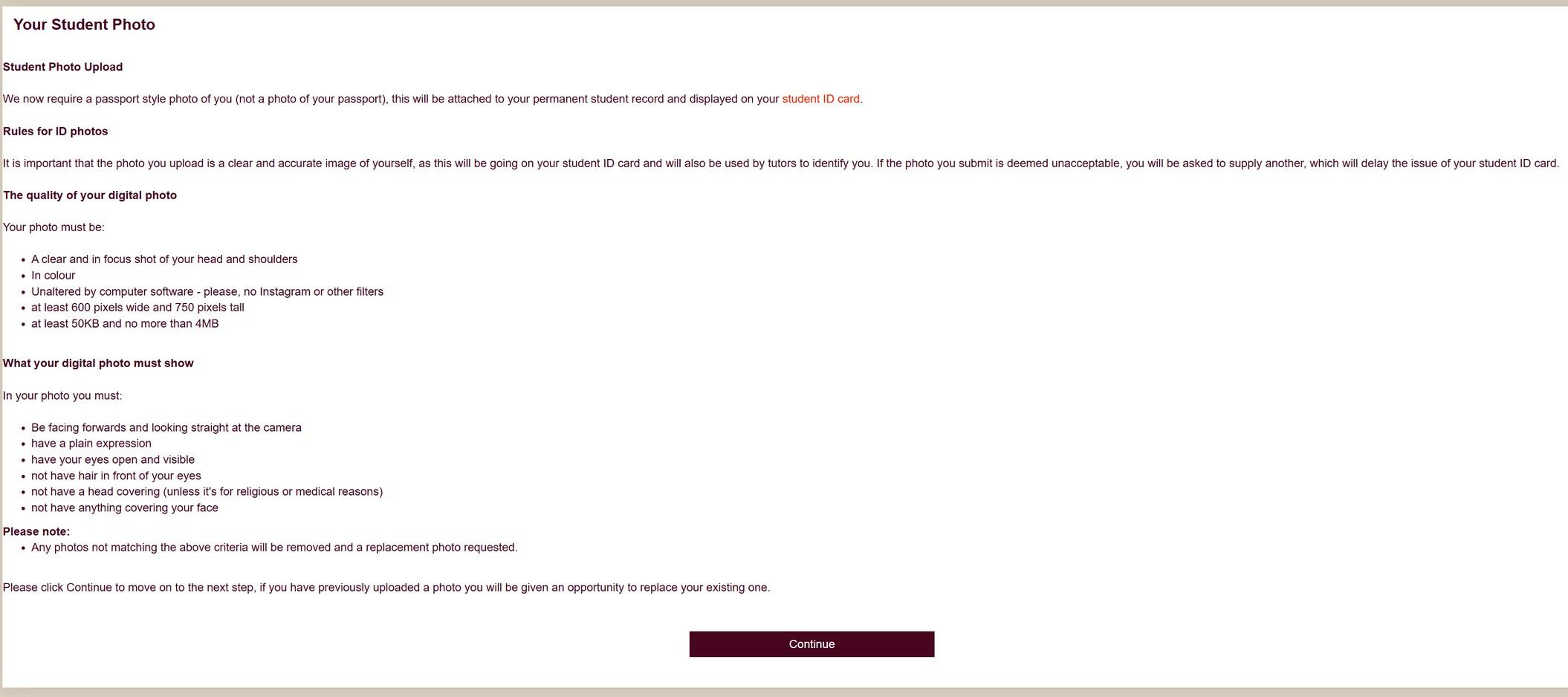
After reading the information, click/tap Continue -
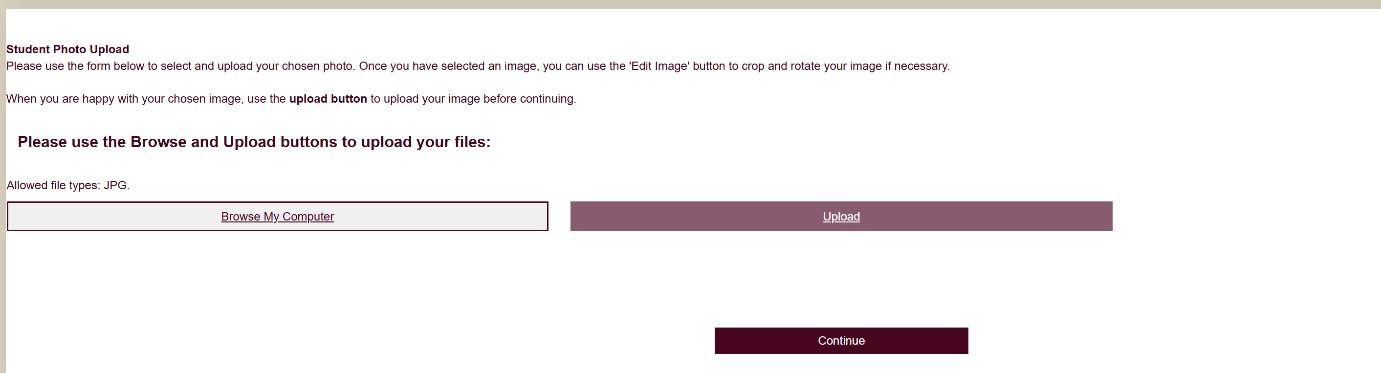
After choosing the photo you would like to use you can edit/delete the image if required -
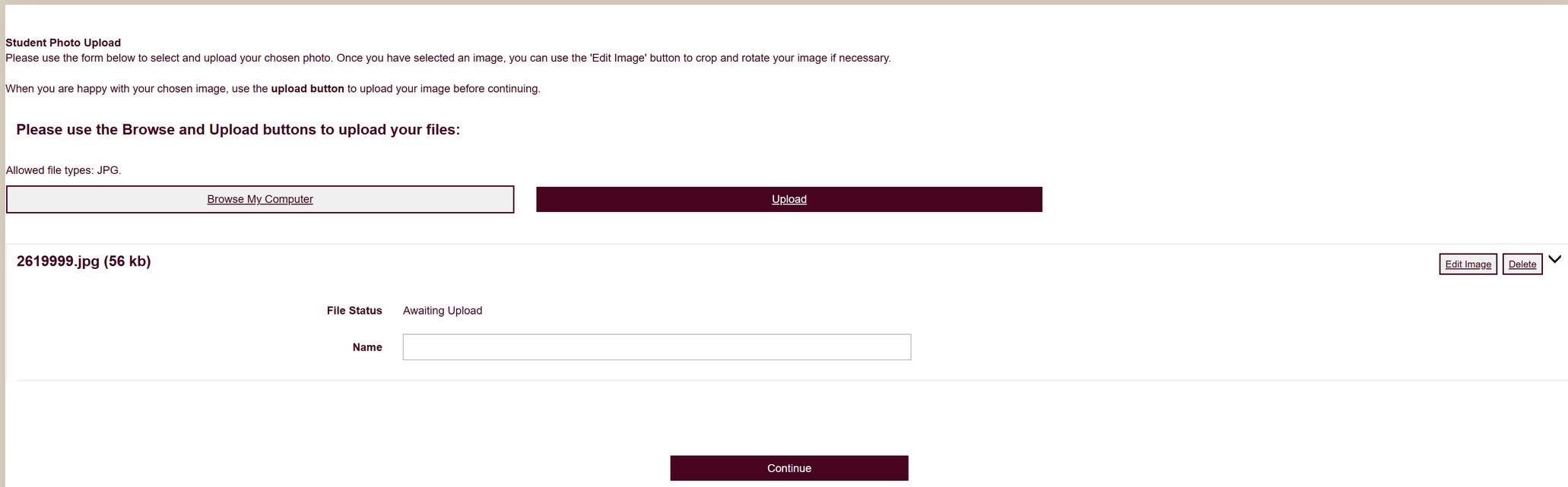
To complete the process ensure you click/tap the Upload button
If successful you will see the screen change -
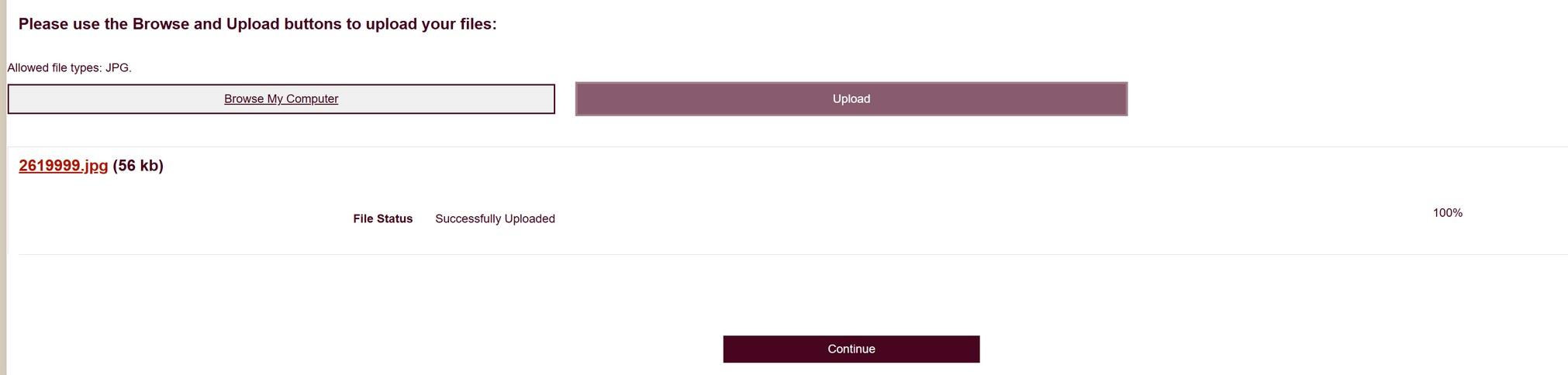
Photo Confirmation:
Once you have uploaded a photo, you will be shown a preview.
If you are happy with the photo, please select ‘Yes’ from the drop down to continue. Selecting ‘No’ will repeat the upload process, ensuring the file type and file size adhere to the criteria stipulated. Click ‘Continue’.
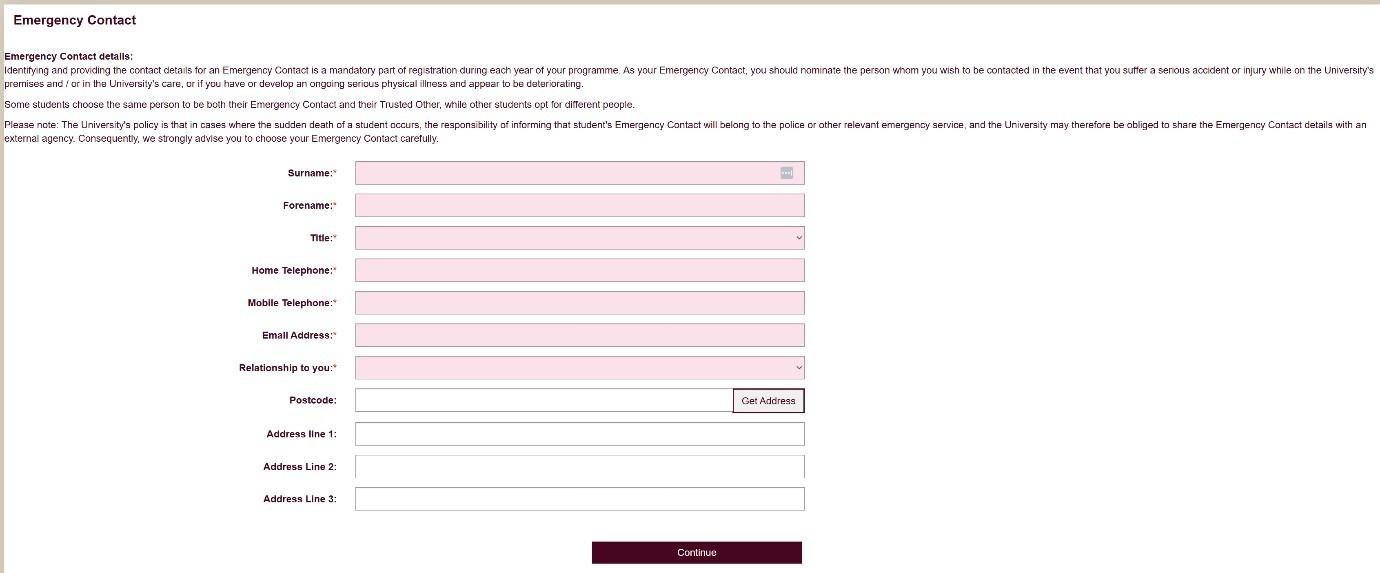
This is a mandatory part of registration where you must supply details of a person whom we can contact should you suffer a serious accident or injury while on the University’s premises and/or in the University’s care.
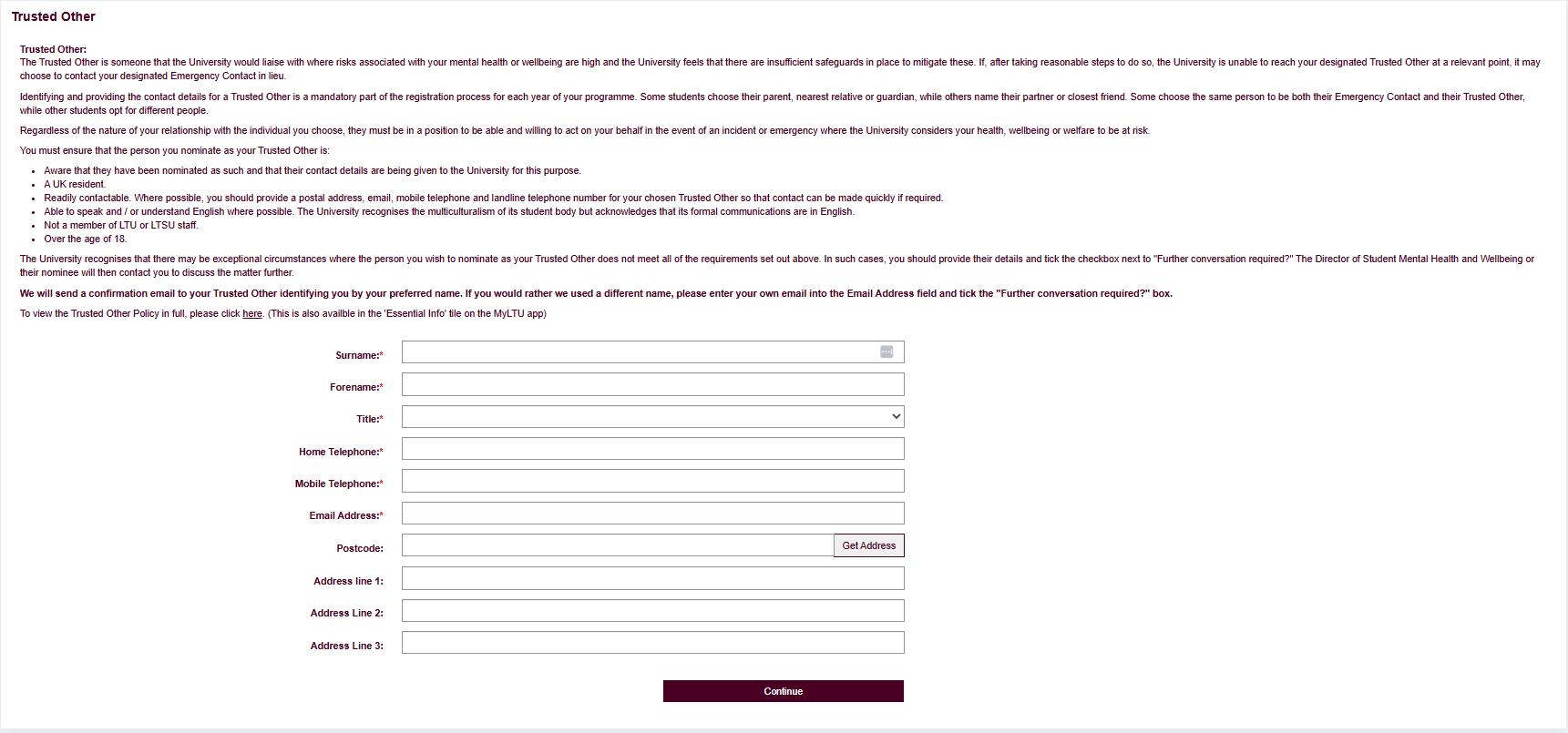
It is important that we have up to date and accurate information of a person that the University would liaise with where risks associated with your mental health or wellbeing are high and the University feels that there are insufficient safeguards in place to mitigate these.
When you have entered all the relevant information click ‘Continue’.
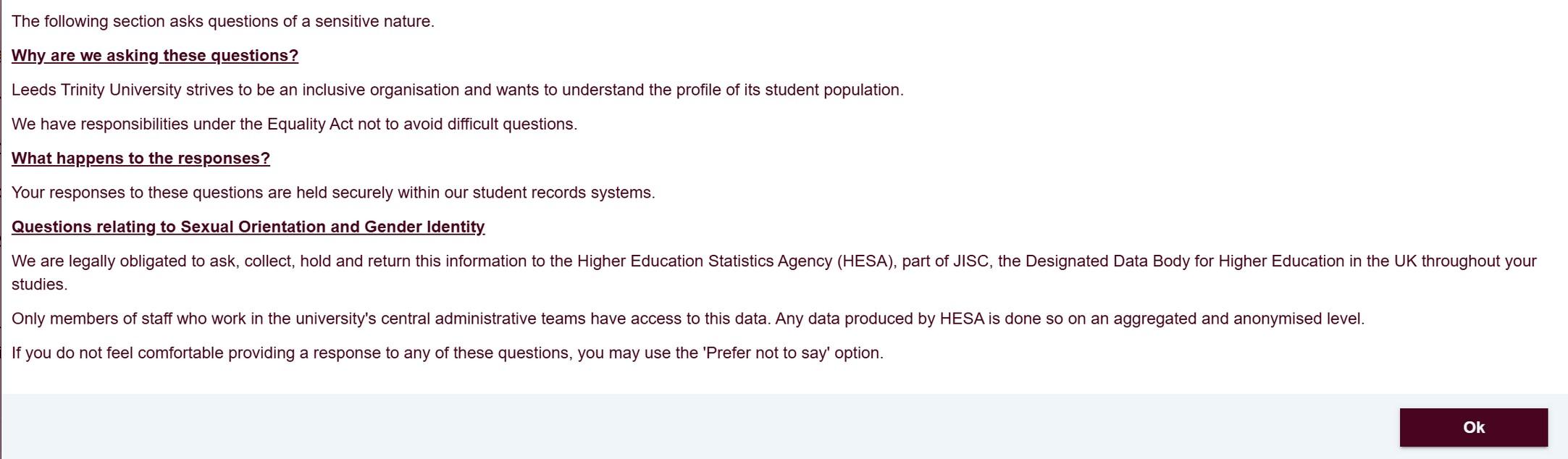
Responses in this section will be included in our HESA (Higher Education Statistics Agency) data returns. This is required to ensure we meet our legal obligations to the Government and funding bodies.
If you do not feel comfortable providing a response to any of these questions, you may use the ‘Prefer not to say’ option. The data relating sexual orientation and legal sex is further restricted and will only be available to those staff responsible for submitting data to HESA. More information on what the university does with your data is available here.
Pop up on the page -
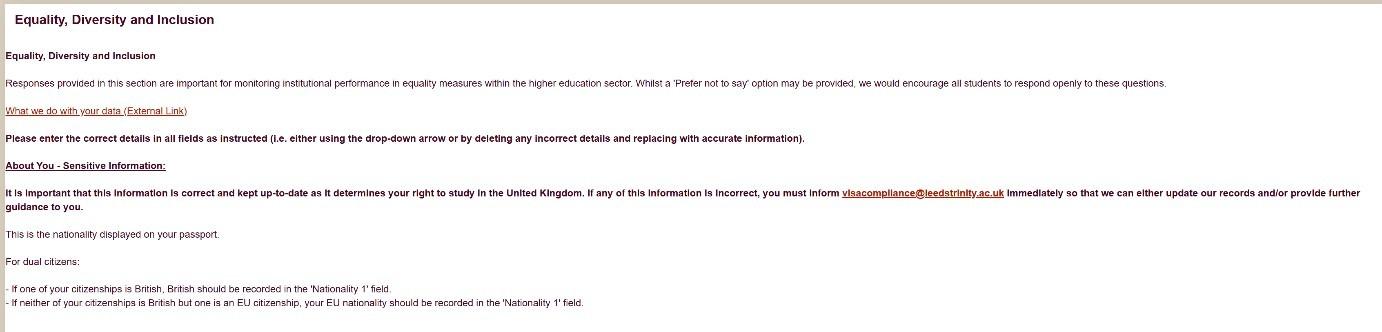
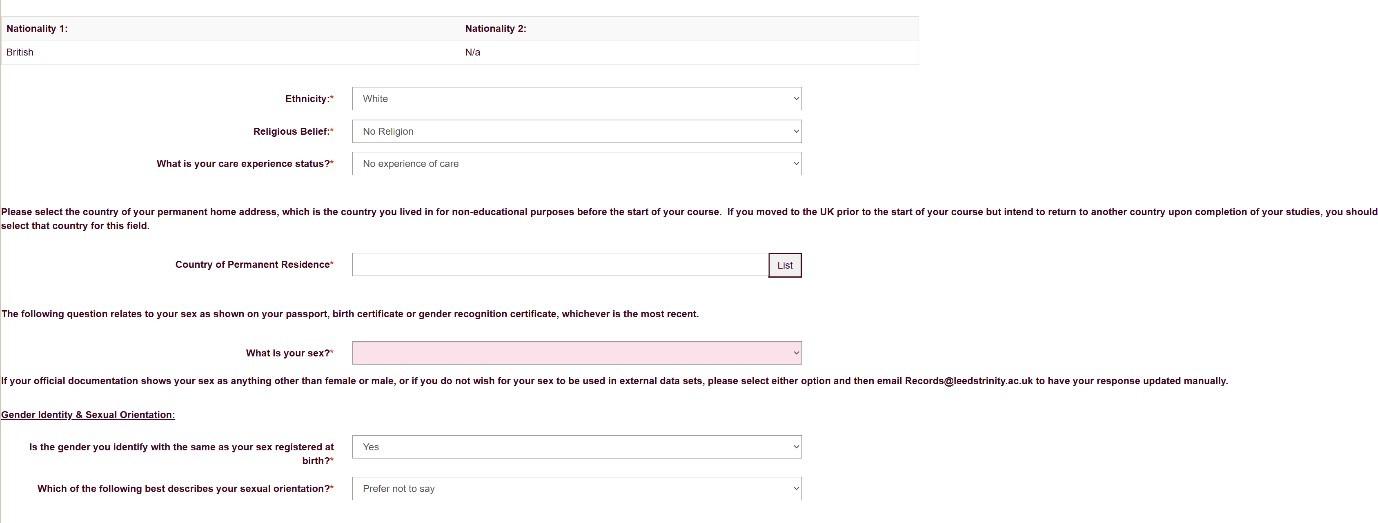
Care leaver information:
1) Care leaver –
You are currently recognised by your Local Authority as a ‘care leaver’ under the Children (Leaving Care) Act 2000
2) Care Experienced –
You have been recognised by your Local Authority as a ‘care leaver’ in the past.
OR
You were adopted from care or left care with a Special Guardianship Order. OR
You spend time in foster care or a residential home (i.e. a children’s home) as a child.
OR
You spent time in kinship care as a child – i.e. living with other family members because your parents were unable to care for you, and your carers were supported by your Local A
OR
You entered care at 16 or 17 and were housed in semi-independent housing?
Students declaring as a Care Leaver or with Experience of Care will be contacted by Student Support and those that are able to evidence their status may be eligible for financial support during their studies.
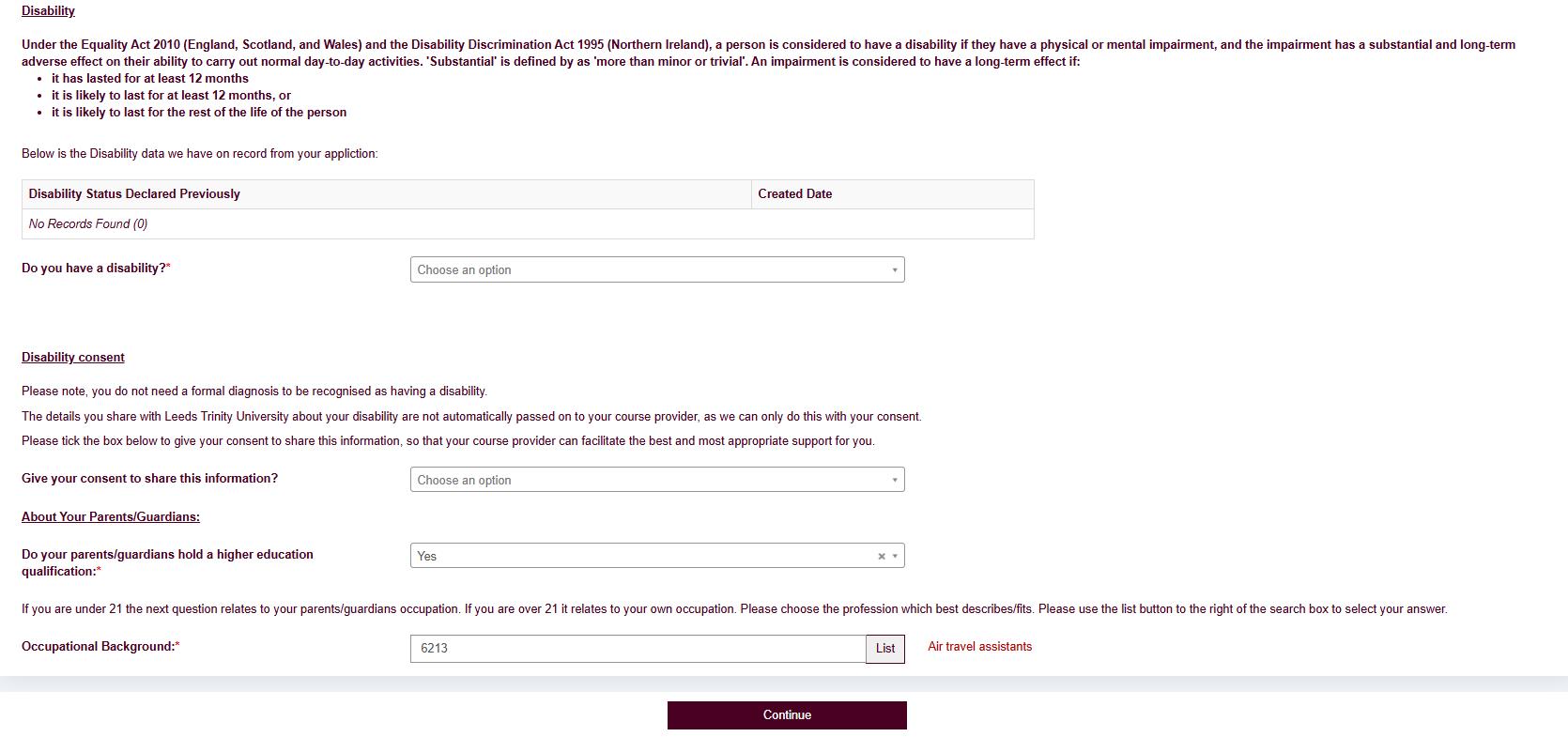
*Additional questions may appear for certain courses.
Most of the questions have guidance on screen; questions which you may find a little more difficult to answer have further guidance which appears when hovering your mouse cursor over the answer sections.
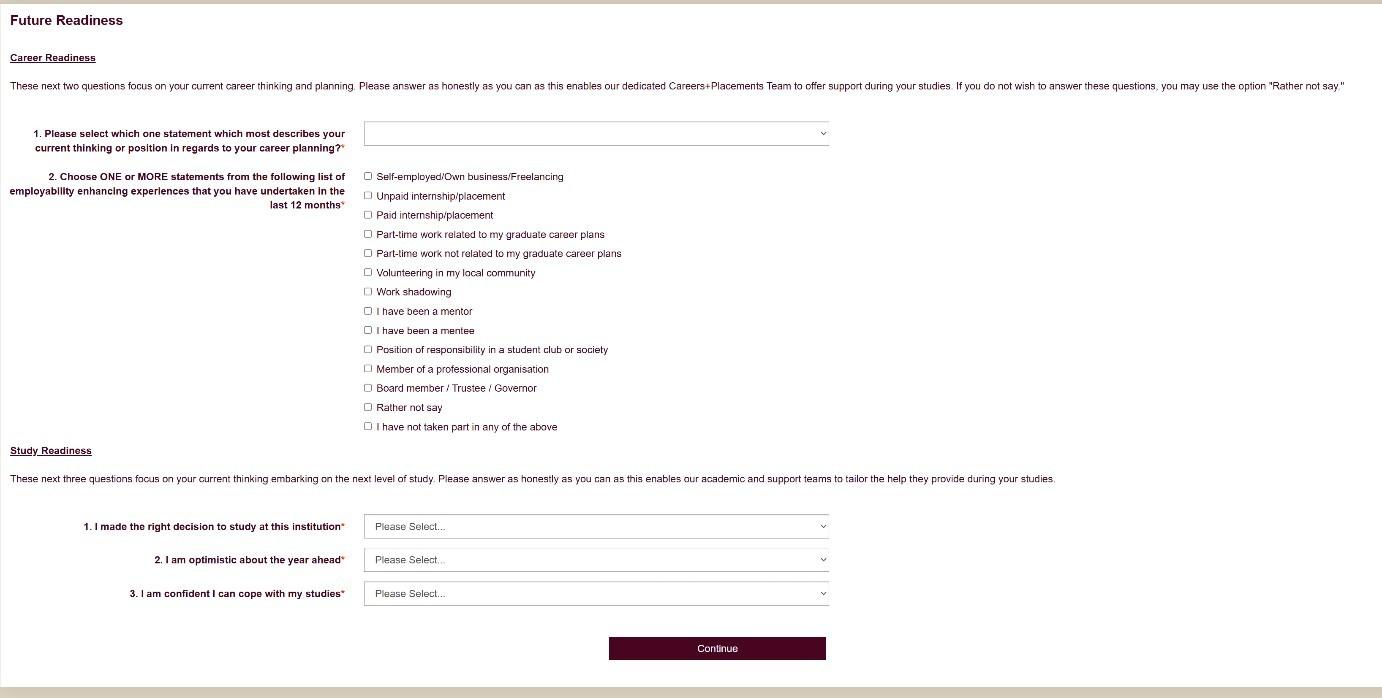
These next two sections focus on your current career thinking, planning and study readiness. Please answer as honestly as you can as this enables our dedicated Careers+Placements and Academic/Support Teams to tailor help during your studies. If you do not wish to answer these questions, you may use the option “Rather not say” or “Unsure.”
Click ‘Continue’.
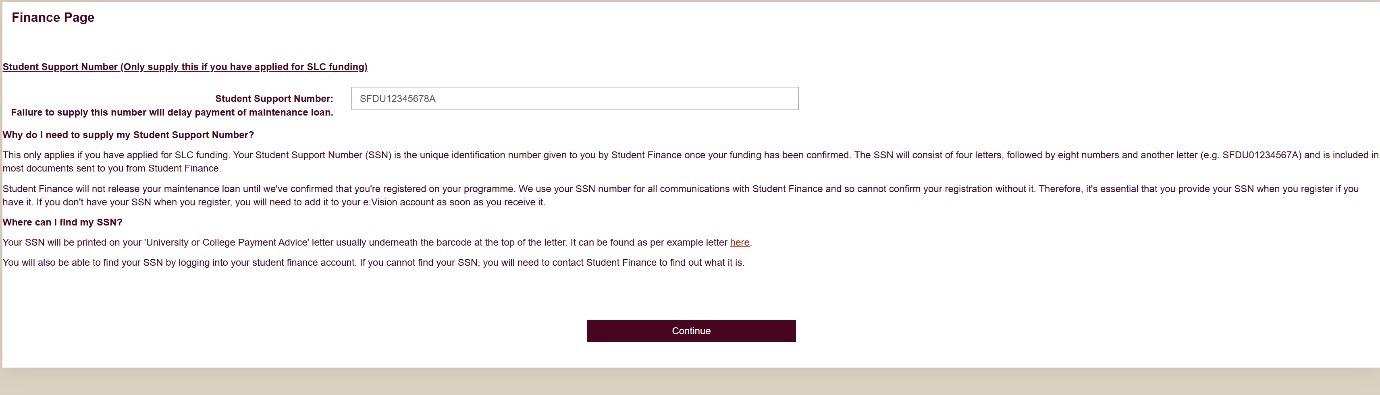
If you have applied for student finance, it is important you supply your Student Support Number so that your maintenance loan is promptly sent to you.
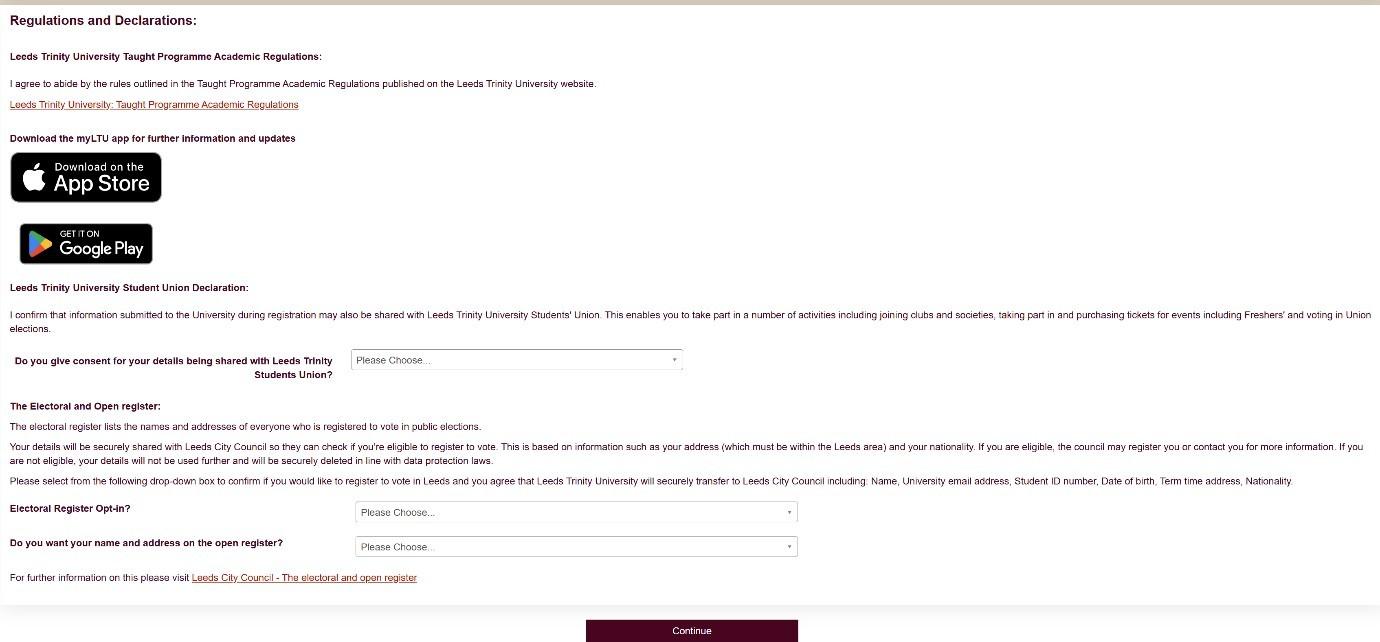
This section links to the Leeds Trinity University Programme Academic Regulations and asks about your consent for sharing data with Leeds Trinity Student Union. Please read this section carefully and agree to the statement to indicate consent for the use of your data.
Click ‘Continue’ to complete the process.
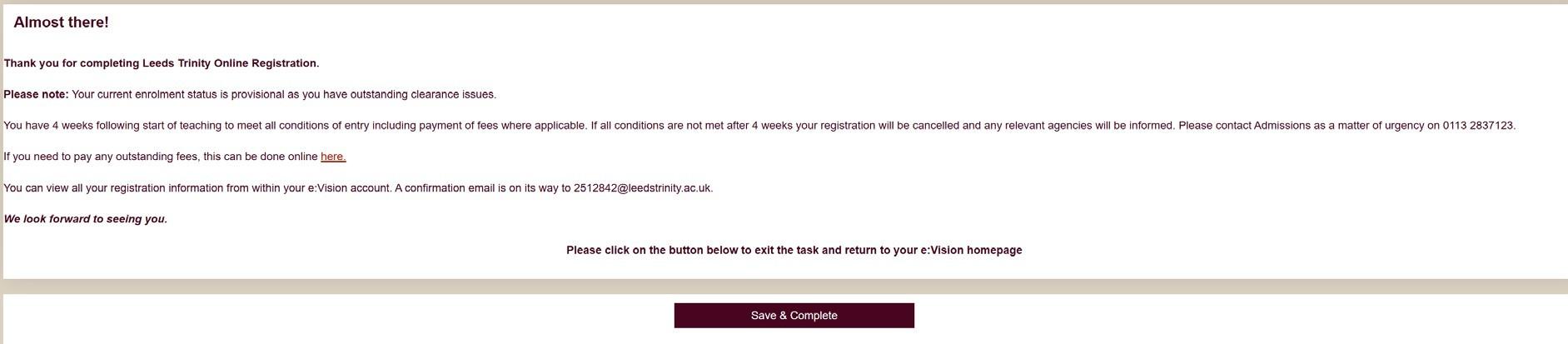
Step 14 – Almost There!
This is the final page; a confirmation email and SMS have now been sent using the contact information you provided. This will explain what (if anything) you still need to do.
To complete the process, please select ‘Save & Complete’.
For any questions about registering for your programme please use the self-service portal: IT Self-Service Portal
For general student-based questions and information about Leeds Trinity University and your studies, please contact info@leedstrinity.ac.uk