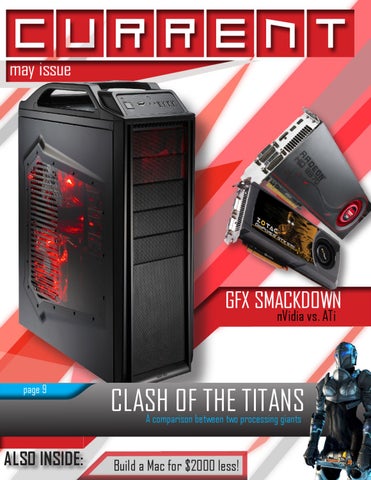
may issue
GFX SMACKDOWN nVidia vs. ATi
page 9
CLASH OF THE TITANS A comparison between two processing giants
ALSO INSIDE:
Build a Mac for $2000 less!
Introducing the nVidia Geforce 590. The fastest graphics card on the planet.
Calvin Stence is a 15 year old kid, who attends LASA high school. Calvin enjoys building computers and all things technology. He has a pro system that is really cool and is better than yours. Deal with it. It has three monitors with some pro crossfire involved in that. Favorite color: White. Catch phrase: My name is Calvin.
Gus Tucker is a 14 year old student, attending LASA high school. Gus built his own computer recently, and likes the results. He is a pretty normal kid, as far as your sense of normality goes, but it is important to remember that nothing will ever be the same. Gus has lived in Texas all his life, as well as some of his previous mortal forms. Favorite color: America. Catch phrase: **** **** the ***
this was a BIOGRAPHY page
Douglas Cheong knows what he’s doing. Douglas Cheong is 18 years old and drives a ’64 impala. As far as work on this magazine goes, he pretty much did all of this. For this we sincerely thank him. Doug knows how to do anything, has built many computers, and is a good team mate. Favorite color: Black & Yellow. Catch phrase: Nope.
READ THIS PAGE CHARLES
Here at Current we really enjoy a few things- photoshop, games, and most importantly, building computers. We all have built our own computers, and all have our own opinions about what is the best to put in them and what is the best to use them for, and will be discussing a lot of these things in our magazine. So we welcome you to Current- a land of hopefully proper journalism, mostly intact reasoning, and partially flawed logic. It also happens to be full of shadows- but that’s just a design choice. This also wasn’t written in 30 seconds.
we welcome you to:
written by:
Calvin Stence Douglas Cehong Gus Tucker
this was a LETTER FROM THE EDITORS
FEATURE ARTICLES 1. It’s More Than Bronze 2. Bane of the Pre-Made 3. TEK REPUBLIK
OPINION PIECES 1. nVidia v. ATi - GFX Smackdown! 2. Intel v. AMD - Clash of the Titans
EXTRA STUFF 1. Build a Mac for $2000 less! 2. Computers Done Right - Q&A 3. Calvin’s Rig- short photo essay
TECH SECTION
01
A
n ordinary LASA student spends their day doing boring things like going to school, studying, and doing homework. If they have time, they’ll probably fit in some social activities on the side. Greg Lyons is by no means an ordinary LASA student. Almost every day, he and his friends get together and play computer games. “I play about 1 to 2 hours on weekdays...5 to 6 hours on week-
01
04
TECH SECTION
ends,” Greg said. Video games nowadays are a topic of discussion among America. Several studies have been done to show that grades are linked with staring at a monitor for hours every day. According to Greg, however, this is not the case. “Some dull-minded people play video games, but I don’t think video games necessarily make you dull-
minded.” Greg plays Starcraft II, which is categorized in the “RTS” genre. RTS stands for Real Time Strategy, a game type in which players act as a commander in a battle, building units and pitting them against each other until either contestant is defeated. Since January 2011, Greg has been ranked at the top of Diamond league, which is the “cream of the crop” in terms of the players
of Starcraft II. Despite his extremely high rankings, Greg still manages to juggle school, homework, and friends alongside video games. “If you know how much work you need to do, how long you’ll need to do it, and if you do it, video games shouldn’t be a problem for your grades.” The LASA student manages to rank high in both Starcraft
would you? If I saw video games were negatively affecting my life, I’d definitely cut back on them.” Greg’s control over his own life also carries over to Starcraft, which is all about managing your army and making sure you win the game. “There’s something immensely satisfying about seeing your build order, macro and mi-
While Greg might not excel at certain genres of games, it’s sure that Greg is a force to be reckoned with when it comes to third person games. “Sometimes, I wake up in the morning and feel like P. Diddy,” the boy said, flipping his hair to the side.//
“There’s something immensely satisfying about seeing your build order, macro and micro all come together and win the game,” and school, being at the top of his “league” in both situations. For many parents, video games are considered an obsession or distraction that lures kids away from school and damages their GPA, in turn for a bit of instant gratification or an adrenaline rush. Video games to Greg are, on the contrary not an obsession at all...to him at least. “It’s like many other hobbies, sure you could drop them, but why
cro all come together and win the game,” the boy said. Besides Starcraft II, Greg also plays League of Legends, Final Fantasy, and Pokemon, all of which require strategic planning and intelligent responses to succeed. One genre that Greg doesn’t touch, however, are first-person-shooters. “I tried first-person-shooters. Ninety percent of the time I was looking at a kill-cam while I was playing.”
TECH SECTION
05
02
The Bane of the Pre-made It’s
two in the morning and he is bored. So like most normal kids, he decides to take apart two ancient computers for parts, to build a better one that will be used as a server to run his VOIP.
by Gus Tucker
06
It takes him about thirty minutes to get out all the best parts from each and then reinstall them in the better of the two cases. He takes out everything that is compatible with what he needs. Most people wouldn’t know what they’re looking at, not to mention the outdated parts they’re working with, but not Feroz James. He’s been working with all different kinds of computers for about three years and knows the ins and outs of the whole deal. But why go through all the trouble when he could just buy a decent computer from a well known company such as Dell? “It’s a great learning experience. You get to learn a lot from researching the components, and then putting them together,” says Feroz. This experience can help quite a bit more than you would think. With a growing need in the job market for technologically savvy people, the ability to build a computer can be very helpful on a job application. In fact, according to indeed.com, the volume of technology jobs has increased by 60% in the last year. However many people don’t tend to build their own computer and instead buy a pre-made. There are many reasons why people do not want to build their own: its too hard, its more expensive. But Feroz thinks the benefits of building your own computer far outweigh those of buying a pre-made. “Building your own computer isn’t hard, all you have to do is pay attention, be meticulous and make it good, really good.” Feroz says. At 15, he has been building, upgrad-
ing, and working with computers since he was in sixth grade. He first got into it when, after an introduction into technology by his father, he realized he was more interested in the technology than the console systems could offer. At first he scrapped an old computer with a Pentium dual core, 512 megabytes of RAM, and integrated graphics. By taking it apart he learned the basics of the building a computer. Eventually he decided to build his own. “Now I’m considering a career in circuit design. It’s what my uncle does. He calls it ‘black magic’ because its super complicated, but I think I can handle it.” With a growing need in the economy for people who can use technology, these skills can be crucial to success in a new technologically centered job market. According to the US government, approximately 286,000 computer network, systems, and database administrators jobs will be created in the US alone over the next decade. Building your own computer isn’t all you need to do to get going in these jobs, but its a very good starting place. If obtaining theses skills means building an excellent gaming machine in the process, then this could be the greatest win-win situation on the planet. Another key benefit of building a computer is the price benefit. Of course, to make a profit, pre-mades need to be priced a lot higher than the cost of all the parts. But by building a computer one can get around the extra cost. For example a well equipped Dell gaming computer
would cost about $1500. However, a similarly performing computer with high performance parts would probably cost about $800-$1000 to build, including a monitor and accessories. Feroz says that a good place to find these parts is www.newegg.com, a site that sells almost any computer part available for decent prices. With any technology there is the risk of it becoming obsolete and outdated. This risk is even greater in pre-mades, because usually owners would not know how to update their machines, and they would have to buy entirely new ones. “My computer can handle anything. Invest your money well, and it can do anything and it won’t become obsolete for more than five years. And if it does, or comes close, you can always upgrade the parts, which is a lot easier with something you built yourself, because you know what’s in it and know how to repair it. You know what’s not working, what’s not happening. You wouldn’t have the slightest idea what you were doing if you had a pre-made. By building your own computer, you can learn how to do all that stuff and save money in the long run.” “I’m really happy that I built my computer,” Feroz said. “I’ve learned a lot from the whole experience and I’m completely satisfied with my machine, not to mention the large amount of money I saved. I feel like building a computer turned me in the right direction, as far as a career goes. I’m interested in technology now and I think getting started like this helped.” //
TECH SECTION
07
Since the rise of online gaming, many gaming centers have opened up, yet closed after suffering a drought of customers. What keeps Tek Republik, another gaming center, ticking?
08
TECH SECTION
TECH SECTION
09
By Calvin Stence
10
alking up to it from the outside, it seems like a dark, unfriendly, and dull place. The windows are blacked out, and lined with sun-dulled game posters. A walk through the door reveals a wall and a lone person standing at a counter- empty chairs huddled in the corner, a person crashed on a king-sized bean bag. A tall drink refrigerator hums, full of sodas, energy drinks, and other caffeinated beverages. Through a window in the wall, 20 computer screens glow, and gamers agonize over their games. Though from this description some may think that this place sounds like a low-life place, the guy who runs it all, Chris Tom, is a successful businessman who had his origins in business with computers in gaming festivals and small scale repair. He started the business up late in 2007, and since it has grown to be a known op-
stand, LanSports, Xtreme Networks, Next Level, and titan gaming [went out of business].” The key to Tek’s success is behind the scenes. After a while of use, a gaming console such as an XBox 360 or a PlayStation 3 is prone to a lot of wear and tear caused by heat generated from it’s components, causing them to break. Unfortunately, this can happen quite often to the ill-designed console, the XBox 360. “It’s cheap stuff,” Chris said, “[XBoxes] only have a six layer motherboard, so the board flexes easily, it would be better if it was 8 layers. It doesn’t have lead in it anymore, cause nothing can have lead, and the solder is weaker without the lead. Now it’s alot of tin, which is not as good.” Though these things have taken their toll on XBox players, it has been a large benefit to Tek Republik. In the back of the building, a wall full of XBoxes sit dead, waiting for repairs, and according to Chris these repairs bring in that largest income of his business, and without
tion for being a console and PC repair center as well as a gaming center. People from all over Austin come to Tek Republik, the name of his business, for the games, console repair, and relaxed environment. Some even ship their consoles from out of Austin, sometimes as far as Houston. Tek Republik is a three part business. The part you see is the 20-computer gaming center that is open to the public. You can essentially “rent” the use of these computers by the hour, and at Tek Republik, the rate is a low $3.50 an hour. A gaming center, however, has a high startup cost, and you have to have an attractive, low rate. This is not easy to do solely on the income of a gaming center. “Cyberjocks went out of business a month after we opened and they were 6 dollars plus tax an hour,” Chris Tom said. “ Lan’s edge, Gamer’s Last
this income, his business would not have succeeded. The next key component of Tek is reputation- of which Chris had, to a degree. “I already had my hardware review site, you know, and I already had the gaming festival, the Texas Gaming festival, so I was already doing stuff like [computer repairs and gaming centers],” Chris said. “And, my house was full of stuff. I was tired of having a house full of crap. So, I figured I needed an office, and I had been to a few other gaming centers who had been out of busines, and I was repairing computers for a while already. So, I figured I might as well make a gaming center and a computer repair place, and have a better office, instead of just a bedroom in my house.” His reputation for computer repair, and his review website, AMDzone.com, gave him a boost on startup. As his business has matured,
TECH SECTION
and new customers have come and go, some interesting incidents have caused fluctuations in who is a regular customer for the gaming rigs. “The amount of kids coming here has decreased ever since Sam and company threw that smoke bomb in here,” Chris said, “And moms are afraid that we’ve been hit by a terrorist attack; the police acted like they saved hundreds of lives. And when they “finally arrested [the people who threw the smoke bomb]”, channel 7 news came in and asked me how much the door cost to replace. I replied that it was the same door. There was a lot of smoke and stuff in here, but the police and the fire department acted like it was an IED.” Business with the more troublesome teens of Austin has somewhat affected gaming turnout, but the business remains strong. Chris says one of the largest tolls on his business is the constantly shifting wave of computer technology. As the mar-
Photo courtesy of Calvin Stence
Chris Tom, Founder of Tek Republik
ket advances in tech, many things about computers are outdated very fast, and as new games utilize new software technology and require more processing power, you have to keep with the times. “If you don’t upgrade, you die,” said Chris, “People don’t want to play games on crappy computers.” As business advances and repairs increase, Tek’s 9 employee base with one location in the Austin area isn’t going to be enough. Looking to the future, Tek plans to expand hopefully to Houston, and possibly move its current location a few doors down to a new retail space in the same shopping center. You can find Tek Republik online and check for daily and special deals on computer time at www.tekrepublik.com, and if you add them as a friend on Facebook, you can get a free hour of computer use.
TECH SECTION
11
12
TECH SECTION
Art Credit: The Interwebs
So
nVidia vs. ATi by Gus Tucker
you’re walking down the street and you
range of cards for both budget and performance causes,
see a large computer. You open it up, but
ATi has the lead. Nvidia has a good selection, but just not
what do you find? What kind of graphics
as much in pure volume. As far as cheap, high perform-
card would be in such a magical mystery machine? An
ing cards go ATi also has the lead. Out of the top twelve
ATi card? A Nvidia card? The battle of which chip set
cards seven of them are ATi and only five are Nvidia.
manufacturer is the better rages on. Both have great
Nvidia has some cheap buys but they just can’t stand
performing cards as well as equal command over the
up to ATi’s cheap, well performing, all purpose cards,
budget market. Nvidia might seem to pull ahead at
such as the HD 6870. This is a high performing ATi card
times but ATi’s steady stream of producing cards for all
that is only $200. The closest performing Nvidia card to
buyers has certainly won them some fans. With all this
the HD 6870 is the Nvidia GTX 470. As the cards get bet-
point and counter point, it seems there isn’t a clear win-
ter and better, ATi’s prices do seem to steep at a higher
ner, and guess what? You’re right. There isn’t one.
rate, leaving Nvidia with some cheaper, high performing
cards. Still for average budgets and average people ATi’s
Let’s start out on an even playing field, the best
ATi card vs. the best Nvidia card. For ATi this would not
cards are more appealing to the pocket.
be the HD 5970, the card most people think is the best
It might seem like ATi is taking away all the com-
card but instead the ATi HD 5870 X2 with 4GB of
petition except for one thing- one very important thing.
video memory. For Nvidia this card would be
ATi might market there cards extremely well but Nvidia
the GTX 580. This is a close contest. The
makes up for it with one thing. Getting the newest tech-
GTX 580 puts up a good fight but inthe
nology to the market the quickest. Nvidia is always there
end the 5870 X2 comes out on top.
with cutting edge technology and applies it to all most,
True, this contest is hardly fair
if not all models. For example when 3D graphics tech-
due to several factors name-
nology came to the market Nvidia came out with it first.
ly price, at average retail
They put compatibility with the latest 3D soft ware on
the GTX 580 is around
most if not all cards and were able to do it quickly as
$450 cheaper than
well. ATi however was a bit late. Almost a year late to be
“Nvidia has some cheap buys but they just can’t stand up to ATi’s cheap, well performing, all purpose cards.” the HD 5870 X2. However if you want the most bang (not consider-
exact. These product delays put ATi behind Nvidia.
In the end it comes down to ATi’s affordable
ing your buck) the 5870 X2 is the best thing you can
power, and Nvidia’s cutting edge technology. Both of
get. As far as exact numbers go, at relative performance
these features weigh equally on a scale of importance as
to the GTX 580, the HD 5870 X2 is 31% better. The 580
far as what you want to buy, right now. Nvidia may ap-
does stand up well though. On the market, it is the sec-
peal more to the eye, with its strong graphical technolo-
ond best card currently produced, however it just can’t
gies, but ATi would certainly appeal more to the wallet.
beat the raw power of the 5870.
That’s why, after weighing the options we’ve decided
that the two companies are tied. //
Now take in another key factor: money. As far as
TECH SECTION
13
This chart represents the performance of different graphics cards at different resolutions. As you can see the 6990 is at the moment, the most powerful graphics card on the market. This information is likely to change as new technologies are introduced to the market.
Apple computers are getting more and more expensive.
Build the same one for $2000 less.
Parts You’ll Need $175
$270
Random computer case with a power supply and fans
$120
Random motherboard with Socket # 1156-1155.
16
TECH SECTION
Intel i7 950
$110
ATI Radeon HD 5750 1GB GDDR5 SDRAM
$200
$500
16 GB of RAM
$80
Serial ATA 2TB Hard Drive Disk
256 GB SSD
$100
8x double-layer SuperDrive
TECH SECTION
17
$40 $270 $200 $80 $500 $100 $110 $175 $120 $1555 $3699
18
Mac OSX 2.93 GHz Quad-Core Intel Core i7 16GB 1333 MHz DDR3 SDRAM 2 TB Serial ATA Drive 256 GB Solid State Drive 8x Double-Layer SuperDrive ATI Radeon HD 5750 1GB Tower x Fans x PSU Motherboard Home-Built Computer Apple Computer
TECH SECTION
CLASH OF THE TITANS The processor is the brains of the computer. It performs all the computational algorithms needed to run software off of your machine. Ever since the invention of the computer, two processor companies have risen to the top of the market. These companies are AMD and Intel.
2 ANGRY MEN
Intel’s i7 processor line was a breakthrough in both processing power and power consumption. Conquering the competition, it continues to dominate the market, with new models planned and in production even to this day.
The Intel Atom was the first netbook processor to hit the market. Though its performance was a little shabby, the Atom aimed for low power consumption. Netbooks to this day continue to be equipped with the Atom, offering more than 10 hours of battery life on a single charge.
In this article, Douglas and Calvin will compare and contrast the two companies from the viewpoints of processor enthusiasts, one being pro-AMD, and one being pro-Intel.
The Phenom II x6 processor from AMD was the first 6 core processor to debut for under nine hundred dollars. It is available for only one hundred and eighty dollars now and is overclocks quite well. Users report stable clocks at almost 4.1 GHz running quite cool for the six cores pumping out performance at once.
Just now rolling out on smaller platforms such as netbooks and economy notebooks, the AMD Fusion APUs are breaking the boundaries of integrated graphics on a small platform on a budget. The C-50, one of the APUs, consumes only 8 watts with both graphics and dual core 1GHz processor running on a single die.
Innovation Inside Why Intel beats out AMD in the processor market // by Douglas Cheong
22
TECH SECTION
Art provided by Intel
To
a middle end consumer, AMD is a very appealing choice, because it offers decent performance at a reasonable price. Despite this, AMD’s main focus is in the desktop processor market, and it has many areas in which to improve. This is where Intel comes in, however. Intel has long been involved in the mobile and server market, and many of its products outstrip AMD’s when put side by side. Not to mention integrated graphics. Ever since netbooks were invented, they have spread over the entire market, coming from various companies like Acer, Asus, Dell, and even SONY. Most of these netbooks have an Intel Atom in them, a mobile processor that consumes very little power. Furthermore, AMD’s new Fusion processor, which offers superior performance and power consumption, costs more and is not produced by all netbook companies. If all you will use a netbook for is email and YouTube, then an Intel Atom will do fine in terms of performance, and you’ll get long battery life as well. Integrated Graphics is when your processor handles your graphics, replacing the function of your graphics card. To this date, many Intel processors have come with integrated graphics, powerful enough to handle modern games without a graphics card. On the other hand, none of AMD’s desktop processors come with integrated graphics, meaning you’ll always have to spend more money on a graphics card instead of dedicating that money to a more powerful processor. Intel’s thesis of operation is innovation. This means that they are always reinventing and coming up with new processors, with new designs for better efficiency and power management. This results in products that are more focused for certain uses, such as 12-core Xeon
Intel Core i7 processor server processors, or dual contact with the mothcore netbook processors. erboard. The problem This contrasts with AMD’s style of opera- with these pins is that they are flimsy and tion, which is cramming one product into easy to bend, which result in several hun-
“...eventually Intel’s innovative products will outstrip AMD’s in terms of efficiency and power consumption.”
different varieties of uses, and then selling them for different prices, which are usually more costly than the original processor itself.Take the new AMD Fusion, for instance. When compared, the Fusion is actually an under-clocked version of one of AMD’s desktop processors. This means instead of having a processor specifically made for a mobile device, you’re getting an product that’s just had pieces cut off of it to fit your needs. While this may not matter to same, what this means is that eventually Intel’s innovative products will outstrip AMD’s in terms of efficiency and power consumption. AMD’s processors are reliable, but have their mechanical faults- pins. These pins are thin strips of metal which provide
dred dollars wasted just through a small mistake. Intel processors come with contact pads, which are just horizontal pads that provide contact with the motherboard through a clamp. This has proved to be very foolproof, because you can’t easily disable your processor, minimizing the need for mechanical precision. While I can’t disagree that AMD offers stable processors for less of a price, the company also neglects to invent specific processors and correct the remaining flaws in their products. Furthermore, AMD has not added integrated graphics into their desktop processors, resulting in a waste of money on a graphics card. Through this, the process of building an Intel computer is simplified. //
Budget Performance AMD: The Better Company // by Calvin Stence
Imagine
you are the average American citizen. According to the US Census Bureau, you make about fifty thousand dollars a year- and don’t have too much to set aside for home furnishings and leisure items. You want to buy a new computer, but you want it to be a performance machine, and you only have a thousand dollars. You want to be sure that what you are buying is quality- and that it will last you a long time before it is outpaced by games currently in the industry.You build it up, component by component, but you come to the most important part of the computer, the central processing unit, and you have exactly 250 dollars left in your budget. You want a multi core processor of at least four cores- but a quad core from Intel which performs like the AMD six core costs more on. It’s hands down- AMD wins the race in performance desktop computing on a budget. AMD processors deliver more performance for your money than Intel processors do. The performance AMD model, the Phenom II x6 Black 1100T, is only $240 on the website retailer Newegg, while on the other hand, the cheapest Intel quad core in production, the i7 950, comes in at the higher price of $280 at the same retailer. For 15% less, with a Passmark CPU score difference of only 47 according to cpubenchmark.net. This is very small, considering that both of the processor’s total scores were just slightly under 5400 points. This is a very good instance of AMD’s bang-forbuck philosophy, because you get more by paying less- and that’s without the motherboard, which can be very expensive for the i7 950’s socket, socket 1366. The average socket 1366 motherboard costs almost 200 dollars on Newegg, while the average AM3 motherboard can cost less than a hundred dollars. On the subject of motherboards, AMD has a wide array of backwards compatible motherboards and few sockets- the only socket that they still produce is the AM3 socket. The AM3 socket, according to the AMD website, can utilize all of the processors that have existed in recent time, being AM2+ as well as AM3. Intel’s sockets have no backwards compatibility at all- the Intel
AMD Phenom II x6 new sandy bridge series of socket 1156 is being phased out of production, and according to Intel quad core processors has an it is beginning to be replaced by the socket 1155 unlocked multiplier, but this can only be done Sandy Bridge processors. A difference of only one with the motherboard which costs more, if you can pin causes your processor and motherboard to be even find one. No motherboards of this kind can defunct, requiring you to spend another several be found on Newegg. For less or similar pricing you hundred dollars when you want to upgrade to the can push the bounds of an AMD processor beyond new processors and chipsets if you go Intel. the bounds of an Intel processor quickly and easily, One thing that is very difficult to do with without breaking the bank. an Intel processor is increasing its clock speed to Money is the largest proponent of a make it perform better. Manipulating the multi- budget computer- and clearly, AMD wins in the
“AMD wins in the sector of price for performance.” plier in the motherboard BIOS, the easiest way to control processor clock speed, is locked an all Intel processors except for the few and far between “unlocked” processor line, which were even more expensive than the standard processors. Also, they were very late to the market in comparison to AMD’s Black Edition line, which all have unlocked multipliers and are very reasonable in price. Being the owner of an AMD Black Edition processor, I can attest to how easy it is to do this, seeing as in about five minutes I increased my computer’s 3D Mark 06 score by about 2000 points, from a 20000 to a 22000. Though, according to Intel, the
sector of price for performance.You get more cores and the same performance for less of your money with and AMD performance level processor. You won’t have to upgrade motherboards as often, as companies release new processors the same socket will be utilized again and again, so you can keep your motherboard until your chipset is outdated. AMD makes the best choice in the budget performance computer market by leaps and bounds, in motherboard backwards compatibility, price, and overclockability, giving you a lasting system which will be able to do everything you throw at it. //
TECH SECTION
23
G I R S ’ N I CALV
E
P S M E T S SY
ECS:
Computers Done Right: An FAQ Gus Tucker
Q: Where should I start if I want to build a computer? A: You always want to research your components first. A good place to start is newegg.com. The user ratings are pretty reliable and you can always find cheap things there. Q: What parts do I need? A: The basic parts of a computer are the motherboard, processor, graphics card, ram, power supply, hard drive, cd drive, and opperating system. But unless you have a case and monitor, you should probalby puchase those too.
Q: How do I know what parts to get? A: Finding parts can be hard, but the first thing to do is to figure out a solid budget. Once you have this you should have a general idea of your budget and you can begin to estimate and find parts within your budget’s range. Compile a list of parts and begin to make a list, until you have good parts under your budget. Some specs need to match other parts, such as the processor socket and the motherboard socket, just make sure these correspond. Q: How do I know what parts are good parts? A: User reviews are normally pretty reliable. You can also look at the given stats to see some information. Date that the products come out is also a pretty relavent statistic. Q: What should I do when I get the parts? A: Its more of a matter of what not to do. First of all don’t go ripping all the parts out of their boxes and getting disorganized. Keep them in the boxes and lay them out. Then take them out of the boxes and lay them out. It may look quite confusing at first but its really not. Q: What should I put together first? A: Start with the mother board. Then take out the processor. Its pretty self explanatory, but read the manual anyways, there’s no reason to take risks. The processor comes with a heat sink that needs to be installed. After the processor and heat sink are installed you probably finish buildin the mother board (RAM and graphics card). Then put the mother board inside the case and connect the CD drive, Hard Drive, and then screw everything in. Connect your monitor, install the operating system, and then you should be good. Q: What should I not do when putting together my parts? A: When handling parts you must be careful. This isn’t about putting it together as fast as possible, its about doing it right. Don’t do things that you aren’t completly sure about, watch what your doing. Also you have to be aware of static electricity. To be safe avoid working on carpets, large cats, and fur coats.
30
TECH SECTION