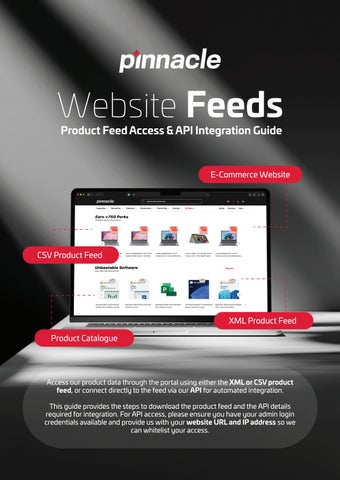
Website Feeds Product Feed Access & API Integration Guide
E-Commerce Website
CSV Product Feed
XML Product Feed Product Catalogue
Access our product data through the portal using either the XML or CSV product feed, or connect directly to the feed via our API for automated integration. This guide provides the steps to download the product feed and the API details required for integration. For API access, please ensure you have your admin login credentials available and provide us with your website URL and IP address so we can whitelist your access.
Download the Product Feed Follow these steps to access the XML or CSV product feed: Step 1: Log in Log in to the portal using your account credentials. Step 2: Go to My Account Once logged in, select My Account from the navigation bar. Step 3: Select Product Feed In the My Account section, you will see a menu on the left-hand side. Select Product Feed. Step 4: Download the Feed The Product Feed page will open, where you can download the feed in either: • XML format • CSV format Choose the format that best suits your system or integration requirements.
Pinnacle Website Feeds | Confidential
Page 1
API Integration If you would like to connect directly to our product feed and automate the retrieval of product information, you can use our API. Please use your admin login credentials for authentication. Step 1: Get an Access Token Send a POST request to the following endpoint: {website_url}/rest/V1/integration/customer/token Use the following credentials in the request: { "username": "customer_user", "password": "customer_password" } Important: This uses your Magento customer credentials, and the access token is valid for 1 hour. Step 2: Access the Product Feed Once you have received your access token, use it to access the product feed: {website_url}/rest/V1/customers/productfeed Include the access token in the request header: Authorization: Bearer access_token
API Documentation For additional information about Magento API functionality and integration, please refer to the Magento API documentation: Magento API – Getting Started Magento REST API Guide
Pinnacle Website Feeds | Confidential
Page 2
Whitelisting Requirements To allow your system to connect to our environment, we will need the following information from you: Website URL: Your website or system URL that will connect to the API. IP Address: The public IP address that will be used to access our environment. Please provide these details to us so that we can whitelist your IP address and website URL and enable access.
Need Assistance? If you require assistance with accessing the product feed or setting up the API integration, please contact our support team.
Pinnacle Website Feeds | Confidential
Page 3