
Welcome to K ing ’s Ely
Imp or tant Checklist
Please ensure you have completed the following within 14 days:
1. Create a Stevensons account for uniform Page 88
2. Set up an account with Vectare if interested in minibus Page 16
3. Create your My School Portal account Page 22
4. Complete ‘New Starter Forms’ in My School Portal Page 22
5. Complete the Medical Questionnaire in My School Portal Page 22
6. Complete Personal Device Contract Page 27
B efore your child arrives:
7. Order School Uniform, preferably 4 weeks in advance Page 8
8. Inform Housemaster or Mistress of arrival time (Boarders only) Page 144

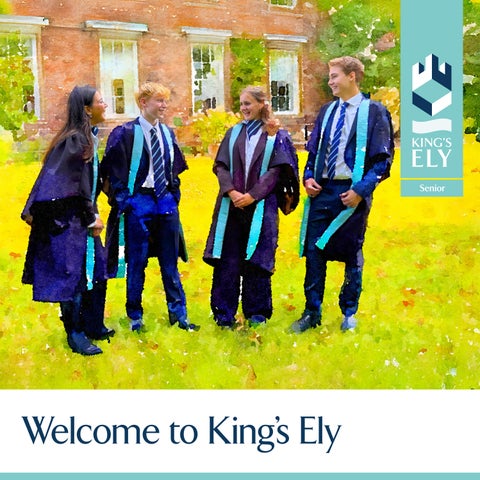
Welcome to King’s Ely
By joining King's Ely you have become a lifelong part of a very special community and of our 1050-year history.
Entrusting the education of your child to King’s is our greatest privilege, our inspiration and a responsibility we take very seriously I can promise that I, and the whole staff team here, will do our utmost to live up to that trust.We also see this as a joint enterprise: a genuine partnership between King’s, you as parents and your child, to create the best future possible for them As such we welcome your involvement and feedback and hope you will play an active part in this journey and our community.
We want your child’s start here and the transition process to be as smooth as possible, and so I hope the information here is useful as an introduction to some key people and a guide to how things work at King's and some of the opportunities available.
In due course you will receive your section handbook with a welcome from the head of section. This document will contain further important information as your child embarks on their King's experience.
The staff and students of King's Ely look forward to you joining our community
John Attwater Principal

1

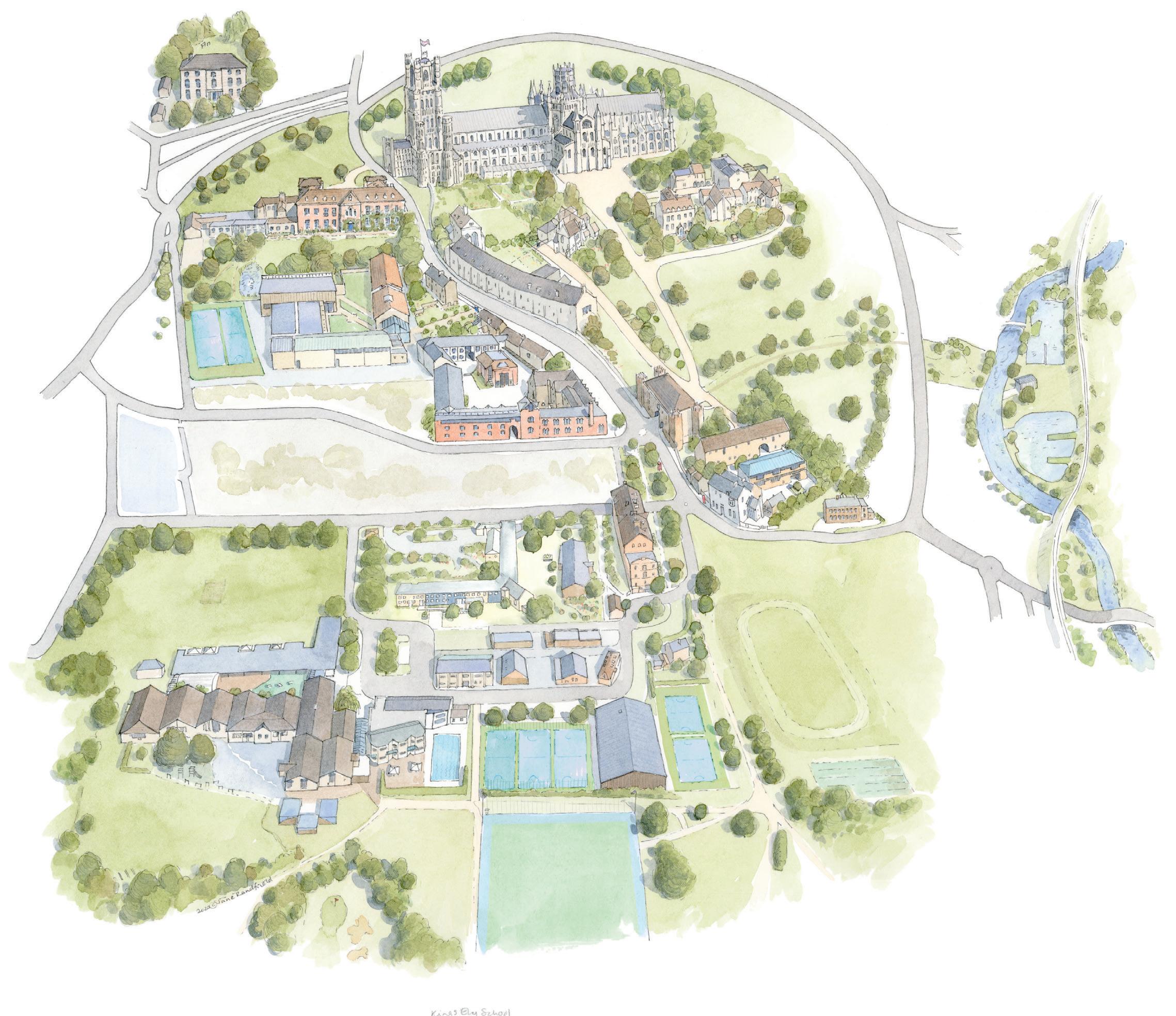
POSTCODES:
Amherst Field: CB7 4BS
Bar ton Road Entrance/Parking: CB7 4DG
Campus/Brand Fields: CB7 4DT
Choir House: CB7 4DS
Church Lane: CB7 4JG
Etheldreda House: CB7 4DL
Hayward Theatre: CB7 4DH
Hereward Hall: CB7 4DG
Hill House: CB7 4DA
King’s Ely Acremont: CB6 1AE
King’s Ely Prep: CB7 4DB
King’s Ely Nursery: CB6 1AE
Main Reception: CB7 4DB
Medical Centre: CB7 4DX
Monastic Barn: CB7 4DL
New Field: CB7 4DG
Old Palace: CB7 4EW
Priory House: CB7 4DL
School Field: CB7 4DB
Silver Street: CB7
Spor ts Hall: CB7
The Boathouse: CB7 4BA
King ’s Ely S enior Uniform
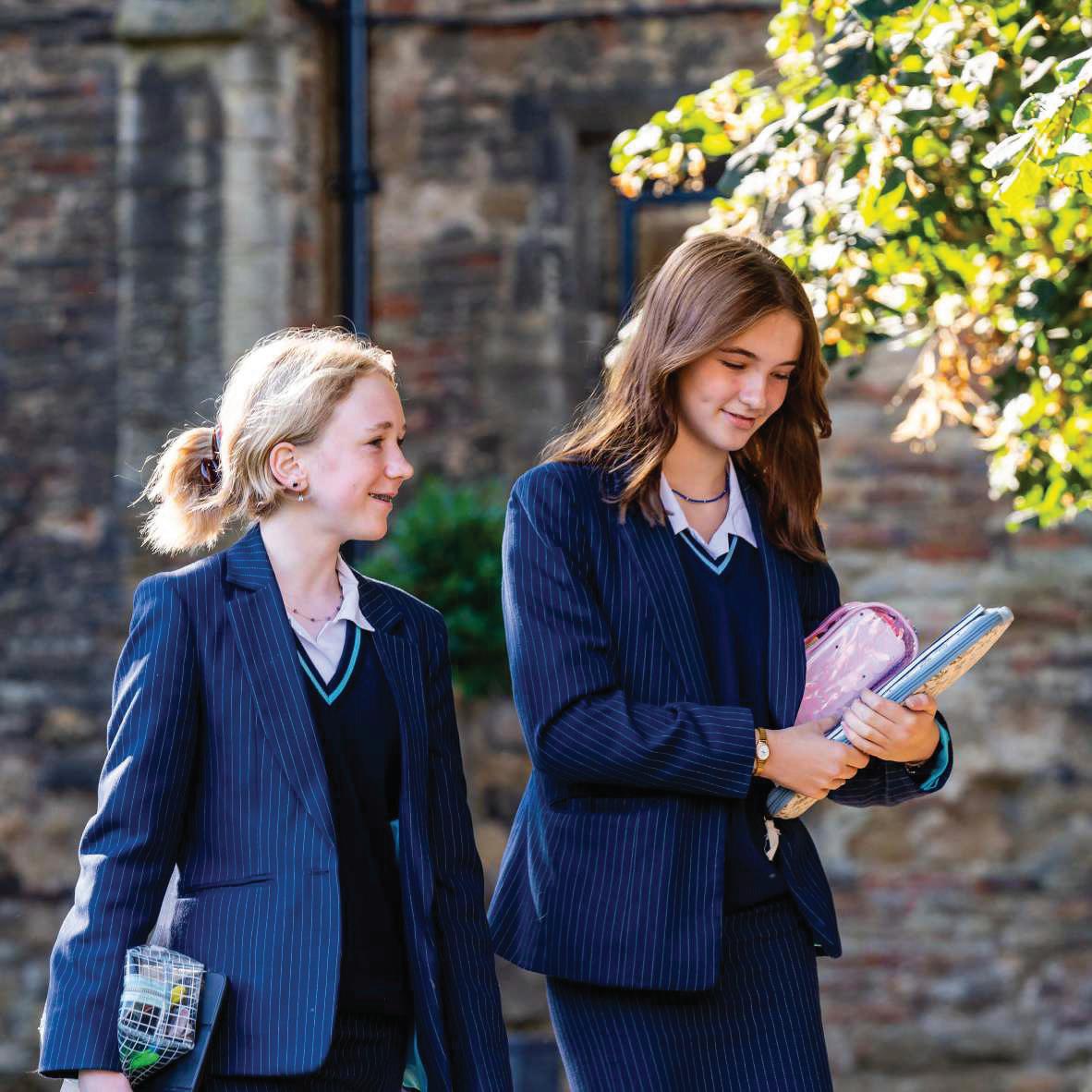
All pupils must be properly and neatly dressed and are expected to take pr ide in their per sonal appearance both in sc hool unifor m and when wear ing casual dress. This is equally impor tant when travelling to and from sc hool. Sixth For mer s are expected to present an appearance suitable for a for mal working environment throughout the school day
Shirts/blouses must always be tucked in, top buttons done up and trousers/skirts should not be too short. Pupils should always wear a jac ket as par t of their unifor m.
New Uniform
The School’s uniform is available from our online supplier Stevensons at www.stevensons.co.uk For a small charge, they also supply and sew on name labels, if requested.
New parents will need to register for an account by clicking 'Login/Register' at the top right and selecting 'Register'. Follow the prompts to enter your name, email, password, and phone number, then save. You may need to verify your email via a confirmation link. Once registered and logged in, you'll be guided to add your child's school (King's Ely), name, year group, and uniform type (Boy, Girl, or Prefer Not To Say). After adding your child's details, you can begin shopping for their required uniform items. Existing Stevensons customers can simply log in and add a new child to their account.
Nearly New Uniform Shop
Our Nearly New Unifor m Shop is next to the car park near the Spor ts Hall This is r un by parent volunteers and is open during ter m time on Fridays from 3.30pm to 4.55pm. Holiday opening times will be updated on social media and communicated to parents.You are also able to email the team using the following email address kingsnearlynewunifor mshop@gmail.com

Uniform regulations (Years 9 -11)
i. All students must wear blac k polishable shoes with blac k stitc hing (not blac k trainer s or boots), conventional design, plain, slim soles and low heeled.
ii. Hair should be kept tidy, of a natural colour and not at the extremes of fashion. Hats should not be wor n.
iii. Jewellery, if wor n, must be inconspicuous e g one pair of small stud ear r ings, one nec klace (whic h should not sit on top of the unifor m). Facial piercings are not per mitted.
iv Pupils are not allowed to wear noticeable makeup. Nail varnish, if worn, must be clear.
v. Students must be clean-shaven.
• Please ensure all uniform and kit is securely named.
• Some items may be available at the King’s Ely Nearly New Uniform Shop.
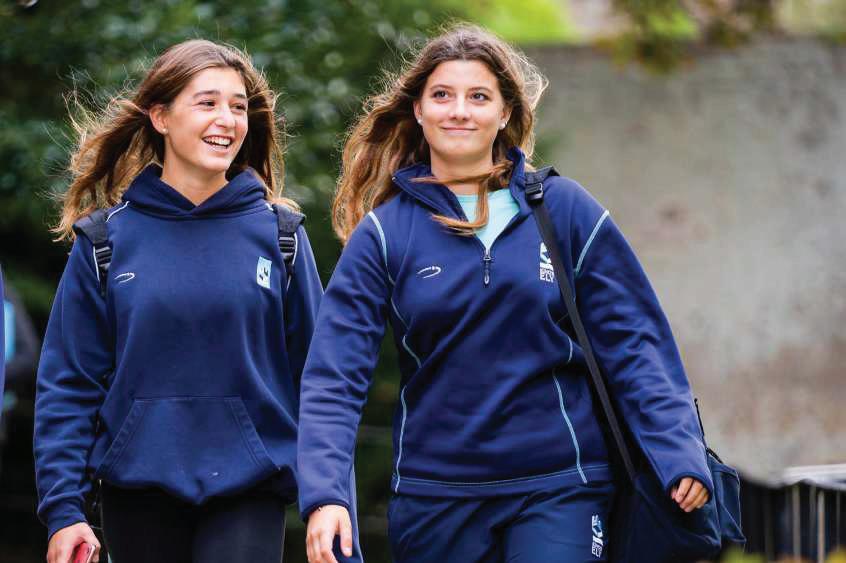
S cho ol Uniform
Essential
• Navy pinstripe suit* (skirt or trousers)
• White shirt or collared blouse
• KES school tie* (needed with white shirt)
• Black ankle socks or navy / black tights
Optional
• Navy jumper*
• Plain dark coat (options are available from Stevensons)
• Plain dark scarf Year 9
• School sports kit plus a navy or black waterproof jacket
Essential
• Mid-layer (1/4 zip) top and tracksuit bottoms*
• Navy PE t-shirt*
• Navy PE shorts* or skort*
• Navy and duck egg games socks* / white socks
• Sports trainers (not fashion trainers)
• Bricklayer match shirt
(ONLY STEVENSONS/PLAYER LAYER KIT ONLY)
Optional
• King’s Ely hoody* (not worn for games/matches)
• Reversible match shirt*
• Navy leggings (black no longer allowed)
• Navy base layer top* & base layer shorts*
• Football/rugby/astro footwear (as required)
• Shin pads (compulsory for hockey/football)
• Gum shield (compulsory for hockey & rugby)
• Sports specific kit as encouraged by Heads of Sport
Stevensons or Nearly New Shop only
Please note that pupils have games at least 2 per these place in all .
Dress Regulations (Sixth Form)
The Sixth Form sets the standards for the whole school, both in behaviour and dress. Members of the Sixth Form are expected to present an appearance suitable for a formal working environment throughout the school day. Guidelines cannot be exhaustive, but it is expected that each student will dress according to the spirit, as well as to the letter, of these guidelines.
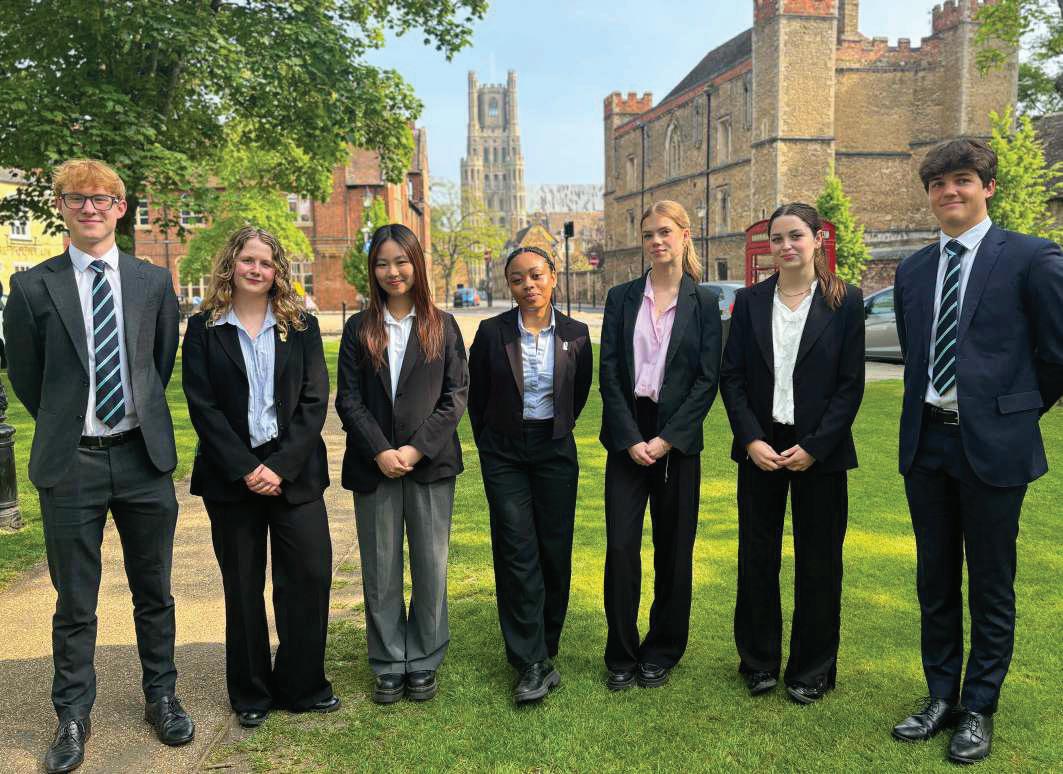
Student s are required to wear the following:
• Plain dark suit (not jersey or leather fabric)
• Collared shirt (with tie for boys). Please note that all students require a white shirt and dark suit for formal occasions.
• A plain V-neck, smart knitted half-zip or roundneck pullover may be worn under the jacket. Hooded tops, sweatshirts, school sports tops or oversized jumpers are not permitted.
• A smart, plain, neutral coloured coat may be worn over the jacket. It does NOT replace the wearing of a jacket.
• You must wear your jacket at all times when moving around campus.
• Tights must be plain / non-patterned in black, navy or neutral colour.
• Skirt hemlines must fall below mid-thigh.
• Formal plain black or dark brown shoes of a conventional design (e.g. Oxfords, brogues, court shoes and pump shoes) slim soles and low heeled. Boots, leather sneakers/trainers, canvas shoes are not permitted.
In addition:
• Hair should be kept tidy, of a natural colour and not at the extremes of fashion.
• Jewellery, if worn, must be inconspicuous. Facial piercings are not permitted. Necklaces should not sit on top of uniform.
• Make-up, if worn, should be subtle (e.g. neutral colours, no heavy eye liner/mascara).
• Nail varnish, if worn, must be clear. False eyelashes and false nails are not permitted.
• Students must be clean-shaven.
Sp
ort s kit :
i. You must wear King's Ely sports kit for games (see Year 9 to Year 11 list).
ii. In the Sixth Form, you will need the following kit as a minimum: Mid-layer top and tracksuit, PE t-shirt, shorts or skort, School games socks and sports trainers.
iii. If girls wish to wear leggings, they must be school navy leggings.
iv If you are playing representative sport, you will need to wear the appropriate King’s Ely kit, specific to that sport.
• All items brought into school must be clearly named.
• Boarders may be required to take their belongings home at the end of the Michaelmas and Lent Terms.
• All boarders have access to a lockable wardrobe. Boarders need to provide their own padlock for these.
• Electrical adapters are supplied by the School for international appliances.
• Boarders should not bring cash into the boarding houses - if they do it should be locked away.
• They should ensure they have arranged a UK bank account, if from overseas, before commencing school. Where setting up a UK Bank account is a problem, the school may be able to assist in this.
• 2 duvet cover s
• 2 pillowcases
• 2 single sheets (fitted)
This can be brought from home or from stores in town, upon arrival, before term begins
Although the School does provide pillows and duvets, pupils may prefer to bring their own.
Senior boarders will require the necessary number of uniform items to replace those being laundered. This also applies to sports kit. At weekends and in the evenings, boarders may dress in their own clothes. As with uniform, please ensure that any casual clothes that will be laundered by the school are named.
The school laundry operates a frequent collection and delivery service. All clothing must be colourfast and suitable for machine washing if it is to be accepted by the school laundry. Shirts should be of polyester/cotton material for easy care.
There is no laundry charge but items which require dry cleaning will be charged to pupils’ accounts.
Each Senior boarding house has facilities for pupils to do their own laundry if they so wish.
School Trunk
We're partnered with School Trunk, a convenient service designed to take the stress out of moving your child's belongings at the end of the Summer Holidays. School Trunk's DBS-checked team will collect your child's items, securely store them either off-site or on campus where possible, and then deliver everything directly to their new room ready for the start of the next term. They handle all the heavy lifting, labelling, administration, and communication with students, leaving you with one less thing to worry about. This service is only available for the summer holidays period.
To find out more or register head to: www.new.schooltrunk.org

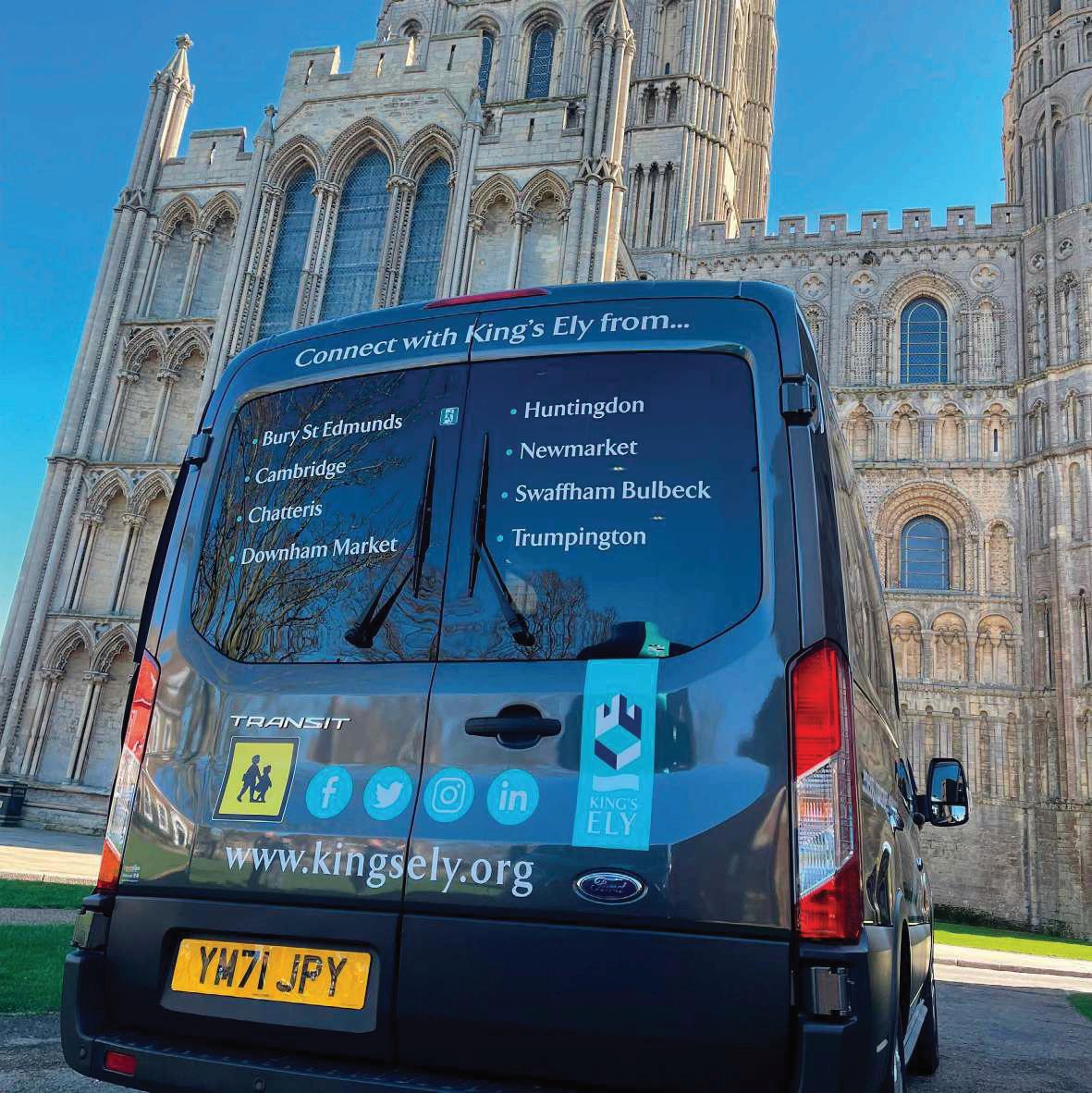
King’s Ely School have appointed Vectare, a specialist school transport management company, to manage the school bus services. Vectare are responsible for over 2.5 million independent school journeys a year. While Vectare manages the minibus booking system, King's Ely School employs its own drivers and owns its minibus fleet. Any enquiries can be emailed to their team at kingsely@vectare.co.uk
All bookings for school bus routes are made via our online booking system, which can be viewed at: www.kingsely.vectare.co.uk.
Payment for the service is made at the time of booking and your child’s name will automatically be added to the register. The website also incorporates an interactive journey planner which allows you to enter your postcode and find your closest bus stop.
The website allows you to book travel 24/7 from anywhere in the world, meaning that if you need to leave early for work one morning or you are running late and you would like your child to travel on a school bus as a one off, you can make a booking right up until the bus is due to depart. Other amendments and changes can also be made via the ‘My Account’ section of the website.
If you need any further assistance, or you would like to discuss travel options from areas not currently served by our network, please contact us via the bookings website and we will be pleased to assist. We would like to take this opportunity to wish your child a pleasant and successful academic year ahead.
or
to sign up
Travelling by train
Over 100 of our students travel to Ely by train. Staff are prominent at var ious local stations at the beg inning of the year to help with the familiar isation process.
Ely Station is located within a very shor t walk of the sc hool and the excellent train ser vice from King’s Lynn, Thetford, Downham Market, Waterbeac h, Cambr idge, Royston, Audley End and beyond makes the train a convenient way for many students to travel.
Abellio Greater Anglia offers King’s Ely students a Discounted Student Travel Season Ticket when travelling to and from school. Those students aged 5-15 inclusive will receive a 10% discount off the child rate and students aged 16-19 inclusive will receive 50% off the adult rate Families should contact the train operator for further details. The scheme is not run by the School.
For the most up to date information on trains to Ely, please check the National Rail website for:
National Rail Enquiries - Station facilities for Ely
Driving
With permission, Sixth Form pupils may drive to School. Permission is gained via the Head of Sixth Form or the Sixth Form supervisor. Pupils’ vehicles can only be driven to and from School, at each end of the working day They must not be driven around School or town during the day or with any pupil passengers unless specific permission has been given for a particular reason and only then with consent. Pupil passengers (including siblings) require parental authorization on the driving form from both parties. Parking for students is available in the Old Palace car park, next to Wendreda, subject to availability
Cycling
Secure bike rac ks are located near to the main entrance of King’s Ely Prep and there are also bike rac ks located at the Old Palace and the 4 Day Houses. It is strongly recommended that students who c ycle to sc hool wear c ycle helmets and appropr iate clothing. Bic ycles may not be r idden to the Amher st Field and extreme care must be taken when riding to and from School and down Back Hill in particular Scooters and skateboards are not allowed on pavements in/around School.
Drop off
Please refer to your section handbook for specific infor mation on drop off/pic k up. These are sent out separately, via email, towards the end of the summer ter m.
Airp ort Transfers
Inter national ar r ivals requir ing air por t transfer s to King’s Ely, please contact transpor t@kingsely.org at least 4 weeks in advance g iving flight ar r ival details.
What3Words scho ol lo cations
Old Palace: ///navigate.pac kin g.liquid
Acremont: ///c hang in g.gr ips.finger
Prep: ///instead.steam.resist
Nur sery: ///squeaks.pur suit.unusable
Main Reception: ///c hef.clerk.thr iller s
Hayward Theatre: ///shining.boxer.prefect
Monastic Bar n: ///cur r ies.rang.tango
Pr iory House: ///scale.composts.punter s
Me dical and Pastoral
Health and Wellb eing
Centre
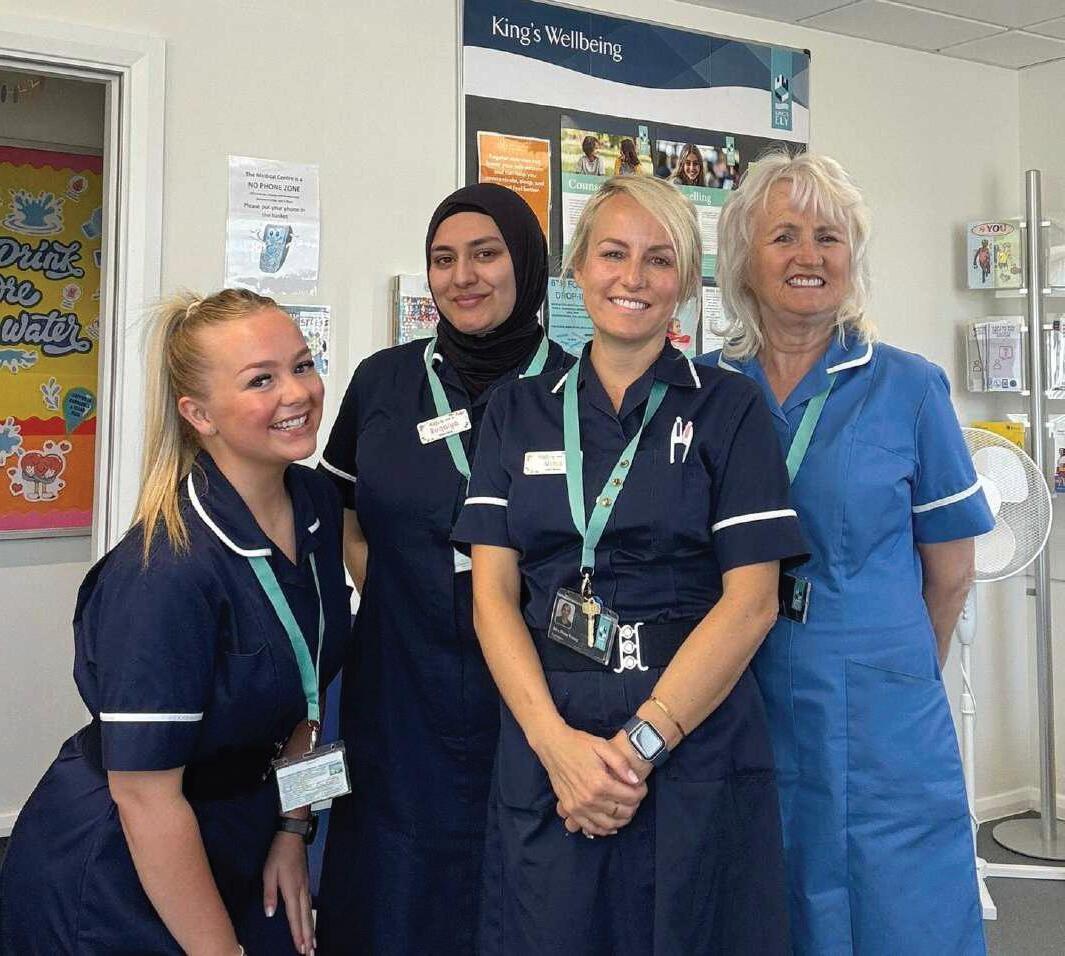
The Health and Wellbeing Centre is staffed by three Reg istered Nur ses and one Assistant cover ing 24 hour s a day care, including an out of hour s on call ser vice. Our professional team deliver a high standard of care to all of our pupils; day and boarding, meeting the physical and emotional health needs of pupils of all ages. Our Sc hool Doctor s from St Mary’s Surgery r un a GP clinic in the Sc hool Health and Wellbeing Centre three times eac h week for our boarding pupils. If something medical ar ises in the cour se of the day or your c hild has prescr ibed medicine that needs to be taken dur ing the sc hool day, this will be over seen by the Health and Wellbeing Centre. However, day pupils with no medical needs should continue to be directed to their own GP. If a pupil requires a dental visit, this is an extra c harge to the fee invoice.
Please complete the medical questionnaire for m within your My School Por tal (details of how to access your account are in the ‘Communicating with you’ section of this pac k). We will use the infor mation you provide on this for m to help us develop any individual health care plans needed to keep your child safe and well in School. This signed for m also allows us to reg ister your c hild with St Mary’s GP Surgery (boarder s only). It is essential that you complete this for m before your child comes to King’s Ely. It is vital that parents of boarders complete their medical questionnaire before their child arrives at school.
Pastoral
The first port of call for pastoral issues should be your child’s Form Teacher or Housemaster/mistress for KES.
King’s Ely offers a counselling service which aims to provide a specialised, professional layer of support, complementing the pastoral support offered by Tutors, Teachers, Housemasters and Housemistresses.
Pupils who need it may access up to six counselling sessions per academic year, free of charge. Referrals may be received from parents, staff or directly from the pupil. The counselling service is confidential apart from the rare occasions when there is a safeguarding concern which would be passed onto the Designated Safeguarding Lead.
King’s Ely uses predominantly electronic means of communication to parents. There are many benefits in this system, whic h suits the major ity of parents, and allows for immediate and interactive contact.
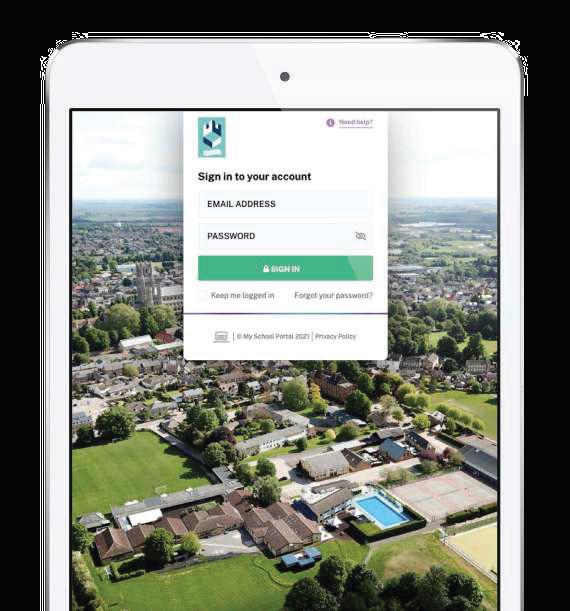
My Sc hool Por tal (MSP) is a single and secure platfor m that collates and displays student infor mation in one place. From a phone, tablet or desktop device parents and guardians can access c hild specific infor mation, including timetables, fixtures, bookings, and reports.
You will automatically have a KingsPost account created for you on our system. Once your child starts School, all routine publications from the School will be published to you electronically via email. Weekly newsletters, information about School trips and forthcoming School events will all come via KingsPost.
Once you have reset the password, please click on the tab ‘‘New Pupil Forms’. This will give you access to all the for ms we require you to complete within 14 days. These include the Pupil Medical Questionnaire, individual instrumental lesson requests, and Vectare mini-bus service. It is important for you to complete these forms within 14 days.
Please provide and submit an answer to all forms (even if you do not require the service) so that your responses are forwarded to the School.
My S cho ol Por tal – FAQs
I have forgotten my pas sword
My Sc hool Por tal uses the same log in credentials as KingsPost. At the log in window clic k on ‘Forgot your password?’ and an email from My Sc hool Portal will be sent to you with instructions.
I need to notify the School that I have changed my phone number
From the home page click on ‘My Account’ from the Welcome box at the top. Use the V arrow to expand the ‘Parent’ tab and click on ‘Edit Parent Details’. Amend the number in the ‘Phone’ field, hit ‘Request Changes’ and confirm the change on the pop-up window. The School will receive a notification email and then process your change in our management information system after which the parent portal will subsequently be updated.
You can edit the details, such as medical information, which we have on file of your children in this section too.
I need to notify the School that my child is ill
From the home page click on ‘Absence Forms’ Click on ‘Medical/Illness Absence form’ on the left hand side, tick which child/children you are requesting leave for as applicable and complete the details. An email will be sent to the School and your child’s form Teacher/Tutor and House master/ mistress.
I need to send a request for Leave of Absence or Off G ames
you are
From the home page clic k on ‘Absence For ms’. Clic k on ‘Request for Planned Absence and Off Games Requests’, tic k whic h c hild/c hildren the select requesting, ‘Reason’ from the dropdown (Leave of Absence or Off Games) and pic k a star t and end date you would like to request leave for.
How do I sync event s to my own calendar?
In the ‘My Calendar’ section, you can view, subscr ibe and sync events with your per sonal device. Fir st use the ‘Filter’ button to select your c hosen Year Group, type of event e.g. Categor ies > Music and so hit and on, ‘Apply’.
Then c hoose the relevant option from the ‘Subscr ibe & Expor ts’ dropdown to subscr ibe to the events They will then sync with your device’s calendar. Please note that the frequenc y of the calendar refresh depends on your device.
• ‘Mobile Phone’ will use the default option on the device so if you are accessing My Sc hool on your phone, select this option.
• option The ‘Outlook’ works for Microsoft and Windows devices. Alter natively view the tutor ial video ‘Outlook Calendar’
Where can I see information on my children?
In My School Portal you can toggle between each of your children to see their relevant information. For example: on the home page you can see each of your children’s specific emails and their events, and in ‘My Children’ you can toggle between e.g. Attendance, Timetable, Teacher Contacts, Rewards and Sanctions and Reports for each of your children.
How do I book Parents’ Evening appointments?
In the Parent Portal you can book your parents’ evening appointments. Enter the ‘My Children’ section > Parents’ Evening. Further information will be sent via KingsPost well in advance.
I want to view my child’s timetable
Enter the ‘My Children’ section > Timetable. The timetable shows the lesson time, the subject name, teacher and period number for each lesson.
The timetables are organised by weeks, if available you can see the timetable for last week, this week and next week and can switch between them using the buttons in the top right corner.
You can print off the timetables so you can have a paper copy if needed, timetables print off in day view
I want to view my child’s homework .
Enter the ‘My Children’ section > Homework (Teams Assignments) Click on the link according to the section of the School that your child belongs to. You will need to ask your child to enter their username and password to enter. Once you are in, please click on ‘‘Tasks’ at the top of the page.
I need to view my emails
If you are on the home page of My School Portal, click on the subject line in the ‘‘My Latest Emails’ section or click on ‘‘My Email’ icon in the top right This will then take you to ‘‘My Email’. Here you can click on the + symbol (to the right of each mail) to expand the message where you can then view any corresponding attachments or reply forms at the bottom of the message.
Can I view my child’s sp ort s fixtu res and result s?
You can access your child’s fixtures by clicking on the ‘School Information’ section and using the side bar, which will take you to the Sports Results landing page.
Once you have found the fixture you are looking for you will be able to see information such as time of fixture, result or a match report. If there are any further details these can be viewed by clicking the ‘‘View Details’ button, which will then bring up all the details of the event. Also, you can use the ‘‘filter for results’ or ‘‘filter for fixtures’ buttons to display content for that sports team.
How can I acces s the Parent Directory?
You can access the ‘‘Parent Directory’ in different ways depending on the setup of your portal.
The ‘‘Parent Directory’ is tailored to show the infor mation for eac h of your c hildren. There are three different views; show all, show contact infor mation for your c hild ’ s year g roup, or show contact infor mation for your c hild ’s for m. If you have more than one c hild, you can c hange this in the sidebar to access the relevant infor mation.
There is also a filter bar, whic h can be used to nar row down findings, to remove the filter applied, simply delete the text and clic k the filter button again.
Eac h record has the ability to hold the c hild ’ s name, whic h will display as a header, the guardian’s name, email address, home address, home phone number and mobile number These details will only display if that parent has shared that information.
To share your contact details in the ‘‘Parent Director y’ you need to opt-in. This is done by clic king on the link in the directory page if you haven’t already done so.
To edit any of your information that is displayed on the ‘Parent Directory’ section simply click on the my details section. Within this section, you can also opt-out of the parent directory at any time.
For further support:
If you need further assistance, please do get in touch by contacting:
Director of ICT Systems: Marc Hawes –MarcHawes@kingsely.org or 01353 660913
IT Manager: Daniel Minett –DanielMinett@kingsely.org or 01353 660565
IT Arrangement s
What you will need
We ask that all students who will be coming to King’s Ely from Year 7 upwards to br ing in a laptop, whic h can connect to our network.
The School is a Microsoft School in respect of the software used by staff and students.
Students will have their device enrolled on our network and we will give help adding school email and the free Microsoft 365. Students use One Note (provided free as part of Office 365) to organise their notes and accessing the internet for research.
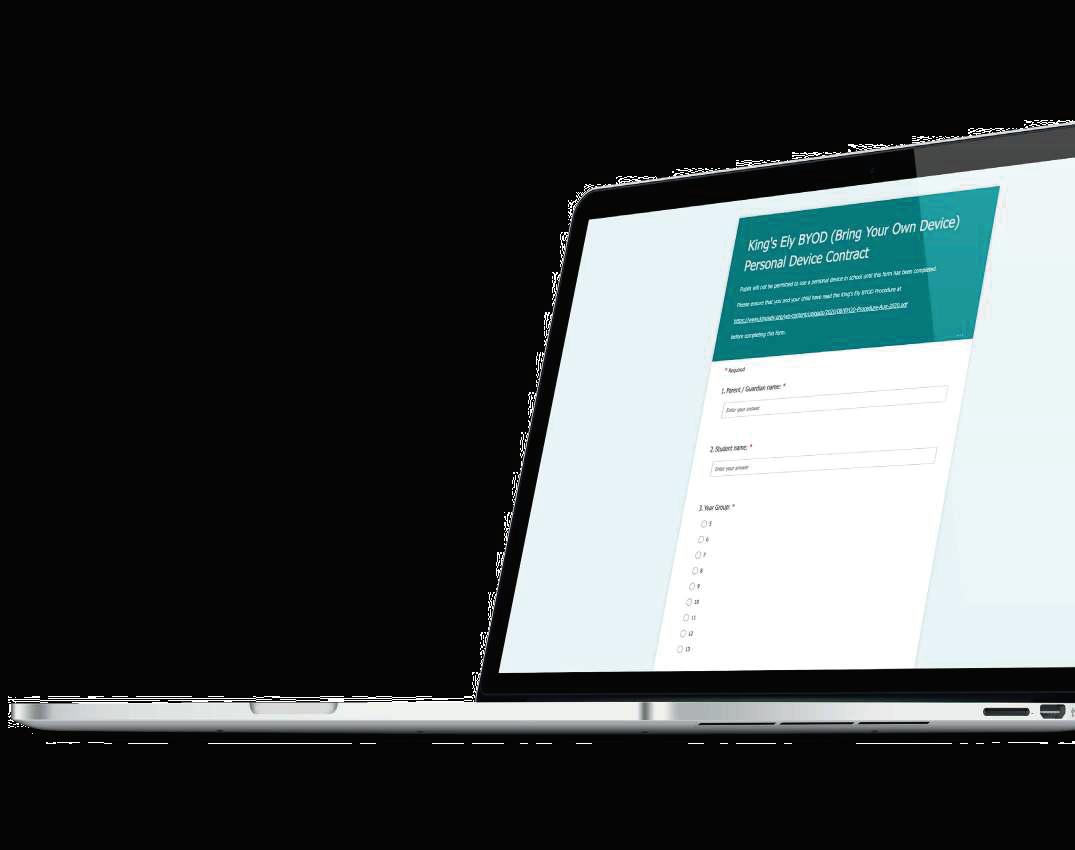
The following pages include device requirements and the link to the agreement for you and your son/daughter to sign.
King’s Ely is dedicated to providing moder n instr uction to all its students We seek to provide an environment that foster s and encourages the development of IT skills and provides a lear ning environment where students actively engage in the interactive cur r iculum, have access to infor mation and apply it to solve problems and enr ic h their lear ning exper ience
Our students live in a world where they have immediate access to infor mation anytime and anywhere. We allow those students with per sonally owned devices to use them appropr iately to help them lear n in their own style and at their own pace. We prepare our students for higher education or to face the new and ever-c hang ing workforce by embracing the oppor tunities new tec hnolog ies offer them.
BYOD suppor ts the lear ner s who wish to make use of tec hnology and, where appropr iate, teac her s will encourage the use of devices. We require all King’s Ely students in Years 7 to 13 to bring their own laptop to School. This is in line with our phased introduction of per sonally owned devices over recent year s
Network Acces s
King’s Ely provides access to a filtered, secure wireless network. Pupils may, at the School’s discretion, connect to this network using their own wireless and/ or portable electronic devices that include, but are not limited to, existing and emerg ing mobile communication systems, smar t tec hnolog ies (including devices, any new device that is deemed appropriate to the goals of the School.
Howev Things” or personal routers, are not allowed to be connected to the School network.
The School has the ability to electronically manage or filter a student our wir
Inter net via the phone/ta other mobile/network technologies data network connection. application to limit access to certain applications during the School da familiar with the King Students and through PSHE/PD session
S ecure Storage
In King’s Ely Senior (KES), secure storage is available in Day and Boarding House Tutor offices as well as in pupils’ per sonal loc ker s.

BYOD Requirement s/Minimum Sp ecification
Laptop computers should be capable of:
• Web access: Any Web-browser;
• Wireless communication: Wi-Fi;
• Weight: less than 3.2Kg;
• Battery life: minimum 6 hour s;
• Screen size: no bigger than 15” x 11”; no smaller than 7.87” x 5.3”;
• Physical Protection: by a suitable cover;
• The device must be less than 3 year s old;
• The device should have and be using the latest antivir us protection (e.g. Windows Defender);
• The device must use an English Language Operating System that is still suppor ted (e g Windows 11);
• For those using their device for GCSE/A-Level study (Year s 10 -13), a non-wireless, physical keyboard is required;
• Recommended specification:
• CPU: At least Dual Core – 2.3GHz;
• RAM: 8GB;
• Storage: minimum 256Gb Hard Dr ive (ideally SSD);
• Please be aware that the lower specification Windows devices are nor mally supplied with the Windows 11 S Operating System (OS). This only allows Apps from the Windows Store to be installed, so this type of OS would prevent pr inting on sc hool pr inter s and several other issues Therefore, Windows 11 S is not recommended.
Please note:
Electronic devices need to be charged prior to bringing them in to School and capable of running from their own battery whilst at School (during lessons, c harg ing points are not available to students);
• The laptop is the responsibility of the student. The School is not responsible for the loss, damage or theft of any personally owned electronic device brought to School by a student. All devices must be stored securely and properly insured;
• Students will not bring desktops, towers or games consoles to School unless they are boarders and have received permission from the School and the device has been PAT tested.
BYOD Supp ort
• We will always do our utmost to provide the necessary level of support but where the School has not provided, or does not manage the device, support outcomes cannot be guaranteed.
• Support can only be provided to those devices (smartphones, laptops) that have an English Language Operating System and English Language keyboard layout.
• Where any installed applications/VPN connections interfere with connectivity/usability/virus scanning/filtering capability on our network, we will remove/block use of those applications on those devices/our network.
• The School’s IT Support Team cannot be held liable for any software/data loss on BYOD devices if the Support team are asked to support a child’s personal device.
• The IT Support Team will only be able to support devices where any restrictions result in the School’s IT team not being able to access any of the software or device controls (e.g. access to the devices “control panel” being blocked).
• We can only support the following applications on BYOD devices:
• The School’s MS Office 365 apps and related material
• School Email
• School Sharepoint (Intranet)
• School “Follow Me” Printing
• Connecting to the School’s WiFi
• Any other application required by the School for educational/information requirements
• For any other device issue such as Operating System issues or hardware issues, the owner must contact the manufacturer/ place of purchase or IT Manager, Daniel MinettDanielMinett@kingsely.org or 01353 660565
BYOD Guidelines for Use
• Pupils in Years 7 to 13 may use laptop computers at School, subject to the device being registered with the School and a Personal Device Contract being in place;
• Pupils may be encouraged to make use of laptop computers at School for a variety of purposes, including: within boarding houses; for those with a learning plan which suggests that use of a personal device is part of their learning support; for learning activities where devices may be permitted at the teachers’ discretion.
• Laptops may not be used to cheat on assignments or tests and may only be used during lesson times, at the teacher’s discretion, to access applications or internet sites which are relevant to the classroom curriculum. Pupils are encouraged to respond to tasks set in multiple ways to accommodate their varied learning styles, however, the teacher will determine when personal devices are to be used. Additionally, pupils should check that it is appropriate for a device to be used in a lesson when they are working independently. At all times the device must be switched to silent;
• Pupils should refrain from social messaging on any device, or via any platform or app, during the School day;
• The students must not use the devices to record, transmit or post still or moving images of a person or persons at School without the express permission of a teacher;
• Users bringing laptops into School must ensure there is no inappropriate or illegal content on the device;
• Pupils should not lend, borrow or take a device without the agreement of a teacher;
• All students, irrespective of whether they are using their own devices, School devices, School network or other data network connection must abide by the requirements of key School policies and procedures (the breach of which may result in disciplinary sanctions).
Finance
The team:
Chief Financial Officer: Fiona Sanders-Hewett
Fiona has direct responsibility for: Finance, ICT, HR, Transport, Data Protection and Bursaries. fionasasandershewett@kingsely.org or 01353 660721
PA to Chief Financial Officer: Lisa Weller
Lisa is the initial point of contact for all enquiries concerning insurance. lisaweller@kingsely.org or 01353 660712
Finance Manager: Paulina Lowe
Paulina can be contacted about Childcare Vouchers/ Government Tax Free Scheme, school trip payments or anything else relating to financial matters. paulinalowe@kingsely.org or 01353 660714
Fees Invoices: Alison Cree
Alison is your first point of contact for all matters relating to school fee invoices and answering any school bill queries. fees@kingsely.org or 01353 660761
Financial/Fee related items:
Ter ms and Conditions The T&Cs are on the website This is an impor tant document refer red to within the acceptance process, whic h is updated as legislation changes. The T&Cs, along with the Acceptance Form in the parent/school contract.
School Fee Accounts. Sc hool fees are payable ter mly in advance with any ‘extras’ c harged retrospectively Fee accounts are sent by email as a pdf attac hment to the email addresses reg istered with eac h c hild ’s fee account at least two weeks before payment is due. The payment due date is always one week before the star t of the ter m. If fees are not paid on time, we will send a polite reminder, followed by a slightly more for thr ight reminder Late fees payment incur s a c harge of up to 2% per month, accr uing on a daily basis. Charges are applied to late fee accounts with effect from the date the fees were or ig inally due. After three reminder s, the cour se of action could result in exclusion of your c hild for nonpayment of fees. If you are facing difficulties, please do communicate with us as early as possible, via fees@kingsely.org.
King's Ely operates a scheme whereby a single advance composition payment can be made to the School to settle future School fees for a named pupil for a specified period Further details can be obtained by emailing fees@kingsely.org.
Payment of School Fees. Please see the fees section on our website. Our overwhelming preference is to receive payments direct into our bank account. For UK bank account holders, please make a payment via on-line banking, or by visiting a branch of Barclays bank. Our account details are on each fee account invoice. We do not accept cash payments to settle any fee accounts.
There is an option of paying your sc hool fees in monthly instalments from a UK bank account via Direct Debit using School Fee Plan, a credit company set up specifically for payment of sc hool fees. Interest rates vary but are set for each academic year (presently [September 2024-August 2025] the interest rate is 3.10%). Details of the sc heme, how it operates and the application process can be found on the School Fee Plan website here: www.myschoolfeeplan.com/KingsEly-CB7
By introducing School Fee Plan as a possible method of settling your school fees, King’s Ely is acting as a credit broker and is an Appointed Representative of Premium Credit Limited. Premium Credit Limited is the lender which is author ised and regulated by the Financial Conduct Author it y School Fee Plan is a trading style of Premium Credit Limited.
Combating
Bank Fraud. Our bank is Barclays Bank PLC. We have no plans to c hange our bank account. Our bank details are on eac h invoice Our bank account number ends in xxxxx576. If you receive any cor respondence from anyone pur por ting to be from King’s Ely infor ming you of a c hange in bank details that has not come via our own KingsPost, or a note with a different bank account number, please treat this with extreme suspicion and get in touch with one of our team. Ideally please contact us by telephone via the published main switchboard number. Paying by Flywire from over seas avoids any suc h attempted fraud/scam.
Payment
s
from a non -UK bank account :
We have par tnered with a company called Flywire For further information about Flywire, please see here: www.pay.flywire.com/how-it-works/
Flywire legal allows transfers above some financial limits set for personal and direct international currency transfers in several countries. Flywire is our preferred method of payment from overseas as it is fast, secure, trackable and has significant protection against fraud.
Childcare Vouchers: (closed to new applicants from 5 October 2018) can be used for payment towards childcare up to the start the academic year the child turns six years old, and for any after school wrap around care, after school clubs (that are on school premises) and/or towards the boarding element for children aged between 5 and 15 years old (16 years if registered disabled). Please consult your Childcare Voucher provider for more information. For example, EdenRed’s and Computershare’s FAQs are available on their website.
The UK Gover nment Tax-Free child care scheme can be used for Nur sery provision but once a c hild is in Reception Year onwards, this sc heme can only pay towards care that is outside of sc hool hour s, for example after sc hool clubs or breakfast clubs. This sc heme does not allow towards paying sc hool fees To qualify, your c hild must be under 11 year s old and usually live with you. Any c hild stops being elig ible on 1 September after their 11th bir thday.
Please contact Alison Cree if you wish to star t making payments via either of the c hild care sc hemes or have any quer ies.
Fees in Lieu of Notice (FILON): Your contract with the sc hool asks that if you wish to withdraw your c hild from sc hool, you provide at least one ter m ’s notice. Likewise, if parents wish their c hild to c hange between being a boarding and day pupil, one full ter m ’s notice is also required. Unless there are extenuating circumstances where we might ag ree to waive suc h fees in full or par tially, parents who do not provide a ter m ’s notice will be c harged a full ter m ’ s sc hool fees as Fees in Lieu of Notice. This applies to all par ts of the sc hool except after completion of Year 13 and any child on a short-term/one year course agreed at the time of Acceptance. This charge is subject to VAT @ 20%.
Insurance
Personal Possessions (automatic – included within the fees for KEI): The T&Cs are clear that parents are responsible for ensuring pupils’ possessions are insured whilst at school. Most UK household policies provide for such circumstances, but it is parents’ responsibility to check. We presently provide basic insurance against loss and theft for all students’ possessions (maximum £250/item, up to £500 per pupil with a £50 excess payable by parents). This insurance only covers International pupils attending the School.
Travel Insurance (automatic – included within the fees): We have an annual school travel policy to cover all educational/extra-curricular trips organised and hosted by King’s Ely. High risk trips (mainly Ely Scheme) might incur extra insurance related charges, but these will be included within the overall cost of any trip.
Pupils’ Personal Accident Insurance (automatic - included within the fees): Presently all pupils are covered for personal accidental at any time if they are members of the school. The sum insured depends on the nature of the injury, up to a maximum £600,000. The premium for this policy is paid by the school so there is no additional charge. To view this policy overview head to the following link: www.kingsely.org/boarding

Michaelmas Term 2026
King’s Ely Acremont Ter m Beg ins and Nur sery Opens
Fairstead House Opens
Pupils’ Orientation Day+
All King’s Ely Prep and Senior Pupils Return
Exeat Weekend*
Mid-Term Holiday Begins
Term Resumes
Exeat Weekend*
King’s Ely Term Ends
Nursery Closes
Lent Term 2027
Nursery Opens
King’s Ely Term Begins
Mid-Term Holiday Begins
Term Resumes
King’s Ely Term Ends
Nursery Closed for Easter
Summer
Term
2027
King’s Ely Term Begins
Exeat Weekend*
Early May Bank Holiday
Mid-Term Holiday Begins
Term Resumes
King’s Ely Term Ends
Nursery Closes
+Pupils’ Or ientation Day
Or ientation Day is for the following pupils:
• All new pupils joining King’s Ely Year 4 upwards;
Monday 7th September 2026
Monday 7th September 2026
Monday 7th September 2026
Tuesday 8th September 2026
Saturday 3rd and Sunday 4th October 2026
Friday 23rd October at 4:30pm
Monday 9th November 2026
Saturday 21st and Sunday 22nd November 2026
Wednesday 16th December 2026
Friday 18th December 2026
Monday 4th January 2027
Wednesday 6th January 2027
Friday 12th February 2027 at 4:30pm
Monday 22nd February 2027
Thursday 25th March 2027
From Friday 26th March 2027 to Tuesday 30th March
Monday 19th April 2027
Saturday 1st and Sunday 2nd May 2027
Monday 3rd May 2027
Friday 28th May 2027 at 4:30pm
Monday 7th June 2027
Thursday 8th July 2027
Friday 13th August 2027
• All pupils who will be in Year 7, Year 9, Year 11 (one year Inter national prog ramme) and Year 12;
•
*Exeat Weekends
•
•
•
• All Sc hool Prefects to assist Staff with Pupils’ Or ientation Day
Senior boarding houses will remain open during the 2026-2027 Exeats for pupils.
On-site catering will be available as the school kitchens will remain fully operational.
The cost is £125 per night.
The school may consolidate boarding houses during these periods to ensure efficient staffing.