THE IOS CODE REVOLUTION • 2026 EDITION
JUSTACADEMY
A P P L E P L AT F O R M E N G I N E E R I N G & A R C H I T E C T U R E
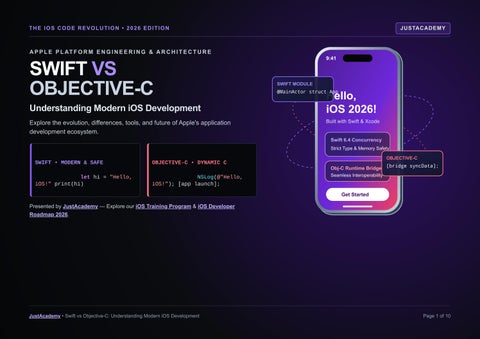
SWIFT VS OBJECTIVE-C
Understanding Modern iOS Development
Explore the evolution, differences, tools, and future of Apple's application development ecosystem. SWIFT • MODERN & SAFE
OBJECTIVE-C • DYNAMIC C
let hi = "Hello, iOS!" print(hi)
NSLog(@"Hello, iOS!"); [app launch];
9:41 SWIFT MODULE
Hello, iOS 2026!
@MainActor struct App
Built with Swift & Xcode Swift 6.4 Concurrency Strict Type & Memory Safety OBJECTIVE-C Obj-C Runtime Bridge [bridge syncData]; Seamless Interoperability
Get Started
Presented by JustAcademy — Explore our iOS Training Program & iOS Developer Roadmap 2026.
JustAcademy • Swift vs Objective-C: Understanding Modern iOS Development
Page 1 of 10
02 / THE EVOLUTION OF IOS DEVELOPMENT
CLASSIC → MODERN
From Message-Passing C to Declarative Swift
What iOS development means: iOS development is the engineering discipline of designing, building, testing, and deploying native applications for Apple's mobile operating system using Apple's SDKs, frameworks, and Xcode toolchain. OBJECTIVE-C FOUNDATIONAL ERA
1980s Objective-C created, adding objects to C
CLASSIC TO MODERN SHIFT
dog.bark()
Obj-C: [dog bark]; → Swift:
MODERN SWIFT & DECLARATIVE UI ERA
1997
2007–08
2014
2015
2019
2026
Apple acquires NeXT; Cocoa shapes macOS
iPhone & App Store built on Objective-C
Apple introduces Swift for safety
Swift becomes open source
SwiftUI arrives for declarative UI
Swift 6.4 & Xcode 27 announced at WWDC26
ECOSYSTEM PILLAR Historical Importance of Objective-C
HISTORICAL CONTEXT & EVOLUTION IMPACT ON MODERN 2026 ENGINEERING Derived from NeXTSTEP in the 1990s, Objective-C powered the Forms the core runtime layer of UIKit, Foundation, and many original iPhone OS and the first decade of App Store mature enterprise frameworks still running in production today. applications with dynamic message passing. Why Apple Introduced Swift (2014) C-based pointers and implicit nil messaging could allow subtle Reduces common null-pointer crashes, eliminates separate runtime bugs. Apple designed Swift with compile-time type header (.h) files, and speeds up feature iteration across Apple safety, explicit optionals, and concise syntax. platforms. How Modern iOS Has Changed Development moved from manual memory management and Teams build shared architectures across iOS, iPadOS, imperative nibs/storyboards to Automatic Reference Counting macOS, and watchOS using Xcode live previews and (ARC), SwiftUI previews, and structured concurrency. automated testing pipelines. Why Language Choice Matters Every project balances new feature velocity against legacy Understanding how both languages operate—and how they maintenance. New apps benefit from Swift's expressive tooling, bridge together—equips developers for any commercial iOS while mature systems rely on Objective-C stability. engineering team. Sources: Apple Developer Documentation; swift.org language history; WWDC26 announcements (Swift 6.4 and Xcode 27).
JustAcademy • The Evolution of iOS Development
Page 2 of 10
03 / UNDERSTANDING SWIFT AND OBJECTIVE-C
TWO ARCHITECTURAL ERAS
Two Foundations of Apple Platform Engineering SWIFT
INTRODUCED 2014 • APPLE A modern programming language developed by Apple and introduced in 2014, engineered from the ground up with safety, performance, and developer productivity in mind. Syntax & Design Clean, expressive modern syntax with type inference, generics, closures, and value types (structs/enums). Type System Strong static type system that catches type mismatches before code ever runs on a device. Optionals & Errors Explicit Optional types (?) prevent unexpected nil access; structured do/try/catch error handling. Memory (ARC) Automatic Reference Counting tracks and manages class instance lifetimes deterministically at compile time. Platform Role Commonly used across contemporary iOS, iPadOS, macOS, watchOS, and visionOS application development.
OBJECTIVE-C
1980s EXTENSION OF C An object-oriented programming language built as a strict superset and extension of C, pairing low-level C performance with Smalltalk-style object messaging. Historical Role Historically central to Apple's software ecosystem and used extensively across millions of lines of existing iOS apps. Message Passing Uses bracketed expressions like [dog bark] to send messages to objects rather than direct C++ method table calls. Dynamic Runtime Resolves method invocations dynamically at runtime, enabling reflection, method swizzling, and dynamic forwarding. Header / Impl Split Separates public interface declarations (.h) from implementation logic (.m) and C libraries. Current Relevance Remains essential for maintaining legacy applications, C/C++ wrappers, and longstanding enterprise SDKs.
Swift Illustrative Example (Optional Unwrapping)
Objective-C Illustrative Example (Message Passing)
let name: String? = "Swift" if let name { print("Hello, \(name)") }
Dog *dog = [[Dog alloc] init]; [dog bark]; // Sends 'bark' message at runtime
Sources: Official Swift Documentation (swift.org); Apple Developer Objective-C Programming Guides (developer.apple.com).
JustAcademy • Understanding Swift and Objective-C
Page 3 of 10
04 / SWIFT VS OBJECTIVE-C: COMPLETE COMPARISON
Head-to-Head Language Architecture Matrix FEATURE Introduction Syntax Foundation Type system Safety
SWIFT 2014 Modern and concise Modern language design Strong static typing Features such as optionals and type safety Memory management Automatic Reference Counting Programming style Learning experience Modern development
◆
OBJECTIVE-C Developed in the 1980s More verbose Extension of C Static typing with dynamic features More dynamic behaviour ◇
Automatic Reference Counting; manual management also exists in older code Object-oriented and message-oriented
Object-oriented and protocoloriented features Generally easier for many beginners Can have a steeper learning curve Common choice for new iOS Often used in existing and legacy development projects
TECHNICAL BENCHMARK
Deep-Dive Engineering Factors
1. Code Readability: Swift removes semicolons, header files, and bracket nesting, making business logic easier to scan. 2. Error Handling: Swift uses typed throws and do/try/catch blocks, whereas Objective-C relies on NSError ** pointers. 3. Runtime Behaviour: Swift favours static and vtable dispatch with LLVM optimisations; Objective-C routes messages dynamically through objc_msgSend. Neither language is automatically faster in every scenario—actual performance depends on data structures, bridging overhead, and implementation. 4. Maintainability: Single-file Swift modules and compiler-enforced optionals prevent silent nil failures during team refactoring. 5. Practical Use Cases: Use Swift for greenfield apps and SwiftUI interfaces; retain Objective-C for C++ audio/video engines and mature SDKs.
Sources: Apple ARC Documentation; Swift and Objective-C Programming Guides. Performance varies by workload; neither language is universally faster in all cases.
JustAcademy • Swift vs Objective-C: Complete Comparison
Page 4 of 10
05 / CODE BATTLE: SWIFT VS OBJECTIVE-C ● ● ● main.swift — Xcode Editor
SIDE-BY-SIDE WORKSTATION SWIFT
// 1. Printing a message let message = "Hello, iOS!" print(message) // 2. Declaring variables (type inferred) var count = 3 // 3. Creating a function func greet(_ n: String) -> String { return "Hello, \(n)!" } // 4. Creating a class class Dog { var name = "Rex" } // 5. Working with optional values var nickname: String? = nil
SYNTAX & READABILITY Swift omits line-ending semicolons, C pointer asterisks (*), and @ string prefixes. String interpolation (\(n)) reads like natural prose compared to format specifiers (%@).
JustAcademy • Code Battle: Swift vs Objective-C
● ● ● main.m — Xcode Editor
OBJECTIVE-C
// 1. Printing a message NSString *message = @"Hello, iOS!"; NSLog("%@", message); // 2. Declaring variables (explicit type) NSInteger count = 3; // 3. Creating a method - (NSString *)greet:(NSString *)n { return [@"Hello, " stringByAppendingString:n]; } // 4. Creating a class (@interface + @end) @interface Dog : NSObject @property NSString *name; @end // 5. Working with nullable pointers NSString * _Nullable nickname = nil;
VARIABLES & FUNCTIONS Swift distinguishes immutable constants (let) from mutable variables (var) with type inference, and uses clean func name() -> Type definitions instead of bracketed selectors.
HANDLING VALUES & BEGINNER EXPERIENCE Swift forces developers to unwrap Optional values safely, whereas Objective-C allows messaging nil pointers silently. Beginners find Swift far more approachable; read our clickable guide: Swift Programming Guide.
Page 5 of 10
06 / TOOLS, FRAMEWORKS AND MODERN IOS DEVELOPMENT MyApp > iPhone 17 Pro Simulator • Xcode NAVIGATOR ▸ MyAppApp.swift ▸ ContentView.swift ▸ LegacyBridge.m ▸ Assets.xcassets ▸ MyAppTests.swift
struct ContentView: View { var body: some View { VStack(spacing: 12) { Text("Today's Goals") .font(.headline)
SIMULATOR PREVIEW
Today
Weekly Goal
} }
Interface Builder
✓ Build Succeeded • LLDB Debugger Attached • XCTest Suite Passed
iOS Simulator
Critical Distinction — UI Frameworks vs Languages: SwiftUI (a modern framework for declaring user interfaces and app behaviour) and UIKit (a framework for building and managing iOS application interfaces) are UI frameworks, not programming languages. Both are used with Swift (and UIKit also with Objective-C).
1. IDE Xcode & iOS SDK Setup
TOOL / TECHNOLOGY Xcode & iOS SDK SwiftUI & UIKit
ProgressView(value: 0.75) }
XCODE ECOSYSTEM
→
2. CODING Swift & Obj-C Modules
JustAcademy • Tools, Frameworks and Modern iOS Development
→
3. UI DEVELOPMENT SwiftUI, UIKit & Canvas
Debugging & Testing Interoperability
→
ROLE IN BUILDING, TESTING & DEPLOYING Apple's integrated development environment and Software Development Kit providing compilers, system APIs, and build tools. Declarative (SwiftUI) and imperative (UIKit) UI frameworks that can coexist via UIHostingController. Visual editor built into Xcode for designing UIKit storyboards, XIBs, and Auto Layout constraints. Runs virtual iPhone and iPad hardware configurations on Mac for rapid UI and sensor verification. LLDB console, Instruments memory profiler, Swift Testing, and XCTest validate stability before release. Xcode compiles both Swift and Objective-C sources into one binary via bridging headers.
4. TESTING Simulator, LLDB & XCTest
→
5. DEPLOYMENT TestFlight & App Store
Page 6 of 10
07 / INTEROPERABILITY, USE CASES & CHOOSING THE RIGHT LANGUAGE
Mixed-Language App Architecture
Decision Tree: Which Language Fits Your Project?
SINGLE MIXED-LANGUAGE iOS APP BINARY SWIFT MODULES SwiftUI Views Networking.swift @objc Models.swift
Bridging Header App-Bridging.h ← Generated Header → App-Swift.h
COEXISTENCE ARCHITECTURE
Starting a New App or Feature?
OBJECTIVE-C CORE LegacyPayments.m AudioEngineC.mm AnalyticsSDK.h/.m
Example: Banking App — New SwiftUI Dashboard + Proven Objective-C Crypto SDK
How Interoperability Works: Both languages coexist in the same app. An Xcode Bridging Header exposes Objective-C classes to Swift, while the compilergenerated ProductModuleName-Swift.h header exposes @objc-annotated Swift classes back to Objective-C. This lets teams migrate legacy apps gradually screen by screen, though pure-Swift features (like generic structs or complex enums) cannot be called directly from Objective-C.
JustAcademy • Interoperability, Use Cases and Choosing the Right Language
YES → CHOOSE SWIFT • Greenfield iOS & SwiftUI • Safety & modern syntax • New developer learning
CHOOSE SWIFT WHEN • Building a new iOS application. • Starting a modern iOS project. • Using SwiftUI for declarative UI. • Prioritising safety & modern features. • Beginning an iOS learning journey.
LEGACY? → OBJECTIVE-C • Maintain existing Obj-C • Wrap C / C++ libraries • Bridge into Swift gradually
OBJECTIVE-C REMAINS USEFUL WHEN • Maintaining existing applications. • Working with legacy codebases. • Integrating older Objective-C libraries. • Working in projects that depend heavily on Objective-C.
Page 7 of 10
08 / IOS DEVELOPER SKILLS, CAREER & LEARNING RESOURCES CORE LANGUAGES & CS FOUNDATIONS 1. Swift programming • 2. Objective-C fundamentals • 3. Object-oriented programming (OOP) • 4. Data structures & algorithms STAGE 1 • BEGINNER Swift, OOP & Xcode Basics
→
CAREER ROADMAP & CLICKABLE LINKS
APPLE IDE, UI FRAMEWORKS & DESIGN 5. Xcode IDE • 6. SwiftUI • 7. UIKit • 8. UI/UX fundamentals & Human Interface Guidelines
STAGE 2 • JUNIOR iOS DEV UI Screens, Bug Fixes, APIs
Opportunities, Portfolio & Salary in India
→
Entry, Mid & Senior Roles: Entry-level engineers focus on SwiftUI/UIKit views and REST/JSON integration; mid-level developers own end-to-end modules and unit tests; senior engineers and tech leads architect scalable systems and manage mixed Swift/Objective-C codebases. Portfolio & India Growth: Employers across Indian tech hubs (Hyderabad, Bengaluru, Pune, NCR) value published or GitHubhosted real-world apps. Salary Context: Compensation varies across entry, mid, and senior levels by company tier, city, and skills (no fixed figures or guaranteed earnings are claimed).
JustAcademy • iOS Developer Skills, Career and Learning Resources
STAGE 3 • iOS DEVELOPER Full Features, Testing, Git
→
DATA, QUALITY & RELEASE ENGINEERING 9. API integration • 10. JSON parsing • 11. Networking • 12. Git & version control • 13. Debugging • 14. Testing • 15. App Store deployment STAGE 4 • SENIOR iOS DEV Architecture, Obj-C Interop
JUSTACADEMY COURSES (CLICK TO OPEN) 1. iOS Training → 2. Python Training → 3. JavaScript Training → 4. Figma Training →
→
STAGE 5 • iOS TECH LEAD System Design & Delivery
JUSTACADEMY CAREER BLOGS (CLICK TO OPEN) 1. Mobile App Developer Salary in India → 2. Swift Programming Guide → 3. iOS Developer Roadmap 2026 →
Page 8 of 10
09 / THE FUTURE OF IOS DEVELOPMENT IN 2026
Modern Apple Engineering Landscape in 2026 Swift & SwiftUI Evolution UIKit & Objective-C Continuity AI-Assisted Coding & Architecture Cloud, APIs & Security Cross-Platform & Dual Mastery
Swift (including Swift 6.4 strict concurrency) is Apple's primary language for modern development, while SwiftUI continues expanding declarative state-driven UI across all Apple platforms. UIKit remains vital for complex custom layouts and mature production apps, and Objective-C stays relevant in longrunning legacy systems and C/C++ frameworks. Xcode 27 integrates AI-assisted code completion and agentic workflows alongside modular clean architectures (MVVM, Swift Package Manager). Modern apps combine async/await REST/GraphQL networking, CloudKit, Keychain encryption, biometric authentication, and privacy manifests. Even when evaluating cross-platform tools, native Swift delivers direct access to iOS APIs—and understanding both Swift and Objective-C lets engineers maintain any codebase.
2026 ECOSYSTEM & ROADMAP
10-Step Practical Learning Roadmap 01. Start with programming fundamentals 02. Learn Swift 03. Understand Xcode 04. Build interfaces using SwiftUI 05. Learn UIKit fundamentals
STEP-BY-STEP 06. Understand Objective-C basics 07. Practise API integration 08. Build real-world iOS projects 09. Learn testing and debugging 10. Prepare an app for deployment
Why Start with Swift + Learn Objective-C Basics: Swift is the strongest starting point for modern iOS development thanks to its clear syntax and safety, while Objective-C literacy unlocks maintenance roles on established enterprise apps. Read the full iOS Developer Roadmap 2026 or enroll in iOS Training.
Sources: Apple Developer Documentation; WWDC26 announcements (Swift 6.4, Xcode 27, SwiftUI & UIKit updates). No speculative predictions are claimed.
JustAcademy • The Future of iOS Development in 2026
Page 9 of 10
10 / START YOUR IOS DEVELOPMENT JOURNEY
JUSTACADEMY • OFFICIAL PORTAL
YOUR FUTURE IN iOS DEVELOPMENT STARTS HERE.
Build Your Future on iOS
Learn modern programming skills, build real-world applications, and take your first step towards becoming an iOS developer.
EXPLORE iOS TRAINING → CLICKABLE COURSE PROGRAMS • iOS Training in Hyderabad • Python Training • JavaScript Training • Figma Training
let future = iOS()
CLICKABLE CAREER & TECHNICAL GUIDES • Swift Programming Guide • iOS Developer Roadmap 2026 • Mobile App Developer Salary in India
Brand: JustAcademy | Official Website: https://www.justacademy.co/
JustAcademy • https://www.justacademy.co/
Swift • SwiftUI • Xcode
future.build()
OBJECTIVE-C BRIDGE [App launch];
JUSTACADEMY
Page 10 of 10