JUSTACADEMY // PERFORMANCE MATRIX
THE PERFORMANCE MATRIX
//
01 / 10
BEYOND THE BRIDGE
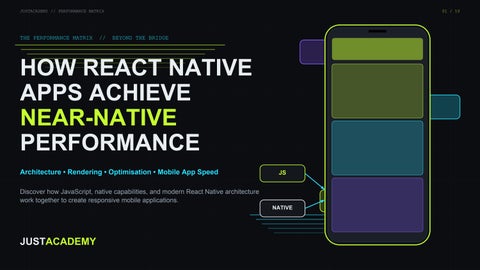
HOW REACT NATIVE APPS ACHIEVE NEAR-NATIVE PERFORMANCE Architecture • Rendering • Optimisation • Mobile App Speed
JS
Discover how JavaScript, native capabilities, and modern React Native architecture work together to create responsive mobile applications. NATIVE
JUSTACADEMY
JUSTACADEMY // PERFORMANCE MATRIX
02 / 10
Near-native performance: what it means React Native is a framework for building native Android and iOS apps with React, using JavaScript or TypeScript. Components render to real native views.
Dashboard of what users feel One shared codebase JS / TS + React
FPS and frame time
Startup time
Near-native means an app feels as fast and responsive as a native one for its actual workload. It is an engineering goal, not a guarantee that every workload matches fully native code.
UI responsiveness
Memory usage import React from 'react'; import { View, Text } from 'react-native'; export default function App() { return ( <View> <Text>Hello, React Native!</Text> </View> ); }
Network response
Stability
Smooth vs delayed (illustrative) ANDROID
iOS
One missed frame feels like a stutter
Sources: React Native docs (Introduction, Performance Overview); react.dev
JUSTACADEMY // PERFORMANCE MATRIX
03 / 10
Inside React Native architecture JS / TS APP CODE + REACT COMPONENTS
JSI: C++ interface letting JS call native code directly. Replaces the old async bridge. Fabric: the renderer that turns React updates into native views.
HERMES JS ENGINE (runs your JavaScript)
TurboModules: native modules loaded on demand through JSI.
Codegen: typed specs generate the JS and native interfaces. JSI • FABRIC • TURBOMODULES • CODEGEN Hermes: open-source JS engine built for React Native; benefits vary by app. NATIVE PLATFORM: ANDROID VIEWS / iOS UIKIT + NATIVE MODULES LEGACY (HISTORICAL)
JS
Async bridge
NEW: JS <-> JSI <-> Fabric / TurboModules
Sources: reactnative.dev (Architecture overview, New Architecture, Hermes). New Architecture is default from 0.76; verify your version.
Native
JUSTACADEMY // PERFORMANCE MATRIX
04 / 10
Threads, rendering and animation JS THREAD
Long JS task: later frames wait
UI / MAIN THREAD
NATIVE / BACKGROUND
SMOOTH
DELAYED
Hermes executes JS. Gains depend on the app. Frame budget: about 16.7 ms at 60 Hz, 8.3 ms at 120 Hz
JS thread runs app logic. UI thread draws. Heavy JS work can delay interaction. Reanimated worklets can run suitable animation logic off the ordinary JS path; check your library version.
Sources: reactnative.dev (Threading model, Animations); docs.swmansion.com/react-native-reanimated. Timeline is illustrative, not measured.
Gesture
Worklet
Shared value
Frame
JUSTACADEMY // PERFORMANCE MATRIX
05 / 10
Practical optimisation: measure, then tune RENDERING
LISTS
IMAGES
Avoid needless re-renders
FlatList for long lists
Compress images
React.memo where it helps
Stable keys
Right dimensions
useMemo/useCallback if measured
Tune windowing and batching
Avoid huge assets
STARTUP + SIZE
NETWORK
ANIMATION
Review startup work
Cut duplicate requests
Profile bottlenecks
Drop unused dependencies
Cache suitably
Use suitable techniques
Lazy load, check bundle
Handle loading and errors
Avoid extra JS-thread work
// before <ScrollView> {items.map(render)} </ScrollView> // after <FlatList data={items} keyExtractor={i => i.id} renderItem={render} />
Profile, change one thing, measure again.
Read the Hooks and State Management Guide
Sources: reactnative.dev (Performance, Optimizing FlatList); react.dev (memo, useMemo, useCallback). No performance percentages are claimed.
JUSTACADEMY // PERFORMANCE MATRIX
06 / 10
Measuring performance and troubleshooting FRAME TIME (ILLUSTRATIVE, NOT MEASURED)
16.7 ms budget
MEMORY
CPU
Problem
Possible cause
Approach
Slow scrolling
Inefficient list rendering
Optimise FlatList
Delayed interaction
Heavy JavaScript work
Profile JS execution
Slow startup
Excessive initialisation
Review startup workload
Laggy animations
Thread or animation bottlenecks
Profile animation execution
High memory
Large assets, retained objects
Inspect memory usage
STARTUP
Tools: React Native DevTools, Android Studio Profiler, Xcode Instruments, performance monitoring libraries. Measure: startup, frame time, JS execution, UI responsiveness, CPU, memory, network, crashes. Always: test real devices, use release builds, repeat under steady conditions.
Sources: reactnative.dev (React Native DevTools, Performance); Android Studio Profiler and Xcode Instruments docs. Verify Flipper status before use.
JUSTACADEMY // PERFORMANCE MATRIX
07 / 10
React Native vs native vs Flutter REACT NATIVE
NATIVE ANDROID
NATIVE iOS
FLUTTER
LANGUAGE
LANGUAGE
LANGUAGE
LANGUAGE
JS / TS + React
Kotlin / Java
Swift / Obj-C
Dart
UI
UI
UI
UI
Native views via React Native
Android UI toolkit
UIKit / SwiftUI
Own rendering engine
ACCESS
ACCESS
ACCESS
ACCESS
Native modules for platform APIs
Direct platform access
Direct platform access
Plugins / channels
SHARING
SHARING
SHARING
SHARING
High code sharing
Android only
iOS only
High code sharing
FIT
FIT
FIT
FIT
Fits React teams, cross-platform
Deep Android features
Deep iOS features
Custom UI, one codebase
Each approach has trade-offs. None is universally faster or better; results depend on app, device and implementation.
Explore React Native Training
Explore Flutter Training
Sources: reactnative.dev; developer.android.com; developer.apple.com; docs.flutter.dev
Explore Android App Dev Training
Explore iOS Training
JUSTACADEMY // PERFORMANCE MATRIX
08 / 10
Real-world apps, skills and roadmap Skills JavaScript, TypeScript, React, components, props and state, hooks, navigation, API integration, state management, Android and iOS basics, profiling, debugging and testing, Git, deployment, UI/UX.
SHOP
LEARN
Programming
JavaScript
TypeScript
React
React Native
Navigation
Performance
Real Projects
Testing
Deployment
APIs
BOOK
Good fit: e-commerce, social, education, booking, business, productivity and enterprise apps. Native code may be needed for: advanced camera, Bluetooth, specialised hardware, intensive background processing.
Sources: reactnative.dev (Native Modules); JustAcademy resources
Read the Projects Guide
Read the Skills Guide
Explore React Native Training
Explore Figma Training
Read the Hooks and State Guide
JUSTACADEMY // PERFORMANCE MATRIX
09 / 10
Careers and the future of React Native What employers may value Real portfolio projects, performance profiling, native Android and iOS knowledge, TypeScript, testing, application security and maintainability. Mobile Tech Lead
Senior
React Native Dev
Where it is heading New Architecture maturing, better native integration, stronger performance tooling, AI-assisted workflows. Native platform knowledge stays important.
Junior
Compensation varies by company, location, skills and experience. Beginner Read the React Native Projects Guide
Read the React Native Developer Skills Guide
Roles: React Native Developer, Mobile App Developer, Cross-Platform Developer, Frontend Developer with RN skills, Mobile Software Engineer, Senior RN Developer, Mobile Technical Lead. Read the Hooks and State Management Guide
Sources: No salary figures are shown: none were verified from credible, current sources. Check current salary surveys for your location.
JUSTACADEMY // PERFORMANCE MATRIX
10 / 10
READY TO BUILD HIGH-PERFORMANCE MOBILE APPS? Learn React Native, understand modern mobile architecture, optimise application performance, and build real-world Android and iOS applications.
EXPLORE REACT NATIVE TRAINING
Flutter Training
RN Projects
justacademy.co
Android App Dev
iOS Training
Skills Guide
Figma Training
Hooks Guide