National Library Service for the Blind and Physically Handicapped The Library of Congress
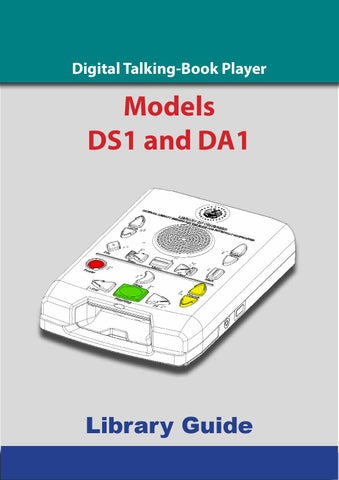
Digital Talking-Book Player
Models DS1 and DA1 Library Guide Digital Talking-Book Player Models DS1 and DA1
Preliminary Version 0.63, February 2009
Library Guide i
Digital Talking-Book Player — Library Guide
Table of Contents 1 General Information................................................................................. 1 1.1 General Description......................................................................................................................1 1.2 Abbreviations, Definitions, and Acronyms...........................................................................7 1.3 USB Flash Cartridge......................................................................................................................8 1.4 Digital Talking Book......................................................................................................................9
2 User Operation and Controls.................................................................14 2.1 Player Controls............................................................................................................................ 14 2.2 Player Controls Using Assistive Technology Devices..................................................... 22
3 Special Features for Libraries and Technicians....................................25 3.1 Library Diagnostic Operations (via Keypad...................................................................... 28 3.2 Technician Diagnostic Operations (via Keypad............................................................... 32 3.3 Player Configuration and Operation with an XML file.................................................. 41
4 Player Checkout Procedure...................................................................42 4.1 General Inspection.......................................................................................... 42 4.2 Operation on AC Power................................................................................... 43 4.3 Operation on Battery Power........................................................................... 43 4.4 Battery Condition and Player Statistics......................................................... 44 4.5 Keypad Check.................................................................................................. 45 4.6 Cartridge Check............................................................................................... 46 ii
Table of Contents
4.7 Audio Quality................................................................................................... 47 4.8 Headphone Check........................................................................................... 47 4.9 AT Device Port Check....................................................................................... 48
5 General Upkeep Activities.....................................................................49 5.1 Exterior Cleaning........................................................................................................................ 49 5.2 Battery Replacement................................................................................................................ 49 5.3 Software Upgrade...................................................................................................................... 50
6 Preparation for Shipping.......................................................................51 7 Long-Term Player Storage.....................................................................52 8 Appendix.................................................................................................53 8.1 Statistics Table............................................................................................................................. 53 8.2 List of Error Announcements................................................................................................. 55 8.3 Frequently Asked Questions.................................................................................................. 57
iii
Digital Talking-Book Player — Library Guide
This publication has been prepared by Engineering Section, Materials Development Division National Library Service for the Blind and Physically Handicapped, Library of Congress Comments and corrections should be directed to Head, Engineering Section NLS/BPH Library of Congress 1291 Taylor Street NW Washington DC 20542
iv
General Information
1 General Information 1.1 General Description The digital-talking book player is used to play audiobooks stored on USB flash-drive cartridges. These players are supplied to eligible patrons through a network of cooperating libraries under the program administered by the National Library Service for the Blind and Physically Handicapped, Library of Congress in executing United States Public Law 89-522. The player is able to play digital-talking books (DTBs) structured in ANSI/NISO Z39.862002, DAISY 2.02, or CEA-2003 formats. The player can play audio files stored as AMRGeneral Information Section 1 WB+, MPEG I/Layer 3 (MP3) and RIFF WAV format, either as part of a talking book or 1as stand-alone General Information audio files. TheGeneral user operates the player using a number of buttons located on the top surface. In 1.1 Description
addition several player functions occur automatically in response to patron actions or inactions. The player automatically powers on and gives an audible greeting when the patron plugs the power cord into a live AC power outlet. When powered on, the The player is able to play digital-talking books (DTBs) structured in ANSI/NISO Z39.86-2002, DAISY 2.02, or CEA-2003 formats. player canor playresume audio files stored as AMR-WB+, MPEGof I/Layer (MP3) and RIFF WAV player willThestart the playing a 3DTB automatically when the cartridge is format, either as part of a talking book or as stand-alone audio files. inserted into the player. When operating on battery power and not playing a book, The user operates the player using a number of buttons located on the top surface. In addition several player functions occur automatically in response to patron actions or inactions. The player automatically powers on and gives an the player will turn off after 30 minutes of inactivity. audible greeting when the patron plugs the power cord into a live AC power outlet. When powered on, the player will The digital-talking book player is used to play audiobooks stored on USB flash-drive cartridges. These players are supplied to eligible patrons through a network of co-operating libraries under the program administered by the National Library Service for the Blind and Physically Handicapped, Library of Congress in executing United States Public Law 89-522.
start or resume the playing of a DTB automatically when the cartridge is inserted into the player. When operating on battery power and not playing a book, the player will turn off after 30 minutes of inactivity.
There are two models of the digital-talking book player, the Standard Model (DS1) and the Advanced Model (DA1).
There are two models of the digital-talking book player, the Standard Model (DS1) and the Advanced Model (DA1).
Features Common to Both Models
The Rewind, Play/Stop, and Fast Forward controls are centered and located close to the front edge of the player. These primary controls are used to start and stop the book and to move the reading position.
Features Common to Both Models Tone Up Tone Down Sleep Power On/Off Rewind
Speed Up Speed Down
Assistive Technology USB Socket Headphone Socket
Play/Stop
Fast Forward
The Rewind, Play/Stop, and Fast Forward controls are centered and located close to the front edge of the player. These primary controls are used to start and stop the book and to move the reading position. Figure 1-1. Standard Player (DS1)
Volume Up Volume Down Figure 1-1. Standard Player (DS1)
January 2009
Digital Talking-Book Player Library Guide
2
1
Digital Talking-Book Player — Library Guide
• The square, green Play/Stop button initiates the playing of a book or stops a book or message already playing. Holding this button down on the Standard Player enters and exits the built-in User Guide. • The white, triangular Rewind and Fast Forward buttons to the left and right of the Play/Stop button move the reading position through the book, further in time and book structure the longer the button is held down. Periodically the amount of book time traversed is announced, while beeps indicate the crossing of chapter boundaries during both Rewind and Fast Forward. Just behind the Rewind, Play, and Fast Forward controls are the Power, Sleep, and Volume buttons. • The round, red Power button is pressed to turn the player on and off.1 It is located close to the left edge of the player. The Power button can also be used to perform a hardware reset to reboot the player. A hardware reset is accomplished by holding the button down until a beep is heard (more than 7 seconds). General Information
Section 1
• The white Sleep button,Theshaped like a crescent moon, is used to start or continue cartridge used with the player is about the size of a compact cassette, but with a more complex shape. The end of the cartridge with the round finger is beveled, so that whenbehind that end of thethe cartridge is pressed down on a flat playback for 15, 30, 45 or 60 minutes. It isholecentered just Play/Stop butsurface in front of the player, the other end of the cartridge, with the USB Connector, tilts up and can slide smoothly into the player. The end period of the cartridge with the USB connector is also beveled so it will fit intoand the player only one ton. At the conclusion of the sleep the player’s volume will fade playway. back will stop. • The yellow Volume buttons are shaped like arrowheads and point up and down. They are close to the right edge of the player.
Information Previous Element
Bookmark
Behind the Power, Sleep, and Volume controls is a raised line running from one side of the player to the other. This line divides the six most frequently used controls on the front of the play-
Next Element Menu (Select Navigation Level)
Figure 1-2. Additional Controls on the Advanced Model (DA1)
Figure 1-2. Additional Controls on the Advanced Model (DA1) Advanced Features
The Advanced an additional row ofnot controls between the raised line and the round The 1 When connected to AC power, turningModel thehas player off does disconnect power from thespeaker. electronics. advanced controls are for setting and retrieving bookmarks and for navigating through the structured levels of a Most of the controls are disabled; however, the circuit NISO, Daisy 2.02, or CEA-2003 book. is still active so that battery charging can occur, if necessary. When the player is turned off while using batteries, power is completely disconnected The white, rectangular Menu button in the center of the player selects the level at which step navigation by from all electronics except the battery integrated circuit. the Next monitoring and Previous buttons occurs. Pressing this button repeatedly selects progressively finer navigation
2
levels available in a particular book. Navigation by phrase and by bookmark is also selectable. The white, blunt arrow-shaped Previous and Next buttons on the left and right sides of the Menu button respectively move the reading position to the previous or next element in the book. The level at which navigation occurs by the Previous and Next buttons is set by using the Menu button. When set to the bookmark level, the Previous button can be used to go to the beginning and the Next button to move to the end of the book. These are two non-erasable bookmarks.
General Information
er from the Tone and Speed controls located behind the raised line and on either side of the round speaker. The Tone and Speed buttons are shaped like up-and-down arrowheads, like the Volume buttons. They are located between the round speaker and the edges of the player. • The Tone buttons are close to the top left edge. • The Speed buttons are close to the top right edge. The Volume, Tone, and Speed controls all announce the direction of adjustment with each press of the button (e.g., “Tone up” or “Tone down”, with similar announcements for the other controls). When playing a book, the Advanced Model enunciates the adjustments only by simple beeps, with a second beep to represent the normal or middle setting. The Speed control changes the speed of the speech from 50 percent to 300 percent of normal, with no change in pitch. The player can be powered from a 120 volt AC wall outlet or from an internal battery pack. The battery pack was designed specifically for this player. It is not replaceable by patrons. The player is designed to resist entry of small liquid spills and insects. The speaker is water-resistant and further protected by a water-resistant speaker grill cloth. The keypad is seated into channels inside the player housing to resist liquid spills entering the player. The digital talking-book cartridge is inserted into the cartridge dock opening on the front of the player directly below the Play/Stop button. The cartridge plugs into a USB type A receptacle socket at the rear of the cartridge dock. When the player is powered, inserting a cartridge will start playback automatically. The player has a pull-out handle located below the cartridge dock opening. A compartment in the back of the player can be used for power cord storage while using battery power or when the player is not in use. The cartridge used with the player is about the size of a compact cassette, but with a more complex shape. The end of the cartridge with the round finger hole is beveled, so that when that end of the cartridge is pressed down on a flat surface in front of the player, the other end of the cartridge, with the USB Connector, tilts up and can slide smoothly into the player. The end of the cartridge with the USB connector is also beveled so it will fit into the player only one way.
3
Digital Talking-Book Player — Library Guide
Advanced Features • The Advanced Model has an additional row of controls between the raised line and the round speaker. The advanced controls are for setting and retrieving bookmarks and for navigating through the structured levels of a NISO, Daisy 2.02, or CEA-2003 book. • The white, rectangular Menu button in the center of the player selects the level at which step navigation by the Next and Previous buttons occurs. Pressing this button repeatedly selects progressively finer navigation levels available in a particular book. Navigation by phrase and by bookmark is also selectable. • The white, blunt arrow-shaped Previous and Next buttons on the left and right sides of the Menu button respectively move the reading position to the previous or next element in the book. The level at which navigation occurs by the Previous and Next buttons is set by using the Menu button. When set to the bookmark level, the Previous button can be used to go to the beginning and the Next button to move to the end of the book. These are two non-erasable bookmarks. • The white, diamond-shaped Information button near the left edge of the player is used to obtain information about the reading position, the book currently being read, and the power and battery status of the player. • The white, rectangular Bookmark button near the right edge is used to insert and delete bookmarks. Once a bookmark is set, the reading position may be returned to the bookmark by using the Previous and Next buttons provided the bookmark navigation level has been selected with the Menu button. Pressing this button at a previously set bookmark will remove it.
External Connectors Headphone A bright green, circular headphone jack is located on the right side of the player. The player accepts headphones with a 3.5 mm (mini) ring, tip, and sleeve plug. It will also accept a mono 3.5 mm (mini) tip and sleeve connector. The player senses the presence of a connector and disconnects the speaker audio output. This output may be used to drive external amplified speakers or a pillow speaker.
4
General Information
USB host Behind the headphone jack is a USB port. This USB port can be used for several purposes: • Patrons may connect Assistive Technology (AT) remote control devices to control the player. (Refer to section 2.2.) • Patrons can connect commercial off-the-shelf USB flash drives2 to play books obtained from the NLS Internet library. • Repair personnel may use this port to access diagnostic information during servicing. This USB receptacle is provided with a cover to protect it when not in use.
Battery The battery pack comprises 6 Nickel Metal Hydride (NiMH) cells, a self resetting fuse and a 70°C thermostat for safety, and a thermistor for end of charge detection. The nominal capacity of the battery is 2000mAH which will provide approximately 35 hours of play time (at normal speed and normal volume settings). To preserve the service life of the battery, a charge cycle is initiated only if the remaining capacity is estimated to have fallen to less than 75 percent of full capacity. (Note: unlike many simple consumer devices, the battery is not recharged on application of AC power) The player continually monitors the charge state of the battery pack. The battery’s self discharge3 is estimated and is used to modify the capacity measurement. The player reports the remaining capacity in number of hours of play time available unless this is greater than 75% of the full capacity in which case the player reports “greater than H hours” (where H is 75% of the number of hours that the player can play on a fully charged battery). When the player estimates that the capacity is than half an hour, the announcement will be “Battery Low”. If the battery pack has been depleted so that the voltage is less than 6 Volts, and the player is powered on using battery power, the message “Battery Low, Powering Off” is played and the player will immediately power off. Due to the uncertainty of the capacity measurement the player underestimates the actual capacity.
2 Most but not all commercially available USB flash drives will function correctly as a DTB storage medium. NLS maintains a list of known compatible and incompatible drives. 3 Self discharge is the loss of stored charge due to chemical reactions within the battery. The rate of self o discharge doubles for every 10 C rise in temperature.
5
Digital Talking-Book Player — Library Guide
It is estimated that the battery pack will have a service life in excess of 600 charge cycles. Under moderate battery usage (4 hours per day for 5 days per week), the battery life should exceed 4 years. At the end of its service life the capacity of the battery pack will be 75 percent of its initial value. A count of the number of charge cycles for the current battery pack is kept by the player. This may be read by library staff through a diagnostic function.
Digital Talking-Book Player Specifications Player size
157 mm (6.2 in.) width; 224 mm (8.8 in.) depth; 43 mm (1.7 in.) height
Player volume
151 l cm (93 in )
Player weight
1.15 kg (2.52 lb)
Player box size
316.3 mm (12 in.) width; 232 mm (9.1 in.) depth; 97mm (3.8 in.) height
Player overpack (8 players)
480 mm (19 in.) width; 406 mm (16 in.) depth; 318 mm (12.5 in.) height
Book formats
ANSI/NISO Z39.86-2002, Daisy 2.02, CEA-2003
Audio formats
AMR-WB+ (3GP file format), MPEG 1/layer 3, RIFF WAV
Speaker
200 Hz to 10 kHz (+/- 6 dB)
3
3
frequency response Headphone
20 Hz to 20 kHz (+/- 3 dB)
frequency response Speaker power (max)
2W
Headphone power (max)
60 mW
AT remote protocol
USB HID (keyboard and gamepad devices)
AC voltage
120 VAC nominal, 60 Hz
AC current draw
Maximum 9 mA RMS (when charging the battery pack)
DC current draw (nominal)
55 mA
AC protection
1 Ampere fuse: non-replaceable component of the internal AC/DC power supply
6
General Information
DC power
Battery pack: custom nickel-metal hydride, Part No. 42824591310 (7.2 volt nickel-metal-hydride pack: 6 cells in series with a nominal capacity of 2000 mAh)
DC protection
Within battery pack: 2.5 Amp resetable fuse. Thermal fuse o at 70 C.
1.2 Abbreviations, Definitions, and Acronyms Abbreviations and Acronyms AT
Assistive Technology
AMR-WB+
Adaptive MultiRate-WideBand+
ANSI
American National Standards Institute
DAISY
Digital Accessible Information System Consortium
DTB
Digital Talking Book
DTBM
Digital Talking-Book Machine
ESD
Electrostatic Discharge
HID
Human Interface Device
IPA
Isopropyl Alcohol
mAh
milliAmpere hour
MLA
Machine Lending Agency
MP3
MPEG-1 Audio Layer 3 Format
NISO
National Information Standards Organization
PC
Personal Computer
PDTB
Protected Digital Talking Book (Using DAISY PDTB2)
Service Center During the warranty period: the manufacturer; post warranty, the contract repair entity specified by NLS USB
Universal Serial Bus
VAC
Volts Alternating Current
VDC
Volts Direct Current
WAV
Waveform Audio Format (audio file format variant of RIFF bitstream format)
3GP
Multimedia Container Format defined by the Third Generation Partnership Project
7
Digital Talking-Book Player — Library Guide
1.3 USB Flash Cartridge The player plays DTBs stored on USB flash drive cartridges. These cartridges contain a type of solid state memory that is nonvolatile and can be rewritten thousands of times. They are resistant to damage by extremes of temperature, humidity, and other environmental conditions expected to be encountered by patrons and libraries. The cartridge has a feature that enables erasing or rewriting of the contents, but only by authorized parties. Thus, it is impossible for patrons to inadvertently or maliciously alter the contents of the book. General Information
Section 1
Cartridges are manufactured in several sizes. The nominal capacities are 512 MB and General Information 1.3About USB Flash 1 GB and 2GB. 99.5Cartridge percent of NLS DTB titles are less than Section 1GB1in size. 1.3 USB Cartridge The player playsFlash DTBs stored on USB flash drive cartridges. These cartridges contain a type of solid state memory
that is nonvolatile and can be thousands ofbraille times. They label are resistantin to damage by extremesrecessed of temperature, area to proCartridges accommodate a rewritten print and a slightly humidity, other environmental conditions expected to be encountered by patrons libraries. The playerand plays DTBs stored on USB flash drive cartridges. These cartridges containand a type of solid state memory tect the embossed braille. This label two print lines, four largethat is nonvolatile and can be rewritten thousands ofcontains times. They are resistant to30-point damage by extremes of temperature, The cartridge a feature that enables erasingexpected or rewriting the contents,bybut only by humidity, and has other environmental conditions to beofencountered patrons andauthorized libraries. parties. Thus, it is impossible for patrons to inadvertently or maliciously alter the contents of the book. print (14-point) lines, and five rows of book information in braille. The underside of The cartridge has a feature that enables erasing or rewriting of the contents, but only by authorized parties. Thus, it is Cartridges are in several sizes. The nominal capacities areof 512 andlabel 1 GB and 2GB. About 99.5 for manufactured patrons inadvertently or maliciously the contents theMB book. the cartridgeimpossible has an areato available for a alter library-specific or identifier. percent of NLS DTB titles are less than 1GB in size. Cartridges are manufactured in several sizes. The nominal capacities are 512 MB and 1 GB and 2GB. About 99.5 Cartridges accommodate a print and braille label in a slightly recessed area to protect the embossed braille. This label
NLS DTB titles are less than 1GB in size. contains 30-point print lines, features four large-print (14-point) lines, and five rows of book information in braille. The handicapped The cartridgepercent hasoftwo mechanical that assist handling by physically underside of the cartridgeahas an and areabraille available label Cartridges accommodate print labelforinaalibrary-specific slightly recessed areaortoidentifier. protect the embossed braille. This label persons. It can betwoinserted into player only contains 30-point print lines, fourthe large-print (14-point)in lines, and fiveone rows oforientation. book information in braille. The The cartridge hascartridge mechanical that assistfor handling by physically handicapped underside of the has features an area available a library-specific label or identifier.persons. It can be inserted into the player in only one orientation. The cartridge has mechanical features that assist handling by physically handicapped persons. It can be inserted into the player in only one orientation.
Figure 1-3. USB Flash Drive Cartridge (Top)
Figure 1-3. USB Flash Drive Cartridge (Top) Figure 1-3. USB Flash Drive Cartridge (Top)
Figure 1-4. USB Flash Drive Cartridge (Underside)
January 2009
Figure 1-4. USB Flash Drive Cartridge (Underside) Digital Talking-Book Player Library Guide
Figure 1-4. USB Flash Drive Cartridge (Underside)
January 2009
8
Digital Talking-Book Player Library Guide
8 8
General Information
Digital Talking-Book Cartridge Specifications Cartridge size
57 mm (2.25 in.) width; 95 mm (3.75 in.) depth; 10 mm (0.39 in.) height
Cartridge weight
37 g (1.3 oz)
Technology
USB high speed mass storage device
Capacity (unformatted) 512 MB, 1 GB, 2GB, 4GB File system
FAT12, FAT16, FAT32, ext2, ext3
Container size
112 mm (4.4 in.) width; 152 mm (6 in.) depth; 19 mm (0.75 in.) height
Container weight
110 g (3.87 oz)
1.4 Digital Talking Book A digital talking book is composed of a collection of computer files. These files contain the digitized audio content along with information on the book’s structure to permit both random access and linear reading of the material. To play the book, a compatible player requires information on how all the audio files fit together and the location of the book structure elements such as parts, chapters, and optionally page numbers. Digital talking books created for NLS are built to conform to the ANSI/NISO Z39.862002 standard. Using the complete standard, books can be created in many formats such as audio, text, or mixed text and audio. The content of NLS digital talking books contains only human narrated speech. In the following description of the DTB, only those parts of the standard relevant to NLS-produced books are described. 1.4.1 Files That Make Up a Typical DTB File Name
Description
Purpose
db54321.ppf
Protected Package file (PPF)
Book structure
db54321.pncx
Protected Navigation Control file Book navigation (NCX)
db54321-01.smil
Synchronized Multimedia Integra- Audio clip organization tion Language (SMIL) files
db54321-02.smil
9
Digital Talking-Book Player — Library Guide db54321-01.3gp
AMR-WB+ files
Compressed audio
db54321-02.3gp db54321-03.3gp db54321-04.3gp db54321-05.3gp db54321-06.3gp db54321-07.3gp db54321ann.3gp
AMR-WB+ announcement file
db54321hdgs.3gp
AMR-WB+ headings file
us-nls-db54321.ao
Authorization object
Book protection
contains the symmetric keys for the encrypted files encrypted in the NLS public key dtbsmil110.dtd
Document Type Definition file
ncx110.dtd
Document Type Definition file
oeb1.ent
Entity file
oebpkg101.dtd
Document Type Definition file
p d t b _ p ro te c te d. Façade Book SMIL presentation smil protected.mp3
Façade Book announcement
db54321.ncx
Façade Book Navigation Control file (NCX)
db54321.opf
Façade Book Package file (OPF)
Administrative files for book validation but not required to play the book
Façade Book
Figure 1-5. Example DTB files
1.4.1.1 Package File The Package file contains administrative information about the DTB, the files that compose it, and how these files interrelate. 10
General Information
The major parts of the Package file are as follows: • Package Identity – a unique identifier for the DTB • Metadata – Publication metadata (title, author, publisher, etc.) • Manifest – A list of files that make up the DTB • Spine – An arrangement of files providing a linear reading order
1.4.1.2 Navigation Control File The Navigation Control file (NCX) exposes the hierarchical structure of a DTB to allow the user to navigate through it. The NCX is similar to a table of contents in that it enables the reader to jump directly to any of the major structural elements of the document, i.e., part, chapter, or section. However, it will often contain more elements of the document than the publisher chooses to include in the original print table of contents. Other elements such as pages can be included in separate, nonhierarchical lists and can be accessed by the user as well. These NCX elements contain pointers to elements in the SMIL file. Each NCX element has an associated audio label (or tag) that the player renders to notify the user (e.g., “Chapter One”). These labels access clips in audio files directly, not through the SMIL files. It is important to emphasize that these navigation features are intended as a convenience for users who want them, and not as a burden to those who do not. The NCX is used primarily by the Advanced Model. It does not contain information required for linear playback of the book.
1.4.1.3 SMIL Files The SMIL (Synchronized Multimedia Integration Language) files contain information that weaves together the various parts of the audiobook into a complete presentation. These files define the order, timing, and location of the audio clips that compose the DTB. There will be one or more SMIL files in each DTB. Each SMIL element will identify an audio file that contains the clip. The start and end times of the clips referenced in the SMIL elements are relative to the audio file and not the entire DTB.
1.4.1.4 Audio Files The digitized audio files are compressed during the production of the DTB to reduce their size. NLS uses AMR-Wideband Plus (WB+), an advanced compression standard specifically designed for high-quality voice compression. The compressed audio is stored on the cartridge in the 3GP file format.
11
Digital Talking-Book Player — Library Guide
1.4.1.5 Authorization Object File The audio files and the content of some other files are encrypted to meet the requirements of copyright law. The keys to decrypt the audio and markup files are unique for each book and are themselves encrypted and stored in the Authorization Object file. The player contains a private key that is used to decrypt the Authorization Object file and recover the book keys required to decrypt the book content. Commercial players that have not been enabled to play NLS books do not contain this key and thus are unable to play NLS protected books.
1.4.1.6 Administrative Files A DTB contains several files that play no role in rendering the book. These files describe the rules that the book content must follow to be valid. They are used in the production and validation of the DTB.
1.4.1.7 Façade Book All NLS DTBs actually have a second book contained on the cartridge. This so called Façade Book is played only when the encrypted book cannot be played. A Façade Book will never be heard when playing a book on an NLS player, but it may be played on a third party commercial player that has not been authorized to play NLS books. The Façade Book merely informs users that they are not authorized to read the book. 1.4.2 How the Player Uses the Files To read a book linearly, that is to say from beginning to end, the player opens the Package File and uses the “spine” to identify the sequence of one or more SMIL file presentations to play. The SMIL file contains a series of pointers to audio clips to be played. These clips are located in the compressed 3GP Audio Files. If a user wishes to use the features of the Advanced Model to move directly to a place in hierarchical book structure, such as a chapter, the player will use the information contained in the NCX file that will point to the position in a SMIL file where the chapter begins. The NCX file will also have a direct pointer to the audio clip that will render the name of the chapter so that the user can quickly locate the navigation point of interest. Both the standard and advanced players use information in the NCX file to report the book title and reading position location. Before a protected book can be played, the player examines the Authorization Object to determine the secret key required to extract the unique book keys from the 12
General Information
Section 1
SMIL file where the chapter begins. The NCX file will also have a direct pointer to the audio clip that will render the General name of the Information chapter so that the user can quickly locate the navigation point of interest. Both the standard and advanced players use information in the NCX file to report the book title and reading position location.
Authorization Object. the player the key required, itObject will decrypt thethebook Before a protected book can be If played, the playerhas examines the Authorization to determine secret keys key required to extract keys from the Authorization Object. If thenavigation player has the information. key required, it will and use themtheinunique turnbook to decrypt the book’s audio and If it decrypt the book keys and use them in turn to decrypt the book’s audio and navigation information. If it does not does not have the secret key that this book was protected with, it will play the Façade have the secret key that this book was protected with, it will play the Façade Book. Book.
Authorization Object us-nls-db54321.ao
The player contains the “private” key to decrypt the Authorization Object which hold the “Book Keys” Audio Files
“Book Keys” required to decrypt protected files.
SMIL Files
db54321ann.3gp db54321-01.3gp
db54321-01.smil Package File db54321.ppf
The “spine” of the book contains a list of SMIL files to be played in order.
db54321-02.3gp
Each SMIL element points to an audio clip within an audio file.
db54321-03.3gp db54321-04.3gp
db54321-02.smil
db54321-05.3gp db54321-06.3gp
NCX File (Navigation) db54321.pncx Audio “label” clips play when user navigates (e.g., “Chapter One”).
db54321-07.3gp Each navigation mark points to a SMIL element within a SMIL file. Façade Book
Audio File
pdtb_protected.smil protected.mp3 db54321.ncx db54321.opf
db54321hdgs.3gp
Figure 1-6. Representation of a Typical NLS Digital Talking Book Figure 1-6. Representation of a Typical NLS Digital Talking Book
January 2009
Digital Talking-Book Player Library Guide
12
13