5 Tips to Prevent Malware and Ransomware

Malware is little more than infected code hidden inside files and applications, but this malicious software can wreak havoc across your organization’s servers and endpoints. The added threat of ransomware could wind up costing your company an average of $280,000+ to resolve an attack – and that is just the cost of downtime.
Our experience working with hundreds of MSPs has allowed us to identify the most common risk factors related to malware and ransomware attacks. While 100% immunity is just not possible, the five tips compiled in this guide will help you mitigate the risk of a breach at your business to keep your sensitive information secure.
Utilize a Zero Trust Security Framework
While employees are typically well-intentioned, they are also one of the biggest cybersecurity threats within an organization. An employee’s lack of understanding about the company’s infrastructure can expose your systems to a variety of vulnerabilities. By adopting a zero trust, "default deny" approach and only granting employees access to the applications in their day-to-
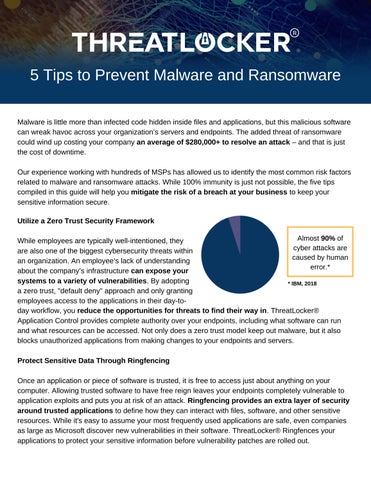
Almost 90% of cyber attacks are caused by human error.*
* IBM, 2018 day workflow, you reduce the opportunities for threats to find their way in. ThreatLocker® Application Control provides complete authority over your endpoints, including what software can run and what resources can be accessed. Not only does a zero trust model keep out malware, but it also blocks unauthorized applications from making changes to your endpoints and servers.
Protect Sensitive Data Through Ringfencing
Once an application or piece of software is trusted, it is free to access just about anything on your computer. Allowing trusted software to have free reign leaves your endpoints completely vulnerable to application exploits and puts you at risk of an attack. Ringfencing provides an extra layer of security around trusted applications to define how they can interact with files, software, and other sensitive resources. While it's easy to assume your most frequently used applications are safe, even companies as large as Microsoft discover new vulnerabilities in their software. ThreatLocker® Ringfences your applications to protect your sensitive information before vulnerability patches are rolled out.
Utilize policy-driven security to banish malware
and ransomware.
ThreatLocker® gives you total control of your organization's endpoints and servers to stop threats – before they're even discovered.
Restrict Access to External Storage
USB flash drives are not the only physical threat to your business' infrastructure. Malicious code can hide in a variety of USB devices and gadgets, along with network shares and other forms of external storage. Denying access to external media and blocking USB ports, when possible, closes another gateway for malware to infect your endpoints. If an outright ban on external storage or USB ports is not possible, it may be helpful to restrict access to pre-approved devices. ThreatLocker® Storage Control offers a more nuanced approach by giving I.T. departments flexible permissions to grant and deny access to external storage when needed. Once malware has entered your infrastructure, it can transfer across multiple devices; having more control over your endpoints can only reduce your risk.
Perform Regular Software and OS Updates
Yes, it can be a pain to stay on top of those nagging update notifications, but software updates are one of your best defenses against security flaws and vulnerabilities. 72% of managers surveyed by 0patch claim they are afraid to immediately apply security patches because they could "break stuff." It is ultimately up to the I.T. department to enforce patch management processes to keep your endpoints and servers up-to-date. Hackers are constantly discovering new exploits to gain access to sensitive information, making it imperative to apply updates as soon as they are rolled out.
Block Web Browser Extensions and Plugins
Extensions for Chrome or Firefox may add useful features, but they can also contain malware. Last year, Google removed hundreds of browser plugins from the Chrome Store that contained malicious code. The severity of the malware can range from obnoxious pop-up ads, to secretly distributing private browsing data. These extensions can also instruct users to download infected files and hijack local applications to gain full access to an endpoint. Entirely blocking plugins and extensions is the safest way to keep threats from leaving the web browser and entering your infrastructure. Using the Ringfencing feature in ThreatLocker® provides another layer of security to prevent the browser from interacting with any other applications or documents.