FINANCIAL SERVICES


Payment
Refunds
Important
What
Tuition and fees are due at the start of each semester and may change.
You are officially registered only if: Your balance is paid in full, or You have an active payment plan, or You have an approved third party billing arrangement with the Business Office.
Unpaid balances or overdue library fines will block class registration.
Textbooks and supplies are separate costs and vary by program.
View full Cost of Attendance details on the JCC website.
Begin by following steps 1–3 on Setting Up A Payment Plan, page 9
Click Banking Information
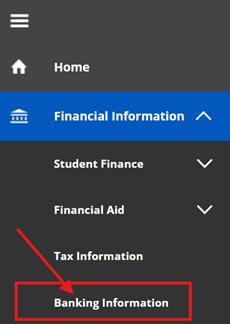
Select + Add an Account
Click the Activate toggle button beside “Refund, Reimbursement & Payment Deposit”. Make sure to NOT click the Activate toggle button beside of “Payroll Deposit”.
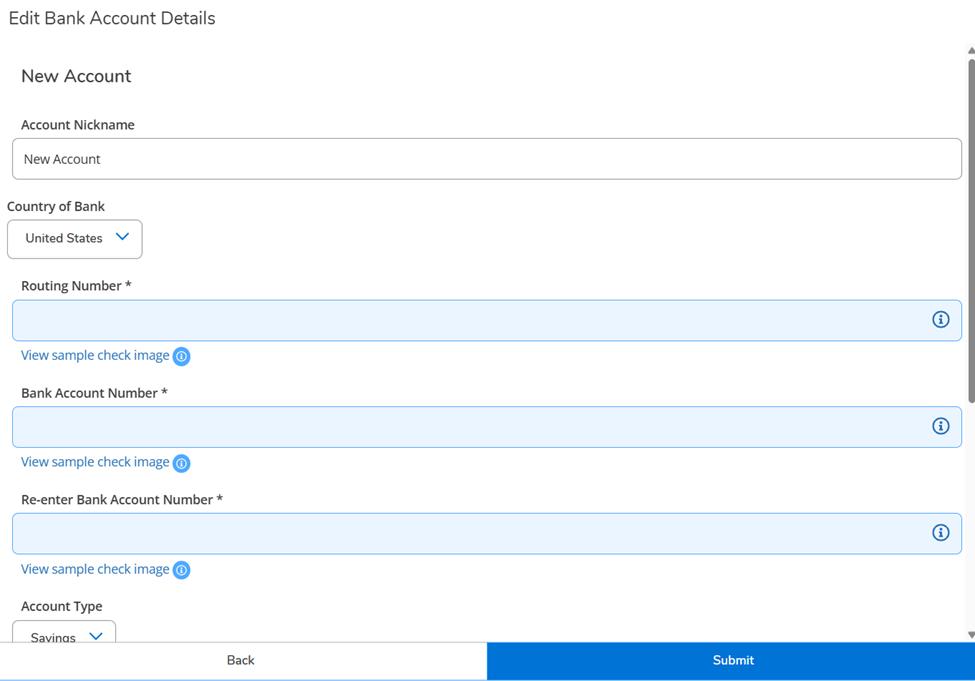

Enter your checking or savings account information and click Submit
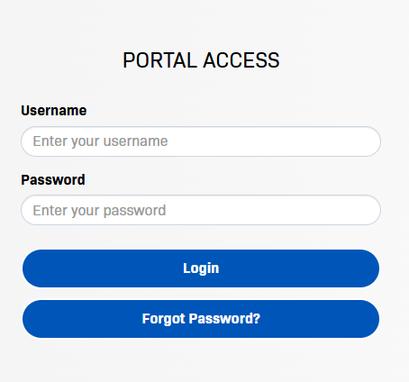
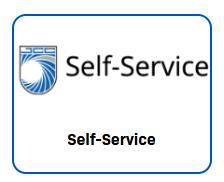
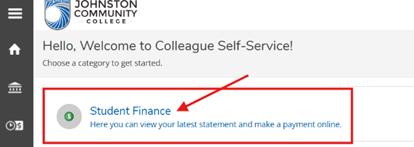
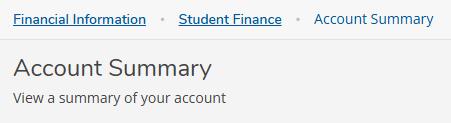
Review your account summary and amount due

Enter your payment method and submit payment (processed through TouchNet)
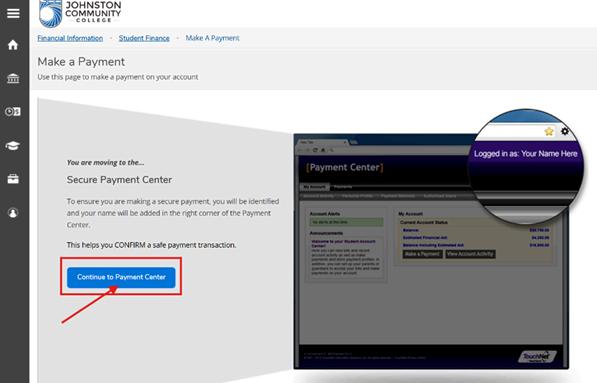
You will be able to follow all payment activity by going back to Student Finance through Self-Service.
Direct deposit is the fastest and safest way to receive refunds. JCC strongly recommends all students set this up.
Refunds follow North Carolina Administrative Code and federal regulations. Common scenarios include:
100% refund if you withdraw before the semester starts or if a class is canceled
75% refund if you withdraw on or before the 10% point of the class
Fast track classes follow similar rules based on class start dates
Tuition and fees may be refunded to a student’s estate in the event of death
Federal regulations may override state refund rules
Pay tuition and fees in monthly installments
No interest
$30 non refundable enrollment fee per semester
Automatic payments process on the 15th of each month
Accepted payments: credit or debit card
Payment plans must be set up before the payment deadline to avoid course cancellation Missed down payments may cancel your plan and your classes
Returned payments add a $30 fee per attempt
Plans adjust automatically for add/drop changes (must occur at least 2 business days before the next payment)
If you withdraw and still owe a balance, payments will continue
To update payment info, log in to Nelnet or call (800) 609 8056 at least two business days before your next payment.
Open the menu (☰ three white lines, top left)
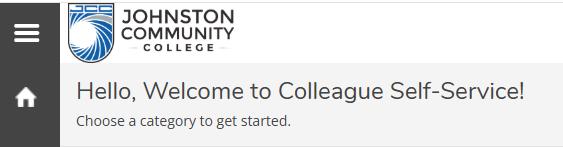
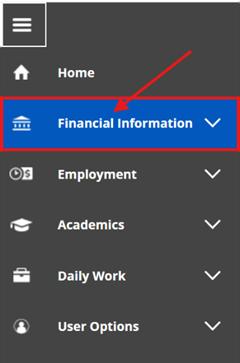
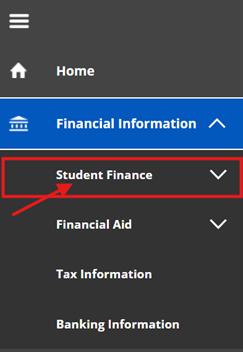
The first steps for setting up a payment plan are the same as paying tuition online. Refer to page 6 to log into Jaguar Portal and Self-Service, then continue with the steps below. Select Financial Information Click Student Finance Choose Payment Plan Management
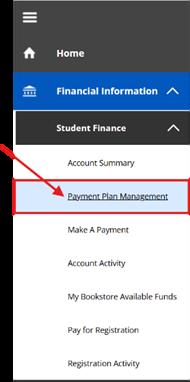
Click Proceed to Processor and follow the prompts to create your Nelnet account
Helps determine eligibility for education tax credits
Not required unless you are claiming an education credit
Box 1: Qualified tuition and mandatory fees
Box 5: Scholarships and third party payments
Housing, meal plans, and insurance are not included
If scholarships exceed tuition, you may need to report taxable income
JCC cannot provide tax advice. Refer to IRS Publication 970 for guidance.
Begin by following steps 1–5 on the How to Pay Tuition, page 6
Select Tax Information
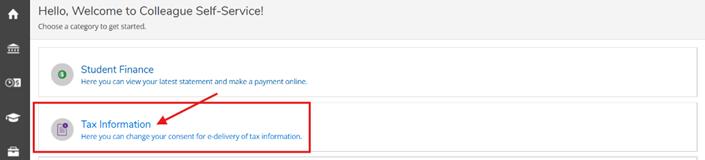
Open the 1098 Information tab Choose Receive my 1098 only in electronic format, then click Save


1098‑T forms are available by January 31 each year. Return to the Tax Information section to download your form.
When is tuition due?
Tuition and fees are due at the start of each semester. You must pay in full, have a payment plan, or an approved third-party arrangement to stay registered.
What happens if I don’t pay my bill on time?
Unpaid balances or overdue library fines can prevent you from registering for classes and may result in course cancellation.
What if my payment plan payment fails?
A second attempt will be made 15 days later, and a $30 returned payment fee will be added.
Do payment plans adjust if I add or drop a class?
Yes, payment plans adjust automatically—but changes must be made at least two business days before the next payment. However, classes must be dropped by census to receive a 75% refund.