Educating to Make a Difference in the World

Our Mission
Discovering the brilliance in every individual. Building community through respect and a sense of belonging.
Empowering people to act with purpose.
The core values that embody a JESS education and the ethos of our community
We are dedicated and persevere in every undertaking.

C e
we y and compassion our planet.
Integ ity he right thing, even when ith difficult decisions.

We are excited to learn and have the courage to explore.

Welcome
Senior Leadership Team
Sixth Form Team
New Pupil induction day
School day timings
Uniform and dress code
Sixth Form ID Cards
Yondr at JESS
The house system
Oasis
Digital Information
Co-curricular clubs
JESS sports
Instrumental music lessons
JESS cafeteria
School bus service
Parent communications
Wellbeing Hub
Halpay application
Calendar of school events
Absence reporting
Key points of contact
A warm welcome to all new students and families joining our JESS community. We are excited to get to know your child and to support them on the exciting journey ahead! The transition process is comprehensive and we offer support every step of the way.
Inside this student guide you will find information on the most common questions we receive. Please get in touch if you have any questions and open the links throughout the booklet for further information
We understand that beginning a new school can be daunting for some students (and parents) Rest assured; we have a dedicated transition programme to ensure that all students feel at home as quickly as possible. Students will experience a host of team building days and experiences to ensure they get to know the school and their new classmates
We look forward to meeting you in person
Kind regards,























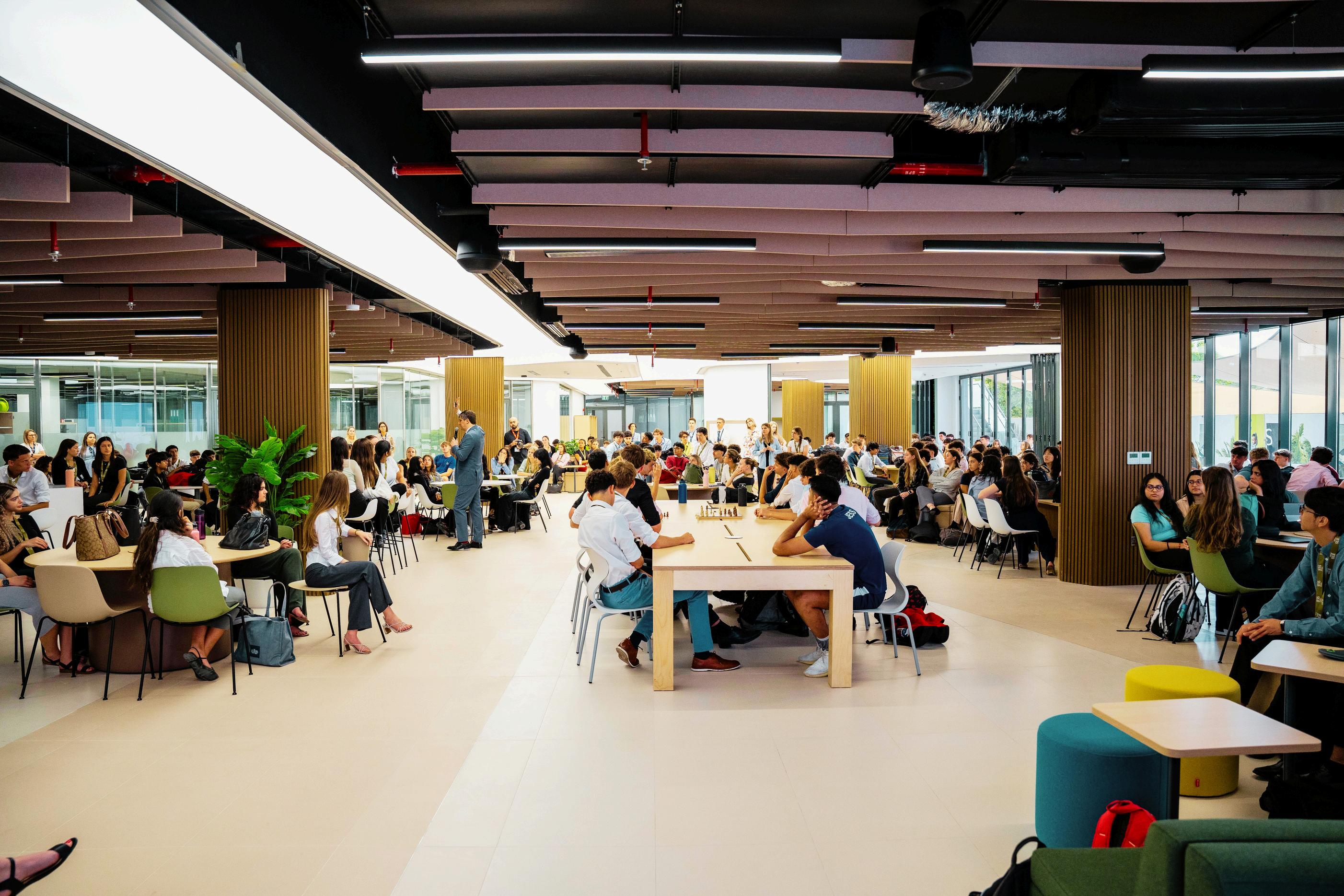
On Friday August 28th from 09:00am - 11:00am, we will welcome all Year 12 new starters to spend the morning at JESS.
They will meet their respective Head of Year, their form tutors and the Sixth Form team.
Please meet at 09:00am at the main reception and ensure you bring your device with you.
JESS Secondary timings are as below.
Co-curricular activities vary and will be before, during, or after the school day
Monday-Thursday 7:20-7:40 am 7:40 am 15:20 pm
Friday 7:20-7:40 am 7:40 am 11:30 am
Secondary drop off is at the front entrance of the school, or the side entrance opposite the community shops Please use the designated drop-off zones, which are monitored by our site community team.
Students are welcome to cycle to school and can leave their bikes in the designated area Students must wear a helmet when cycling to school. Please note, E-Scooters are not permitted
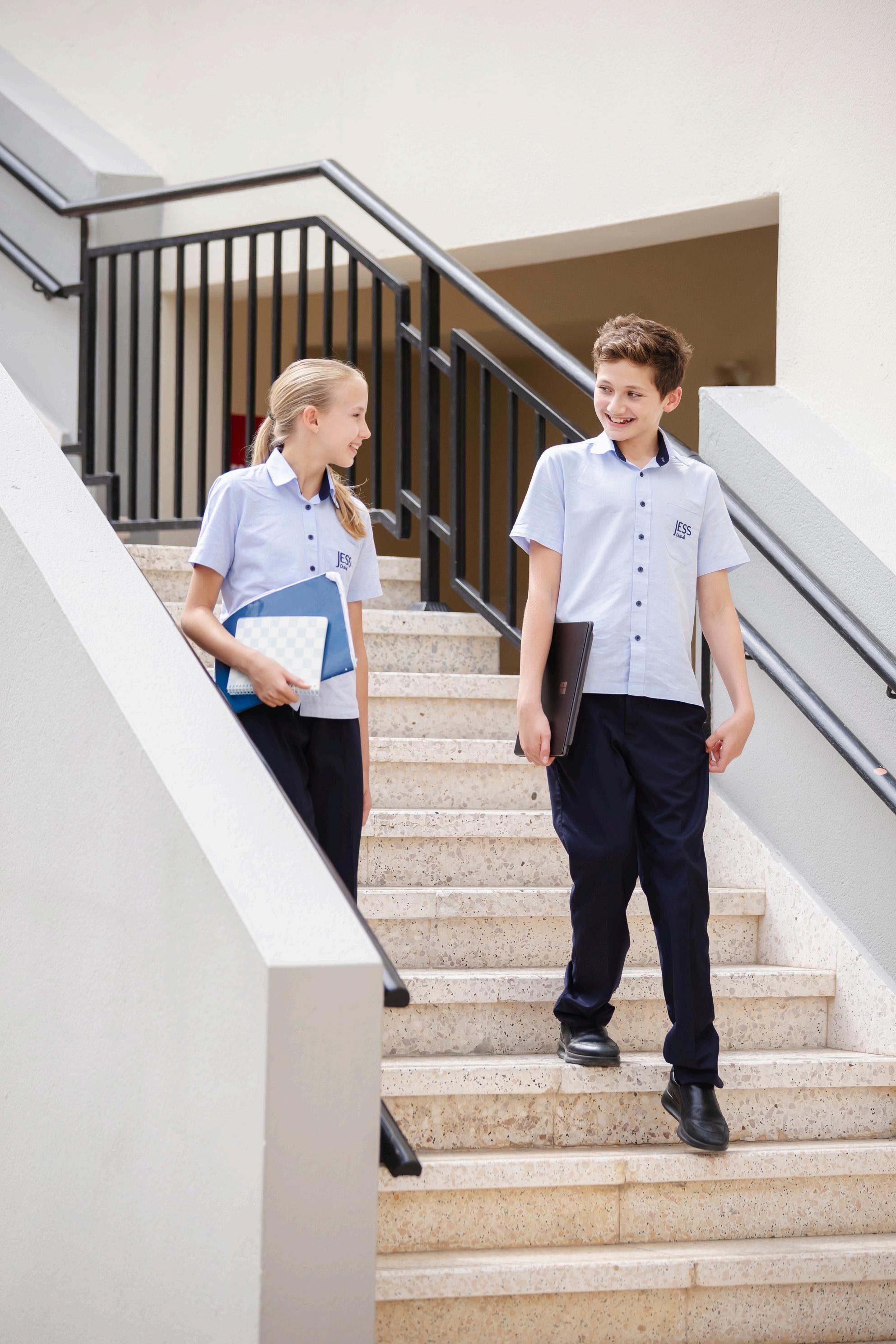
Students are expected to arrive at school in their correct uniform and be in their form room
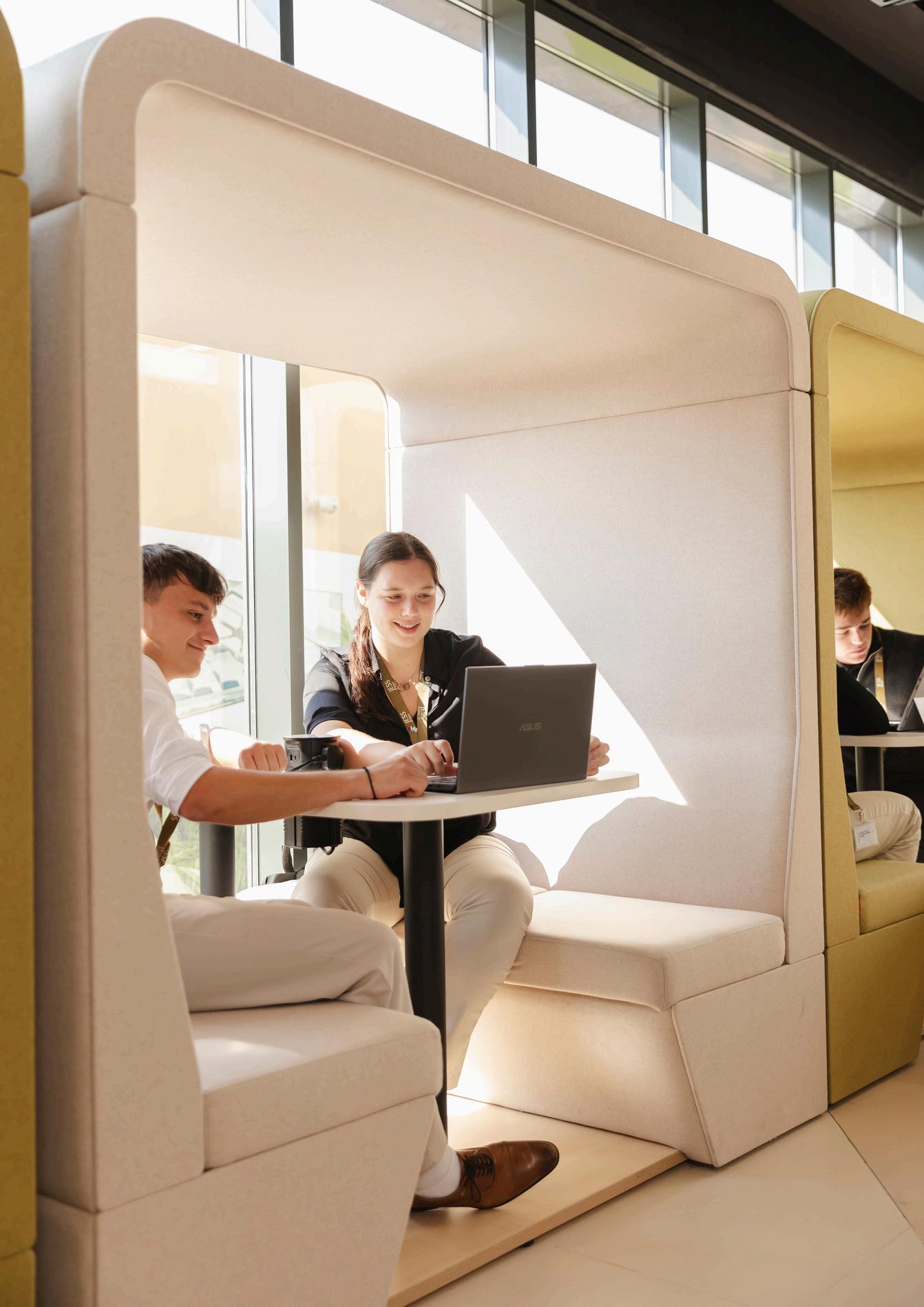
In recognition of a sixth former’s growing maturity, there is no formal uniform requirement but rather a dress code based on generally accepted business principles The aim is to promote self-management and independence as well as getting students accustomed to presenting themselves in a more adult manner We believe the dress code strikes a balance between some degree of individuality and the importance of setting an example to the younger members of the school community, parents, and visitors. We require students to cooperate with the school on this distinct privilege of not having to wear a uniform. Failure to adhere to the dress code may incur sanctions such as a verbal warning, formal letter home, reflection session, removal from lessons or being sent home to change
All clothing must be respectful of local UAE customs to ensure modesty and decency at all times. In general terms, the following apply:
Clothing must fit (i e not be too small, short or tight)
Clothing should not be transparent or expose parts of the body that would cause offense (including midriffs, legs above the knee, shoulders and backs)
Undergarments and tattoos should not be visible
The national attire of all countries is welcome so long as it adheres to the points above relating to local sensitivities around modesty and decency and is considered formal attire in its place of origin
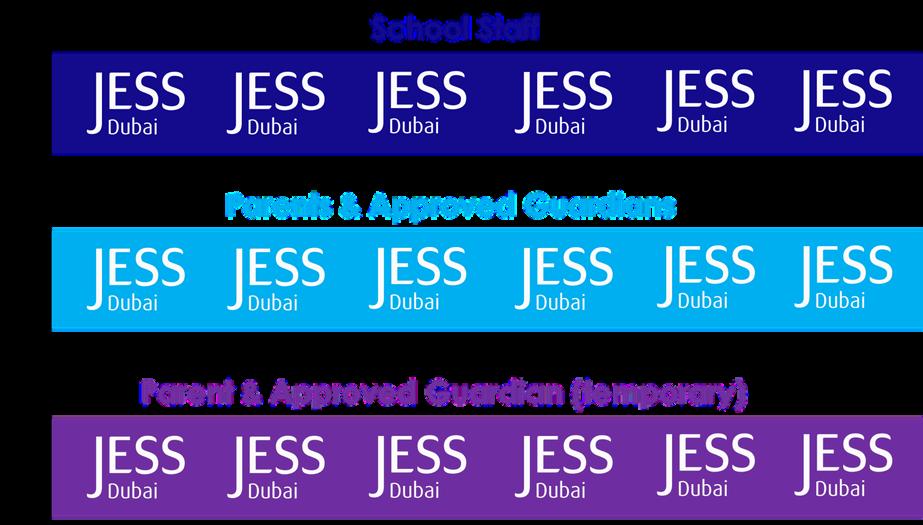
All sixth formers are required to wear a school lanyard (gold-coloured) with their student ID card at all times so they may be recognised by staff and visitors as JESS Sixth Form students.
For the purposes of health and well-being, Games is a compulsory part of the curriculum for sixth formers. Students may wear PE kit on Games days or when they have a fixture in the morning or at lunchtime. For days on which the student has a fixture after school, they should wear business attire and change into PE kit at the end of the day Students are not permitted to wear PE kit on non-Games days unless permission has been granted by the school. Whilst in PE Kit, students will need to have hair tied up and all jewellery removed (with the exception of simple stud earrings).
Students representing the school in teams will need to purchase the appropriate team kit For further information, please see the JESS Sportswear and Swimwear Guide.
Formal, smart, tailored trousers/chinos suitable for a business environment. Casual trousers are not permitted, e g jeans and joggers
Formal collared button-down shirt, long or short sleeved and tucked in at all times. Heavy patterns are not permitted Casual shirts such as polo shirts and t-shirts are not permitted
Plain t-shirts may be worn underneath shirts.
Polished (real or synthetic) leather work shoes designed to be worn with formal work trousers. Casual shoes such as flip-flops, sandals or trainers are not permitted.
Plain-coloured formal jumpers, turtle-necks and sweatshirts without logos are permissible. Hoodies are not permitted The JESS hoodie is permitted on Games days only or as part of the PE Kit when participating in fixtures or sports events representing the school.
Optional - suit jackets, waistcoats, ties and bow ties are allowed
Hair should be kept clean, neat and tidy. Long hair can be worn down except during lessons where health and safety concerns require it to be tied back. Dyeing hair in natural colours is acceptable – other colours are not permitted
Facial hair should be well-groomed.
Discreet jewellery is permitted, e g , watch, necklace, bracelet though this must be kept to one item/pair (ie. more than one ring, earring or bracelet is not permitted).
Formal, smart, tailored trousers Casual trousers are not permitted, e g jeans and leggings.
Smart skirt or dress no shorter than knee-length Slits above the knee are not permitted
Formal shirt or blouse, modest and respectful of the local culture. Shoulders, midriff and cleavage should not be visible. T-shirts, strappy, strapless and transparent tops are not permitted
Formal polished shoes or smart sandals with a heel strap. Heels can be worn but must not exceed 4 cm Casual footwear such as flip-flops or trainers are not permitted
Plain-coloured formal jumpers, turtle-necks and sweatshirts (i.e. no logos) are permissible.
Hoodies are not permitted The JESS hoodie is permitted though only on Games days (or as part of their PE Kit when participating in fixtures or sports events representing the school). Hair can be worn down except during lessons where Health and Safety concerns require it to be tied back. Dyeing hair in natural colours is acceptable – other colours are not permitted.
Discreet jewellery is permitted, e g , watch, necklace, bracelet though this must be kept to one item/pair (ie. more than one ring, earring or bracelet is not permitted).












Smart formal trouser.



Leggings, jeggings, jeans and joggers.
Smart skirt/dress below knee-length. Shoulders covered

Smart round or v-neck jumper or cardigan

Formal shirt/top with respectable neckline Shoulders covered Smart shoes with back strap. Low heels acceptable. Single pair of stud earrings



Dress/skirt above the knee. Seethrough fabrics. Shoulders on show Polo shirts, hoodies, sweatshirts or jumpers.







Casual clothing



Midriff/shoulders on show. Low neckline. Tight clothes. High heels and sandals without a heel strap
High heels and sandals without a heel strap.
Visible tattoos, piercings and unnatural hair dyes
All Sixth Form students will be issued with an Identity (ID) card, which can be used for:
Access to school
School printing and photocopying
Payment in the JESS Cafeteria.
Students are responsible for the safekeeping of their ID card If lost, a new card must be purchased from the cashier, next to reception, at a cost of AED30.
Students have the privilege of leaving the school premises in order to visit the Community Centre during lunchtime. The following conditions must be adhered to:
Students must wear their ID cards at all times during the school day
If students wish to visit the Community Centre at lunch time, they must leave through one of the designated gates and scan their ID cards as they leave and re-enter the school
Use of another student’s card will result in withdrawal of this privilege.
Students may leave during lunchtime only.
Students must return to JESS at least five minutes before lessons start to ensure they have time to collect their equipment from the storage area.
Students may leave school to visit the Community Centre only, not to return home or finish early.
Students may not use their ID card for signing out if they feel unwell. In this instance, they must go to the nurses and follow the correct procedures
Expectations for behaviour in the Community Centre are high as students are ambassadors of the school Students must follow JESS rules for behaviour and respect the general environment and other people using the facilities. Any misconduct may result in losing this privilege.
This privilege is for Sixth Form students only and they should not agree to buy food or other items for students in other Year groups.
Sixth Form students are allocated an individual budget for their printing and copying needs and are expected to manage their account to ensure they can print the work necessary for their course. Once students have used their budget, additional printer credits can be purchased through the JESS cashier
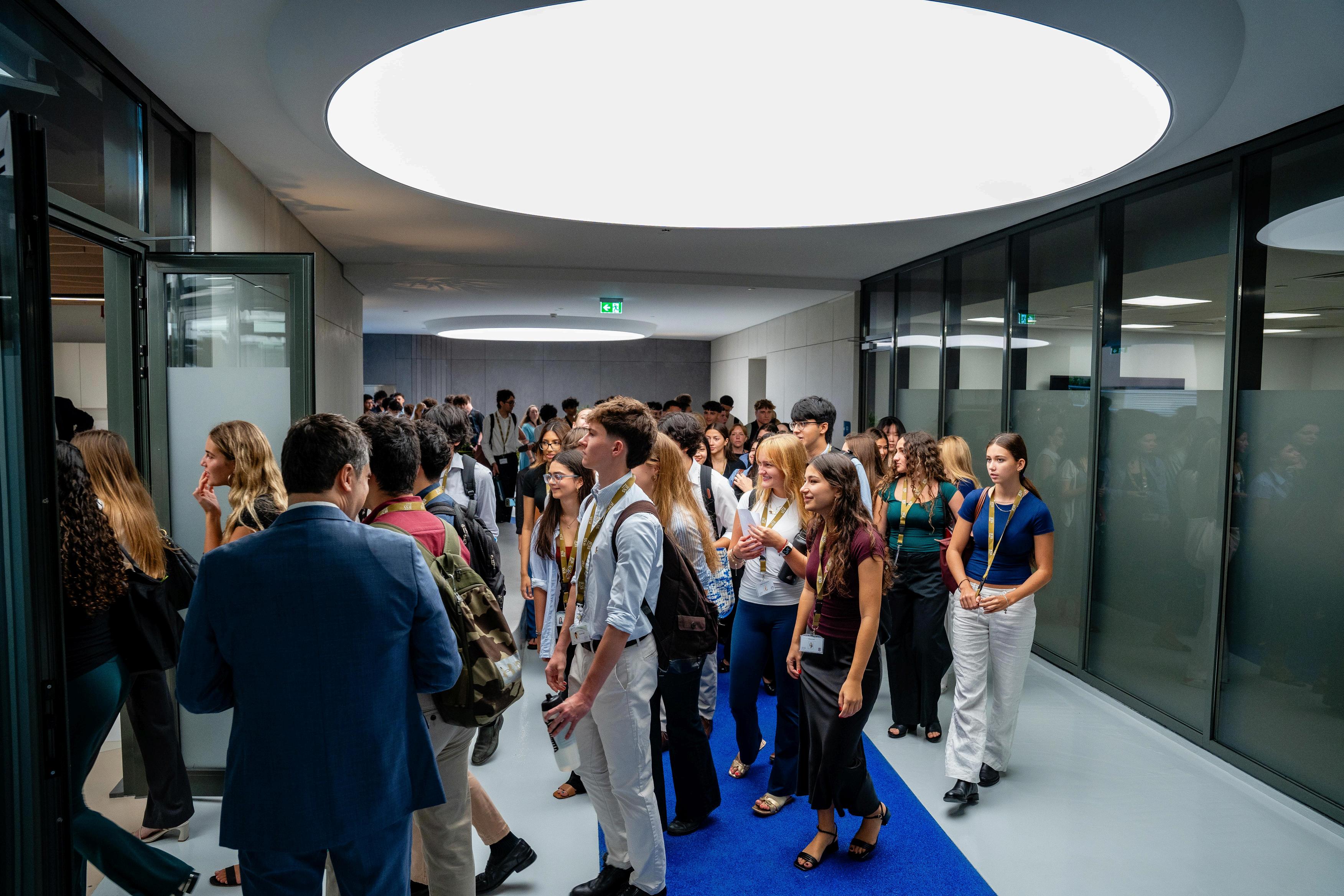
In August 2024, JESS became the first Yondr school in the UAE.
So what is Yondr? In summary, Yondr is a mobile phone solution that utilises a simple, secure pouch that securely locks away a mobile phone or smart watch to prevent its use Every student at JESS is required to secure their mobile phone in a personally assigned Yondr pouch during form time, each morning. This means that students will not have access to their mobile phones during the school day Students are required to bring their Yondr pouch to and from school and are responsible for their pouch at all times. It allows students to take responsibility for their phone, without the distraction or temptation of using it throughout the school day
Student’s will be assigned a brand new Yondr pouch on their first day of school. This will be handed out to all students, with a brief presentation on how to use the pouch along with the rules around this. There is a one time cost of 100AED to purchase the pouch, which will be invoiced via accounts in due course The pouch is designed to last for the duration of a students journey at JESS and is the responsibility of the student to take care of it.
For any students who do not own a phone, or will not bring their phone to schoolwe would like you as the parent to sign this Exemption Form so that we can make their tutor aware.

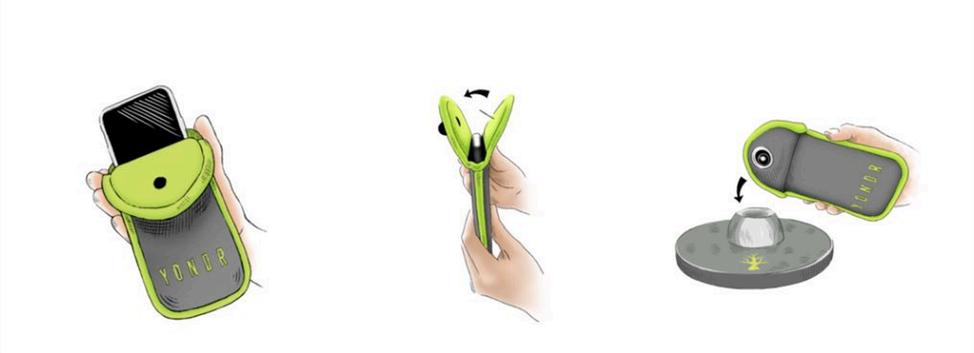
On arrival at school, phones are secured inside a Yondr pouch.
The pouch is locked and kept in the student’s possession at all times.
On leaving school, students tap their pouch on an unlocking base.
The house system is very much a part of life at JESS with house competitions and house points creating a community for peers to support one another, to engage in competition, and to work together to make a positive contribution to the school community.
The house system helps to develop a strong sense of identity and belonging, and creates opportunities to celebrate achievements and instil pride amongst students.
All students are allocated one of four houses on enrolment. You will be informed of your child’s house at the start of May Our houses are:
Tahr (black)
Oryx (white)
Panthera (red)
Falco (green)
House t-shirts are worn several times a year during competitions, Mindbeat Days, Bonanza Days, and house events. They are compulsory to purchase; this can be done online from our PE kit supplier, J20 Sports, once students start at JESS.
For all JESS sportswear and swimwear requirements click here




Some students who have identified learning differences (such as Dyslexia, Autism and ADHD) receive extra support from the Oasis team
The Oasis team supports in some lessons with additional adults in the room (usually English and Maths) and also provides support sessions during prep lessons.
Some students also have additional accommodations for their tests and exams, and may sit their exams in the Oasis Centre You will be aware if your child has this support already in their primary school. If you are coming from an external primary school, please make sure you let us know of any needs and/or support that your child receives.
Sometimes, teachers will refer students to the Oasis department if they have concerns about potential learning barriers Please do not be alarmed if one of the team reaches out to you –we always come from a place of care and support.
If you would like to meet a member of the team prior to starting at JESS, please reach out to the relevant team member below Alternatively, you can contact Mrs Beth Sargeant, Head of Inclusion for JESS Secondary

Beth Sargeant Head of Inclusion

Ronwyn Scott Deputy SENCO
Key Stage 4 rscott@jess sch ae
Bsargeant@jess sch ae

Zoe Winslade Deputy SENCO
Key Stage 5 Zphelps@jess sch ae

Natasha Winstone Inclusion Teacher, Wellbeing Co-Ordinator Year 7 and 8 Nwinstone@jess sch ae

Stephen Guing Inclusion Teacher Year 9 Sguing@jess sch ae
All information is contained in our Secondary Device Booklet
Please read through the Device Booklet carefully for instructions on equipment requirements

A timetable of secondary clubs is published at the start of every term. Students and parents will be able to access this information through the ECA channel on Microsoft Teams, SOCS, and the Parent Portal.
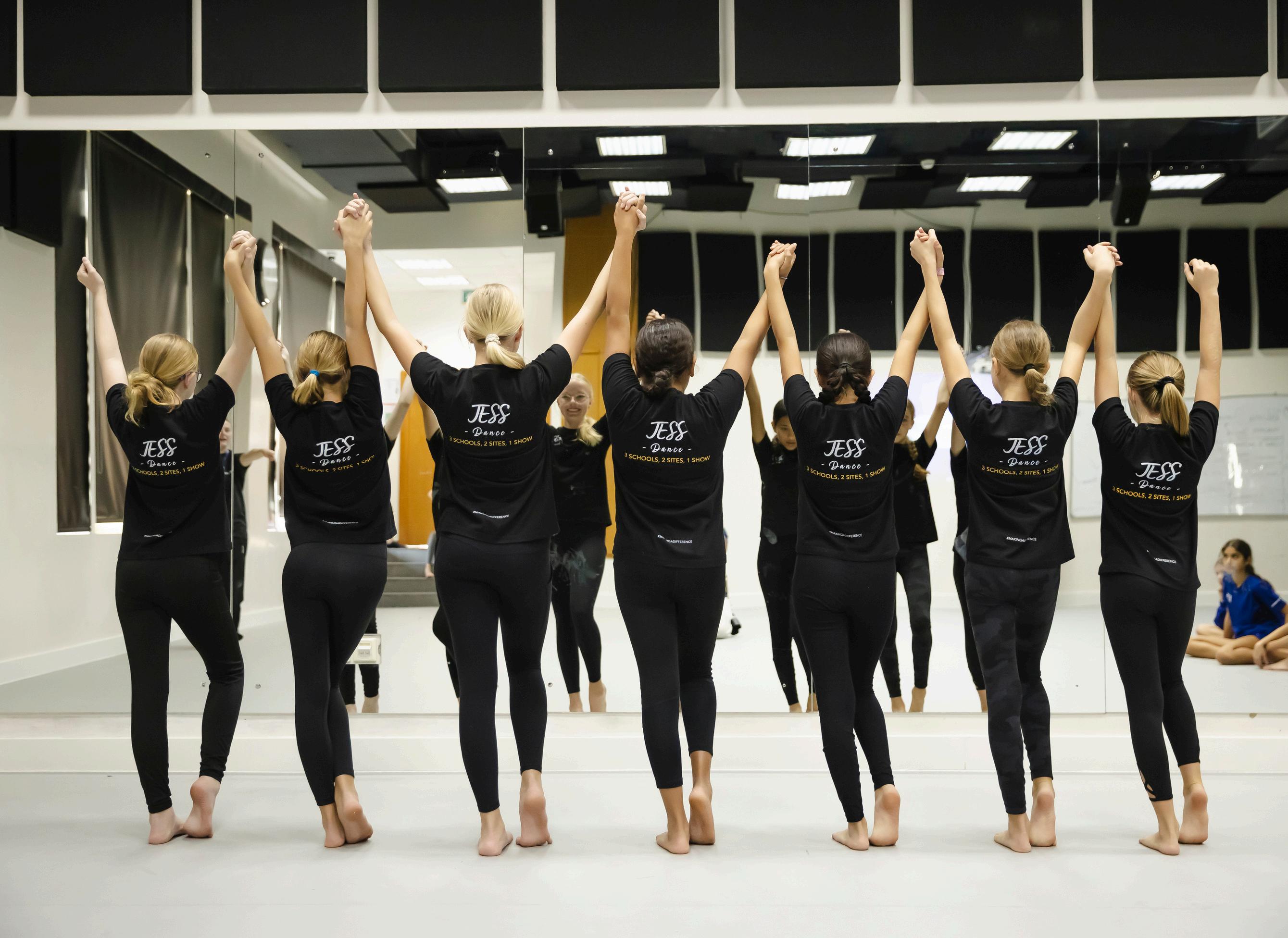
Our Guide To JESS Sports and Swimwear details all the kit needed at JESS. The sports department also has its own website - www.jessranchessport.com - where it hosts and shares information on sports fixtures, teams, opponents, and results.
This website can be accessed in a variety of ways:
Parent Portal – select ‘JESS Sport’ from the top menu.
Parent Portal app – select ‘JESS Sport’ at the bottom of the ‘School Life’ tab
Sports Website
If you use the sports website, the browser will recognise when you’re accessing the site from a mobile device and deliver the information in a user-friendly, app-style, format It will also give you the option to save it next to all your other apps. To do this, once on the site, select ‘Options’ (accessible on a Samsung via the 3 dots in the upper right-hand corner and on an iPhone via the box icon with an arrow coming out of the top just above the home button). Then select ‘Add to home screen’. The next time you look at your phone, the JESS icon will be sitting amongst your apps and you will be able to access our sports site in one press of the button.
The sports app/website shows fixtures, team sheets, opponents’ locations, and results. We suggest that you check the information regularly to be able to see what’s on for your child’s team.
Please email parentportal@jess.sch.ae with any installation issues you may have.

The JESS Music Department organises individual and group instrumental lessons for a variety of instruments, including guitar (classical and electric), clarinet, saxophone, flute, voice, trumpet, piano, violin, drums, and cello.
Lessons are charged at individual or group rate and are 30 minutes long. For more information relating to our instrumental programme, please email peri@jess.sch.ae.
You can view your child’s timetabled music lessons in the parent portal/app by selecting ‘Calendar’ and then under the date, select ‘This week’ and the music lessons will be displayed
Please register your interest for music lessons via this sign up form

The school cafeteria provides a range of fresh, nutritious meals prepared on-site each day. Students can choose from a variety of vegetarian and non-vegetarian dishes, as well as sandwiches, salads, wraps, and healthy snacks.
JESS remains a nut-free school. Parents can register any additional allergens through the school’s designated cafeteria system to ensure that their child’s dietary needs are clearly communicated and safely managed
At the start of the academic year, all new students will receive an email containing: A step-by-step guide on how to register for the cafeteria system Your child’s student information, including their Student ID
If families require assistance at any point during the school year, support is available through the school’s cafeteria helpdesk Contact details will be provided in the registration email and on the school website.


A bus service managed by JESS for Secondary students operates between JESS Jumeirah and JESS Arabian Ranches, as well as other designated surrounding areas, at both the start and end of the school day. Details of routes and their related timetables can be found on the JESS website, here.
If you would like to sign up for the JESS Bus service please complete our Expression of Interest form here.
If you have any other queries regarding the bus service, please email sts@jess.sch.ae.
Our main method of communicating with parents is through our Parent Portal and Parent app, which both draw information from our data management system, iSams Much of the data is personalised to year groups so that you only see documents and files that are relevant to your child/ren, such as timetables, key dates, and information;. Importantly, this is the only method that we use to share reports and assessment results
The link to our Parent Portal goes straight to the login window, so it’s a good idea to bookmark this for future reference. The portal can also be accessed at the top of the JESS website.
You will receive an email from the Parents Relations Team containing the activation details for your iSAMS Parent account. This email will guide you through the steps needed to activate and access your account.
Once registered, you can download the iSAMS parent app from your usual app store When prompted, enter the JESS code, which is JDXB, and the username and password you created when activating your account You will only be able to see information related to your child once they start school. Until then, you may not have any children associated with your account. If you do not have the activation code, or you have any problems accessing the portal/app, email parentportal@jess.sch.ae or contact your school reception
We appreciate you may have students attending different schools in Dubai. If these schools are using the iSAMS app for communications, it is possible to have all the school communications coming through. Note, you will need the iSAMS code from each school to complete this process:
1 Open the app
2.On the dashboard, select ‘Settings’ in the bottom right-hand corner
3 Select the ‘Manage Schools’ option and then select your school
4.Enter the school code. For JESS, this is JDXB
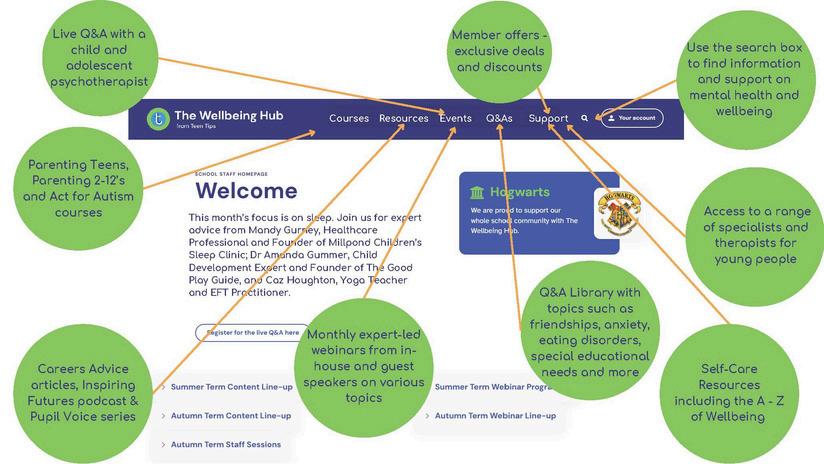
JESS is delighted to offer parents access nto the Wellbeing Hub, a UK-based platform dedicated to supporting the wellbeing of students, parents, and staff across all areas of life. At JESS, we believe that wellbeing is central to personal and academic success, and we hope this resource will become an invaluable source of information and support for our entire community.
As part of our partnership with the Wellbeing Hub, you will receive:
Regular emails with helpful tips and updates
Invitations to events and webinars

Access to a wide range of resources and courses tailored specifically for parents
We warmly invite you to explore the extensive content available on the platform. From expert advice and practical strategies to engaging videos and articles.
To understand more about the hub, please watch a tour video designed to guide parents through the platform and its features Parents and students will receive their logins at the start of the academic year. We encourage parents to sit down with your child and explore the site together Please rest assured that all student content is age-appropriate and designed to support their wellbeing in a safe and meaningful way.






HalPay App is a new application designed to make managing payments for school-related activities and trips easier and more efficient. Please note that the app does not support payments for tuition fees and debentures.
This modern, user-friendly platform, allows parents to track their transactions in real-time and provides access to a detailed history of payments for record-keeping
Our goal with the HalPay App is to make school payments more convenient and hassle-free
We encourage all parents to download HalPay from the App Store or Play Store and explore its features
Here is the video tutorial on how to use the Hal Pay app: https://www.youtube.com/watch?v=U o9m-Ps7QI

SOCS integrates the school calendar, sports fixtures, ECAs and music lessons all in one place for ease SOCS provides you with a personalised timetable for your child, including events they are involved in. Secondary student timetables are also available, outlining everything your child is doing during the school day in one place Sign up and access to our co-curricular programme is also via SOCS.
The calendar can be accessed and viewed at www.socscms.com/login/28060
To access the SOCS calendar, you need to activate your account. To do this, search for Jumeirah English Speaking School (JESS Arabian Ranches), then select the Login Type – Parent. When activating your account, use the same email address used for all school correspondence. Check your junk inbox if you do not receive the activation email when registering.
If you incur any problems accessing the calendar, email parenthelpdesk@jess.sch.ae
Open https://socs-ar.jess.sch.ae in the web browser on your device to access the JESS calendars To save to your device homepage like an app, select the 3 dots on the top righthand of the page, select ‘Add to Home Screen’ and then the web link will appear in the same way that apps do
Open https://socs-ar.jess.sch.ae in the web browser on your device to access the JESS calendars To save to your device homepage like an app, select the share icon (a box with an arrow coming out from the top) and then select ‘Add to Home Screen’ and the web link will appear in the same way that apps do




Daily absence, such as an illness or medical appointment, must be reported before 7:15am that day.
Exceptional leave, such as holidays, sports events, or for exceptional circumstances during term time, should be requested early in advance Once this has been received, the leave of absence will be reviewed by the Senior Leadership Team for approval.
KS5 - No approved absence during term time.
Please save/favourite the links below for all future absence reporting/requests.
Student Daily Absence Leave
Exceptional Leave Application
Academic Calendar
Please follow this link to view the 2026/27 academic calendar*
Please see below some key contacts that are worth adding to your email inbox address book to prevent any emails falling into your spam folder
Sixth Form Administrator - Sixthform@jess.sch.ae
Health Office - healthoffice@jess.sch.ae
Accounts - accounts@jess.sch.ae
Oasis Department - oasisars@jess.sch.ae
It is possible to either email or call the school with any queries you may have We have one main number to call, which is 04-3619019, the Sixth Form ext number is 415.
JESS has a range of social media channels that are used for different messages They are:
Facebook: JESS Dubai
Instagram: @jessdubaischool
X: @JESSDubai
YouTube: @jessdubaischool
LinkedIn: JESS Dubai