1 minute read
Navigating to the Product’s Page & Extract Data


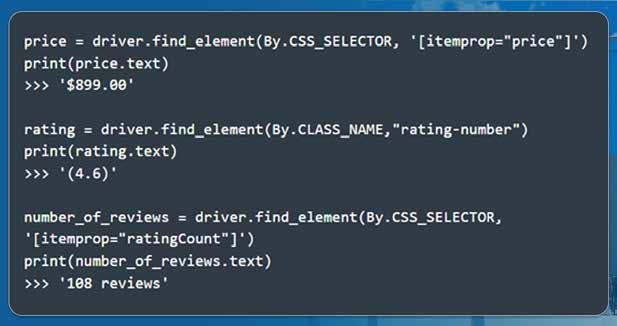
Using Selenium, you can easily extract a product’s name, price, descriptions, ratings, reviews, etc. First, select the product that you want to scrape. Then, open the product’s page using the following code:
Advertisement
The next step is to inspect the page as soon as it opens. To achieve this, navigate to the desired information, right-click, and click on Inspect. Inspecting the product title shows that the tile lies within the H1 tag. It is available using the following code: https://www.iwebdatascraping.com/web-scraping-services.php https://www.iwebdatascraping.com/mobile-apps-data-scraping.php
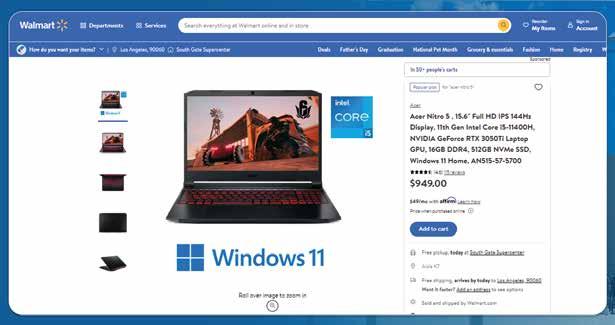
Similarly, you can look for the price, reviews, ratings, etc.
For more information, get in touch with iWeb Data Scraping now! You can also reach us for all your web scraping service and mobile app data scraping requirements. https://www.iwebdatascraping.com/web-scraping-services.php https://www.iwebdatascraping.com/mobile-apps-data-scraping.php https://www.iwebdatascraping.com/web-scraping-services.php https://www.iwebdatascraping.com/web-scraping-services.php https://www.iwebdatascraping.com/mobile-apps-data-scraping.php