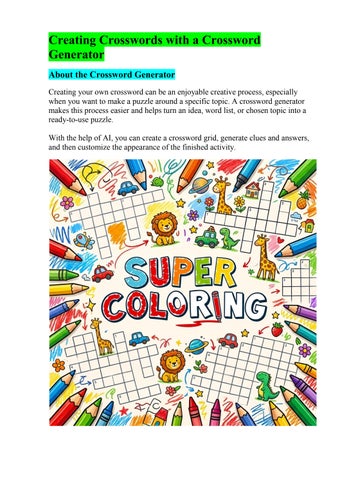
Creating Crosswords with a Crossword Generator About the Crossword Generator Creating your own crossword can be an enjoyable creative process, especially when you want to make a puzzle around a specific topic. A crossword generator makes this process easier and helps turn an idea, word list, or chosen topic into a ready-to-use puzzle. With the help of AI, you can create a crossword grid, generate clues and answers, and then customize the appearance of the finished activity.
Key Benefits • AI-assisted crossword creation: helps generate the grid, clues, and answers. • 39 languages: useful for different language and educational projects. • Themed designs: choose a theme and add matching graphics. • Graphics and stickers: make the crossword more colorful and engaging. • Many different topics: create puzzles about pets, space, construction, plants, furniture, and many other subjects. • Save and print the finished result: useful for educational and creative projects. • Free to use: the generator is available for creating your own crosswords.
How to Create a Crossword 1. Title, Date, Clues, and Grid The first step is to set up the main information for your crossword. You can choose a title, add a date, and include other necessary fields. Then you can add words and clues. AI helps generate the questions and create a crossword grid where the words are connected. This provides a ready-made foundation for the crossword that can then be customized and designed.
2. Choose a Theme and Add Graphics Once the grid has been created, you can customize its appearance. Choose a suitable theme and add graphics, illustrations, or stickers. These elements can be selected to match the topic of the crossword. For example, a pets crossword can include pictures of animals, a space-themed puzzle can feature planets and stars, while a construction crossword can use tools and building materials. This turns a simple crossword grid into a complete themed activity.
3. Screenshot or Print as a PDF Once the crossword is finished, you can save it for further use. The completed puzzle can be captured as a screenshot or printed as a PDF. This is useful for lessons, homework, creative projects, or simply for fun. Depending on the purpose, you can prepare a version for solving and a version that includes the answers.
Examples of Themed Crosswords Pets This crossword is dedicated to household pets. It can include words related to cats, dogs, fish, turtles, rabbits, and other animals. Animal graphics, themed stickers, and other visual elements can be added to match the topic.
Space This space-themed crossword brings together words related to planets, stars, the Moon, Mars, rockets, and space exploration. The theme works especially well with space graphics such as planets, stars, and other cosmic elements.
Construction A construction-themed crossword can include words related to tools, materials, and building processes, such as hammer, brick, concrete, cement, and other terms. Themed images and stickers help make the design match the subject of the puzzle.
Create Your Own Crossword A crossword generator makes it possible to go from a simple idea to a finished puzzle: choose a topic, add words and clues, create the grid, customize it with graphics, and prepare it for printing.