


















our deSign Motto
“EVERY SCREEN TAP WE SAVE YOU, ADDS A SECOND TO YOUR LIFE.”
Over 27 years of development and more than 2,800 industry-specifc features later, our software platform is the country’s premier tool for wine and spirits wholesalers and distributors. In a marketplace where speed and simplicity matter, Inventiv empowers sales teams across the country with the tools they need to close the deal.
Installed in over 130 locations, across 43 states, and used by more than 16,000 sales reps, Inventiv is the industry leader in wine, beer, and spirits software. Our fagship platform, pocketAdvAntAge is the top order-entry app in the nation. We have continued making strides to better serve all personnel of the wine and spirits industry, from sales reps, delivery drivers, warehouse, and upper management.
We are committed to improving the daily working experience of our customers through demonstrating reliability and thoughtfulness. We want our customers to feel heard. The test of a software company is its responsiveness, and at inventiv, we like to be judged by the ways we respond to problems. We teach our team members to be proactive in issues that inevitably present themselves.
We are driven by our desire for constant improvement: we add features and gems in order to expedite your business processes on a weekly basis. It is important for us all to be well equipped. We employ the latest technologies and have strategic partnerships with a myriad of companies that allow us to leverage their expertise along with our own. We perform ridealong activities with sales reps, sales managers, drivers, loading dock personnel, and any other employees with equally valuable experience.
Not only do we want you to speak up, but we sincerely encourage it. By hearing and seeing frsthand, we will improve your daily routine. We are devoted to great customer service and sales team optimization.






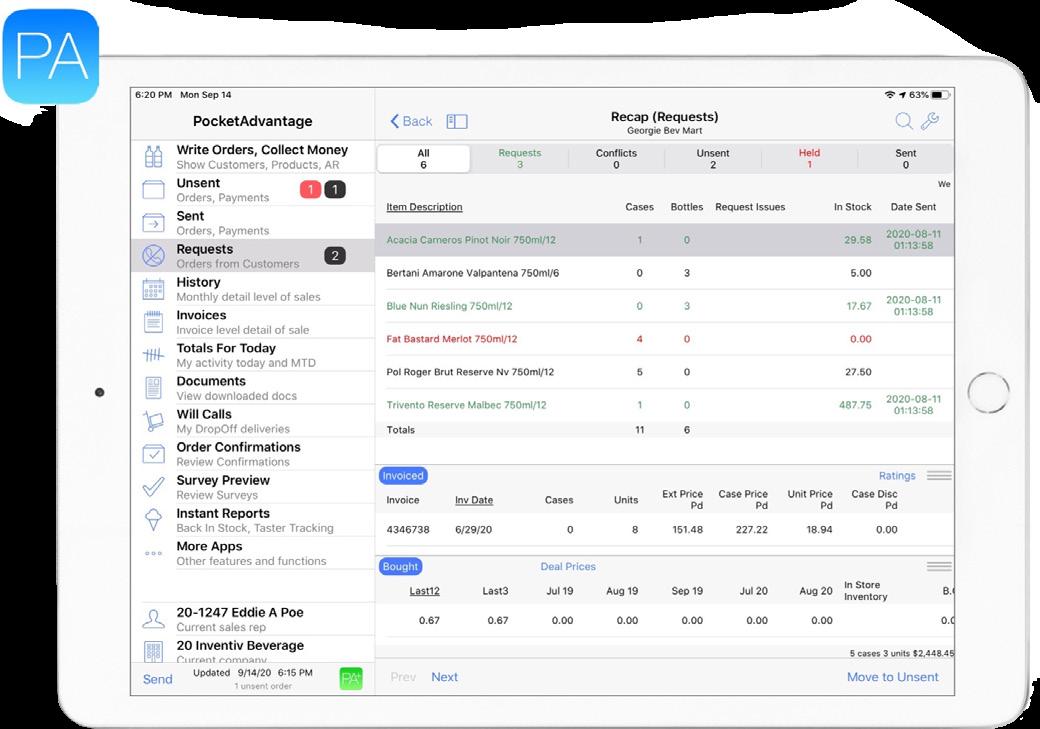
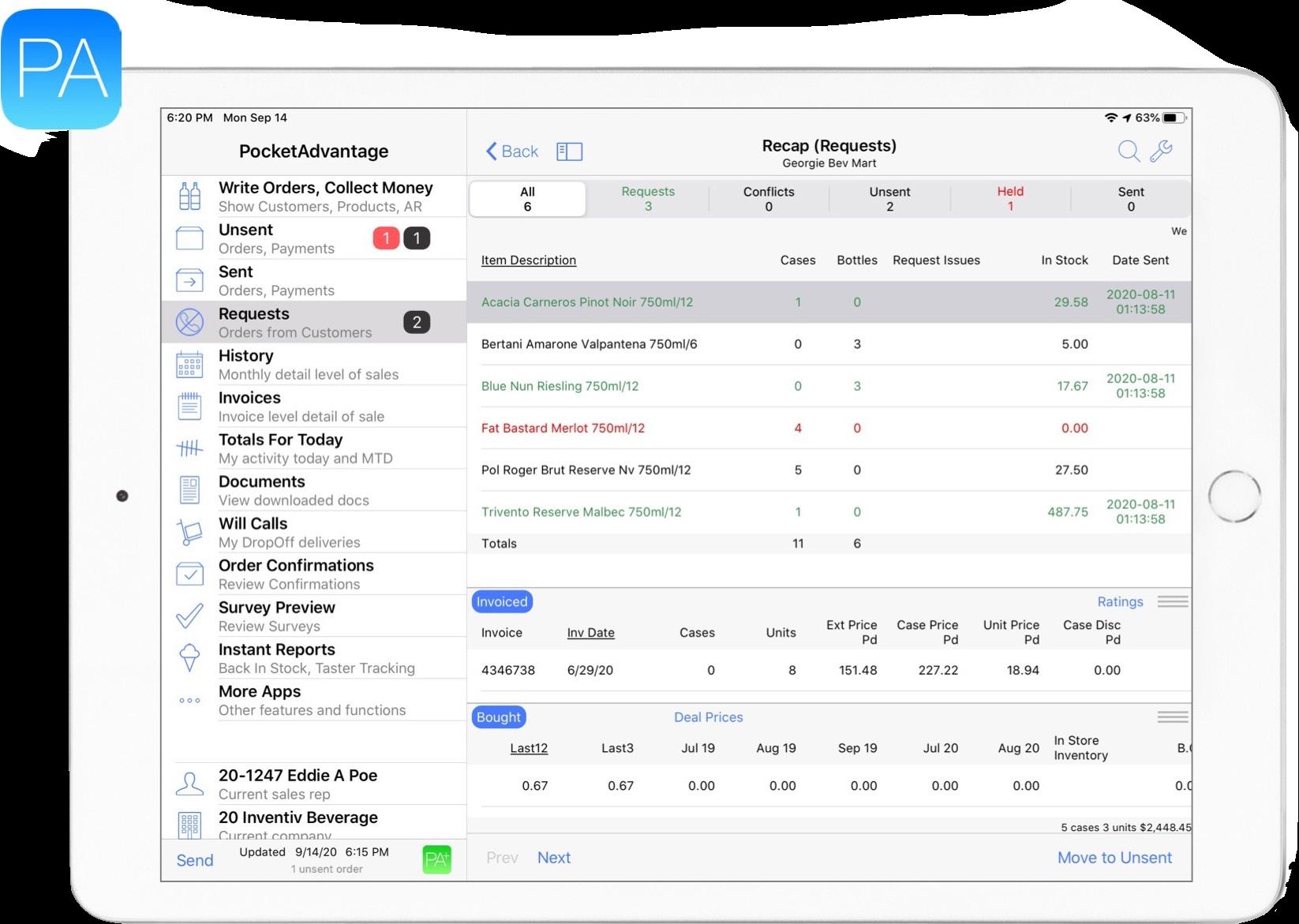
We designed pocketAdvAntAge to allow sales reps in the feld to process daily orders on an iPad or iPhone, without the need for an internet connection. Working offine is one of many conveniences. If a sales rep goes on vacation or gets sick and his or her clients need to place orders, sales managers can easily step in to fll the void. Managers can access their reps’ systems at any point and seamlessly make a transaction when needed. It would be as if the sale reps made the order themselves. In turn, accounting departments can make note of incoming payments in real time and keep their customers off the state hold list.

pocketAdvAntAge goes well beyond order-entry, with dozens of information features, such as pricing, full sales history, contacts, CRM, images, shelftalkers, and shellsheets, to name a few. A sales rep in the feld is fully mobile using an iPad or iPhone. Inventiv also offers a secure cloud-based solution which connects directly to your backend system pocketAdvAntAge integrates with pocketdelivery for complete communication between sales reps, drivers, and retailers.



By showing customer-specifc pricing, displaying only authorized products for that customer, and warning reps when an order appears to be unusual, pocketAdvAntAge customizes and simplifes the order process, minimizes potential errors that result in product returns, and gives reps more time to focus on selling.

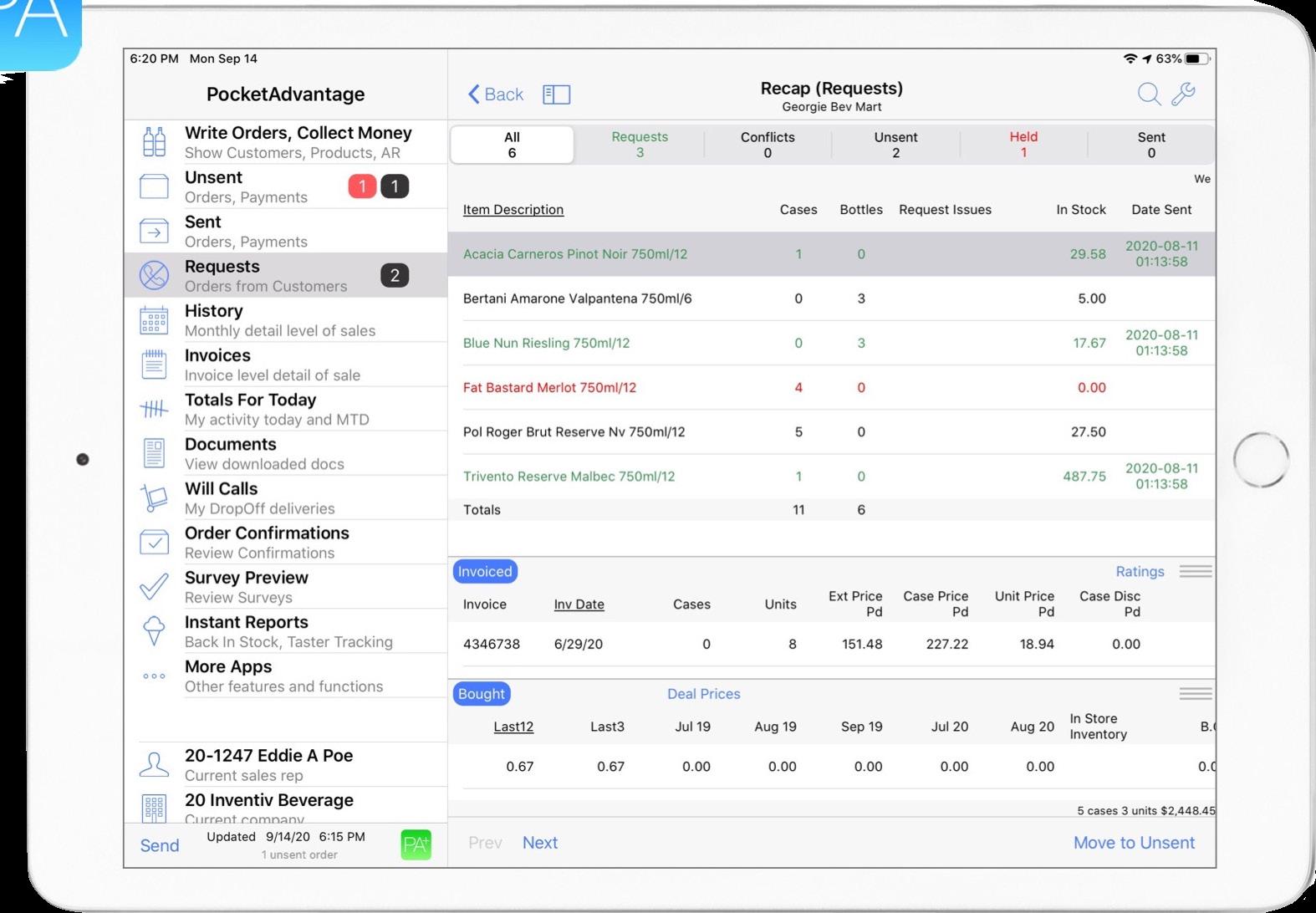

In states in which sales reps offer customers credit terms, pocketAdvAntAge includes all open invoices and enables the sales rep to record payments when they pick up a check. In turn, accounting departments make notes of incoming payments in real time and keep customers off the state hold list.



When managers update deal pricings (including but not limited to post off, quantity-level discounts, single and multifamily deals, and chain pricing), that information is available to all sales reps through PA+.
OrderLink can deliver Provi, EDI, and other eCommerce sources of orders and deliver them to your reps that are assigned to the ordering customers.

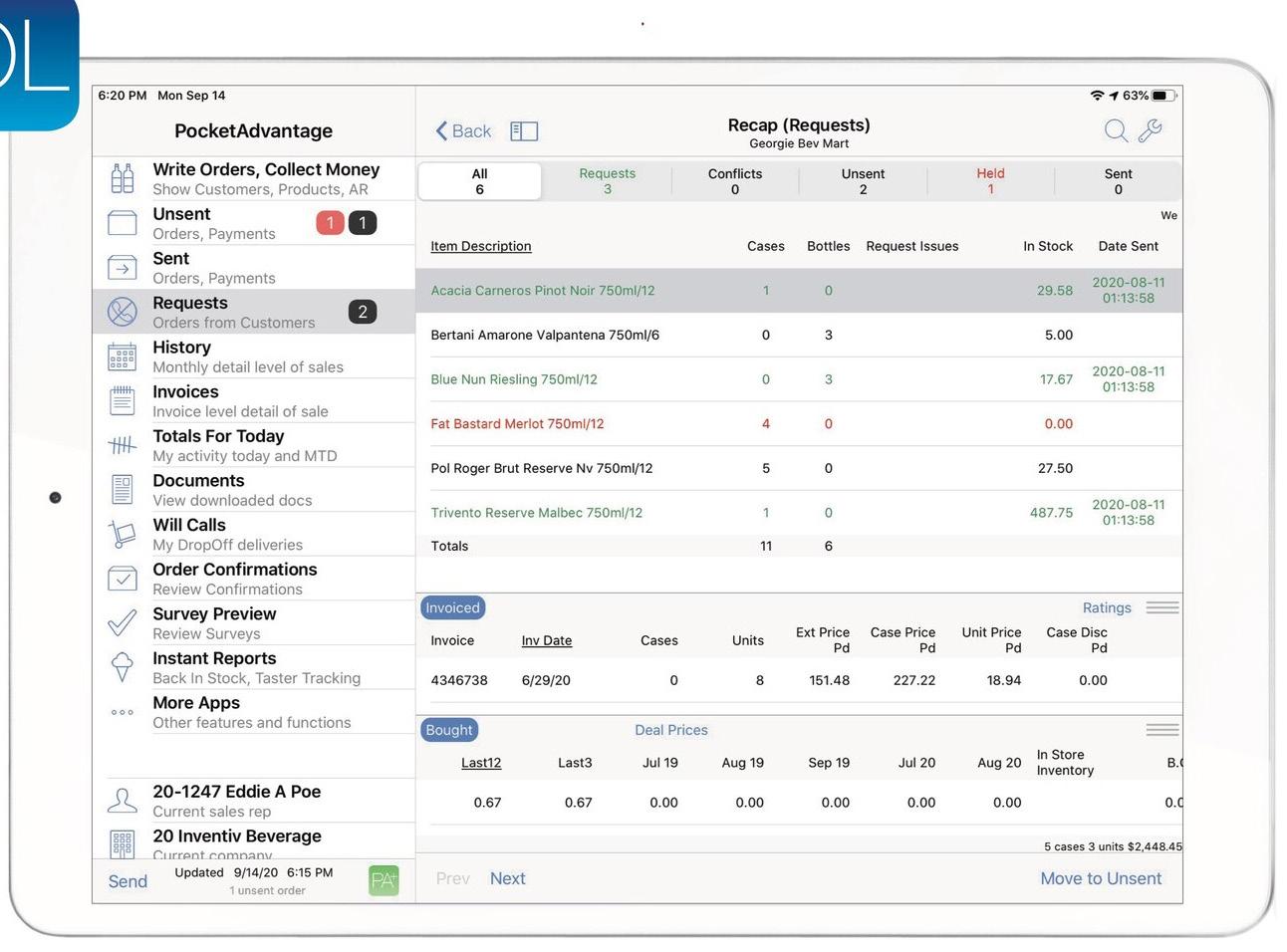
Sales Reps approve or upsell each order to help maintain their relationships, which enables all of the Customer Service Reps to handle a higher order volumes while maintaining your given staffng levels by increasing daily effciency.
This eCommerce tool takes orders from external sources and transmits them directly to pocketAdvAntAge for the assigned sales rep. Sales reps have the ability to approve or modify orders. orderlink collects and distributes orders to assigned sales reps (or alternate when on vacation). In addition, orderlink provides electronic connections to all major marketplace ordering platforms, such as SevenFifty and Provi.
Customers expect your entire organization to know who they are and how you can best serve their needs. Here is a simple question to test whether you are ready: how long does it take a new sales reps to get up to speed on the customers in their territory?
If your answer is 6-8 weeks, then your customer profles are not ready for the digital transformation. So why do you not have up to date customer profles? Here are a couple of reasons we have heard:

1 Many sales reps resist giving this information, their contacts, and their daily activities.
2 Which leads to sales managers to not ask their sales team to keep up to date customer profles.
3 The data is stuck in bits and pieces between Excel, your ERP, and your sales reps personal phone.
If these reasons refect your business it is time to make a change. Sales reps, in general, do not like to enter data and can comment that these systems are slowing them down. However, their sales managers need the information concerning what the sales reps are working on during each sales call to help their sales team reach their goals.
Sales reps and managers have one app for supplements and order entry, linking these into one app for the sales reps to use enables what we call AccelerAted AdoptioN. Because sales reps use pocketAdvAntAge for order entry, we can remind them to confrm the data that is accurate. AccelerAted Adoption is the ‘secret sauce’ of SupplementS.
We know your sales reps are very busy and have way too many apps. We built SupplementS, as a helping hand, to enable your sales team to complete this process as quickly as possible on a single platform.
In the bustling world of sales, there was a team of dedicated reps who worked tirelessly to ensure their customers were always satisfed. They faced a daily challenge: keeping track of who handled each order, payment, and delivery. It was a complex task, especially when dealing with multiple buyers, but they were determined to fnd a solution.
So, inventiv SoFtwAre developed and introduced a supplement called ContActS. It was a simple yet powerful tool that allowed reps to confrm contacts within the order process. With transparency at its core, contActS revealed who was responsible for each step, whether it was one buyer or many, using helpful last name prompts.
The reps were thrilled. They could now record their regular customer visits, whether in person, over the phone, via FaceTime, or Zoom. This feature was invaluable, as it captured all the contacts they spoke with or saw during these meetings. It was especially useful for managers and sales reps covering routes when a colleague was away. Special screens even appear for certain days called on, showing customers in the sequence of their meetings.
The team realized that ContActS was not just a tool for effciency but also a bridge to seamless transitions. When a rep left the company, the new replacement could quickly get up to speed, thanks to the comprehensive contact information. Even during vacations, reps and managers covering territories remained fully informed, knowing exactly who to contact and meet at each account.
The magic of ContActS extended to order confrmations. Just like Amazon, the team could notify customers of new orders placed. Each night, as invoices were processed (whether from pocketAdvAntAge, EDI, Provi, Diver, eCommerce website), customers received emails detailing the day’s delivery invoice, ensuring they knew what to expect. For COD accounts, pricing and totals were automatically sent out, streamlining the process.
Sharing information became a breeze. Reps and managers could export data from ContActS as a PDF or list and share it via email with preselected recipients. Communicating with customers was as simple as sending an email, text, or FaceTime with just a few taps. Additionally, ContActS allowed them to target specifc individuals involved in orders, statements, and deliveries, enhancing their email marketing campaigns.
In this world of sales, accurate contacts are the foundation of the customer experience. With ContActS, the team could tailor messages to the roles and preferences of their customers, providing an open list of personal and collective contacts for common substitutions and new employees. Full contact information is always accessible in the pocketAdvAntAge subview, ensuring that the team’s magic never faded.
And so, the team of sales reps moved on with their day, confdent that with the help of ContActS, they could deliver exceptional customer service every day.
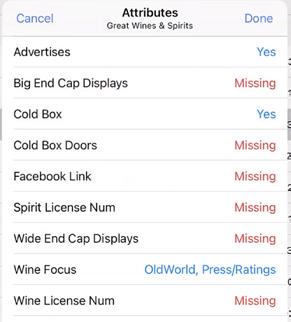
Our dynamic sales team continues their day, but now has a daunting task to add to their daily schedule: to streamline their sales information and enhance customer visibility within the company. Enter the new tool, AttributeS—a set of “non-Survey” SurveyS designed by Inventiv to gather and manage critical information without the usual hassle. This tool promised to place all necessary details at the fngertips of both our sales reps and managers, ensuring that the sales information were more organized than ever before.
However, not all was smooth sailing. Some sales reps were initially resistant to provide detailed information about their contacts and daily activities. This reluctance often resulted in outdated customer profles, leading to ineffciencies. But the team’s management knew they had to overcome this hurdle and decided to leverage Inventiv’s innovative AttributeS tool. With AttributeS, the integration of sales data became seamless. Information was effciently tied together across Excel, the ERP system, and the sales reps’ mobile devices. This harmony of data meant that reps could now easily locate data among various categories and update customer profles with ease. Updates were automatically shared with other reps and managers who needed access to those accounts with a simple refresh.
This system was coined as AccelerAted Adoption. It was a proactive approach that ensured the capture and maintenance of accurate and current data. Sales reps were periodically prompted to verify and update the information, building their confdence in data organization and product management.
In the feld, the sales team began to see the benefts. They could quickly access updated product lines, making them more agile and responsive to customer needs. With the pocketAdvAntAge platform, which was indispensable to their daily operations, the team started to thrive. Each rep was encouraged to view and update their details promptly, knowing that the updated entries would be shared with their colleagues, thus fostering a culture of collaboration and shared success. The concept of keeping information current was not just a practice but a necessity in all of the distributor’s operations. It addressed the common challenges of onboarding new information and ensuring its accuracy going forward.
Thanks to the customizable felds and the diligent work of the sales team, clients saw an improvement in service delivery and satisfaction. The sales team, once hesitant, had transformed into champions of data accuracy and customer service excellence. In no time, our sales team became the gold standard in the distribution world, showing that with the right tools and mindset, any challenge could be turned into a victory.


A typical day in the life of our sales rep is a dynamic blend of strategic planning, customer interaction, and data management. The day often begins early with a review of the day’s schedule, which includes meetings with potential and existing clients. The sales rep must ensure their presentation materials are up-to-date and tailored to address the specifc needs and challenges of each client.
Our team uses tools like preSentAtionS to streamline their process, ensuring every detail is logged, from the presentation time to whom it was presented, and any follow-up actions required. This preparation helps maintain transparency and accountability in their sales process.
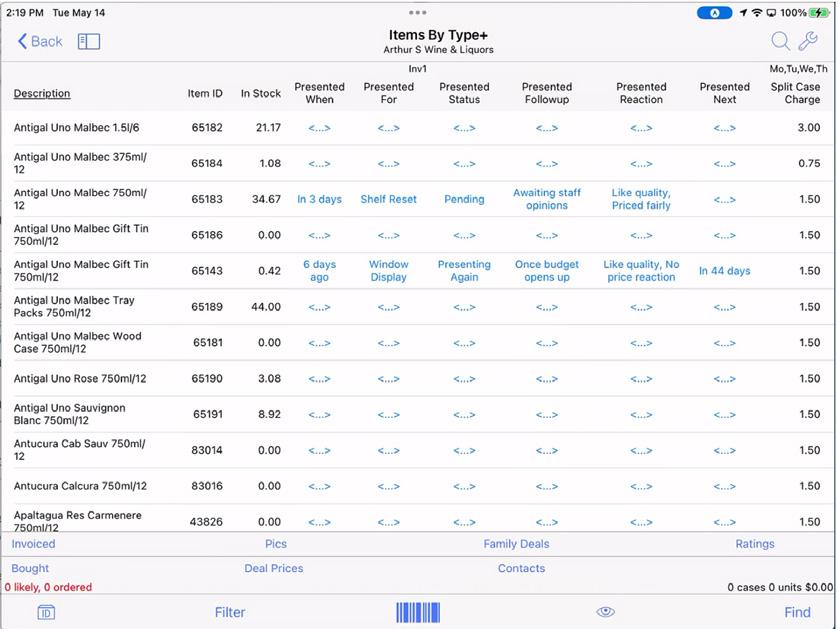
Throughout the day, our sales team travels to various locations, meeting with clients to introduce new products or discuss current offerings through preSentAtionS During these meetings, they focus on understanding the client’s needs and providing solutions, capturing client reactions and feedback using their presentation tool to refne their approach. This allows for a personalized touch, maintaining the essential human element in sales that goes beyond mere analytics.
In the afternoon, our sales team updates their sales strategies, shares insights, and stays updated with product knowledge all by using the preSentAtionS Supplement Additionally, this information updates for their managers, providing transparency into their sales activities and client interactions.
As the day winds down, the sales rep reviews their accomplishments and plans for the next day, ensuring all customer interactions are documented and any follow-ups are scheduled. This continuous loop of preparation, client engagement, and refection defnes the proactive and client-focused approach that characterizes a successful sales rep.

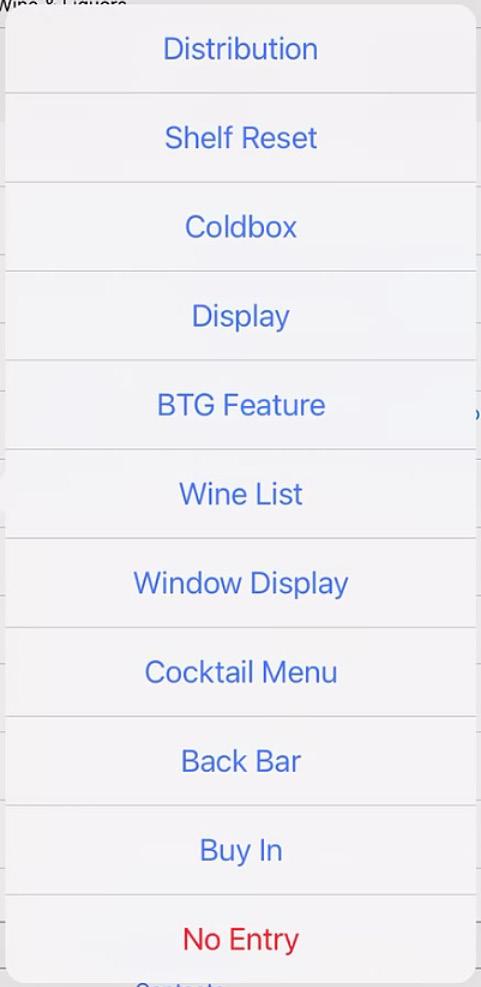
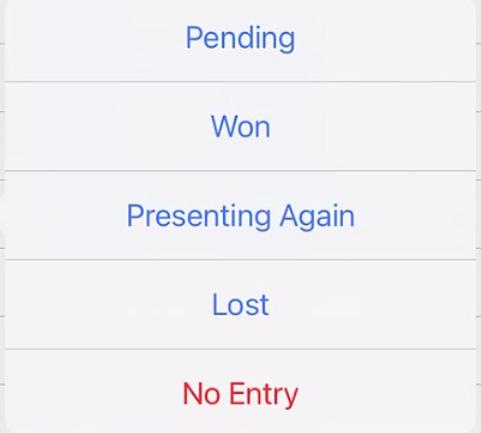
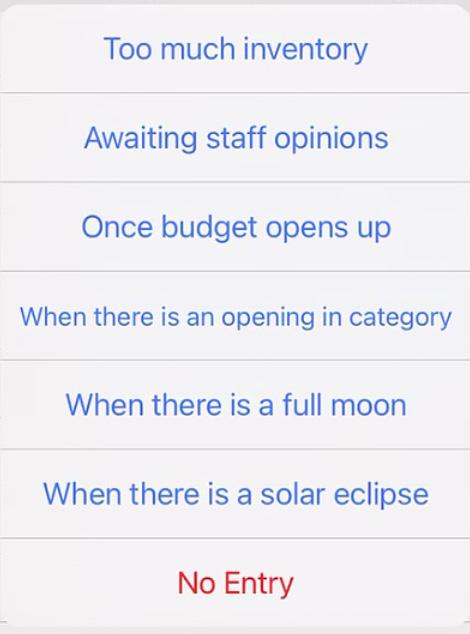
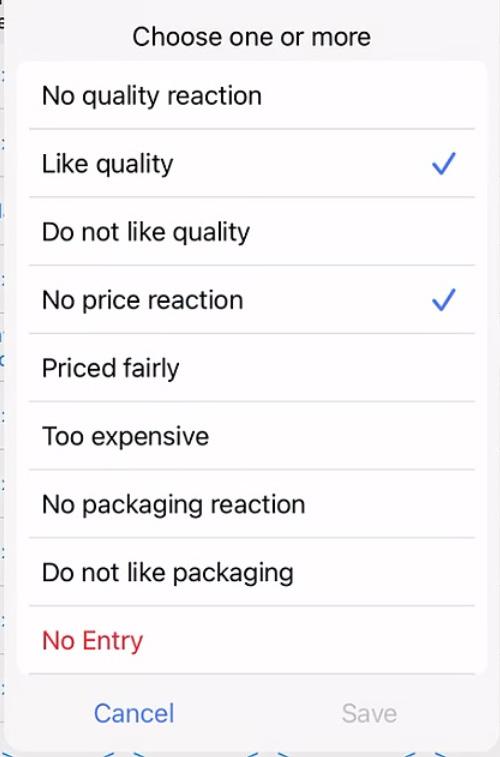
See below our customizable lists for reps to simply tap and select statuses



Continuing the day of sales, where every moment counts and every opportunity must be seized our sales team was known for their keen eye and ability to navigate the complexities of product placement with ease. However, even the best teams found it challenging to keep track of every item status across multiple accounts.
Inventiv Software once again created a solution that our team discovered. A new tool called SectionS It promised a customized way to defne item status, ensuring no placement opportunities were missed. Intrigued, the team decided to give it a try. With just two taps, SectionS revealed which product slots were empty, whether in the ‘gin’ section or more specifcally, ‘Italian Reds’. This newfound ability allowed the team to restock in a timely manner and reveal their percentage of owned placements.
Wine List
BTG
Table Tent
Back Bar
Wine Color, Grape, Region
But SectionS offered more than just inventory management. It enabled sales to prioritize placement categories and even map the entire account. Merchandisers were on hand to assist with setting up SectionS, leaving the sales team with minimal manual entries. This streamlined process saved the team valuable time and effort, allowing them to focus on other important tasks.
Commodity
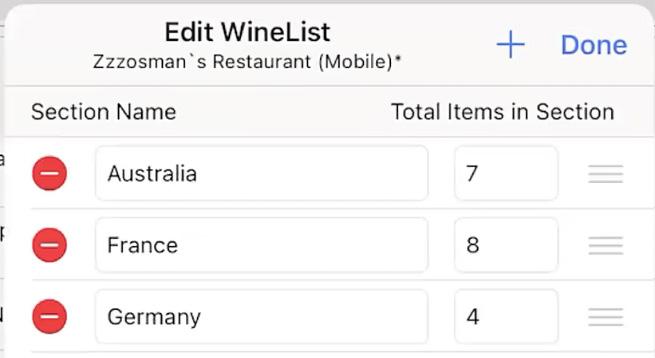
SectionS also provided transparency and tracking of stock levels without the need for in-person visits. This meant sales could spend more time face-to-face with clients and maintain other accounts during their busy schedules. The tool became an indispensable part of the team’s day, helping them avoid shelf slot turnover to the competition and stay ahead in the game.
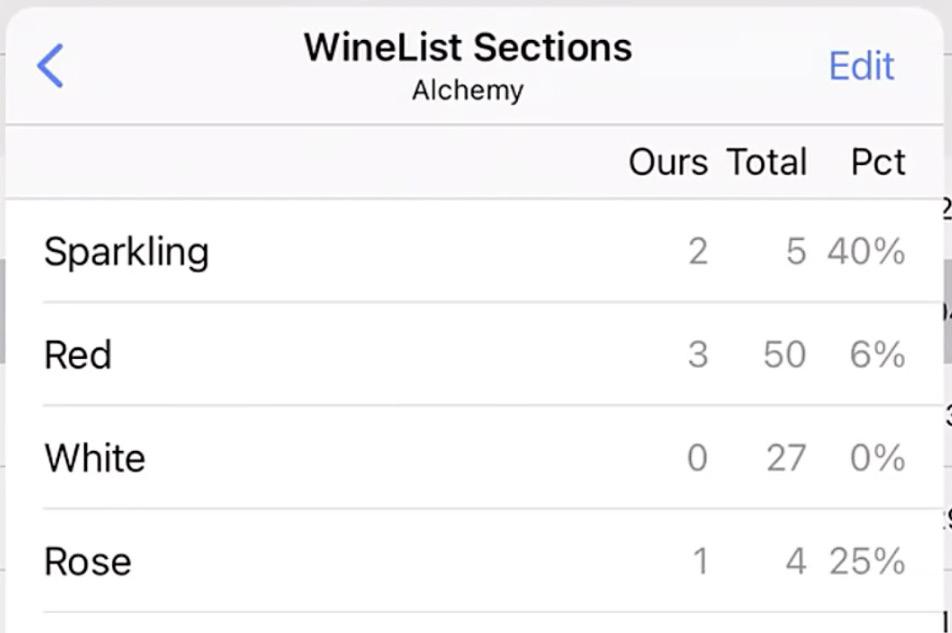
With SectionS by their side, the team transformed their role as a sales rep, becoming more effcient and effective than ever before. It was just another supplement that made the day in the life of a sales rep more manageable and rewarding.
Our sales team starts their day with a cup of coffee and a quick glance at their digital calendar. Their schedule is meticulously organized, thanks to the effcient calendar invite system that automatically coordinates their appointments with customer contacts, sales managers, and suppliers. This system not only saves them time but ensures everyone is always on the same page.
At 9 AM, our team has their frst appointment with a potential client. As they prepare, they check the categorized customer information on their iPad. The details include the client’s current Status, any previous Notes made, and the Plan for today’s meeting. They quickly review the Recap from their last interaction and outlines the Next steps to discuss today.
During the meeting, our team presents the planned presentation and diligently records any new insights or follow-up items directly into the system. The effciency of having all customer-related information and presentation statuses at their fngertips ensures the meeting goes smoothly, impressing the client.
After the meeting, our team updates the Item-based info with the meeting’s outcomes, marking the presentation as completed and noting the follow-up actions required. This level of detail is crucial for accurate online rollup reporting, which her manager later reviews to track team performance and strategize future actions.
Before heading to the next appointment, our team checks their calendar. They see an automated calendar invite for tomorrow’s meeting has already been sent to the next client and relevant stakeholders, courtesy of the integrated system. This seamless integration enables them to focus more on client interactions and less on administrative tasks.
As the day wraps up, our team feels accomplished, knowing that the organized system not only boosts their effciency but also enhances the overall performance of the team.
The streamlined process allows them to maintain strong client relationships and continue succeeding in their sales role.
SALES MANAGER
PLANNING
Provide Focus Items and Goals
Determine Customer Attributes
SCHEDULING
Review Sales Team Schedule
Support Team During Week
MANAGER REVIEW
Review Recaps and Next Steps
Review New Plan for Next Week
SALES REP
PLANNING
Analysis of Customer Attributes
Record Plan of Manager Review
SCHEDULING
Connect Buyer Contacts
Record Weekly Schedule
PRESENTING, RECAP
Present Plan to Buyer
Record Results and Next Steps
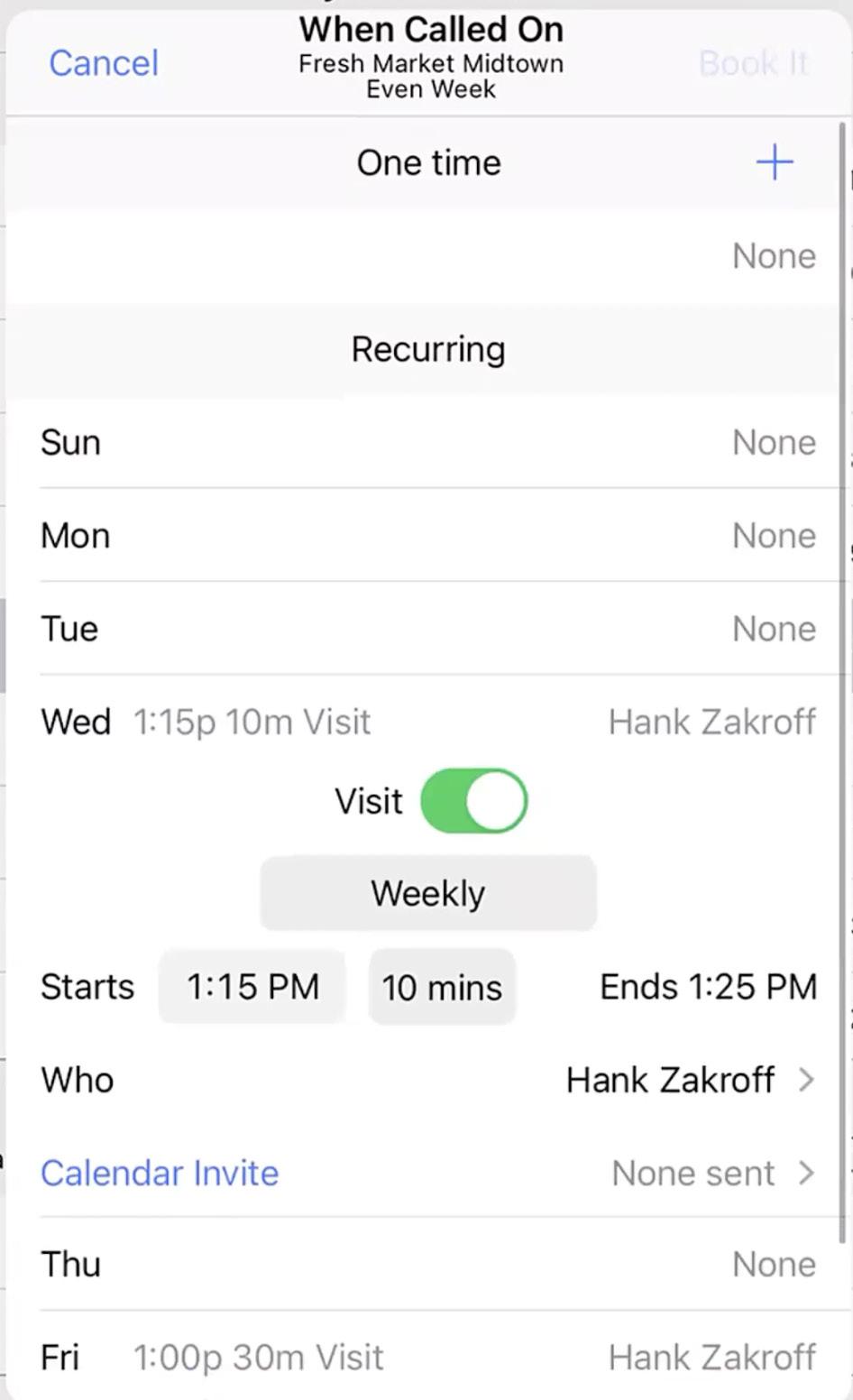
In looking at The Day in the Life, our sales team, who relies on the pocketAdvAntAge app to manage daily tasks effciently. Through the app, they access vital information about whom to contact, when to make these calls, and which medium to use for communication. This allows them to seamlessly manage recurring or one-time calls and adapt to changes by selecting an optimal type of call–whether in-person, via phone, FaceTime, or Zoom.
The app ensures our reps can send calendar invites with necessary details, making the day organized and effcient. It provides a map of travel routes, links to Apple Maps, and access to information about nearby accounts not originally on the schedule, allowing to adjust the route for maximum effciency.
Throughout the day, our reps engage in various meetings, such as a recurring Zoom call with a client, an in-person wine tasting event, and sommelier training. The pocketAdvAntAge app integrates with the company’s ERP system, retaining customer data and extending its lifecycle. This integration provides transparency to managers and allows colleagues to step in seamlessly if needed.
When Called On is one of several tools we have deployed in order to ensure that your sales force functions seamlessly regardless of the common occurence of sales reps replacement whether due to a sick day or job transfer. With Supplements, you will possess all of the necessary details and information that would otherwise be left to onboarding between reps personally.
By day’s end, our reps use the app to review performance, assessing what went well and where improvements can be made. This technology not only keeps the day structured but also enhances interaction with customers, showcasing the importance of digital tools in modern sales operations.
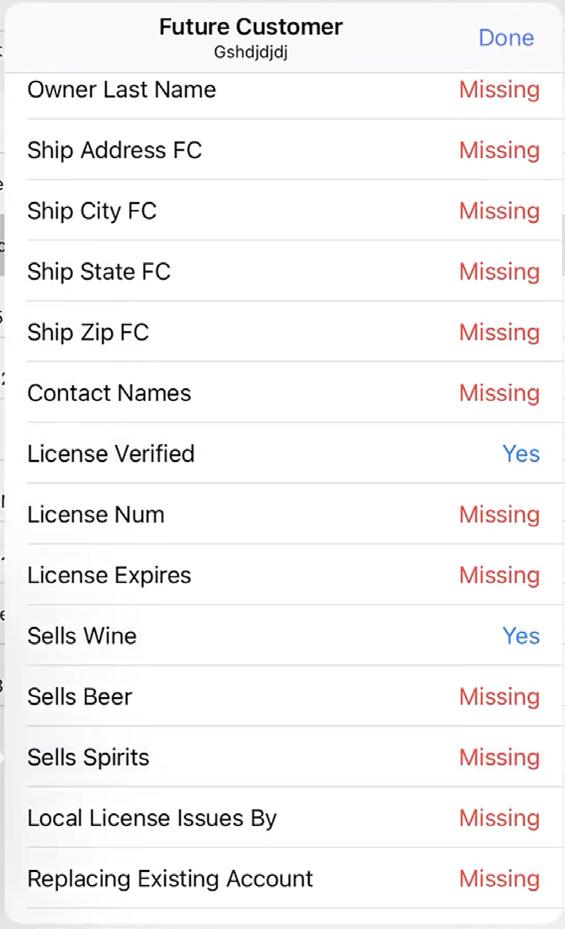
Finally, there is a super convenient way to track all of the info regarding potential customers, what is known about them, what phase of licensing and build-out they are in, and all the info your accounting system needs to set up a new customer all-in-one.
Within the keep current tab, Future cuStomerS offers a plethora of column felds to enable you to catalog as much information about your upcoming customer prior to onboarding them. This function may resemble similar forms your team uses to document customer details.
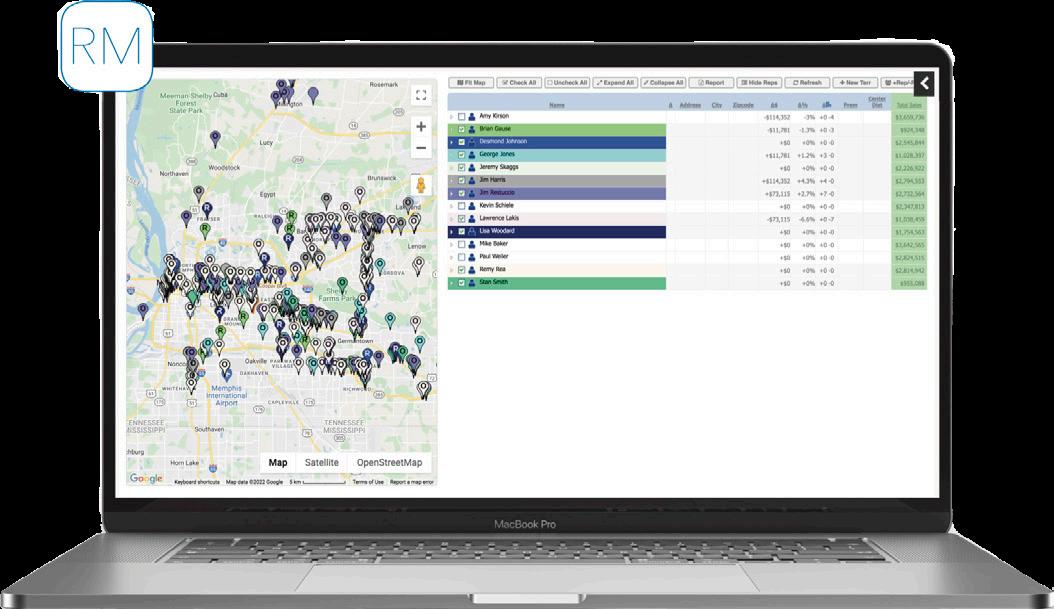
The best way to acquire those new potential customers is through the new cuStomer feature in routemApS. routemApS is designed for sales managers to customize sales rep territories in order to accomplish sales team optimization. Using this web-based UI, this tool can be used via a Windows laptop or PC. In this larger screen format, we are able to ft the two key parts of the tool, the map and the sales/commission data.
This tool simplifes the visualization of sales territories so that you could reassign reps on a daily basis, if necessary. Since routemApS is backend integrated, all changes are refected as soon as the data is available to your reps in pocketAdvAntAge, which eliminates time between demo and go live.
Our new cuStomerS feature gives your team the upper-hand on reaching new businesses before the competition. The frst sale at a brand new account is always the biggest. With routemApS, reps receive notifcations on new license applications and approvals in the area.
Each sales rep’s territory displayed gets its own colored pin. The colors are automatically generated by default to ensure maximum contrast. But you are also able to select custom colors if you have a preference or think some colors are too similar. Inside the pins, without increasing the size of the pin, we add a single letter to indicate the Customer Category (on premiSe, oFF premiSe, militAry).
We know that some managers like balancing territories based on sales numbers and that other managers prefer using commission data. In routemApS, we offer both. The sales history comes from pocketAdvAntAge, so you will see the same data that your reps see.
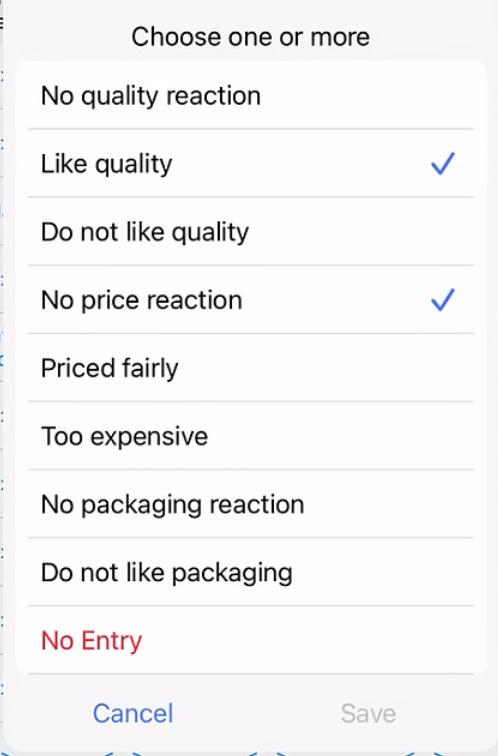
Create PDF-based presentations that can be recorded as presented with time, who was presented to, what was presented, and follow up steps and status. preSentAtionS columns allow sales reps to track all pertinent details of their account’s reception of their new product pitches, while managers acquire full transparency to product pitches with customers. preSentAtionS is available for additional licensing within pocketAdvAntAge.
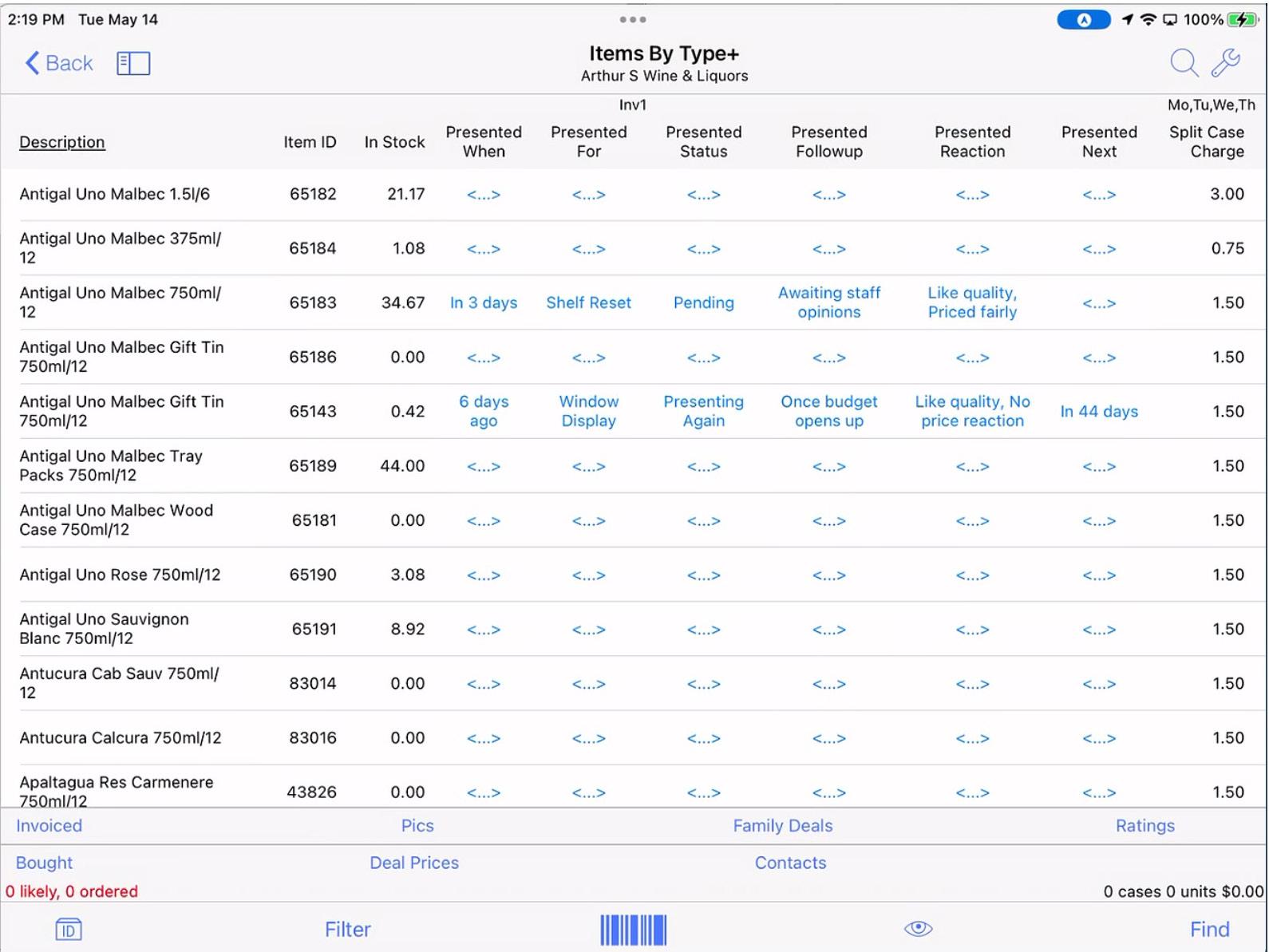
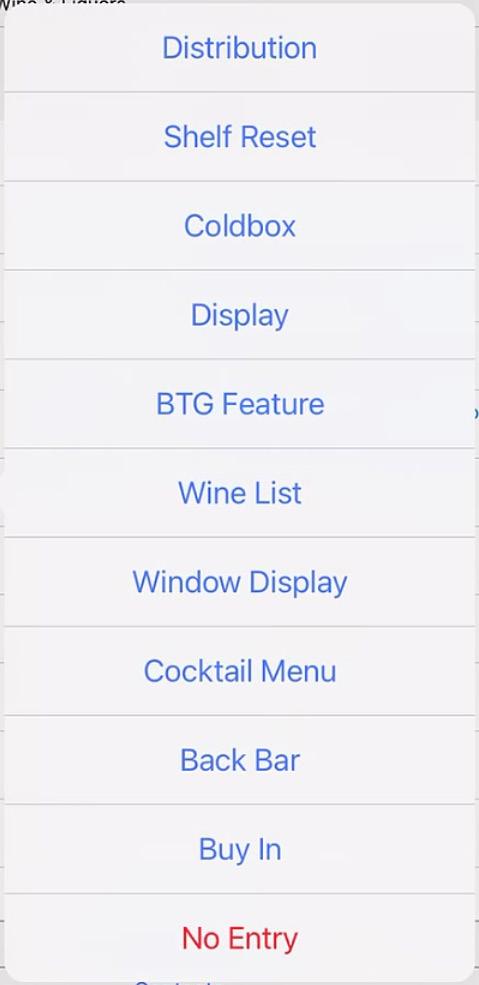
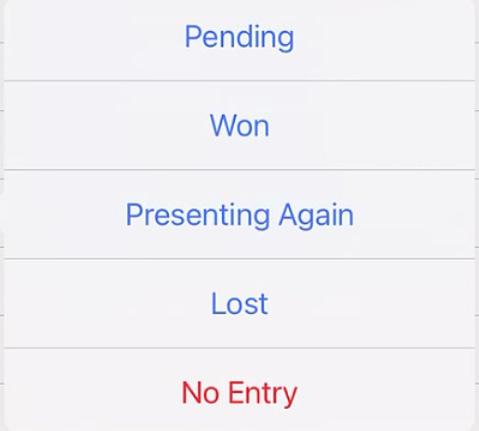
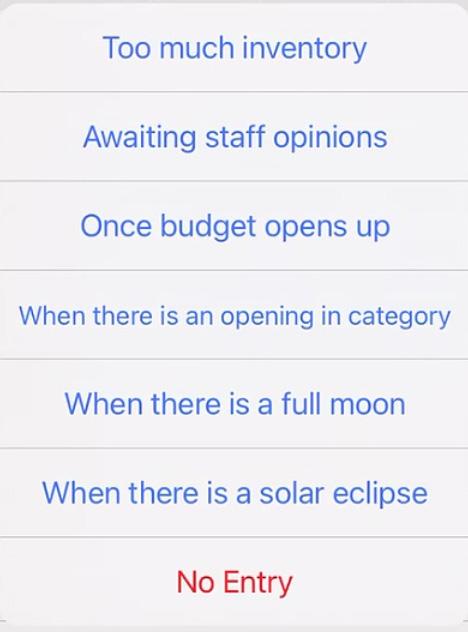
See below our custom lists for reps to simply tap and select the status of a given presentation columns:


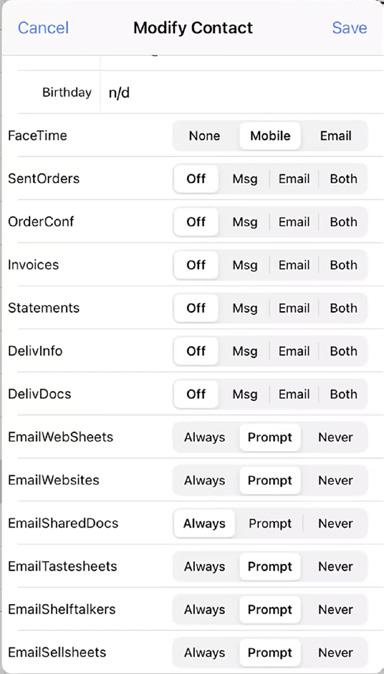
Recently, we have seen a lot of people switching from using the US Post Offce to mail statements to emailing statements. Our contActS supplement gives the opportunity to collect this info (i.e., frst and last name, mobile phone number, and email address) and from time to time verify that it is still the active person that handles the statements.
This strong beneft comes into play not only for getting replacement reps up to speed quickly and seamlessly after an employee leaves your company, but also for keeping reps and managers completely informed when they cover territories for those that are on vacation. pocketAdvAntAge will be able to show sales reps or managers who to contact, and who to meet at the given account.
When orders arrive from any source (e.g., pocketAdvAntAge, EDI, Provi, Diver, eCommerce website), you can work with us to turn on order confrmations to be sent to customers very much like Amazon. The one or more people you want to notify can be informed of an order that was just placed. Each night or early in the morning when invoices are processed for pocketAdvAntAge, we can also email to customers the contents of the day’s delivery invoice so they know what to expect on the truck. The pricing and total for COD accounts can automatically go out.
If a rep or manager wants to share info from pocketAdvAntAge as a PDF or list of items they are discussing, they can share via email to certain people who are preselected to receive that useful information. When you need to get in touch with a customer, you can very easily send an email, text, or facetime from your device with just a couple of taps on the screen. In addition, contActS allows you to target the person involved in orders, statements, and deliveries separately with to be used with your email marketing campaigns.
Accurate contacts are the foundation of the customer experience. Our contacts allow you to target messages to the necessary roles and preferences of your customers. We provide an open list of personal and collective contacts, useful for common substitutions and new employees. Full contact information is accessible in the pocketAdvAntAge subview.
Our contActS supplement provides a easy quick way for reps to confrm contacts within the daily cycle of the order process. There is full transparency for Who hAndleS orders, payments, and deliveries, (with last name prompts) whether dealing with one or multiple buyers.
Users will be able to record their regularly scheduled customer visits, phone visits, facetime visits, and Zoom visits. This can include multiple contacts with whom they speak to or see during these meetings. It is VERY useful for managers and sales reps covering their routes when users are away. Also special Day of the Week screens are set up with the customers in meeting sequence.
Sample requeStS WIth taSterS
Post-tasting tracking: tasted and bought, those who tasted and did not subsequently buy
dISplay upc codeS
Allow retail customers to scan into their system for new placement items before they are delivered
tap to order
Add columns to speed up ordering process
lIkely Need
Helps reps not miss reordering commonly ordered items
Advanced fIlterS
Reps can now flter on any column on any screen
Credit Status Warning
Warn user if dealing with a COD account when opened
Expired License Warning
If your system has customer license expiration dates, we can warn reps in advance
Allocated Inventory
We offer several methods of controlling limits on allocated items




PA+ connects sales reps with their managers in real time and relays critical information between parties. PA+ enables managers to monitor sales rep activities, while allowing sales reps to receive order confrmations, product trainings, store surveys and customer presentations. Both parties will know what happened, what’s happening, and what to do next.
PA+ is all about communication and improving the user experience. We have added little quirks to make the process more inviting, such as our ‘champagne pop’ push notifcation ringer, which alerts users to perform order confrmations, delivery confrmations, sample order approvals, and urgent offce messaging.
uSerS | Sales Managers & Sales Reps

BeNefIt | Quick Communication
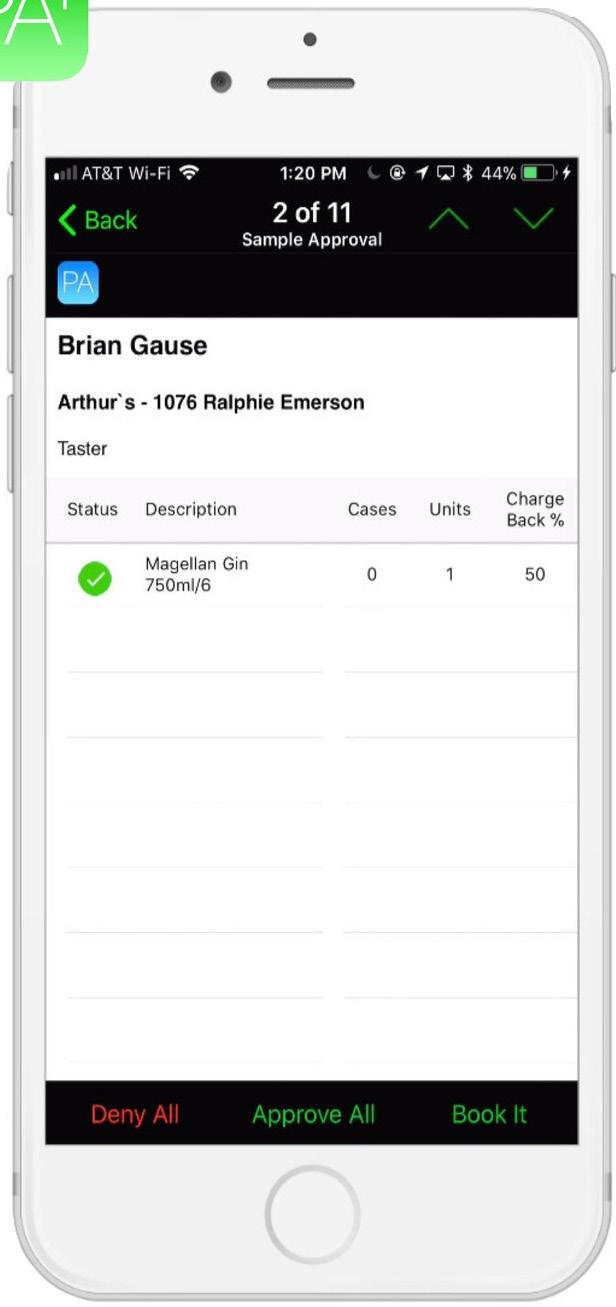
Between the customer, the sales rep, and the warehouse, the lines of communication can be messy when it comes to confrming placed orders. There’s no confusion with PA+.
Shortly after your sales reps send their orders to the warehouse, the system will send back a detailed order confrmation directly to their smartphones or tablets. If there’s an issue, orders will be fagged in red, giving the rep maximum to time to fx the problem and alert the customer.
BuIld relatIoNShIpS WIth clIeNtS
The most effective sales reps are the ones who have built strong relationships with their clientele. This foundation isn’t possible if your team doesn’t know the names of their customers. PA+ can store the names and positions of all employees at any location.
Surveys are critical to understanding how your brands are doing versus the competitive set. PA+ makes it easy for sales reps to walk into a store, quickly enter in answers to questions, and in one click send the data back to their managers for analysis.
Sales reps should present all assigned surveys and presentations to their customers, but sometimes that just doesn’t happen.
For each customer location, PA+ tracks those assignments and whether or not the rep has presented them to the customer.
With so many new products being added every month to inventory, sales reps struggle to stay up to date and keep track of key selling points.
PA+ enables your sales reps to review product training manuals from their smartphones or tablets at any time and saves your company from escalating printing costs.
Even more, sales managers can make certain items required reading and also see who has and who hasn’t completed the training.
Not only can you assign presentations by brand and customer, but also you can track the success rate of each sales rep.

eiS WeB is designed for the industry and answers the most commonly asked questions. The data is easy to customize to meet the needs of the required reports. You are enabled to share reports through a daily updated reporting link or via an automated email.
BeNefIt | No Internal IT Resources Required to Get Started
reportINg typeS
Sample Tracking, Supplier Reporting, Sales Rep PrePlan and Recap Reports, Survey Results, Goal Tracking by Month
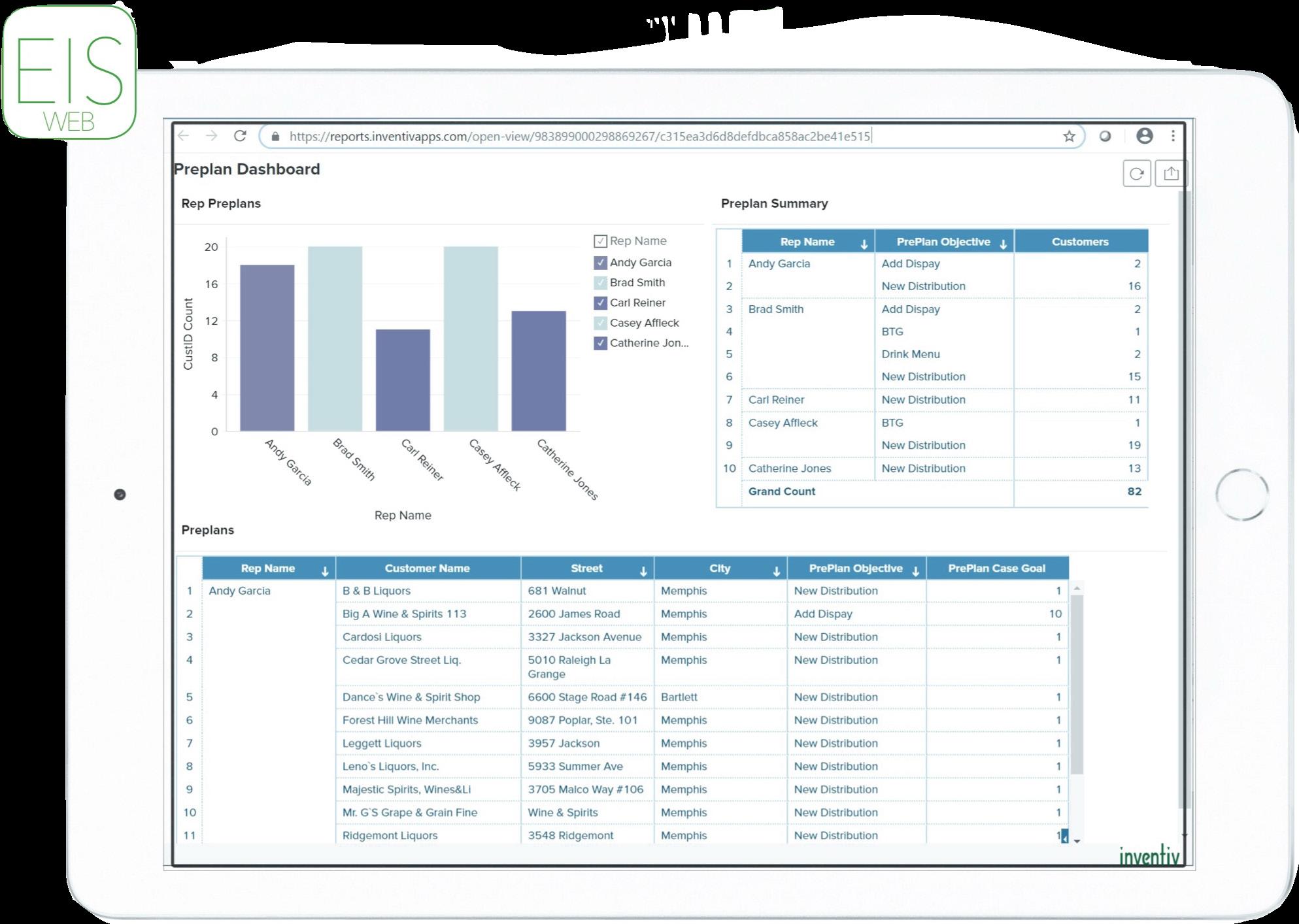
Spare yourself the time wasted crunching numbers and checking papers. eiS WeB comes with standard reporting that includes depletions, accounts sold, sales dollars, and gross proft.
You can even compare numbers from common time periods (month to date, year to date, last three, four, six and twelve months) against the previous year’s reports.
Managers use eiS WeB to create, modify, and deploy surveys to sales reps. Surveys include standard questions types such as yes/no, select for a list, numbers, money, dates and text.
Instead of having to call and ask, managers can view orders and activities sent in daily by their sales reps. It’s yet another example of how our apps streamline communication and can save your valuable time.
We analyzed over 3 million invoices over a 90 day period and found 15.4% of the invoices had at least one credit. When a credit on a delivery occurs a driver takes out a pen and a calculator and hand writes changes to correct the invoice for the customer. Drivers tell us that is a very stressful
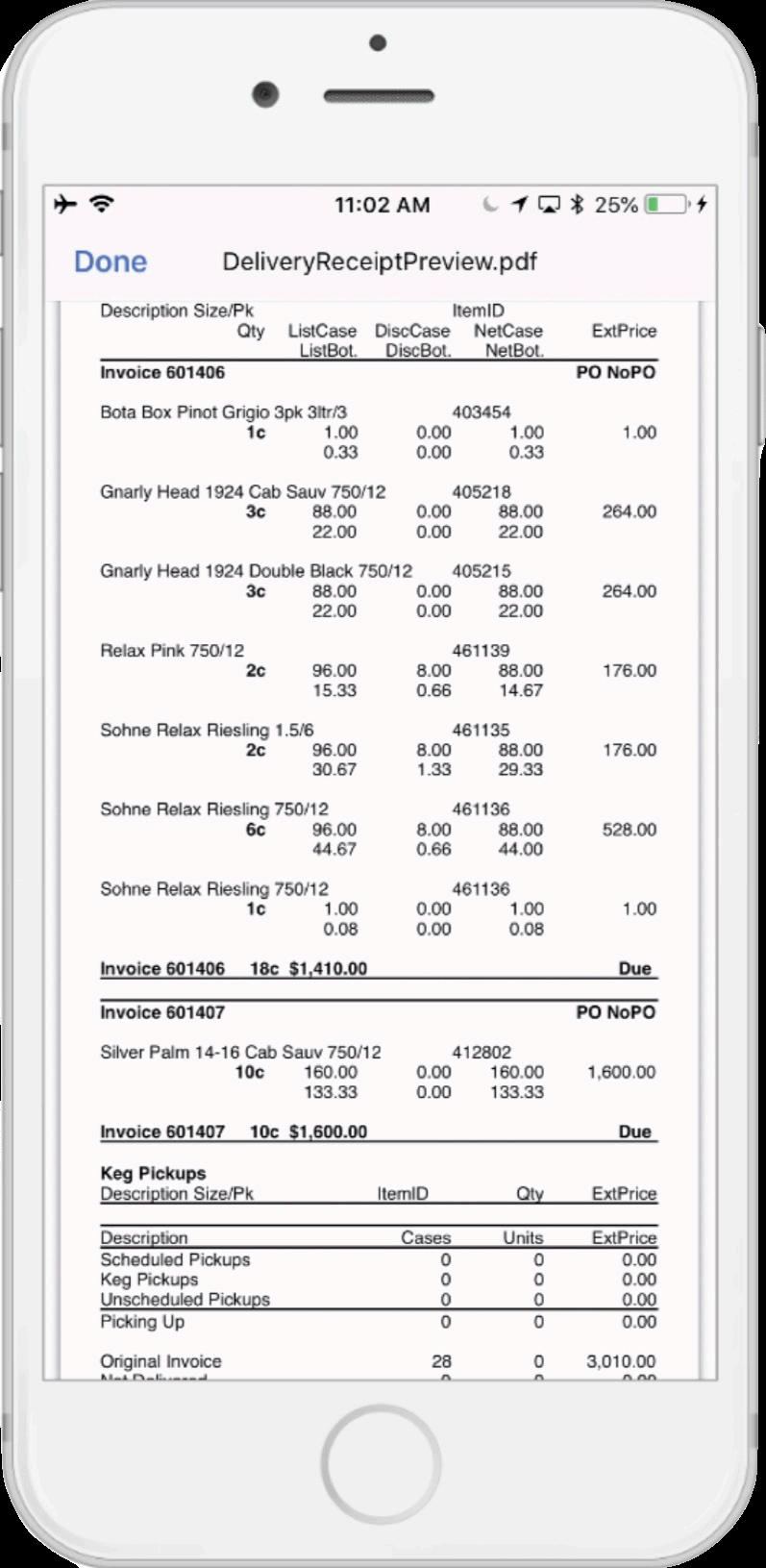
process and they often get calls from the offce days later because their hand writing is not clear. We have a better way. Wholesalers using the inventiv pocketdelivery apps follow this process to achieve a clean invoice.
The driver confrms the deliveries for the day and signs out with the inventory and list of stops. Managers or warehouse personnel can approve and sign off on the confrmed inventory on the truck. Warehouse then provides the driver with a printed copy of the truck’s manifest. The driver leaves the warehouse with an iPhone with the pd driver app, a Zebra 4” Bluetooth printer and a paper copy of the invoice.While a paper copy is optional many wholesalers print a copy for the customer to review.
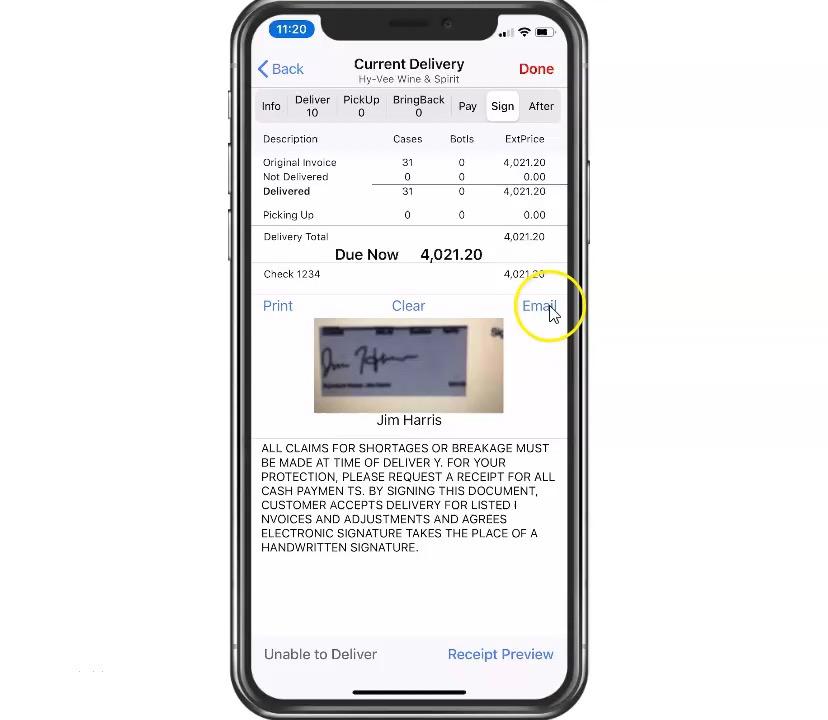
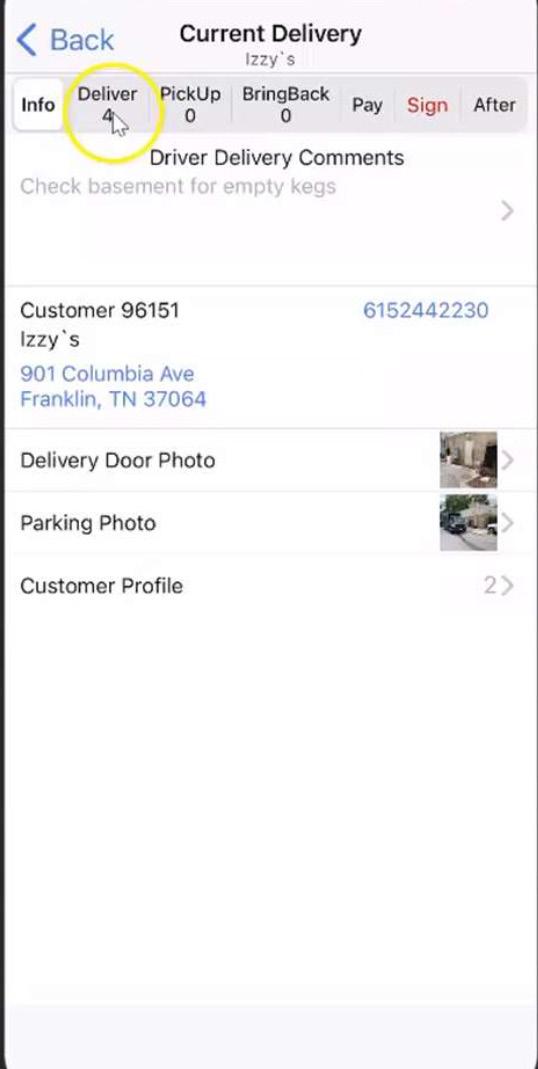
Turn-by-turn directions ensure that the driver takes the most effcient route. Upon arrival, the driver confrms the items being delivered. The driver makes the delivery and records any changes to the delivery and records all payments. The driver is
required to enter a reason code for any changes. The most common return reasons are ‘damaged,’ ‘did not order’ and ‘customer refused.’ The driver then records any checks collected. Management signs for the order, and any returned items are recorded.
The driver signals in pocketdelivery that he’s closing out and works with the warehouse to process returned items as well as any money or checks acquired. A report is automatically sent to the warehouse system with the details of each delivery. This report can be sent electronically or printed. The customer signs for the delivery and a print out is provided with the clean invoice. The math is done in the pd driver app and now you get get all the benefts of the real time data.
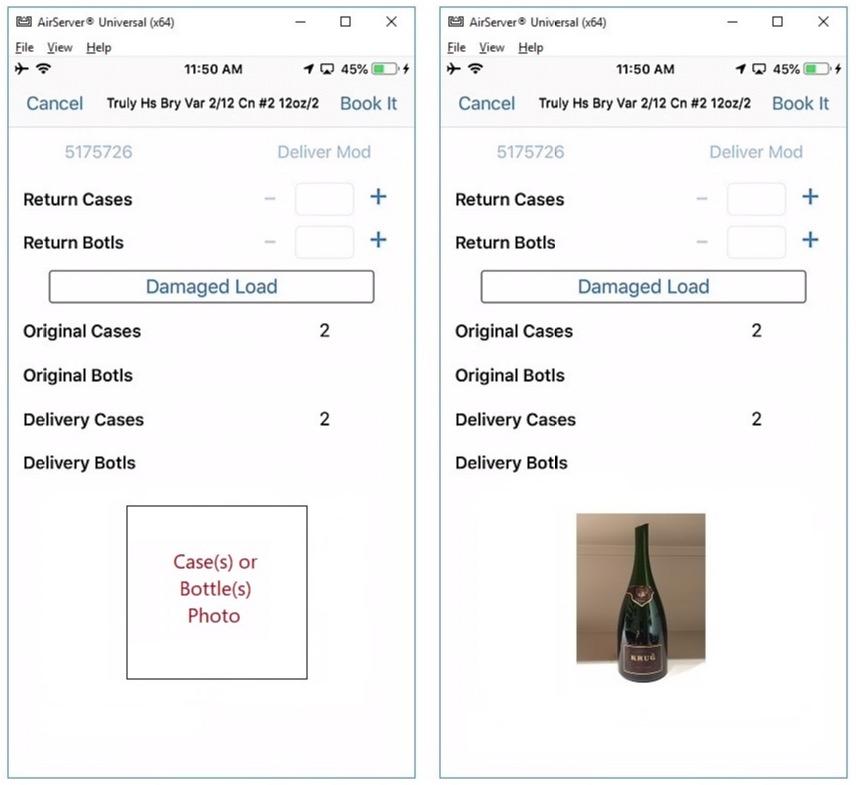
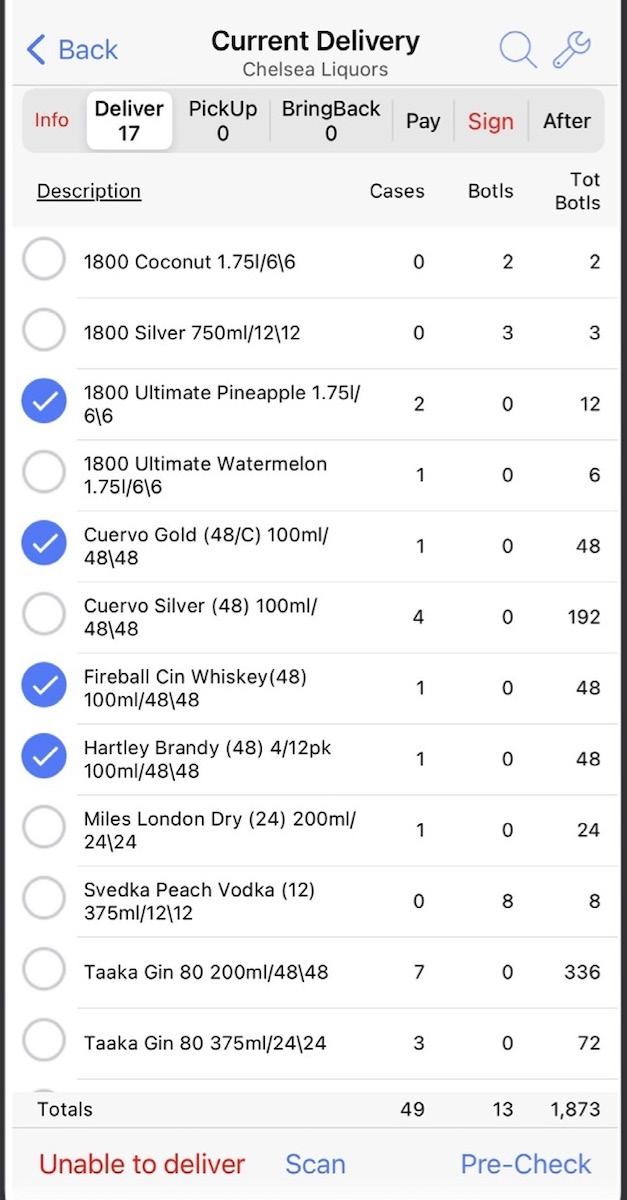
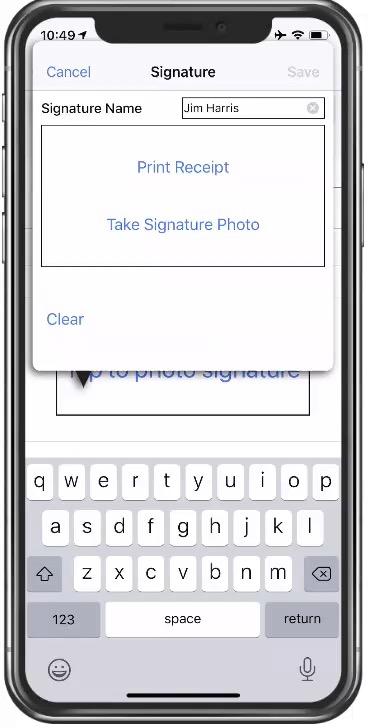
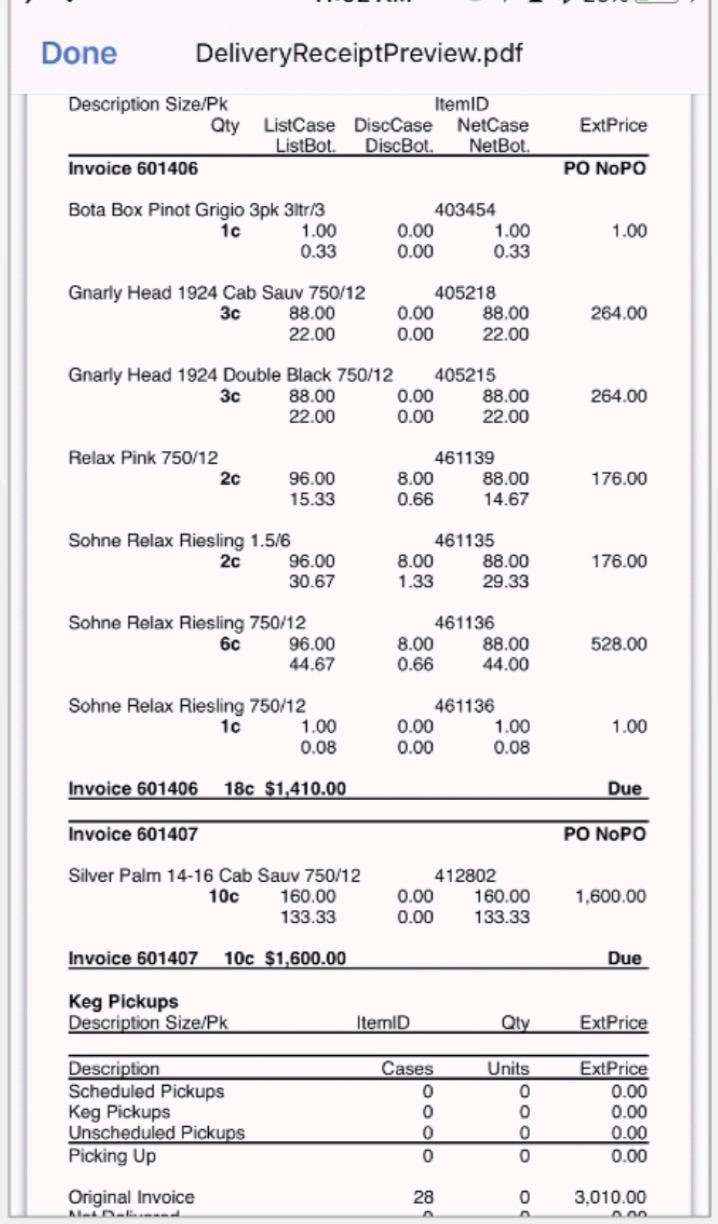
pocketdelivery includes these commonly used feature sets:
SaleS rep delIverIeS
To provide a high level of customer service, sales reps will make deliveries on short notice for a customer.We have an app specifcally for the sales reps so they can get an electronic signature and the signed invoice is automatically sent back to your systems and the sales rep move on to their next sales call.
When a truck breaks down or a driver cannot deliver all his stops, we enable the data to transfer to another driver’s route.This enables the warehouse to track when the stops are switched and hold each driver accountable for the deliveries actually made.
reShIp proceSS
Customers are not always ready to receive a delivery or the driver misses the time window on an important delivery.When this occurs, the driver can request a reship for the checker to approve at the warehouse during the end-of-day process.
returN BottleS oN caSe orderS
A damaged bottle can be removed for delivery while still delivering the remaining bottles in the case.The value of the bottle return is removed from the invoice and the reason code selected by the driver is available for the end-of-day check-in process.
Scheduled pIckupS
A driver cannot complete a delivery without addressing a scheduled pickup request. The value of the return can be credited to the invoice amount so the customer can take the credit immediately.
There are three areas where having real-time data will save you time and money.
SaleS repS delIvery NotIfIcatIoNS: No more callS to the offIce of WarehouSe By the SaleS repS
• Sales reps are notifed immediately of the status of the delivery. If there is an issue with the delivery the sales rep can address it immediately and this reduces the phone calls to the offce and warehouse.
• Merchandisers receive notifcations so they know when the cases are available for setting up a display.
• Sales Managers receive notifcations when they are covering for a rep or have an open territory.
pdf copy of SIgNed INvoIce: No more ScaNNINg paper INvoIceS
• Customers can receive a copy via email of the signed invoice.
• Sales Reps get a link to the signed invoiced if needed in the future.
• A copy of the signed receipt is saved directly to your ERP software, which allows your offce staff can review minutes after the delivery is complete.
drIver eNd of day check-IN: No more payINg drIverS overtIme WhIle they WaIt to check-IN at the eNd of the day
• Drivers can save at least 10 minutes per stop and be checked in in less than 2 minutes because all their returns and payments are organized for the checker to quickly process. If you reduce each driver for 30 minutes a day for 4 days a week, you can cover the cost of all hardware and software for the year.
• The return data is sent back to ERP, so the credits can be created immediately, and inventory can be returned to the warehouse.
• The payment data includes a photo of the check linked to the invoice for true proof of delivery.
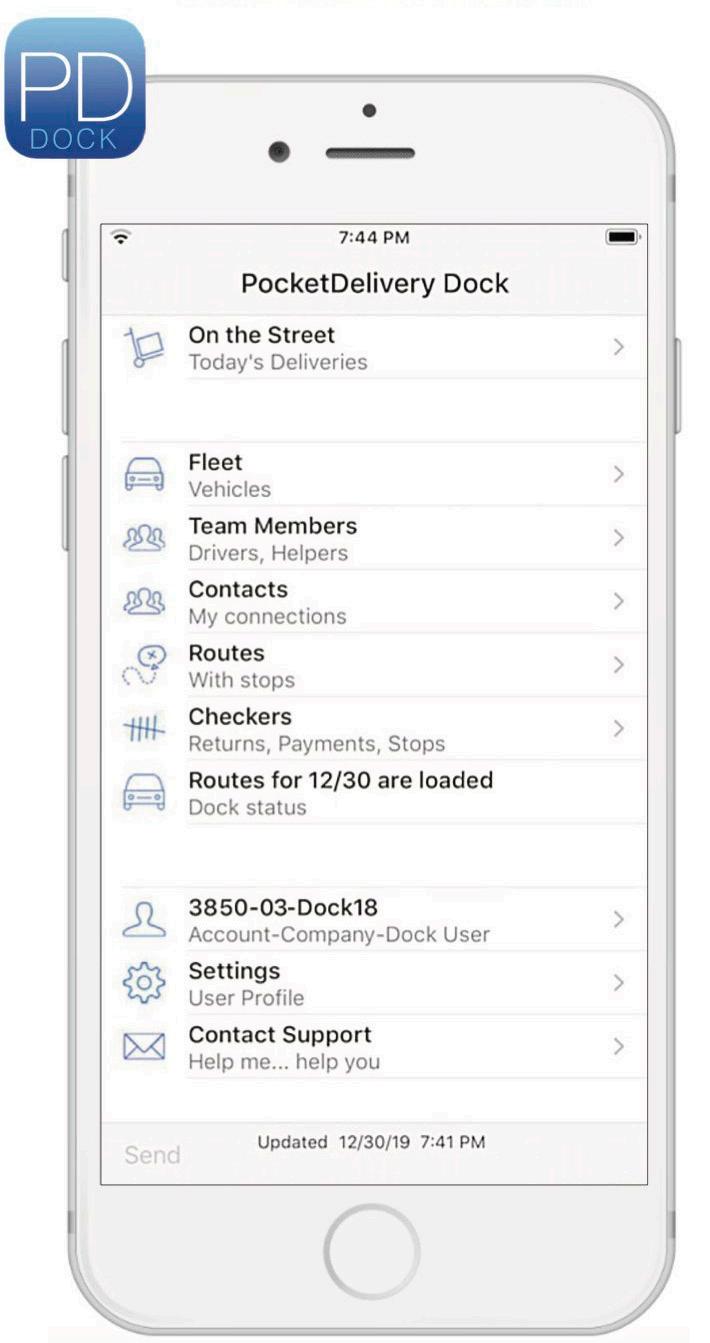
pd dock is a sister app of pocketdelivery in which dock personnel are able to set up and monitor drivers and their activity.
• Managers assign drivers, vehicles, and routes to get trucks onto the street.
• Last-minute route and personnel changes are handled quickly.
• Real-time location of trucks in lists and maps.
PD dock helps account for delivery items that may slip through the cracks. All changes are documented digitally so there is no confusion in the warehouse.

dropoff is a sister app of our pocketdelivery products. It extends proof of delivery function to cases and bottles that sales reps are tasked with delivering to customers.
Sales Reps delivering products to customers for will-call orders.

Rep and customer facetime is valuable, and these interactions must be maximized.
Reps can eliminate the need to hand over any paperwork in person. dropoff provides a full digital audit trail of inventory assets and digitizes the signature receipt process.

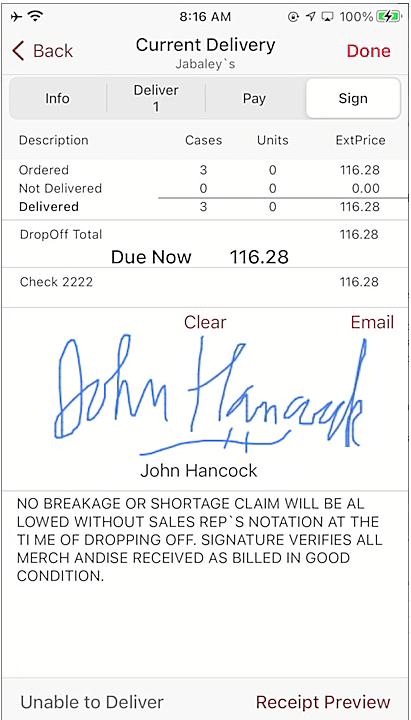

Customers often have requested for one or more items that need to be delivered to the customer prior to the next scheduled truck delivery, often during the same day.
These orders can be billed specially to have them sent to reps so they know to pick them up in the warehouse. The orders appear in dropoff, and reps use existing paperwork and dropoff for the fnal delivery.
When delivered, customers sign on the screen, which produces a PDF-formatted delivery receipt that is emailed to the customer and sent to the offce for archiving, saving the rep a trip back to the offce.

routeMApS is designed for sales managers to customize sales rep territories in order to accomplish sales team optimization. Using this web-based UI, this tool can be used via a Windows laptop or PC. In this larger screen format, we are able to ft the two key parts of the tool, the map and the sales/commission data.
| Sales Managers, Sales Reps
Why | Maximize customer face time
WheN | Utilize our tool weekly/daily
This tool simplifes the visualization of sales territories so that you could reassign reps daily, if necessary. Since routeMApS is backend integrated, all changes are refected as soon as the data is available to your reps in pocketAdvAntAge, which eliminates time between demo and go-live.
Each sales rep’s territory displayed gets its own colored pin. The colors are automatically generated by default to ensure maximum contrast. But you are also able to select custom colors if you have a preference or think some colors are too similar. Inside the pins, without increasing the size of the pin, we add a single letter to indicate the Customer Category (on preMiSe, off preMiSe, MilitAry).
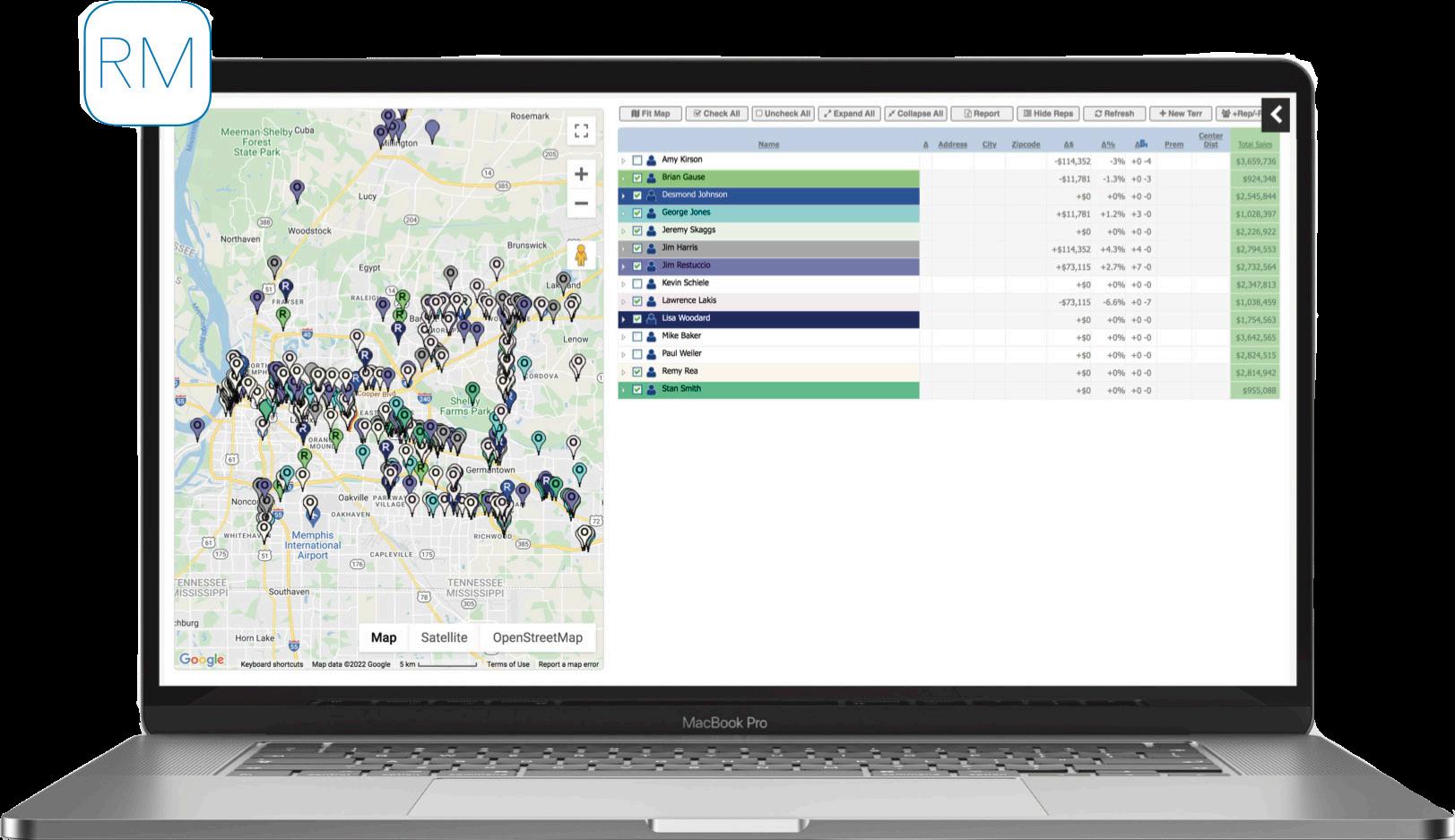
We know that some managers like balancing territories based on sales numbers and that other managers prefer using commission data. In routeMApS, we offer both. The sales history comes from pocketAdvAntAge, so you will see the same data that your reps see.
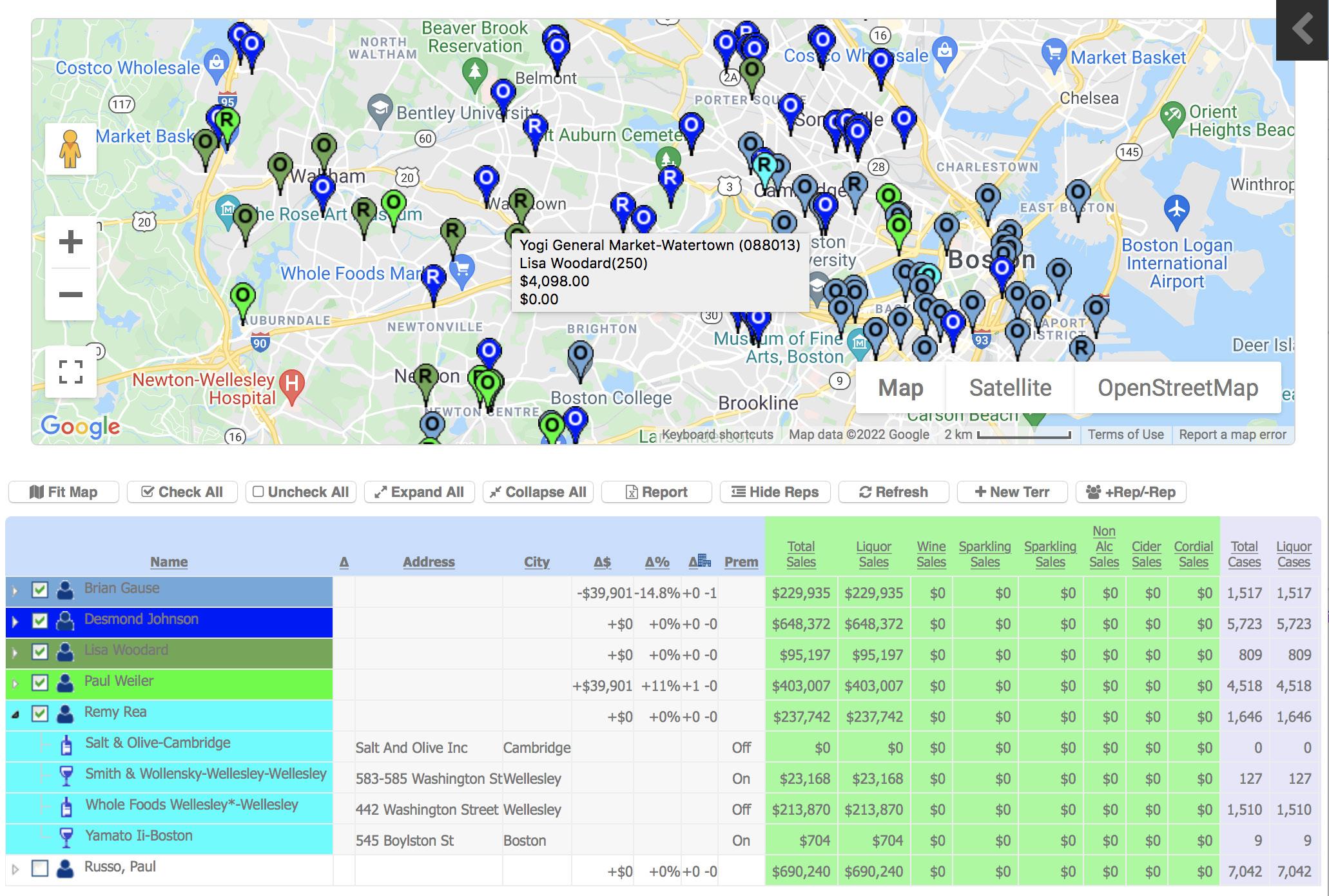
Our territorieS feature provides an updated, visual platform for reviewing sales reps’ territories. Now you can locate and address unnecessary territory overlap and manage divisions correctly in a matter of minutes.
Our neW cuStoMerS feature gives your team the upper-hand on reaching new businesses before the competition. The frst sale at a brand new account is always the biggest. With routeMApS, reps receive notifcations on new license applications and approvals in the area.
Making changes in the tool is great, but how do you handle communicating your changes across your organization? We handle all that for you with a single Excel workbook.The frst worksheet is for your admin to make changes in the ERP. We also produce a worksheet for each sales rep who had a territory change so you can forward the changes territory and sales commission to them in the same day. And since our tool uses the same data as pocketAdvAntAge, routeMApS will update at the same time as the sales reps territory is updated in pocketAdvAntAge.
Sometimes demographic changes, personnel changes, or brand changes produce a need to evaluate splitting existing territories into a few smaller territories or adding a new territory all together. This process is a cinch in routeMApS. Just click to add a new territory and move over accounts, and in a few clicks, you have a brand new territory built.
If you want some time to think it over, we save all your changes between sessions, so you can sleep on it and pick up where you left off, or present your fndings to your boss for approval to hire that new rep you need.
The most important part of routeMApS is the reports generated by the managers to put the rep customers changes into the system.
rep Summary reportS provide a summary of the proposed changes.This report is used by sales managers to get senior sales management approval before they are added to the system.
accouNt chaNge lISts are used to update the system with new
Our coMMiSSionS feature allows you to experiment and see real-time effects on the monthly revenue and commission of sales reps, by customer or commodity type. We also write in your commission logic to be applied to the sales history so that you can balance territories or try out new commission rates.
Commission Type
Dollar Totals
Dollar Totals by Rep
Case Totals
Case Totals by Rep
Dollars by Product Type
Spirit Totals
Spirit Totals by Rep
Wine Totals
Wine Totals by Rep
Beer Totals
Beer Totals by Rep
Non-Alcholic Totals
Non-Alcoholic Totals by Rep
Customer Types
On Premise Totals
On Premise Totals by Rep
Off Premise Totals
Off Premise Totals by Rep
Chains
Total Wine and Costco
Commission Rule
Percent commission on total dollars, same per rep
Percent commission, can be different per rep
Dollar value (i.e. $0.50 per case), same per rep
Dollar value (i.e. $0.50 per case), same per rep
Percent commission on total dollars, same per rep
Percent commission, can be different per rep
Percent commission, same per rep
Percent commission, can be different per rep
Percent commission, same per rep
Percent commission, can be different per rep
Percent commission, same per rep
Percent commission, can be different per rep
Percent commission on total dollars, same per rep
Percent commission, can be different per rep
Percent commission, same per rep
Percent commission, can be different per rep
Lower percent commission, same per rep
Lower percent commission, same per rep
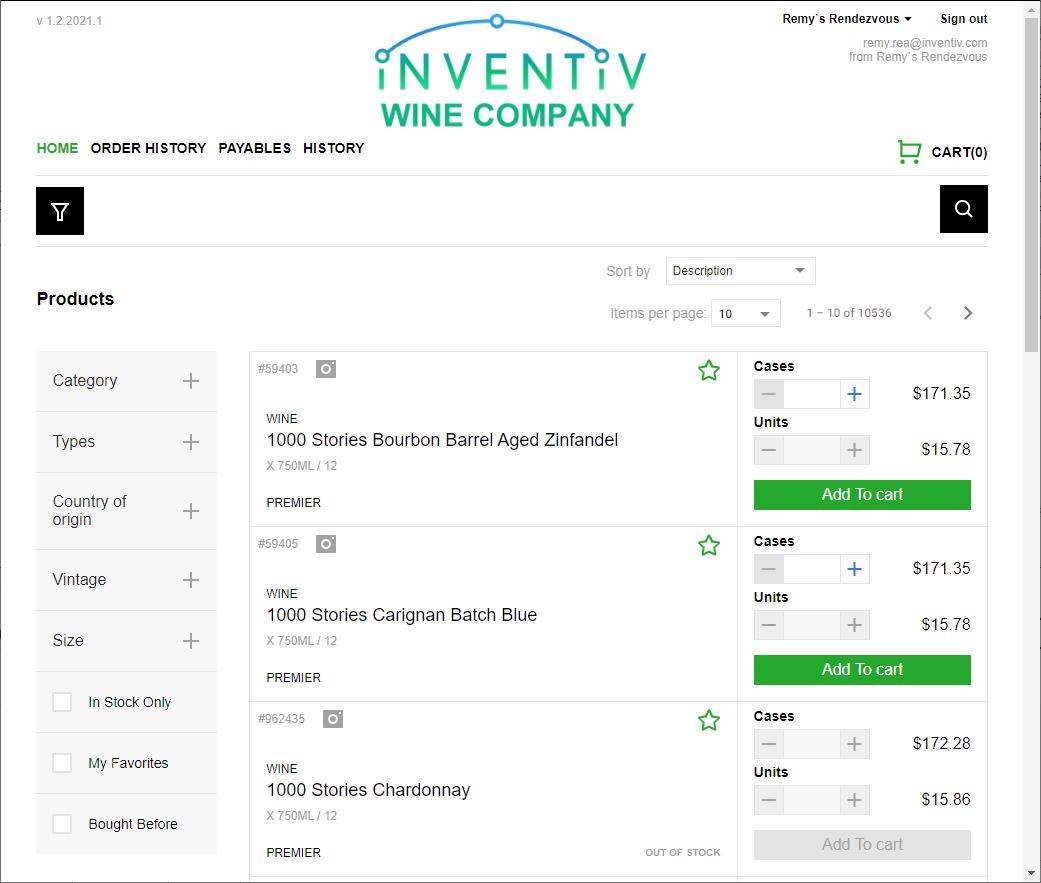
We can set up an ecoMMerce website with your URL, your logo, and your color scheme almost immediately. We apply the same data that pocketAdvAntAge displays. Users can view recent invoice history, give Open AR (with drill-down into invoice detail), and other useful customer service functions. Orders get sent to the assigned sales rep into pocketAdvAntAge, or to an inside sales team member, the same way EDI, Provi, SevenFifty, and other outside orders can be received with orderlink.
Quick,
custom ecommerce websites
ready to roll out


We can set up an eCommerce website with your URL, your logo, and the color scheme from your current website very quickly. We receive data feeds from nearly one hundred wine and spirits wholesalers, multiple times per day, and can help you set up similar data feeds to us, to populate the website with data and rules.
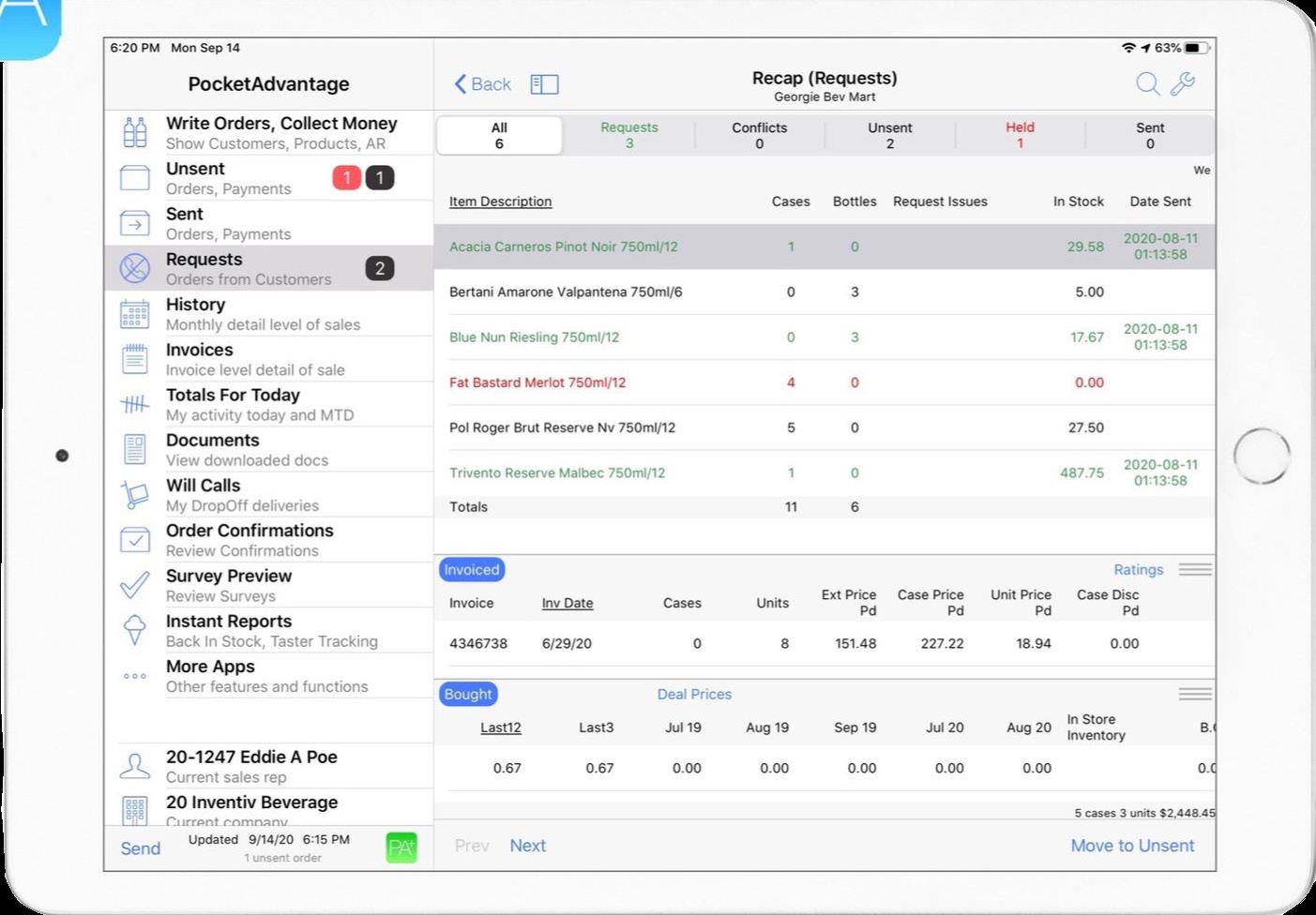
can set up an eCommerce website with your URL, your logo, and color scheme almost immediately.
apply the same data that PocketAdvantage™ displays
We can deliver orders to your ERP, including consolidating orders from other outside sources like EDI, Provi, SevenFifty, and others.
Users can place orders, view invoice history (from all of you order sources), open AR with drilldown to line item detail, and other useful customer service functions. We can even show PDFs of scanned invoices.
Users can view recent invoice history, give Open AR (with drill-down
You can have a retailer site as well as a supplier site, which allows supplier reps to have
set up an eCommerce website with your URL, your logo, and color scheme almost immediately.
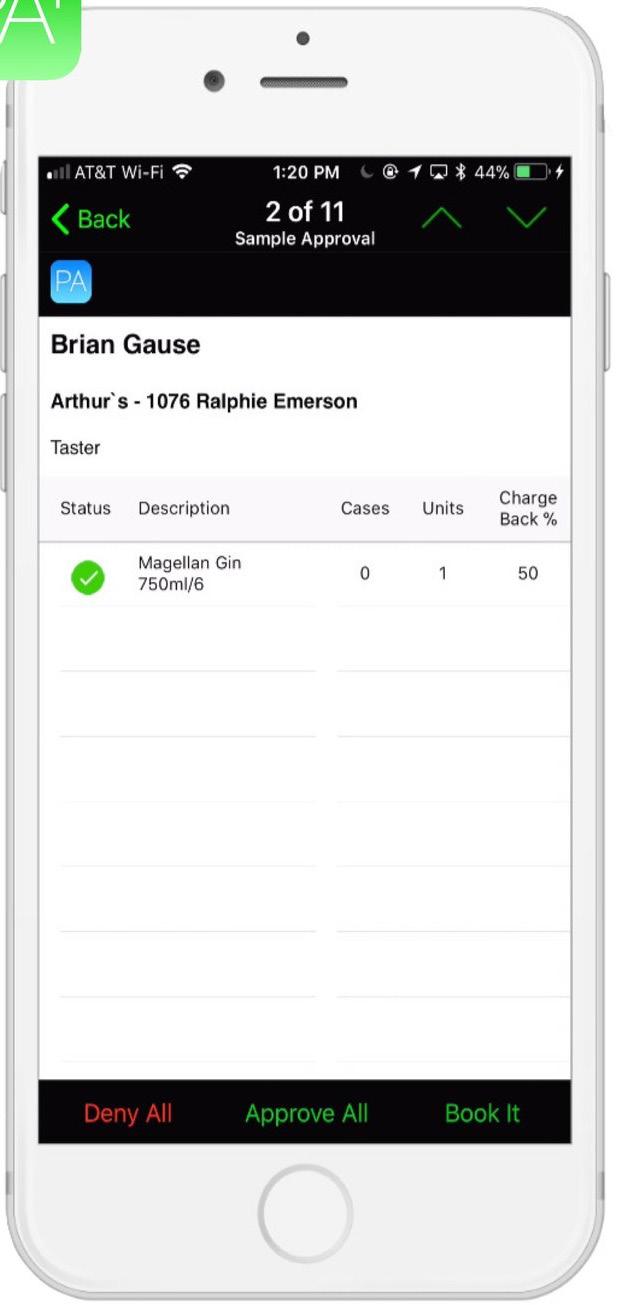
Your own custom ecoMMerce website can be accessed on your customer’s smartphones and tablets as well, providing you with on-the-go ordering on demand.
Wholesaler-specific Websites
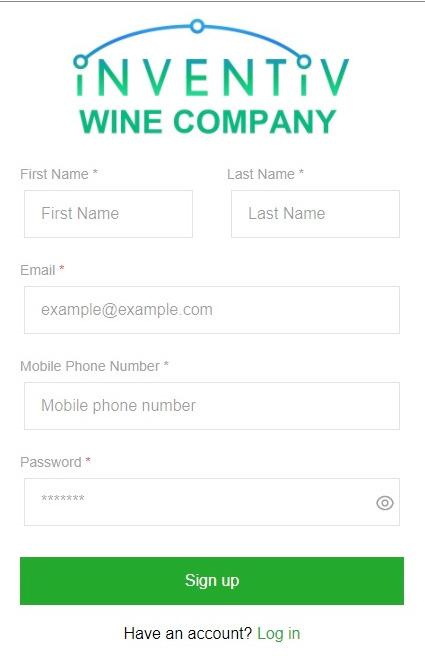
User registration to the website requires an email address that is validated by sending an access code to the address to complete the registration.
User registration to the website requires an email address that is validated by sending an access code to the address to complete the registration.
A mobile phone number is also required. This phone number is validated against existing mobile phone accounts to confrm it is authentic.
apply the same data that PocketAdvantage™ displays
can view recent invoice history, give Open AR (with drill-down invoice detail), and other useful customer service functions.
get sent to the assigned sales rep into PocketAdvantage™, or inside sales team member, the same way EDI, Provi, SevenFifty, and outside orders can be received with OrderLink™
A mobile phone number is also required. This phone number is validated against existing mobile phone accounts to
Capturing and connecting name, email, and mobile phone, connected to a CustomerID delivers valuable marketing links to use in conjunction with offers, within these websites and in other ways.
Capturing and connecting name, email, and mobile phone, connected to a CustomerID delivers valuable marketing links to use in conjunction with Offers, within these websites and in other ways.
The websites are optimized for use in PC, on tablets, and on smartphones. A customer can register multiple users. A user for a chain or related accounts can register once for multiple customer locations. A settable daily cutoff time enforces not allowing a request for next day delivery.
The websites are optimized for use in PC, on tablets, and on smartphones. A customer can register multiple users. A user for a chain or related accounts can register once for multiple customer locations. A settable daily cutoff time enforces not allowing a request for next day delivery.