

How to Participate
in General Room Selection


Spring 2026
Who can Participate in the General Room Selection Process?
Current students living on campus during the spring semester are eligible to participate in the General Room Selection Process if they:
• Have no outstanding balances with the Office of Student Financial Services.


• Register full time for the fall 2026 semester.
• Complete an online Housing Application.


Check List Prior to Participating in the General Selection Process
Complete and Submit an updated housing application for Fall 2026.
Create my roommate group if living in a multioccupancy room.
Ensure my requested roommate and suitemates(if applicable)have submitted their application and accepted my roommate request.
Log back into my housing application and select my Room by participating in the General Selection Process on my designated day.
Please visit
https://www.hofstra.edu/residence-life/housing-selection-re turning-residents.html
for Important Room Selection Dates.
Things to Remember when selecting a multiple occupancy room with a Roommate Group Roommate Group Selection
A student with a higher class standing can select a room for the group.
Example: A Sophomore in a group with a First-Year student selects during the Sophomore General Selection Process. Assigning Roommates
Everyone in the roommate group must be assigned to complete room selection.
Room Availability
The housing system will display all room types that accommodate your group.




Things to Remember when selecting a multiple occupancy room with a Roommate Group
All rooms/suites MUST Be Filled to CAPACITY* or you will get an error message and will not be able to select a room.
When selecting a room to accommodate your group, it is imperative that you filter by room type to ensure you are assigning you and your group to your desired room type choice (i.e. single, double, quad, suite with/without lounge).
If a room type filter DOES NOT appear, this means there is only one room type left to select from. Before selecting, be sure the room type that is showing is the room type you wish to select for your group.
What Happens If I Cannot Fill a Room to Capacity?
• Students can “Search For Roommates by Profile” to request a random roommate to fill the empty spaces.
• Students can reconfigure their roommate group and search for another room type (i.e. if you have 2 students in your roommate group and cannot find two more roommates to fill a 4-person suite, consider selecting a high rise double)
EXAMPLE-Residents NOT in a Roommate Group
• High Rise Single – Private bedroom in a high-rise building with communal bathrooms.
• Suite Single – Private bedroom in a partially filled suite with shared lounge and bathroom; random suitemates.
• Super Single – Private bedroom in a partially filled two-bedroom suite with a shared lounge and bathroom; random suitemate.
• Multiple Occupancy Rooms – Open spaces in partially filled doubles, quads, or suites; random roommates/suitemates
EXAMPLE-Residents in a Roommate Group of Two
Residents in a roommate group of two may have the option to select from the following room types during General Selection, subject to availability:
•High Rise Tower Double Rooms – Two students share one bedroom with no in-room bathroom. Communal bathrooms are located at either end of the hallway.
•Super Single Suites – Two single bedrooms (one resident per bedroom) with a shared lounge and in-suite bathroom. Note: Each resident will have their own single bedroom, which is a higherpriced room type.
EXAMPLE-Residents in a Roommate Group of Two
Residents in a roommate group of two may have the option to select from the following room types during General Selection, subject to availability:
•3-Person Suites (Partially Filled) – Includes one single bedroom (already assigned to another student) and one double bedroom, with/without a lounge, and a shared in-suite bathroom. Important: This setup may include an RA (Resident Assistant) in the single room. Availability is extremely limited, and residents should have an alternative plan.
•Available Spaces in Multiple Occupancy Rooms – Includes partially filled 3/4/5-person suites (with/without lounges) and high-rise quads. Residents selecting this option will be assigned random roommates and/or suitemates.
EXAMPLE-Residents in a Roommate Group of THREE
Residents in a roommate group of three may have the option to select from the following room types during General Selection, subject to availability:
Important: Rooms/suites that accommodate only three students are extremely limited. Residents in groups of three should have an alternative roommate plan in case these options are unavailable.
• Three-Person Suite – Includes one single bedroom and one double bedroom, with/without a lounge, and a shared in-suite bathroom. Very limited availability—residents should have an alternative plan.
• Three-Single Room Suite – A suite with three separate single bedrooms and a shared in-suite bathroom. Important: Each resident will be assigned their own single room, which is a higher-priced housing option. Extremely limited availability
EXAMPLE-Residents in a Roommate Group of THREE
Residents in a roommate group of three may have the option to select from the following room types during General Selection, subject to availability:
• Available Spaces in Multiple Occupancy
Rooms/Suites – Includes partially filled 4- or 5-person suites (with or without lounges) and high-rise quads.
Residents selecting this option will be assigned random roommates and/or suitemates.
EXAMPLE-Residents in a Roommate Group of Four
Residents in a roommate group of four may have the option to select from the following room types during General Selection, subject to availability:
•High Rise Tower Quad Room – Four students share one bedroom; communal hallway bathrooms.
•Suite with Lounge – Two double bedrooms, shared lounge, and insuite bathroom.
•Suite without Lounge – Two double bedrooms and a shared in-suite bathroom.
•5-Person Suite (Partially Filled) – Includes a pre-selected single resident, two double bedrooms, and a shared in-suite bathroom. Extremely limited availability.
.

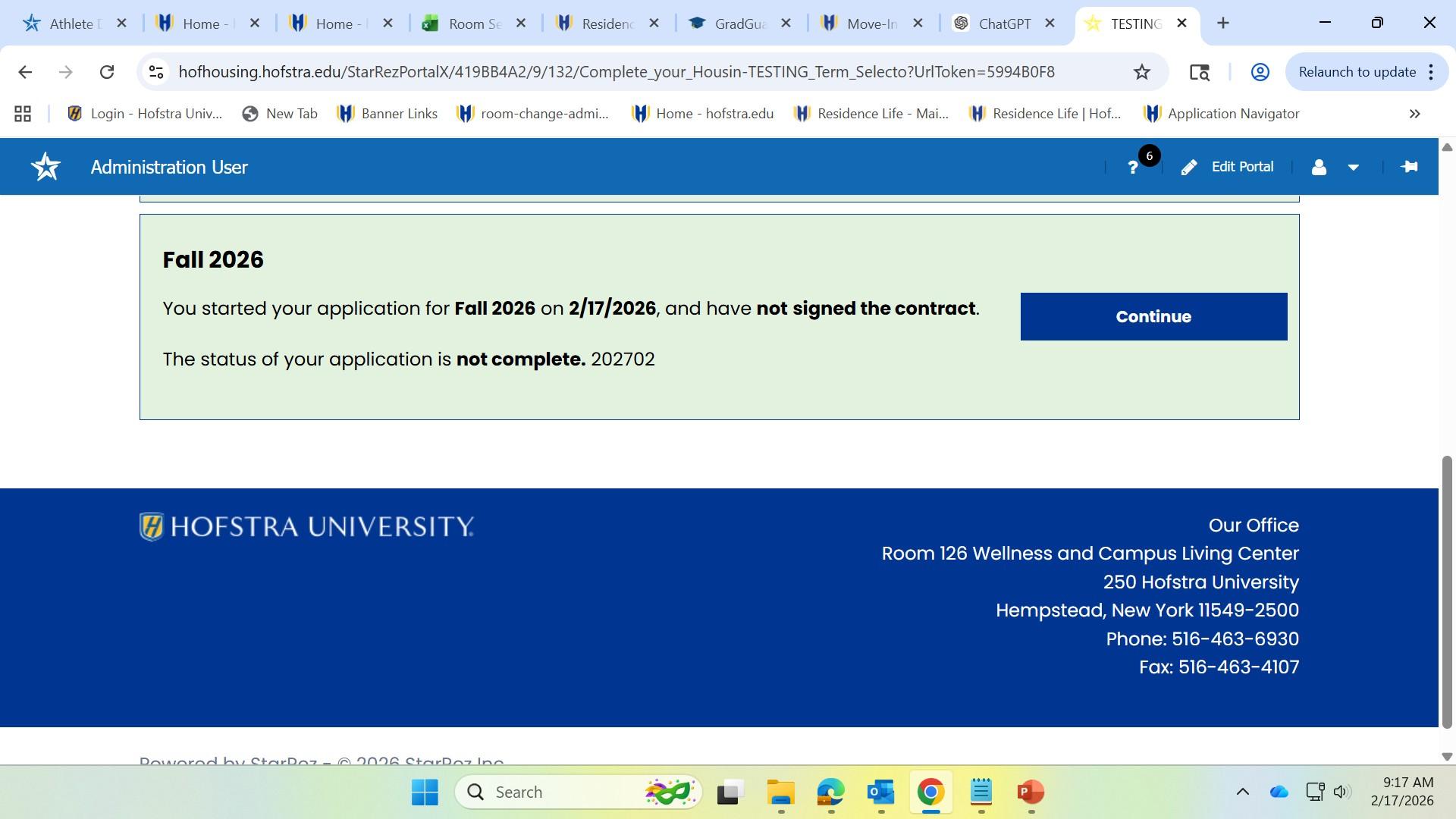
Select the Term
Click on “Complete your Housing Application”
Select the term for which you are applying and click
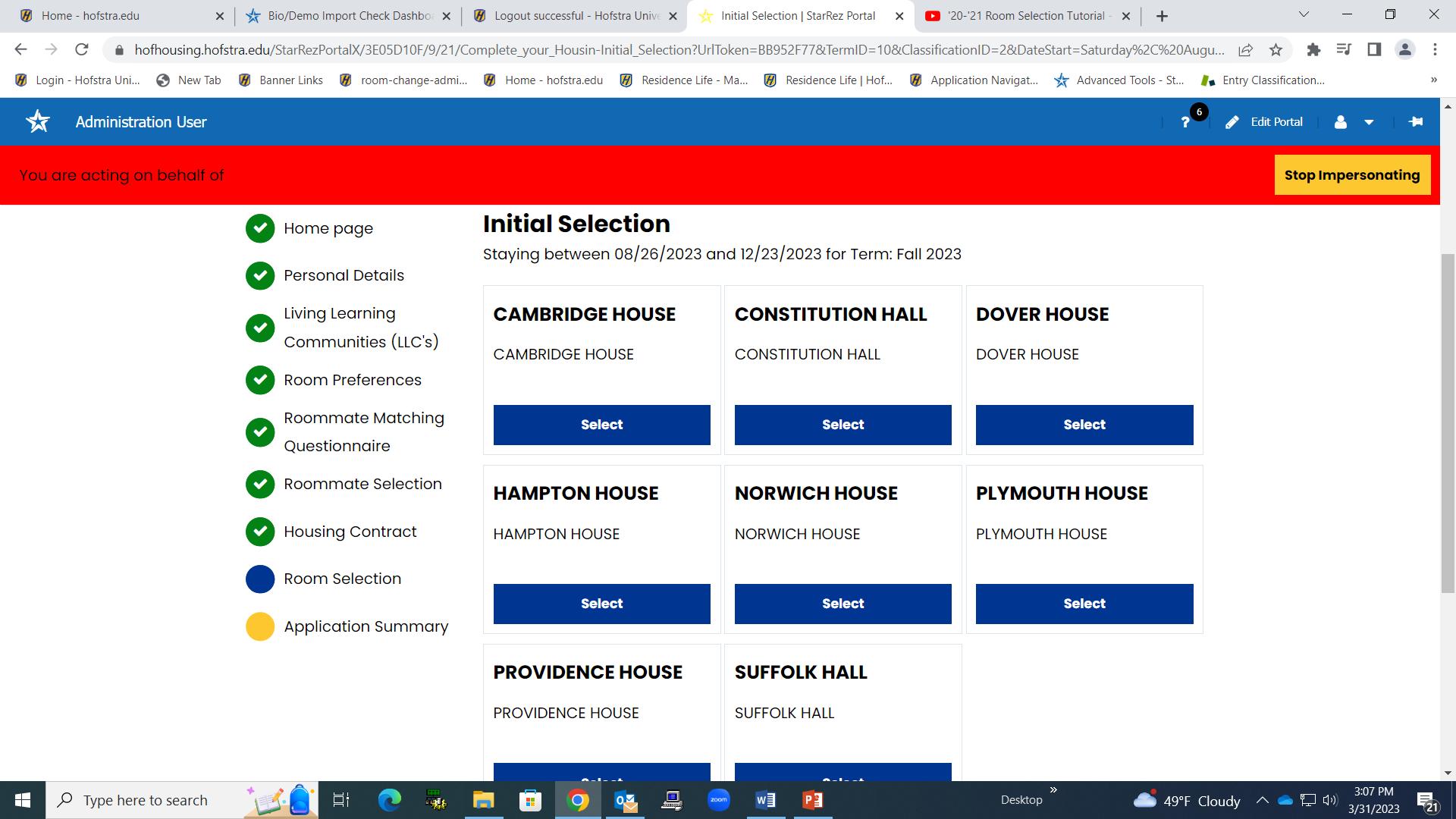
General Selection
If you are not automatically directed to it from the side bar, click on the “Room Selection” page. From the side bar, click Choose the House/Hall you wish to ron the “Room Selection” page if you are not automatically directed to it. Select the building you want to reside in and click on “Select”.
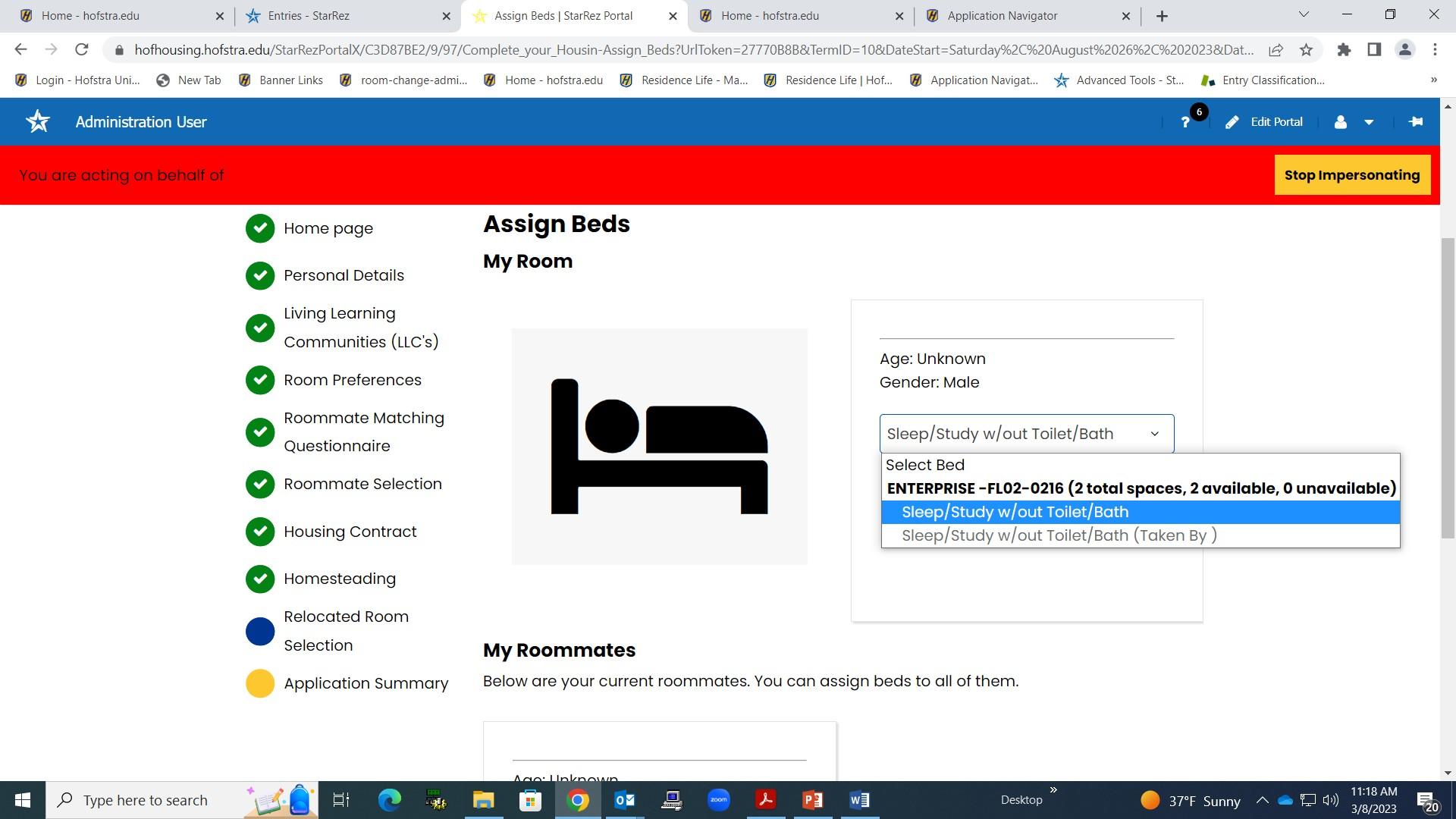
Selecting a Room with a Roommate
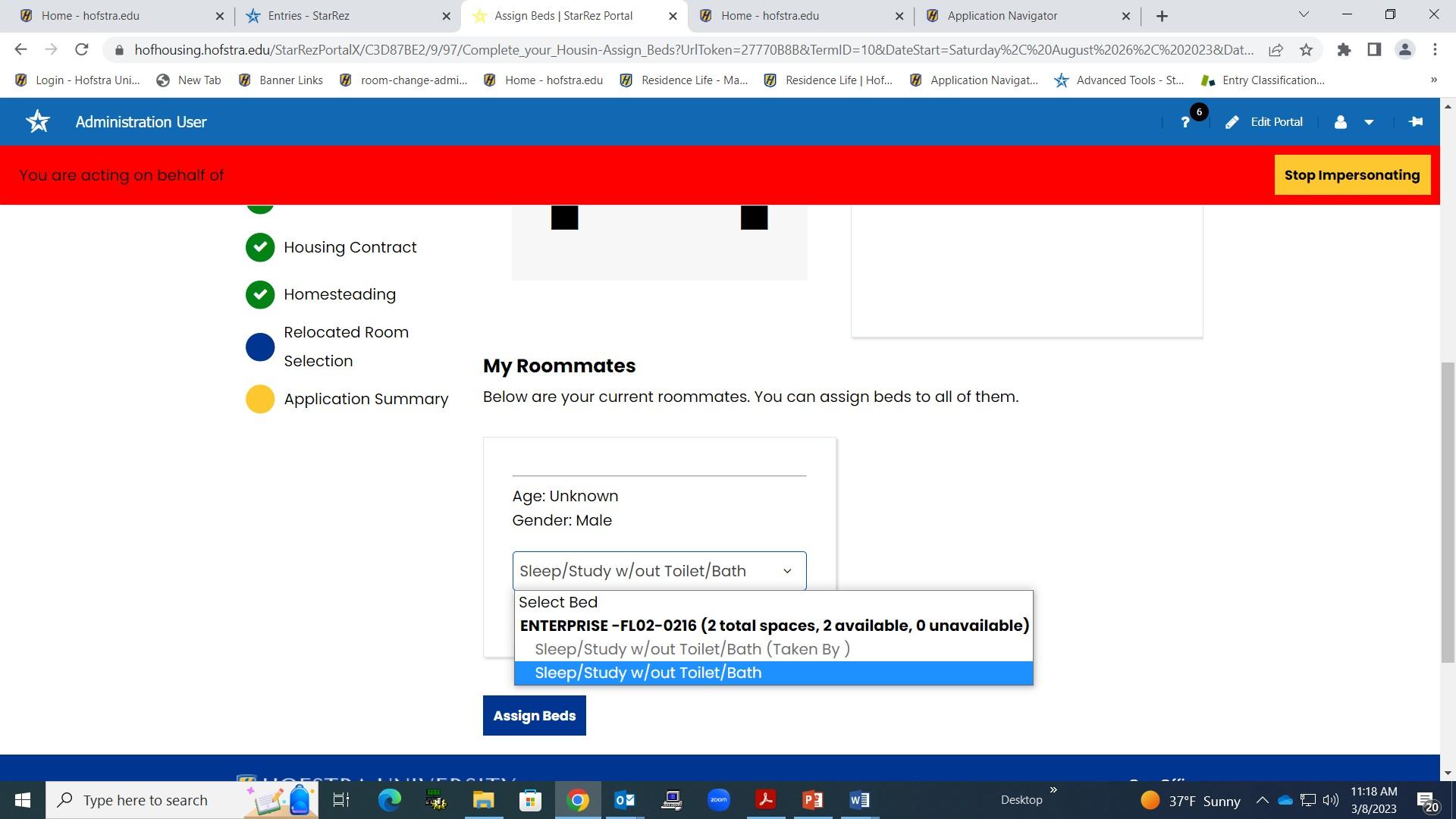
FIRST
• “Select ”your “Bed” from the drop-down menu.
• Verify the building, floor and room number are accurate and if there is a space available.
• Click on “Sleep/Study w/out toilet/Bath” then click on “Assign Beds”.
NEXT
• “Select ”your roommates “Bed” from the drop-down menu.
• Verify the building, floor and room number are accurate and if there is a space available.
• Click on “Sleep/Study w/out toilet/Bath” then on “Assign Beds”.
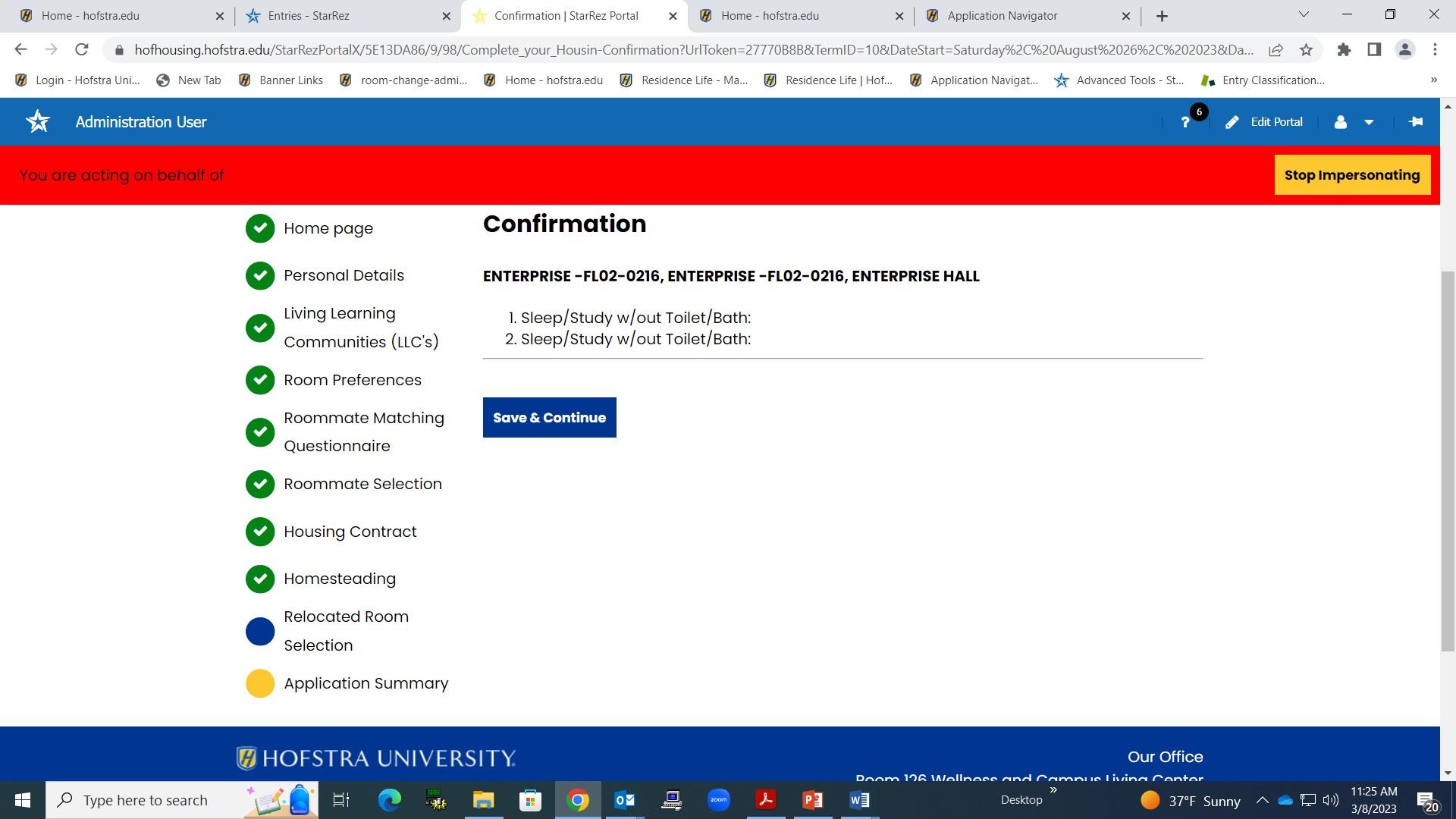
Confirmation
BEFORE you click on the “Save and Continue” button, be sure you confirm the building, floor and room number as this will be your housing assignment for the next academic year. Once confirmed, click on the “Save and Continue” button. You have now successfully Selected Your Room! Students will receive an email to their Hofstra Pride account confirming they Homestead their
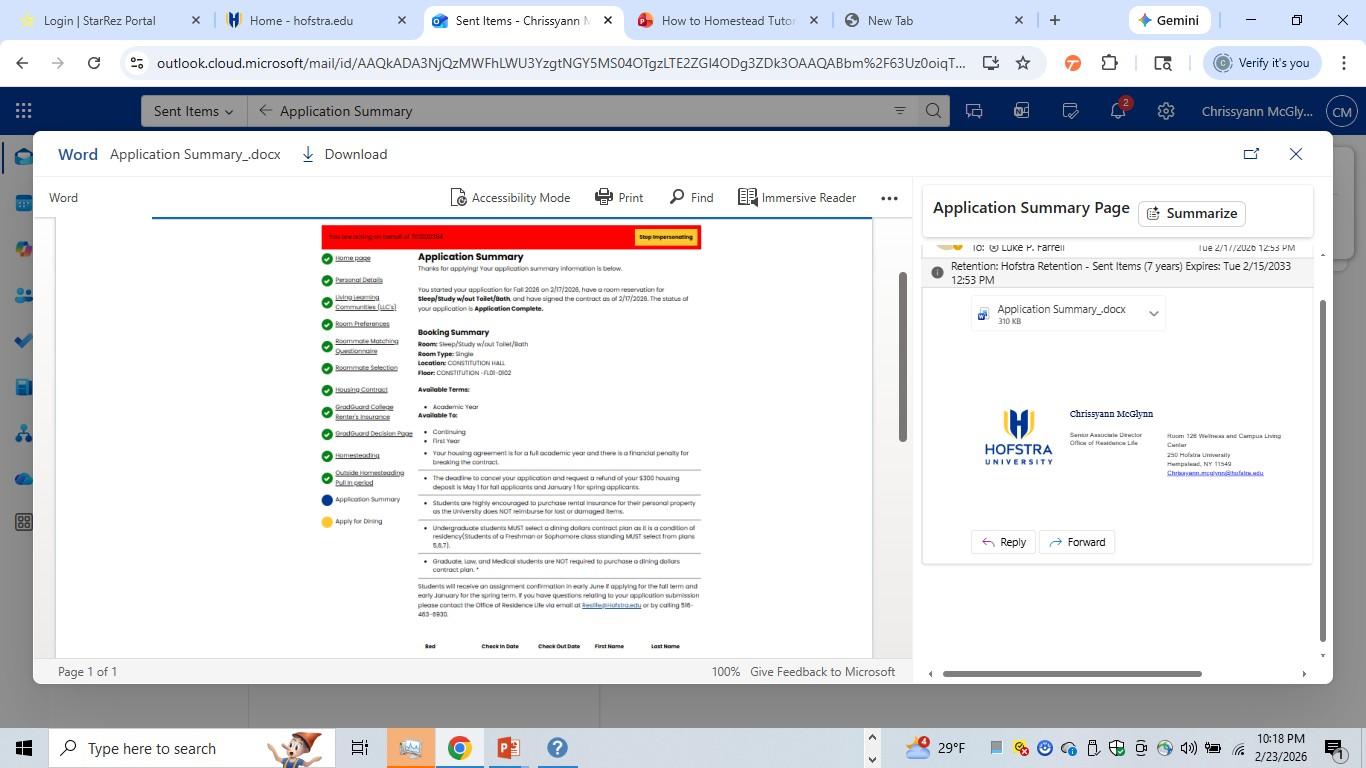
Application Summary
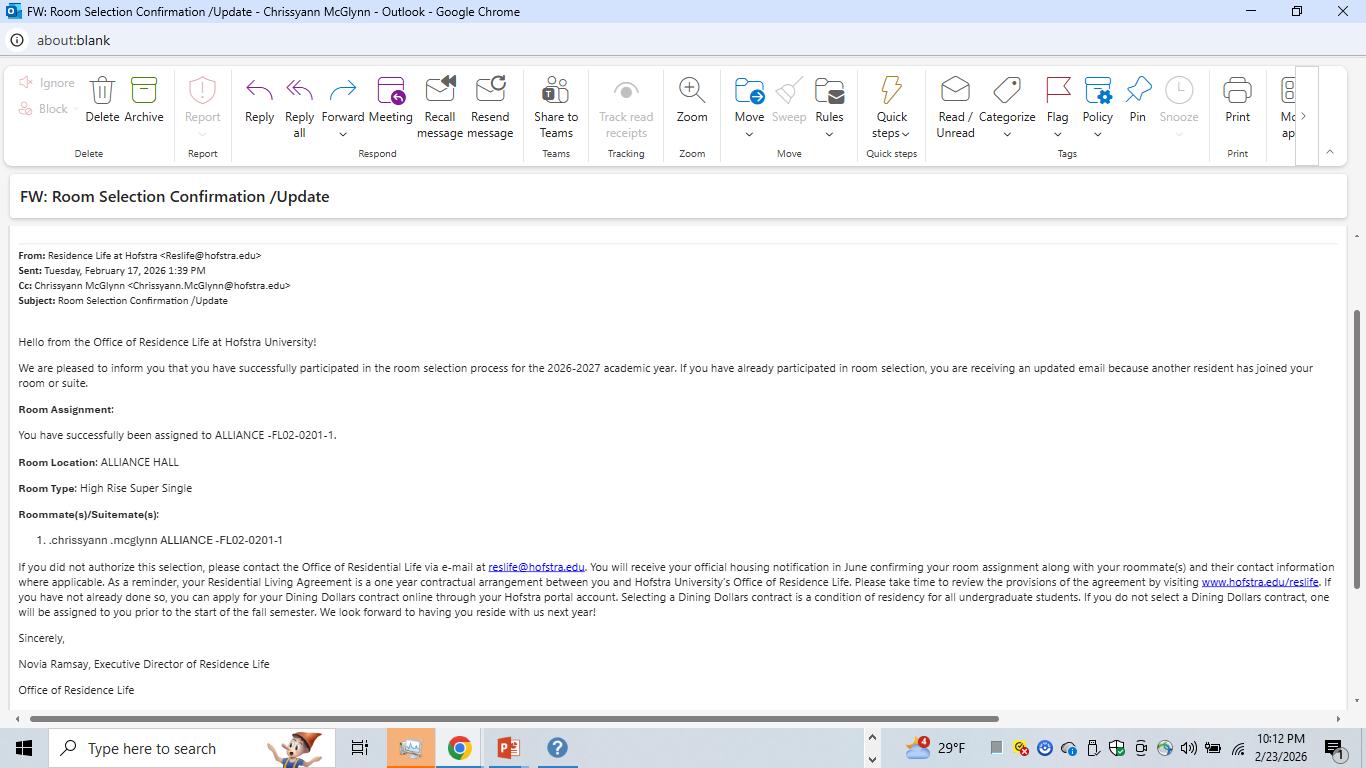
Email Confirmation