VOLUME 2, ISSUE 1 JANUARY 2007
CGArena
Get Attention in Computer Graphics Community
GALLERY
Showcase of latest 3d inspiring art
PHOTOSHOP
Pop Art Comic Strip
AFTER EFFECTS Ipod Lighting Streaks
INTERVIEW
Andre Kutscherauer
3DSMAX
Illuminating the Interior
Punishment 3D Challenge
contents
05 Interview
10 3d Challenge
15 Photoshop
19 After Effects
26 3ds Max
32 Gallery
Andre Kutscherauer
Pop Art Comic Strip
Illuminating the Interior
Punishment
Lighting Streaks
Showcase of latest 3d art
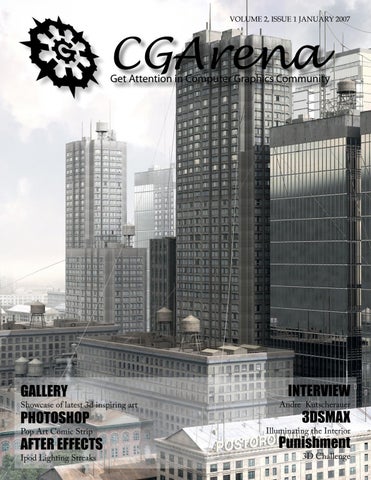
Magazine Designed & Edited: Ashish Rastogi Magazine Cover Image: Alexandr Makarov Challenge Sponsors: Wacom, Realviz, Duber Studio, 3d.sk, Environment-textures.com, ambientLight, Hyperfocal Design and Its Art Magazine
Page
Issue 1 Jan 2007
industry news “Invisibles” loses spot for animated Oscar Arthur and the Invisibles directed by French filmmaker Luc Besson’s had appeared on the list of 16 contenders that was released November 13, the Academy of Motion Picture Arts and Sciences has dropped the film from consideration.
Digitally Film the entire Universe Google announced its partnership with the University of Washington, the University of Arizona and others to create the world’s largest database -- a moving picture of the universe. “It will be the greatest movie of all time,” said UW astronomer Craig Hogan, one of the leading scientists working on the project. “It will transform how we do science.”
A mix of live-action and animation, the MGM/Weinstein release, in which a 10-year-old boy (played by Freddie Highmore) encounters tiny creatures called Minimoys, was deemed ineligible because the animated sequences didn’t comprise at least 75 percent of the film’s running time, which defines eligibility under the Academy’s rules. As a result, the list of films in contention has shrunk to 15.
Technically, it’s called the Large Synoptic Survey Telescope, or LSST, and it’s still mostly just a twinkle in the astronomical community’s collective eye. Planned to begin operation in 2013 on a mountaintop in Chile, the telescope will take moving digital images -- rather than the typical static snapshots -- of all space, the entire visible sky. “This will provide an incredibly rich view of the universe,” Hogan said. Once completed, he added, the movies will be publicly accessible for anyone to watch and study.
source: www.reuters.com
source: www.msnbc.com
Buzzword of the Month Specularity - Specularity is the quality used in many 3D render-
ing programs to set the size and the brightness of a texture’s reflection to light. When you see a highlight on an objects surface, it is actually a reflection of all local light-sources. For instance, if you place a fairly shiny plastic cup onto a table in a room that is lit by a single lightbulb, you will notice highlights all along the surface of the cup (and the table too, obviously). Now, if you look really closely at these highlights, you will discover that in actual fact they are reflections of the lightbulb itself. Obviously lots of surfaces don’t have very tight, defined hotspots which are as clear as they would be on a plastic cup, but all that has happened is that the reflection has become more spread-out, a property which is controlled by the gloss amount.
Page
Issue 1 Jan 2007
interview
AN INTERVIEW WITH André Kutscherauer Q. Hello Andre, you don’t need any introduction but still could you tell us a bit about yourself and what first got you started in 3D? My name is André Kutscherauer. I’m 25 years old and born in East Germany. I think my 3d background goes back till I was 12 years old. A long time ago I have seen my first 3d animated short movie (with some kind of a lucky train with an animated face). This short film must have impressed me so much, that I decided to learn this technology.
Q. How long have you been in CG and what is your current job? It began with a program called “Raytrace Pro” for DOS on my fathers 386er with 33 MHz back in 1994. After my a-level on an art high school I’ve absolved a training as media designer a/v and went 300km across Germany to Nuremburg. Within this training I get experience with Cinema 4D and animation. In this time I made a lot of logo animations and simple character animations. I always learned 3dsmax parallel to cinema 4d. (I knew 3d studio since version 2 for dos) After this training I got a job in a photo studio another more 150km of distance to my origin. Within working in this photo studio I learned a lot about light. I read a lot of photo books to get better understanding for the reality of light. Now I’m doing 3d visualizations of design pieces. I was the only 3d artist for a along time here, but I had three photographers around me. They are the hardest censors that a 3d artist could possibly have! My current job gives me incredible possibilities to learn a lot about light because I have the “reality of light” right here in our real photo studio.
Q. If you could invent your dream job, where would you work & what would be your job title? My dream job would be 2 sided: On the one hand I would like to work as a kind of aesthetical “adviser”. I like to design pictures with words, not with clicks. I like to think about the meaning and surrounding from scenes and to create images that just fit the story and meaning. Light and Composi-
Page
Issue 1 Jan 2007
interview
AN INTERVIEW WITH André Kutscherauer
tion would be my main themes. On the other hand I would like work partly in a “Research and Development” Department. I like to create new workflows and to solve technical workflow problems of certain projects. Because I worked a long time alone I found a lot of new techniques to compensate my “one-man-power” with optimized workflows. A job likes this, where I could work to 70 % aesthetical and for 30% in an R&D Department in a studio environment I would call my “Dream job” because that would encourage my strengths perfectly. Q. What software program(s) do you use for your CG and why? I work mainly with 3dsmax. I’m doing this because it covers nearly everything I need to create my pictures or design visualizations. Since the inclusion of mental ray the picture quality is just perfect. Of course nurbs modeling is something you should do somewhere else and so I use Rhino to compensate this deficiency of 3dsmax. Photoshop, of course, is absolutely important at the end of the deadline. The possibilities with this program are just overwhelming.
Page
Issue 1 Jan 2007
interview
AN INTERVIEW WITH André Kutscherauer Q. Tell us what inspires you to create sequel of your artwork Self Illumination and you are thinking of creating a third part of this? The initial comes from the 3d world magazine. They asked me to create a front page cover and about a tutorial with the Self illumination content. So I thought that this would be a perfect point in time to create the second self illumination picture. Personally I’m not really a fan of continuations and currently there are no plans to create a third part of it. I like to realize my other ideas first. But I don’t would exclude it…
Q. You also do the web designing, flash content creation and 3d. So, which thing you enjoy the most, easy/difficult to do and what are different challenges? Of course I enjoy 3d the most. The relation between arts and techniques is much more creative in this case. But web design (especially flash) is a welcome alternation although the technically part is more distinct here. A website stays an active content and must be updated with every new release. A picture is just finished at some point. A website interface is aesthetical not as free as a picture, because you should put the focus on user friendliness. (Form follows function) Pictures are much more free to design. I like both themes.
Q. Tell us something about your artwork Dandelion of screws. From where you get the inspiration and actually what’s going on in your mind?
Page
Issue 1 Jan 2007
interview
AN INTERVIEW WITH André Kutscherauer It was a clearly aesthetically decision to create this picture. Again I was on a search for interesting elements and found a simple screw. With this picture I liked to create an interesting motive without any story. It just should look interesting. Actually there are some further ideas in my mind and I will now have to filter the best ideas out to be able to put it in my rare spare time.
Q. Of all of your artwork, which piece is your personal favorite and why? To judge your own pictures is quite hard, but I will try it. Dandelion of screws I like from an aesthetic point of view the most. Because there is no story but there is something else interesting. Self illumination is my favorite content wise. There are a lot of possibilities to interpret a story in this piece. The main statement could be totally positive on the one hand or tragically negative on the other hand. Every spectator does put it own meaning into this picture. That’s a kind of interaction that I like very much!
Q. What is one piece of advice you would give to any artist looking to get into 3D? To learn modelling is hard, I know it! But it’s really worth it! In a few months you will achieve a level where you can render nearly everything you can imagine! Keep this though in your head, while teaching yourself! That will motivate you over the time! I had never a school or somebody that teaches me in 3d! You can really learn everything autodidactic! Q. Are you working on any projects currently? If so, what are they? Currently I’m working on an update of my website and on some pictures. I got a lot of ideas but nearly no time after work. But as said I will try to filter out ideas to put the focus on the best and to fit it into my less spare time.
Page
Issue 1 Jan 2007
interview
AN INTERVIEW WITH André Kutscherauer Q. What are your hobbies and please describe your free time, if you have any? I have to say that this pictures and my website is my hobby. I got no time for other things at the moment. But that’s Ok. Some time ago my hobby was composing songs. But in the last years I just found my passion in pictures. Q. Anything you like to add? It is your chance now to state your opinion about anything. Always do remember that all the high complex cg programs are just like the hammer of a sculptor! It depends on how you will use it! It doesn’t count how quickly you click and how much shortcuts you know – it only does count where you click and how abstract you are able to think. If there’s no button that does the function you search for it doesn’t mean that you can’t do it with that program… Website: www.ak3d.de
Page
Issue 1 Jan 2007
challenge CGArena is proud to present “Punishment” (3D Challenge), 21 Jan 2007 - 15 Mar 2007, sponsored by Wacom, Realviz, Hyperfocal Design, 3d.sk, Environment-Textures.com, ambientLight, Duber Studio and ITs Art Magazine. We want different ideas and approaches in a more creative way.
Image: Harshdeep Borah
Your Mission Create an image which justify the theme of Punishment in Image. This Challenge is a Work-In-Progress Challenge -- all contestants are required to post their work-in-progress images for community to critique/comment in order to qualify. Last date to enter in this challenge is 15th Feb 2007 after this no registration for challenge will be allowed.
How the Challenge will be Run This challenge will be a WIP (Work in Progress) Challenge. Each challenger is required to submit Work In Progress (WIP) images, from the initial concept sketch to the final render. The purpose is that everyone can learn from each other, offer feedback and critiques.
1. Enter the Challenge by registering yourself on CGArena forum. 2. Submit your work in progress images in forum on a regular basis. otherwise will be disqualified. 3. Participate in the community by critiquing other challengers works in the respective threads. 4. Not allowed to change the concept once decided and posted the sketch in the forum. 5. Submit your concept within 15 days from the date you register for this challenge. 6. Submit your final entry till 15th March 2007, midnight 00:00 GMT. 7. There will be 4 winners in this 3D Challenge and CGArena, Sponsers decision will be final. Note: You are required to submit work in progress images, obtain feedback and give feedback to other challengers.
Final Image Size - Your final image dimensions should be print resolution. Do not send in a low-resolution. - A guideline is minimum 1200 pixels wide and/or 1024 high, JPG, 300 DPI. - Send your final image in zip format with your complete shipping address, telephone number in a text file on email address ezine@ cgarena.com with subject “Punishment Challenge Final Image”.
First Prize - $2085 USD Realviz MatchMover SD 4.0 - $680 USD
REALVIZ MatchMover SD is the professional way to track 3D camera data and motion from videos and film sequences, providing the ease of automatic tracking, with the precision control matchmoving professionals demand.
Hyperfocal Design 10 HDRI Skies - $590 USD
Our sky HDRIs use only the best quality digital optics for crisp, clean images - we don’t use mirror balls or distorted, low quality fisheye lenses. Due to the huge resolutions achieved, these images are amongst the only HDRIs available that can be used for background images & reflections as well as lighting. They provide maximum flexibility for your virtual camera and scene, allowing long zooms and extreme detail in reflection close-ups.
1 Year Corporate Membership at 3d.sk and Envirnment-Textures.com - $485 USD
Save thousands of dollars on human photo references every month. Gain the access to huge source of more than 72.600 photos updated 29 x per month. Average photo is 3000 x 2000 pixels so there is enough detail for the production of 3D characters for cinematic sequences as well as next generation game characters. Texture Source Photos, Modeling Reference Photos, Animation Reference Photos and Movies, Details of Eyes, Faces, Hands etc. you will get everything here.
Wacom Intuos3 6x8 - $330 USD
Intuos3 gives you the power to quickly and professionally edit photos and create digital artwork by turning on the full power of Adobe® Photoshop®, Corel® Painter™, and over 100 other leading software applications. Intuos3 tablets now put ExpressKeys™ and Touch Strips right at your fingertips for convenient keyboard shortcuts, scrolling, zooming, brush size control, and more.
Second Prize - $543 USD 6 Month Corporate Membership at 3d.sk and Envirnment-Textures.com - $330 USD
Save thousands of dollars on human photo references every month. Gain the access to huge source of more than 72.600 photos updated 29 x per month. Average photo is 3000 x 2000 pixels so there is enough detail for the production of 3D characters for cinematic sequences as well as next generation game characters. Texture Source Photos, Modeling Reference Photos, Animation Reference Photos and Movies, Details of Eyes, Faces, Hands etc. you will get everything here.
ambientLight Multibay Texture Bundle - $130 USD
Multibuy Offer includes our entire range of Texture Packs. All of our packs are at a minimum of 1024 pixels square and are hand edited so that they tile perfectly, whatever application you use them in!. This pack includes Plant & Trees, Natural, Sky, Architectural, Roads textures. These textures are beautiful and of high quality. They do tile seamlessly and they, together with the included bump maps, are a great help in making images look more realistic.
Duber Studio Portrait of a Girl 3 DVD’s Set- $83 USD
These DVD’s that sets its goal to finally teach you in-depth how to effectively model, map and texture your meshes. Duber training didn’t want to create an ordinary, average training DVD, we decided we would like you to actually understand what modeling, UV’s and texturing are and how they work! More than 3 hours of exclusive training.
Third Prize - $230 USD 3 Month Corporate Membership at 3d.sk and Envirnment-Textures.com - $194 USD
Save thousands of dollars on human photo references every month. Gain the access to huge source of more than 72.600 photos updated 29 x per month. Average photo is 3000 x 2000 pixels so there is enough detail for the production of 3D characters for cinematic sequences as well as next generation game characters. Texture Source Photos, Modeling Reference Photos, Animation Reference Photos and Movies, Details of Eyes, Faces, Hands etc. you will get everything here.
1Year Subscription Its Art Magazine + Magazines CDRom - $36 USD Wonderful Magazine which available in the English and French Language.
Fourth Prize - $102 USD 1 Month Corporate Membership at 3d.sk and Envirnment-Textures.com - $66 USD
Save thousands of dollars on human photo references every month. Gain the access to huge source of more than 72.600 photos updated 29 x per month. Average photo is 3000 x 2000 pixels so there is enough detail for the production of 3D characters for cinematic sequences as well as next generation game characters. Texture Source Photos, Modeling Reference Photos, Animation Reference Photos and Movies, Details of Eyes, Faces, Hands etc. you will get everything here.
1Year Subscription Its Art Magazine + Magazines CDRom - $36 USD Wonderful Magazine which available in the English and French Language.
Consolation Prize (User which gives best critiques/comments) Duber Head Rigging Modeling Video Tutorial - $5USD
The entire process needed in order to create a fairly flexible, usable and fast head/face rig, that you can either further enhance or build on, or actually use as is in your character workflow. This one hour, fully narrated, videotutorial covers the head/neck rigging, operational jaw bone rigging and a bit more complex eyes and eye lids rigging.
1 issue of Its Art Magazine - $4USD
Wonderful Magazine which available in the English and French Language.
SPONSORS
photoshop
Pop Art Comic Strip Page 15
Issue 1 Jan 2007
photoshop Step 1: Open the Image you like to convert into the comic strip. Duplicate the layer and change the mode of the duplicate layer to “Color Dodge”.
Step 2: Press Ctrl + I to invert the duplicate image. This makes the image appears white. Step 3: Apply Filter > Blur > Gaussian Blur to the duplicate layer. You will see a colored line drawing start to appear. When you increase the blur strength that controls the line strength. Don’t you think it’s cool?
Page 16
Issue 1 Jan 2007
photoshop Step 4: To remove the colors create a new Threshold Adjustment layer from the button in the layers palette. Adjust the slider until you see all the required details in the scene. Also create a new layer and paint with white color to remove them. You are thinking why follow so many steps and just applying a Threshold on the main layer will give us same result but actually this method gives you more control on the lines that you don’t get if applied the threshold directly.
Page 17
Issue 1 Jan 2007
photoshop Step 5: Create a new layer and change the blending mode to multiply. Start painting with different colors to different parts of the body on different layers. Step 6: To make a colored layer into halftone pattern. Choose Image > Adjustments > Threshold and drag the slider to the left until the color disappears. Step 7: Select Filter > Sketch > Halftone Pattern and move the contrast slider to the right and adjust the size of the checks and click Ok. Remember one thing colors selected as a foreground and background in the tools palette will come in the halftone and final output, nothing to do with the colors you painted in multiply layer.
Final Step: Repeat the above steps for other layers too except for the eyes and the hairs. That’s it. You can add talk bubbles or something else according to the script requirement or giving any different look. - Andy Halls andyhalls123@yahoo.com
Page 18
Issue 1 Jan 2007
after effects
Ipod Commercial Lighting Streaks
In this tutorial we will create lighting streaks like you have seen in the latest commercial of Apple Ipod Nano. To accomplish the project we will you a third party plug-in called Trapcode Particular. This is a wonderful plug-in for After Effects which generates particles and help in creating various effects.
Step 1: Create a new 640 x 480 size composition for 10 seconds or more as per your requirement. Also create two new layers named Background and Particles respectively.
Step 2: Create Layer > New > Light (Ctrl + Alt + Shift + L). We used this light as an emitter for generating the particles. Also change the name of the light to Emitter because Trapcode particular emits particle from only those lights which named Emitter.
Page 19
Issue 1 Jan 2007
after effects Step 3: Select an Emitter layer and Press P to bring the position settings of the light. Now press Alt and click on the position stopwatch so we can write an expression to move a light. Because moving a light manually is a cumbersome process. So we will apply a wiggle expression on the emitter. Please write “wiggle(.5,300)” (without quotes).
Step 4: Now your light is moving all over the composition. You can change the values in the expression as per your requirement. Select a layer named Particles and apply a trapcode particular plugin. Select the following settings as shown in the image.
Step 5: If you play the timeline then particles are not emitting as you are looking for. So we have to create a design and need to give a custom design to the particle. So select New > Composition of size 50x50 and create a design as below through masking the solid layers. I know working on such a small comp is very difficult so increase the magnification to 400%. Also reduce the opacities of these solid layers to 10-15%.
Page 20
Issue 1 Jan 2007
after effects
Step 6: Drag this composition in the original composition at the bottom and hide the layer by clicking the eye button because we don’t need to show in the scene.
Step 7: Go into the Particular settings again and change the following settings. Now you achieved the effect on which you are working.
Page 21
Issue 1 Jan 2007
after effects Step 8: Create an adjustment layer and apply a hue and saturation effect to change the color of the effect. Apply a glow effect on this adjustment layer and increase the radius and intensity.
Final Step: Create a New camera layer and move the camera around as per your requirement. That’s it you almost created a same Apple Ipod commercial.
Page 22
Issue 1 Jan 2007
i n f o @ d u b e r. c z w w w. d u b e r. c z
I n t e r m e d i at e
t r a i n i n g
DV D s
fo r
3 d
a r t i s t s !
Testimonials: “A must buy for everyone.” - Ashish, CGArena
“Portrait of a girl is an excellent set for those who are interested in seeing how to create and texture a human head from scratch.” - Wes Burke, CG|Underground
“This is the best head modeling dvd out to date!” - Chris Maddos
“The DVDs should buy anyone who wants to create organic models!” - Leoš “Sniffer” Janek, Pixel magazine
Organic modeling DVD - $27.80 USD UV Mapping DVD - $27.80 USD Texture Painting DVD - $27.80 USD Postage & Handling included! Shipping worldwide within 7 days! 10% off when purchasing all three!
your mission In Nov 06, your mission was to create a image on “Winter” theme and sponsored by Craft Animations, Vertus, ambientLight, Duber Studio, Hyperfocal Design, RPManager, Daz3D and Best 3D. These are the winning images...
...........................................................................................................................
Ist winner
Alex Cervantes Mexico sportguy182@gmail.com
2nd winner
Pawel Kryszak Poland krecacy@simplusnet.pl
3rd winner Al-Haitham Jassar Jordon alhaithamujassar@yahoo.com
3ds max
Illuminating Interior using exterior light source
Observe, Observe, Observe. Wherever you are, whatever you are doing, become aware of how your surroundings or what you are viewing are lit and what kind of feeling or mood that lighting may create. When it comes to lighting a 3D-scene, the light-setup can either make or break the scene’s believability and realism. Many artists lack the knowledge of lighting techniques. There are three concerns you have to consider during your lighting-setup: Is there enough light? Is the light source believable? And, how does the lighting affect the mood of the scene? In this tutorial, we will illuminate the scene with the help of one light source and one HDRI. This is a step by step tutorial, with images to grasp the general workflow idea easily. First download the 3d file from here and textures if you do not have one of Hyperfocal Design HDRI Skies you can also use their free HDRI samples from their website called http://www.hyperfocaldesign.com/free-textures/ Step 1: Open the 3d model in max and apply the materials to the model. You can see the screenshots for reference.
Page 26
Issue 1 Jan 2007
3ds max
White Wall
Water Page 27
Purple Wall
Tile Issue 1 Jan 2007
3ds max Direct Lighting Setup We create a direct light with Vray Shadows. You can follow the images. But it really is a matter of taste. I like seeing walls washed with a combination of light and shadows.
Use areas shadows this provides strong but dispersed shadows. Play with the UVW size in Vray Shadows Params. You can see the images on the next page.
Page 28
Issue 1 Jan 2007
3ds max
The first image has a value of zero (size UVW) giving it a focused look with no fading. If you increase the size, you can see there is now some fading in the shadow borders. And finally very dispersed shadows. HDRI Lighting Setup Now we load the HDRIs into the material editor; one for the illumination and other for the Environment.
Page 29
Issue 1 Jan 2007
3ds max
Page 30
Issue 1 Jan 2007
3ds max Rendering and G.I Check out the rendering settings through which I achived the interior lighting.
Hope you enjoyed this tutorial and if you have any queries or suggestions then please mail me at paco_morales01@yahoo.com
- Paco Morales www. paco-morales.blogspot.com
Page 31
Issue 1 Jan 2007
gallery City Style Alexandr Makarov, Ukraine alexm-1@mail.ru 3ds Max, Vray, Afterburn
Page 32
Issue 1 Jan 2007
gallery
Flowers Maciej Mizer, Poland mosk@mosk.pl 3ds Max, Photoshop Page 33
Issue 1 Jan 2007
gallery
Someone is Watching Vaclav Krivanek, Czech Republic washek@washek.com 3ds Max, Mudbox, Brazil, Photoshop
Page 34
Issue 1 Jan 2007
gallery
Ironie Massimo righi, Italy info@massimorighi.com Maya, Mental Ray
Page 35
Issue 1 Jan 2007
gallery
Sexy Circus Mirko Grisendi, Italy info@grizoo.net 3ds Max, Mental Ray Page 36
Issue 1 Jan 2007
gallery Lilee Udom Ruangpaisitporn, Thailand tucker_3d@hotmail.com Maya, Zbrush
DimontinaCOR Felipe Mattos, Brazil felipemattos3d@gmail.com Maya, Page 37
Issue 1 Jan 2007
gallery
Fall Memories Usman Ghias, Germany usmanghiyas@yahoo.com 3ds Max
River Reflection Serkan Çelik, Turkey xsekox@gmail.com 3ds Max, Vray Page 38
Issue 1 Jan 2007
gallery Old Mexican City Eugenio García Villarreal, Mexico artecnl@gmail.com Lightwave, Photoshop
Page 39
Issue 1 Jan 2007
gallery
Rocket Car Mahir celik, Turkey mahircelik@gmail.com 3ds Max, Vray, Photoshop Page 40
Issue 1 Jan 2007
gallery
Sumo Daniel Moreno Diaz, Spain guanny@pyrostudios.com 3ds Max, Vray, Zbrush, After Effects, Photoshop
Page 41
Issue 1 Jan 2007
3D Objects, Textures, E-books, Free digital Art Magazines, you will always find a way to be inspired in the : IT’S ART STORE
Gizelle for Miki by ExpressImage
Buy, sell, affiliate, there are so many ways to earn money with our Store
http://www.itsartmag.com
submission
How to send in your images... We showcase the cream of reader images in E-Zine and on website - here’s how to get yours noticed
BY EMAIL Send the images on ezine@cgarena.com and include the following details in the email. a) Name, Image Title, Software Used, Your Country, Image Description b) JPEG format at 300 dpi (if possible) and any other detail you like to add.
Upload Images through Website Follow this link http://www.cgarena.com/submit.php
This is by far the quickest and easiest way to send your images to us.
To Advertise: contact@cgarena.com
www.cgarena.com CGArena brings you latest news and happenings 24 hours a day. Plus, join in our interactive forums to showcase your work, and get attention in the computer graphics community
Email: contact@cgarena.com