1 minute read
V. OPERATING INFORMATION


Rinse System Operation
To activate the rinse system after the solution tanks are empty:
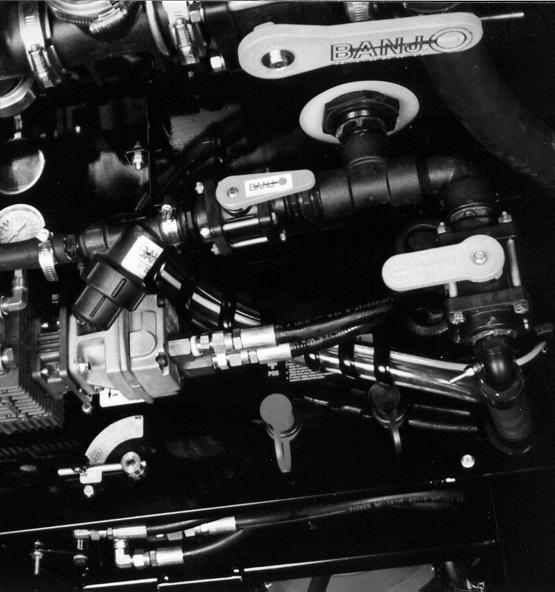
1. If equipped with pressure washing system option, close rinse supply valve to washer pump (fig. 5.49, item 1).
2. Close the solution tank shutoff valves (see page 44).
3. Activate the solution pump by pushing the solution pump lever forward to increase solution pressure to maximum PSI. (Do not exceed 150 PSI).
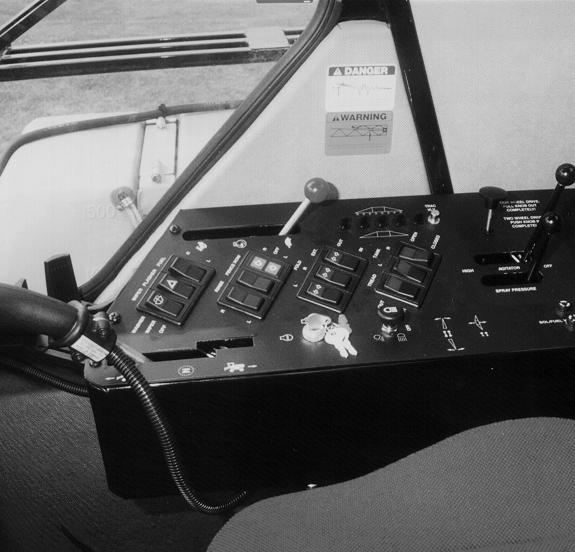
4. Locate the rinse switch on the console in the cab (fig. 5.51). To rinse the right tank, depress the switch to the “RIGHT” position. To rinse the left tank, depress the switch to the “LEFT” position.
5. When finished rinsing the solution tanks, return rinse switch back to the neutral “OFF” position.
6. To rinse the booms, open the solution tank shutoff valves (see page 44), turn on the “floor” solution switch (see page 42), and open the boom solution valves (see page 42).
7. Turn on the spray system monitor (fig. 5.50). Turn the rate switch to the “MANUAL” position. Using the flow increase/ decrease lever, increase the flow rate to the maximum gallons per minute.
8. When finished rinsing the booms, turn the spraying system off (including solution pump lever, monitor, boom solution valves, and “floor” solution switch).
9. Be sure to close the rins e tank valve before refilling.