Harmony Stores Manual


TABLE OF CONTENTS Harmony Public Schools Website Page 2 Campus Main Page ……………………………………….…………………… Page 3 Parents Page 3-4 Alumni Page 5 Employees ………………………………………………….………………….. Page 6 Students Page 7 Store 1: French Toast Main Page …………………….………………………………………………… Page 8 Log In/Sign In Page 8-9 Cart …………………………………………………………………..………….. Page 9-10 My Orders Page 10-14 Questions/Concerns Page 15 Store 2: Best In Class Main Page ……………………………………………………………………...… Page 15 Log In Page 16-17 Purchases Page 17-18 Continue Shopping ……………………………………………………………… Page 19 Cart Page 20 My Orders Page 21 Questions/Concerns ………………………………………………………..……Page 21 Store 3: Positive Promotions Main Page ………………………………………………………………...……… Page 22 Log In Page 22 Purchasing Products Page 23 Cart ………………………………………………………………………………...Page 24 Track My Orders Page 25-26 Questions/Concerns Page 27 1
Harmony Stores Manual

Harmony Public Schools Website



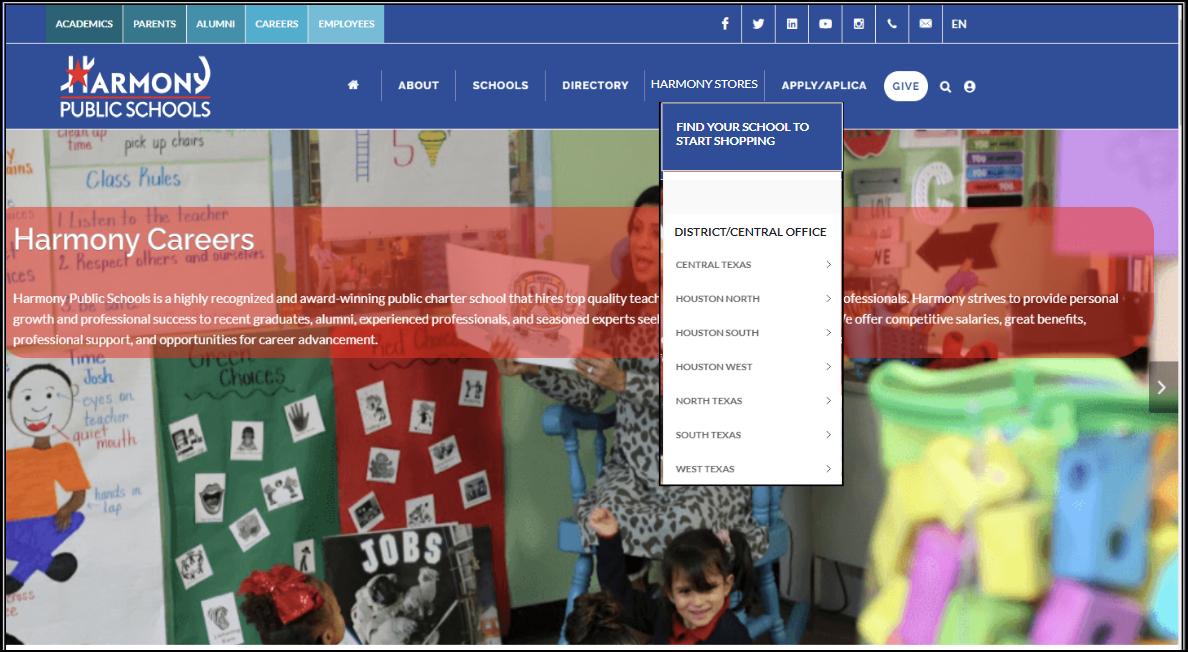
To navigate the Harmony Website Home Page page to start your shopping experience simply click on the Harmony Stores button and a drop-down menu appears with FIND YOUR SCHOOL TO START SHOPPING. Click on your childs’ location and click on the campus your child attends; in the sample below, we selected: Central Texas location and Innovation-Austin campus
2
Harmony Stores Manual
Campus Main Page
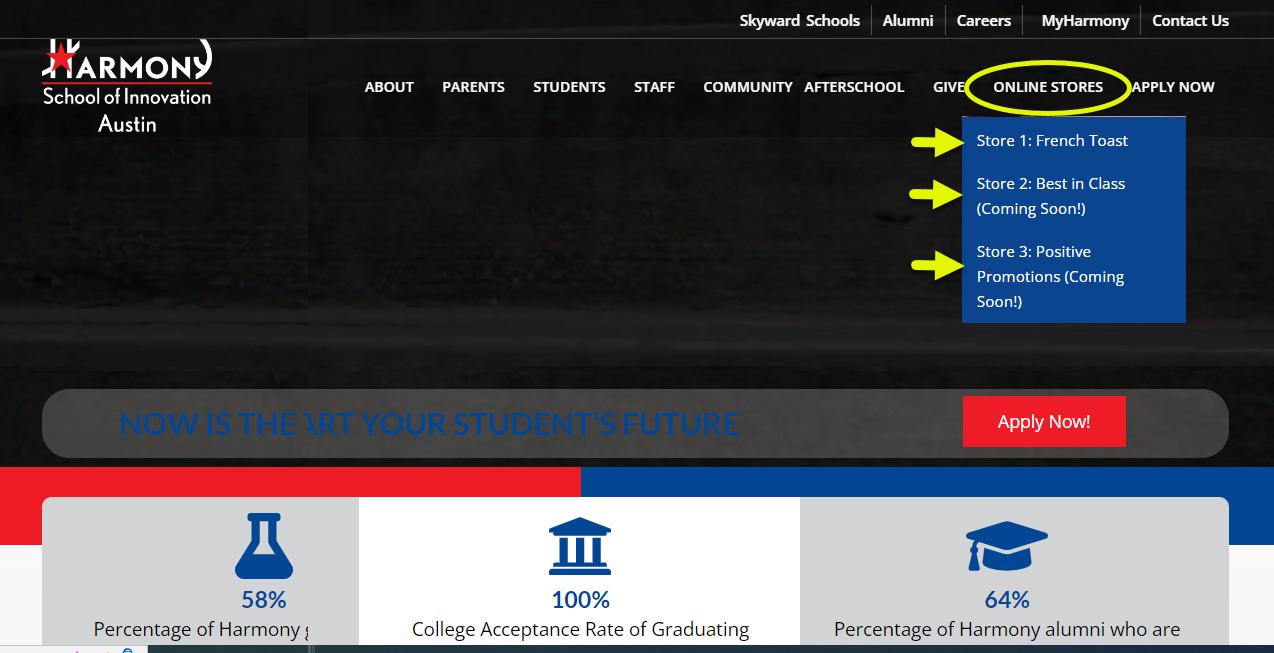
Now you are in your child’s campus, which in this example School of Innovation-Austin is shown in the picture below Click on the Harmony Stores button at the top and a pull-down menu appears displaying the different stores. When you hover over a store (Store 1, Store 2, or Store 3) another pull-down menu will appear next to it with the product or products the store offers In the picture below; you see when you hover over the following stores will appear:
Store 1: French Toast, Student Polo Uniforms
Store 2: Best In Class, School Supply Packages
Store 3: Positive Promotions, Spirit Shirts, PE Uniforms, Backpacks & Lunch Bags, Staff Polos, Cardigans/Sweaters, Jackets and more…
Simply click on the store you wish to purchase your product(s) from. (See the Table of Contents to learn more about the different Harmony Stores)
FIND YOUR SCHOOL TO START SHOPPING 3
Parents
Harmony Stores Manual


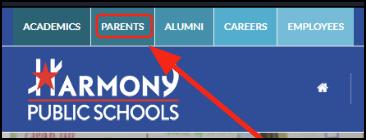
On the Harmony Website ( Main Page), click on the Parents button as shown on the picture.
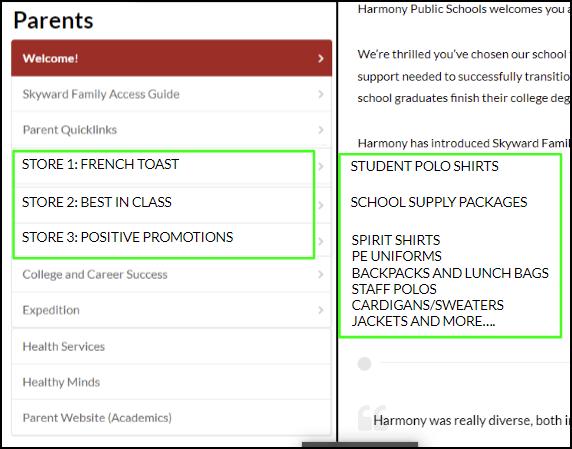
When you click on Parents, you will see the different stores and as you hover each store another menu will appear displaying the product(s) for the store. Simply click on the store you want to purchase your items and you are directed to the store you selected.
4
Harmony Stores Manual
Alumni
On the Harmony Website (main page), click on the Alumni button at the top of the page as shown below.

Now you are on the Harmony Alumni page. Click on the More button as shown and a pull-down menu will appear listing the Harmony Stores When you click on the
Harmony Stores button another drop-down menu appears with the different stores. Click on the store you want to purchase products from and you are taken to the store of your choice.

5
Harmony Stores Manual
Employees
On the Harmony Website (home page), click on the Employees button at the top of the page as shown below.

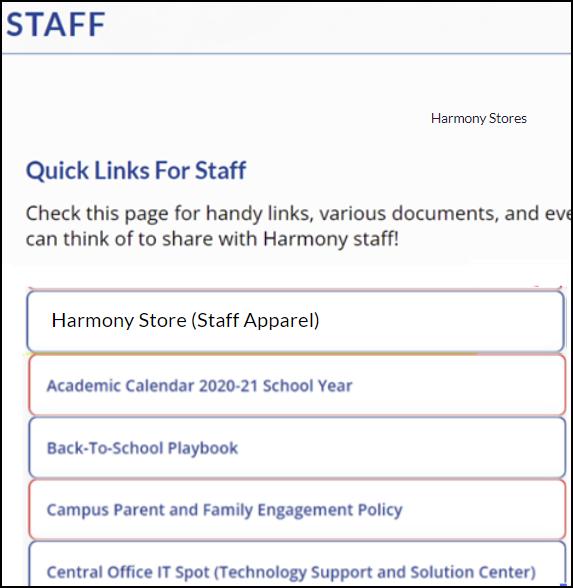

Now you are on the Harmony Employees page. At the bottom of the page you will see Harmony Store (Staff Apparel). Click on the button and you will be taken to the Positive Promotions page to make your apparel purchases and more.
6
Harmony Stores Manual
Students
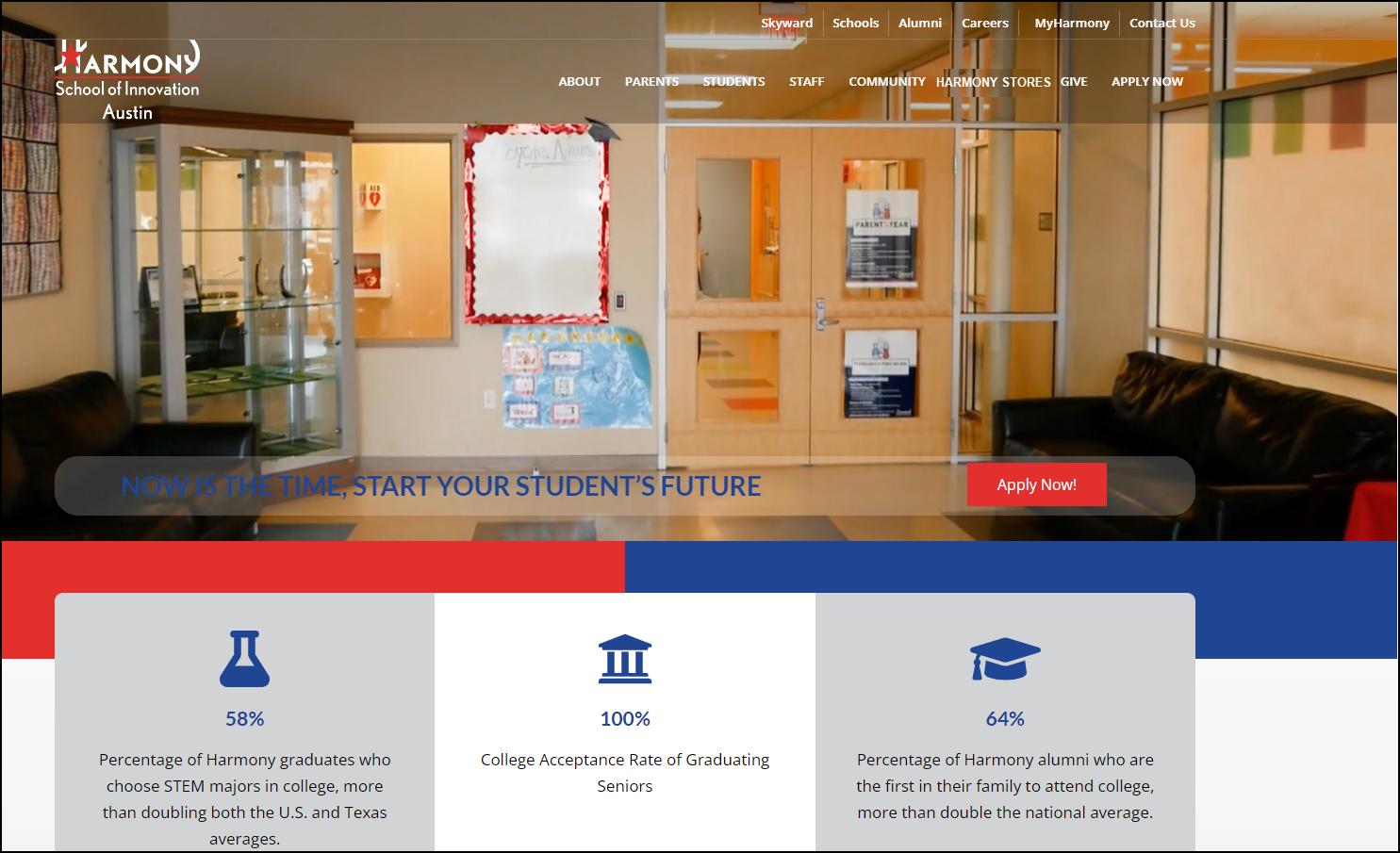
On the campus page as shown below (School of Innovation-Austin), click on Students.

7
Harmony Stores Manual
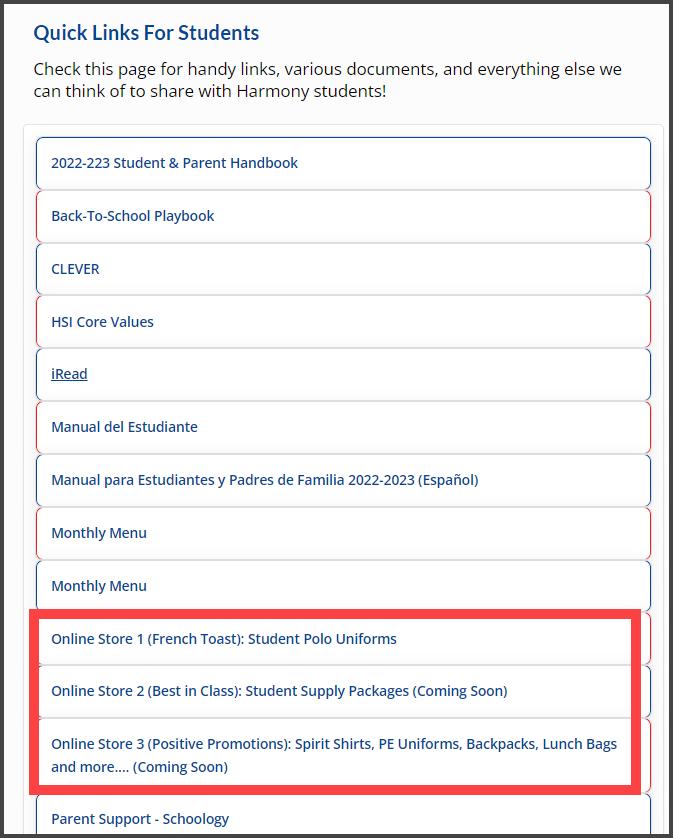
Now you are on the Students page. At the bottom of the page you will see Store 1: French Toast, Store 2: Best In Class and Store 3: Positive Promotions As you hover over each store another drop-down menu appears showing you the products you can purchase in that particular store.
8
Store 1: French Toast Main Page
Harmony Stores Manual
French Toast: Log In
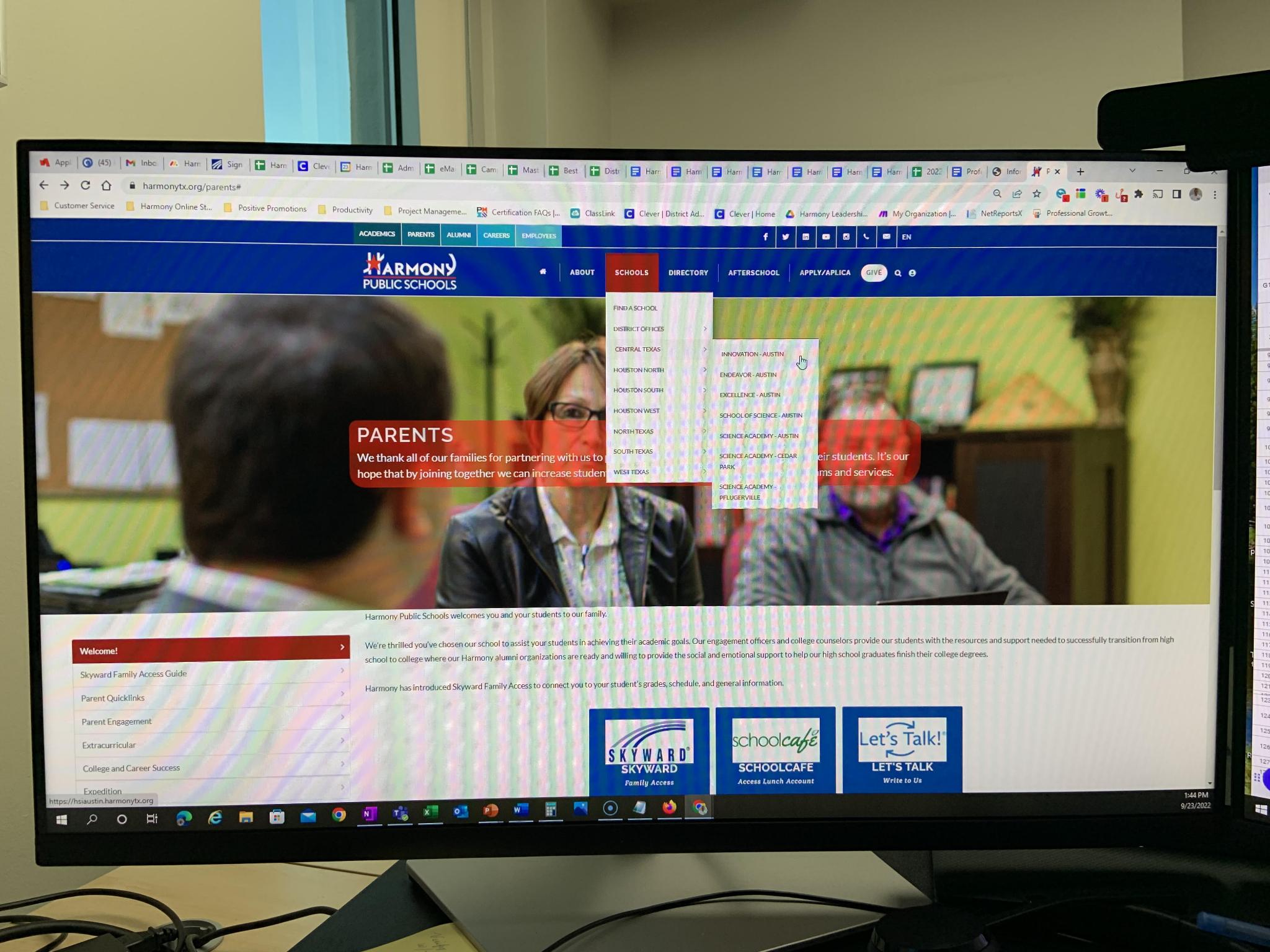
In the Harmony Website, click on Schools at the top of the page and a Drop-Down menu appears. Now select the district your child belongs to and another Drop-Down menu appears.

Harmony Stores Manual
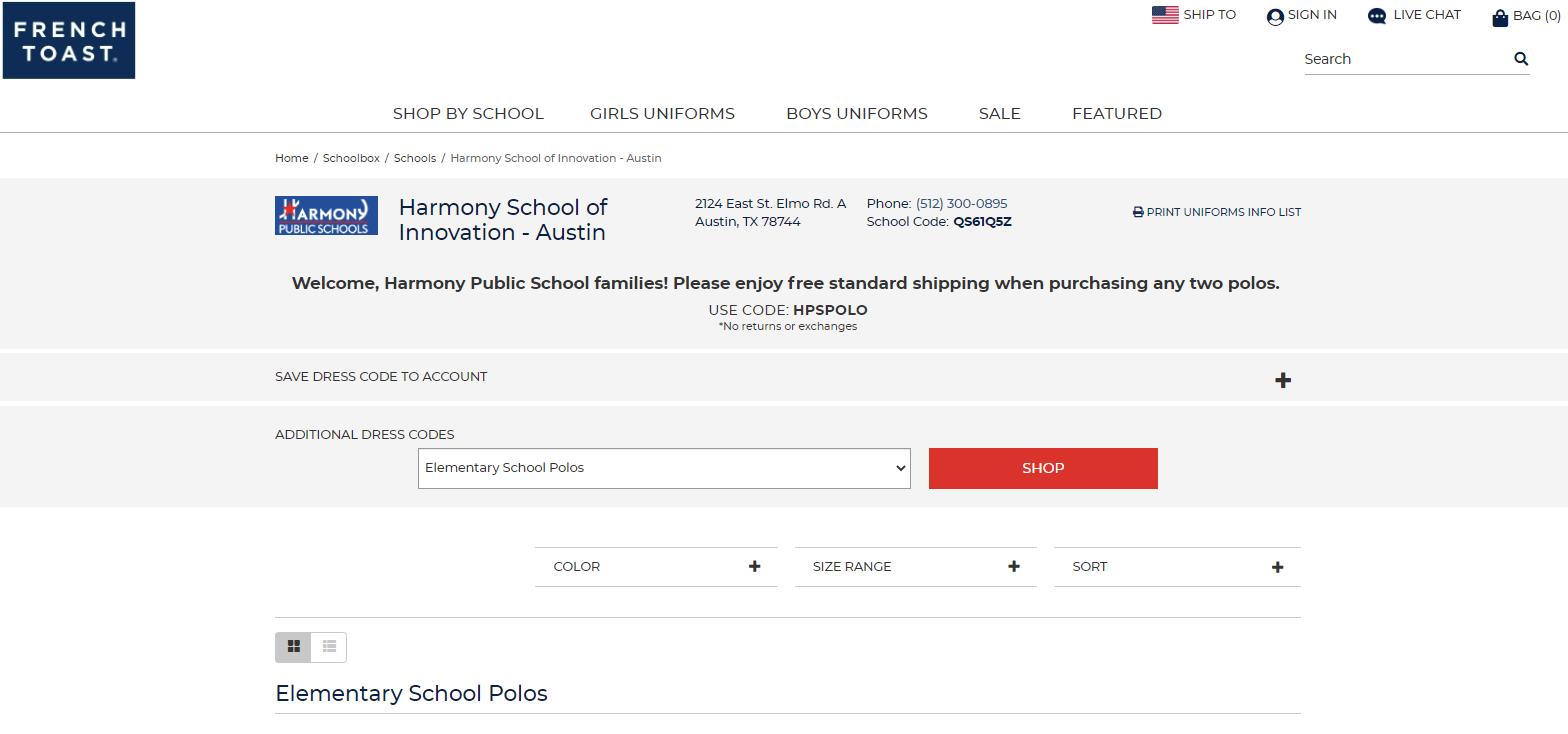
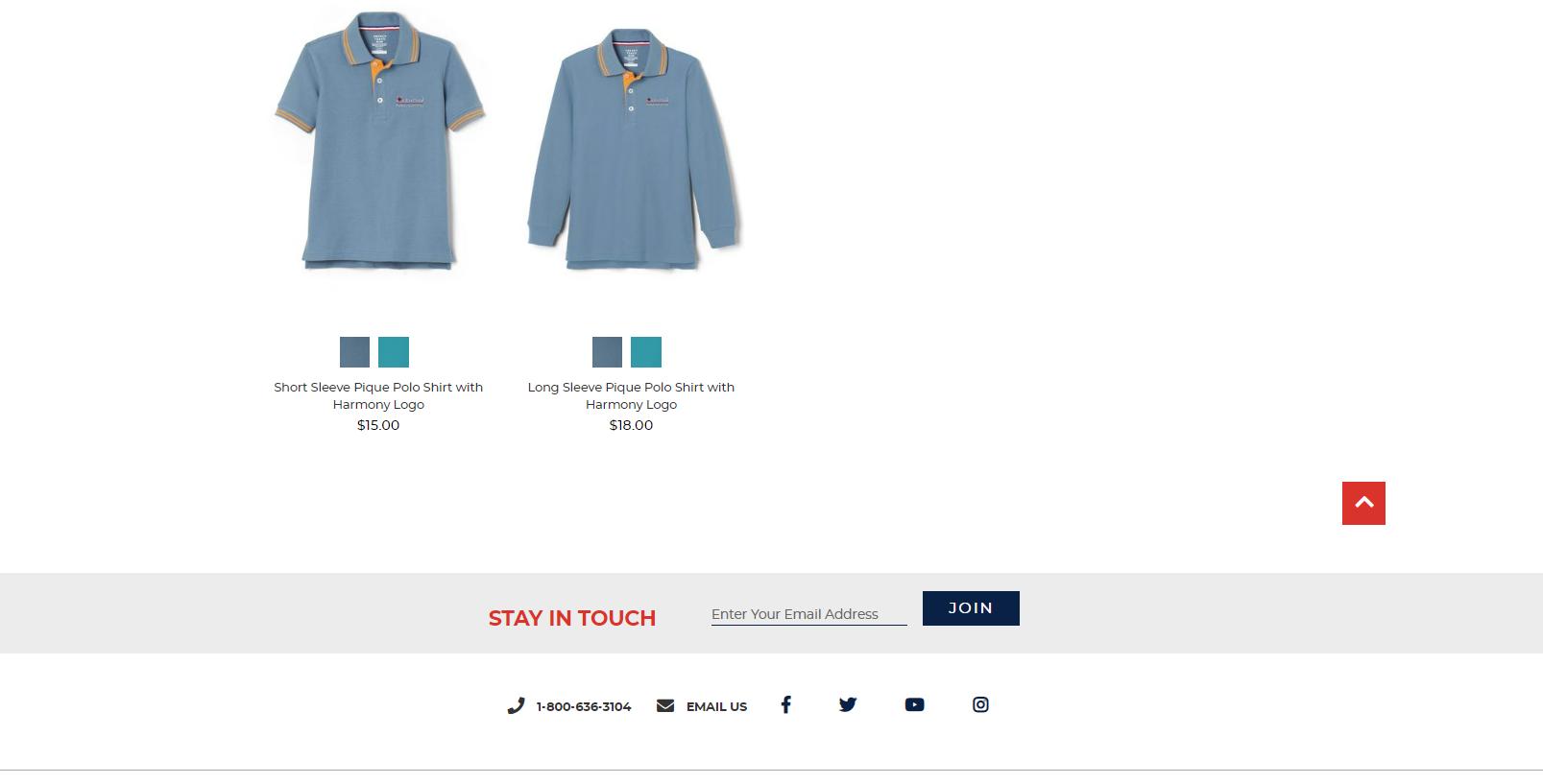
Now you see the school you selected which in this case you see Harmony School of Innovation - Austin. Now click on Parents and a Drop-Down menu appears. Click on Uniforms and now you are directed to the Harmony School of Innovation-Austin store where you can purchase your child’s school polo uniforms.

French Toast: Cart
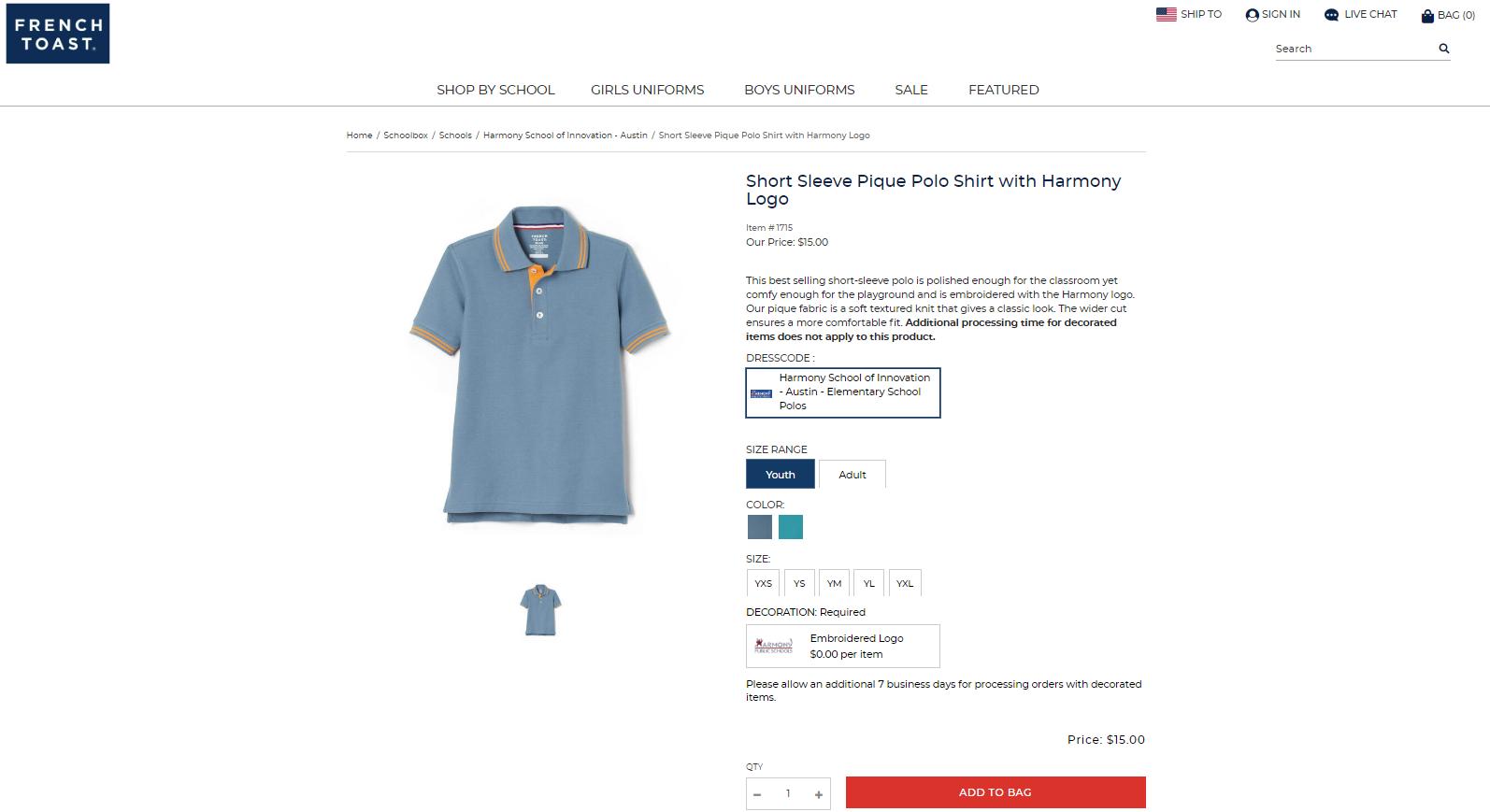
Once you are in the French Toast School page, you should sign in using your email address and password as shown on the next picture. Now, just make your selections (ex.: shirt color, size and quantity) and click on the Add To Bag to purchase your item

10
French Toast: My Orders
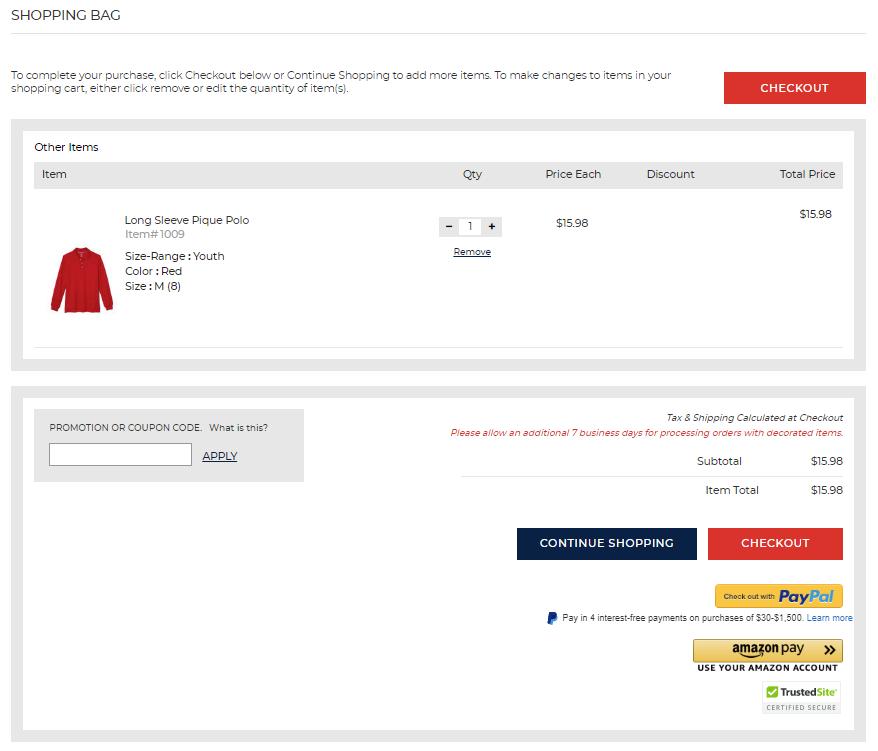
Once you have purchased your items and want to look at your cart simply click on the Bag icon on the Top-Right hand side of the screen. Review your item(s) and if everything looks fine, click on the Checkout button at the top of the screen or at the bottom of the screen



Harmony Stores Manual
11


Harmony Stores Manual 12
Harmony Stores Manual
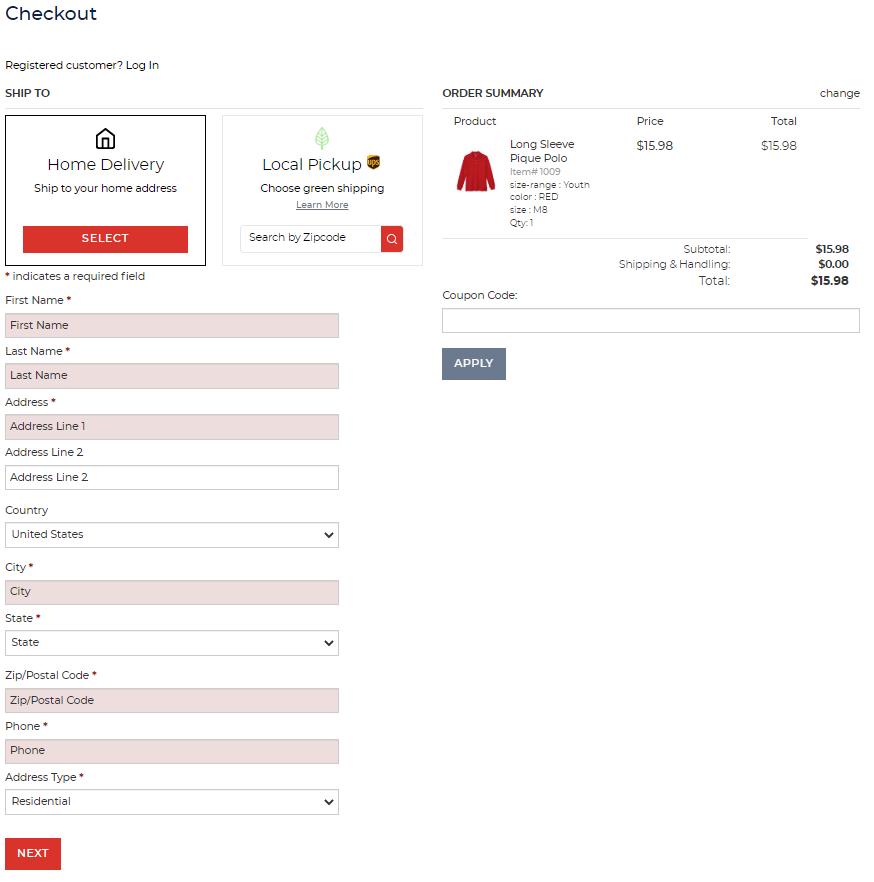
Fill out the information with your credentials and if you have a Coupon Code enter the code and click Apply Now click on the Next button at the bottom left-hand side of the page


13
Harmony Stores Manual

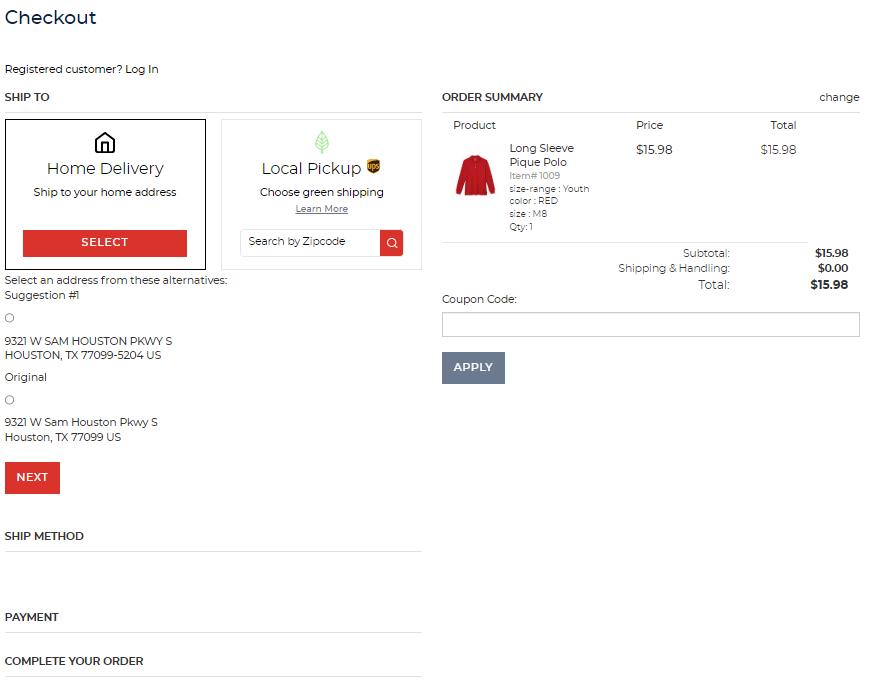
Now select whether you want your item(s) delivered to your Home or Campus. Remember, an additional fee will be added to your total for delivering your item(s) to your home. Click on the Next button
14
Harmony Stores Manual
Select the delivery option and click on the Next button at the bottom.
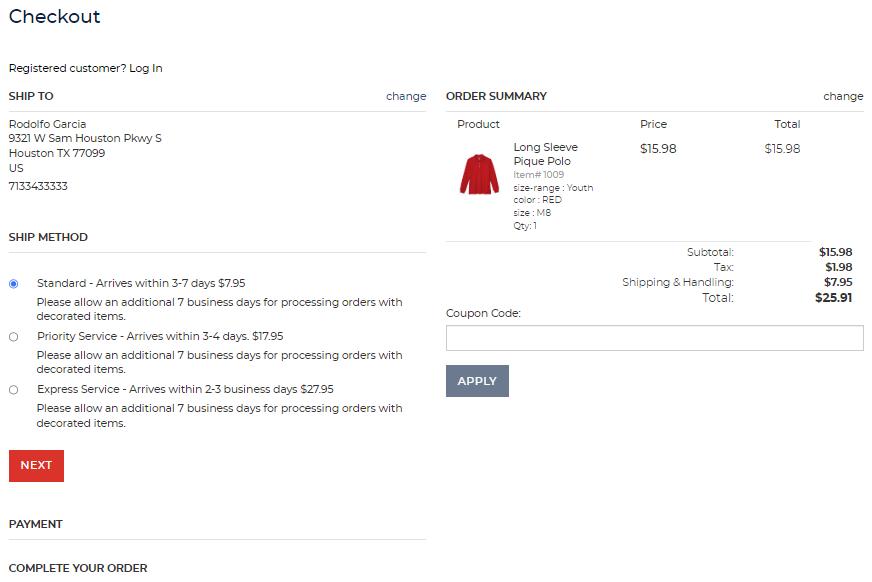
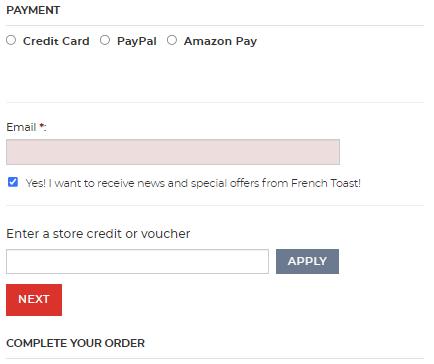
Now fill out your payment information, email address and store credit or voucher Now click the Next. View your order, submit your order and you are done.
15
Harmony Stores Manual
French Toast: Questions/Concerns
If you have any questions or concerns, call (800) 636-3104 or email French Toast at schoolbox@frenchtoast.com
Store 2: Best In Class
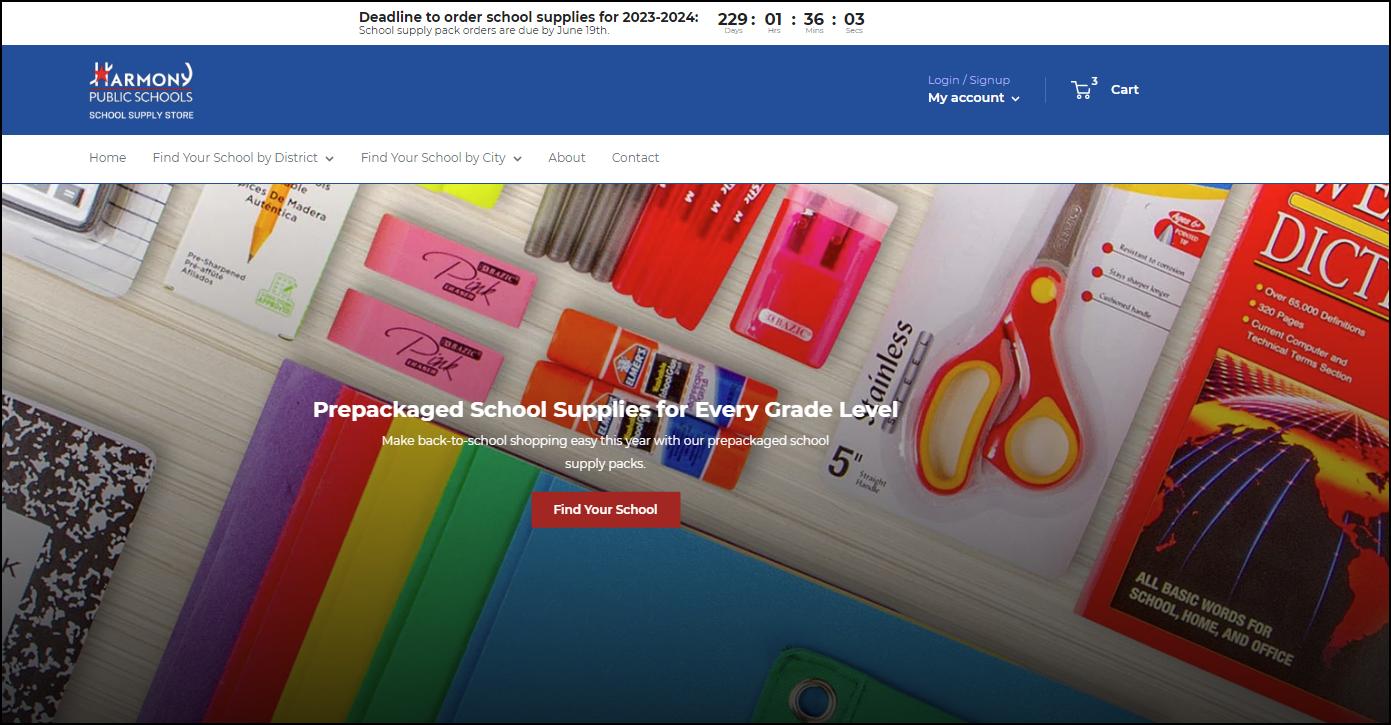
Best In Class: Main Page
16
Harmony Stores Manual
Best In Class: Log In




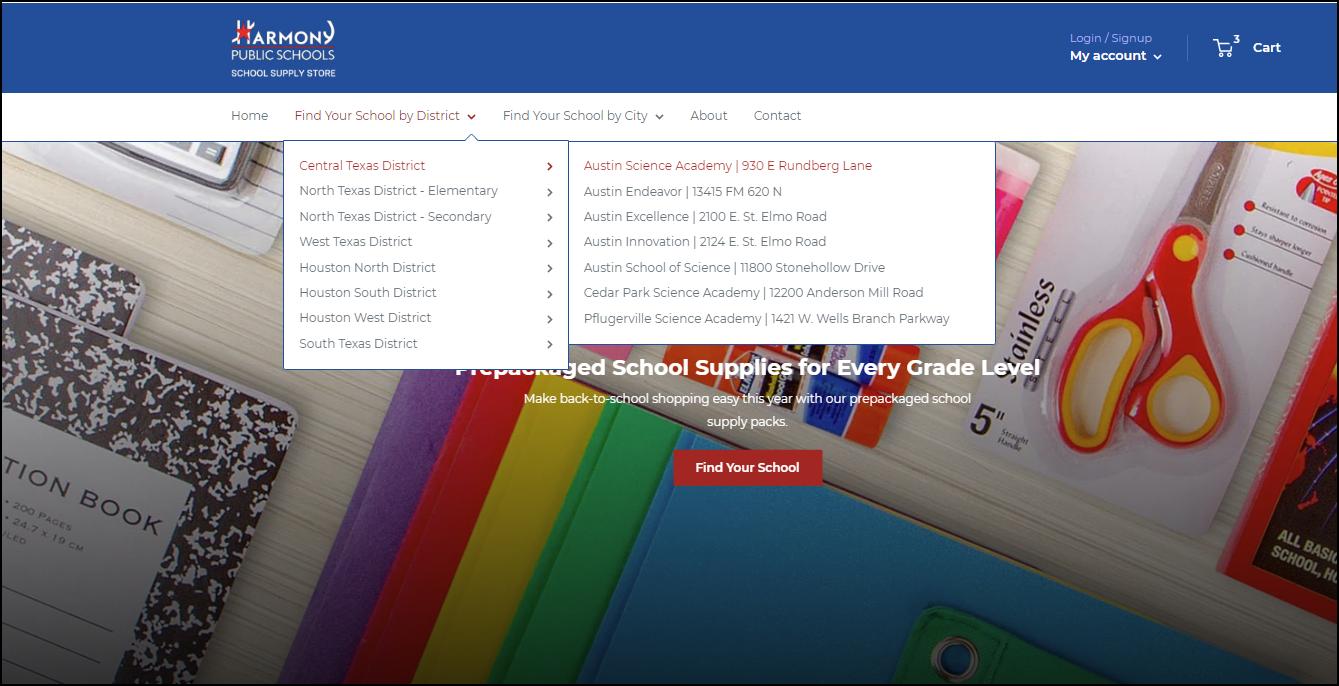
In the Harmony Portal, click on Find Your School By District or Find Your School By City at the top of the page and a Drop-Down menu appears Now click on the district your child belongs to and another Drop-Down menu appears. Finally, click on the school your child attends and now you are in the School your child is enrolled in For this example we will use the Central Texas District: Austin Science Academy
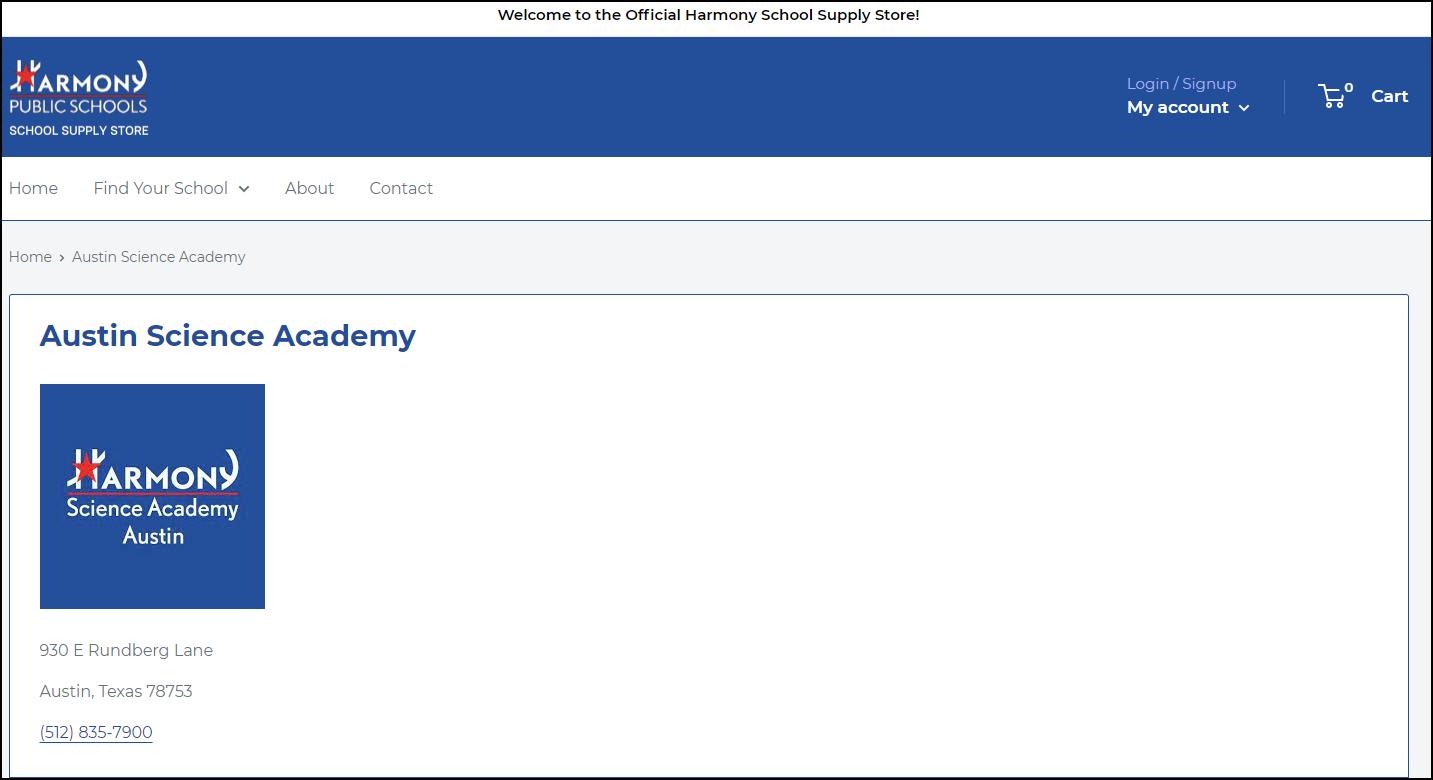
Once you click on your child’s campus, your childs’ campus page appears, which in this case is Austin Science Academy (as shown in the picture below) First thing you want to do is Login/Sign Up for an account at the top right-hand side of the page (as shown in the picture below)
7
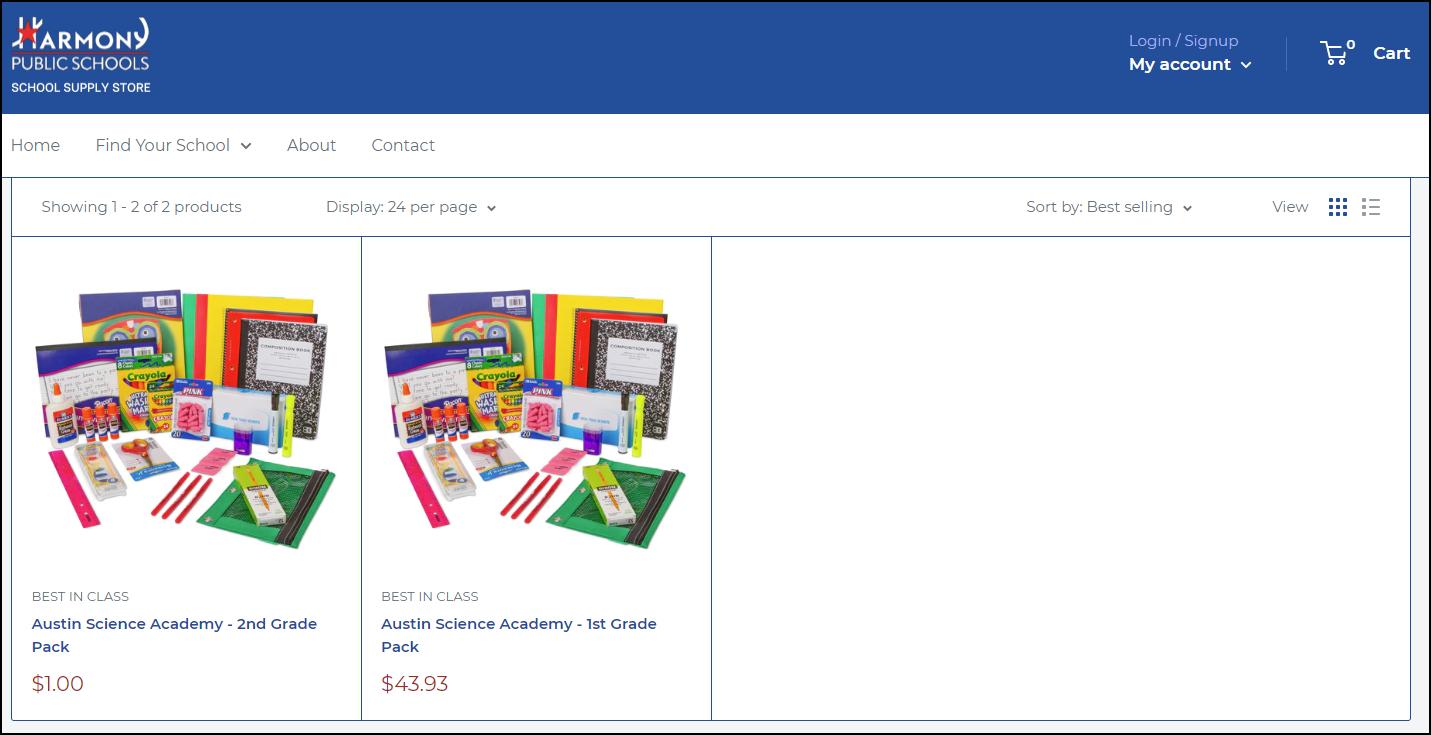
Once you have clicked on your child’s campus, you will only see the school supply packages for the specific school you selected by grade level (see the picture above) Simply click on the package you want to purchase and another screen appears.

Harmony Stores Manual
18
Harmony Stores Manual
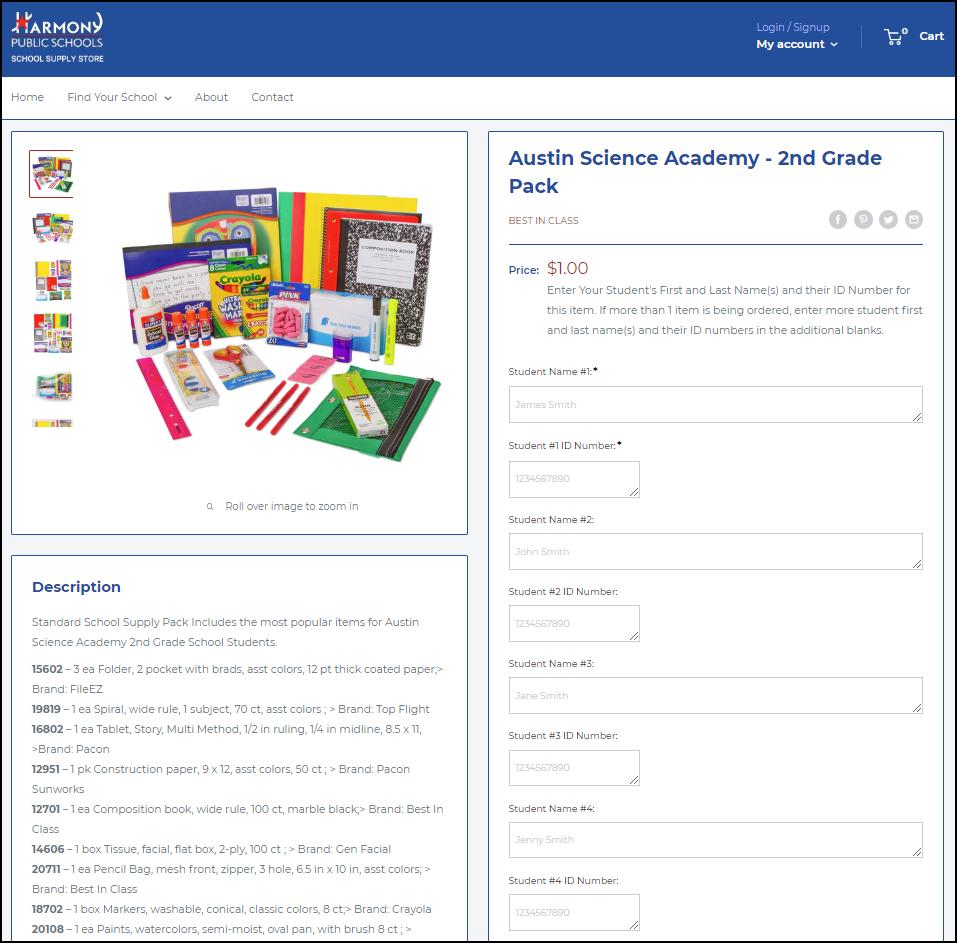
Fill out the required information (as shown in the picture below)


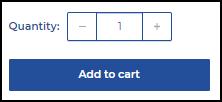
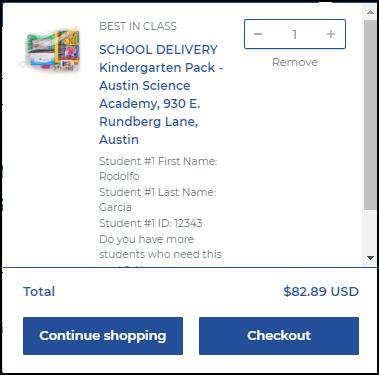
Now click on the number of packages you are purchasing and click on the Add to Cart button Once you click on the Add to Cart button a pop-up screen will appear at the top of the page (as shown in the picture below)
19
Harmony Stores Manual
Continue Shopping
Once you have added your child’s school supply package to your cart and wish to add another child’s school supply package from another campus click on the Continue Shopping button (as shown on the picture to the right).
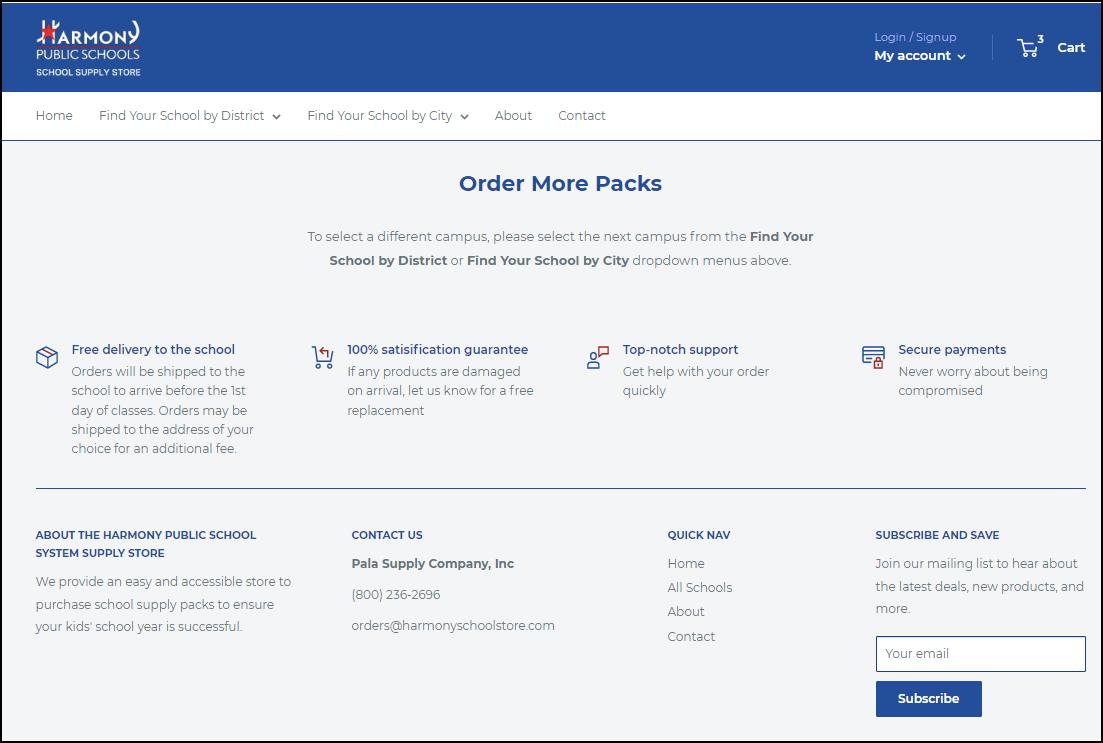
As you can see on the picture below, all you have to do is click on the Find You School By District or Find Your School by City buttons to continue your purchase for your second child from another campus.



20
Harmony Stores Manual


Best In Class: Cart

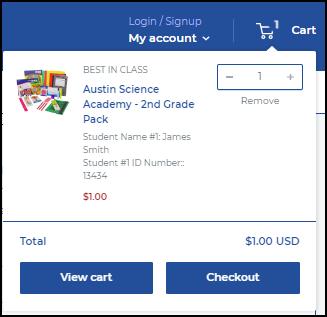
To view the items you have selected, simply click on the Cart button and a drop-down window appears listing the items as shown in the picture to the right Click on the View Cart button to see the item you have selected to purchase or click the Checkout button to continue the purchasing process
Another screen will appear showing you the Contact Information and Billing Address (as shown in the picture below). Once again you will see the item you are purchasing When you are ready to make your purchase, simply click on the Continue to Payment button at the bottom.


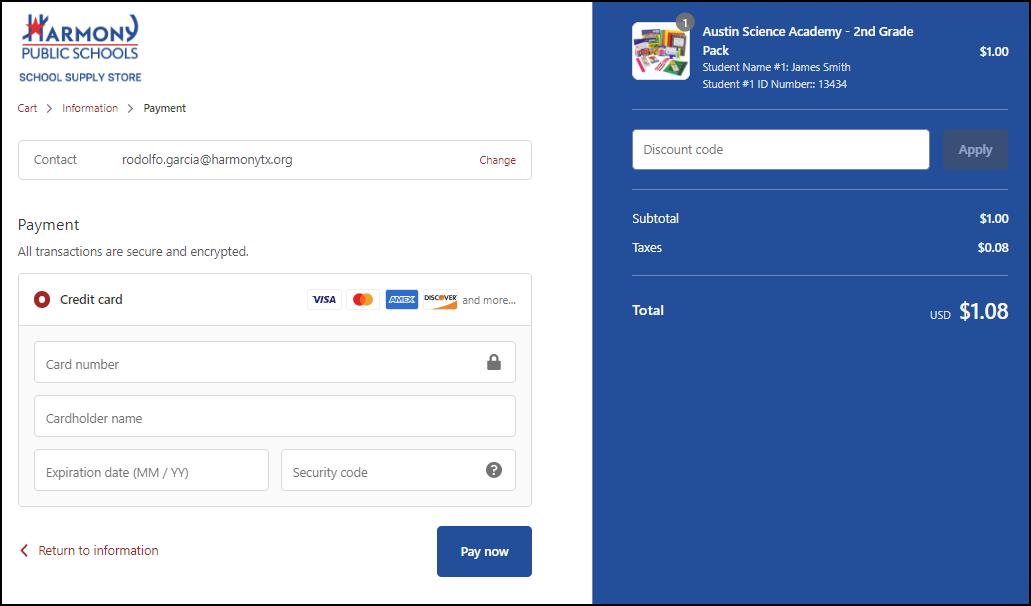
A final screen will appear Simply fill out your payment information and click on Pay Now at the bottom (as shown in the picture below) and your order will be processed
21
Harmony Stores Manual
Best In Class: My Orders
When you log in to your child’s campus. Simply click on the Cart at the top of the page to see the item(s) you have purchased
Best In Class: Questions/Concerns
Contact Best In Class at (800) 236-2696 or email orders@harmonyschoolstore.com for all your questions or concerns
22
Harmony Stores Manual
Store 3: Positive Promotions
Positive Promotions: Log In
In the Harmony - Positive Promotions Portal (as shown in the picture on the left), you should see your campus name on the top-left corner of the screen.


On the right-hand side of the screen, you see Home, Refer Friend, My Orders, Campus Name with the drop-down menu, Log-In button and Cart button (as shown in the picture below)

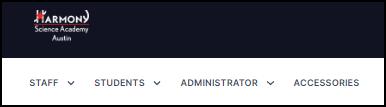
In the white banner underneath, you see Staff, Students, Administrator
and Accessories as well as a Search field to search for items.

23
Harmony Stores Manual
Purchasing Products

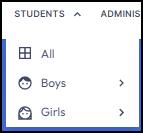
If you are a parent, simply click on the Students button at the top-left hand side of the screen and a drop-down menu will appear where you can see All products, Boys, or Girls, as shown on the picture to the right
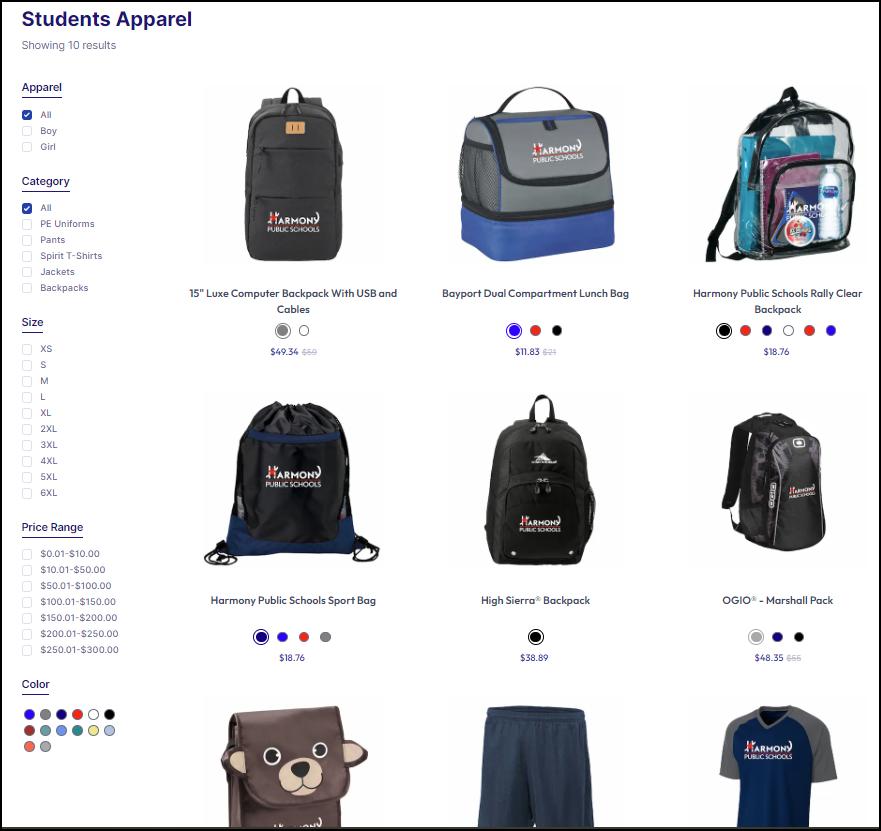
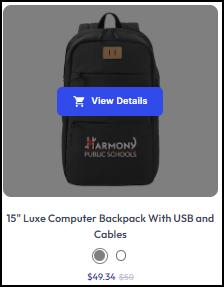
When you click on All, all products for students will be listed as shown on the left.

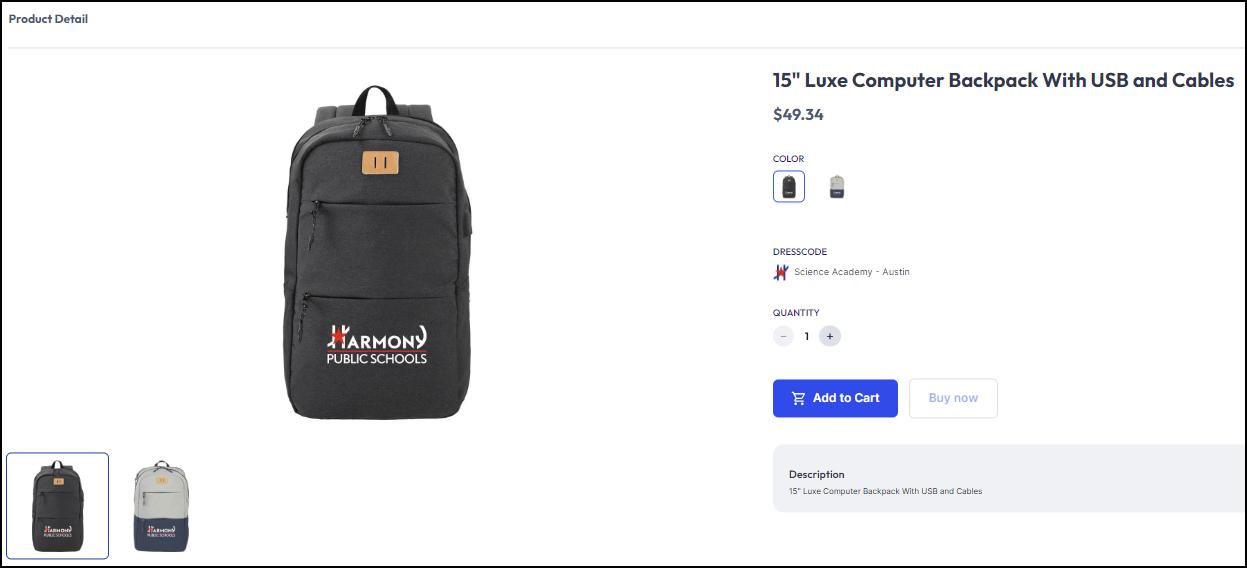
You can click on View Details (see picture on the right) to see more details about the product including Product Description, Price, Size, Color, and Quantity as shown in the picture below as well as Add to Cart.
24
Positive Promotions: Cart
Click on the Cart button to see your purchases and make any changes as needed as well as to make sure you are in the right campus
Click here to see a short video on how to Add Items to Cart and Check Out Items
Harmony Stores Manual
25
Harmony Stores Manual
Positive Promotions: Track My Orders
How to Track My Order
Track your order with a few clicks
Option 1: Track Your Order After Checkout
● After completing your order, click on the “Continue Shopping” to return to the Harmony Store
● On the Harmony Store, click “My Orders” to see your orders
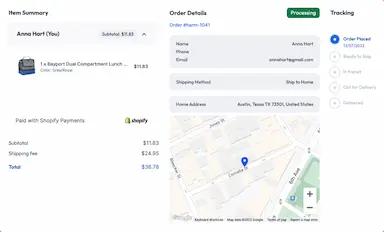
● Select the order you want to track and click “View Details. ”
Option 2: Track Your Order
From Email
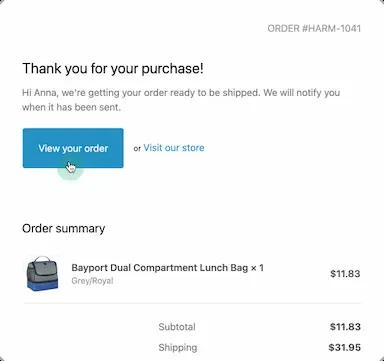
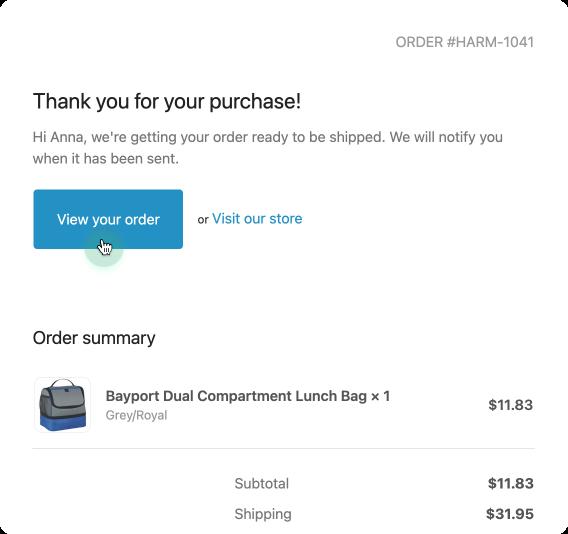
● After completing your order, you will receive a confirmation email from Positive Promotions
● The email includes a link to your order details Click “View your order”
● You will be redirected to your order details
26
Harmony Stores Manual
Option 3: Link Through Text
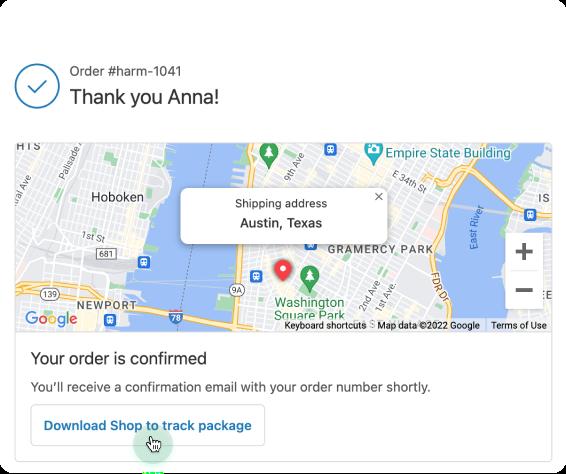
● After completing your order, click “Download Shop to track package” .
● Fill in your mobile number When done, click “Submit” .
● You will receive a text message containing a download link to the Shop app (Shown on the picture below)
● Sign in with the email you previously used on checkoutand your orders will automatically be imported
● After logging in, your order will then appear as shown in the picture below
27
Positive Promotions: Questions/Concerns Contact Positive Promotions at (800) 635-2666 or email service@positivepromotions com for all your questions or concerns 28
Harmony Stores Manual
