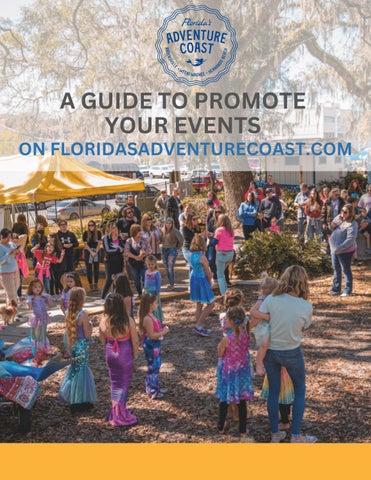
A GUIDE TO PROMOTE YOUR EVENTS
ON FLORIDASADVENTURECOAST.COM
Florida’s Adventure Coast Visitors Bureau + Your Business: Together Promoting Events The answer is simple – draw more participants or customers. Drive more foot traffic to your business or to an event you're hosting. Publishing your event turns visibility into attendance—and attendance into business growth.
Suggested Event Themes Restaurants - live music, lunch specials, or a new menu Art Galleries & Venues - new exhibit or art classes Shopping - a trunk show or an annual sale Accommodations - a romantic getaway or discounted weekend Attractions - kid-friendly activities, or special ticket days
Page 2
Capture Attention With a Well-Promoted Event If you regularly host public events, publish them online using platforms such as Eventbrite, Facebook, Etix, or your own website. Events may also be submitted directly to the Florida’s Adventure Coast Visitors Bureau Events Calendar using the online submission form.
HOW TO PROMOTE YOUR EVENT
Eventbrite Option 1 Post to online event platforms and ensure your website follows Google’s SEO best-practices.
Option 2 Post to Eventbrite It’s the Free and Most Popular Event Platform.
Option 3 Submit events directly on the Florida’s Adventure Coast Visitors Bureau website calendar form.
View our calendar at floridasadventurecoast.com/events
Page 3
OPTION ONE: PUBLISH TO KNOWN ONLINE EVENT PLATFORMS AND OPTIMIZE YOUR WEBSITE EVENT LISTINGS The Florida’s Adventure Coast Visitors Bureau Events Calendar aggregates event listings from a variety of trusted online sources. Marketing your event through floridasadventurecoast.com starts with publishing your event on a search-engine-optimized website so it can be discovered, indexed, and shared.
WHY SEARCH ENGINE OPTIMIZATION (SEO) MATTERS? Aside from allowing your event to be discovered by the Florida’s Adventure Coast Visitors Bureau Events Calendar, search engine optimization for your business website helps bring quality organic traffic. There are three options to make your events eligible to appear on Google’s search results, according to Google Event Experience: 1. If you use a third-party website to post events (e.g., ticketing sites, online event platforms, or social platforms), check whether your event publisher is already participating in Google's event search experience, as most are. If your event publisher is integrated with Google, continue to post your events on the third-party website. 2. If you use a Content Management System (CMS), such as WordPress, check whether there's a plugin that can add structured data to your site for you. Alternatively, you can use the Data Highlighter to tell Google about your events without editing the HTML of your site. 3. If you're comfortable editing your HTML, use structured data to directly integrate with Google. You'll need to edit the event pages' HTML. PRO TIP: Ensure each event on your website has a unique URL so Google can properly discover it. Include complete event details— such as date, time, location, ticket information, links, and a promotional image—to improve visibility and search performance.
For more information and expanded tutorials, access the link or scan the QR code. Google Developers Structure Data Documentation
Page 4
OPTION TWO: LEVERAGE EVENTBRITE THE MOST POPULAR ONLINE EVENT PLATFORM EVENTBRITE HELPS ORGANIZERS EASILY LIST, MANAGE, AND PROMOTE EVENTS OF ALL TYPES.
Promoting your event on Eventbrite increases visibility to a built-in audience of nearly ~89 million average monthly users actively searching for local experiences, while simplifying ticketing, registration, and attendee management for your organization—all in one place.
How to Get Started You can get an event live on Eventbrite, for free, with simple steps. They also have robust customization options, so you can get the most out of your event listing. Step 1: Create An Eventbrite Account Step 2: Create Event & Add Details Step 3: Enable Tickets (Skip this step if you don't want to offer tickets or if your event is free) Step 4: Publish an Events Page and mark it as public. Public events are automatically listed in Eventbrite’s search directory and major search engines. Step 4: Promote Your Event with Eventbrite Marketing Tools
For more information and expanded tutorials on this platform, access the link or scan the QR code: Eventbrite's Helpdesk "How to Create Events" Page 5
OPTION THREE: SUBMIT YOUR EVENT ON THE FLORIDASADVENTURECOAST.COM ONLINE FORM You may also submit your event directly to the Florida’s Adventure Coast Visitors Bureau Calendar by completing the online form at floridasadventurecoast.com. All submissions are reviewed by Florida’s Adventure Coast Visitors Bureau staff and published to the website on a weekly basis, as approved.
Click the navigation button "Submit Your Event" to open the form.
Fill out the form and allow a minimum of three business days for our staff to review and approve your event.
EVENT ORGANIZER RESPONSIBILITIES Event organizers are responsible for ensuring their event information is accurate and up to date. While events submitted through external platforms or websites—such as Eventbrite—may be aggregated, publication on the Florida’s Adventure Coast Visitors Bureau Events Calendar is not guaranteed and is subject to approval by the Florida’s Adventure Coast Visitors Bureau Team. We recommend confirming that your event appears on the calendar and contacting the Florida’s Adventure Coast Visitors Bureau team if it does not. If an event is submitted through this form and later requires updates, please contact our team or submit a new listing with the revised details, as listings submitted through this form are not automatically updated. Page 6
QUESTIONS? CONTACT OUR TEAM
Florida’s Adventure Coast Visitors Bureau 352.754.4405 floridasadventurecoast.com