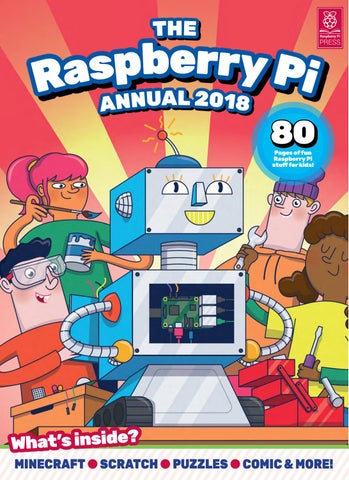
THE
e r b r y p s P a R ANNUAL 2018 i
80 Pages of fun Raspberry Pi stuff for kids!
What’s inside? MINECRAFT l SCRATCH l PUZZLES l COMIC & MORE!
First published in 2017 by Raspberry Pi Trading Ltd, Station Road, Cambridge, CB1 2JH
• Editor: Nick Roberts (Monkey Creative) • Illustrations: Sam Alder Sub Editors: Phil King, Jem Roberts • CEO: Eben Upton
Publishing Director: Russell Barnes
Design: Monkey Creative, Critical Media
ISBN: 978-1-912047-70-3 Printed in Lithuania The publisher, and contributors accept no responsibility in respect of any omissions or errors relating to goods, products or services referred to or advertised in this book. Except where otherwise noted, the content of this book is licensed under a Creative Commons Attribution-NonCommercial-ShareAlike 3.0 Unported (CC BY-NC-SA 3.0)
This book belongs to‌
s t n e t n o C
Welcome
games! d n a n u f i P y berr p s a R h it w d e k Pac
Basics Check off all your kit, set up your Raspberry Pi, and install the software for fun! Starting page 6
Comic The evil Doctor Bluescreen is uploading all the kids. Can the Pi Crew save the day? Starting page 51
den 12 We’ve hid Pi logos ry Raspber he book. t d n u aro spot Can you ? ll a m the
4
The Raspberry Pi Annual 2018
Coding Begin with Scratch and move on to Python with our fun Pi coding projects! Starting page 14
What’s Inside
Features
6 14 18 26 32
Puzzles Test your brains with our Pi Wordsearch, Spot the Differences, Maze and more! Starting page 13
42 48 51 64 70
Getting Started
We help you set up your Raspberry Pi and install the software you will need
Scratch: Learn the Basics
Use Scratch’s drag-and-drop coding interface to bring your Pi to life
Scratch: Physical Computing Taking Scratch to the next level, we show you how to work with pins
Scratch: The Santa Detector
Set up a trap to catch old St Nick on Christmas Eve, with help from Pi
Coding with Minecraft
Your Raspberry Pi can be used to code direct to the game – great fun
Babbage versus Bugs
Code our exciting Space Invaders clone written in Python with Pygame Zero.
Pi Personality Test
Test your thoughts on Raspberry Pi and find out what type you are!
Comic Capers
The Pioneers of Pi come together to save the kids from Doctor Bluescreen
Python: Turtley Amazing
First steps into Python coding with the ever-popular Turtle commands
Python: WhooPi Cushion
We show you how to make and code a farting cushion with your Pi!
The Raspberry Pi Annual 2018
5
Feature
g n i t t Ge rted… a t S
to life! i P y r r e b p s Ra r u o y g n Bringi
at! There’s a re G i? P y rr e n Got a Raspb f computing fu o d rl o w l u rf e wond started by t e g s t’ e L . u o waiting for y ll the cables a e v a h u o y making sure l need, and il w u o y s ie r and accesso g them all in. lu p to w o h u showing yo Pi adventure r u o y e v a h n We will soo g… up and runnin
l need What you weailch in explain We’re going to d are the bits an detail, but here … ed you ne pieces of tech
aspberry Pi lR TV l Monitor or DMI cable lH SB keyboard lU l USB mouse ower supply lP rd l microSD ca
6
The Raspberry Pi Annual 2018
What you will learn In this beginners’ feature we will show you…
lH ow to select the right equipm ent for your Pi adventure l How to connect everything together correctly before you start l How to download and set up the software you will need
1.
Getting Started
The Raspberry Pi
The Raspberry Pi 3 is the third version of Raspberry Pi. It replaced the Raspberry Pi 2 Model B in February 2016. New features include… l A 1.2GHz 64-bit quad-core ARMv8 CPU l 802.11n Wireless LAN l Bluetooth 4.1 luetooth Low Energy (BLE) lB Like the Pi 2, it also has… USB ports l4 l 40 GPIO pins ull HDMI port lF thernet port lE l Combined 3.5 mm audio jack and composite video amera interface (CSI) lC l Display interface (DSI) icroSD card slot (now push-pull lm rather than push-push) l VideoCore IV 3D graphics core The Raspberry Pi 3 looks the same as the previous Pi 2 (and Pi 1 Model B+) and has complete compatibility with Raspberry Pi 1 and 2.
2. Monitor or TV A monitor or TV with HDMI in can be used as a display with a Raspberry Pi. This is the quickest and easiest way to se e what your Pi is thinking. How big a screen you want is up to yo u!
The Raspberry Pi Annual 2018
7
Feature
3.
able C I M D H o t I HDM
h nitor or T V wit o m a to i P y rr s. Raspbe quality picture ta Connect your re g u o y e . It’ll giv an HDMI cable
d r a . o b y e K B S 4 U
5. USB Mouse
t ed to input tex s u is rd a o b y e rry A USB k p or a Raspbe to p la r, te u p m into a co l work, so you il w rd a o b y e k Pi. Any one. Plug-and l ia c e p s a d e y don’t ne ork without an w l il w s rd a o b play key ply plug one im S r. e v ri d l a be addition i and it should P y rr e b p s a R into the . en it starts up recognised wh
A USB mouse is used to move the cursor or mouse pointer around the screen. It ’s called a mouse as it looks lik e it has a tail! Like the keyboa rd, it will be automatically recogn ised by the Pi when plugged in.
6.
Power Supply
recommended that you use a it’s n the 3, Pi rry be sp Ra a If you’re using n be powered using a current ca ls de mo r rlie Ea ly. pp su r 5 V, 2.5 A powe wer supply which you know po a e us to nt wa u yo y, all Ide as low as 1.2 A. r to the Pi. You can buy we po gh ou en s ide ov pr ich wh to be safe and u can use a 5 V micro USB yo or ly, pp su r we po Pi rry be at the official Rasp vices. You do need to check th de e bil mo ny ma by ed us d charger, the kin and current (5 V / 1.2–2.5 A). ge lta vo ht rig the s ide ov pr ly your power supp
8
The Raspberry Pi Annual 2018