THE OFFICIAL RASPBERRY PI MAGAZINE
The official Raspberry Pi magazine
Issue 54 February 2017
raspberrypi.org/magpi
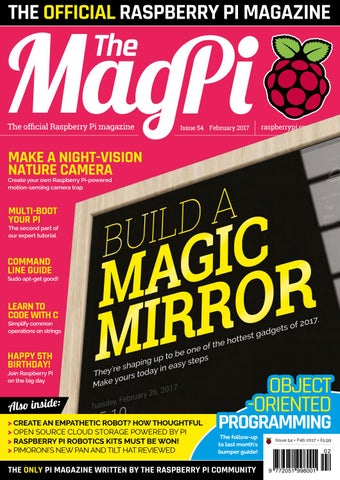
MAKE A NIGHT-VISION NATURE CAMERA Create your own Raspberry Pi-powered motion-sensing camera trap
MULTI-BOOT YOUR PI
The second part of our expert tutorial
COMMAND LINE GUIDE
Sudo apt-get good!
LEARN TO CODE WITH C
Simplify common operations on strings
HAPPY 5TH BIRTHDAY!
Join Raspberry Pi on the big day
Also inside: > CREATE AN EMPATHETIC ROBOT? HOW THOUGHTFUL > OPEN SOURCE CLOUD STORAGE POWERED BY PI > RASPBERRY PI ROBOTICS KITS MUST BE WON! > PIMORONI'S NEW PAN AND TILT HAT REVIEWED
OBJECT -ORIENTED
PROGRAMMING
The follow-up to last month's bumper guide!
THE ONLY PI MAGAZINE WRITTEN BY THE RASPBERRY PI COMMUNITY
Issue 54 • Feb 2017 • £5.99
02 9 772051 998001
Welcome
WELCOME TO THE OFFICIAL MAGAZINE t’s a project that has captured the hearts and minds of enthusiasts throughout the Raspberry Pi community: the magic mirror. A wonderful, useful piece of home automation straight out of Tony Stark’s house that you can build with a Raspberry Pi, an old monitor, and some wood. We’ve wanted to do a magic mirror tutorial in the magazine for quite some time, so it was a delight that one of the driving forces behind it, Michael Teeuw, agreed to help us create the definitive guide to powering up your home. If home automation isn’t your thing, we have some great coding projects this issue, such as more from Simon Long on coding with C, the conclusion of our multi-booting guide, and the continuation of Lucy Hattersley’s beginner’s coding guide with a look at object-oriented programming. As for me, among other things I’ve reviewed a robot. I like robots; they’re fun. Take a look for yourself and see if you agree… I hope you enjoy this issue!
PAGE 2 6
I
SEE PAGE 26 FOR DETAILS
THIS MONTH: 14 CREATE A MAGIC MIRROR
Make the ultimate Pi project with our extensive guide
28 A MUSEUM IN A BOX Learning has never been so fun
38 COMMAND LINE 101
Get the lowdown on mastering the command line
66 MORE BEGINNER’S CODING
Rob Zwetsloot Features Editor
Learn about object-oriented programming
FIND US ONLINE raspberrypi.org/magpi EDITORIAL
DESIGN
PUBLISHING
DISTRIBUTION
SUBSCRIPTIONS
CONTRIBUTORS
Managing Editor: Russell Barnes russell@raspberrypi.org Features Editor: Rob Zwetsloot News Editor: Lucy Hattersley Sub Editors: Laura Clay, Phil King, Lorna Lynch
Seymour Distribution Ltd 2 East Poultry Ave London EC1A 9PT | +44 (0)207 429 4000 This magazine is printed on paper sourced from sustainable forests and the printer operates an environmental management system which has been assessed as conforming to ISO 14001.
raspberrypi.org/magpi
GET IN TOUCH magpi@raspberrypi.org
Critical Media: criticalmedia.co.uk Head of Design: Dougal Matthews Designers: Lee Allen, Daiva Bumelyte, Mike Kay Illustrator: Sam Alder
Select Publisher Services Ltd PO Box 6337 Bournemouth BH1 9EH | +44 (0)1202 586 848
For advertising & licensing: russell@raspberrypi.org +44 (0)7904 766523 Publisher: Liz Upton CEO: Eben Upton
Sam Aaron, Alex Bate, Henry Budden, John Cole, Mike Cook, Gareth Halfacree, Phil King, Simon Long, Winfried Plappert, Matt Richardson, Richard Smedley & Michael Teeuw
The MagPi magazine is published by Raspberry Pi (Trading) Ltd., 30 Station Road, Cambridge, CB1 2JH. The publisher, editor, and contributors accept no responsibility in respect of any omissions or errors relating to goods, products or services referred to or advertised in the magazine. Except where otherwise noted, content in this magazine is licensed under a Creative Commons Attribution-NonCommercial-ShareAlike 3.0 Unported (CC BY-NC-SA 3.0). ISSN: 2051-9982.
February April 2016 2017
3
Contents
raspberrypi.org/magpi
Issue 54 February 2017
TUTORIALS
COVER FEATURE
> PI 101 – COMMAND LINE TIPS Our bumper guide to conquering the command line
38
> BUILD AN EMOTIONAL ROBOT 44 Create an empathetic automaton that reacts to people
> NIGHT-TIME WILDLIFE PHOTOS 46 Use a Pi NoIR to make an outdoor IR nature camera
50
> INTRODUCTION TO C PART 8 Master string libraries to simplify your code
52
> CREATE A DRUM MACHINE Tap Pringles cans to make a beat in the Pi Bakery
> MULTI-BOOT YOUR PI PART 2
14
58
Add multiple operating systems to your Raspberry Pi
> CREATE SOUNDS IN SONIC PI Combine sounds together to make whole new ones
60
IN THE NEWS
ONLINE TRAINING
Free online learning resources available
4
February 2017
06
MAGIC MIRROR
PI IS 5
COMPUTE MODULE 3
The latest developer spin of the Raspberry Pi is out now
08
Celebrate the Pi’s fifth birthday this March
12
raspberrypi.org/magpi
Contents THE BIG FEATURE
94
APL ON PI LEARN MORE CODE Following on from last issue’s coding guide, learn more about Python and other object-oriented programming
66
84
We interview Dyalog about the comeback of APL
REGULARS
YOUR PROJECTS
> NEWS
06
> TECHNICAL FAQ
62
> BOOK REVIEWS
82
> FINAL WORD
96
COMMUNITY > THIS MONTH IN PI What else happened in the world of Pi?
28
MUSEUM IN A BOX Portable and small museum exhibits that fit in a box
NASA BCSI
32
A shoe fit for an astronaut
GERO How one maker created a bipedal Pi robot
raspberrypi.org/magpi
34
> COMMUNITY SPOTLIGHT
86 88
This time we talk to a mother and son team of makers
> EVENTS
90
Find a community event near you
> LETTERS We answer your pressing questions about the mag
92
REVIEWS > NEXTCLOUD BOX
76
> SCRATCH CODING CARDS
78
> PAN-TILT HAT
79
> ROBOT ROVER KIT
80 February 2017
5
News
FEATURE
RASPBERRY PI ANNOUNCES ONLINE TRAINING CERTIFICATION
Learn to teach programming and physical computing with free Raspberry Pi courses he Raspberry Pi Foundation has launched two new online courses designed to enable educators around the world to learn how to teach computing with a Raspberry Pi. “We hope they will inspire a new army of enthusiastic makers around the world,” says Lauren Hyams, online training manager. he two o ering re e hing Programming in Primary Schools, and Teaching Physical Computing with Raspberry Pi and Python. Both courses are available via FutureLearn (magpi.cc/2h5Sthf). The courses are completely free. printed ertifi te to prove that learners have completed the course, is available for a small fee. Each course is designed to last four weeks. There are around two
T
oth o rses are free o an a ert fi ate of Achievement for this course – a personalised ert fi ate and trans r t n d ta and r nted formats – to prove what you’ve learnt (£59). A Statement of Participation (£34) is also available.
6
February 2017
hours of materials for learners to wor through e h wee . t fine to t e more time to re e t nd learn at your own pace, though,” Lauren tells us. “Courses begin on 20 February 2017, and you can sign up for both of them right now.” The two courses will be repeated later in 2017.
Global learning
The Raspberry Pi Foundation has trained over 540 educators in the US and the UK this year, “which we’re immensely proud of,” remarks Lauren. However, this model of face-toface training has its limitations. “We often get questions like ‘Why haven’t you run a Picademy near me yet?’ and ‘When are you coming to train us?’.” raspberrypi.org/magpi
News
ONLINE TRAINING rofess ona ed ators de tea hers aro nd the or d n tea h n od n and h s a om t n
V
COURSES FOR TEACHERS The Raspberry Pi Foundation is offering two online courses
TEACHING PHYSICAL COMPUTING WITH RASPBERRY PI AND PYTHON
The Raspberry PI Foundation grew frustrated at having to tell people that it didn’t have plans to provide a Picademy in their region in the foreseeable future. So, it has developed these courses as a way to reach educators around the world.
Schools was designed for nonsubject-specialist primary or K-5 teachers. “You don’t need any prior experience of programming to t e p rt onfirm uren. Teaching Physical Computing with Raspberry Pi and Python
Courses begin on 20 February 2017, and you can sign up for both of them right now Everybody is welcome
“This new free training supports our commitment to the White House’s Computer Science For All initiative,” says Lauren. Everybody is welcome to sign up for the two courses. However, both courses are designed with particular educators in mind. Teaching Programming in Primary raspberrypi.org/magpi
was designed for anyone interested in digital making. “It will be of particular use to teachers who are note subject specialists, computing teachers, and design and technology teachers who are interested in using the Raspberry Pi and Python in their classroom,” explains Lauren.
Start Date: 20 February
Duration: four weeks
Time: two hours per week
magpi.cc/2iH8GtD
This four-week course will introduce you to physical computing, showing you how easy it is to create a system that responds to and controls the physical world, using computer programs running on the Raspberry Pi. You’ll apply your newfound knowledge to a series of challenges, including controlling an LED with Python, using a button press to control a circuit, and making a button and LED game.
TEACHING PROGRAMMING IN PRIMARY SCHOOLS Start Date: 20 February
Duration: four weeks
Time: two hours per week
magpi.cc/2jx6Xul
This four-week course will provide a comprehensive introduction to programming and is designed for primary or K-5 teachers who are not subject specialists. You’ll have the chance to apply your understanding of the concepts through projects, both unplugged and on a computer, using Scratch as the programming language. Discover common mistakes and pitfalls, an e elo trategie to them February 2017
7
News
COMPUTE MODULE 3
COMPUTE MODULE 3
LAUNCHED New model based on Pi 3 is ten times more powerful he Raspberry Pi Foundation has launched a new version of its Compute Module – a Raspberry i in more e i e orm tor intended to provide an easy and o t e e tive route to produ ing customised products. While the original Compute Module, launched in 2014, contained the gut o fir t gener tion i the new Compute Module 3 (CM3) i ed on the i o o er major boost in performance. “It’s got the same BCM2837 processor which can run at up to . nd o y Foundation COO James Adams. This means it provides twice the
T
The Compute Module 3 will be sed n s ne ran e of smart ar e format d s a s
8
February 2017
RAM and roughly ten times the CPU performance of the original Compute Module (CM1). Just like the Pi 3, the CM3 is able to run Windows 10 IoT Core, opening up many possibilities: “An IoT
“Some users wanted free access to dd their own h tor ge explains James. To solve this, two versions of the CM3 are being re e ed one with e on board and a ‘Lite’ model which
Based on the Raspberry Pi 3, it offers a major boost in performance project can be ported from a Pi 3 onto a custom CM3-based system very easily.” One issue with the CM1 was the fi ed o e h tor ge
requires the user to add their own rd o et or e h. “We expect this version to be quite popular.”
A quick upgrade
With a few caveats, the CM3 can be used a drop-in replacement for the CM1 since they are pincompatible; the CM3 is 1mm taller, however, while the CPU can pull a lot more current from the VBAT power supply line and will generate far more heat under heavy load. The Compute Module 3 and CM3 Lite are priced at $30 and $25 respectively (excluding tax and shipping), while the CM1 (which isn’t being made obsolete) is $25. An updated IO breakout board (CMIO3) has also been launched, which will accept all three models. raspberrypi.org/magpi
News
KOSOVO PI WARS
KOSOVO PI WARS Above The Young Innovators is a robotics club based in Shtime, southern Kosovo
Below The robots built by Young Innovators, ready to do battle in Pi Wars
Young makers in troubled country learn to build robots any of us will know of Kosovo due to the war that took place there in 1998-9. However, young makers in this country are putting that real war behind them by running the ountry fir t ever i r (magpi.cc/2iHC4QK). “We declared independence from Serbia just eight years ago,” says Andy Moxon. Despite living in di u t time the ountry i not without Python coding, physical computing, robots, and a good number of Raspberry Pi computers.”
M
Andy has been running an after-school club called Young Innovators (magpi.cc/2iHAtuc), based in the small town of Shtime in southern Kosovo. “The club aims to bring maths and physics to life, while also teaching the students programming and robotics,” explains Andy.
Big thanks must go out to the Raspberry Pi community “Our robots are pretty standard,” he adds. A Pi Zero is powered by a thin mobile phone power bank. Each robot has two motors controlled by an L293D motor controller chip. Also included are ultrasonic distance and infrared line sensors. “We use two additional infrared sensors to count wheel revolutions,” says Andy, “having painted white stripes on our wheels using nail polish.” The sensors open the robots up to some interesting autonomous challenges.
10
February 2017
One area which has caused a lot of excitement in the club has been the recent introduction of an Ultimaker 2+ 3D printer (magpi.cc/2iHC5Eg). “Using FreeCAD, we have designed the chassis of the robots from nothing,” reveals Andy. “This has been a tough but worthwhile exercise,
demonstrating the wonders of 3D prototyping.” The robots took part in the ountry fir t i r tt e in December. The event was even covered by TemaTV, a regional television station. “Big thanks must go to the Raspberry Pi community,” says ndy. fir t u ed p erry i just a year ago and without the dedication of excellent bloggers, we would never have been able to reach this stage.” raspberrypi.org/magpi