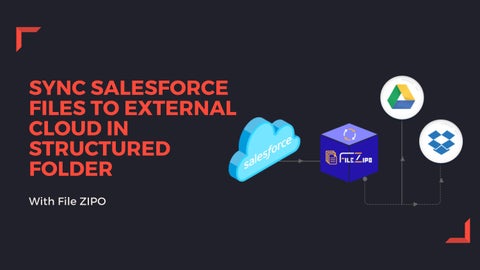
SYNC SALESFORCE FILES TO EXTERNAL CLOUD IN STRUCTURED FOLDER With File ZIPO
Presentation Overview Points of Discussion
File ZIPO Sync Feature Type of Sync Operations Benefits
Sync Files & Attachments Our Story File ZIPO helps you to Sync Salesforce Files & Attachments with External Cloud Platforms, such as Google Drive and Dropbox. After Syncing, these files are stored directly in the third party accounts while reducing your manual work. However, you can still “View” or “Download” them within your org.
FILE ZIPO OFFERS TWO TYPES OF SYNC OPERATIONS
AUTO-SYNC
MANUAL-SYNC
Auto Sync Using this, Salesforce admins and developers can automatically transfer files and attachments to external storage accounts. So, whenever a new file is added in Salesforce, it will transfer directly to Google Drive or Dropbox.
Why do you need this? The Auto-Sync feature helps to create a backup of your files and attachments automatically in an external cloud so you can manage and access them at one place hassle-free. You can still “View” or “Download” the files within your Salesforce org.
Manual Sync Using this, you can sync existing files and attachments to external cloud platforms with ease. So, whenever you need to free up the space, this is an easy choice for you.
Why do you need this? As a Salesforce user, you need to store a large number of legacy files. The Manual Sync feature makes it easy for you to select multiple files and attachments at once and transfer them all to external storage accounts. You can still “View” or “Download” the files within your org.
Benefits
SEAMLESS INTEGRATION File ZIPO integrates the Salesforce org with external storage platforms, such as Google Drive, OneDrive, AmazonS3, Dropbox, and Box.com.
EASY TO USE File ZIPO is an easy-to-use application. Its user interface is simple to understand.
SAVES TIME Under the Salesforce standard process, you need to select and upload files one-by-one to store them in external storage accounts.
TWITTER https://twitter.com/FileZipo
SOCIAL MEDIA ACCOUNTS
LINKEDIN https://www.linkedin.com/showcase/ filezipo
FACEBOOK https://www.facebook.com/FileZIPO/
Contact Us Phone Number +91 9953170767
Email Address support@tech9logy.com
Website https://filezipo.io
THANK YOU!