Your 2026 -2027 Benefits Guide From the Required Courses to the Extra Credit
Effective September 1, 2026 – August 31, 2027
Our Mission Statement
It is the purpose and mission of the Aledo Independent School District to provide all of its students with an educational program which will allow them to develop to their full potential intellectually, physically, and socially in order to be responsible citizens and contributing members of society. Inherent within this purpose and mission is the belief that all students can learn and that schools can make a difference in the lives of their students.
Our Vision Statement
Aledo ISD will work collaboratively with the parents and community to prepare our graduates to accept diversity, and be creative problem solvers and leaders of tomorrow.
Our Motto A Past to Remember; A Future to Mold
If you (and/or your dependents) have Medicare or will become eligible for Medicare in the next 12 months, a federal law gives you more choices about your prescription drug coverage. Please contact the Aledo ISD Help Desk for more information.
Amy Yokeley Scott Shapard (817) 347-7031 (817) 347-7078
Aledo ISD’s Employee Benefits Program offers four medical plans. To help you become fully informed, a Summary of Benefits and Coverage (SBC) for each plan is available summarizing important information about your health coverage in a standard format. The SBCs are available at www.mybenefitshub.com/aledoisd. Paper copies are is also available by calling your HR Benefits Administrator at (817) 441-5111
Enrollment and Eligibility
Open Enrollment
The Open Enrollment period for Aledo ISD eligible employees is July 20 – August 14, 2026. During open enrollment, you may make changes to your benefit elections or add/remove dependents from your insurance coverage. Open enrollment is the only time you may change coverage without a Qualifying Life Event (see definition on page 5).
New Hires
As a new hire, you must complete your enrollment within 30 days of your hire date in order to have coverage.
Eligibility Employees
You are eligible to participate in the employee benefit program if you are a full-time employee regularly scheduled to work at least 20 hours per week (10 hours per week for the TRS medical plans). You must be actively at work for any coverage to take effect.
Dependents
Your eligible dependents include:
z Your legally married spouse
z Your dependent children from birth to age 26 (under the Voluntary Life plan, children are eligible from 14 days to age 21 or to age 25 if a full-time student; under the Cancer, Heart Attack and Stroke plans, children are eligible to the earliest of when the child marries or reaches age 25)
z Your children of any age who are mentally or physically disabled and who are dependent on you for support
Children include:
z Natural children
z Legally adopted children (or children placed with you for adoption)
z Stepchildren
z Children for whom you or your spouse are the legal guardian, as long as you have the sole legal right and obligation to provide support and medical care
Dependent coverage takes effect on the same date your coverage begins. You may be asked to provide evidence that your dependents meet the eligibility requirements, such as birth certificates, adoption or guardianship papers, a marriage license, or a federal income tax return.
Enrollment and Eligibility
Making Changes
In most cases, your benefit elections will remain in effect for the entire plan year. However, a Qualified Life Event allows you to make changes to your elections during the year.
Qualifying Life Event
Qualified change in family or enrollment status include:
z Marriage, divorce, legal separation, or annulment
z Birth, adoption, or placement for adoption of an eligible child
z Death of your spouse or child
z Change in your or your spouse’s employment status that affects benefits eligibility (e.g., starting a new job, leaving a job, changing from part-time to full-time, starting or returning from an unpaid leave of absence)
z Change in your child’s eligibility for benefits (e.g., reaching the age limit)
z Change in residence that affects your eligibility for coverage (e.g., moving out of a medical plan’s network area)
z FMLA leave of absence, COBRA event, court judgment, or decree
z Becoming eligible for Medicare, Medicaid, or TRICARE
z Receiving a Qualified Medical Child Support Order Changes will be effective on the day of the event. If you do not make your changes within 31 days of the qualifying life event, your changes cannot be made until the next open enrollment.
Your benefit election changes must be due to and consistent with your change in status event.
New Dependents
You have 31 days from the date that you have a new dependent to submit a change request. It is your responsibility to enroll your new dependents. If you fail to enroll your new dependents within the 31-day period, your next opportunity to enroll them is during the next open enrollment.
Online Enrollment Instructions
Your online enrollment portal, THEbenefitsHUB, provides access to benefits 24 hours a day, seven days a week, anywhere you have Internet access. The portal will guide you page by page.
Extra Security
We have added new multifactor authentication measures to simplify the log-in process and to ensure the security of the portal and your account. This includes four different verification options, which are based on already existing information in your personal profile. Here are the verification contact options:
1. Text
2. Call
3. Email
4. Ask Admin
It is important that your information is accurate and up-todate for log-in purposes. To add, correct, or update your information, please use the Ask Admin option to access your existing account or, for first-time users, to set up a new account.
Logging In
Go to www.mybenefitshub.com/aledoisd to begin your enrollment.
z On the THEbenefitsHUB log-in page, enter your last name, date of birth, and last four digits of your Social Security number; then click the Login button.
z Next, on the Additional Security Verification page, choose from the list of verification contact options from your profile; select either the Text, Call, Email, or Ask Admin option to get a code to complete the final verification step.
z If you select the Ask Admin verification method, you will be instructed to call the phone number provided to get your code.
z Enter the code, and click Verify
z You can now complete your benefits enrollment!
Enrollment and Eligibility
Employee Usage Agreement
The Employee Usage Agreement is displayed when you log in to the system as an employee. Please read this section to ensure that you understand the terms of your “electronic signature” within THEbenefitsHUB. When you agree with this information, click Sign and Continue
Demographic Information
The Employee Data Entry process requires you to enter demographic information. Please review current information for accuracy. Enter any new or missing information and click on the Sign and Continue button when you are ready to proceed to the next step. Note: All fields in BOLD are required.
z Personal Information. Enter an email address, if you have one. If you need to use the Forgot Password link on the Login page, the system will deliver your new log-in credentials to this email address.
z Emergency Information. Enter an emergency contact and the contact method.
z Dependent Information. To add a dependent, click on the icon. To edit an existing dependent, click the icon or the name of the dependent. Click Save after successfully adding information for each dependent. Please make sure to indicate if your child is a fulltime student and/or claimed on your tax return as this could affect eligibility on some benefit plans.
z To revisit any of the sections mentioned, select Back to return to the previous section.
Benefits Enrollment
Once all personal and dependent data has been entered, you will have access to enroll online in the benefits for which you are eligible. Each benefit plan type will appear individually for you to review. Select Sign and Continue to proceed to the next benefit plan type.
z View Benefit Descriptions. To view, click on View Plan Outline of Benefit or the icon next to the name of the plan you would like to review. This shows a plan summary and any available links or additional documentation related to this plan.
z View Plan Cost. Click on the check box next to each eligible family member or choose the coverage level you would like. The cost will automatically appear in the box to the right of the member’s name.
z View Total Plan Cost. As you select plans, the cost will be adjusted in the Election Summary box under the plans.
z Forms. One or more of your benefit plans may require a paper form to be submitted with the insurance carrier. If this is the case, THEbenefitsHUB will prompt you to print the necessary forms during your online enrollment session.
z View Important Plan Information. Your benefits administrator will spotlight the importance of specific features of the plan or add any disclaimers that may be necessary to include in the Plan Information section. You may expand or collapse this information by clicking on Plan Information.
z Product Summary Video. Videos are placed throughout the benefit election process. You can access product videos that explain the purpose, function, and importance of the benefit package by clicking on the icon, when available.
Enrollment and Eligibility
Beneficiary Information
Beneficiaries are required. Please choose your beneficiary(ies) for each applicable plan.
Consolidated Enrollment Form
This form will display all data from each of the sections listed earlier, including personal and enrollment information. You may make changes to anything that is incorrect by clicking on the benefit plan name. Once you are finished with the enrollment process, you will be sent to the Employee Menu where you may make changes.
When you have completed your benefit selections, click the Main Menu button and you will be redirected to the Employee Menu screen.
Employee Menu
Once the enrollment is completed in the system, you will see the following Employee Menu icons:
Personal Information. Access and edit information by selecting the menu items under Personal Information. You can also change your password in this section.
Dependent Information. Access and edit information for dependents in this section. Make sure Human Resources knows of any changes made as this may change eligibility status or provide an opportunity to change enrollment in certain benefits.
Benefit Plan Information. Access and view benefits in this section. You will not be able to change benefit elections unless it is Open enrollment. See a quick review of all information on the Consolidated Enrollment Form.
Navigation and Data Entry Tips
Below are tips to help you get familiarized with the THEbenefitsHUB
z HELP? If you need assistance during the enrollment process, select HELP located at the upper right corner of the screen.
z BACK AND FORTH. Please do not use the web browser’s “back” or “forward” arrows while in the system. Use the navigation buttons in the THEbenefitsHUB instead (Back, Sign and Continue).
z REQUIRED DATA. As noted on each screen, the BOLD items are required to allow continuation to the next page. The more information entered, the better the system will work for you. You may skip nonbolded items if they do not apply.
z MOVING ON. When each election page is complete, go to the bottom of the page and select the Sign and Continue button.
z UNABLE TO FINISH? If for any reason you are unable to complete the enrollment process, you may log out and log in at a later time. When you log in again, you will walk through the same process. The data previously entered will be stored.
z WHAT ARE THOSE SYMBOLS? If you toggle the cursor/arrow on the icons, the definition of the icons will be revealed:
= View = Edit
z LINKS. Links are words, names, or phrases shown in color that become underlined when you put your cursor/arrow over them. These links are personalized for Aledo ISD employees and take you to certain sections.
z SCREEN NAVIGATOR. This line is at the top of your screen. You may click on these links to quickly jump back to previous screens.
Medical Benefits
In-Network Medical Benefits Summary
1 All family members must designate a PCP. If a member does not use their PCP for routine medical care or does not obtain referrals from their PCP to see specialists, they will not have coverage and claims will be denied.
2 After deductible.
3 There are no out-of-network benefits for any plans other than HD and AC 2, unless due to emergency.
Preventive Care $0 In-Network
z Annual routine physicals (age 12+)
z Annual mammogram (age 40+)
z Annual OB/GYN exam and PAP smear (age 18+)
z Annual prostate cancer screening (age 45+)
z Well-child care (unlimited up to age 12)
z Healthy diet/obesity counseling (unlimited to age 22; age 22+ get 26 visits per year)
z Smoking cessation counseling (eight visits per year)
z Breastfeeding support (six per year)
z Colonoscopy (age 50+ once every 10 years)
Medical Benefits
In-Network Prescription Drug Benefits Summary
•
•
•
•
•
•
•
•
1
2
2
Medical Benefits
Health Savings Account
If you enroll in the ActiveCare-HD plan — a qualified High Deductible Health Plan (HDHP) — you may also be eligible to open a Health Savings Account (HSA). An HSA is a personal savings account you can use to pay qualified out-of-pocket medical expenses with pretax dollars. You own and control the money in your HSA. The money in your account (including interest and investment earnings) grows tax-free, and if the funds are used to pay for qualified medical expenses, it is spent tax-free. Unlike a Flexible Spending Account (FSA), there is no “use it or lose it” rule — you do not lose your money if it is not spent during the calendar year — and there are no vesting requirements or forfeiture provisions. The account automatically rolls over year after year and, since it is an individual account, the balance is yours to keep even if you change health plans or jobs.
HSA Administrator
Aledo ISD partners with EECU as our HSA administrator. EECU is one of the largest credit unions in Texas and all account holder support services are located in Texas. Features offered by EECU include:
z HSA debit Mastercard
z Online bill pay
HSA Eligibility
z ACH transfer
z Mobile deposits
You are eligible to open and contribute to an HSA if you:
z Are enrolled in an HSA-eligible HDHP
z Are not covered by other non-HDHPs, such as your spouse’s health plan or a Health Care Flexible Spending Account
z Are not eligible to be claimed as a dependent on someone else’s tax return
z Are not enrolled in Medicare, Medicaid, or TRICARE
z Have not received Veterans Administration benefits
You can use the money in your HSA to pay for qualified medical expenses now or in the future. Your HSA can be used for your expenses and those of your spouse and dependents, even if they are not covered by the HDHP.
Maximum Contributions
Your HSA contributions may not exceed the annual maximum amount established by the IRS. The annual contribution maximum for 2026 is based on the coverage option you elect:
z Individual – $4,400 (and up to $4,500 for 2027)
z Family – $8,750 (and up to $9,000 for 2027)
You decide whether to use the money in your account to pay for qualified expenses or let it grow for future expenses. If you are age 55 or older, you may make a yearly catch-up contribution of up to $1,000 to your HSA.
If you turn 55 at anytime during the plan year, you are eligible to make the catch-up contribution for the entire plan year.
Opening an HSA
Once you enroll in the ActiveCare1-HD plan, you may be eligible to open an HSA administered by EECU. You will then receive a debit card to manage your HSA account reimbursements. Keep in mind, available funds are limited to the balance in your HSA. To view your account information, go to www.eecu.org
Always ask your health care provider to file your claims with your medical provider so network discounts can be applied. Then you can pay the provider with your HSA debit card based on the balance due after discount.
You, NOT your employer, are responsible for maintaining ALL records and receipts for HSA reimbursements in the event of an IRS audit.
Note: You may open an HSA at the financial institution of your choice. However, payroll deductions are available only for HSAs opened through EECU.
If you open an HSA, you may also enroll in a Limited Purpose Flexible Spending Account (FSA) to cover dental and vision expenses only (see page 11).
Did You Know
The responsibilities that come with the freedom and convenience of your HSA account include tracking your expenses and keeping careful records. Since your HSA is tax-advantaged, it is subject to IRS regulations and a possible audit. Always keep your receipts!
This
Flexible Spending Accounts
One way to plan ahead and save money over the course of a year is to participate in our FSA programs.
FSAs allow you to pay for certain health, dental, vision, and dependent care expenses with pretax dollars that reduce your taxable income and save you money. There are three kinds of accounts: two for health care expenses and one for dependent care expenses. When you enroll, you must decide how much money to set aside from your paycheck for each account. Be sure to estimate your expenses conservatively as the IRS requires that you use the money in your account during the plan year and applicable grace period (the “use it or lose it” rule). Our FSAs are administered by National Benefit Services
Health Care FSA
From each paycheck, you may set aside pretax dollars that can then be used to pay out-of-pocket health care expenses. A complete list of qualified expenses can be found in Publication 502 on the IRS website. When you incur the expense, you will be reimbursed the full amount at that time. You can contribute up to $3,400 annually to the Health Care FSA. You cannot contribute to a Health Care FSA if you have a Health Savings Account. NBS will issue you a debit card to pay for eligible expenses directly from your FSA.
How the Health Care FSA Works
When you incur a medical, dental, vision, or hearing expense, you will be reimbursed the full amount of the expense at that time (up to your annual election amount). You are entitled to the full election amount from day one of your plan year.
When you incur a qualified health care expense, you can choose one of two reimbursement methods:
z Get more information or submit receipts: Visit www.nbsbenefits.com. Call (855) 399-3035. Fax (844) 438-1496. Email service@nbsbenefits.com
Download the NBS Mobile Banking app Mail: National Benefit Services, LLC P.O. Box 219393 Kansas City, MO 64121-9393
z Use your debit card to pay doctor visit and prescription copays. Your FSA will be charged for the amount and you will not need to submit a request for reimbursement.
Orthodontia Expenses
If you are currently paying on an orthodontia contract for yourself, your spouse, or your children, you can put that payment aside in your Health Care or Limited Purpose Health Care FSA and the plan will make the payment each month to your orthodontist for you. If interested, submit a copy of your current contract or your coupon booklet with your enrollment form.
Limited Purpose Health Care FSA
This type of FSA is available if you are enrolled in the HDHP medical plan and have an HSA. You can use a Limited Purpose Health Care FSA to pay for eligible outof-pocket dental and vision expenses only, such as:
z Dental and orthodontia care (e.g., fillings, X-rays, and braces)
z Vision care (e.g., eyeglasses, contact lenses, and LASIK surgery)
Benefits Debit Card
The benefits debit card is a quick and easy way to pay for qualified expenses from your Health Care or Limited Purpose Health Care FSA. The debit card links directly to your FSA which gives you immediate access to funds when you are making a purchase. You do not need to file a claim for reimbursement.
Note: If you use the debit card to pay anything other than a copay amount, you will need to submit an itemized receipt or an Explanation of Benefits (EOB). If you do not submit your receipts, you will receive a request for substantiation. You will have 60 days to submit your receipts after receiving the request for substantiation before your debit card is suspended.
Please check the expiration date on your card to see when you should order a replacement card(s).
Flexible Spending Accounts
Dependent Care FSA
The Dependent Care FSA helps pay for expenses associated with caring for elder or child dependents in order for you or your spouse to work or attend school full-time. The dependent child must be under age 13 and claimed as a dependent on your federal income tax return, or a disabled dependent of any age incapable of caring for themselves and who spends at least eight hours a day in your home.
Reimbursement from your Dependent Care FSA is limited to the total amount that is deposited in your account at that time. In order to be reimbursed, you must provide the tax identification or Social Security number of the party providing care, and that provider cannot be anyone considered your dependent for income tax purposes.
Things to Consider Regarding the Dependent Care FSA
z Overnight camps are not eligible for reimbursement (only day camps can be considered).
z If your child turns 13 midyear, you may only request reimbursement for the part of the year when the child is under age 13.
z You may request reimbursement for care of a spouse or dependent of any age who spends at least eight hours a day in your home and is mentally or physically incapable of self-care.
Important Rules for FSAs
z The maximum per plan year you can contribute to a Health Care or Limited Purpose Health Care FSA is $3,400. The maximum per plan year you can contribute to a Dependent Care FSA is $7,500 when filing jointly or head of household and $3,750 when married filing separately.
z You cannot change your election during the year unless you experience a qualifying life event.
z Expenses for services received during the 12-month period (or from the date you became covered) can be reimbursed from the money set aside from your pay during the September 1, 2026 – August 31, 2027 plan year.
z Our plan allows a grace period for claims to be incurred. You have until November 15, 2027, to incur expenses and until February 15, 2028, to submit claims for those expenses.
z Your Health Care FSA debit card can be used for health care expenses only. It cannot be used to pay for dependent care expenses.
z FSA Claims Administration: (855) 399-3035
Flexible Spending Accounts
National Benefit Services Portal
The National Benefit Services Portal has everything you need to manage your FSAs:
z 24/7 access to plan documents, letters and notices, forms, account balances, contributions, and other plan information
z Update your personal information
z Access Section 125 tax calculators
z Look up qualified expenses
z Submit claims
z Request a new or replacement Benefits Debit Card
Direct Deposit and Claim Forms
You may elect to receive your reimbursement via direct deposit. A direct deposit form is available on the District webpage under Eforms or by contacting the Benefits Department. A claim form can also be found in your enrollment packet.
Go to www.nbsbenefits.com and click Register. Follow the instructions and scroll down to enter your information.
z Get more information or submit receipts:
• Visit www.nbsbenefits.com
• Call (855) 399-3035.
• Fax (844) 438-1496.
• Email service@nbsbenefits.com
• Download the NBS Mobile Banking app
• Mail: National Benefit Services, LLC P.O. Box 219393 Kansas City, MO 64121-9393
Flexible Spending Accounts
FSAstore.com
FSAstore.com offers thousands of FSA-eligible products and services that can be purchased with your FSA debit card or any major credit card. With FSAstore.com’s competitive pricing and free shipping on orders over $50, you could save more than 40% using your FSA pretax dollars.
Shop directly at FSAstore.com using your FSA debit card or have your physician submit prescriptions to the site (if required). FSAstore.com will also contact your physician to obtain a prescription for you.
FSAstore.com Services Channel allows you to search a database of more than 300,000 health care providers for nearby eligible services, such as acupuncture and chiropractic care. The FSAstore.com Learning Center is focused on answering common questions about your FSAs/ HSA and keeping you informed about changes to your FSA/ HSA benefits.
Medical Benefits Extras
TRS Virtual Health
TRS Virtual Health provides 24/7 access to doctors for common, non-emergency illnesses by phone or online video. You have multiple options depending on your choice of medical plan.
Aledo ISD offers a separate telehealth option if you are not enrolled in a medical plan. Recuro provides access to a national network of board-certified doctors and pediatricians who can diagnose, recommend treatment, and prescribe medication. Recuro providers practice primary care, pediatrics, family and emergency medicine. In lieu of enrolling in a medical plan, an $8.00 monthly cost for Recuro covers you, your spouse, and your children (up to age 26) and provides unlimited consultations by phone or video. The benefit is available by calling (855) 673-2876 or visiting www.recurohealth.com.
When to use Telehealth
z For non-emergency medical issues (especially as an alternative to the high cost of an emergency room or urgent care center)
z When your doctor or pediatrician is unavailable
z When you are traveling and need medical care
z When you need a prescription or refill
z When it is not convenient to leave your home or work
Common conditions treated include:
z Allergies
z Ear infections
z Cold
z Flu
The Recuro Care app
z Fever
z Pink eye
z Nausea/vomiting
z Respiratory infections
The Recuro Care app provides telehealth in the palm of your hand. You can visit with board-certified doctors and licensed therapists anytime, from anywhere by video or phone.
Medical Benefits Extras
Programs and Apps
As part of your medical benefits, you have access to additional programs and apps depending on the plan option you select.
ActiveCare Plans
If you enroll in one of the ActiveCare plan options, you have access to the following through BCBSTX:
z BCBSTX App. Stay organized and in control of your health care by downloading the BCBSTX app to your mobile device. Use the app to track your account balances and deductible, view your ID card, locate health care providers, and manage your prescriptions.
z Well onTarget Member Portal. Provides the support you need to make healthy choices using a secure website with personalized tools and resources.
z 24/7 Nurseline. Turn to a nurse for advice on choosing the right level of care and ask general health questions. Call (866) 355-5999 to speak to a licensed nurse or access the audio library.
z Ovia Health Apps. A series of apps and programs for fertility, pregnancy, and parenting. Enter Teacher Retirement System of Texas as your employer to log on after downloading these apps.
Visit www.bcbstx.com/trsactivecare for more information about these and other programs.
Hospital Indemnity
Aledo ISD will continue to offer a voluntary program designed to help you pay for covered out-of-pocket expenses when you or a member of your family are hospital confined. The plan, offered through American Public Life, provides:
z Benefit payment in addition to the TRS plan payment
z A program that is HDHP-HSA compatible
z First day benefit and a per day benefit up to 180 days of confinement
z An additional amount if you are in the ICU
Pre-existing condition exclusions apply.
Medical Benefits Extras
Medical Transport Solutions
Insurance coverage and Medicare may not cover all of your emergency costs. MASA MTS helps you prepare for the unexpected by providing access to affordable medical emergency air and ground transportation. This plan covers all providers of emergency air and ground transportation in the United States and Canada. Contact MASA MTS online at www.masamts.com or by calling (800) 423-3226
Did You Know
The average cost for air ambulance transportation is $20,000 and can go as high as $100,000. Following your medical crisis, MASA MTS will negotiate with your medical carrier and cover the remaining balance on your medical transportation bills.
Medical Benefits Extras
Employee Assistance Program
Aledo ISD provides an Employee Assistance Program (EAP) to help you and family members cope with a variety of personal or work-related issues. As part of your OneAmerica coverage, GuidanceResources provides confidential counseling and support services at little or no cost to you to help with:
z Relationships
z Work-life balance
z Stress and anxiety
z Grief and loss
z Childcare and eldercare resources
z Substance abuse
Call (855) 365-4754 or visit www.guidanceresources.com for support at any hour of the day or night.
How to Register
When you are ready to use this offering for the first time, you simply go to the Employee Assistance Program website at www.guidanceresources.com
On this website, you will see two tabs, LOGIN and REGISTER. First-time users will need to select REGISTER.
ORGANIZATIONAL WEB ID – You will enter OneAmerica6 (it is not case sensitive).
COMPANY NAME – You will type in Aledo and submit.
You are now on the Registration Profile page. Create your username and password per the site’s specifications.
Complete a short email address verification and create security questions in case you forget a username or password in the future.
Click your age category.
Click the box that you have read the terms. Click submit, and you are all set!
Medical Benefits Extras
Bearcat Care/Onsite Health Clinic
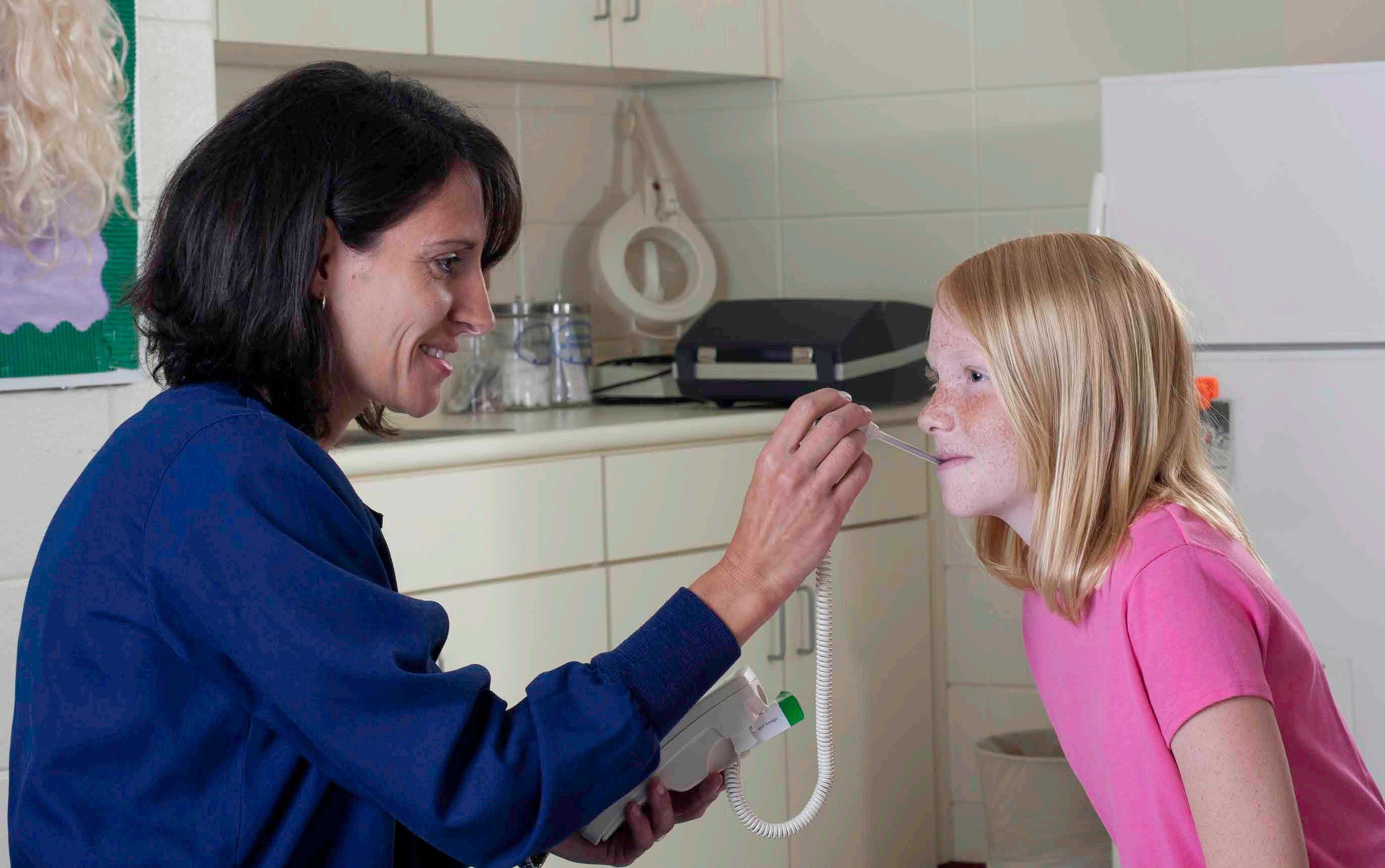
Aledo ISD partners with Parker County Hospital District Outreach Program to provide medical care onsite at each campus. We recognize early treatment of most conditions decreases the need for expensive medical care and unnecessary emergency room visits.
Using the MedPod Medical Cart and telemedicine, the health care needs of eligible employees* and students can be met in a convenient setting with each campus nurse. There is a $30 per visit fee for Aledo ISD employees that can be paid with a debit, credit, HSA or FSA card.
Bearcat Care sites treat minor issues such as:
z Fever
z Sore throat
z Rashes z Allergies
Available diagnostic laboratory procedures include:
z Blood glucose level
z Streptococcal pharyngitis
z Ear pain
z Eye infections (pink eye)
z Mononucleosis
z Flu types A and B
z Cold
z Flu
You must register with Bearcat Care to receive treatment at a Bearcat Care location. To begin the registration process, complete the online consent form: https://app.simpleinteract.com/packet/complete/parker-county-hospitaldistrict?packet=pre-registration-forms#/customForm
For questions, call (817) 458-3331
*You must work at least 20 hours per week to be eligible for Bearcat Care. Temporary employees and substitute teachers are not eligible for Bearcat Care.
Dental Benefits
Because dental care is an important part of your overall health care, being protected by Dental insurance and using it wisely are essential safeguards for you and your family. The Voluntary Dental plan offered to you by Aledo ISD, through Cigna, encourages preventive care and helps pay the cost of covered services.
How the Dental Plan Option Works
The Cigna Dental PPO plan gives you the freedom to go to any dentist you choose. You are responsible for meeting a plan-year deductible (except for preventive services), then the plan pays a percentage of covered costs. There are advantages to using an in-network dentist because they have agreed to accept Cigna’s contracted allowance for charge levels. Out-of-network dentists may require you to pay the full cost of any differences between their charges and Cigna’s allowances.
The plan includes Cigna’s Dental Wellness Plus with a progressive maximum. When you receive preventive care, it does not count toward your calendar year maximum.
Dental Benefits Summary
2 Reimburses at 90th percentile of Reasonable and Customary (R&C) Allowances.
3 The 12-month waiting period is waived for new hires.
Vision Benefits
The vision plan through EyeMed is designed to provide your basic eyewear needs and to preserve your health and eyesight. In addition to identifying vision and eye problems, regular exams can detect certain medical conditions such as diabetes or high cholesterol. You may seek care from any licensed optometrist, ophthalmologist or optician, but plan benefits are better if you use an in-network provider. The vision plan uses the EyeMed network of providers. To find an in-network vision provider, visit www.eyemed.com or call (888) 581-3648 to speak with member services.
Vision Benefits Summary
Lenses (in
• Conventional
• Disposable
• Medically Necessary
Lenses (in lieu of frame allowance)
• Single vision
• Bifocals
• Trifocals
• Lenticular
•
Life and AD&D
Life and Accidental Death and Dismemberment (AD&D) insurance through OneAmerica provides the peace of mind that comes with knowing your family’s financial needs will be met even if you are not there to provide for them. Life and AD&D coverage amounts reduce by 50% at age 70.
Basic Life and AD&D
NEW THIS YEAR! Please make sure to log in to TheBenefitsHUB to add your beneficiary. Basic Life and AD&D insurance are provided at no cost to you. You are automatically covered at $15,000 for each benefit.
Voluntary Term Life
If you need more coverage than Basic Life and AD&D, Voluntary Term Life program is available to you and your eligible dependents.
The plan includes an Accelerated Death Benefit of up to 50% of your Life benefit with a maximum of $100,000. You may continue this insurance program for you and your eligible dependents should your employment end with Aledo ISD.
BENEFIT
COVERAGE Employee
• Minimum
• Maximum
• Guaranteed Issue1
Spouse
• Minimum
• Maximum
• Guaranteed Issue1
Child
• Birth to 6 months
• 6 months to 26 years
• Guaranteed Issue1
• $10,000
• Up to seven times annual salary or $500,000, whichever is less
• $150,000 (coverage in excess of $150,000 is subject to proof of good health)
• $5,000
• $100,000 (not to exceed 50% of employee benefit)
• $50,000 (coverage in excess of $50,000 is subject to proof of good health)
• $1,000
• $10,000 (not to exceed 50% of employee benefit)
• $10,000
1 Guaranteed issue means you do not need to provide evidence of good health. This applies to new hires only.
Benefits reduce as follows:
z 45% at age 70
z 30% at age 75
z 20% at age 80
z 15% at age 85
z 10% at age 90
Calculate Your Monthly Premium
Using the table on page 23:
1. Locate the amount of coverage you wish to select along the top row of the Employee table. Then locate your age bracket along the left column of the table. Your monthly premium is the amount located where the row and column you have identified meet (down from top row and right from left column). If the amount you wish to select is greater than $100,000, select one of the top row numbers that when multiplied by another number, results in your desired life amount (e.g., selecting the rate for $150,000 can be obtained by multiplying the appropriate rate for $50,000 × 3). Enter the employee rate in the space provided below.
2. Follow the same method to determine your spouse rate. Use the Spouse table (below the Employee table). Enter the spouse rate in the space provided below. Spouse rate is based on employee’s age.
3. Use the child table (below the Spouse table). Make sure you multiply the child rate by the number of children to be covered. Enter the Child rate in the space provided below.
4. Total the Employee, Spouse (if any), and Child (if any) rates to obtain your Total Monthly Premium.
Employee Premium
+ Spouse Premium + Child(ren) Premium = Total Monthly Premium
Voluntary Term Life Insurance
Voluntary Term Life Monthly Rates
CHILD(REN) 2 Birth to 6 months
6 months to 26 years
1 Spouse rates are based on the employee’s age.
2 Spouse/Child
Voluntary Term Life Insurance
Voluntary Term Life Bi-Weekly Rates (24 deductions)
1 Spouse rates are based on the employee’s age.
2 Spouse/Child coverage amounts cannot be more than 50% of the Employee coverage amounts selected.
Individual Life Insurance
Individual Life insurance is available to eligible employees and is provided through Texas Life Insurance Company This Individual Life insurance is yours to keep, even when you change jobs or retire, as long as you continue to pay the premium.
Plan features include:
z High Death Benefit. This benefit gives your loved ones peace of mind knowing there will be significant Life insurance in force should you die prematurely.
z Minimal Cash Value. Designed to provide high death benefit, this policy does not build cash value.
z Long Term Guarantees. This policy has a guaranteed death benefit to age 121 and a level premium that guarantees coverage for a significant period of time (after the guaranteed period, premiums may go down, stay the same, or go up).
z Refund of Premium. This benefit offers a refund of five years premium should you surrender the policy if the premium you pay when you buy the policy ever increases (certain conditions apply).
z Accelerated Death Benefit Rider. diagnosed as terminally ill with a life expectancy of 12 months or less, you will have the option to receive 92% of the death benefit, minus a $150 administrative fee. This valuable living benefit gives you peace of mind knowing that should you need it, you can take the large majority of your death benefit while still alive (certain conditions apply).
You can purchase coverage for yourself, your spouse, children, and grandchildren.
Chronic Illness Rider
This optional rider provides a living benefit if, for at least 90 days, you are unable to perform two of the six activities of daily living or experience severe cognitive impairment.
Designed to help offset unexpected care expenses related to a qualifying chronic illness, this benefit is available at an additional cost and is not long-term care insurance.
Note: Chronic Illness Rider is available to only the employee for policies effective beginning September 1, 2026.
Individual Life Insurance
Individual Life Bi-Weekly Rates (24 Deductions)
1 Age to which coverage is guaranteed at table premium.
Long Term Disability Insurance
A catastrophic accident or serious diagnosis not only takes away your ability to work, it may also take away your ability to support yourself and your family. Long Term Disability (LTD) insurance provides you with income protection in the event you become disabled and are unable to work due to a non-occupational illness or injury. Coverage is provided through The Hartford. You must be actively at work for any coverage to take effect.
1 Pre-existing Condition Waiver – For the first four weeks of disability, The Hartford will pay full benefits even if you
a
condition. After four weeks, The Hartford will continue benefits only if the pre-existing condition exclusion does not apply.
2 Pre-existing Condition Exclusion – Benefits will not be paid for any accident or illness for which you received medical treatment, care, or consultation — including diagnostic measure — or took prescribed drugs or medications during the three months preceding your effective date under this policy, unless you are covered under this policy for 12 consecutive months before the date of accident or illness.
Long Term Disability Monthly Rates
1 First Day Hospital is included if confined for 24 hours (overnight stay).
Long Term Disability Insurance
Long Term Disability Bi-Weekly Rates (24 Deductions)
Cancer with Heart Attack/Stroke Insurance
Treatment for cancer is expensive and can last a long time. Although your health insurance pays the medical expense of cancer treatment, the cost of non-medical expenses — such as loss of income and out-of-town treatments — can be significant. In addition to these nonmedical expenses, most health plans have deductibles and other cost-sharing arrangements.
Cancer with Heart Attack/Stroke insurance includes first occurrence benefits for cancer, heart attack, and stroke. Coverage is offered through American Public Life Plan features include:
z Benefits are paid to you.
z Provides a first occurrence benefit upon the initial diagnosis of internal cancer.
z You can elect to cover your spouse and children.
z You can take this policy with you when you leave or retire from Aledo ISD as long as you have been covered on the plan for at least 12 months.
Waiting Period
The plan contains a 30-day waiting period rider during which no benefits will be paid. If any internal cancer is diagnosed before the end of the waiting period immediately following the covered person’s effective date of this rider, coverage will apply only to loss that is incurred after one year from the covered person’s effective date of this rider.
Accident Insurance
Accident insurance provides affordable protection against a sudden, unforeseen accident. Aledo ISD partners with Chubb to provide Accident insurance.
Health insurance only covers certain expenses (and plan limits can apply). Chubb’s voluntary accident plan is designed to help cover the out-of-pocket expenses that result from an off-the-job covered accident, such as hospitalization, transportation, and lodging for family. Burns, fractures, accidental death and dismemberment are covered by the plan.
Plan features include:
z Benefits paid directly to you
z First accident benefit is paid at the time the claim is reported (one per policy)
z The Sports Package increases benefits 25% for injuries incurred during organized sports
z The Rehabilitation Package pays benefits for daily confinement after a hospital stay
z HSA compatible
Scheduled benefits are paid for initial care, hospitalization, rehabilitation, follow-up care and treatment, burns, fractures, dismemberment, and accidental death. A complete list of covered services is located on your benefits portal under the Accident insurance tab.
Identity Theft Protection
Identity theft occurs when someone uses elements of your personal identifying information — such as your name, Social Security number, or financial information — without your permission to commit fraud or other crimes. If you or a family member becomes a victim of identity theft, the ID Watchdog Ultimate Program can assist in restoring your name and credit. Because identity thieves target educators at an alarming rate, the ID Watchdog Platinum Program is available to you, your spouse, and your dependents at a discounted group rate.
The ID Watchdog Platinum Program scans and monitors thousands of public and private databases searching for new and updated information associated with your personal, identifiable, and financial information. If your records are compromised, certified in-house identity theft resolution experts will perform a full-service restoration and take all the necessary steps to restore your identity. A case manager will be assigned to keep you apprised of the restoration process. ID Watchdog carries a 100% service guarantee.
You are notified of changes or any irregularities to your records via email alerts. Using ID Watchdog’s secure employee dashboard, you can access your identity profile information, credit report information, and respond to alerts.
Your policy is portable, which means if your employment ends at Aledo ISD, you may take your policy with you. You can continue ID Watchdog protection by paying the full amount of the discounted monthly group rate directly to ID Watchdog within 30 days after your effective termination date and can continue coverage up to 12 months. After the 12-month period, regular retail pricing will apply for continued service.
Advantages with the New Ultimate Plan
z Lower cost for both Tiers
z Up to $5M identity theft insurance
z $50,000 cyber insurance
z Instant on 3 Bureau Monitoring
z Legal
Cyber Security Features:
z Device security (antivirus software) and online privacy
z Personal VPN
z Password manager
z Digital privacy scans and removal
ID Watchdog Ultimate Program Services Include:
Credit Monitoring
z Access to your credit reports and scores from Equifax, Experian, and TransUnion
z Credit monitoring and alerts from all three bureaus
Identity Monitoring
z Criminal records
z Social Security number
z Business records
z Utilities
z Registrations
z Licenses
Advanced Identity Monitoring
z Payday loans
z National Change of Address Registry
z Bankruptcies, liens, and judgments
z National security watch list
z International crime
z Known aliases
z National provider identifier
Cyber Monitoring
z Underground websites and other online sources are scanned daily, ensuring Social Security and credit card numbers are not being bought or sold on the black market
Lost Wallet Protection
z Secure storage and fast retrieval of sensitive personal and financial information
This brochure highlights the main features of the Aledo ISD benefits program. It is intended to help you choose the benefits that are best for you. This brochure does not include all plan rules and details. The terms of your benefit plans are governed by legal documents, including insurance contracts. Should there be an inconsistency between this brochure and the legal plan documents, the plan documents are the final authority. Aledo ISD reserves the right to change or discontinue its benefit plans anytime.