
Your MylD is the username that’s required to log in to most online University resources.
If you are a student, your MylD was assigned to you when you were accepted into UGA. You should have received an email containing your MyID details.
Your MyID is a personalized combination of letters and numbers assigned specifically to you. Your MyID is different from your UGA ID number (81x number), which is a separate identifier.
Complete your MyID Profile.
You can manage your MyID profile by setting up security questions and setting up your identity verification, allowing you to change your MyID password with ease.
COMPLETE YOUR MYID PROFILE AT MYID.UGA.EDU.
Password Requirements
Passwords must be a minimum of 10 characters with three of the following: uppercase letters, lowercase letters, numbers, and special characters (such as, @!#). Passwords cannot contain any part of your name or username. Complete your MyID Profile so that you can change your password on your own.
YOU CAN CHANGE YOUR MYID PASSWORD AT MYID.UGA.EDU.
Your UGA identification number begins with 81.
It’s used instead of your Social Security number to access personal data. Your UGA ID number appears on the back of your UGACard.

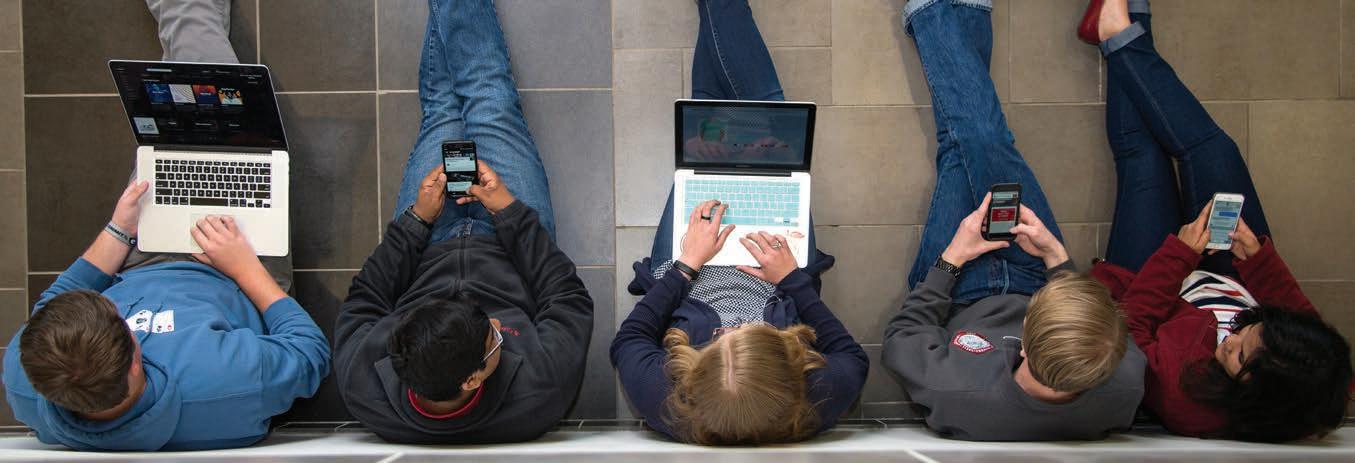
Need a wireless connection for your computer or mobile device?
UGA offers two secure wireless networks: PAWS-Secure and eduroam.
PAWS-Secure is available across campus and can be accessed using a valid MylD and password. To access eduroam, students must provide their full UGA credentials with their MyID followed by “@uga.edu” (example: YourMyID@uga.edu) and password.

Students can also use their UGA credentials to get wireless service when visiting participating eduroam institutions in the United States and abroad.
No personal access points are allowed in University Housing. These devices include personal wireless routers, wireless switches or hubs, personal hotspots, wireless printers, or smart home devices. Additionally, TVs, gaming systems, and similar devices cannot connect to UGA’s Wi-Fi and must be hardwired for internet access.
TO LEARN MORE, VISIT GETCONNECTED.UGA.EDU.
Your UGAMail is provided through Microsoft and includes access to your University email, calendar, and tasks.
You can access your UGAMail through the web (ugamail.uga.edu), through the UGA Mobile App, or by configuring a desktop or mobile client to access your account. The University will send official information to your UGAMail account, so be sure to check it regularly.
TO CHANGE YOUR UGAMAIL ALIAS, VISIT UGAMAIL.UGA.EDU OR DIRECTLY VIA MYIDPROFILE.UGA.EDU/UGAMAIL.
ArchPass, powered by Duo, is UGA’s two-step login solution.
This two-step authentication process adds an extra layer of security to help protect your UGA accounts from unauthorized access. To log in to UGA systems, you will need to use ArchPass in addition to your UGA MyID and password.
UGA systems protected by ArchPass will ask you to:
1 2
Enter your UGA MyID and password.
Verify your identity with the Duo mobile app.
To begin using ArchPass, enroll a smartphone or tablet through the self-service portal at archpass.uga.edu.
Undergraduate students must pay their commitment deposit, and graduate students must accept their admission offer before they can access ArchPass. Attempting to enroll in ArchPass before completing these steps will result in an error.

Phishing emails are emails designed to trick you into replying to them with personal information.
Large institutions like UGA are targets for phishing, and getting phishing emails is a daily reality.
A phishing email typically:
Threatens to remove your access to a service.
Pressures you to take immediate action to keep your access.
Includes poor grammar and spelling.
Tries to make you react without thinking.
Comes from an unfamiliar sender and has a generic recipient.
Includes an offer that is too good to be true.
Examples of Phishing Scams that you may encounter include:
• Employment Scams
• Financial Scams
• Social Security or Tax Credit/Rebate Scams
Will UGA send legitimate emails that look like phishing scams?
There will be times when legitimate messages must be sent to inform UGAMail users of necessary changes to their accounts. These may include inactive account removal notices or information about account abuse. UGA will never ask for your password in an email.
Did you receive an email message that looks suspicious? Send it to abuse@uga.edu for review.
TO LEARN MORE ABOUT ONLINE SAFETY, VISIT SAFEANDSECURE.UGA.EDU/NETWORK-SECURITY/.
The UGA Mobile App is the official mobile app for the University of Georgia, where students, staff, faculty, and visitors can find campus resources and learn more about the University.
The app allows users to track buses on and off campus, learn about dining facilities, check group study room availability and parking deck occupancy, and access various academic resources. Using the MyUGA module, students can view their class schedules directly within the app. Additionally, the app integrates with eLC, allowing students to view upcoming class assignments, quizzes, and tests.
The mobile app is free via the App store and Google Play. For more information visit mobileapps.uga.edu.
Once the app is downloaded, make sure to enable push notifications so you can receive important information from around the University!

The MyUGA Portal (my.uga.edu) is a one-stop website that allows you to access your email and web-based University services.
It allows you to check your grades, register for classes, and pay University bills through Athena.
Athena is the University’s student information system. In Athena, students can register for classes, pay tuition and fees, view academic and financial aid records, and update personal information.
TO LOG IN, VISIT ATHENA.UGA.EDU.

All eligible UGA students receive Microsoft 365!
A week before classes begin, new and incoming students will be able to log in to Microsoft 365 with their UGA MyID and password.
TO ACCESS MICROSOFT OFFICE APPLICATIONS, VISIT UGA.TEAMDYNAMICS.COM/TDCLIENT/3190/ EITSCLIENTPORTAL/KB/ARTICLEDET?ID=154382.
TO LEARN MORE ABOUT FREE AND DISCOUNTED SOFTWARE, VISIT SOFTWARE.UGA.EDU.

All eligible UGA students have access to Google Workspace, which includes several Google collaborative tools linked to their uga.edu account.
TO ACCESS, VISIT GDRIVE.UGA.EDU AND LOG IN WITH YOUR UGA EMAIL ADDRESS (YOURMYID@UGA.EDU) AND PASSWORD.

Unlock the potential of generative AI-driven chatbots, personalized tutoring, and innovative content creation tools.
ACCESS THE FOLLOWING GENERATIVE AI TOOLS WITH YOUR UGA EMAIL ADDRESS (YOURMYID@UGA.EDU) AND PASSWORD:
Copilot is Microsoft’s online AI Chatbot: copilot.microsoft.com. Gemini is Google’s online AI Chatbot: gemini.google.com.
NotebookLM is Google’s AI-powered research and note-taking tool: notebooklm.google.com.
Log in to UGA’s virtual computer lab on or off campus.
The University of Georgia’s virtual computer lab, called vLab, allows students to access lab software anywhere, anytime via a web browser on their devices. The vLab gives students access to a computer lab environment for use on work and personal devices. It allows users to access applications available in UGA computer labs, regardless of whether you are on or off campus. It’s like going to a campus computer lab without leaving your residence hall or home.
TO LOG INTO VLAB, VISIT VLAB.UGA.EDU.
Create with Adobe Creative Cloud anytime, anywhere. Adobe Express is an online and mobile application for creating graphics, editing photos and videos, working with PDFs, and more. Starting July 2026, all eligible UGA students will have access to Adobe Express, including templates, Adobe Stock images, and easy-to-use design tools. Students can use Adobe Express to quickly create professional-quality content for classes and projects. To learn more and get started, visit our Adobe page at adobe.uga.edu and log in with your UGA email address (yourmyid@uga.edu) and password.
Print on the go with Wepa.
No space in your dorm room for a printer? Forget to print a class assignment? Run out of ink in your personal printer?
Use Wepa print kiosks, the University of Georgia’s cloud-based printing service for students!
The easy-to-use kiosks provide students with affordable printing options in more than 60 locations across the University of Georgia campus.
TO LEARN MORE ABOUT WEPA PRINTING VISIT PRINTKIOSK.UGA.EDU.
Strengthening student writing and academic integrity with Turnitin. Turnitin offers a suite of tools designed to help UGA students develop strong, original writing throughout the drafting process. With Draft Coach for real-time feedback in Google Docs and Microsoft Word Online, PeerMark for structured peer review in eLC, Feedback Studio for detailed instructor comments, and the Similarity Report to help identify citation issues, Turnitin supports you at every stage of your assignment.
FOR MORE INFORMATION VISIT CTL.UGA.EDU/TEACHINGRESOURCES/DIGITAL-LEARNING-TOOLS/TURNITIN/.
A variety of computing and audiovisual technology is available to students for free through Tech Lending. From laptops and cameras to VR headsets, graphing calculators and more, students can check out items at the Tech Lending desk on the third floor, east wing of the Miller Learning Center. Select equipment is also available at the Main and McBay libraries.
TO LEARN MORE ABOUT TECH LENDING, VISIT LIBS.UGA.EDU/MLC/TECHLENDING.
The Digital Media Lab (DML) provides UGA students with access to the latest in multimedia software, and hardware for the creation and editing of digital media projects.
LEARN MORE ABOUT TECH LENDING AND THE DIGITAL MEDIA LAB BY VISITING LIBS.UGA.EDU/MLC AND LIBS.UGA.EDU/MLC/TECHNOLOGY/DIGITAL-MEDIA-LAB.
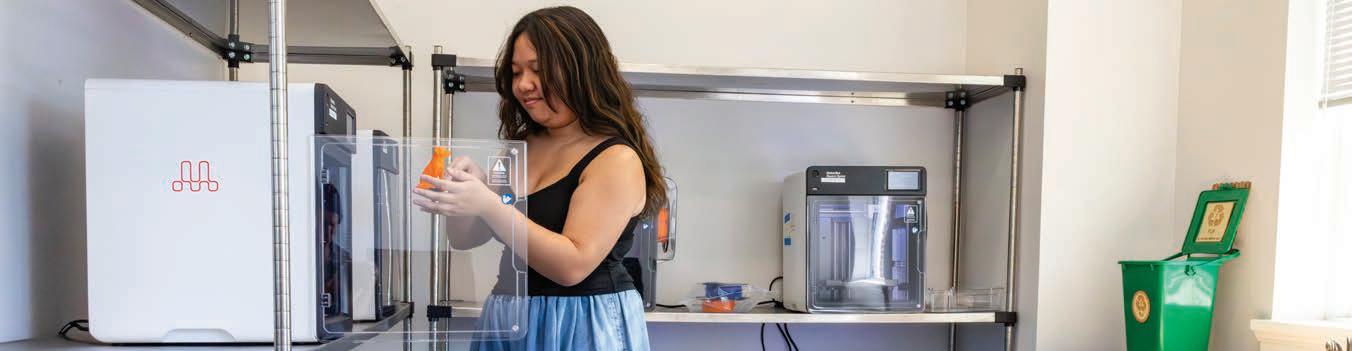
Explore your creativity at the Miller Learning Center’s Creative Engagement Wing. Located on the 3rd Floor, West Wing, the Creative Engagement Wing is a collaborative partnership between UGA Libraries, EITS, the Office of the Vice President for Instruction, and the Jill and Marvin Willis Center for Writing. This multi-disciplinary hub has been designed to enrich student learning and includes a Makerspace, Writing Center, Digital Media Lab, a presentation practice lab, podcast studio, and a VR enabled classroom and learning lab.
FOR MORE INFORMATION VISIT LIBS.UGA.EDU/MLC/CEW.
UGA’s online learning management system is called eLearning commons (eLC). Instructors use eLC for course assignments, learning materials, quizzes, class communication, and more. Each semester, you have automatic access to eLC for your classes.
TO ACCESS ELC, VISIT THE MYUGA PORTAL AT MY.UGA.EDU OR GO DIRECTLY TO ELC.UGA.EDU.
FOR ELC INSTRUCTIONAL RESOURCES, VISIT HELP.ELC.UGA.EDU/FOR_STUDENTS.
Are you staying on track for graduation?
DegreeWorks helps students and their advisors monitor progress toward degree completion. DegreeWorks combines your UGA degree requirements and your completed coursework into an easy-to-read electronic worksheet that shows how your coursework counts toward your degree.
For more information on DegreeWorks and how to use it to track your progress toward degree completion, visit reg.uga.edu/academics/degreeworks/
TO ACCESS DEGREEWORKS, VISIT DEGREEWORKS.UGA.EDU.
Schedule an advising appointment.
Student Advising and Guidance Expert (SAGE) is UGA’s advising software that allows students and advisors to schedule advising appointments online and provides advisors with various tools for tracking student success.
TO SCHEDULE AN ADVISING APPOINTMENT, VISIT SAGE.UGA.EDU.

Get information about software, computer labs, printing and more UGA technology services on our website, eitshelpdesk.uga.edu.
Check the UGA Systems Status page (status.uga.edu) for real-time updates on system outages, service disruptions, and scheduled maintenance affecting campus technology services.
The EITS Help Desk can assist you with your tech needs during its operating hours.
The EITS Help Desk is the central point of contact for computing services for UGA students, faculty, staff, and visitors.
VISIT: eitshelpdesk.uga.edu
INSTAGRAM: @uga_eits
WALK-IN SUPPORT: 101 Cedar St, Athens, GA 30602
CHAT: hd.support.uga.edu CALL: 706-542-3106
Know your MyID
Complete your MyID Profile
Enroll in ArchPass
Know your UGA ID
Download the UGA Mobile App
Follow EITS on Social
Check your UGAMail
Download Pulse/Log into eLC
Take advantage of Free Microsoft Office 365
Save EITS Help Desk Contact Information