books books
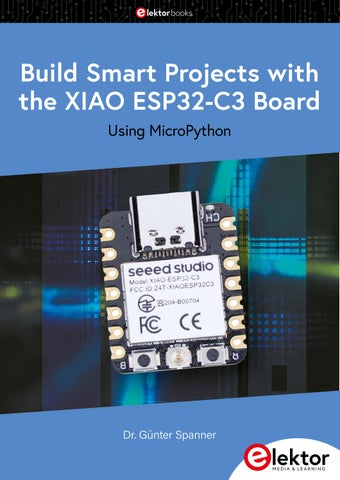
Build Smart Projects with the XIAO ESP32-C3 Board Using MicroPython
Dr. Günter Spanner
Build Smart Projects with the XIAO ESP32-C3 Board Using MicroPython
● Dr. Günter Spanner
● This is an Elektor Publication. Elektor is the media brand of Elektor International Media B.V.
PO Box 11, NL-6114-ZG Susteren, The Netherlands Phone: +31 46 4389444
● All rights reserved. No part of this book may be reproduced in any material form, including photocopying, or
storing in any medium by electronic means and whether or not transiently or incidentally to some other use of this publication, without the written permission of the copyright holder except in accordance with the provisions of the Copyright Designs and Patents Act 1988 or under the terms of a licence issued by the Copyright Licencing Agency Ltd., 90 Tottenham Court Road, London, England W1P 9HE. Applications for the copyright holder's permission to reproduce any part of the publication should be addressed to the publishers.
● Declaration
The author and publisher have used their best efforts in ensuring the correctness of the information contained in this book. They do not assume, or hereby disclaim, any liability to any party for any loss or damage caused by errors or omissions in this book, whether such errors or omissions result from negligence, accident or any other cause.
● British Library Cataloguing in Publication Data
A catalogue record for this book is available from the British Library
● I SBN 978-3-89576-759-3 Print
ISBN 978-3-89576-760-9 eBook ISBN 978-3-89576-761-6 ePub
● © Copyright 2026 Elektor International Media www.elektor.com
Editor: Elektor Team Prepress Production: D-Vision, Julian van den Berg Printers: Ipskamp, Enschede, The Netherlands
Elektor is the world's leading source of essential technical information and electronics products for pro engineers, electronics designers, and the companies seeking to engage them. Each day, our international team develops and delivers high-quality content - via a variety of media channels (including magazines, video, digital media, and social media) in several languages - relating to electronics design and DIY electronics. www.elektormagazine.com
●4
Contents
Contents Warnings . . . . . . . . . . . . . . . . . . . . . . . . . . . . . . . . . . . . . . . . . . . . . . . . . . . . . . . . . . 9 Program Download . . . . . . . . . . . . . . . . . . . . . . . . . . . . . . . . . . . . . . . . . . . . . . . . . . 9 Chapter 1 • Introduction . . . . . . . . . . . . . . . . . . . . . . . . . . . . . . . . . . . . . . . . . . . . . 10 1.1. Prerequisites and objectives . . . . . . . . . . . . . . . . . . . . . . . . . . . . . . . . . . . . . . 10 1.2. Required materials and hardware overview . . . . . . . . . . . . . . . . . . . . . . . . . . . . 11 1.3. A new era – The XIAO mini board . . . . . . . . . . . . . . . . . . . . . . . . . . . . . . . . . . 13 1.4. Optimal Wi-Fi connectivity through an external antenna . . . . . . . . . . . . . . . . . . . 14 Chapter 2 • First steps with the XIAO board . . . . . . . . . . . . . . . . . . . . . . . . . . . . . 16 2.1 Power supply of the board . . . . . . . . . . . . . . . . . . . . . . . . . . . . . . . . . . . . . . . . 17 2.2. Getting started with Thonny . . . . . . . . . . . . . . . . . . . . . . . . . . . . . . . . . . . . . . 18 2.3. A first test program . . . . . . . . . . . . . . . . . . . . . . . . . . . . . . . . . . . . . . . . . . . . 21 2.4. Thonny – Ideal IDE for beginners and advanced users . . . . . . . . . . . . . . . . . . . . 23 2.5. Creating, editing, and saving files . . . . . . . . . . . . . . . . . . . . . . . . . . . . . . . . . . 25 2.6. Tips for troubleshooting in the Thonny IDE . . . . . . . . . . . . . . . . . . . . . . . . . . . . 25 2.7. Direct program start . . . . . . . . . . . . . . . . . . . . . . . . . . . . . . . . . . . . . . . . . . . 28 2.8. Libraries . . . . . . . . . . . . . . . . . . . . . . . . . . . . . . . . . . . . . . . . . . . . . . . . . . . . 29 Chapter 3 • Modular systems . . . . . . . . . . . . . . . . . . . . . . . . . . . . . . . . . . . . . . . . . 30 3.1. Magnetic systems . . . . . . . . . . . . . . . . . . . . . . . . . . . . . . . . . . . . . . . . . . . . . 30 3.2. Magnetic metal enclosures . . . . . . . . . . . . . . . . . . . . . . . . . . . . . . . . . . . . . . . 32 3.3. Commercial or custom-built plastic enclosures . . . . . . . . . . . . . . . . . . . . . . . . . 34 3.4 Order, non-chaos – Good assembly practice pays off! . . . . . . . . . . . . . . . . . . . . . 34 Chapter 4 • P rogramming fundamentals: Physical computing . . . . . . . . . . . . . . . . 36 4.1. MicroPython basics – Variables, loops & functions . . . . . . . . . . . . . . . . . . . . . . . 36 4.2. LEDs without limits – All shapes, all colors! . . . . . . . . . . . . . . . . . . . . . . . . . . . . 38 4.3. Blinking, flashing, and simulation alarms . . . . . . . . . . . . . . . . . . . . . . . . . . . . . 41 4.4. Light in motion – Using running lights for the runway . . . . . . . . . . . . . . . . . . . . 42 4.5. Monte Carlo in the living room – Electronic roulette with a roll-out effect . . . . . . . 45 4.6. Signal systems and light control . . . . . . . . . . . . . . . . . . . . . . . . . . . . . . . . . . . 48 4.7. Processing analog signals with ADC and PWM . . . . . . . . . . . . . . . . . . . . . . . . . . 50 4.8. From analog to digital . . . . . . . . . . . . . . . . . . . . . . . . . . . . . . . . . . . . . . . . . . 54
●5
Build Smart Projects with the XIAO ESP32-C3 Board
4.9. Brighter and darker – An LED dimmer . . . . . . . . . . . . . . . . . . . . . . . . . . . . . . . 57 4.10. ADC for professional use – Setting the input voltage range . . . . . . . . . . . . . . . . 58 4.11. Analog voltages using PWM . . . . . . . . . . . . . . . . . . . . . . . . . . . . . . . . . . . . . . 59 4.12. Smooth transitions & heartbeat simulator . . . . . . . . . . . . . . . . . . . . . . . . . . . . 60 4.13. All the colors of the rainbow for mood lighting . . . . . . . . . . . . . . . . . . . . . . . . . 63 4.14. Extensions and experiments . . . . . . . . . . . . . . . . . . . . . . . . . . . . . . . . . . . . . 66 Chapter 5 • Sensors, displays, and actuators in action . . . . . . . . . . . . . . . . . . . . . 67 5.1. Using I2C – Connecting an OLED display . . . . . . . . . . . . . . . . . . . . . . . . . . . . . . 67 5.2. Graphics fun with OLEDs . . . . . . . . . . . . . . . . . . . . . . . . . . . . . . . . . . . . . . . . 72 5.3. And they really do move – Animated graphics . . . . . . . . . . . . . . . . . . . . . . . . . . 74 5.4. Long proven and reliable – 7-segment displays . . . . . . . . . . . . . . . . . . . . . . . . . 76 5.5. Keeping temperature and climate under control with the DHT11/DHT22 sensor . . 81 5.6. For perfectionists: precise temperature measurement . . . . . . . . . . . . . . . . . . . . 85 5.7. Multi-temperature sensor as a „data grabber" . . . . . . . . . . . . . . . . . . . . . . . . . . 90 5.8. Energy saving with optical sensors . . . . . . . . . . . . . . . . . . . . . . . . . . . . . . . . . 92 5.9. The XIAO learns to "see" – Testing a photo transistor . . . . . . . . . . . . . . . . . . . . 94 5.10. Let orchids bloom – With a soil moisture sensor . . . . . . . . . . . . . . . . . . . . . . . 96 5.11. Moving the world – No problem for servomotors! . . . . . . . . . . . . . . . . . . . . . . . 99 5.12. Alarm! – The piezo buzzer . . . . . . . . . . . . . . . . . . . . . . . . . . . . . . . . . . . . . 101 5.13. Experiments and suggestion . . . . . . . . . . . . . . . . . . . . . . . . . . . . . . . . . . . . 104 Chapter 6 • On air: Wireless functions . . . . . . . . . . . . . . . . . . . . . . . . . . . . . . . . . 105 6.1. Best connections – Thanks to an external Wi-Fi antenna . . . . . . . . . . . . . . . . . 106 6.2. Wi-Fi activation – Set up and internet access . . . . . . . . . . . . . . . . . . . . . . . . . 108 6.3. Scanning Wi-Fi networks . . . . . . . . . . . . . . . . . . . . . . . . . . . . . . . . . . . . . . . 108 6.4. Connecting to a Wi-Fi network . . . . . . . . . . . . . . . . . . . . . . . . . . . . . . . . . . . 109 6.5. Safety first – Keep Wi-Fi credentials secret! . . . . . . . . . . . . . . . . . . . . . . . . . . 111 6.6. XIAO as a Wi-Fi access point . . . . . . . . . . . . . . . . . . . . . . . . . . . . . . . . . . . . . 112 6.7. A Wi-Fi web server – Miniature version . . . . . . . . . . . . . . . . . . . . . . . . . . . . . . 113 6.8. Troubleshooting network issues . . . . . . . . . . . . . . . . . . . . . . . . . . . . . . . . . . . 115 Chapter 7 • C reativity @ Work: Practical projects for advanced users and professionals . . . . . . . . . . . . . . . . . . . . . . . . . . . . . . . . . . . . . . . . . . . 117 7.1. LED on a hidden leash – Control via Wi-Fi . . . . . . . . . . . . . . . . . . . . . . . . . . . . 117
●6
Contents
7.2. Control via access point – No router required! . . . . . . . . . . . . . . . . . . . . . . . . . 120 7.3. Storing data in the cloud – No problem with ThingSpeak! . . . . . . . . . . . . . . . . . 124 7.4. Ideas and suggestions . . . . . . . . . . . . . . . . . . . . . . . . . . . . . . . . . . . . . . . . . 128 7.5. Recording, visualizing and storing climate data via Wi-Fi . . . . . . . . . . . . . . . . . 129 7.6. Wi-Fi weather station with OLED display . . . . . . . . . . . . . . . . . . . . . . . . . . . . . 132 7.7. Replacing radio controlled clocks – Time and date from the network . . . . . . . . . . . 135 7.8. Practical for on the go – Climate sensor for smartphones . . . . . . . . . . . . . . . . . 139 7.9. Ultrasonic parking assistant – Measure distance – Avoid damage! . . . . . . . . . . . 143 7.10. Ideas and extensions . . . . . . . . . . . . . . . . . . . . . . . . . . . . . . . . . . . . . . . . . 150 7.11. Retro gaming with contactless "Pong" . . . . . . . . . . . . . . . . . . . . . . . . . . . . . 150 7.12. Ideas and extensions . . . . . . . . . . . . . . . . . . . . . . . . . . . . . . . . . . . . . . . . . 155 7.13. Fit or tired? Reaction time reveals the truth! . . . . . . . . . . . . . . . . . . . . . . . . . 156 7.14. When is the next "blackout" coming? Mains frequency measurement . . . . . . . . 160 7.15. Extensions and ideas . . . . . . . . . . . . . . . . . . . . . . . . . . . . . . . . . . . . . . . . . 165 7.16. Visualizing sound worlds – Microphone on the ADC . . . . . . . . . . . . . . . . . . . . 165 7.17. Microphone party – Smart clap switch in action . . . . . . . . . . . . . . . . . . . . . . . 169 7.18. Light or dark? – The exposure or cloud density meter . . . . . . . . . . . . . . . . . . 171 7.19. Keeping everything fresh – Monitoring refrigerators and freezers . . . . . . . . . . . 173 7.20. Extensions and ideas . . . . . . . . . . . . . . . . . . . . . . . . . . . . . . . . . . . . . . . . . 176 7.21. Local stand-alone climate station with OLED display . . . . . . . . . . . . . . . . . . . . 176 7.22. Mega-display for data of all kinds . . . . . . . . . . . . . . . . . . . . . . . . . . . . . . . . 180 7.23. Elegant dual-pointer instrument . . . . . . . . . . . . . . . . . . . . . . . . . . . . . . . . . 184 7.24. No more mold and moisture damage . . . . . . . . . . . . . . . . . . . . . . . . . . . . . . 188 7.25. Energy-saving – Light only when motion is detected . . . . . . . . . . . . . . . . . . . 189 7.26. Watering indicator for sensitive plants . . . . . . . . . . . . . . . . . . . . . . . . . . . . . 192 Chapter 8 • Advanced techniques and applications . . . . . . . . . . . . . . . . . . . . . . . 198 8.1. Power-saving modes for battery operation – Optimizing Deep Sleep . . . . . . . . . . 198 8.2. Mini devices with maximum power . . . . . . . . . . . . . . . . . . . . . . . . . . . . . . . . . 202 8.3. Applications and extensions . . . . . . . . . . . . . . . . . . . . . . . . . . . . . . . . . . . . . 205 Chapter 9 • Debugging and forum support . . . . . . . . . . . . . . . . . . . . . . . . . . . . . . 206 9.1. Debugging – Finding errors quickly . . . . . . . . . . . . . . . . . . . . . . . . . . . . . . . . 206
●7
Build Smart Projects with the XIAO ESP32-C3 Board
9.2. Important resources – tutorials and forums . . . . . . . . . . . . . . . . . . . . . . . . . . 208 Chapter 10 • Python – A crash course for the XIAO . . . . . . . . . . . . . . . . . . . . . . . 210 10.1. Essential – Comments . . . . . . . . . . . . . . . . . . . . . . . . . . . . . . . . . . . . . . . . 210 10.2. Output using print() . . . . . . . . . . . . . . . . . . . . . . . . . . . . . . . . . . . . . . . . . . 212 10.3. Structure through indentation and blocks . . . . . . . . . . . . . . . . . . . . . . . . . . . 212 10.4. Important values – Variables and constants . . . . . . . . . . . . . . . . . . . . . . . . . 213 10.6. Numbers and variable types . . . . . . . . . . . . . . . . . . . . . . . . . . . . . . . . . . . . 214 10.7. Back and forth – Converting numeric types . . . . . . . . . . . . . . . . . . . . . . . . . . 215 10.8. Operators – Not just for mathematicians . . . . . . . . . . . . . . . . . . . . . . . . . . . 216 10.9. Ideal for sequences of numbers and measured values – Arrays and Lists . . . . . 217 10.10. Attractive formatting – Text and data output . . . . . . . . . . . . . . . . . . . . . . . . 220 10.11. Characters and strings . . . . . . . . . . . . . . . . . . . . . . . . . . . . . . . . . . . . . . . 223 10.12. Trial and error – Try and except . . . . . . . . . . . . . . . . . . . . . . . . . . . . . . . . . 224 10.13. Exiting programs in a controlled way . . . . . . . . . . . . . . . . . . . . . . . . . . . . . 225 10.14. Pins and ports under full control – Controlling digital inputs and outputs . . . . 226 10.15. A close look at the alternating blinker . . . . . . . . . . . . . . . . . . . . . . . . . . . . . 227 10.16. The "machine" module in detail . . . . . . . . . . . . . . . . . . . . . . . . . . . . . . . . . 228 10.17. Button input . . . . . . . . . . . . . . . . . . . . . . . . . . . . . . . . . . . . . . . . . . . . . . 229 10.18. Binary LED counter . . . . . . . . . . . . . . . . . . . . . . . . . . . . . . . . . . . . . . . . . 231 10.19. Fairground lighting and sci-fi displays . . . . . . . . . . . . . . . . . . . . . . . . . . . . . 232 10.20. Time control – Time, ticks and utime . . . . . . . . . . . . . . . . . . . . . . . . . . . . . 233 10.21. Exercises, extensions and tasks . . . . . . . . . . . . . . . . . . . . . . . . . . . . . . . . . 234 Chapter 11 • For beginners: Hardware guide . . . . . . . . . . . . . . . . . . . . . . . . . . . . 236 11.1. Breadboards . . . . . . . . . . . . . . . . . . . . . . . . . . . . . . . . . . . . . . . . . . . . . . . 236 11.2. Wire jumpers . . . . . . . . . . . . . . . . . . . . . . . . . . . . . . . . . . . . . . . . . . . . . . 237 11.3. Resistors . . . . . . . . . . . . . . . . . . . . . . . . . . . . . . . . . . . . . . . . . . . . . . . . . . 238 11.4. Light-emitting diodes (LEDs) . . . . . . . . . . . . . . . . . . . . . . . . . . . . . . . . . . . . 239 11.5. Potentiometer . . . . . . . . . . . . . . . . . . . . . . . . . . . . . . . . . . . . . . . . . . . . . . 240 Sources and literature . . . . . . . . . . . . . . . . . . . . . . . . . . . . . . . . . . . . . . . . . . . . . . 242 List of Programs . . . . . . . . . . . . . . . . . . . . . . . . . . . . . . . . . . . . . . . . . . . . . . . . . . 243 Index . . . . . . . . . . . . . . . . . . . . . . . . . . . . . . . . . . . . . . . . . . . . . . . . . . . . . . . . . . . 244
●8
Warnings 1.
The circuits and boards in this book may only be operated using tested, doubleinsulated safety power supplies. Insulation faults in a simple power supply could lead to life-threatening voltages on non-insulated components.
2.
High-power LEDs can cause eye damage. Never look directly into an LED!
3.
The author and publisher accept no liability for any damage resulting from the construction of the described projects.
4.
Electronic circuits can emit electromagnetic interference. As the author and publisher have no control over the user's technical implementation, the user is solely responsible for complying with the relevant emission limits.
Program Download The programs from this book can be downloaded at: www.elektor.com If a program is not identical to the version described in the book, the version provided in the download should be used, as it is the more up-to-date version.
●9
Build Smart Projects with the XIAO ESP32-C3 Board
Chapter 1 • Introduction The XIAO ESP32-C3 has quickly established itself as a staple in the maker and developer community. This compact microcontroller module provides a powerful and versatile platform suitable for both beginner projects and professional applications. The XIAO board combines modern technology with an extremely small form factor and a very affordable price. The board is based on the ESP32-C3 microcontroller from Espressif, an energy-efficient and high-performance system-on-chip (SoC) with a RISC-V core. This 32-bit processor features integrated Wi-Fi and Bluetooth LE, enabling direct integration into IoT applications without the need for additional hardware. Programming can be done flexibly using languages such as MicroPython, Arduino (C++), or via the ESP-IDF framework. Despite its small size, the XIAO offers a wide range of interfaces and features: digital GPIOs, PWM outputs, analog inputs (ADCs), UART, I²C, and SPI. This allows the microcontroller to communicate with a wide variety of sensors, actuators, and modules, making it suitable for applications ranging from simple LED control to complex IoT prototypes. This introduction to the XIAO board is intended to provide an overview of the fundamental functions and possible applications of this microcontroller. The following chapters will cover various technical and software-related aspects in a practical manner to facilitate getting started with XIAO development. A particular advantage is its compatibility with common development kits. Nearly all sensors and modules widely used in the maker community can be easily connected and used. For the projects in this book, a suitable hardware kit is recommended, providing a basic set of the required components. Alternatively, the necessary components can be obtained individually if only selected experiments are to be carried out. However, a complete kit generally offers the most practical solution in terms of both cost and immediate availability.
1.1. Prerequisites and objectives This book introduces the broad and highly relevant field of modern microcontroller technology using the XIAO ESP32-C3 as an example. The fundamental aspects of electronics and electrical engineering are covered only to the extent necessary for building the circuits and understanding the experiments. A more in-depth treatment of these basics can be found in the relevant specialist literature (see references). In addition to a solid introduction to the operation and technical features of the XIAO, a particular focus is placed on the acquisition and processing of measurement data using digital microprocessors. The ESP32-C3 is especially well suited for this purpose due to its integrated Wi-Fi and Bluetooth LE, its versatile digital and analog inputs and outputs, and its high energy efficiency. For these reasons, the board is becoming increasingly popular and is used in a wide range of technical and research applications.
● 10
Chapter 1 • Introduction
The XIAO family is characterized by its compact size, low cost, and high flexibility. These features make it an excellent choice for beginner projects as well as for more advanced prototypes in the fields of microcontroller and IoT technology. However, this book is not limited to the basic operation and programming of the board. Instead, it presents a wide range of practical, ready-to-implement projects, such as: • Running light effects • LED dimmers • Heartbeat simulators In addition, more advanced and engaging applications are explored, including: • Multi-temperature sensors • Soil moisture measurement • Control of servo motors These are complemented by chapters on important modern technologies and components, such as: • Recording climate data via Wi-Fi • Weather station with OLED display • Climate sensor connected to a smartphone • Ultrasonic parking assistant • Retro gaming with touchless "Pong" • Reaction time measurement • Precise mains frequency measurement • Mega display for various types of data • and much more... With its combination of performance, Wi-Fi connectivity, low power consumption, and flexible programming options, the XIAO ESP32-C3 provides an ideal platform for learning and implementing modern microcontroller applications—from simple control tasks to intelligent, networked systems.
1.2. Required materials and hardware overview Before starting the first practical projects with the XIAO ESP32-C3, it is useful to look at the required hardware and the basic components that will be used throughout this book. The focus is on a minimal yet functional set of equipment that allows a wide range of experiments to be carried out—from simple LED circuits to Wi-Fi-enabled IoT applications. All components presented are readily available and ideally suited for getting started with the XIAO board. At the center of all projects is the key component: the XIAO ESP32-C3 board. Thanks to its compact size and energy-efficient architecture, it is perfectly suited for microcontroller projects with wireless connectivity. With the help of a breadboard, circuits can be assembled
● 11
Build Smart Projects with the XIAO ESP32-C3 Board
quickly and without soldering, while simple components such as an LED and a currentlimiting resistor already allow visible results to be achieved—ideal for beginners and for understanding basic pin functionality. The following sections introduce the most important components in detail, explain their functions, and show how they are connected to each other.
Fig. 1.1: XIAO controller, breadboard, LEDs, resistors, and jumper wires The introduction begins with classic LED circuits to understand fundamental concepts such as GPIO control and voltage. TIP: Further information on LEDs can be found in Chapters 4 and 11. However, the range of components used extends far beyond this: • Sensors such as the DHT11 provide temperature and humidity data. These can be used to build weather stations, environmental monitors, or smart thermometers. • Actuators like small servo motors enable movement—whether for controlling flaps, displays, or robotic components. • Displays, in particular compact OLED screens with an I²C interface, offer an easy way to present data directly on the device—for example temperature values, status information, or Wi-Fi connection details. All these modules are inexpensive, well-documented, and highly compatible with the XIAO board. They make it possible to implement practical and interactive projects, ideal for getting started in the world of physical computing.
● 12
Chapter 1 • Introduction
In the following sections, all components will be presented in detail. This will also include guidance on purchasing, connecting them to the microcontroller, and programming them. Step by step, this builds a solid hardware foundation for the upcoming chapters.
1.3. A new era – The XIAO mini board In a world where technology is becoming smaller, smarter, and more powerful, microcontroller platforms are setting new standards for developers and makers alike. One of the most exciting innovations of this new era is undoubtedly the XIAO mini board. This tiny powerhouse brings the capabilities of modern microcontrollers down to the size of a coin—unlocking possibilities that were previously hardly imaginable. In this book, we take a detailed look at the board, its strengths, areas of application, and why it has the potential to sustainably transform the maker world. The XIAO mini board is an ultra-compact microcontroller platform. With dimensions of just 20 mm × 17.5 mm, it is more powerful than many of its competitors from the Arduino or Raspberry Pi world. Despite its compact size, each XIAO board offers an impressive set of features: • High-performance microcontroller (ESP32-C3 with Wi-Fi/BLE) • USB-C port for programming and power supply • 11 I/O pins (digital, analog, PWM, I²C, SPI, UART) • Integrated reset and boot buttons • Battery connector with charging management The boards are breadboard-compatible and include built-in safety features—such as encrypted communication capabilities on the ESP32-C3, making them suitable for IoT applications. What makes the XIAO special is the combination of size, flexibility, and power. While other microcontrollers are often either too large or too limited for modern applications, the XIAO Mini board hits exactly the sweet spot: 1. Extremely compact: ideal for wearables, mini-robots, or sensors in tight enclosures. 2. Wide range of variants: depending on the project, makers can choose the appropriate architecture—from low-power BLE chips to dual-core microcontrollers for compute-intensive tasks. 3. Strong community & documentation: extensive libraries, tutorials, and examples—perfect for both beginners and professionals. Thanks to its small form factor, the XIAO is perfectly suited for wearable technology. Combined with a pulse sensor, accelerometer, or e-ink display, it can quickly become a fitness tracker, biofeedback device, or smart piece of wearable electronics.
● 13
Build Smart Projects with the XIAO ESP32-C3 Board
Its breadboard compatibility, full Arduino and CircuitPython support, and USB-C interface make rapid prototyping extremely easy. Even professional developers use XIAO boards as test modules for IoT designs. With variants such as the XIAO ESP32-C3, it is possible to build smart devices with Wi-Fi and Bluetooth connectivity—from weather stations to alarm systems. Thanks to its low power consumption and integrated battery charging capability, even battery-powered IoT devices can be implemented. With PWM outputs, ADCs, and simple programming, the board is also well suited for LED animations, sound triggers, or even mini game controllers—making it ideal for creative projects with children or in educational settings. It can also serve as the "brain" for small robots, servo control systems, or sensor nodes. The XIAO is lightweight, robust, and still powerful enough for precise control tasks. The XIAO is not only impressive in terms of hardware. It can also be programmed using various development environments: • MicroPython & CircuitPython: for interactive programming • PlatformIO: for structured, professional projects • Rust, Zephyr, or even TensorFlow Lite Micro • Arduino IDE: fast and easy for beginners The XIAO Mini board is therefore ideal for: • Makers and hobbyists who want to build small and compact devices • Teachers looking for affordable and compact boards for education • Designers aim to integrate technology unobtrusively • Prototype developers running many tests in limited space • IoT engineers require low-power, smart solutions All in all, the XIAO Mini board is more than just a microcontroller. It is a tool that combines creativity, technology, and efficiency—within a form factor that fits almost anywhere. It offers the freedom to realize complex projects in a very small space without compromising on performance or expandability. Whether developing an interactive artwork, a smart sensor, or a new gadget—the XIAO Mini board is ready for new ideas. A new era of miniaturization has begun.
1.4. Optimal Wi-Fi connectivity through an external antenna The market for microcontrollers with integrated Wi-Fi functionality has grown significantly in recent years. Particularly popular are compact, low-power boards that integrate seamlessly into IoT and smart home projects. The XIAO ESP32-C3 falls exactly into this category—a
● 14
Chapter 1 • Introduction
small, powerful board with Wi-Fi and Bluetooth Low Energy (BLE) capabilities, ideally suited for wireless applications. A key feature of this board is that it does not use an internal antenna. Instead, it is deliberately designed to operate with an external antenna via a so-called U.FL connector. This provides a significant advantage in projects where a particularly stable and highperformance Wi-Fi connection is required. While many microcontroller boards rely on integrated antennas as a compromise between size and performance, the XIAO ESP32-C3 intentionally allows the use of a higher-quality external antenna of the user's choice—and this is precisely where its strength lies. In most cases, the board is even supplied with a matching flat antenna (see Fig. 1.2).
Fig. 1.2: XIAO ESP32-C3 with external Wi-Fi antenna At first glance, the absence of an internal antenna may seem unusual, but it is a deliberate design decision. In many projects, the wireless connection is a critical factor—for example when a device is operated outdoors, inside a shielded enclosure, or far away from the nearest access point. A weak connection leads to packet loss, connection drops, and a poor user experience. Further details on the Wi-Fi antenna and its usage can be found in Chapter 7.
● 15
Build Smart Projects with the XIAO ESP32-C3 Board
Chapter 2 • First steps with the XIAO board The "XIAO" is a compact and powerful development board designed for IoT projects, wearables, and space-constrained applications. With the ESP32-C3 as its core, it provides Wi-Fi and Bluetooth connectivity along with energy-efficient performance. This chapter explains step by step how to set up, program, and operate the board. The board is characterized above all by its small size, yet it still offers a considerable hardware configuration: • Processor: • Memory: • Connectivity: • Interfaces: • Power supply:
32-bit RISC-V ESP32-C3 running at 160 MHz 400 KB SRAM, 4 MB Flash Wi-Fi (802.11 b/g/n) and Bluetooth 5 (LE) 1× USB Type-C, 11× GPIO pins (I²C, SPI, UART, PWM) 3.3 V logic level, 5 V operating voltage via USB
Thanks to the integrated USB-C controller, the board can be programmed and powered directly via a USB cable. The board is usually supplied with matching header pins. If you do not want to solder—or are unable to do so because, for example, you do not yet have a soldering station—you cantemporarily just insert the pins into the board instead. TIP: If the pins are only inserted without soldering, it is recommended to slightly bend them against each other before inserting them into the board. This ensures a better mechanical grip and significantly improved electrical contact (see Fig. 2.1)!
Fig. 2.1: "Temporary solution": bent contact pins Inserting the pins is of course only a temporary solution for initial experiments. For reliable operation, the header pins should definitely be soldered in place. An experienced friend or acquaintance can often help with soldering, also FabLabs or maker spaces are also great places to get support with this!
● 16
Chapter 2 • First steps with the XIAO board
2.1 Power supply of the board The power supply of the XIAO board is significantly more straightforward than that of larger development boards with more complex architectures. Unlike single-board computers such as the classic Raspberry Pi, which are highly sensitive to unstable power supplies and can even suffer SD card corruption as a result, the ESP32-C3 is robust and flexible in this regard. The board can be reliably powered in several ways: • Via the USB-C port (5 V) The standard and simplest method: the XIAO is connected via a USB-C cable to a computer or a conventional USB power supply. This option is suitable both for development purposes on a PC and for stationary continuous operation. TIP: When disconnecting the USB connection, it is generally recommended to unplug the USB connector from the PC or USB hub whenever possible. Frequently plugging and unplugging the USB-C connector directly on the XIAO board can damage the board over time, potentially causing micro-cracks in the solder joints
• Via the "5V" pin on the board (Pin 13) An alternative power option is to feed a regulated 5 V supply directly into the 5V pin. This voltage is then passed through the onboard voltage regulator, which generates the required 3.3 V for operation. The supply voltage should be within a range of 4.5 V to 5.5 V to ensure safe and reliable operation. • Via the "3V3" pin (Pin 12) It is also possible to power the XIAO directly with a stable 3.3 V supply. In this case, the onboard voltage regulator is bypassed. This method is particularly useful in systems with a centralized power supply, such as larger embedded projects. Care must be taken to ensure that the voltage is exactly 3.3 V and that the supply can provide sufficient current capacity. Thanks to the low power consumption of the ESP32-C3 controller—typically below 100 mA during active operation—many USB power supplies can be used without issues. However, as with other boards, it should be noted that some chargers and power supplies may shut down automatically if the load is too low. In such cases, a resistor can be placed between 5V and GND to provide a minimum load. For continuous operation, however, a power supply that remains stable even without a minimum load should be selected. Operation via USB power banks is also possible, for example in mobile applications or outdoor experimental setups. However, the same limitation applies here: some power banks require a minimum load to remain active continuously. In addition, the energy conversion process when using lithium-ion batteries—where the voltage is first boosted to 5 V and then regulated down again to 3.3 V—is relatively inefficient in terms of power consumption. This solution should therefore be used selectively and only when necessary.
● 17
Build Smart Projects with the XIAO ESP32-C3 Board
Another advantage of the XIAO controller, in addition to its compact size, is its low power consumption. This makes it particularly well suited for battery- or accumulator-powered applications. Especially in Deep-Sleep mode, where power consumption drops to only a few microamperes, the XIAO can operate for many days or even weeks on small batteries. For all external power supplies—whether via the 5V or 3V3 pin—it is essential to ensure that no voltage is supplied simultaneously through USB and external pins unless galvanic isolation is provided. Otherwise, damage to the onboard power regulation circuitry may occur. The XIAO board features only a single LED, which serves as a charging indicator ("CH" for charge). This small red LED is located next to the USB-C connector and functions as a battery status indicator: it lights up when a Li-Ion battery is connected and is being charged via the USB-C port. It therefore indicates the charging state of the battery.
Fig. 2.2: XIAO with power bank operation
2.2. Getting started with Thonny Unlike other microcontroller boards, the XIAO does not feature a power LED or a userprogrammable status LED. There is therefore no automatic visual indication of whether the board has started correctly or whether a connection to the computer is active. Instead, the operating state is typically determined via the serial console output or feedback from the development environment. In most cases, the XIAO is initially set up using a Windows computer. This procedure is described below as an example. Of course, programming can also be performed under Linux or macOS, for example using a Raspberry Pi as a development machine. The individual steps are largely identical.
● 18
Chapter 2 • First steps with the XIAO board
Unlike some other controllers, the XIAO does not use a BOOTSEL button to enter bootloader mode. Instead, the board provides two buttons: • BOOT • RESET To put the ESP32-C3 into bootloader mode, proceed as follows: 1. 2. 3.
Hold down the BOOT button Briefly press the RESET button Release the BOOT button
A new USB device will then appear (usually detected as "USB Serial Device" or "ESP32-C3"), which allows the XIAO to be flashed with new firmware or MicroPython. The MicroPython firmware for the ESP32-C3 must be available in .bin format and is uploaded using a separate tool such as esptool.py or directly from an IDE like Thonny. However, the simplest method for beginners is to use Thonny as the development environment. The software can be downloaded free of charge from: https://thonny.org Version 4 was used for this book, as it offers improved MicroPython support. Other versions are generally also suitable; however, if issues occur, version 4 is recommended to avoid compatibility problems. After installing Thonny, configuration is carried out as follows: 1.
Open Thonny
2.
Go to: Tools
3.
Select in the top dropdown: MicroPython (ESP32)
4.
In the lower field, select the COM port to which the XIAO is connected (on Linux e.g. /dev/ttyUSB0, on Windows COM3 or similar).
Options
Interpreter
● 19
Build Smart Projects with the XIAO ESP32-C3 Board
Fig. 2.3: Thonny options If MicroPython is not yet installed on the board, it can be installed directly from Thonny: • Click "Install or update MicroPython" in the lower right corner • In the "Board" field, select "ESP32-C3" (not Pico or similar) • Select the correct COM port in the "Port" field • The latest available firmware version is chosen as the firmware source • After selecting the version and port, start the upload by clicking "Install"
Fig. 2.4: Installation of MicroPython
● 20
Chapter 2 • First steps with the XIAO board
After a successful installation, the XIAO will appear in Thonny with the label • MicroPython (ESP32) shown in the lower status area of the window.
Fig. 2.5: Successful installation The language in Thonny can be changed via the menu: Tools
Options
General
Although a German user interface is available, the programming language itself remains English. For this reason, many users prefer to keep the original English menu terminology. This convention is therefore also used in this book.
2.3. A first test program For a first test, an LED can be connected to the XIAO board. Here, the advantage of 5 V LEDs becomes immediately apparent. With these, the circuit setup is very simple:
Fig. 2.6: 5-V-LED at the XIAO board
● 21
Build Smart Projects with the XIAO ESP32-C3 Board
The following figure shows the setup as a so-called realistic circuit diagram:
Fig. 2.7: Realistic circuit diagram of a 5 V LED connected to the XIAO board With a standard LED, the setup becomes significantly more complex, since an additional series resistor must be included:
Fig. 2.8: Standard LED with series resistor on the XIAO board The series resistor should have a value of 220 ohms (color bands: red-red-brown-gold or red-red-black-black). After assembling the circuit, the following program can be entered into the window labeled "untitled": from machine import Pin from time import sleep # Initialize LED pin (D10, GPIO10) as output led = Pin(10, Pin.OUT) while True:
● 22
Chapter 2 • First steps with the XIAO board
led.value(1)
# Turn LED on
sleep(0.1)
# Wait 0.5 seconds
led.value(0)
# Turn LED off
sleep(0.1)
# Wait 0.5 seconds
After pressing the green "Run" arrow, the LED will blink at a fast rate. The program can be stopped again using the red stop symbol.
Fig. 2.9: Let's get started: Program launch! The program can be saved via the disk icon, for example as "Blnk_P10.py". Here, you can choose between saving it on the connected PC or directly on the XIAO board itself:
Fig. 2.10: Saving programs Once the program has been saved, it can be started again at any time by clicking the start icon.
2.4. Thonny – Ideal IDE for beginners and advanced users Although the programming environment is still not completely error-free, it is generally easy to work with. The system is constantly being updated and improved, so this drawback will likely be resolved soon. Thonny is available for all common operating systems. Under Raspbian for the Raspberry Pi, it is even installed by default. In any case, installation is very simple, so there should be hardly any problems with it.
● 23
Build Smart Projects with the XIAO ESP32-C3 Board
Fig. 2.11: Thonny-IDE after start-up In the Thonny IDE, there are several different sections, including the editor and the MicroPython Shell or terminal: • In the editor area, code is created and edited. Multiple files can be opened, with each file having its own tab. • In the MicroPython shell, commands are entered that are executed immediately by the ESP32 controller. The terminal also provides information about the status of a running program, displays errors related to uploading, syntax errors, print messages, etc. In addition, other useful tabs are available. These can be configured in the "View" menu. In particular, the "Variables" tab can often be very useful. It shows all variables of a program and their current values. To become familiar with writing programs and executing code on the ESP32, the previously known script is used again, which makes the LED of an ESP32 board or an external LED blink. First, a tst.py file is created on the board: 1.
When Thonny is started for the first time, the editor displays an untitled file. This save as to tst.py file is saved as tst.py. To do this, the file is renamed via file and saved on the board ("MicroPython Device").
2.
A tab named "tst.py" is now available.
3.
The desired code is entered here:
● 24
Chapter 2 • First steps with the XIAO board
All codes are available in the download package for this book and can initially be inserted using copy and paste. Later, it will be explained how files can be copied directly from the PC to the controller. Using the green arrow or run
run current script
or the F5 function key, the code is transferred to the controller. The following information is then displayed in the shell: MPY: soft reboot MicroPython v1.25.0 on 2025-04-15; ESP32C3 module with ESP32C3 Type "help()" for more information.
2.5. Creating, editing, and saving files To upload a file with a unique name to the ESP using the Thonny IDE, the following steps are required: • Create a new file • Save the file on the computer with the exact name, for example "blink.py". Via the "This Computer" subwindow, the file can be opened in a new tab. It can then be saved on the ESP under its name ("blink.py") via the menu file
save as
In the prompt, you then select the ESPBoard as the target location. (s. Fig 2.10). This uploads the file to the board, where it appears in the "Files" subwindow. From there, it can be started using the green arrow button or F5. Similarly, it is also possible to transfer files from the chip to the computer by selecting "This Computer". Additional commands for deleting or renaming files, etc., can also be found in the "file" menu.
2.6. Tips for troubleshooting in the Thonny IDE The following section discusses some error messages in the Thonny IDE. The corresponding problems are usually relatively easy to fix: • In many cases, simply restarting the board using the integrated RST button will already solve the problem.
● 25
Build Smart Projects with the XIAO ESP32-C3 Board
• Within the Thonny IDE, communication problems between the PC and the chip can often be resolved by pressing the "Stop / Restart Backend" button (or CTRL-F2). Otherwise, the following hints may be helpful: Error 1: No connection to the board In this case, the following error messages are displayed: ========================= RESTART ========================= Unable to connect to COM5 Error: could not open port 'COM5': FileNotFoundError(2, 'The system cannot find the file specified.', None, 2)
or: ========================= RESTART ========================= Could not connect to REPL. Make sure your device has suitable firmware and is not in bootloader mode! Disconnecting.
or: ========================= RESTART ========================= Lost connection to the device (EOF).
In this case, it is often helpful to disconnect and reconnect the USB connection to the module. It should also be checked whether the correct serial port is selected under Run
Select Interpreter
This error may also indicate that the serial port is already being used by another program, such as a serial terminal or the Arduino IDE. In this case, make sure that all programs that might establish serial communication with the ESP board are closed. Afterwards, the Thonny IDE should be restarted. Error 2: Thonny IDE is not responding or shows an internal error After closing and reopening the active window, you should normally be able to continue working. If crashes occur repeatedly, the entire Thonny IDE should be restarted. Error 3: Thonny IDE no longer responds to the "Stop / Restart Backend" button After pressing the "Stop / Restart Backend" button, you should wait a few seconds. The controller needs time to restart and re-establish serial communication with Thonny. If the "Stop" button is clicked multiple times or in very quick succession, the module does not have enough time to restart properly. This can cause the Thonny IDE to crash.
● 26
Chapter 2 • First steps with the XIAO board
Error 4: Problem restarting the XIAO module when running a new script or opening the serial interface If the following error message appears: "Brownout detector was triggered" or if continuous reboots occur, or if the information: ets Jun 8 2016 00:22:57 rst:0x1 (POWERON_RESET),boot:0x13 (SPI_FAST_FLASH_BOOT) configsip: 0, SPIWP:0xee clk_drv:0x00,q_drv:0x00,d_drv:0x00,cs0_drv:0x00,hd_drv:0x00,wp_drv:0x00 mode:DIO, clock div:2 load:0x3fff0018,len:4 load:0x3fff001c,len:4732 load:0x40078000,len:7496 load:0x40080400,len:5512
is displayed, this may indicate a hardware problem. Commonly, the cause lies in one of the following issues: • Low-quality USB cable • USB cable is too long • The XIAO board is defective, e.g. poor solder joints due to frequent plugging and unplugging of the USB connector on the board • Faulty USB port on the computer • The computer's USB port does not supply enough power In these cases, using a high-quality and as short as possible USB cable may help. Switching to a different USB port on the PC can also be useful. On laptops, an active USB hub with its own external power supply should be used. This removes reliance on the laptop's USB power delivery capabilities. If the problems persist or other "strange" error messages appear, it is recommended to update the ESP board with the latest version of the MicroPython firmware. This ensures that at least already fixed bugs are not interfering with operation. Error 5: No connection between PC and ESP32 It may happen that the controller is too heavily loaded to establish a USB connection. In this case, repeatedly clicking the "Stop / Restart Backend" button may help. However, this should be done at reasonable time intervals (see above).
● 27
Build Smart Projects with the XIAO ESP32-C3 Board
Index A Access Point ADC ADC channels Analog-to-Digital Converter API Key API request arrays
123 50, 53 56 50, 53 124 132 218
B BASIC Bitwise AND BLE Blink Bluetooth Low Energy Boolean BPW40
212 216 105 208 202 37 94
C capacitive sensors CLK CO₂ Conductive sensors CPU frequency current-limiting resistor
96 173 104 193 229 40
D DATA DCF77 Deep Sleep Delta-sigma dew point DHT11 DIO Display update DS18B20 DS18x20
83 135 198 53 188 83 173 178 86 87
E ESP-IDF framework
10
F firmware Floating-point
205 214
● 244
G GitHub GPIO pins
208 73
H HC-SR04 Heat generation Humidity range
144 113 82
I illuminance value IP address
171 123
J JSON format
135
K L LEDC LED dimmer logical operators Loops Low-power mode lux
60 60 216 37 208 171
M macOS mains frequency monitor Monte Carlo-style MOSFET
18 163 47 201
N NTP
136
O OLED displays
67
P Pascal photo transistor PIR sensors plastic enclosures Plexiglas
212 94 189 34 202
Index
Power consumption pull-up resistor PWM
113 90 59
R RC servo Restarting Thonny RGB LED RISC-V RTC
100 207 39 10 137
S Sampling rate SCL SDA Seeed Studio Sensor reading SMA cable SoC Soft-I2C SoftSPI ssd1306 SSID
82 73 73 209 178 107 10 228 228 148 115
T TensorFlow Lite Micro ThingSpeak Thonny Thonny plotter TM1637 TO-92 transistor
14 124 18 95 77 86
U UART UDP protocol U.FL connectors USB-C port
228 136 106 17
W WDT
228
Z Zephyr Zero-Cross-Signal
14 163
● 245
books books Build Smart Projects with the XIAO ESP32-C3 Board
Build Smart Projects with the XIAO ESP32-C3 Board Using MicroPython
The XIAO ESP32-C3 board combines the ultra-compact form factor of the XIAO series with the full capabilities of the ESP32-C3 chip, including integrated Wi-Fi and Bluetooth 5.0. This book is a comprehensive, hands-on guide to getting the most out of this powerful yet affordable development board. The author takes readers from the fundamentals to advanced projects. Starting with LED blinking and dimming, the book progresses to ADC and PWM for precise sensor interfacing and PWM-controlled lighting effects before moving on to building practical, real-world applications, including:
> A Wi-Fi weather station with an OLED display and real-time online weather data
> An ultrasonic parking assistant with audible feedback > A refrigerator monitoring probe with climate sensing and Deep Sleep for years of battery operation
> A retro Pong game controlled by a touch-free sensor > A microphone-based party app that responds to claps > And much more: lighting control, reaction-time measurement, mains
Dr. Günter Spanner has been active in research and development for several major corporations for more than 30 years. Project and technology management in the fields of biosensors and physical measurement technologies have been at the core of his work. In addition to his role as a lecturer at ETH Zurich and EU|FH, the author has successfully published technical articles and books on a wide range of topics – from electronics to measurement and sensor technology, all the way to gravitational-wave physics. His contributions to the frequency stabilization of lasers found application in the field of direct gravitational-wave detection, which was awarded the Nobel Prize in 2017.
frequency analysis, soil moisture sensing, ambient LED lighting, and 7-segment displays
Elektor International Media www.elektor.com
● 246