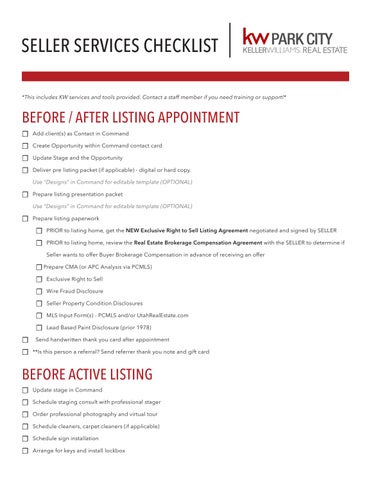
SELLER SERVICES CHECKLIST
*This includes KW services and tools provided. Contact a staff member if you need training or support!*
*This includes KW services and tools provided. Contact a staff member if you need training or support!*
☐ Add client(s) as Contact in Command
☐ Create Opportunity within Command contact card
☐ Update Stage and the Opportunity
☐ Deliver pre listing packet (if applicable) - digital or hard copy.
Use “Designs” in Command for editable template (OPTIONAL)
☐ Prepare listing presentation packet
Use “Designs” in Command for editable template (OPTIONAL)
☐ Prepare listing paperwork
☐ PRIOR to listing home, get the NEW Exclusive Right to Sell Listing Agreement negotiated and signed by SELLER
☐ PRIOR to listing home, review the Real Estate Brokerage Compensation Agreement with the SELLER to determine if Seller wants to offer Buyer Brokerage Compensation in advance of receiving an offer
☐ Prepare CMA (or APC Analysis via PCMLS)
☐ Exclusive Right to Sell
☐ Wire Fraud Disclosure
☐ Seller Property Condition Disclosures
☐ MLS Input Form(s) - PCMLS and/or UtahRealEstate.com
☐ Lead Based Paint Disclosure (prior 1978)
☐ Send handwritten thank you card after appointment
☐ **Is this person a referral? Send referrer thank you note and gift card
☐ Update stage in Command
☐ Schedule staging consult with professional stager
☐ Order professional photography and virtual tour
☐ Schedule cleaners, carpet cleaners (if applicable)
☐ Schedule sign installation
☐ Arrange for keys and install lockbox
☐ Order PR from Title Company - include fully executed listing documents
☐ Send Seller(s) copy of PR report
☐ Request a copy of HOA documents from the title company - most recent minutes, budget and financial statement (if applicable)
☐ Be Sure Supra Key & lock box are activated and tested before open house.
☐ Schedule Open Houses - Public and PCBOR
Create Facebook event on Facebook
☐ Create flyers and social marketing artwork in “Designs” in Command (OPTIONAL)
Use “Designs” in Command to create an Open House Facebook graphic
Use “Designs” in Command to create a Landing Page for your Open House
☐ Add to MLS
☐ Send Seller(s) calendar invite/reminder
☐ Upload listing documents to Command Opportunity and “Submit to MC” to notify Market Center of new listing (within 4 days)
☐ To link DocuSign envelope, click “Start a Transaction” within the Opportunity
☐ When listing has been loaded on MLS & all signed paperwork has been sumbitted, email and text the
. KW Principle Broker and the Assistant MCA & Transaction Specialist
☐ Add listing to Showing Service on MLS or UtahRealEstate.com (OPTIONAL)
☐ Add Seller(s) to social media profiles
☐ Post “Coming Soon” artwork to social media - Use “Designs” in Command (OPTIONAL)
Warning: Listing must be live on the MLS by the next day
☐ Add weekly Seller update reminders to your calendar
☐ Send Seller(s) review of all services completed
☐ Announce “Jumpstart” during Wednesday Stakeholder meeting
☐ Exclusive Right to Sell (ERS)
☐ MLS Listing Input Form(s)
☐ MLS Active listing printout(s)
☐ Preliminary Seller Property Condition Disclosures (SPCD)
☐ Commitment for Title (PR) - request from title company
☐ Review PR specifically Exceptions on Schedule B
☐ CC&R’s - request from title company or HOA company
☐ HOA Meeting minutes, budget and financial statement
☐ Update stage in Command
☐ Send “Just Listed” mailers - Use Command designs & postcard campaigns (optional)
☐ Add link to Active listing to your social media profile ( use link from YOUR website, remember to include your KWPC affiliation)
Set up website in Command (OPTIONAL)
☐ Post the listing on your Facebook and tag the clients (remember to include your KWPC affilition)
☐ Share listing to Facebook Marketplace and local groups (OPTIONAL)
☐ Add to KSL, Craigslist and other online marketing platforms (OPTIONAL)
☐ Run “Just Listed” Facebook ad campaign through Command (OPTIONAL)
☐ Order Listing Coverage Home Warranty - Add verbiage to agent comments on listing to order home warranty through your provided Home Warranty company (OPTIONAL)
☐ Send sellers copy of policy coverage
☐ Create a Custom Property Website Landing Page in Command (OPTIONAL)
☐ Send MLS# and rider code to front desk to assign if applicable (OPTIONAL)
☐ Assign sign rider to property
☐ Send Seller(s) copy of the full MLS printout for review
☐ Brand listing on KWLS
☐ Ensure snow is shoveled on driveway and walkways for showings (if applicable)
☐ Update stage in Command
☐ Request for MLS listing status to be updated to Under Contract or Backup (Submit to MC)
☐ Confirm all signtures are on contract and all needed documentation is fully executed
☐ Send copy of contract to Transaction Coordinator (if applicable)
☐ Send Under Contract email to Title Company
☐ Include all executed contract documents and MLS printout
☐ Obtain confirmtion of Earnest Money Receipt from Buyers Agent within 4 calendar days
☐ Include Buyers Agent contact information
☐ Include Sellers contact information
☐ Send Seller(s) introduction email and review of contract terms and next steps
☐ Include Estimate of Proceeds Net Sheet, request through Title Company (OPTIONAL)
☐ Send Seller(s) reminder of inclusions that are to stay at property and when occupancy ends
☐ Send Buyers Agent introduction email and summary of needed documents
☐ Confirm all contact dates (Acceptance, SD, DD, F&A, SD)
☐ Attach Seller Property Condition Disclosures
☐ HOA documents - most recent minutes, budget and financial sttement (if applicable)
☐ Fully executed REPC/addenda/additional docs/Lead Based Paint (if applicable)
☐ Copy of PR
☐ Request Buyers inspection date and time - Add to your calendar to follow up
☐ Create calendar reminders for contract deadlines
☐ Create calendar reminders for weekly lender/loan updates
☐ “Create Offer” in Command and enter “Commissions Tab”
☐ Complete Transaction Document Receipt (TDR) and deliver to Buyer’s Agent for signature
☐ Earnest Money receipt and confirmtion before deposit deadline
☐ Inspection date and time
☐ Follow up on loan approval before Finance and Appraisal deadline
☐ Confirm appaisal is ordered through lender
☐ Prepare Comps for appraiser (OPTIONAL)
☐ Follow up on any Due Diligence repair requests of completion
☐ Request receipts and send to Buyers Agent
☐ Review Opportunity file in ommand, upload and Submit to MC any missing documents
☐ Schedule and confirm Setlement date and time with Title Escrow Office
☐ Send Seller(s) and Title calendar invite/reminder
☐ Send follow up text with appointment date and time with address
☐ Confirm inal Walkthrough date and time with Buyer’s agent
☐ Order removal of sign and lockbox for day after Settlement
☐ Deliver moving boxes, tape, markers (OPTIONAL)
☐ Create “Closing Binder” (BEST PRACTICE)
☐ Copy of all documentation signed
☐ Moving checklist
☐ Checklist of who to notify of new address
☐ Utilities list
☐ Vendor list
☐ Order/Prepare closing gift
☐ Include handwritten thank you card with business cards included
☐ Gift card to favorite restaurant, Amazon, Home Depot
☐ Find out date when the Seller(s) will be moving and order pizza for delivery ( OPTIONAL )
☐ Send Seller(s) reminders:
☐ Items to leave (all keys, garage door openers, key cards, etc)
☐ Inclusions that are to stay at the property (for example: refrigerators/washer & dryer/water softener/etc)
☐ Update stage in Command
☐ Confirm emoval of sign and lockbox
☐ Request status change to Sold on the MLS
☐ Update client contact card in Command with Sellers new address
☐ Add to “Monthly Neighborhood Nurture” SmartPlans in Command
☐ Add purchase anniversary date in Command contact card
☐ Add to “Anniversary” SmartPlans in Command
☐ Send “Just Sold” mailers - Use Command designs & postcard campaigns (BEST PRACTICE)
☐ Send “How Did We Do” email (OPTIONAL)
☐ Send email to get reviews, include links to Google Reviews, Facebook, Yelp
☐ Referrals - Ask who they know that you can reach out to
☐ **Is this person a referral? Add referrer to Banner Season referral campaign (OPTIONAL)
Banner Season instructions: see leadership team member
☐ Sign Disbursement Authorization (DA) to be paid (will be sent via DocuSign)
☐ Staging checklist
☐ Preparing for Photography
☐ Do’s and Don’t for showings
☐ Buyer feedback, weekly showing report
☐ Marketing summary
☐ Facebook campaign stats, mailers, door knocking, etc
☐ Send link to professional photos
☐ Utilities checklist
☐ Buyer loan status updates
☐ Explain title work
☐ Send link to Homekeepr app with vendors (OPTIONAL)