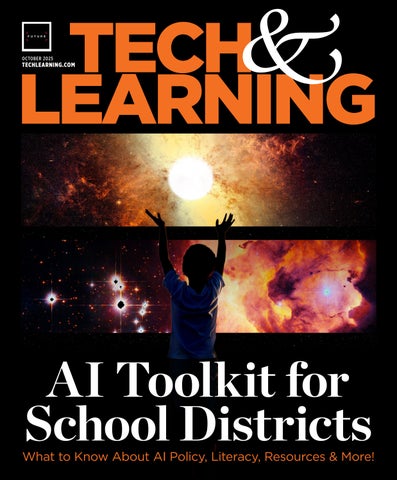
USING AI AND TECH FOR ACCESSIBILITY: 5 TIPS FOR EDUCATORS AND STUDENTS
By Erik Ofgang
Crystal Yang, a recent high school graduate about to start her first year at The Wharton School of the University of Pennsylvania, launched Audemy, a nonprofit educational gaming platform designed for the visually impaired. So far, Audemy has partnered with 26 schools for the blind, and the platform has been used by more than 10,000 blind students.
Along the way, Yang has learned several best practices that she thinks can help others--including high school and college students--launch AI-powered apps that make a difference. Here are her tips for starting a tech nonprofit or company.
1. Embrace AI. “For the general public, there’s this huge fear of AI right now,” Yang says. “But I think it’s really necessary to embrace it. It is the future.”
She advises those interested in tech entrepreneurship “to shift your perspective and see how it can be used to help society, increase efficiency, and make things more accessible,” she says.
2. Use AI To Get Started With Code. Learning to code without any experience can be really intimidating, but the process is getting easier and easier.
“A lot of AI tools are able to code pretty well right now, and there are a lot of resources online that teach how to code,” Yang says. “I think someone without any coding skills can make an interactive website or create

a small app. When it comes to editing the code, that gets a little harder, but overall, I think people would be surprised at how much AI can do right now.”
3. Don’t Be Afraid To Ask For Help From Experienced Volunteers. People across the globe are passionate about using technology to help solve problems, and Yang was able to use the website VolunteerMatch to get volunteers to help launch and run her nonprofit. She now has a team of 60 professional developers and designers from all over the world, a response that has surprised her.
4. Seek Out Grants. Many grants are available for nonprofits, particularly in the technology space. Yang says those looking to build new organizations should look for these.
5. Harness Tech For Accessibility. For those looking to work in the accessibility space in particular, Yang sees lots of opportunities. “I think accessibility is a really under-addressed theme when it comes to development,” she says.
Yang advises other students interested in working in the world of accessibility to connect with people from various communities and see what their needs are that are not being addressed.
PROVIDING AI TO TEACHERS ON A BUDGET
By Ray Bendici
By using open-source resources, Llano ISD has been able to create its own custom AI chatbot that provides teachers and staff access to large language models via API (application programming interfaces – rules and protocols that define how apps communicate with one another). This flexible pay-per-use approach allows the IT team to control costs while providing access to multiple AI platforms. The district does not have to invest in large upfront AI license purchases, and maintains the ability to change/ update platforms and access as needed.
“Since we only pay as we use, with six teachers when we piloted last year, the highest bill we had was $6.87 for a month of AI usage,” says Maurie Beasley, Llano ISD’s network administrator. “And that was with them utilizing it every single day.”
Creating An AI ‘Fuel Gauge’
A self-proclaimed “integration specialist,” Jim Beasley, the district’s Director of Technology (and Maurie’s husband), engineered “Agnes”, the district’s proprietary AI chatbot, which uses APIs to set AI usage
and spending budgets for individuals to counter that. He utilized Open Web UI, an open-source environment to create the platform, and has customized it to fit the district’s AI needs.
When accessing Agnes, users are presented with a dropdown list of AI models available to them, which can be customized for individuals or entire departments. In addition to already ensuring each choice is COPPA- and FERPA-compliant, each product is marked with dollar signs (like a Yelp listing) to indicate the cost.
“It’s almost like a fuel gauge,” says Maurie. “And so, if I’m a teacher, I log into Agnes, I’m going to see I have a full tank at the beginning of the month. And then as that fuel tank goes down, that’s when I’m going to drop to a cheaper model because I don’t want to run out of what’s in my tank.”
Thanks to the flexibility of Agnes, Llano educators have access to the latest versions of AI models and tools such as GPT-5 and Gemini, and Jim can easily switch out of outdated tools or add newer ones such as ones from Anthropic. The system also allows for all the required content filtering for students.
Ultimately, “If I don’t have a certain number of teachers using AI every single day, I cannot justify a return on my investment as to what I’m spending per year for that product,” Maurie says, “We need to do AI as cheaply as possible because we don’t have the money to go buy it anywhere else.”
WHAT WORKS, WHAT DOESN’T, AND HOW TO TELL: THE DATA THAT SHOULD DRIVE K–12 EDTECH DECISIONS IN 2025-26
By Lisa Katz
District leaders are under increasing pressure to improve student outcomes, support teachers, and use limited funds wisely. Technology remains a key part of that strategy, but not all tools contribute equally. The challenge is deciding what stays, what goes, and what truly delivers results. That challenge is compounded by the sheer volume of available metrics. Edtech companies often present usage dashboards, testimonials, or standards alignment charts. While those indicators can be helpful, they don’t always answer the most important questions.


• 50+ sessions on digital accessibility, edtech best practices, assistive technology, and more…
• Network with peers face-to-face and discuss hot topics and shared experiences within education.
• CTLE credits are available for those who are registered and attend the event


AI TRAINING PD

AI LITERACY: 6 RESOURCES FOR TEACHERS
By Erik Ofgang
Whether we like it or not, AI has become part of the classroom and world, and therefore, as educators, we owe it to our students to teach them about how to make the best use of AI tools while avoiding unethical uses of this technology.
I find the following resources to be the most helpful when it comes to my
own efforts at staying on top of digital literacy and keeping my students educated about it.
1. Digital Promise - Digital Promise is a wonderful source for information about AI literacy, as it is for most things technology- and education-related. The nonprofit’s AI in education and AI literacy page has links to many

GPT effectively for teaching.
State University, is a great resource for AI in education and to stay on top of new future-esque innovations overall. To keep up on my own AI literacy, I follow Maynard for his fun, easy-to-read, and insightful commentary on all that is happening in this fastevolving world.
5. AutomatED - AutomatED is laser-focused on providing educators with actionable ways to use AI in class. I find that these types of use cases can often provide the best AI literacy, and AutomatED’s primary author, Graham Clay, is as good as anyone when it comes to providing step-by-step and detailed guides to integrating AI into teaching.
Read the full article here AI resources. These include recommendations for teachers on how to support safe AI use, summaries of several states’ AI in education policy statements, webinars on AI literacy, usage, and much more.
2. Common Sense MediaCommon Sense Media offers a host of 20-minute or less AI literacy lessons that can help educators and their students navigate the strange new world of AI and its many implications both in and outside of the classroom. It also has a short, self-paced, and free online course that they co-designed with OpenAI about how to use Chat-
3. ISTE+ASCD - The ISTELive 2025 conference may be done for 2025, but the organizations have partnered to provide a wide variety of AI literacy resources to educators. These include K-12 lesson plans and professional development opportunities as well as early access to StretchAI, an AI tool specifically designed to coach educators on using AI in the classroom.
4. Future of Being Human Newsletter - The Future of Being Human newsletter by Andrew Maynard, a professor at Arizona
6. Tech & Learning Newsletter - I know this sounds self-serving, but Tech & Learning’s newsletter truly provides AI resources that are really some of the best around. With contributions from educators at every level and from various specialties, as well as tool reviews and overviews and quick and actionable advice, I keep an eye out for this newsletter that publishes three times per week.
4 THINGS TO TEACH STUDENTS BEYOND BASIC AI LITERACY
By Stephanie Smith Budhai, Ph.D
Similar to how educators have been thrown into the fire that is using AI for teaching and learning, students have been, too. Beyond nurturing interest in using ChatGPT and other AI chatbots for personal and academic needs, most students have not had formal education on AI.
1. AI Responsible and Ethical Use
While groups such as Code.org briefly highlight biases that are inherent in AI, it is important to intentionally expand on AI responsible and ethical use from a tech justice lens. The Kapor Center offers a free Responsible AI and Tech Justice Guide for K-12 education. The guide is organized into six core components with the aim of building students’ capacity to explore the impacts and implications of AI technologies on society, be aware of personal usage of AI, and examine the AI creation ecosystem, among other goals.
2. Al Environmental Impacts
AI has major impacts on the environ ment, agriculture, water consumption, energy, and more, so there are developed lessons that you can use to teach students about these concerns. You can also build a focus on sustainability and taking personal actions
to mitigate some of AI’s carbon footprint. Partially funded by the National Science Foundation (NSF), this Environmental Impact of AI Lesson, which is under a Creative Common license, can be used. It features a vocabulary review, an interactive activity, and a planning guide as well as a section on teacher modifications that include teacher-made resources aligned with the lesson.
3. AI Misinformation
The News Literacy Project offers Checkology, a free virtual platform with a curriculum to develop students’ ability to confirm when information is from credible sources, understand what a credible source is and where to locate one, and to use critical thinking to assess the credibility of content. The Checkology platform has a host of resources and interactive activities for students to engage in while learning about misinformation. It also has an evaluation center for teachers to track student progress and a help center for support.

4. AI Deepfakes
AI for Education provides downloadable resources that include a classroom guide and discussion questions to use as you teach students about misinformation and AI deepfakes. The materials will help students understand what deepfakes are, the dangers of deepfakes, such as cyberbullying and misinformation, and techniques that are used to create deepfakes. It also offers real examples of deepfakes that feature popular artists and books, such as Katy Perry and Harry Potter.


The integration of AI-powered resources and tools in education has the potential to reshape the learning landscape, offering personalized insights and rapid feedback. However, with these opportunities come critical ethical and legal concerns that educators must consider. The use of AI-powered resources and tools in education also poses a risk of perpetuating questionable content through deep fakes, and disseminating misinformation. In addition, when using AI tools, educators must ensure that they are complying with student data privacy laws, such as FERPA and COPPA. Limiting data sharing steps in protecting student data must always be a priority.
Preventing AI-Generated Content Bias and Discrimination
- The problem is that an AI platform is not what generates biased content but rather, the internet ecosystem from which it captures information gathers it. A simple yet important step in
AI ETHICS AND LEGAL CONCERNS IN CLASSROOMS
By Michael Gaskell
protecting against AI bias includes executing a prompt with thoughtful wording, as described in steps here. Human oversight and review of AIgenerated content are essential.
AI-Driven Assessments
and Grading - AI-driven assessments and grades can provide valuable insights into student learning, but educators must ensure that these are valid and effective, which mirrors the importance of the previously mentioned emphasis on proofreading, editing, and revising. Conducting regular assessments of an AI platform’s accuracy and reliability, implementing human review and validation processes, and using multiple assessment methods, all help ensure comprehensive student evaluation.
Teacher Training and Support
- Educators need training and support to effectively integrate AI-powered tools into their teaching practices. Professional development, coaching, resources and lesson plans, collaboration,
and sharing of best practices, all aid educators in harnessing the potential of AI. Absent this kind of support, educators will remain lost in the sea of BIG AI, and unsure of how to respond.
Addressing AI-Related Incidents - The response to AI-related incidents, such as cyberbullying or AI-generated harassment, must be further developed and outlined in school Acceptable Use Policies. Helpful learning strategies can be borrowed from the methods to manage social media issues to support students in learning to make appropriate usage decisions. Ultimately, the integration of AI in education offers tremendous potential for improving student learning outcomes, but it also raises significant ethical and legal considerations. Educators have a critical role to play in maneuvering this complex landscape and ensuring that AI is used in ways that benefit students and respect their rights.
AI TOOLS RESOURCES

AI TOOLS & RESOURCES
By T&L Editors
Here are a few key AI tools, with each linked to the Tech & Learning overview. For more
tools, as well as news, best practices, tips, and more, visit Tech & Learning’s AI Starter Kit.
Amira Learning - Amira Learning is a research-backed AI reading tutor that incorporates the science of reading into its features.
Brisk - Brisk is an AI teaching assistant that works with the curriculum intelligently.
ChatGPT - The first name in chatbots can be used in myriad ways by teachers, from creating lesson plans to providing student feedback.
Claude AI - Features that make Claude AI appealing to educators include a focus on privacy and conversational style.
Colleague AI - Colleague AI offers bot buddies to assist teachers and students in class and beyond.
CTL - Chromebook Plus is an advanced version of the traditional Chromebook, infused with powerful AI features designed to elevate the educational experience.
DeepSeek - DeepSeek R1 is a new reasoning AI model that has made the next generation of AI tools more readily available to students and teachers.
Diffit - Diffit helps teachers generate materials for lessons differentiated by grade.
Eduaide.AI - Eduaide.Ai makes lesson planning and assessment easier using smart machine learning.
Gemini - Gemini, Google’s flagship generative AI model, can help educators with lesson planning and more, though it’s not as effective as platforms specifically designed for education.
Khanmigo - Khanmigo, from Khan Academy, utilizes the advanced capabilities of GPT-4 to assist a limited group of teachers and learners.
Kira Learning - Kira Learning is an AI learning toolkit designed for teachers and students for 24/7 use.
Lincoln Learning - Lincoln
AI now provides students their very own 24/7 learning assistant via text or voice, as if they are talking to someone on Zoom.
MagicSchool - MagicSchool uses AI to help with teaching across a range of areas for an all-round offering.
Meta AI - The Meta AI chatbot is fast and easy to use. It’s also designed to integrate with Meta’s social media apps, which isn’t always a strength.
Microsoft Copilot - Microsoft Copilot is the AI teaching assistant of the future.
NotebookLM - Google’s NotebookLM is an AI powerhouse that can supercharge lessons, engage students in exciting new ways, and even help to create podcasts.
Perplexity - Perplexity is an AI that makes traditional search engines look archaic.
Poe AI - Poe AI is the one-stop spot for AI that can be a powerful education tool.
PowerSchool - PowerBuddy for Assessment brings AI workflows to Performance
Matters to improve assessment throughout educational institutions.
SchoolAI - SchoolAI supports teachers and students in bespoke learning using artificial intelligence.
Join the Tech & Learning Regional Leadership Summits, where Superintendents, CTOs, CAOs, and Instructional and Tech District Leaders come together to share ideas, best practices, and innovative solutions.
November 22, 2025: Northeast Pre-NYSCATE Leadership Summit
February 25, 2026: Northwest Pre-NCCE Leadership Summit
March 13, 2026: Southeast Regional Leadership Summit
May 1, 2026: New England Regional Leadership Summit
June 27, 2026: Orlando Pre-ISTE Leadership Summit
September 18, 2026: Texas Regional Leadership Summit