FEATURING
• B reaking Into Exterior Shading
• I mproving PoE Performance
• H ome Theater Trends
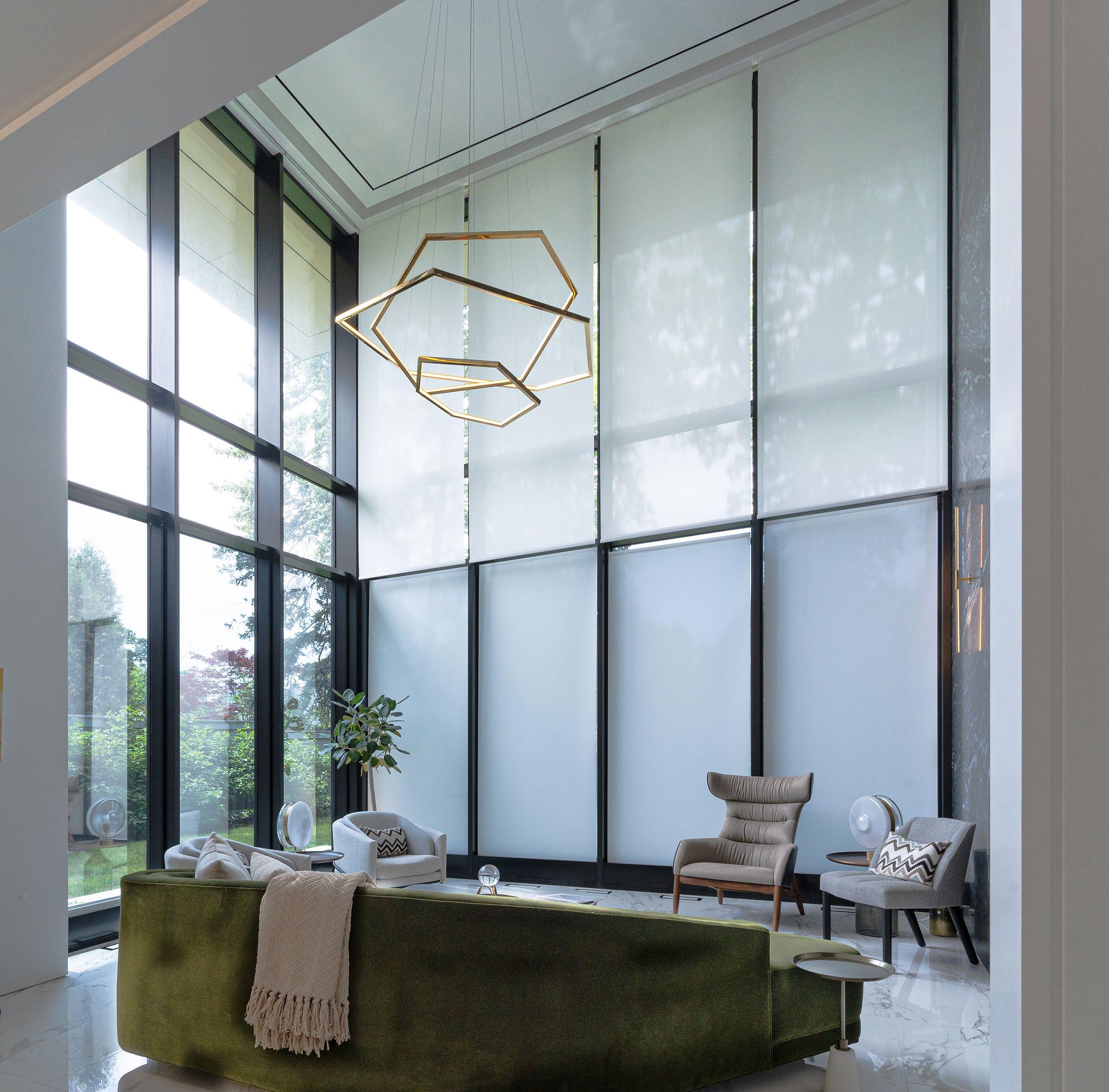

• B reaking Into Exterior Shading
• I mproving PoE Performance
• H ome Theater Trends
How Brading Specialty Shades Creates
Unique Motorized Shade Solutions
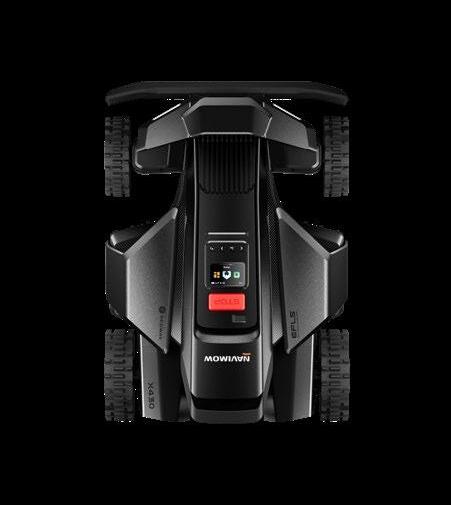
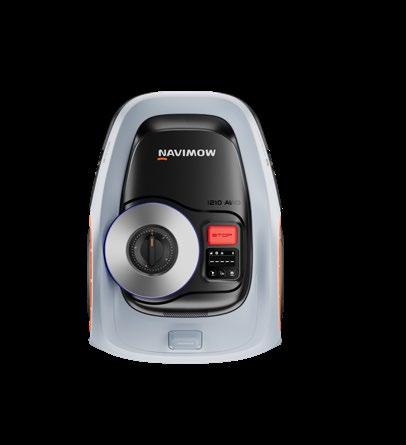
Review: Navimow X430 and i2 LiDAR Robotic Lawn Mowers
6 Secrets of Success
Solve the Fear Before You Sell the Feature
We may be talking about performance, but builders, architects, and designers are often listening for risk.
By Katye McGregor Bennett
8 VITAL Business Tips
Plan Longer and Fear Less Expanding your planning windows lets you see a bigger picture and work around short-term issues.
By Matt Bernath
10 Back to Business
The Practitioner vs. the Explorer
If you’re feeling confused about how to apply AI to your business, you might be approaching the problem backward.
By Jason Griffing
11 Behind the Business Stop Settling for Mediocre Meetings
The difference between a sub-par meeting and a great one isn’t how much gets discussed — it’s how much gets solved.
By Haley Patterson, Certified EOS Implementer
12 Home Theater More Than Movies
Why immersive music could be the next defining experience for private cinema.
By Ben Goff
34 Going Forward
What to Expect at CEDIA Expo 2026 Emerald’s Jason McGraw offers a preview of what awaits integrators in Denver this September.
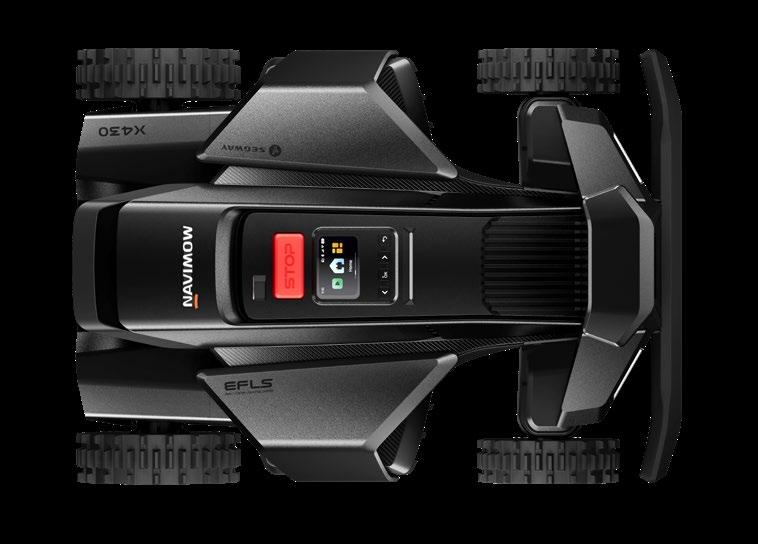
Navimow X430 and i2 LiDAR Robotic Lawn Mowers
Navimow, a division of Segway, introduced three new series this year, including the two new models reviewed here: the X430 and the i2 LiDAR. At $2500 and $1600, respectively, these offer a good representation of the high- and midend of the robot mower market, as well as highlighting different mapping and navigation technologies.
By John Sciacca
14 A Shade for Any Window Brading Specialty Shades thinks outside of the box (motor) to create unique motorized shade options. By Anthony
Savona
18 Moving Beyond Window Shades
What integrators need to know before branching into exterior shading. By Chris Lynch, Director of Sales, Nice North America
22 PoE Isn’t a Magic Wand
How power budgeting, surge protection, and outage testing ensure reliable security system performance. By Veselina Lezginov
24 The Integration Guide to Home Theater
The versatility of home theater technology continues to offer more opportunities to integrators. By Karen Mitchell
Ed


BY ANTHONY SAVONA
t would never happen like that.”
IThat’s the phrase my sister, a lawyer who worked in the Bronx DA’s office, would utter throughout any crime procedural we would be watching. Naturally, she would know that they were taking poetic license with the plot, but it was all good fun for the rest of us.
I get it. In my early days of publishing — when print was still a thing — I would say the phrase often. For example, the scene in 13 Going on 30 where Jenna has an idea for the magazine that is stolen by a competitor, printed, and displayed on a bus the very next day: “It would never happen like that.”
Nowadays, I find myself noticing the home technology used in television shows and saying… “Wait, where is the tech?!” The systems that we are used to dealing with are hard to find in scripted TV — even in places where its omission is glaring. Take the Apple TV show Your Friends & Neighbors, which I am currently enjoying in its second season. The setting is a wealthy Westchester community and its well-to-do inhabitants, and features Jon Hamm as a financial exec who loses his gig and resorts to stealing from his titular friends and neighbors to stay afloat. He is careful to take things they would never miss, and each item he lifts gets its own slide that details its heritage and monetary value.
And while the characters are all fictional, something about their lifestyle and desires may seem familiar to custom installers. That makes it all the weirder that their lifestyles are largely free from the conveniences modern tech brings.
Let’s start with the big one: security. For Hamm’s character, Coop, to gain access to the homes, we are told that they all have security systems, but the neighborhood is so safe nobody turns them on. No cameras of any kind either — not even doorbell.
All right, I get it. We need to swallow some illogical thinking to move the plot along. Fine. But Coop is an avid watcher of old movies. He talks about them; he is seen watching them most evenings; he invites his sister and children to watch with him. When he suddenly has free time in his day in season two, he visits a theater showing old movies.
So, why does he not have a home theater in his spacious Westchester home? Or a media room?

(Note: Much of his movie-watching time in the series is at a second home he rents after his divorce, but there are plenty of scenes shot in his former home, and no theater.)
In one episode, Coop and his son are hanging what looks to be around a 45-inch TV for his dad above a fireplace (!), and he tells hm, “Dad, I’ve got a guy for this.”
Do you, Coop? I don’t think so.
Every home in the show is filled with giant windows and not a motorized shade in sight. And I get that flinging drapes open and filling a room with sudden, ridiculously bright light makes a compelling scene, but for the sake of reality they will have to figure out how to do the same thing with someone belting out, “Okay Josh, good morning!”
Not to say the show is not good — I am enjoying it. But I would like to see a better representation of tech not just in that world, but wherever rich-people drama unfolds.

August 2026
Volume 27, Number 8
KATYE MCGREGOR BENNETT
Katye McGregor Bennett is chief strategist and CEO of KMB Communications and an avid podcaster. Podcasts include Connecting Tech + Design and AV Trade Talk.
MATT BERNATH
Matt Bernath is a CE veteran with more than two decades in retail, wholesale, CI, and business coaching. In 2021, Matt and a group of partners acquired VITAL, and Matt now serves as the company’s president/CEO.
BEN GOFF
Ben Goff is an award-winning, private cinema designer and technical director at Cinema Buro.
A co-chair of CEDIA’s RP32 work effort and contributor to multiple industry standards, he specializes in RP22-aligned engineering.
CHRIS LYNCH
Chris Lynch is director of sales for the Control and Sun Shades business at Nice North America, where he leads a team of regional sales managers across the ELAN OS, SpeakerCraft, Proficient, Panamax, Furman, and Nice Sun Shades brands.
VESELINA LEZGINOV
Veselina Lezginov is a copywriter supporting Arrow Electric, specializing in translating the expertise of licensed electricians into clear, practical insights for homeowners.
JOHN SCIACCA
John Sciacca is a principal with Custom Theater and Audio, in Myrtle Beach, South Carolina. In his free time, he blogs prolifically about the CE industry. cineluxe.com








Residential Systems (ISSN 1528-7858) is published monthly by Future B2B. 130 W. 42nd St, 7th Floor, NY NY 10036. Periodicals postage paid at New York, NY and at additional mailing offices. POSTMASTER: Send address changes to Residential Systems P.O. Box 254 Lowell MA 01853. PRINTED IN THE USA.

We may be talking about performance, but builders, architects, and designers are often listening for risk.
BY KATYE MCGREGOR BENNETT
One of the most common frustrations in the residential technology industry is that integrators are still brought into projects too late. Late enough that walls are closed. Late enough that budgets are tired. Late enough that the client has already fallen in love with the design, the builder has already committed to the schedule, and the designer has already specified something beautiful where a keypad, speaker, touchscreen, sensor, or shade pocket was apparently supposed to magically appear.
The industry has been talking about this for years, and for good reason. Technology is infrastructure. It should be planned early, coordinated properly, and understood as part of the overall home experience. That is true, but maybe the issue is not only that builders, architects, and designers need to understand technology better. Maybe the technology side of the industry also needs to understand them better.
That is where marketing, messaging, and sales communication have a very real role to play. When technology brands and integrators talk to one another, the conversation often starts with performance. Better networks. More reliable power. Cleaner audio. Smarter control. Greater flexibility. More robust infrastructure. Higher bandwidth. Better interoperability. Easier service.
All of that matters, but adjacent trades may not be evaluating technology from the same starting point. They may not be asking, “What is the most advanced solution?” They may be wondering, “Is this going to disrupt the project?” And that difference matters.
A builder may not be afraid of technology. They may be afraid of delays, trade conflicts, budget surprises, callbacks, change orders, and anything that turns a smooth project into a group text no one wants to be in.
An architect may not be afraid of technology. They may be afraid of compromising the structure, interrupting sightlines, cluttering the ceiling, altering the design intent, or introducing a late-stage requirement that should have been coordinated three drawing sets ago.
An interior designer may not be afraid of technology. They may be afraid of visible devices, confusing interfaces, client disappointment, aesthetic compromise, or a room that suddenly feels like it was designed by committee, with the committee meeting in a server closet.
And the homeowner? They may not be afraid of technology, either. They may be afraid of spending a lot of money on something they do not understand, cannot easily use, do not know how to maintain, or worry will make their home feel less comfortable instead of more personal.
The secret of success is recognizing that every stakeholder is protecting something. The brands and integrators that communicate with that in mind will have a much better chance of earning trust early. That means

the first job of marketing is not always to explain the features. Sometimes it is to reduce the fear.
Instead of leading with “our solution provides enterprise-grade connectivity,” consider what that means to the person who is worried about daily life in the home. Reliable connectivity supports remote work, streaming, security, wellness systems, lighting, shading, and the many other connected experiences homeowners now expect to simply work.
Instead of leading with “our lighting control system offers advanced scene-setting capabilities,” consider what that means to the designer and homeowner. Lighting control helps the home feel more intuitive, comfortable, flexible, and emotionally aligned with how each space is used throughout the day.
This is not about watering down the message. It is about making the message useful to the person receiving it. The integrator still needs the deep product knowledge required to design, install, program, and support the system correctly, but when the goal is to reach builders, architects, designers, and homeowners, the message has to connect technology to the concerns they already have.
This is where many brands miss the opportunity. They market from the center of their own expertise instead of from the edge of someone else’s concern. And, to be fair, that is easy to do. We all love what we know. We all default to the language of our own lane. The lighting person talks like a lighting person. The networking person talks like a networking person. The audio person talks like an audio person. The power person talks like someone who has seen things no surge strip should ever be asked to handle.
But the best marketing meets people where they are. For the designbuild community, that means acknowledging that technology can feel like one more complicated thing to coordinate, budget, explain, and protect against. Then it means clearly showing that, when handled early and well, technology is not the complication. It is part of the solution. It protects the client experience; it protects the design intent; it protects the investment; it protects the functionality of the home; and it protects the integrator from having to perform late-stage miracles with no pathway, no space, no budget, and no one willing to move the art.
The opportunity for technology brands and integration firms is not simply to say, “Here is what this product does.” It is to say, “Here is what this helps you avoid, protect, improve, and deliver.” That is a very different conversation, and it is a much more effective one.
If your messaging is technically accurate but still not landing with builders, architects, designers, or homeowners, it may be because you are selling the feature before solving the fear.
Expanding your planning windows lets you see a bigger picture and work around short-term issues.
BY MATT BERNATH
When I was a kid, the drive between my mom’s house and my dad’s took me past the Prado Dam here in Southern California. Someone had painted a massive mural across it for the country’s bicentennial, 200 years of freedom, with 1776 and 1976 stacked underneath. I had no idea what any of that meant at the time. I just knew it was big, and it stuck with me.
This summer marked the 250th anniversary of the signing of the Declaration of Independence, and that memory came roaring back while my co-host Brent Sonnek-Schmelz and I were recording a recent episode of our podcast, The Flywheel Effect. We got to talking about America turning 250, and somewhere in that conversation we landed on an idea that has nothing to do with history and everything to do with how custom integration business owners actually run their companies. This is the first of three articles built around that conversation. This one is about fear, and where it comes from.
Most of us who own or run a custom integration business are living in a much smaller window than that. Thirty days. Sixty if we’re lucky. Will we make payroll next month? Will this project close in time to cover the quarter? Did we price that last job too low because we were scared to lose it? We make decisions inside a window of fear measured in weeks, sometimes days, and that window shapes almost everything else we do.
I’ve watched this play out the same way more times than I can count. A slow February hits, and instead of treating it as one data point in a long year, an owner pulls back on marketing they needed or delays the hire that would have fixed the bottleneck everyone’s been complaining about for months. The decision feels responsible in the moment. It usually costs more over the following year than the slow month ever would have on its own.
Two hundred and fifty years sounds like an unimaginable stretch of time, until you do a little math. Twenty-five years, a quarter-century, is only-one tenth of how long this country has existed. It’s also roughly a third of a working life. If you carved out one of those 25-year chunks for your business, what could you actually build in it?
That question changes the shape of a lot of decisions. The owner thinking in 30-day windows hires reactively, because the fear of being short-staffed outweighs the discipline of hiring well. They underprice a job because losing it feels like an emergency. They put off the systems work, the documentation, the leadership development because none of that solves this month’s problem, even though all of it solves next year’s problem many times over.
The owner thinking in 25-year windows still has plenty at stake. They’re building something meant to outlast them, which is its own kind of pressure. But the longer time horizon changes the math on risk. A bad

month inside a 25-year plan is a data point worth noting. A bad month, when that’s all you can see, becomes a crisis.
There’s a similar logic in financial planning. When you’re in your 20s, you can take real swings with your money because you have decades to recover if something goes sideways. By the time you’re in your 60s, that same swing could be reckless because the runway to recover isn’t there. The same logic applies to how we run our businesses. The lesson isn’t to relax because you have plenty of time. The lesson is to plan longer so you fear less, because a longer runway lets you absorb a bad quarter without treating it like a referendum on the whole business.
None of this is an argument for being careless. It’s an argument for separating what threatens the business from what only feels threatening in the moment. A slow month feels like an emergency when you’re only looking 30 days out. It barely registers when you’re looking 25 years out, especially once you’ve built a company that can absorb it.
That longer frame is also what makes certain decisions possible in the first place. Hiring a general manager so you can step back from daily operations doesn’t pay off in 30 days. Building a recurring revenue program doesn’t pay off in 30 days. Training your next generation of technicians instead of just hiring around the gap doesn’t pay off in 30 days either. All three of those decisions are obvious once you’re thinking in 25year terms. None of them survive a 30-day fear window.
The people who wrote the document we’re celebrating this year were not operating from a place of certainty. They had their own businesses, their own families, and their own very real fears about what might happen to them personally if the whole experiment failed. They built something that has lasted 250 years while carrying all of that. They kept their eyes on something bigger than the next month, and that’s what carried them through it.
Zooming out doesn’t make fear vanish, but it does loosen fear’s grip on every decision you make. Once a slow month stops feeling like a five-alarm fire, you free up the mental and financial bandwidth to build something worth building.
Which raises the next question, the one we’ll dig into next month: Once you’ve stopped making decisions out of fear, the next trap waiting for you is speed. How fast is too fast to grow a business well? That’s where this series goes next.
If this kind of conversation is interesting to you, the full episode that sparked this article is available on The Flywheel Effect podcast, wherever you listen to your shows. Brent and I get into a lot more than made it onto this page, including some history that has nothing to do with business and everything to do with why we both love this country.
If you’re feeling confused about how to apply AI to your business, you might be approaching the problem backward.
BY JASON GRIFFING
What’s your favorite AI use case?
It’s the number one question I’m asked when I talk to people about AI. It’s also my least favorite. Not because it’s an inherently bad question, and not because my favorite use cases are hyper-specific to what I do and evolving on a near daily basis. I don’t love it because it highlights an approach that has too many people stuck on the starting blocks.
Perhaps this sounds familiar. You have got a few friends or colleagues who won’t shut up about AI. You intuitively understand that the technology as a whole is a big deal, but you struggle to see how it maps to your specific situation and why so many people are obsessed with it. And every conversation where it comes up, far from leaving you inspired, only
If you’re stuck [using AI], the standard advice usually goes something like this: “Pick a specific problem in your business and commit to learning how AI can help you solve it.” In principle, it makes sense. I’ve given the advice to plenty of people myself. But I’m increasingly convinced that it’s wrong, or at least incomplete.
deepens the feeling that you’re missing something fundamental. So, the hunt for obvious use cases ensues.
If you’re stuck in this position, the standard advice usually goes something like this: “Pick a specific problem in your business and commit to learning how AI can help you solve it.” In principle, it makes sense. I’ve given the advice to plenty of people myself. But I’m increasingly convinced that it’s wrong, or at least incomplete. And the reason so many people are stymied here is because they are approaching the situation from the wrong end.
Contrast two different approaches to AI. Let’s call Approach 1 the practitioner’s method. The practitioner is all about applying AI, finding current challenges at work and using the technology to solve them. It’s

necessary and important work. But if your experience with AI is limited to the basics, this approach might be putting the cart before the horse. Without any intuition for what the technology is capable of in its more advanced (read: agentic) forms, it’s exceedingly difficult to see how it applies beyond the very basics.
Let’s call Approach 2 the exploratory method. The explorer is all about diving deep into the technology itself purely for the sake of learning. Solving a particular business problem through this process is great if the opportunity to do so is apparent, but that’s not the main goal. And, critically, the lack of a visible use case is not a reason to forgo the exploration. Exploration, by definition, isn’t about finding something you already know is there. It’s about possibility. The primary aim is simply to discover, to develop an intuition for precisely what tools are available and how they apply, and to viscerally feel both the capabilities and limitations of the technology.
In a recent conversation, Henry Clifford, an industry veteran and fellow AI nerd, made a comment that captures the importance of the exploratory method perfectly. He said, “This is an age that favors the curious.” The exploratory method can be hard for a busy leader or business owner to justify. Faced with a never-ending onslaught of imminent challenges in the business, there’s a strong temptation not to invest time in learning AI unless the payoff is clear. But that’s not what exploration is about, and waiting for an obvious use case with a clear payoff is exactly how you stay stuck.
If you’ve bought into the concept that AI is a transformational technology, but unsure exactly what to do about it, you’re not alone, but you need to stop looking for the obvious answer. If you can’t think of a specific problem in your business that you want to go after, then do something else. Vibe code a game with your kids. Spend an afternoon setting up a tool like OpenAI Codex or Claude Cowork to do something simple like triage your inbox, manage your calendar, or schedule daily briefings. Try building an app to manage something simple, like meal planning or a to-do list.
The point isn’t the output. The point is the intuition you build in the process, and once you have it, the business applications become obvious on their own.
Jason Griffing is a 20-year industry veteran and director of product at OneVision Resources, where he is responsible for setting and maintaining the strategic direction of the company's award-winning service solutions for integrators.
The difference between a sub-par meeting and a great one isn’t how much gets discussed — it’s how much gets solved.
BY HALEY PATTERSON, CERTIFIED EOS IMPLEMENTER
Ever leave a meeting feeling like you talked about a lot but didn’t actually solve anything?
You reviewed project updates, discussed customer concerns, worked through staffing challenges, and everyone contributed. But then the following week, many of the same issues showed up again. I see this all the time with leadership teams, especially in technology integration businesses where there’s no shortage of projects, service calls, and daily fires competing for attention.
The difference between a mediocre meeting and a great one isn’t how much gets discussed — it’s how much gets solved.
That’s exactly why EOS includes a tool called IDS: Identify, Discuss, Solve. It sounds simple, but it’s one of the most powerful disciplines a leadership team can build because it shifts the conversation from reacting to symptoms to solving the issues that are holding the business back.
The first step is to Identify the real issue. This is where most teams struggle. Someone points out that projects are running behind, another person suggests hiring more people, and someone else recommends new software. Before long, the team is debating solutions without first agreeing on the problem they’re trying to solve.
In my experience, the first issue on the table is rarely the real one. What looks like a project management problem may actually be a sales handoff issue, unclear accountability, or a capacity planning challenge. Slowing down long enough to identify the root issue almost always leads to a better solution.
In my experience, the first issue on the table is rarely the real one. What looks like a project management problem may actually be a sales handoff issue, unclear accountability, or a capacity planning challenge. Slowing down long enough to identify the root issue almost always leads to a better solution.

Only once you’ve identified the issue is it time to Discuss it. Healthy discussion isn’t about everyone agreeing — it’s about creating enough trust for people to challenge assumptions, ask hard questions, and say what everyone else is thinking. Some of the biggest breakthroughs I’ve witnessed happened when a leadership team stopped talking around an issue and finally addressed what was really getting in the way.
Finally, it’s time to Solve. A solution doesn’t have to be perfect, but it does need to be clear. By the end of the conversation, the team should have made a decision, assigned ownership, and agreed on the next step. Without those three things, you’ve simply had an interesting conversation, not a productive meeting.
When issues aren’t solved at the root, the cost extends far beyond one frustrating meeting. The same conversations resurface quarter after quarter, progress on your biggest priorities slows, and people begin to wonder whether raising issues is even worth it. Then comes what I call the “meeting after the meeting” — the hallway conversations, side texts, and Slack messages where the real discussion happens without the right people in the room. That’s when alignment breaks down and decisions become fragmented.
One of the reasons IDS works so well is that it becomes part of your weekly rhythm. In a Level 10 Meeting, the majority of the agenda is intentionally reserved for solving the team’s most important issues, not simply sharing updates. That’s what transforms meetings from status reports into decision-making sessions where leaders tackle the issues that matter most. If your leadership meetings feel more like updates than opportunities to move the business forward, make a change and reach out, I will share a free download of the Level 10 Meeting Agenda.
If your team is having the real conversation after the meeting, it’s worth asking why it didn’t happen during the meeting.
The healthiest teams create enough trust to surface the hard issues in the room, solve them together, and leave aligned. That’s when meetings stop feeling mediocre and start becoming the engine that moves the business forward.
Haley Patterson, certified EOS implementer, helps entrepreneurs get what they want from their businesses. To learn more about EOS, she offers a complimentary session for leadership teams. Contact haley.patterson@eosworldwide.com for details.
BY BEN GOFF
Until now, for most integrators the go-to way to show off a highperformance private cinema has been a great movie scene. The opening of Blade Runner 2049, the beach landing in Saving Private Ryan, the launch sequence from First Man. Film has been the yardstick we measure immersive audio against, and the experience we focus on when selling the performance benefits of the systems we design. But I think we’ve reached a point where film really isn’t the whole story for these rooms.
Immersive music has come a long way in a short space of time. What started out as a bit of an experiment is now a proper production format, backed by the streaming platforms and taken seriously by artists, producers, and labels. For those of us designing and installing rooms, that hands us something valuable: a genuinely new reason for a client to invest in a proper multichannel listening space.
The opportunity here is bigger than adding another source to the system. Immersive music could change the balance of what a media room or a dedicated cinema is actually used for.
If you want a sense of where the high-performance audio world is heading, this year’s High End show in Vienna spelled it out. The standout room was a joint effort from Trinnov Audio, dCS, and Perlisten Audio, put together around the launch of the dCS MCD 16, their first 16-channel DAC, built from eight of its Ring DAC circuits. It’s a sign of clear intent when a company that made its name chasing 2-channel perfection makes a multichannel debut like this.
While nobody would be surprised to see Perlisten loudspeakers in a serious stereo system, the Trinnov multichannel processor might previously have been more likely to be overlooked by the audiophile community. This system, presenting immersive music, shows how we can bridge the gap between traditional multichannel and 2-channel systems.
This was not immersive playback offered up as a nice extra, a bonus tagged on to the end of a cinema demo. This system was pitched as the top of the tree, the best that high-end audio has to offer, for clients who place music at the forefront of their purchasing decisions. When these companies make such a clear statement about where they think serious listening is going, we should all pay attention.
Sitting alongside the system was Justin Gray, who had just won the 2026 Grammy for Best Immersive Audio Album for his record Immersed. Rather than reaching for the usual demo reel, Gray played selections straight from his original high-resolution mix files and talked through how the work came together, which gave the room a real sense of what production teams are creating right now.
Immersed is worth knowing about on its own terms. It was written, recorded, and produced from the ground up for immersive audio, not

upmixed from a stereo master after the fact, and it puts you in the middle of a 360-degree orchestra made up of 38 artists.
For decades, the audiophile world has poured its energy into wringing ever more out of two loudspeakers. What is changing is that some of the most respected names in the business now accept that realism is not only about lower distortion and better timing. It is also about getting back the spatial intent that was there in the studio in the first place.
The thing people most often miss about immersive music is that it is not just stereo with a few more speakers bolted on. There’s been some great recent research on this. A study of commercial Dolby Atmos production published in the Journal of the Audio Engineering Society by a team at the University of Surrey interviewed 30 working professionals and sat in on studio sessions. What they found is that experienced engineers treat space as a compositional tool right through the process, not as an effect they sprinkle on at the end. Where sounds sit, how they move, how the room itself behaves, all of it gets decided early, and the mixes are built to hold up whether you play them back on a full loudspeaker rig or a pair of headphones.
The best new immersive audio tracks do not feel like gimmicks. Instruments aren’t flying around the room for the sake of it. The same study points out that skilled engineers deliberately pin down the important elements — the lead vocal, the kick, the snare, the bass — so the front image stays rock-solid, and then use height, width, and depth as part of the performance. It works the way good cinematography works in a film. You are not meant to notice it doing its job, you are just meant to feel closer to what the artist was going for.
This is the part that should matter to us. A headphone or a soundbar can’t give our clients what a properly designed room can. Get the loudspeaker positions right, calibrate the levels, control the acoustics, render the objects accurately, and you let the client hear the mix the way the engineer actually intended it. The Surrey research is refreshingly honest about how easily that intent gets lost, with engineers describing how the same mix can sound quite different from one renderer, platform, or device to the next. A room engineered properly takes most of that guesswork away, and that’s the value our industry can bring to the table.
The object-based processors we already install have long been able to handle immersive music, but what’s changed is that the content has finally caught up with the hardware. This lets an integrator show something that many clients possibly don’t know exists. We’ve put years into perfecting immersive audio systems for film. Now is the moment to remind clients that the same investment can change the way they listen to music, too.
By Anthony Savona
Ed Bonisch knows shades. He started his company, Brading Specialty Shades, in Toronto in 1979, just one year out of high school. (Brading was the name of his favorite beer at the time, now discontinued, but he liked how it sounded as a business name — plus, the seven letters made it easy to use for 800 numbers.) Today, the company has thriving shading retail, wholesale, and fabrication businesses.
“I started with a product called Window Quilt, which was out of Brattleboro, Vermont,” says Bonisch. “Window Quilt was an energy-efficient shade that fit in sidetracks. It looked awful — like you’re living in a padded room — but it worked. It was equal to four layers of glass, and the tracks had to be installed perfectly plumb. They had to be parallel, and you had tolerance of about an eighth of an inch. It was very good training.”
It did not take long for Brading to start what it would soon become known for: modifications. “We came up with a modification for a skylight where we could take a Window Quilt and modify it to work on an angled application,” he remembers. In the ‘80s, Brading sold Hunter Douglas shades and became the number one specialty skylight dealer. “The skylights led to straight sunroom installations, which led to a curved Four Seasons sunroom that continued to advance our focus in specialty applications,” explains Bonisch.
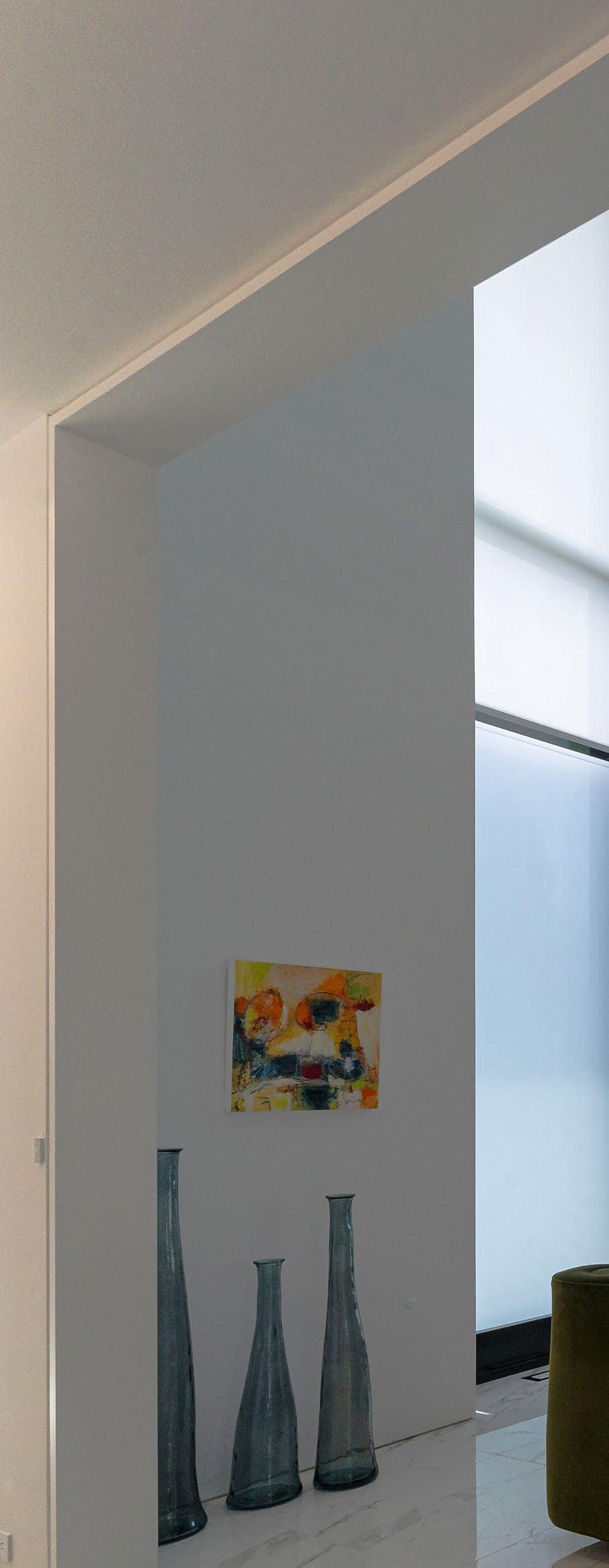
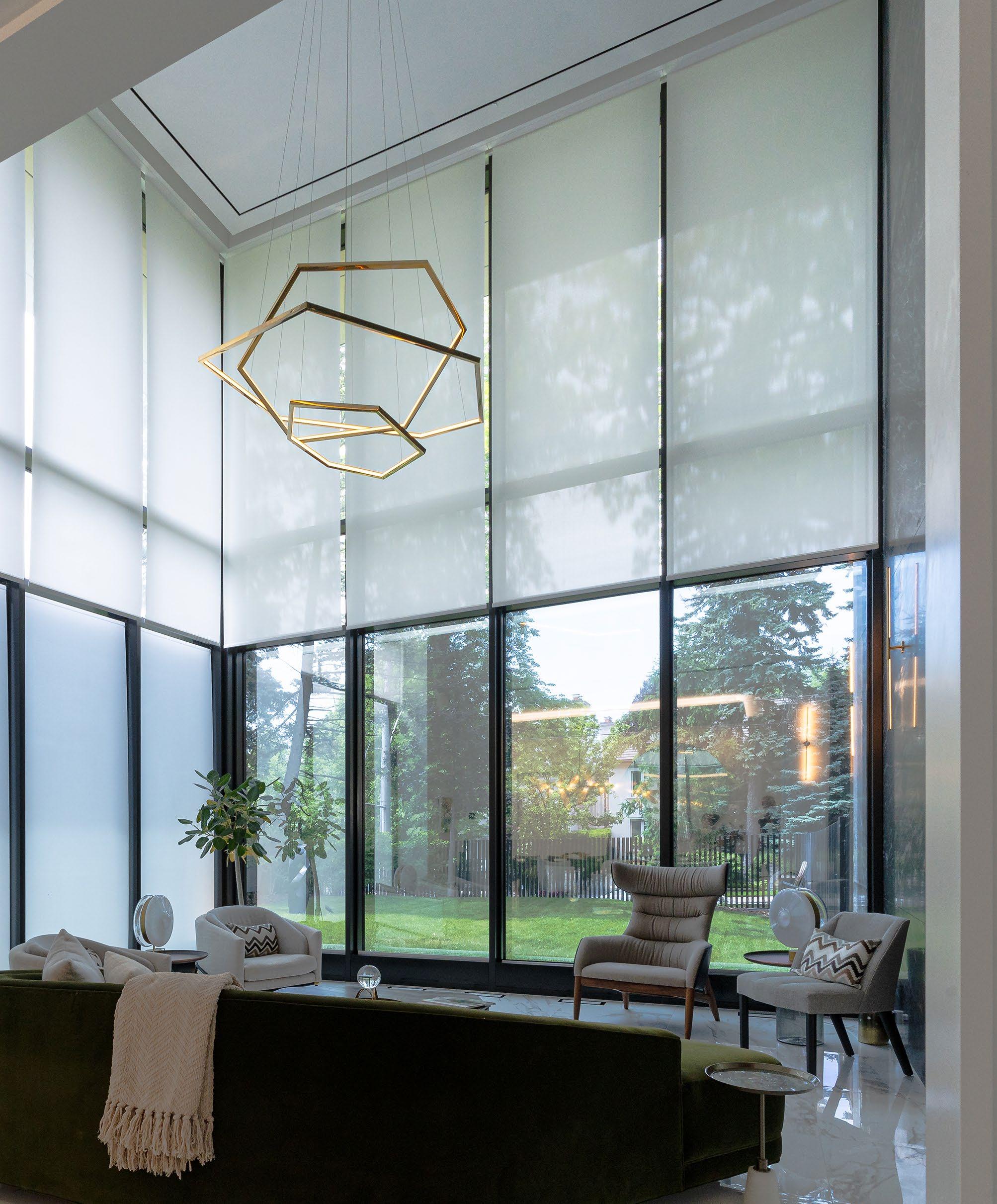
Close to 20 years ago, Brading became the number two Lutron dealer in Canada, after securing a recommendation from the number one dealer. “Once they went tubular with their motorized shades, I lost a $30,000 job to a young kid with barely any experience,” he recalls. “Two months later, I lost another job. A month after that, I lost a third job to a home automation company that didn’t have a clue about shades. That’s when I reached out to Lutron and said, ‘Hello, my name is Ed. Can I set up an account with you?’”
While Brading does installation and programming, it has found greater success at being the shade expert for residential integrators, with CI dealers bringing Brading into their projects.
“Custom installers have used us for turnkey solutions,” says Bonisch. “You can see they’re dipping their toe in the lake and thinking that they should try it themselves because they’re going to make a lot more money when they do it that way. My wholesale company is encouraging that. It’s not a matter of saying, ‘Farm it out to the retail company anymore.’ We will come in and train you, and we’ll teach you how to do this and make a good margin.”
In fact, Brading is so interested in helping regional dealers that, if they mismeasure their shades and they are too wide, Brading will cut them to the proper size at their fabrication facility, saving the dealer a lot of time and maybe even face with their client.
“For a service fee of $225 Canadian, we stop what we’re doing and cut down the shade while they wait,” says Bonisch. “Now, while we’re cutting down that shade, my son-in-law Dave is saying, ‘Come into our showroom and let me show you what we do.’ It’s just a good opportunity for us because we don’t want to be everything to everyone. We just want to be the shade niche guys.”
Brading’s interest in modifications has led to the creation of Laudations, which is a specialized bottom-up, motorized shading system that allows for wire-free views of the outdoors.
“We’ve been working on Laudations for seven years, and it is trademarked,” says Bonisch. “With many bottom-up shades, there are visible cords, but we’ve come up with a hardware system without them. We built a tubular transmission that is creating a box motor. Box motors are not unusual, but we’ve been working to develop a much higher quality one using a Lutron drive. We saw quite early that there was a need for a good bottom-up shade without cords, without wires, without strings, and without a rail at the top. That is what Laudations is.”
Laudations incorporates small aluminum sidetracks and internal drive belts coupled with polycarbonate return pulleys to raise the shade to the
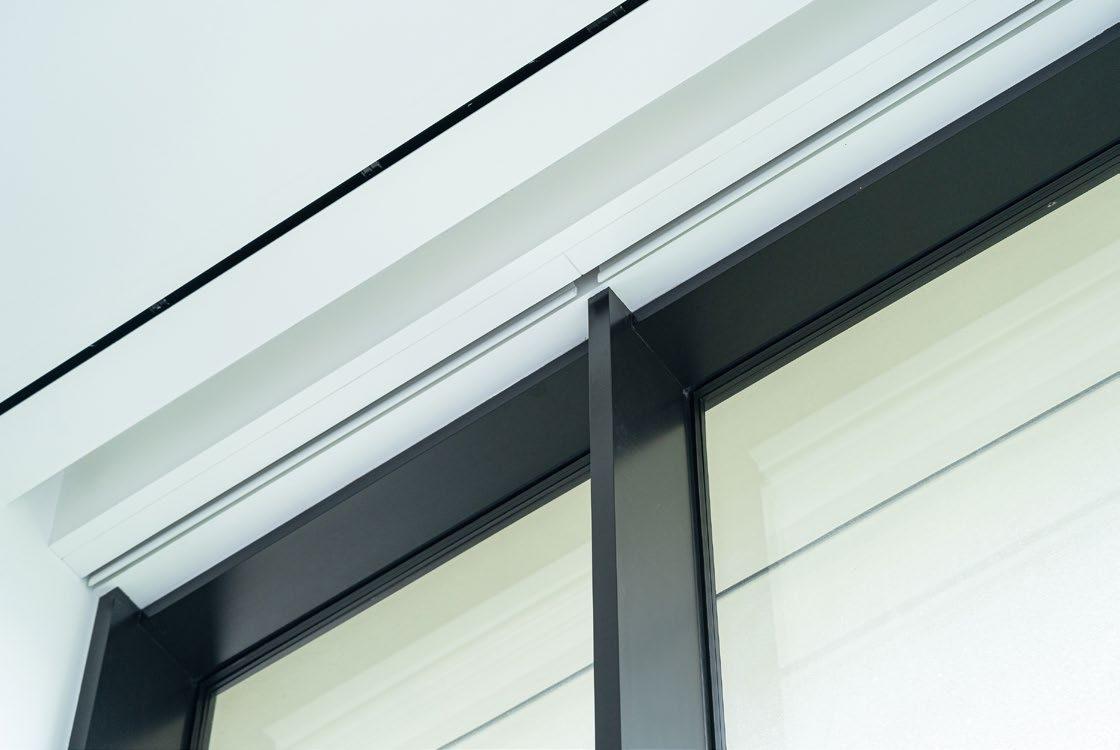

desired height and privacy from a hidden pocket below. The 7/8- x 7/8-inch sidetracks are surface-mounted or recessed into the sides of the window frame for an unobstructed view. The shade can be operated through a wall switch, wireless remote control, or integrated into a third-party automation system for central control.
A Laudations shade can be used on windows from 24 to 84 inches wide and up to 120 inches in height. It is available in a wide variety of fabrics and colors, and uses a quiet 24-volt DC motor that draws power through a discreet wire that can be embedded into the wall in new construction or run along the window frame and baseboard for retrofit construction.
“For non-rectangular applications, there’s no other option — you have to use cords — but for rectangular applications, this is an interesting product,” adds Bonisch. “We have numerous modifications — I think we’re on revision 18 — but we now have a 3:1 transmission, which allows our system to come up from the bottom at the same speed as a typical 150 or 100 that’s dropping down from the top.”
That upper/lower speed-matching feature came in handy for a recent Brading project, one that won it Lutron’s Best Shading Project in 2025. “The project was done with a Laudations system using a Lutron QS150 custom transmission, Brading ingenuity, and high-quality European components,” says Bonisch.
Up top, in addition to the top-down shades, Brading had installed a curtain track that has a toothed belt that goes around a return pulley and comes back
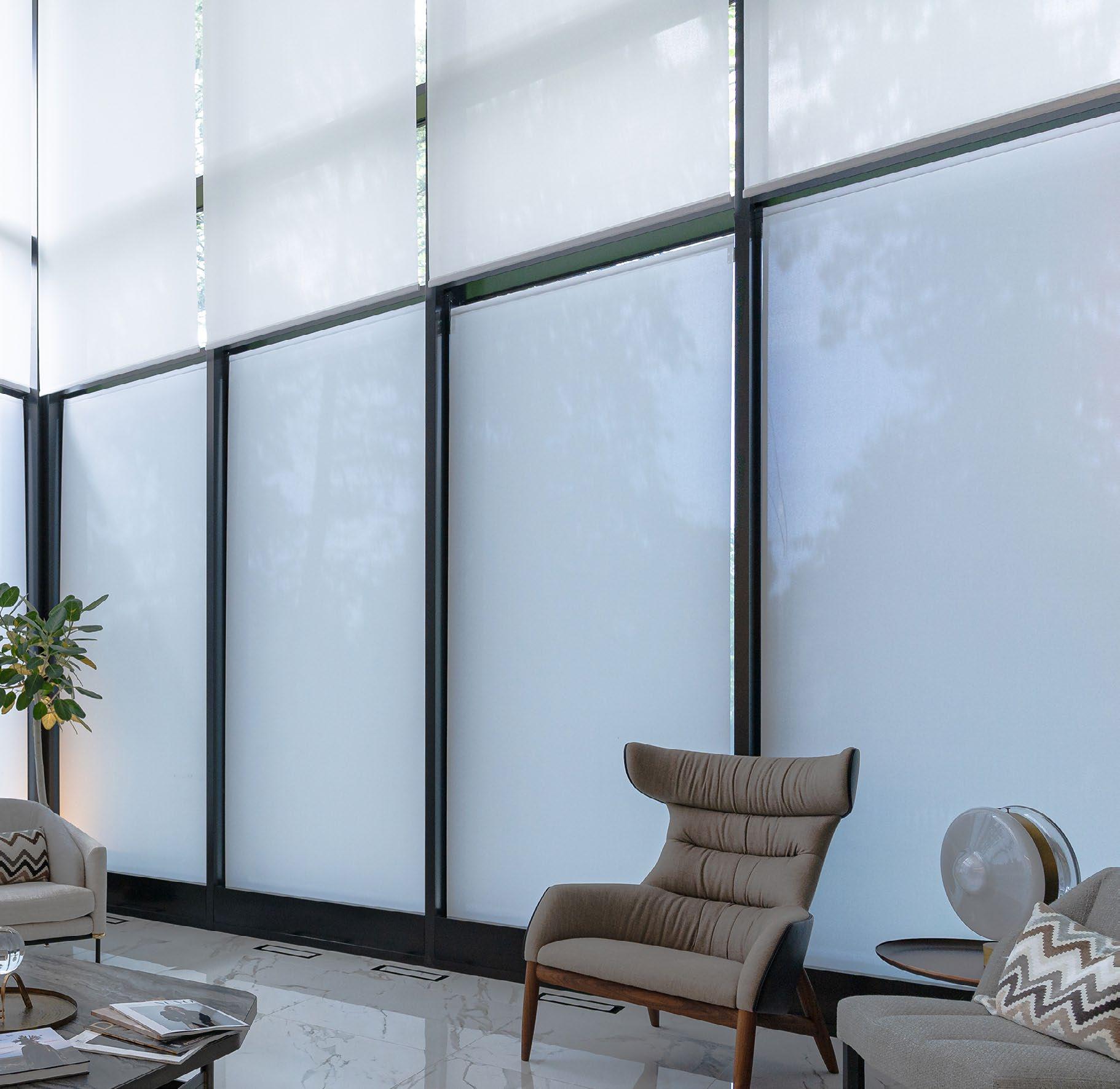
down and then joins together with the shades. “So, you have this curtain track belt on the right and left. The transmission that we created drives two quarterinch hex shafts simultaneously that go into the drive of the two tracks. Where the belt comes together, there’s a connector, and that’s normally the bottom bar, but in this case it’s the top bar.
“For the bottom, the Lutron shades are going to go up, come down, and stop in any position. The key now is how do we get the fabric to be nice and tight like a drum. We’ve been working on this for seven years. I have a spring that I’ve worked with since the late ’80s, and we have a spring-loaded roller blind at the bottom where we deactivate the locking feature. Basically, the shade lifts, and the spring wants to pull it back. It’s an interesting balancing act between the torque of the motor and the spring, because as the motor lifts the fabric higher, it has to work harder because the spring wants to pull it back with more force. It’s a real balance. That’s the magic to this system — we knew the fabric had to hang just as well as the gravity drop shades from the top.
“We used our rev 14 transmission, and it was slow, so we came up with a new version, and we finally had the bottom-up shades running at the same speed as the top-down.”
The project included six 60- x 144-inch windows to be covered — three one-on-ones facing south and two two-on-ones facing west. “He’s facing the street, so the client wanted privacy,” says Bonisch. “Hence, the whole point of bringing up the shades, and you don’t have to go all the way up to 10 feet. We also put a lot of thought into seasonal control because he has expensive furniture and artwork that needed protection from the sun throughout the year. We wound up with four zones: upper south, lower south, upper west,
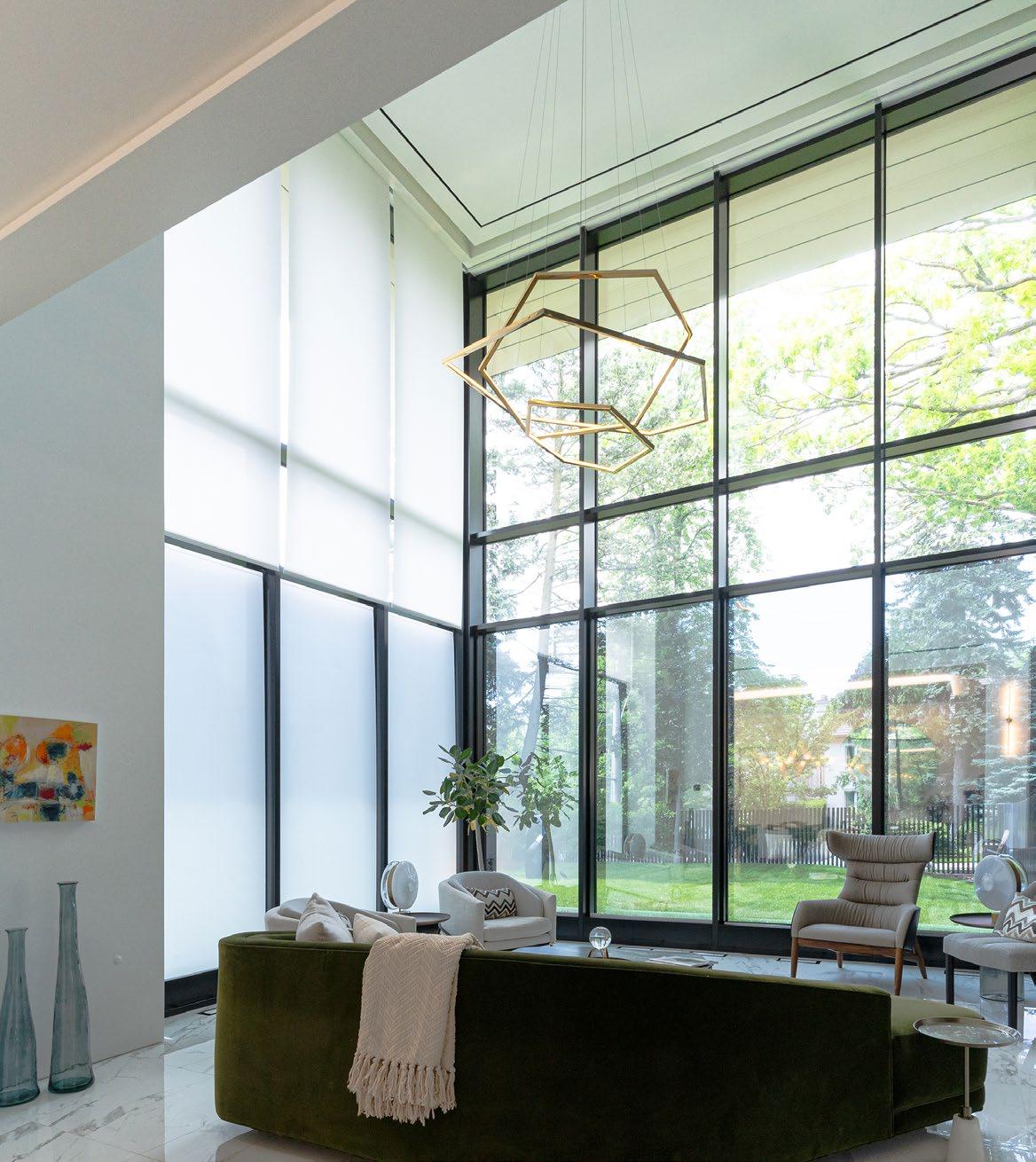

and lower west. There’s a Lutron HomeWorks system in place with a thirdparty overlay for control.”
At 67 years old, Bonisch is looking to begin phasing out his role at the company. He has a partner that is moving the company toward more programming, which he is all for, but maintains his love for working with integrators on all things shading.
“In my remaining days in the industry, I simply want to grow the wholesale, and I want to grow dealers,” he concludes. “I want to teach them what I know and come up with really challenging solutions, because if someone has a 7-foot arch and I can solve that, then I’m going to get the whole house.”
For more information, visit brading.com.
By Chris Lynch, Director of Sales, Nice North America
or many systems integrators, motorized shading has become an increasingly important category. As homeowners embrace automation, energy management, and personalized living environments, interior shading has evolved from a luxury upgrade into a core component of the modern smart home.
For those already successful with interior shades, motorized exterior shading may seem like the next logical step and, in many ways, it is. Exterior shading continues to experience strong growth, driven by homeowners' desire to extend the usability of outdoor living spaces while improving comfort, reducing solar heat gain, mitigating glare, enhancing privacy, and complementing the home architecture.
In fact, exterior shading has become one of the fastest-growing segments of our business. We experienced 33% year-over-year growth in 2023 and continue to see strong demand as homeowners invest more heavily in outdoor living environments.
But while exterior shading shares some similarities with interior window treatments, it should never be approached as simply an outdoor version of the same product. Integrators who understand these differences and plan accordingly can unlock a highly profitable business opportunity while delivering tremendous value to their clients.
Historically, homeowners viewed exterior screens primarily as a way to keep insects
away from patios and outdoor gathering spaces. Today, those benefits are only part of the story. Modern exterior shading systems help homeowners transform outdoor spaces into true extensions of the home. Depending on fabric selection and system design, exterior shades can create comfortable environments that can be used throughout much more of the year.
One of the biggest mistakes I see is assuming that exterior shading is simply interior shading installed outdoors. Interior shades are typically mounted within a window frame. You take measurements, specify the product, and complete the installation. Exterior shading is an entirely different animal.
Every project begins with a thorough understanding and inspection of the surrounding environment. Successful exterior shading systems are shaped by a variety of factors, including placement, orientation, sun exposure, wind conditions, architectural details, and the materials to which they will be mounted. Regional climate considerations are equally important. A west-facing patio in Arizona presents a very different set of challenges than a covered outdoor living area in Florida or a coastal property exposed to salt air, humidity, and high winds. Understanding these variables upfront is critical to specifying a solution that delivers long-term performance, reliability, and homeowner satisfaction.
However, environmental considerations are only part of the equation. Luxury homes often feature multiple exterior shading applications throughout the property, each

presenting its own set of environmental, structural, and design considerations. Adding to the challenge, exterior shades aren't simply functional systems — they become part of the home's architectural expression. Unlike interior shades, they are visible to homeowners, guests, and neighbors alike, making finish quality, color coordination, and seamless integration with the surrounding architecture critical to the success of the project. In many cases, aesthetics carry just as much weight as performance.

When evaluating an exterior shading project, I always start with the structure. Exterior shades are larger, heavier, and subjected to forces that interior shades never encounter. Typical installations range from 16 to 25 feet wide, and some systems are considerably larger.
Before selecting fabrics or motors for exterior shading, determine the following:
• What am I attaching to?
• Is the structure sound?
• What are the local weather conditions?
• What wind loads should be expected?
• How much sun exposure will the system experience?
One of the most important components of a quality exterior shading system is the ziptrack design. A properly engineered zip-track system creates lateral tension that keeps fabric taut, clean, and stable. Compared to cableguided systems, the result is typically better aesthetics and improved performance. Not all zip tracks are created equal, however.
Outdoor environments are constantly changing. Trees grow. Structures settle. Ground shifts. A quality track system should be engineered with enough tolerance to accommodate these realities without sacrificing performance. The materials used in the track system are equally important. Inferior materials often degrade over time, leading to alignment issues, increased wear, and service calls.
Find the Right Fabric and Motor Fabric selection should always begin with a
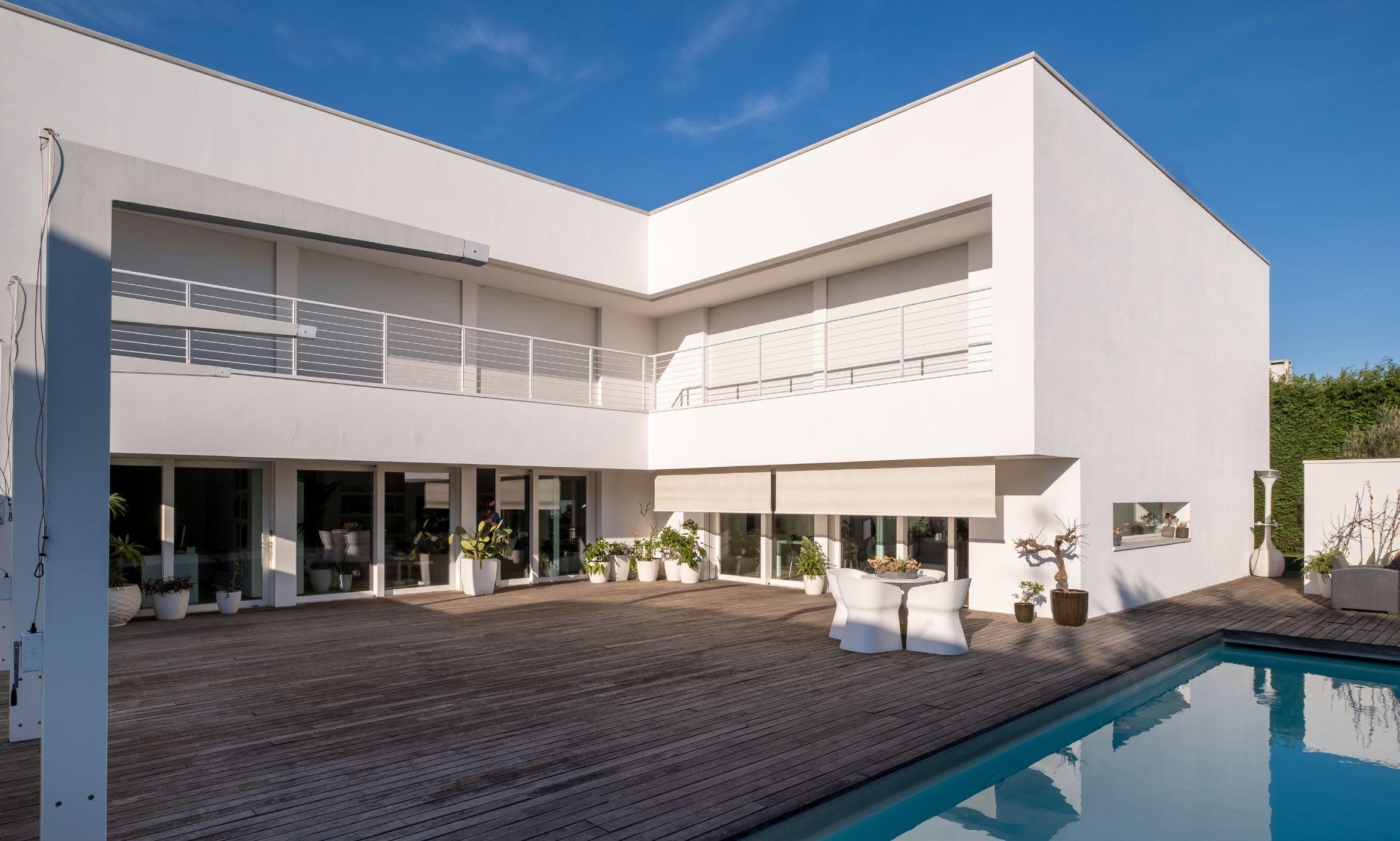
simple question: What is the homeowner trying to accomplish? If the goal is solar control, I may recommend a low-opacity fabric. If the goal is maintaining views while reducing glare, a different openness factor may be appropriate. If wind protection is the priority, clear vinyl may be the best solution. Today's exterior shading systems offer a wide range of options, including openness factors from approximately 3 to 10%, so the right choice ultimately depends on the application. Exterior shades place substantially greater demands on motors than interior shades. While many interior systems utilize motors in the 3- to 4-newton-meter (Nm) range, exterior applications often require motors in the range of 10 to 100 Nm and sufficient torque to move hundreds of pounds of fabric.
One of the most valuable additions to any exterior shading system is automation. Wind sensors, in particular, can help protect both the shade and the structure supporting it. In many applications, shades should automatically retract when wind speeds exceed safe operating limits. We strongly recommend wind sensors on most exterior projects.
Automated retraction can significantly extend the life of the system while reducing service issues.
I also caution integrators against relying too heavily on hurricane-rated marketing claims. Even the strongest shading system is only as good as the structure to which it is attached. Achieving hurricane ratings often requires additional mounting hardware, deeper structural attachment points, and specialized fabrics that may compromise aesthetics or visibility.
When taking on an exterior shading project, look beyond basic lift capacity and evaluate additional features such as:
• Obstacle detection
• Wind sensor compatibility
• Manual override capabilities
• Environmental durability
• Control system integration
Exterior shading creates valuable recurring revenue opportunities that many integrators overlook. Because these systems operate outdoors, periodic maintenance is essential. Regularly scheduled visits help maintain
performance while strengthening long-term client relationships.
A service program might include:
• Cleaning tracks and channels
• Inspecting sensors
• Verifying alignment
• Checking fabric condition
• Confirming motor performance
One lesson I've learned over the years is that the best interior shade installer is not automatically the best exterior shade installer. Exterior shading requires an understanding of construction, architecture, structural engineering, environmental conditions, and project planning that goes beyond traditional shading knowledge. It requires patience, documentation, and attention to detail.
Taking each step slowly and methodically to ensure accuracy is the best way to prevent costly mistakes.
For integrators willing to invest in the expertise, exterior shading represents one of the most attractive growth opportunities in the smart home industry today. It allows you to expand your service offerings, increase project revenue, and deliver solutions that homeowners use and appreciate every day.
For more information, visit www.niceforyou.com.
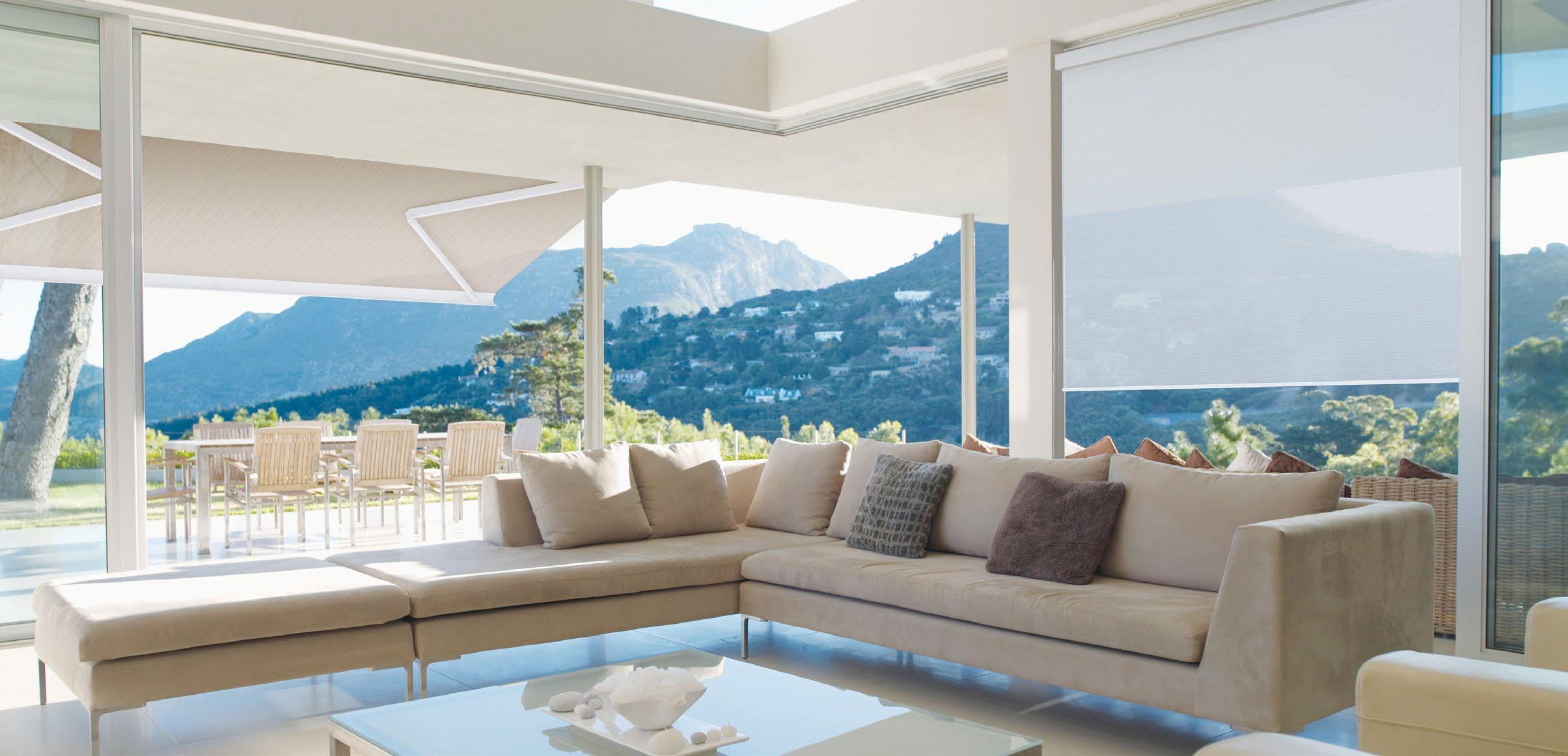
For many homeowners, the ideal outdoor space isn’t just a patio or a porch — it’s extra room that allows homeowners to blur the line between indoors and out, creating flexible outdoor living spaces that feel just as comfortable and controllable as the rest of the home.
Two Indiana projects completed by Draper At Home dealer Custom Blinds Indy, each with its own architectural style and setting, provide prime examples of what is possible: large sliding glass doors, covered outdoor rooms, and motorized exterior shading that transform open-air spaces into everyday living environments.
Both central Indiana homeowners came to Custom Blinds Indy with the same request — extend the home. In Avon, a poolside living area with an outdoor kitchen, fireplace, and seating was designed to function almost year-round. In Zionsville’s Holiday Farms community, the screens on a golf-coursefacing porch were meant to disappear visually when open, then close seamlessly when shade, privacy, or protection was needed.
In both cases, oversized sliding glass doors were the architectural centerpiece. When opened, they eliminated the boundary between interior and exterior, allowing residents and guests to move freely between spaces without stepping through a traditional doorway. The challenge was maintaining that openness while still controlling sun, insects, weather, and privacy.
To solve that challenge, both homes incorporated Draper FlexShade ZIP systems. The ZIP design secures the fabric within side
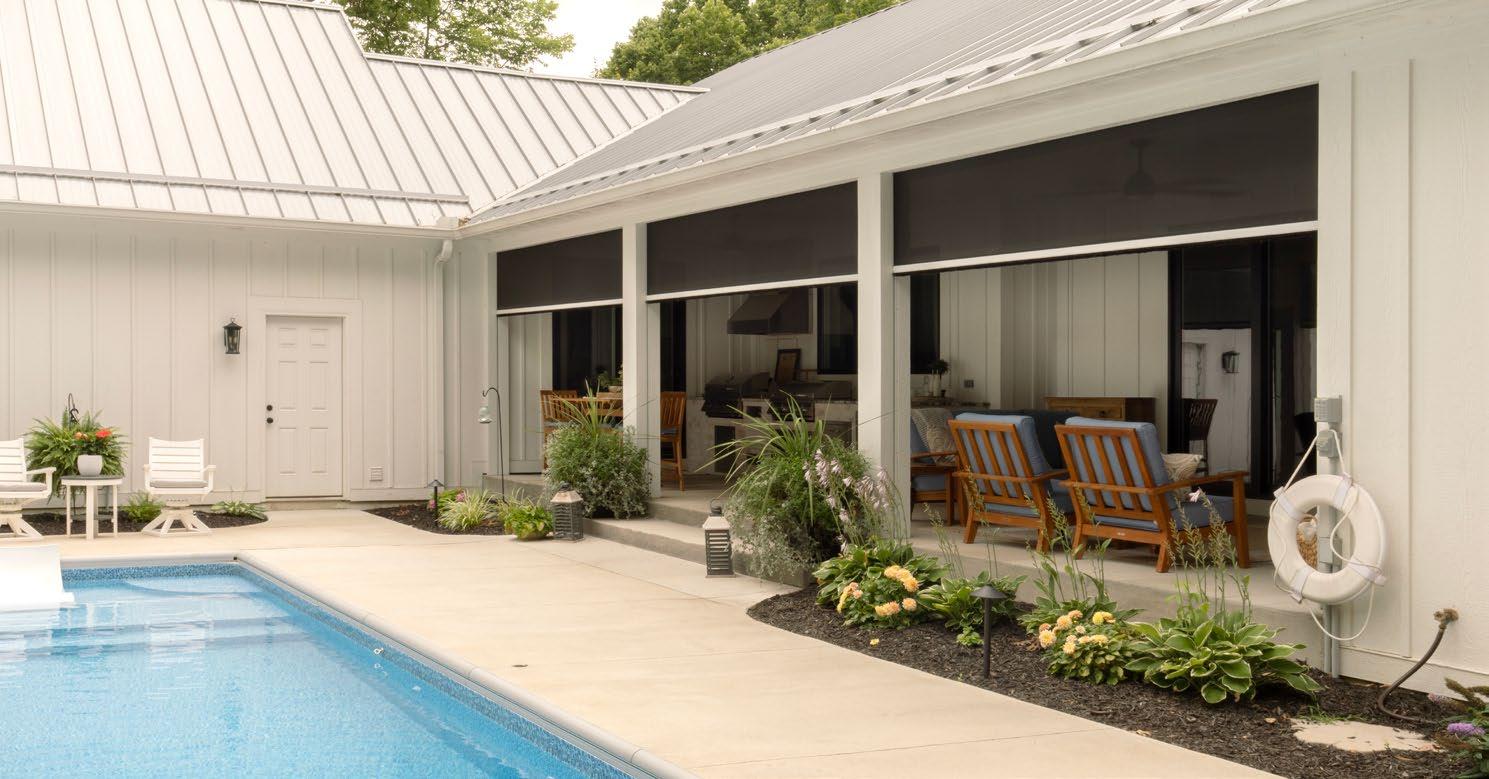
channels, keeping shades stable in wind and eliminating gaps that allow light, bugs, or weather through.
In Avon, this meant the homeowners could run the air conditioning inside while still hearing birds, enjoying the pool view, and relaxing without mosquitoes. In Zionsville, it allowed a shaded, private retreat that still preserved expansive views of the golf course when desired.
What truly elevated both projects was integration. These weren’t outdoor shades controlled by a wall switch alone — they were part of a broader smart home ecosystem.
In Avon, the homeowners opted for voice control through Amazon Alexa, allowing the shades to drop automatically during the hottest part of the day or with a simple spoken command. That same ease carried over to the Zionsville project, where smart control took on
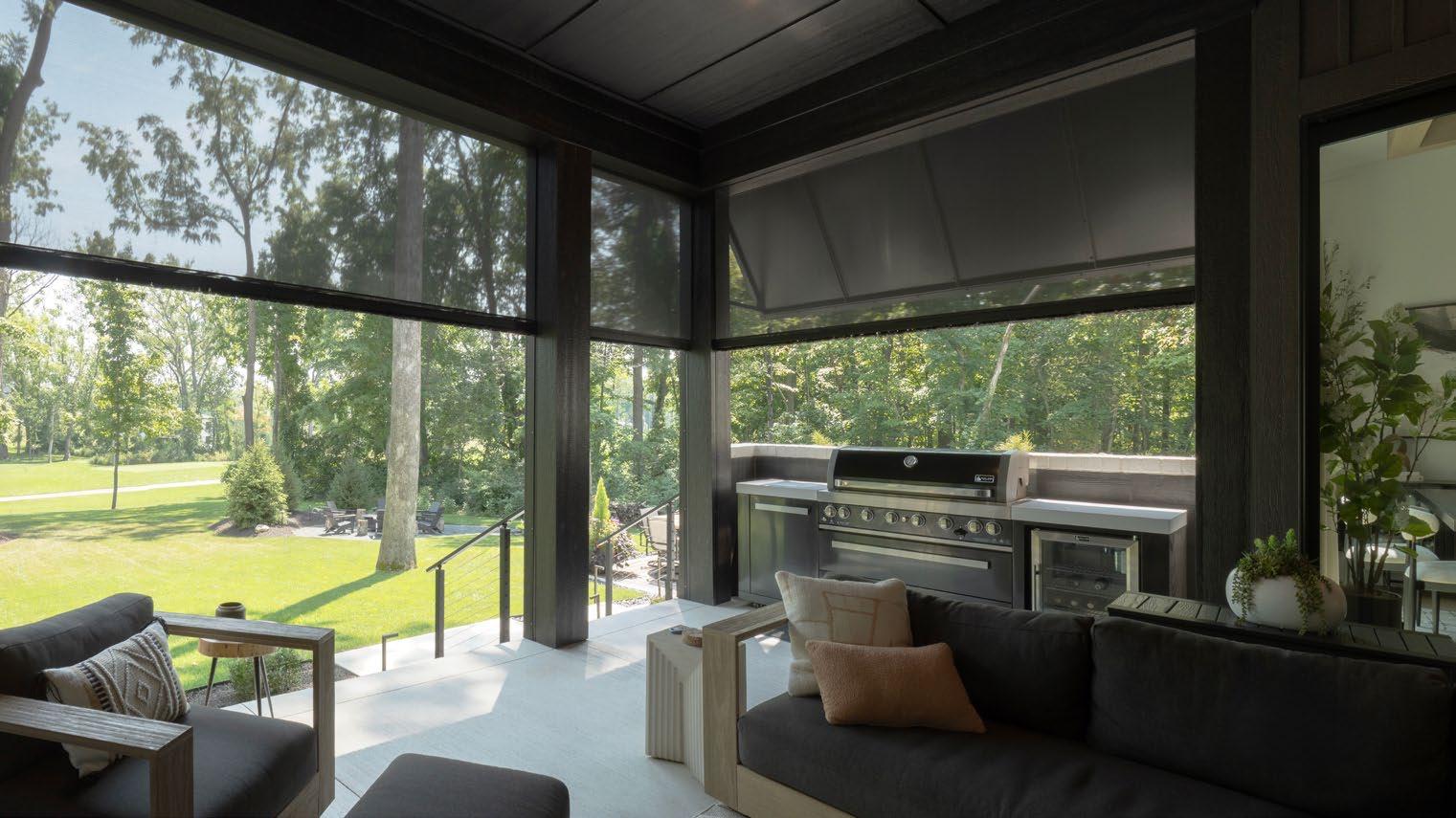
a more personal meaning.
During the design process, the homeowner had one specific request: he wanted his son to be able to control the shades with his voice — just like in the movies. Inspired by scenes where entire homes respond instantly to spoken commands, the system was configured so his son could say, “Alexa, close the shades,” and watch the outdoor room transform.
It wasn’t just about showing off technology, though. It was about accessibility, delight, and making the space intuitive for everyone in the family.
Aesthetic subtlety was another shared priority. In both homes, the shades were hidden within architectural pockets and header details so that when raised, they were essentially invisible. Fabrics were chosen to complement each home’s exterior palette: in Avon’s pool environment, Charcoal, but with a 10% openness factor; Charcoal with a 5% openness factor in Zionsville for more contrast and privacy. The result: outdoor rooms that look finished and intentional, whether the shades are deployed or tucked away.
Taken together, these two Indiana projects show how motorized exterior shading can do more than block sun. It can change how a home is used. By combining thoughtful architectural design, durable ZIP shade systems, and intuitive control, both families gained living space they now use daily, from early-morning coffee to evening entertaining.
In the end, the success of both projects comes down to one shared idea: When outdoor spaces work as seamlessly as indoor ones, homeowners don’t have to choose between inside and out. They can have both. ■
By Veselina Lezginov

ower over Ethernet (PoE) has made it easier than ever to deploy modern security systems.
With a single cable handling both power and data, installations are cleaner, faster, and more efficient, especially for cameras, access control, and other connected devices. But that simplicity can create a false sense of confidence.
In practice, reliability doesn’t come from the technology alone; it depends on how well the system is planned and protected. Without the right approach to power, infrastructure, and safeguards like electrical surge protection and backup power systems, even a well-designed setup can fall short when it matters most.
In this article, we break down how reliable systems depend on power budgeting, grounding and surge protection, and outage-mode testing.
Power over Ethernet allows a single Ethernet cable to deliver both data and electrical
power to connected devices. This means that instead of running separate power lines, everything flows through one connection, making installation more streamlined and less labor-intensive.
That’s why PoE is widely used in security and smart systems, including IP cameras, access control panels, intercoms, and other IoT devices. It reduces clutter, speeds up deployment, and makes it easier to scale systems without major infrastructure changes. However, this simplicity can be misleading.
PoE simplifies how devices are connected, but it doesn’t protect against electrical issues, manage how power is distributed, or ensure systems stay operational during failures. Those responsibilities still fall on proper planning and system design.
Power budgeting isn’t optional; it’s what prevents overload and instability in a PoE system.
To understand where PoE-based systems can fall short, we need to look beyond the cable and understand what’s happening behind the scenes.
Power budgeting isn’t optional; it’s what prevents overload and instability in a PoE system. Every PoE switch has a total power budget, which is the maximum amount of power it can supply across all ports. At the same time, each port also has its own limit, which determines how much power a single device can receive.
Problems arise when these limits aren’t properly considered. Even if individual devices seem compatible, the combined demand can exceed the switch’s total capacity. When that happens, devices may not receive enough power to function consistently.
When power planning is overlooked, issues can show up in ways that are easy to miss at first but become critical over time. Some

devices may fail to turn on entirely, while others may experience random shutdowns or reduced performance.
The risk increases with high-power devices like PTZ cameras, infrared illumination, or units with built-in heaters. These components can draw significantly more power than standard devices, quickly pushing a system beyond its limits.
Reliable systems start with accurate planning. Begin by calculating the total power requirements of all connected devices. Not just individually, but as a complete system. From there, leave headroom in your power budget to account for fluctuations and future expansion, rather than running your switch at full capacity.
It’s also important to choose the right PoE standard. While standard PoE may be sufficient for basic devices, more demanding equipment often requires PoE+ or PoE++ to function properly. Taking these steps helps prevent the kinds of power-related failures that can make PoE systems unreliable in real-world conditions.
Security systems are often deployed in environments where electrical disturbances are unavoidable, such as outdoor installations, long cable runs, or connections between buildings. These setups increase exposure to lightning strikes, power surges, and voltage fluctuations.
While PoE simplifies how power is delivered, it doesn’t shield your system from these external forces. Without proper protection, even a single surge can damage devices, disrupt network performance, or take entire systems offline. The result is not just hardware failure, but potential gaps in security coverage and unexpected downtime.
Mitigating these risks starts with proper grounding. Ensuring that racks, switches, and connected equipment are correctly grounded allows excess electrical energy to dissipate safely instead of damaging your system.
Adding surge protection designed for PoE lines provides another critical layer of defense, helping absorb voltage spikes before they reach sensitive devices. In higher-risk environments, shielded cabling can further reduce interference and improve stability.
Taking these steps helps ensure that external electrical events don’t become internal system failures, protecting both your equipment and your overall security posture.
A system isn’t reliable if it only works when everything is normal. Power outages are inevitable, and in many cases, they occur at the exact moments when security systems matter most. The problem is that many setups are assumed to be resilient without ever being verified. Backup power may be installed, but without testing, there’s no guarantee it will perform as expected under real conditions. Without proper testing, backup systems can fail unexpectedly, critical devices may lose power first, and teams are left with a false sense of security.
To avoid this, it’s essential to test how your system behaves during an actual outage. This includes verifying how long your system can run on backup power (such as a UPS), ensuring all critical components (such as cameras, switches, and recording systems) remain operational, and confirming how the system recovers once power is restored.
Best practices include sizing UPS systems
based on real power loads, running regular outage simulations, and validating the performance of the entire system. Taking this approach ensures you’re designing for realworld conditions, not ideal scenarios where nothing goes wrong.
Before deploying or scaling a PoE-based security system, it’s important to validate that every part of your setup is designed for realworld conditions, especially as part of a broader smart home power and electrical infrastructure planning strategy. Use the following checklist to ensure your system is truly reliable.
• Have you calculated your total power load and left enough headroom?
• Are all critical components properly grounded and protected from surges?
• Do you have backup power in place, and have you tested how long it actually lasts?
• Will all essential devices stay online during an outage, not just some of them?
• Do you know how your system behaves when power is restored?
Taking the time to answer these questions helps ensure your system is prepared not just for installation day, but for the moments when it’s truly needed.
Power over Ethernet has made deploying security systems faster and more efficient, but it’s not a guarantee of reliability. The real difference between a system that works and one that fails under pressure comes down to how well it’s planned, protected, and tested.
Power budgeting ensures your devices receive consistent, reliable energy. Grounding and surge protection shield your infrastructure from external risks. Outage-mode testing confirms that your system will continue operating when normal conditions break down.
Individually, each of these elements matters. Together, they determine whether your system is prepared for real-world scenarios. In the end, a reliable security system isn’t defined by how easy it is to install, but by how well it performs when something goes wrong.
Veselina Lezginov is a copywriter supporting Arrow Electric, specializing in translating the expertise of licensed electricians into clear, practical insights for homeowners. She focuses on turning real-world service experience and day-to-day electrical challenges into accessible, informative content that helps readers make safer and more informed decisions.
The versatility of home theater technology continues to offer more opportunities to integrators.
By Karen Mitchell
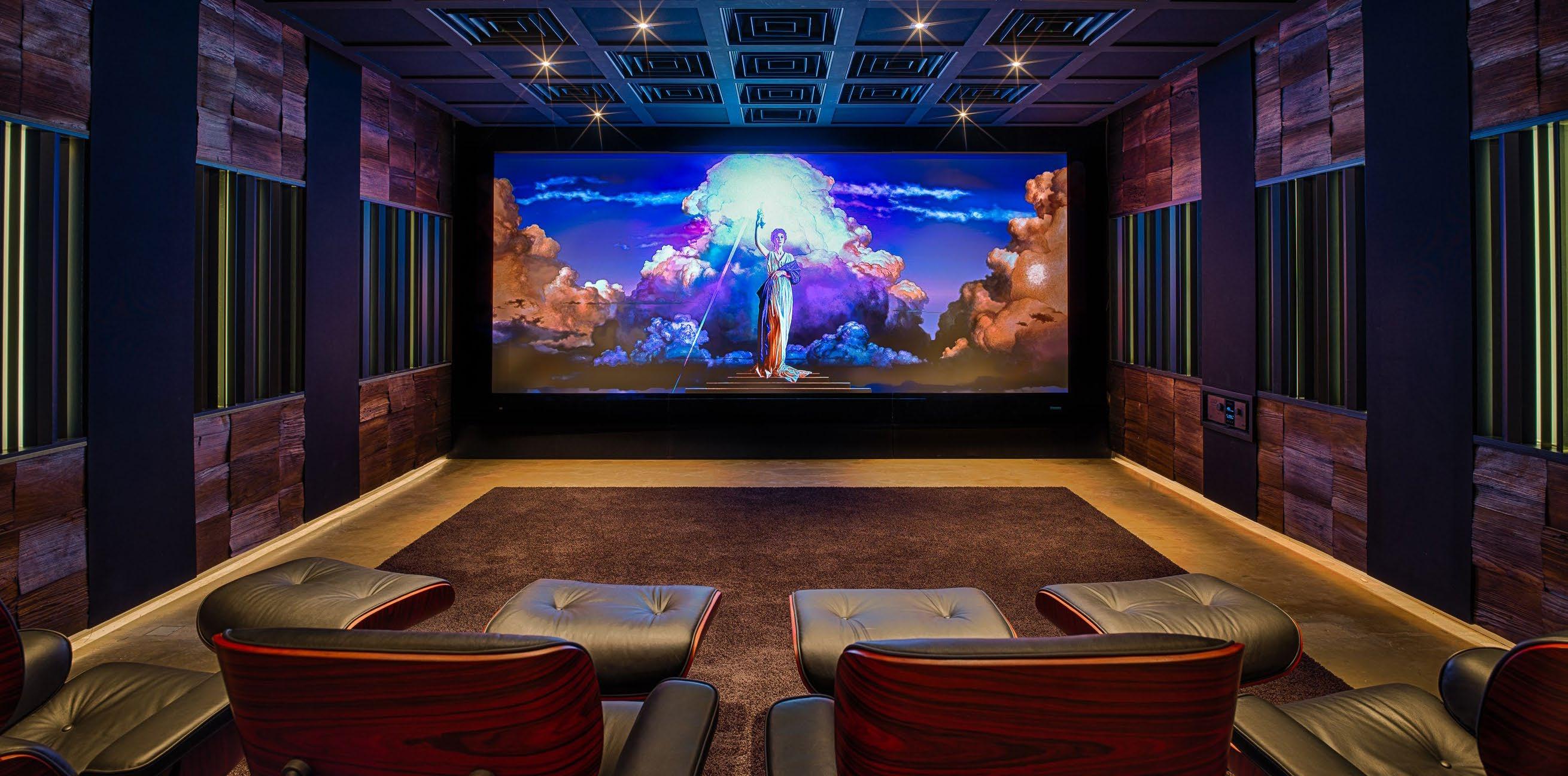
Changes in technology have kept the CI space exciting and innovative, and are enabling home theaters to become more versatile than ever, with choices including dedicated spaces or media rooms, projection or direct view, and myriad audio options.
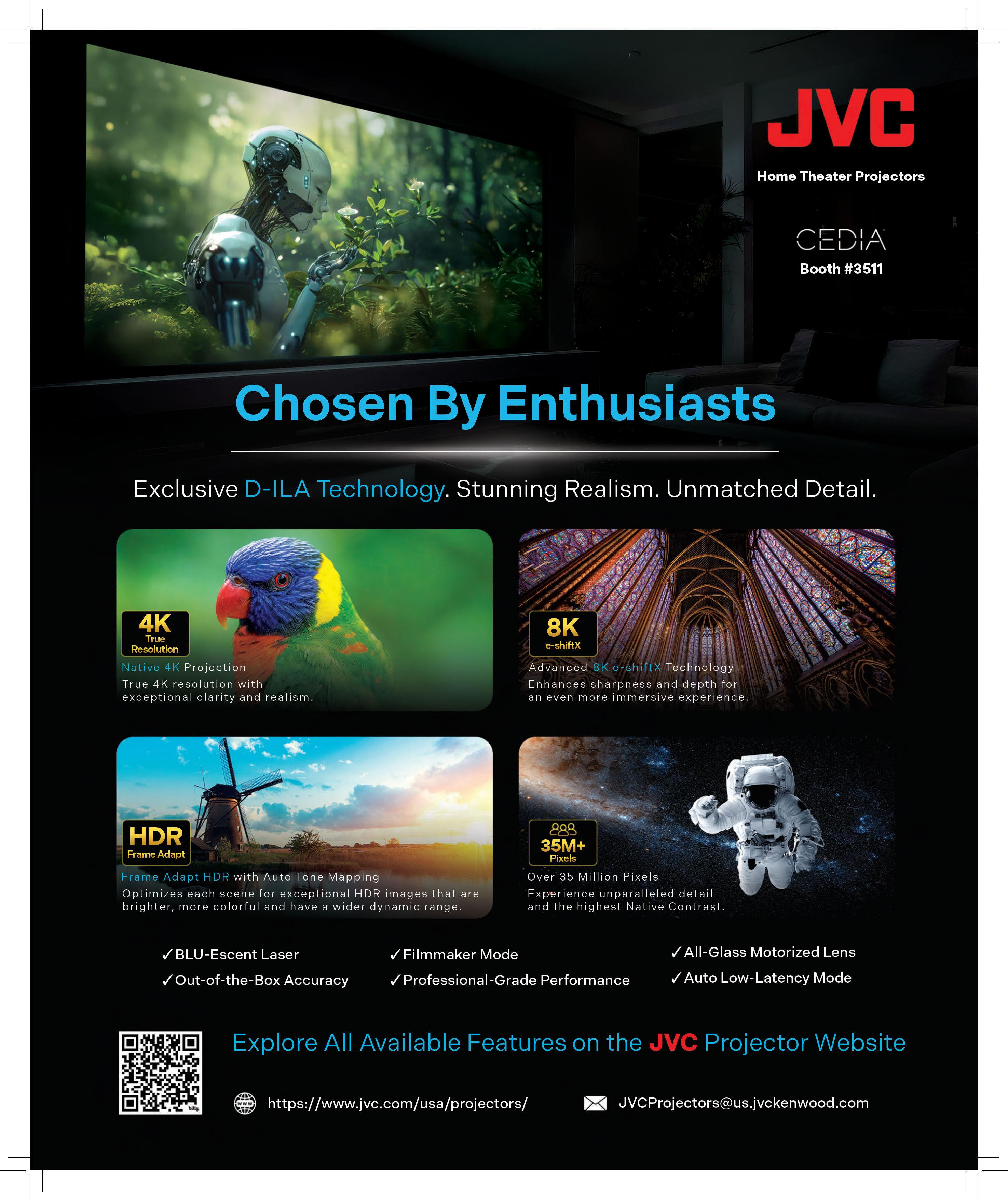
Technology continues to evolve, particularly in the world of home theater projection, says Jamie Pasley, general manager, JVC Home Theater Projectors. “For nearly 30 years, JVC has been at the forefront of innovation with its exclusive D-ILA projector technology, giving us a deep understanding of what enthusiasts value most in a personal cinema experience: exceptional picture quality.
“JVC D-ILA projectors offer Native 4K resolution for incredible detail, higher native contrast for deeper blacks and greater image depth, laser light sources that deliver increased brightness with extended lifespans, and integrated control capabilities that simplify operation of the entire entertainment environment,” she notes. “As home theater designs continue to embrace larger screens, JVC D-ILA projectors remain a preferred choice among integrators and enthusiasts alike, delivering breathtaking, edge-toedge image quality that brings every scene to life. Recent advancements with HDR, Dynamic Tone Mapping, Dolby Vision, and HDR10+ have elevated performance to new levels.”
Along with creating new opportunities for dedicated home theater rooms, the availability of larger, brighter direct-view displays and video walls has increased the demand for higher levels of performance in multipurpose media rooms, says Chuck Back, managing director, Trinnov Audio. “While not all clients immediately recognize it, those investing in high-performance large-format displays deserve equally high-quality sound for their movies and music as well. However, achieving great sound presents substantial challenges in both media rooms and dedicated theaters alike.”
“The primary challenge,” he adds, “is that video walls occupy the space where the main left, center, and right channel speakers should be located. In dedicated theaters, these speakers have typically been located behind an acoustically transparent screen, but this is no longer an option. In multipurpose rooms, we encounter additional challenges. Surround and upper channel speakers are often forced into suboptimal locations due to room dimensions, furnishings, architectural features, and décor. And it’s rare that clients and designers will accept the incorporation of the acoustical treatments integrators commonly use in dedicated theaters.’’
The result, Back notes, is inevitable. “When the center channel is relocated above or below the screen, the sound image shifts with it, moving dialog away from the picture. When other speakers deviate from the Dolby and DTS recommended positions, the original intent of the content
creators is muddled or lost. Poor room acoustics further degrade dialog intelligibility and the overall quality of sound.”
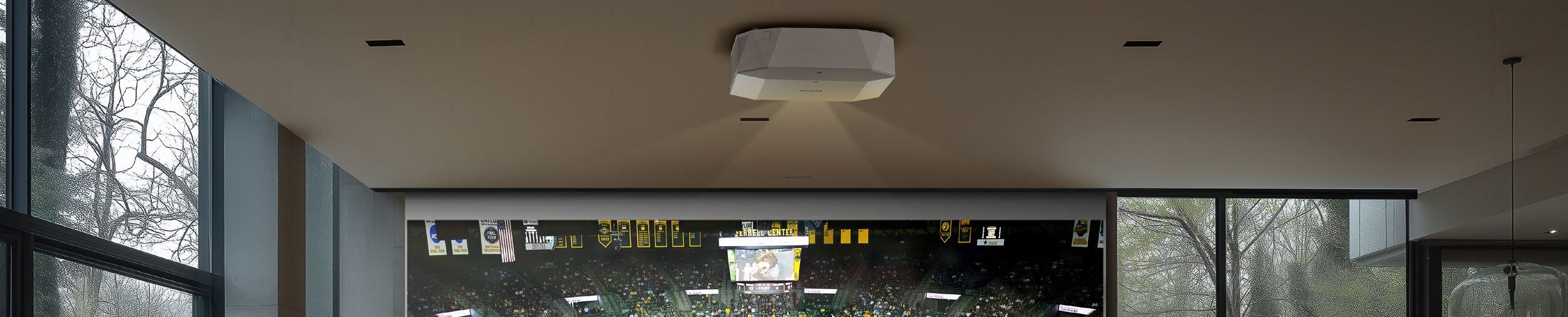
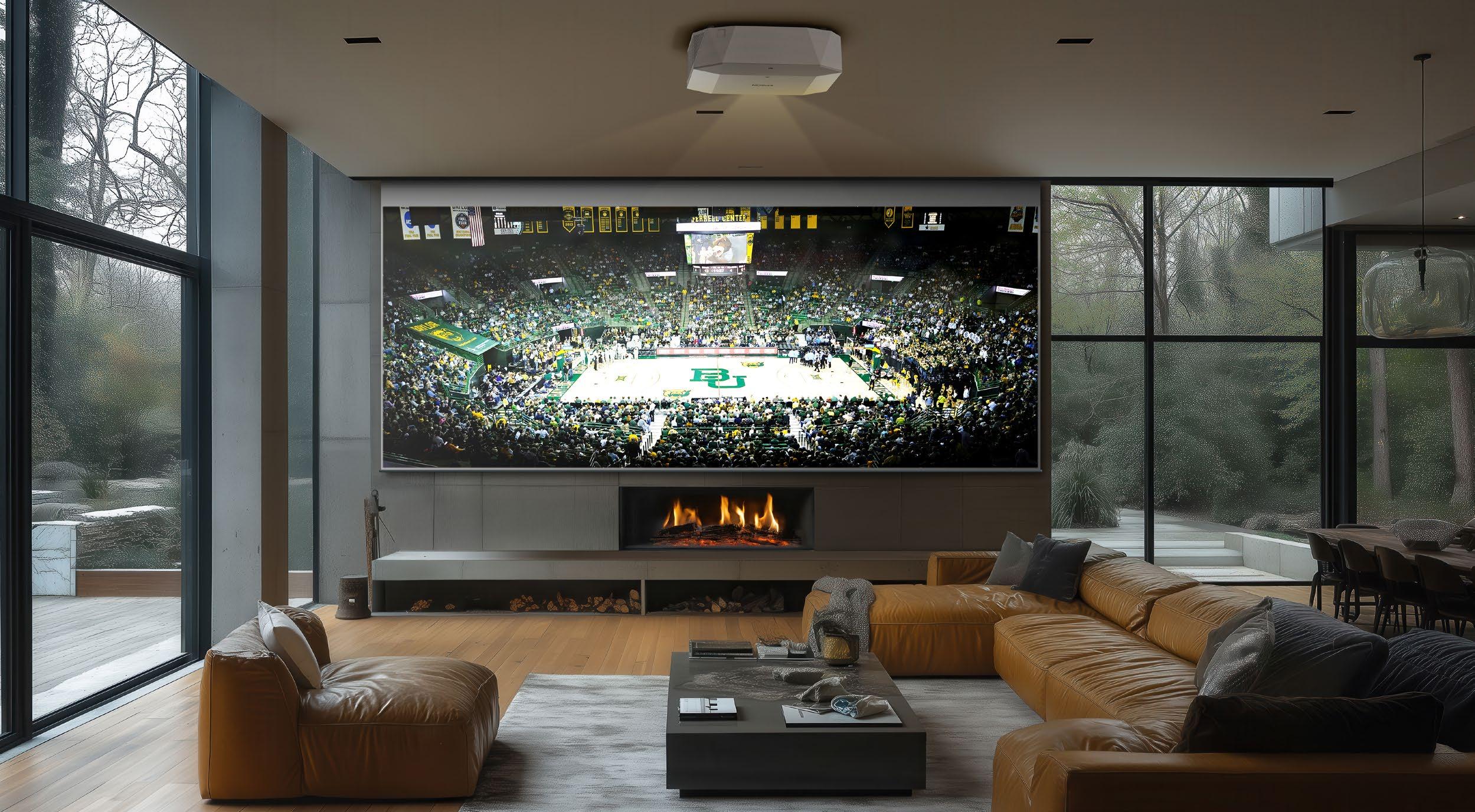
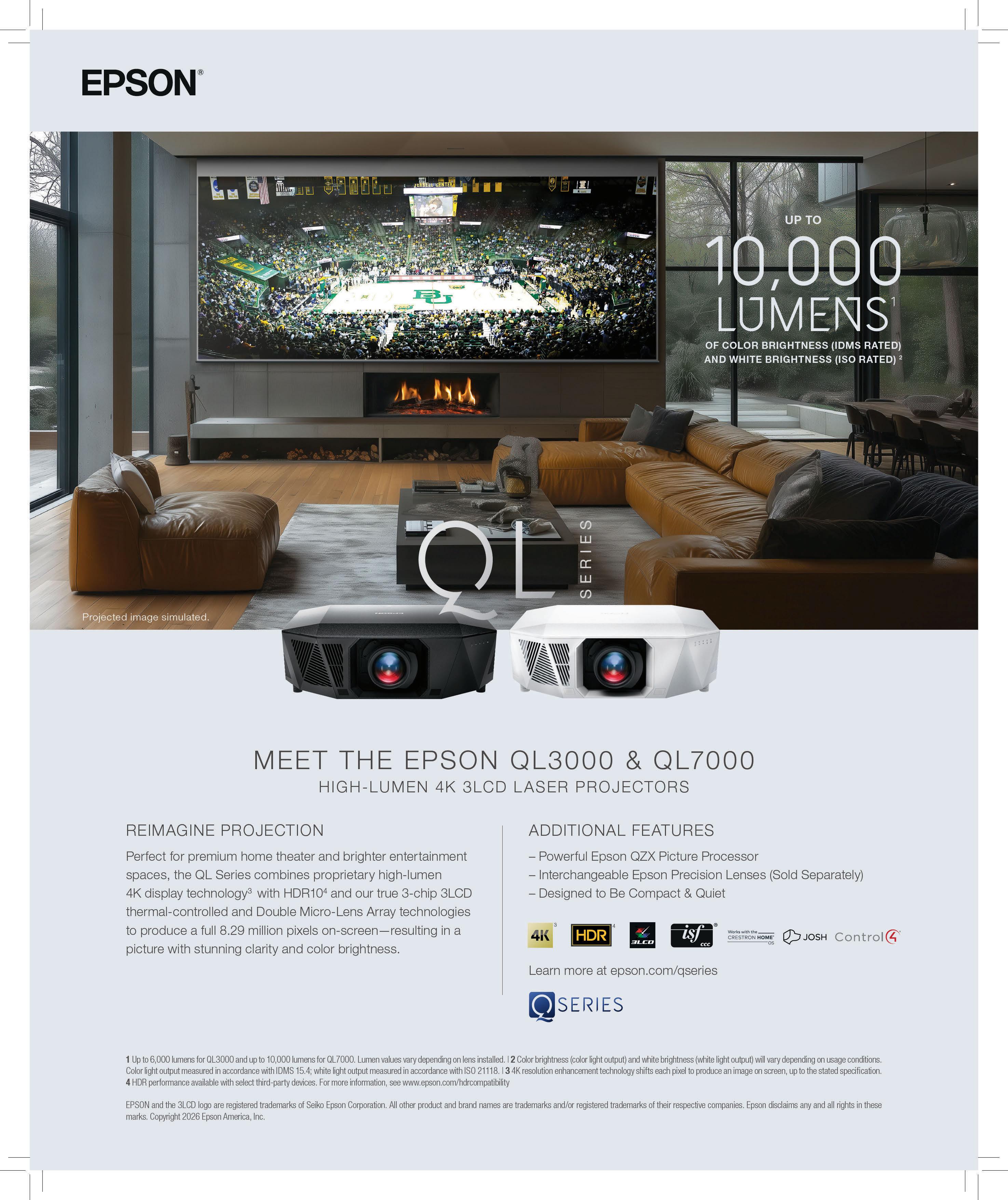
One of the biggest shifts in projection technology has been the increase in brightness and overall image performance, explains Melvin Diaz, senior product manager, Epson America. “Historically, home projection was primarily reserved for dedicated, light-controlled theaters because achieving a large, high-quality image required a dark environment. Today’s high-brightness laser projectors have expanded those possibilities, allowing projection to move beyond dedicated theaters into living rooms, media rooms, game rooms, and other shared spaces where ambient light is a reality.”
Diaz says higher brightness also enables homeowners to enjoy much larger screen sizes while maintaining the image quality, contrast, and HDR performance expected from premium entertainment. “As HDR content has become more of the standard, brightness has become increasingly important for achieving that standard,” he says. “As a result, select projector manufacturers are offering higher brightness that is capable of delivering the light output needed to achieve approximately 300 nits on screen, which is the DCI-certified HDR cinema specification for peak brightness. This allows viewers to experience brighter highlights, greater color volume, and a more lifelike image than was previously possible.”
Another advantage unique to projection technology is its compatibility with today’s advanced acoustically transparent screens, allowing dialog and sound to originate directly from the action on screen. “This creates a more authentic cinematic experience on massive screen sizes that would be difficult, as well as significantly more expensive, to achieve with traditional flat-panel displays,” says Diaz.
“Combining the above with quieter, more compact laser designs and flexible installation options, today’s high-brightness projectors are making it easier than ever to create immersive entertainment spaces throughout the home,” Diaz concludes. “This gives homeowners the freedom to prioritize both performance and aesthetics without being confined to a dedicated theater.”
These advances in display technology have expanded to the types of places
a high-performance home cinema can live, notes Kevin Kent, senior global product line manager, Harman Luxury Audio. “Large-format OLED and MicroLED panels now make cinematic experiences possible in great rooms, finished basements, and primary living spaces without the light-control demands of a dedicated projection room,” he says. “Short-throw and ultrashort-throw projectors have also made projection more flexible. The result is more choice than ever in how clients integrate cinema into the home.
“Audio technology has had to keep pace with that flexibility, and JBL Synthesis is built for exactly that. A flat-panel display in a shared living space creates very different acoustic demands from a purpose-built private cinema behind an acoustically transparent screen. The JBL Synthesis SCL Custom Loudspeaker family supports both, with in-wall, on-wall, and in-room models that let integrators design around the room and display without compromise. Dirac Live Active Room Treatment further improves performance by managing bass timing and behavior across the system, even in acoustically imperfect spaces. With Dolby Atmos, DTS:X Pro, and IMAX Enhanced supported across the JBL Synthesis electronics lineup, clients can experience premium immersive cinema at home regardless of the display path they choose.”
The recently released JBL Synthesis lineup was designed to bring reference-level cinema performance into a wider range of spaces, Kent notes. “Different price points across the Harman Luxury Audio portfolio also extend the conversation beyond the ultra-high-end segment, making reference-grade systems accessible to more clients. The new SCL Custom Loudspeaker family introduces nine timbre-matched models across in-wall, onwall, and in-room categories. The SCL-2XL and SCL-4XL are engineered for large-format LCR placement behind acoustically transparent screens, while the SCL-7XL uses an offset HDI horn to aim high frequencies directly at the listening area, a major advantage when placement is constrained and precise directivity control is needed from a flush-mount loudspeaker.” For on-wall and in-room applications, the SCL-9XL and SCL-9 bring

JBL Synthesis performance to flat-panel display environments, while the new SSW-5 12-inch, 1000-watt powered subwoofer completes the solution for mixed in-room and in-wall configurations often found in non-dedicated home cinema spaces.
“On the electronics side, the SDP-70 and SDP-60 AV processors join the SDP-80 flagship model to support complex installations with 24-channel and 16-channel processing, balanced outputs, and full Dirac Live ART support,” says Kent. “The SDR-40 receiver adds nine channels of integrated Class G amplification for streamlined deployments without sacrificing performance. Beyond cinema, these new AV processors also support Dolby Atmos Music streaming, which is increasingly relevant as immersive music gains traction with listeners and integrators alike. That gives dealers a broader story to tell: These systems are built not only for reference-level cinema, but also for premium immersive music experiences that bring new everyday value to the room.”
Epson’s premium Q-Series lineup, more specifically the QL7000 and QL3000, was developed as a direct response to the evolution of home entertainment spaces and ideal viewing scenarios. “As homeowners increasingly seek cinematic experiences beyond dedicated theaters and on exceptionally larger screens, the QL-Series combines high brightness up to 10,000 lumens with 4K HDR performance in a compact design to meet those demands,” Diaz notes. “Whether installed in a traditional theater on a large 200-inch screen or in a bright, multi-purpose living space, these projectors deliver the performance needed for today’s large-format viewing experiences while giving homeowners and integrators unprecedented flexibility in home entertainment design.”
JVC dealer Brian Gluck, CEO, Next Projection LLC/ProjectorScreen. com, says JVC is often the go-to choice when helping a customer design a true home solution. “It is not because every room needs the same projector, but because in a properly designed theater environment, JVC’s strengths are exactly what serious movie lovers care about: black levels, contrast, HDR tone mapping, native 4K detail, and overall image depth,” he says. “I chose a JVC DLA-NZ800 for my own personal theater because it delivers the kind of cinematic image I want customers to experience for themselves.”
“The goal at JVC is to create a completely immersive and exciting home theater experience for our customers,” Pasley explains. “To achieve this, JVC D-ILA projectors have exclusive technology and features that have become an industry standard for reference quality images.
“It starts at the core with our third-generation D-ILA imaging devices,” she says. “This imaging technology is used in all JVC Procision and Reference Series models, and it offers the highest native contrast levels available for deeper blacks and better shadow detail. With native contrast ratios from 40,000:1 to 150,000:1, the depth and realism in the projected image will make you feel as though you’re in the movie, game, or favorite TV show. All D-ILA projector models offer Native 4K, which means they physically resolve all 4096 x 2160 pixels. On higher-end models, JVC takes resolution a step further, offering 8K eShiftX and 8192 x 4320 pixels for the finest details possible. Our 8K models have HDMI inputs that support 48 Gbps at 4K120p and 8K60p, which make them ideal for the ultimate gaming experience. This technology is also known for producing accurate color reproduction and smooth, natural-looking images.
“JVC D-ILA projectors all have a proprietary Blu-Escent laser light source, designed to deliver high-brightness, long life, and consistent image quality,” Pasley adds. “Top new features include second-generation Frame Adapt HDR, which analyzes HDR10 content frame by frame and performs
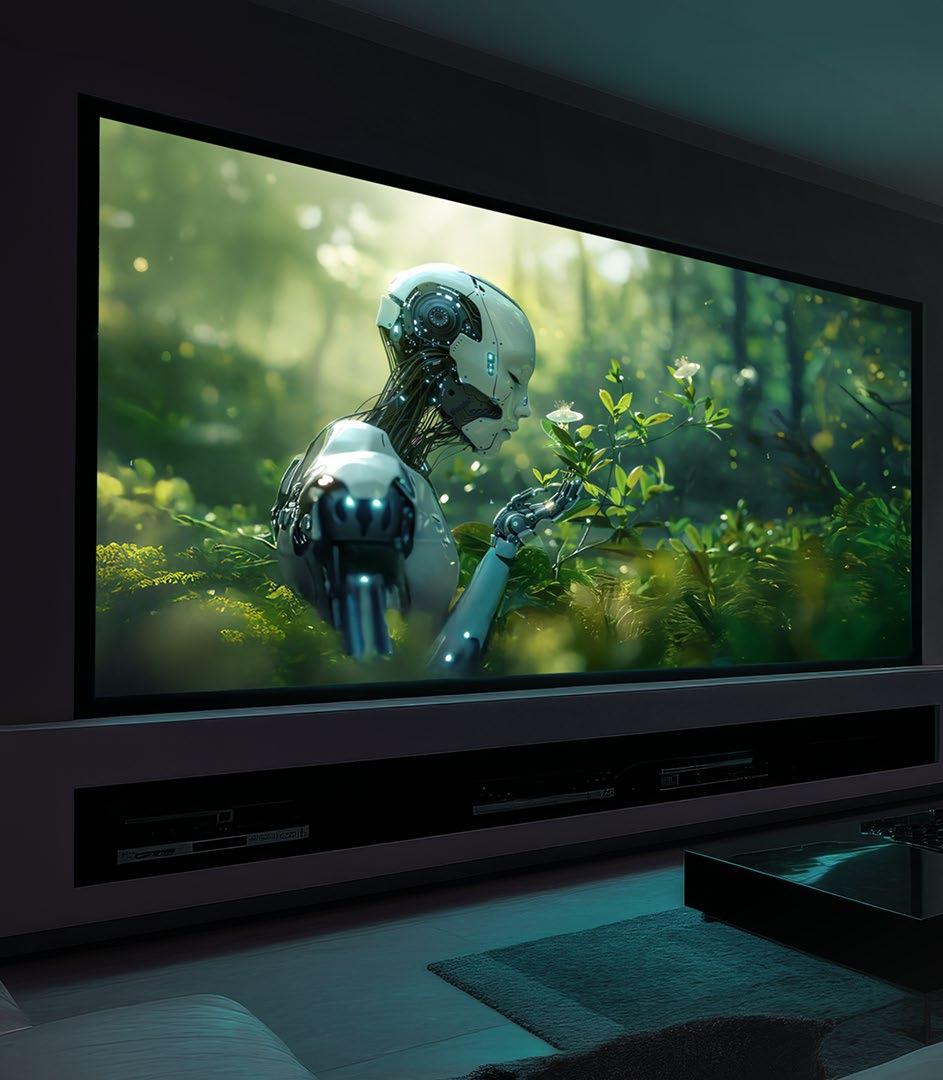
real-time tone mapping, Deep Black Tone Control, Vivid Picture Mode for SDR Content, Filmmaker Mode, and Display Master Luminance (DML). One great thing about JVC projectors is that, when set to auto, all the features automatically adjust depending on the source and content material. For customers who prefer specific settings, JVC supports 5 to 10 installation modes to recall stored settings with the touch of a button.”
Trinnov products have capabilities to overcome room challenges and deliver high-performance audio even in difficult environments, Back says. “Trinnov’s Optimizer, featured in the Altitude32, Altitude16, and the new AltitudeCI, is widely regarded as the world’s most advanced speaker/room correction system, trusted in over 5,000 professional installations worldwide.
“Beyond the Optimizer’s advanced speaker/room correction, Trinnov’s patented 3D Remapping technology can correct for non-ideal loudspeaker placement. It can create virtual phantom imaging in the correct location. Voices appear to originate from the screen rather than above or below, and surround effects are properly placed. The result is dramatically more immersive and accurate, honoring the filmmaker’s vision.”
New video technologies open opportunities for integrators to reach new clients that previously have not considered a serious home theater, but that is only part of the story. “Many of these clients are going to be primarily focused on the picture and will need to be educated on the importance of matching the audio performance,” Back says. “That makes it critical to discuss the audio requirements early in the design process.
“Clients need to understand the inherent tradeoffs that come when incorporating large direct-view screens and video walls. While the video system often takes up most of the budget, the audio system should never be compromised. A high-performance audio system that performs at a level commensurate with the video system should always be part of the propos-
JVC
al. Otherwise, the integrator risks falling short of the client’s expectations, leading to ultimate dissatisfaction with the theater’s performance.”
With this progression in projection technology, dealers have an opportunity to offer homeowners entertainment experiences that were previously out of reach at these price points. “The conversation should begin with how the space will be used and the experience the homeowner wants to create,” Diaz notes. “Rather than positioning projection solely for dedicated dark theaters, dealers can demonstrate how today’s high-brightness projectors deliver immersive, large-screen HDR viewing across a wide range of living spaces.
“Many consumers still associate projectors with dim images requiring light-controlled rooms and are unaware of how the technology has evolved,” he adds. “By showcasing improvements in brightness, image quality, HDR performance, and installation flexibility, dealers can help homeowners see projection as a solution for everything from dedicated theaters to media rooms and open-concept living spaces. The result is a recommendation tailored not just to the room, but to the homeowner’s lifestyle and entertainment goals.”
Kent believes the most important reframe a dealer can make is to stop selling home cinema as a category and start selling the experience. “Specs can invite comparison shopping; the experience creates emotional value,” he says. “Most clients do not arrive knowing exactly what they want. They know how they want to feel. They want to be transported, to make family movie nights feel like events, and to hear music with the impact and realism they remember from a great live performance. The dealer’s job is to connect the system to those outcomes. A well-curated demonstration is the most powerful way to make that connection. The right JBL Synthesis system, room, and content can move the conversation from equipment to emotion in minutes. Instead of explaining performance, the dealer lets the client experience scale, immersion, clarity, and impact firsthand. When the client leans in, stops talking, or describes what they felt, that language becomes the foundation of the proposal.
Education should come in layers. “Start with how the space will feel and how it will fit into the home,” Kent says. “Then, when the client asks how it works, explain why JBL Synthesis is engineered as a complete system, with room acoustics, electronics, loudspeakers, amplification, and subwoofers designed to work together for reliable, predictable performance. Finally, position home cinema as an investment in how the family lives, not as a luxury amenity. When clients see it as something that changes daily life, more like a kitchen renovation or outdoor living space, they are more likely to support the right system and budget.”
Successfully positioning a theater space begins with understanding how the room will be used and tailoring solutions that align with the customer’s lifestyle, entertainment preferences, and budget, Pasley maintains. “At JVC, our D-ILA home theater projectors empower integrators to create truly cinematic experiences, delivering immersive, lifelike images with exceptional contrast, color accuracy, and detail that bring content to life. Across the entire D-ILA lineup, features such as motorized lens shift, anamorphic support for widescreen viewing, auto calibration, seamless control-system integration, screen adjustment modes, and USB backup simplify installation and setup, helping integrators deliver outstanding performance with confidence.
“For integrators and designers looking to deliver a true ‘wow’ factor, few experiences rival a massive screen paired with the exceptional image quality of a JVC D-ILA projector. Add immersive sound, thoughtfully designed acoustics, and comfortable seating, and the result is far more than a home theater; it’s a destination for unforgettable entertainment and the creation of lasting memories with family and friends.”
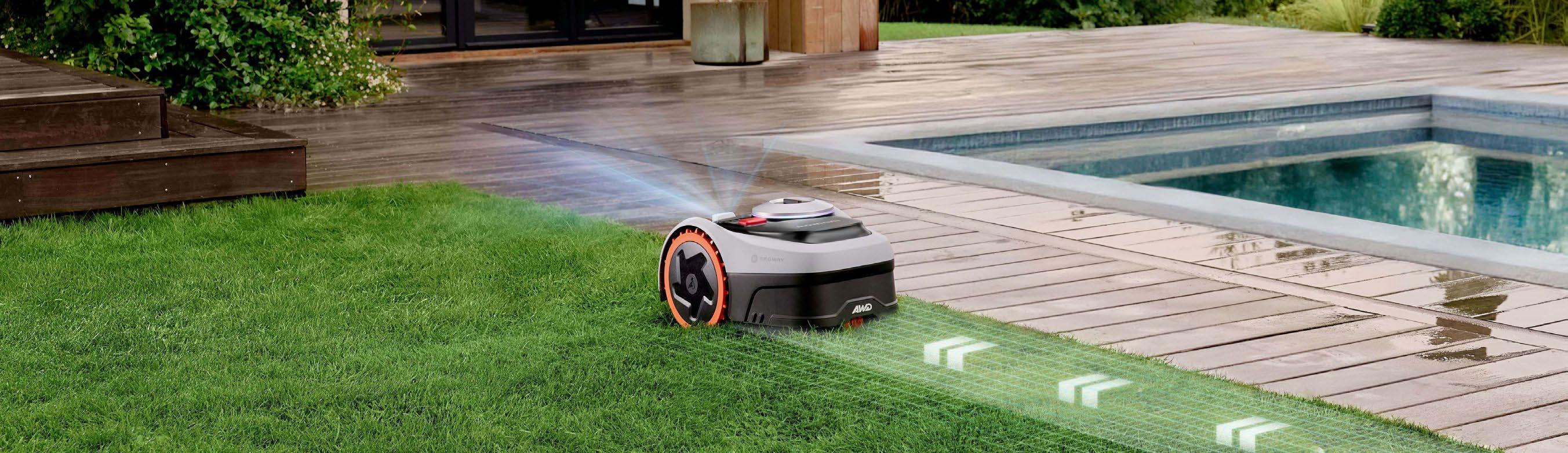
Why is there a robot lawn mower review in Residential Systems?!”
This is a category that has been around for decades, but has seen explosive growth over the past several years as technology for autonomous mapping and navigation and battery charging have improved and costs have dropped. And each year there seems to be a new crop of companies displaying at CES. (The same can be said for pool maintenance robots.) At this year’s show, 10 manufacturers showed models, but there are over 30 companies making robotic lawn mowers.
So, why cover robot lawn mowers here? Your customers likely expect you to be their technology expert, with an understanding of all things techrelated. At some point, one of them is likely to ask what you know about robot lawn mowers, and when that day comes, you’ll be ready to give an informed answer. Or maybe you own a house and have a yard and have thought about getting a robot for yourself. Also, Navimow says it is actively seeking new dealers, so you can inquire about selling these on their website as an added service to your customers.
Also, they’re just frickin’ cool. I’ve owned a robot mower for more than 10 years, so I am very familiar with the category. I was also really interested to see how the tech had evolved and improved in that time.
Navimow, a division of Segway — yes, the same Segway company that made Paul Blart’s preferred means of mall transport — seemed like a great company to start with. The company’s roots are in robotics and AI, and they started the Navimow robot lawn mower
division back in 2016, with its first mowers released in 2021. The company has now sold more than 1 million mowers. For 2026, the company introduced three new series, which include the two new models reviewed here: the X430 (designed specifically for the U.S. market) and the i2 LiDAR. At $2500 and $1600, respectively, these offer a good representation of the high- and mid-end of the robot mower market, as well as highlighting different mapping and navigation technologies.
My previous experience with robot mowing is with the MowBot, officially known as the Husqvarna AutoMower 450X. I loved MowBot and had very few problems with the mower itself. The biggest issue I had was with the thin wire used to mark its mowing boundaries. All told, it was over 500-feet in wire marking out all the edges and boundaries of where the mower could and couldn’t travel. One break or nick in this wire and the mower wouldn’t run. I spent hundreds of hours tracking down breaks — literally crawling along my yard on hands and knees with a toner looking for the issue — and repairing them and then trenching the wire back into place.
Then I started having some issues with the mower itself. First, the cell-module went out so the app and remote access stopped working. Then the mower bumped into something and lost a sensor, so it didn’t recognize when it was docked. Then the ultrasonic sensor stopped working so it couldn’t find its way back to the charging station. Then the power supply died and it would no longer charge up.
So, I bought an electric mower off Facebook Marketplace and went back to mowing the oldfashioned way, but MowBot just sat there — too expensive to abandon, but costly in time and money to get back running.
Then I heard from Navimow. Could this be the ultimate mowing solution I’d been looking for…?
When choosing a robot lawn mower, one of the biggest considerations is how much lawn you have to mow. The i2 is rated for up to 0.37 acres while the X430 can do up to one acre. (Navimow states that the map storage can hold up to 1.2 times the recommended mowing area, meaning 1.2 acres for the X430 and 0.444 for the i2.) So, if your yard requires mowing more than about half an acre, the i2 isn’t the right choice for you.
But maximum mowing coverage is really only a part of the story. At nearly twice the price, the X430 has a far more advanced four-wheel drive system with dual suspensions, making it better at navigating difficult or complex lawn layouts, can climb much steeper slopes (40 degrees versus 24), can pass over taller obstacles, offers a broader adjustment range of cutting heights, has more powerful motors, and can map more mowing zones, as well as a variety of other upgrades.
Another important difference is the technology used to navigate your yard. Robot lawn mowers come in two major categories: boundary-wire systems and wire-free. After suffering years of wire-fixing PTSD with MowBot, I wouldn’t use another boundary-wire system even if it were free.
X430
Rated for lawns up to 1 acre
Advanced four-wheel drive with dual suspensions capable of climbing slopes up to 40 degrees
Dual-disc mowing (12 blades total) powered by two 180-watt motors for 17-inch cutting width
Uses tri-frequency Network RTK and 360-degreee RGB camera for centimeter-level accuracy and detection of 200+ obstacles
12.8 Ah battery with 90-minute recharge time
0.22 acres per charge; 0.12 acres per hour
3-year warranty (2 years on battery)
Dimensions: 33.5 x 24 x 13.8 inches (LxWxH)
Weight: 63.71 pounds
Rated for lawns up to 0.37-acre
Two-rear-wheel drive capable of climbing slopes up to 24 degrees
Single-disc mowing (6 blades total) with 8.66-inch cutting width
Solid-state LiDAR and 140-degreee RGB camera provide 0.4-inch accuracy detection of 200+ obstacles
7.65 Ah battery with 130-minute recharge time
0.105 acres per charge; 0.0395 acres per hour
3-year warranty (2 years on battery)
Dimensions: 25 x 17.5 x 11.3 inches (LxWxH)
Weight: 32.4 pounds
As the name suggests, the i215 LiDAR uses a reliable solid-state EFLS (Exact Fusion Location System) LiDAR system, which scans approximately 200,000 points per second to build a precise view of your yard. It also uses a 140-degree RGB camera to assist in object detection and avoidance. It isn’t reliant on GPS or other signals to navigate, meaning it works well on lawns with heavy tree coverage, if the mower’s view of the open sky is otherwise
By John Sciacca
833-913-1131
No boundary wire! Auto-mapping and app edits simple to perform; mostly fulfills the promise of autonomous mowing; X430 is a beast!
Should include owner’s manual in the box; doesn’t pick up debris and you’ll likely still need to edge; i2 takes a long time to mow
blocked, or if there isn’t good satellite coverage.
The X430 uses NRTK (Network RealTime Kinematic) plus VIO (Vision-Inertial Odometry) for location and navigation, and a 360-degree panoramic RGB camera, plus ToF (Time-of-Flight) depth sensor for object detection and avoidance. RTK positioning is a GNSS (Global Navigation Satellite System) based technique that provides centimeter-level accuracy in real time by using correction data from a base station to eliminate satellite signal errors, and NRTK uses 4G cellular signals for stable network connectivity, along with tripleband, multi-mode GNSS that offers stronger resistance to interference and light tree cover than single-band systems.
There is an RTK coverage map on Navimow’s website so you can check specific coverage in your area. It covers a significant portion of the country, especially the eastern half. Also, you can check your actual satellite coverage and acquisition times in the app once the mower is installed. Navimow says access to the NRTK service is cost-free for life, with no subscription fees.
Both mowers and charging stations feature IP66 weather ratings (IP67 for the power supplies) and include a fantastic three-year warranty (two years on the battery). They also include the first year of cellular service, renewed at $32.90/year after.
Before buying, it’s important to know robotic mowers’ limitations. In nearly all cases, robot mowers won’t pick up anything they cut. That means that if you have pine cones, branches, leaves, pine needles, or actual grass clippings, they will all stay on the yard. (One notable exception is the Yarbo Lawn Mower, which offers add-on modules like trimmer, blower,
and even snow blower. However, the Yarbo system is quite expensive, and these modules often cost as much or more than the cost of other robot lawn mowers.)
There is a large magnolia tree in my front yard that drops a lot of big, thick leaves throughout the year. I mean, to the tune of like a 50-gallon trashcan worth every couple of weeks. Could the mower drive over these leaves? Sure. But the thick leaves would speed up the degradation of the cutting blades. There are also pine trees that drop needles and cones, so my pre-mowing routine always involves a pretty thorough yard rake.
Also, the mower’s cutting blades can only get so close to the edges of things — about two inches — so you’ll likely still need to occasionally mow around objects like mailboxes or fences. You’ll still need to edge the yard if you like that nice, sharp 90-degree cut on your borders. For me, I do a quick touch-up pass in these areas every few weeks.
The X430 arrived first, and right from the start it was obvious this thing was a beast and a significant technology step-up over my old Husqvarna. At 63.71 pounds, the X430 is a substantial piece of tech. It also looks so cool and rugged; kind of a combination between an F1 racer and the Batmobile Tumbler. The knobbed tires are all beefy and definitely look like they provide a ton of grip and traction, and the front wheels have enough room to freely spin for zerodegree turns. And the top, a 3.5-inch color LCD display is vibrant and easy to read with basic topmounted controls for operation without using the app. This is the robot lawn mower Bruce Wayne would own.
The i2’s design is very reminiscent of my old Husqvarna, with two big treaded rear tires and two small, free-spinning front wheels hidden under the chassis. And at 32.4 pounds, it is almost half the weight of the X430. The i2 also has a 2.4-inch color LCD screen and topmounted controls.
Flipping them over, you can see another major design difference. The X430 has two cutting discs with six blades each. These are offset where the blades will nearly touch in the center and reach to about 2 inches from the sides of the unit, providing a 17-inch cutting swath with each pass. The i2 has a single, centered cutting disc with six blades (double the amount of my Husqvarna), cutting 8.66 inches per pass. So, the X430 cuts twice as much on each pass. The X430 also has an anti-clogging cutting disc and

Vol. 27 No. 8 August 2026


FOLLOW US twitter.com/resisys facebook/resisys
CONTENT
MD, Content, AV Anthony Savona anthony.savona@futurenet.com
Contributors: Katye McGregor Bennett, Matt Bernath, Sam Cavitt, Henry Clifford, Dave Donald, Tim Fitzpatrick, Jason Griffing, Anthony Grimani, Karen Mitchell, Lisa Montgomery, Todd Anthony Puma, John Sciacca, Lisa Slayman, Gordon van Zuiden
Production Manager Heather Tatrow
Art Editors Matt Lochrie & Rosie Webber
ADVERTISING SALES
Managing Vice President of Sales, B2B Tech Adam Goldstein, adam.goldstein@futurenet.com 212-378-0465
SUBSCRIBER CUSTOMER SERVICE
To subscribe, change your address, or check on your current account status, go to residentialsystems.com and click on About Us, email futureplc@computerfulfillment.com, call 888-266-5828, or write Residential Systems, PO Box 254 Lowell MA 01853..
LICENSING/REPRINTS/PERMISSIONS
Residential Systems is available for licensing. Contact the Licensing team to discuss partnership opportunities. Head of Print Licensing: Rachel Shaw, licensing@futurenet.com
MANAGEMENT
SVP, MD, B2B Amanda Darman-Allen VP, Market Lead Carmel King MD, Content, AV Anthony Savona
VP, Global Head of Sales, B2B Dena Malouf
Managing VP of Sales, B2B Tech Adam Goldstein VP, Global Head of Strategy & Ops, B2B Allison Markert VP, Product & Marketing, B2B Andrew Buchholz Head of Production US & UK Mark Constance Head of Design, B2B Nicole Cobban FUTURE US, INC.
130 West 42nd Street7th Floor New York, NY 10036

a floating cut system to allow it to pass over uneven terrain without the dreaded scalping. Both units come with a docking/charging station and screws for securing it to the ground, power supply and extension cord, ground pegs for securing the cables, and replacement cutting blades and bolts. The X430 comes with a GNSS antenna and full ground installation kit should you need it. (I did not.)
The i2 comes with a blade low-cutting kit. Out of the box it is adjustable from 2-4 inches cutting height, but with the lowcutting kit installed this goes from 0.82.8 inches. For my centipede grass, which has a recommended cutting height of 1.51.75 inches, I installed the kit, which is a simple 10-minute process. The X430 has an adjustable cutting height of 0.75-4 inches.
One disappointment: the included startup guide. This is written in many languages, but it mostly offers just a single sentence that isn’t very helpful. Fortunately, there’s a very thorough online guide, but at these prices, that owner’s manual should be included in the box as a customer resource.
Both mowers use the Navimow app for setup and operation, and once the mower is powered on, you use the app to connect to it via Bluetooth and activate it. Granted, it is probably pretty uncommon for people to have two robot mowers, but the app makes it really simple to switch between them. And, no, I never had them try to mow at the same time to see what would happen.
Out of the gate, both mowers had quite a few software and firmware updates to perform. (And a few more in the months since.) Since these presumably improve performance and operation, I let them all run and update before proceeding.
There are a load of options and configurations you can make in the Navimow app. You can establish a mowing schedule so the mower will automatically mow on certain days and times, you can select from three different “work modes,” which determine how efficiently or slowly/precisely it will cut the lawn, you can set the global cutting height, choose whether to allow the mower to mow at night, turn traction control on/ off, enable Alexa or Google voice control, select how close it will mow to a lawn’s edges/ boundaries, get reports on how much it has mowed, see the time remaining on the blades and when the mower needs cleaning, set max and min battery charging limits, check
the latest firmware versions, and more.
There are also weather adaptive settings to determine what the mower will do if there is rain, snow, hot weather, frost, or strong winds, stopping or delaying a mow cycle until conditions improve. While the i2 uses internet weather updates for local weather, the X430 features a rain sensor to actually sense if and how hard it is raining.
Unique to the X430 is a satellite signal analyzer that shows how many satellites are visible to the RTK base station and mower and how reliable and stable that connection is.
With this bit of tech just sitting out in your yard, theft might be something you worry about, and fortunately both mowers also offer some nice anti-theft features.
Before you can mow for the first time — assuming the mower is sufficiently charged up — you need to map out your mowing areas, which is done under Map management in the app.
Starting out, you’ll want to create a Boundary, which defines the outer perimeter of the area you want to mow. To do this, you can choose Auto mapping (“ideal for defined and flat lawn edge”) or Manual mapping (“ideal for unclear or uneven lawn edge.”) The mower can’t know where your property ends and where your neighbor’s begins, so if you have a shared lawn area — or say your lawn was open out to a golf course or something — you’d want to go manual.
Manual mapping, or adding a Bio-life boundary (no-mow area), is done by driving the mower around using the app kind of like an RC car. You just walk behind it while you drive and steer and it creates a virtual boundary. You can also edit an existing mapped zone by drawing lines on the app.
The final step is choosing whether this will be a connected zone, where the mower can navigate freely from one zone to another, or an isolated zone, where the mower can’t get there on its own.
I was curious to see how the mowers would handle my lawn autonomously, so I let both mowers map in Auto mode. The X430 was more adventurous, driving pretty deep into a pine straw and tree waste area that is connected to my property but maintained by the community before getting back to the grass and eventually proceeding with driving around and mapping the border. There is also a pretty thick tree root that splits two sections of my yard, but both mowers discovered this obstacle and created maps that worked
around it, albeit with different “solutions.” They both did a great job finding the lawn edges, getting right up to the driveway and the streets bordering my corner lot. I have a section with small, solar lights just off the yard, and it seemed that the i2 actually mapped a bit closer to these without disturbing them.
When you’ve finished mapping the border, you can either map other areas (or “zones”), edit the area if needed, or start mowing. The X430 can store up to 120 different zones, while the i2 can manage up to 20.
Really, you can be from unboxing to mapping to mowing in under an hour. Other than the fact that the i2 arrived with about 50% battery and needed a host of firmware updates, the setup process is quick and simple.
As I said at the outset, one of the biggest determiners of which mower is right for you is lawn size. This not only determines how long the mower will take to cut an area, but how many times it might need to charge its battery to finish the job. Navimow rates the X430 at 15 hours of working time to cut an acre, and the i2 at 16 hours to mow 0.37 acres.
Putting this into the real world, my main lawn area is a little over 0.16 acres (7000 square feet) in mowing area. Beyond just the sheer size of the lawn, its shape, how many turns the mower has to make, and how many obstacles it needs to avoid will also affect the time it takes.
The X430 was able to mow this entire area on a single charge in about 110 minutes. This is partly due to its double-width cutting area, significantly larger battery (12.8 Ah versus 7.65 Ah), more powerful mowing motors, and faster mowing speed. While the i2 is rated to do 0.37 acres, it takes the better part of an entire day to mow my yard, which is less than half that size. It mows for about three hours, where it covers about 40% of the yard, comes back and charges up to 100% for two hours, then repeats. So, completing the entire mowing process takes the i2 three mowing and two charging cycles that add up to around 12 hours. Do I really care what it’s doing out there for 12 hours while I’m doing literally anything else? Not really. But it would be nice to start mowing at 9:00 AM or later and know that it would finish before dark. One solution would be to have the mower run overnight. The downside to this is that cutting isn’t as efficient on wet/dewy grass, and for safety reasons it doesn’t mow the borders after dark, and the obstacle avoidance isn’t as good. Also, if it got stuck, it would just stay there until
morning. From a noise standpoint, it would be a total non-issue as you can barely hear either mower working. The i2 is rated at 59 dB(A) and the X430 at 68 dB(A), which a neighbor would be hard-pressed to hear, even if they were outside.
I found my actual mowing times and efficiency hewed pretty closely to Navimow’s stated numbers. The X430 takes 90 minutes to get to a full charge, versus 130 minutes for the i2, with 110 minutes of mow time for the X430 versus 160 minutes for the i2. The X430 can mow 0.12 acres per hour, and 0.22 acres per charge, while the i2 does 0.0395 acres an hour, and 0.105 acres per charge.
My yard has three “islands” of trees and bushes with pine straw ground cover interspersed on it, and I let both Navimow mowers map without any initial customization to the auto-mapping. The X430 powered through my entire yard and never once got stuck. The i2, on the other hand, got stuck five times. The big rear wheels would just spin and spin in pine straw or soft dirt until it dug itself into a rut that it couldn’t get out of, or the small grocery-cart-style, non-powered front wheels wouldn’t be able to get purchase and I’d get an app notification that it was stuck and I’d have to help it back into the yard.
The solution was to set up Bio-life boundary areas in the app that marks these as no-go zones and keeps the mowers from entering areas that don’t even need mowing. I changed the i2’s mowing boundary so it wouldn’t go too close to a sloped drain in my yard where there is soft dirt.
Another great thing about not requiring the boundary wire is being able to mow areas not directly connected to your main lawn. For example, I have a side yard that is separated by my driveway and a backyard surrounding my pool, which is fenced off. With the Husqvarna, I had to have the boundary wire running across my driveway, but I quickly gave up on that because the additional troubleshooting required to find breaks in that side yard, and I never even considered running boundary wire around the backyard.
But in the Navimow app, you can create a Channel for the mowers to pass between areas. So, I created a virtual pathway behind the cars in our driveway where the mowers can pass back-and-forth between two mowing zones. For my backyard, I just carried the i2 — a real benefit of its significantly lighter weight! — and plunked it onto the grass and told it to map an isolated zone. It mapped and knocked out the small backyard section (780 square feet), taking only 18% of battery in under an hour.
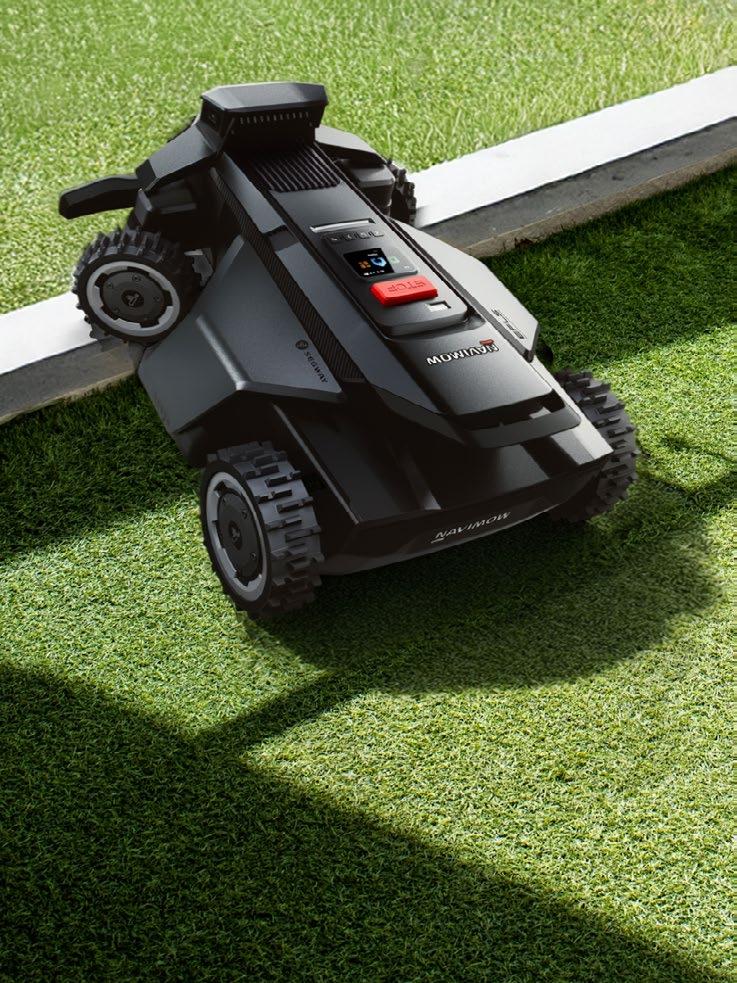
It also did a great job of avoiding my Six Five landscape light speakers, getting right up next to them, but never touching them or bothering the speaker wiring. Another huge added bonus? My electric mower tends to blow grass and dirt debris into my pool, creating another chore; the i2 kept all the clippings to itself.
Between the two, I think the i2 did a slightly better job of actually cutting the grass. Perhaps this was due to the fact that it drove/mowed more slowly, or made more passes over the lawn, but it would often cut everything, whereas sometimes the X430 would push down tall grasses and then drive over them without cutting. Also, the X430 seemed more prone to “seeing” tall stalks or weeds that would grow up and then avoiding them as obstacles.
The last thing to mention is obstacle avoidance. Navimow claims the mowers recognize 200-plus objects, so if you leave things in the yard, or have pets, the mower should avoid them. I found that they steered clear of a hose, sprinkler, mole trap, and raked pile of dirt/sticks. However, neither of the mowers recognized a pickleball as an obstacle. The i215 kind of pushed it around and out of the way, and the X430 drove right over the top of it and sliced it up.
These mowers come far closer to fulfilling the promise of true autonomous mowing. The X430 is a far better mower in virtually every metric, but that is what you should expect for nearly twice the price. The i2 LiDAR is certainly competent, and it’s a great choice for people with smaller and basic lawns that don’t care how long it takes to finish the job.
Emerald’s Jason McGraw offers a preview of what awaits integrators in Denver this September.
BY ANTHONY SAVONA
As the custom integration industry gears up for CEDIA Expo 2026, the last one in Denver at least for a few years, we speak with Jason McGraw, group vice president for Emerald, about what custom integrators can expect from this year’s event.
RESIDENTIAL SYSTEMS: Let’s talk about my favorite part of the show: the high-performance audio and home theater demo rooms. How is the show expanding these areas to give integrators an experience they can’t get on a website or a webinar?
JASON MCGRAW: That hands-on aspect is our biggest differentiator. You can do all the digital searching and AI-assisted pre-show planning you want, but the on-site experience cannot be replicated.
The demo rooms are a perfect example. Many of these environments feature multiple brands collaborating on complete, working turnkey systems. You are experiencing home theater and audio-video setups at full volume, with deep low-end frequencies and immersive surround sound. Manufacturers make significant investments to showcase their components in actual working applications. You aren’t going to find so many detailed, custom-built showrooms lined up in a row anywhere else. Between the show floor and in the meeting rooms, we’ll have 20-plus live demos. Last year, Seymour Screen had a million-dollar tiered theater that kept people queued up the entire show.
Workforce development and the shortage of skilled labor are massive topics right now. What is the show doing to help integration firms train the next generation?
CEDIA provides a wealth of training at the show, including workshops and certification classes for everyone from startups to executives. Because so much of this industry relies on on-the-job training, we highly encourage business owners to bring their staff. Bring your operational managers, but also bring your young, up-and-coming installers so they can get hands-on experience with the tools and techniques displayed in the booths. We also welcome students and continue to support diversity initiatives, such as Women in Consumer Technology’s annual luncheon and awards ceremony.
Let’s shift to technology. AI is the buzzword everywhere. How will it manifest at the show this year?
We have a major push for AI this year. We’ve partnered with IMCCA to host their AI Lab featuring the “AI Chefs,” Kevin Keeler and David Maldow, who are running hands-on workshop sessions directly on the show floor. They will have computer stations set up to train integrators on how to

leverage AI software to increase productivity and efficiency in their dayto-day business operations.
Beyond business tools, AI is proliferating across products. Control platforms like URC’s Automation Engine are getting smarter, and project management and bidding platforms like D-Tools and Jetbuilt are becoming heavily AI-powered. We are also seeing it dominate security systems via advanced facial and pattern recognition. You can’t bury your head in the sand; you have to keep abreast of this wave.
What programs do you have in place to bring architects, builders, and interior designers into the fold?
We are continuing our partnership with Technology Designer’s “Day of Discovery” program. This offers a curated experience for builders, designers, and architects to learn about smart technology and, crucially, how to partner with an integrator. CEDIA also has a Design-Build track in their education program. We also have curated show floor tours and a dedicated luncheon on Thursday for design professionals.
Integrators are generally very generous about sharing business advice and troubleshooting tips with peers from different markets. What networking opportunities should they look out for?
Networking is easily the number two reason people attend, after seeing new products. We have the CE Pro All-Star Band opening party on the first night, the CEDIA member reception, and the Destination Outdoors space sponsored by Coastal Source. New for Friday night, we are introducing an official Bar Crawl hitting several local downtown spots.
We also have a formal matchmaking tool built into our mobile app so attendees and manufacturers can schedule specific meetings at the show, though a lot of interactions are pure serendipity.
What is your best advice for finding the hidden gems on the floor?
Leave yourself dedicated time to explore the “back nine” of the show floor. Once you visit the massive anchor booths, use the show mobile app to search our exhibitor product directory, which lists more than 50 new exhibitors. The Launchpad area is specifically designed for new-to-market companies. In fact, Josh.ai started in that exact pavilion years ago. If you only concentrate on your primary vendor lines, you miss out on the simple, clever tools or cable management solutions that solve daily installation headaches. Look for where the crowds are gathering around a small booth — that’s usually where the unexpected “surprise and delight” happens. For more information and to register, visit cediaexpo.com.