VOLUME 39 / NUMBER 7
TECHLEARNING.COM
IDEAS AND TOOLS FOR ED TECH LEADERS
I
MARCH 2019
I
$6
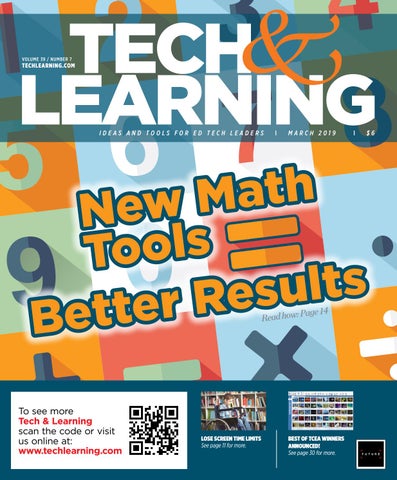
h t a M w Ne s l o To s t l u s e R r e t Bet Page 14 : w o h d a e R
To see more Tech & Learning scan the code or visit us online at: www.techlearning.com
LOSE SCREEN TIME LIMITS See page 11 for more.
BEST OF TCEA WINNERS ANNOUNCED! See page 30 for more.
M
A
R
C
H
2
0
1 9
|
V
O
L
.
3
9
N
O
.
7
CONTENTS FEATURES
14
NEW MATH TOOLS AND BEST PRACTICES ADD UP TO POSITIVE RESULTS
By Tara Smith New research-based edtech tools and sound instructional practices are helping to equip students for success in math class and for future success in solving the world’s problems.
28 23
20
CHANGING PEDAGOGY—SUPPORTING TEACHERS IN NEW WAYS WITH TECHNOLOGY
By Annie Galvin Teich Forward-thinking schools are using technology to change how teachers and students interact and work together as well as to help students take more responsibility for their own learning. At the recent Tech & Learning Leadership Summit in Phoenix, a group of education leaders discussed how they are preparing students for success in a technological world of innovation.
30
PRODUCTS
26 THE LATEST AND GREATEST AT TOY FAIR?
Here are highlights of the popular 2019 Toy Fair in New York from Tech & Learning’s sister Future publication, TWICE. Read their full reporting of the event at www.twice.com.
28 2018 AWARD OF EXCELLENCE GRAND PRIZE WINNERS
T&L’s advisors spent countless hours reviewing nominations, researching, and applying their expertise to select 10 finalists in each of three categories: best use of edtech in the classroom, school, and district.
36
30 2019 BEST OF SHOW AT TCEA AND WHAT’S NEW New Tools for Schools and the Best of TCEA
26
DEPARTMENTS & COLUMNS 4 EDITOR’S NOTE These are the champions 6
Scan here to access the digital edition, which includes additional resources.
TRENDING
11 BIG IDEAS • No need for screen-time restrictions • 10 Tips for Turning Ideas into Action
Tech & Learning (ISSN-1053-6728) (USPS 695-590) is published monthly (except July and December) by Future US, Inc., 11 West 42nd Street, 15th Floor, New York, NY 10036-8002 POSTMASTER: Send address changes to Tech & Learning, PO Box 8746, Lowell, MA 01853 Periodicals Postage Paid at New York, NY, and additional mailing offices.
WWW.TECHLEARNING.COM
| M A R C H 2 01 9
|
3
EDITOR’S
note MARCH 2019
|
VOL. 39 NO. 7
www.techlearning.com
THESE ARE THE CHAMPIONS
T
4
| M A R C H 2 019
| WWW.TECHLEARNING.COM
CONTENT Managing Content Director Kevin Hogan
kevin.hogan@futurenet.com Content Director Christine Weiser, christine.weiser@futurenet.com Advisors Carl Hooker, Andrew Wallace, Marianthe Williams, Steve Baule, Jean Tower, Hank Thiele, Jenith Mishne, Frank Pileiro, Patricia Brown, Phil Hintz, Ken Wallace, Rick Cave, Chris Aviles, Diane Doersh,
o win a Tech & Learning Award of Excellence (AOE) isn’t just a badge of participation. It is an endorsement that your product or service meets the standards of the most innovative edtech educators working in classrooms today. Since 1982, T&L has sought out and celebrated the best in education technology through the AOE. It used to be a simple review of speeds and feeds. Going forward, it’s not that easy. We want to know about how a product or service improves teaching and learning through hearing from those who have been using it. Tech & Learning editors and advisors selected 10 finalists in three categories—Best use of edtech in a classroom, school, or district—and then did the hard work of selecting the grand prize winners. • In the category of Classroom, the award goes to: MERGE Cube • In the category of School, the award goes to: zSpace AR/VR Laptop • In the category of District, the award goes to: HoverCam Pilot 3 Go to page 28 to dig into the details of how and why these products were selected. Also, be sure to check our TO WIN A TECH & webcast with some of our great advisors that took their LEARNING AWARD time, expertise, and energy to pick the winners here (https://bit.ly/2Sd79Ml). OF EXCELLENCE Want a sneak peak into other advisor-endorsed ISN’T JUST A BADGE products? Take a look at the Best of TCEA honorees on OF PARTICIPATION. IT page 32. IS AN ENDORSEMENT Congratulations to all of the winners and we look THAT YOUR forward to seeing what’s in store for next year!
— Kevin Hogan Managing Director, Content kevin.hogan@futurenet.com
FOLLOW US
twitter.com/techlearning
PRODUCT OR SERVICE MEETS THE STANDARDS OF THE MOST INNOVATIVE EDTECH EDUCATORS WORKING IN CLASSROOMS TODAY.
Mike Jamerson, Rico D’Amore, Todd Dugan, Grace Magley, Andrew Marcinek, John Marcus, Laura Chesson, Jon Castelhano, Karen Fuller
Production Manager Fred Vega, fred.vega@futurenet.com Managing Design Director Nicole Cobban
Senior Design Director Lisa McIntosh ADVERTISING SALES Brand Expert Allison Knapp, allison.knapp@futurenet.com Business Solutions Manager Katrina Frazer, katrina.frazer@futurenet.com SUBSCRIBER CUSTOMER SERVICE To subscribe, change your address, or check on your current account status, go to www.techlearning.com and click on About Us, email futureplc@computerfulfillment.com, call 888-266-5828, or write P.O. Box 8692, Lowell, MA 01853. LICENSING/REPRINTS/PERMISSIONS Tech & Learning is available for licensing. Contact the Licensing team to discuss partnership opportunities. Head of Print Licensing Rachel Shaw licensing@futurenet.com MANAGEMENT Managing Director/Senior Vice President Christine Shaw Chief Revenue Officer Luke Edson Chief Content Officer Joe Territo Chief Marketing Officer Wendy Lissau Head of Production US & UK Mark Constance FUTURE US, INC. 11 West 42nd Street, 15th Floor, New York, NY 10036
All contents © 2019 Future US, Inc. or published under licence. All rights reserved. No part of this magazine may be used, stored, transmitted or reproduced in any way without the prior written permission of the publisher. Future Publishing Limited (company number 2008885) is registered in England and Wales. Registered office: Quay House, The Ambury, Bath BA1 1UA. All information contained in this publication is for information only and is, as far as we are aware, correct at the time of going to press. Future cannot accept any responsibility for errors or inaccuracies in such information. You are advised to contact manufacturers and retailers directly with regard to the price of products/ services referred to in this publication. Apps and websites mentioned in this publication are not under our control. We are not responsible for their contents or any other changes or updates to them. This magazine is fully independent and not affiliated in any way with the companies mentioned herein. If you submit material to us, you warrant that you own the material and/or have the necessary rights/permissions to supply the material and you automatically grant Future and its licensees a licence to publish your submission in whole or in part in any/all issues and/or editions of publications, in any format published worldwide and on associated websites, social media channels and associated products. Any material you submit is sent at your own risk and, although every care is taken, neither Future nor its employees, agents, subcontractors or licensees shall be liable for loss or damage. We assume all unsolicited material is for publication unless otherwise stated, and reserve the right to edit, amend, adapt all submissions.
NEWS TRENDING ANDTRENDS THE LATEST NEWS & STATS AFFECTING THE K-12 EDTECH COMMUNITY
top10 WEB STORIES
From techlearning.com
1 2
3
4
5
Computational Thinking: Part 2 Over 50 resources to teach CT across the entire curriculum
6
ISTE and Discovery Education
Launch New Partnership ISTE members are now eligible to receive access to STEM Connect, Discovery Education’s newest digital service
How to Connect with More
Families on Facebook More and more educators and schools are using Facebook to connect with families. However, they might not be connecting with as many families as possible if they are not ensuring they are posting inclusive content.
7
8
DIY Professional
Learning Part 2 Design your own DIY (DoIt-Yourself) learning that leads to edtech, coding, and makerspace certificates.
Class Tech Tips: Creative
Teacher Projects for Every Classroom Whether you want to create newsletters or classroom posters, the possibilities are truly endless.
9 10
7 Geography Tools that Mess
with Your Head. Cause that’s a Good Thing The sad thing is that much of what we call geography instruction fails to make these emotional connections. The result? Our kids don’t remember basic geographic info or make the connections between place, people, and events.
| M A R C H 2 019
| WWW.TECHLEARNING.COM
This is my new favorite example to help people understand the truth about screen time: not all screen time is created equally. —Chris Aviles So what’s the bacon of social studies? That one thing that goes better with everything and is so delicious that you really need to find a way to integrate it into your classroom? The answer is simple. iCivics, of course. —Glenn Wiebe As you visit the exhibition hall, beware of the vendor call. They may lure you in with a free stylus or t-shirt, but don’t waste their time unless you are truly interested. Unless they are giving away free chocolate. —Carl Hooker
Next-Gen Literacy
As the traditional definition of literacy expands and deepens, today’s students are learning new ways to communicate and collaborate.
TOP TWEETS
Sparking Curiosity in the
Humanities: Data Visualization By finding a visualization, downloading it, removing specific information (titles, legends, keys, etc.) and displaying it to students, questions emerge.
From Consumers to Producers Help kids make screen time meaningful.
Top 50 Math Sites and Apps
Mobile learning and BYOD (bring your own device) is making it easier for students to learn math.
F I N D L I N K S AT W W W.T EC H L E A R N I N G .CO M
6
BLOG BITS
@Catlin_Tucker: Ask Yourself, Why Am I Grading This? @msmarshbank: Student in Aug: I HATE reading. Student in Feb: Can you read your book faster? I want to read it next. I honestly thought this kid was too far “gone.” I couldn’t be a happier teacher right now. P. S. If he wasn’t too far gone from reading, your student isn’t. #whyiteach
TRENDING
HURDLES TO K-12 TECHNOLOGY INNOVATION Driving K–12 Innovation is a new series of reports from CoSN that provides insights into the thoughtful, intentional use of technology for today’s learners. The first report, Hurdles, highlights significant organizational and human capacity challenges that force educators to prepare themselves with knowledge, tools, and practice to make the leap to innovation. Highlights include:
1. Scaling and sustaining innovation: Moving
innovation from a few classrooms to system-wide requires identifying effective practices and scaling them. Digital equity: Equitable access to broadband connectivity, digital tools, and content is a growing concern. Gap between technology and pedagogy: Technology puts pressure on educators to refresh their approaches to teaching and learning. Technology without professional development results in lost opportunities for learning. Ongoing professional development: Personalized, job-embedded professional development supports teachers in their lifelong learning and further develops their professional skills. Technology and the future of work: New gamechanging technologies such as AI and robotics are altering the way people think, live, and work. Students must understand how to live ethically and responsibly in the digital world.
2. 3.
4. 5.
Source: CoSN
SITE OF THE DAY ANNENBERG LEARNER: INTERACTIVE PERIODIC TABLE OF THE ELEMENTS This site teaches the Periodic Table of Elements through orbitals, element types, electronegativity, melting and boiling points, and percent of the Earth’s crust.
8
| M A R C H 2 019
| WWW.TECHLEARNING.COM
TRENDING
NATIONAL SURVEY FINDS NEARLY 1 IN 3 TEENS ARE BORED ‘MOST OR ALL OF THE TIME’ IN SCHOOL, AND MAJORITY REPORT HIGH LEVELS OF STRESS
SOURCE: RESPECTED: PERSPECTIVES OF YOUTH ON HIGH SCHOOL & SOCIAL AND EMOTIONAL LEARNING, A REPORT FOR CASEL
F O R M O R E G O TO W W W.T EC H L E A R N I N G .CO M
E-RATE FUNDING: RECORD $370M RECEIVED FOR FY18 BY DEC There is a strong correlation between funding commitment dates and the utilization of E-rate funds. A faster funding commitment decision means students and library patrons will receive the benefit of E-rate services more quickly. The record $370.3 million funding year 2018 disbursements authorized by the USAC last spring resulted in a record number of 10,663 applicants received their funding commitment letters, started receiving services, and received their E-rate discounts by December 31, 2018. SOURCE: FUNDS FOR LEARNING
FY2018 Funds Disbursed First Six Months of FY2018 Applicant Count
Funds Disbursed
Category One
8,846
$198,347,116
Category Two
3,732
$171,927,247
Service Type
Overall/Total
10,663 $370,274,363
©Copyright Funds for Learning® Source: E-rate Manager® (January 3, 2019)
THINKSTOCK/ANASTASIIA_NEW
WWW.TECHLEARNING.COM
| M A R C H 2 01 9
|
9
TRENDING
APPS OF THE DAY FROM TECHLEARNING.COM
PROFESSIONAL LEARNING By Andrea Tejedor and Sheri McNair
App of the Day picks are selected from the top edtech tools reviewed by Common Sense Education.
CREATING AND CODING
This second installment on design your own DIY (Do-It-Yourself) learning presents three DIY learning opportunities for best practice in edtech and coding.
EDTECH TOOLS AND RESOURCES Epic E-Books Certified Educator [FREE] https://www.getepic.com/educators Epic has over 25,000 ebooks, learning videos, and quizzes for K–5 students that are all free for educators to use. With Epic, teachers can: create collections; assign those collections to students to read; import class rosters from Google Classroom. Students and classes can earn badges in Epic, and a teacher can receive a digital badge for becoming an Epic Certified Educator by completing a series of simple activities such as reading a book, logging in students, assigning reading, and creating quizzes.
Vidcode Creative Coding Certified Educator [FREE] https://about.vidcode.com/ professional-development-course Vidcode is a Web-based platform that teaches JavaScript coding through media creation for students in grades 3–12. Teachers can become Certified Educators by completing four hours of videos and activities related to creative coding and sharing their experience at a conference or in-school workshop. Teachers receive a digital badge, a certificate that they can use to apply for PD credit at their school, and access to a community of certified Vidcode educators.
Explore Vast Library of Standards-Aligned Digital Resources
PBS Learning Media presents thousands of rich, classroom-ready, free digital resources for students and teachers in a wide range of subjects.
PEDAGOGY AND BEST PRACTICE Nearpod Certified Educator [FREE] https://nearpod.com/certified-educator Nearpod is an interactive lesson delivery platform for active student engagement. Becoming a Nearpod Certified Educator involves a three-step process: attending a training (live webinar, self-paced webinar, or in-person); creating a lesson; and launching it to at least 15 students. The benefits include access to a closed Facebook group for collaboration. In addition, Certified Educators receive upgraded access and support and the opportunity to become a Nearpod Leader.
Cell and Cell Structure App an Impressive Guide to Basis of Life
This interactive and visually stunning reference tool with tons of information takes kids on a journey to learn about cells.
F O R M O R E G O TO W W W.T E C H L E A R N I N G .CO M
GEN Z (AGES 16 – 23) CARES ABOUT DATA SECURITY, BUT IS UNSURE HOW TO ADDRESS IT 73% rank data security as a high priority 31% say they are doing everything they can to protect their data 95% are careful about what they post to social media because it could impact their career
Source: Dell Technologies
10
| MA R C H 2 019
| WWW.TECHLEARNING.COM
Vocabulary App Supports Practice, Understanding
Music, cool characters, and hip games keep students interested as they learn words they’ll actually use in everyday conversation.
BIG IDEAS
Unfortunately, the AAP has not acknowledged the value of screens to support those with disabilities. They consider only things you do on screens and things you do without screens, failing to recognize the ways screens are being integrated into the lives of so many.
GETTY IMAGES/WAVEBREAKMEDIA
INVISIBLY ABLED
Innovative Educators Don’t Recommend Screen-Time Limits By Lisa Nielsen
W
hat recommendations should we be giving parents and youth when it comes to screen time? In the past, limiting some types of screen time made sense. The American Pediatric Association (AAP) made recommendations on limiting screen based on research around passive television viewing and violent video games. But in 2015, Dimitri Christakis, AAP Council on Communication and Media member, revealed that the research that led to those recommendations was conducted before anyone knew the iPad, or similar interactive screen devices, existed. Since screens have become more than just devices to take in information passively, he indicated that the AAP needed to reconsider their advice. A year later, the AAP updated their views, saying that families should do away with hardand-fast restrictions on screen time. Instead, there should be joint media engagement, awareness,
guidance, and conversations about healthy, productive, and/or educational screen use. In his book “The New Childhood,” Jordan Shapiro agrees. He lays out clear recommendations on healthy and productive ways adults can spend more screen time with young people to prepare them for the digital world in which they live. And screens are not just for learning. Screens are our books. They allow us to code and create and see math problems visually. Screens enable us to interact, engage, communicate, and collaborate across geographic boundaries. But that’s just the start.
ASSISTING THOSE WITH DISABILITIES At any given time, around 15–20 percent of the population will have a disability, whether permanent or temporary—from a broken bone to vision or hearing loss, age-related cognitive impairment, or an undiagnosed learning condition like dysgraphia or Asperger’s. Because technology can help with all of these conditions, we must think differently about screen time.
Screens are also helping those with invisible disabilities like dyslexia, through tools like Immersive Reader and speech to text. There are accessibility features for those who are color blind or prone to seizures. Translation technology can translate and read text aloud. Screen technology can unleash anyone’s ability to learn or create in new ways, and screens are a lifeline and learning line in ways we never realized possible in the past. When it comes to screen time, there’s not one answer. It depends on the individual, what they’re doing, and how. Instead of talking about screen time, we can switch our conversation to what a healthy media diet looks like for each individual. Common Sense Education has an entire media balance toolbox to guide you.
AT ANY GIVEN TIME, AROUND 15–20 PERCENT OF THE POPULATION WILL HAVE A DISABILITY, WHETHER PERMANENT OR TEMPORARY. BECAUSE TECHNOLOGY CAN HELP WITH ALL OF THESE CONDITIONS, WE MUST THINK DIFFERENTLY ABOUT SCREEN TIME. Lisa Nielsen (@InnovativeEdu) has worked as a public-school educator and administrator since 1997. She is a prolific writer best known for her award-winning blog, The Innovative Educator. To see videos and find out more about how screens can transform lives, go to: https://www. techlearning.com/news/innovative-educatorsdont-recommend-screen-time-limits
WWW.TECHLEARNING.COM
| M A R C H 2 01 9
|
11
BIG IDEAS
10 TIPS FOR TURNING 3
1 Reflect
2
Ask: Is the Idea Realistic?
C
onference presentations, networking, and notebooks filled with innovative next steps—oh, my! At the Future of Education Technology Conference (FETC) in Orlando in January, we were excited to see some great presentations, awesome keynotes, and student showcases, and we also met some new educators to add to our PLCs. But how do we keep that momentum moving forward? Here are ten strategies for implementing new ideas and for sharing your learning with others who weren’t able to attend.
1. REFLECT It’s important to take time to reflect before jumping into new ideas or strategies. Three days full of speakers and breakout learning at
12
| M A R C H 2 019
FETC gave everyone a lot to soak in. Even with a Google doc filled with every note your fingers could type, there’s no way to remember it all. Collect your notes, set aside time to revisit them, and identify some specific action items.
2. DRAFT A PLAN Give yourself a week to draft out a plan to implement any new learning. As tempting as it might be to put things into practice right away, mapping out a plan is often the most effective strategy. Most educators collect new strategies and innovative ideas but then relegate time to do this reflective thinking to the bottom of their to-do lists. Conferences like FETC can help you to re-evaluate your work, lessons, and instruction.
3. ASK: IS THE IDEA REALISTIC? Unrealistic ideas, goals, and strategies are almost worse than
| WWW.TECHLEARNING.COM
4
Make the Idea Yours
Set Aside Time to Play
Draft a Plan
By Matthew X. Joseph and Rae Hughart
5
not having any at all. Just because students in some classes blog twice daily to generate more learning doesn’t mean you can implement the same idea when you don’t have the environment or tools to do that. If it is a realistic goal or idea, set your plan in motion. If it seems too far out of reach, set a goal to further brainstorm ideas three months from now for making this unrealistic goal a realistic dream. Sometimes it’s just not the right time, but that doesn’t mean it’s not an option for the future.
4. SET ASIDE TIME TO PLAY The implementation of new ideas is only as good as your ability to understand what impact a change would make. Try out two new resources or tools a week that you didn’t know about before the conference. Make a list of all the tools you want to try and set aside a few
minutes a week to play with the new technology. Do your research, explore the data, connect with other users, and brainstorm each tool’s possible uses.
5. MAKE THE IDEA YOURS Tailor any new strategies to fit your style. The implementation will not be believable and sustainable if you repeat a speaker’s message, as valuable as it may have been, without making the idea your own. Take the idea and combine it with your teaching strengths and your students. Only then will it have an impact.
6. REVIEW WHAT’S RELEVANT Look through your notes and identify which elements of each session are applicable and relevant to your school or classroom. Although there are always tons of great ideas,
BIG IDEAS
IDEAS INTO ACTION 7 Review What’s Relevant
vendors, tools, and strategies, if they don’t fit your current culture or teaching style they’re not going to be relevant to your learners. Unsure where to begin in assessing an idea’s relevance? Consider your goals for the year. Does this idea or tool support your mission to reach that goal? If the answer is “yes,” go for it. If the answer is “not quite,” place the idea off to the side for now. It’s important to stay focused on achieving your initial goals first. Once you reach those, you can set new goals. If you’re nervous you’ll forget about this awesome tool or idea, Set a calendar reminder for six months from now with your notes and web tools linked. It doesn’t need to be goodbye forever—just “see you later.”
7. CONNECT YOUR LEARNING TO OTHERS As you review your notes, you may discover tools that would benefit
9 8
Book Study
10 Reach Out to Speakers
Twitter Chats
other colleagues. Don’t keep them to yourself. Share your notes and links with that educator. Although you may not be in a position to make this knowledge purposeful, someone else may be able to make the idea blossom.
8. TWITTER CHATS Find chats with common interests and discuss these topics and trends from the conference. Allow the conference topics to be a starting point or stimulus for taking things further, rather than an ending point. If you’re unsure how to find the right chat, tweet it out. Share your desired topic hunt in a quick tweet and ask your #PLN what twitter chats are right for you. Don’t forget to tag Matthew X. Joseph (@MatthewXJoseph) and Rae Hughart (@RaeHughart) in your tweet so we can share your question too. That’s what a network is for.
GETTY IMAGES/ASS29
6
Connect Your Learning to Others
9. BOOK STUDY Many speakers at conferences like FETC have either written books themselves or suggest books for further reading during their presentations. They’re also able to recommend books in their area of expertise if asked to do so. Select one text and talk it up in your school. You may be able to find a small group to start a book study and dive more deeply into the book together. This is a wonderful opportunity to bounce your ideas off trusted colleagues.
10. REACH OUT TO SPEAKERS
Dr. Matthew X. Joseph and Rae Hughart
The speakers and panelists at any conference are likely key experts in your field and also very open to share. Don’t be afraid to ask these presenters questions via email or social media. Twitter, Instagram, Facebook, and Voxer can be great avenues to connect with your favorite presenters and learn more.
Dr. Matthew X. Joseph (@ MatthewXJoseph) is Director of Digital Learning and Innovation for Milford Public School, Milford, MA. Rae Hughart (@RaeHughart) is a Middle Level Math Educator in Illinois and the Director of Training & Development for Progressive Mastery Learning, LLC.
WWW.TECHLEARNING.COM
| M A R C H 2 01 9
|
13
New Math Tools and Best Practices Add Up to Positive Results By Tara Smith Visual models, multiple approaches, and an element of fun are important ingredients for building the strong foundation of conceptual understanding in math that’s a prerequisite for all further study. As all educators know, students who miss a building block at any point along the way will struggle until they somehow get back to filling in that skill. New research-based edtech tools and sound instructional practices are helping to equip students for success in math class and for future success in solving the world’s problems.
THE POWER OF “SEEING” MATH Meagan Erwin teaches third grade at Gables Elementary in Columbus (OH) City Schools, a large urban district with a high ELL population. Part of the impetus to use more technology in the classroom, Erwin says, was the switch to online state testing in Ohio. “The kids need computer skills to show their math skills,” she says. When the district received a grant to invest in edtech, they needed to find a meaningful and intuitive solution. “We have students from refugee camps and other parts of the world who have limited or no English and who have never touched a computer,” Erwin says. They chose ST (Spatial-Temporal) Math, developed by MIND Research Institute, which features an engaging platform with simple graphics. The uncluttered screen, Erwin says, frees the students’ brains to focus on math. When Erwin saw what the students were
14
| MA R C H 2 019
| WWW.TECHLEARNING.COM
doing in lab time one day, she put the puzzle on the smartboard so they could solve it together as a class. “It changed the way I taught,” she says. “It’s a visual way of looking at math. It’s engaging and hits different skills and learning styles.” Her students use blocks, counters, paper and pencil, and their classmates in the processes of problem solving as well.
MANY PATHS TO ONE ANSWER Erwin also uses Number Talks, from the book by Sherry Parrish, to help students practice solving mental problems. “They’re learning that there are lots of ways to solve a problem,” Erwin says. “There may be only one answer, but there are different ways to get there.” Developing these critical thinking skills and conceptual understanding are
especially helpful for third graders as they begin to look at concepts like fractions. In addition to building conceptual understanding through visuals, ST Math harnesses the power of a character—and children’s love for animals. As JiJi the penguin rides a unicycle of shaded circles, and parts of circles, across the number line, for example, the circles stretch across the number line and students who have been struggling to relate “fraction pies” to numbers experience an “aha” moment. Erwin appreciates the flexibility to be able to
Third-grade students at Gables Elementary engage in problem solving using ST Math.
directions and very few words. Students get on to the program and follow it intuitively. While this is helpful for all students, it’s particularly powerful for students who struggle with reading and for ELLs. Erwin gives the example of a little girl who arrived in her class from a refugee camp. She’d never been to school and hadn’t learned to read or write. “She latched onto ST Math,” Erwin says. “It was the only time she looked and acted like the other students. She learned and was engaged and it was the best 30 minutes of her day.” No one else knew what level she was on, and it didn’t matter. Today, she’s thriving in fourth grade.
GETTY IMAGES/ANKUDI
CLOSING THE GAP
move the program so that all students can work on a particular topic, after which it brings each student back to where they were as they work independently. She also has the ability to move students down a grade level for intervention or slide them into the next if they’re ready. ST Math records daily progress in terms of the time students spend on the program and the number of problems they solve. “It’s not competitive,” Erwin says, “but it’s motivating for them to see how hard they worked.”
Farmington (MI) Public Schools is in a suburb of Detroit and serves a diverse population of over 10,000 students. At the middle-school level, the district had been supporting their certified special education students with coteaching to work on their IEP goals, says teacher consultant Kim Marquette. While the students were passing math, they weren’t closing the skills gap or holding onto learning—and therefore they weren’t exiting from special ed. Four years ago, the district formed a committee to consider other solutions. They chose TransMath from Voyager Sopris Learning because it aligns to the Common Core and has a computer practice component to supplement instruction. They also appreciated the embedded training that supports all teachers to be successful in teaching these foundational skills. “The data management features and the benchmarking tool are particularly helpful,” Marquette says, “as they enable us to track
progress. Some nice tech features are built in as well, including videos, digital manipulatives, and a toolbox for teachers.”
PHENOMENAL GROWTH After the first year of implementation, the district saw phenomenal growth, with over 80 percent of the students showing a year or more of growth. Part of that bump, Marquette says, was probably due to focused work on lagging skills in math prior to implementation, but each year since the district has continued to see about 50 percent of students exceed a year’s growth. “Middle-school students are difficult to assess,” Marquette says, “as their solid day-today classwork is not always reflected in their performance on high-stakes tests.” Using TransMath, students continue to learn grade-level content while shoring up their basic skills. The goal is to move from concept to fluency to proficiency. “We’ve been able to decertify more kids than we ever have,” Marquette says, “and that’s exciting.” The school board is pleased with the results, and they’re also pleased with the high percentage of students using TransMath who are in the high growth quadrant on NWEA MAP testing. This growth is accelerated by the fact that the kids are engaged, participating, and proud of their progress. One young man with a severe reading disability that impacts both his learning and confidence has grown in math year to year beyond expectations, Marquette says. His continued and sustained growth means that “he’ll be just fine in high school—if he’s not out of special ed entirely, at least he won’t need special ed assistance in math.”
BREAKING DOWN LANGUAGE BARRIERS Although Erwin says the district is seeing a strong correlation between students using ST Math and higher MAP scores, part of its value is making bridges for students between what they’re learning and the questions they’ll see on online tests, which offer no context. Even for students who are comfortable with technology, the switch from pencil and paper to online testing requires some adjustment. Third graders tend to click through online tests, so she encourages them to use thinking paper, their hundreds charts, and other tools so that they’re working to find the answers. One of the things Erwin loves best about ST Math, though, is that there are no written
Middle-school students in the special education program at Farmington Public Schools learn using TransMath.
WWW.TECHLEARNING.COM
| M A R C H 2 01 9
|
15
NEW MATH TOOLS AUSTIN INDEPENDENT SCHOOL DISTRICT ADOPTS DREAMBOX LEARNING® ADAPTIVE MATH PLATFORM DreamBox Learning® has announced a five-year agreement with the Austin Independent School District to deliver its adaptive online K–8 math platform to every elementary and middle school in the district. The partnership means that thousands of students across 83 elementary and 18 middle schools will have access to software that adapts to their ability and comprehension in real time, both during and between lessons. For teachers, DreamBox provides ways to personalize lessons, monitor student growth, and receive job-embedded professional development. Austin ISD completed a six-month pilot of DreamBox before deciding to implement the platform across the district. Results from the pilot showed that students who completed an average of 153 lessons over 19 weeks experienced 82 percent growth. These results are in line with an earlier study from Harvard University conducted by the Center for Education Policy Research (CEPR) that demonstrated students who spent more time on DreamBox saw larger gains in achievement. DreamBox offers lessons in both English and Spanish and the ability to switch easily between them.
16
| MA R C H 2 019
| WWW.TECHLEARNING.COM
NY HIGH-SCHOOL DISTRICT USES IPADS AND A GRAPHING CALCULATOR APP TO FOSTER DIGITAL EQUITY At Sewanhaka (NY) Central High School District, over 250 students were able to use iPads for the first time to complete their Algebra I, Geometry, and Algebra II Regents New York State exam. A year-long partnership with Jamf, which manages over 9,500 iPads for the district, and GeoGebra, which makes a graphing calculator app that’s included on each iPad, made this initiative possible. For the test, the iPads had to be locked into exam mode to restrict all iPad capacities beyond its graphing calculator functions. This was achieved by implementing Jamf’s Single App Mode feature, as well as additional restrictions to protect the integrity of the exam. “Sewanhaka is always looking for ways to break down any barriers for our students and provie them with the best resources available for success,” says Brian Messinger, District Coordinator of Classroom Instructional Technology and Student Achievement. “Having students use the free GeoGebra Graphing Calculator app on their iPads in class, at home, and on high-stakes exams achieves these goals while promoting innovation. This project adds tremendous value to our iPads, which we provide to all students as part of our 1:1 program.” Illustrative Mathematics Selects Kendall Hunt Publishing as Distributor of IM Certified Math Curriculum Illustrative Mathematics (IM), the author and developer of core mathematics curricula and professional learning resources, announced it is partnering with Kendall Hunt Publishing Company to be its exclusive distributor of its freely available IM Certified digital curriculum. Kendall Hunt customers will have access to the problem-based core IM 6–8 Math as an open educational resource, along with the soon-to-be-released IM curriculum for high school including Algebra 1, Geometry, and Algebra 2 math courses. In addition, Kendall Hunt will offer print copies of the curriculum and IM Certified professional learning. The designation of “IM Certified” ensures the curriculum includes the latest updates and enhancements and is aligned to IM’s philosophy, mission, and standards, and the professional learning content is developed by IM’s expert-led authoring team and delivered by IM Certified Math Coaches.
GETTY IMAGES/SOLSTOCK
MATH IN THE NEWS
MATH SITES AND By David Kapuler
Mobile learning and BYOD are making it easier for students to learn, especially in math. Following is an alphabetical list of some favorite sites and apps to engage students in learning: 4 Dice: Fraction Games—A great iOS app for learning how to add, subtract, multiply, and divide fractions. This game meets Common Core Standards and has Bluetooth capabilities to allow for two players across multiple devices. 5 Dice: Order of Operations Game—A neat iOS app for practicing “order of operations.” The answer is given, and students need to figure out the equation. Some nice features include the email option for teachers to track students’ ability as well as a nice interactive whiteboard to help figure out the problem. ABCYA—A wonderful site and apps (grades K–5) for math, reading, and more. AplusMath—A nice site for math games, worksheets, and flashcards. BuzzMath Middle School—A fantastic iPad app for middle-school students who want to learn and practice math skills. When students get an answer wrong, BuzzMath shows them the correct answer and how to solve it. The app also supports “differentiated instruction” and has a website with a teacher portal for managing and tracking students.
18
| MA R C H 2 019
| WWW.TECHLEARNING.COM
ClassPad—A new free online math tool that creates a digital scratch board to solve any math problem. Cookie—A great site with lots of educational games, including math games, for elementary-school students.
Kidz Page—A nice site with lots of fun educational math games. King of Math—An interesting iOS game for middle-school math. Students answer questions and puzzles to level up their character.
DimensionU—This is one of my favorite sites for K–12 for developing math skills in all areas. This site uses cuttingedge technology to reinforce math skills in 3D games in safe, competitive environments.
King of Math Defense—A wonderful math strategy game for basic math skills for grades K–8. Students defend a castle against monsters.
DragonBox—An excellent multi-platform site for teaching students Algebra in a fun and unique way. It starts out using pictures instead of numbers.
Lure of the Labyrinth—On this site designed for pre-Algebra students, they go on an amazing adventure to rescue their lost pet and avoid monsters. Not only does this app have a wide variety of lessons for middle-school students, but it’s also aligned to state standards.
Education Galaxy—An innovative online platform for grades K–6 that helps students achieve success in core subjects, including math. Fiete Math Climber—A nice iOS game that helps students with basic math skills such as addition, subtraction, and more. Funbrain—One of the most popular educational gaming sites on the Web. Grid Lines: Ordered Pair Game—Grid Lines is a unique and challenging game which has students plot order pairs/ points on a four-quadrant grid. This is great for upper-elementary and middleschool students and has Bluetooth capability for multiplayer mode. iKnowIt—A new site that’s quickly becoming one of my favorites for interactive math problems for grades K–5. IXL—One of the most popular sites for math for grades K–8 as well as for learning Algebra and Geometry. Not only does this site have an educational portal for student tracking and reporting, but it has tons of lessons to choose from as well.
Learning Games for Kids—A great site with lots of games for education.
Fuel the Brain—A nice site with lots of different educational math games to choose from. Marble Math—This is a great iOS app that has students playing the old-fashioned marble tilt puzzle game to solve basic math problems (addition, subtraction, etc.) plus decimals and fractions. Users can either tilt their iOS device to move the marble or use their finger to guide their marble to the desired spot. Not only is this game highly addictive, but it’s also rather challenging in the upper levels. Math A Tube—A great resource for math students and teachers for all areas of math. There are videos and worksheets in addition to explanations of all sorts of math concepts (e.g., Geometry, decimals, fractions, etc.). Math and Sorcery—One of my favorite iOS games for learning basic math skills playing an old-school 8-Bit-style RPG. Math Castle—A super-fun iOS game for basic math skills that has players defend
APPS a castle from a dragon by answering equations. Math Champ—An innovative iOS app that turns a student’s iPad into a “buzzer” to answer questions before their classmate does. It does require a teacher to “host” the game and set up a class list. Math Chimp supplies all the Common Core State Standard questions from a wide variety of math problems. Math Game Time—A terrific site for grades K–7 with lots of educational games, worksheets, and videos. Math is Fun—A cool site for all things math, for grades K–12. It has more than just equations to solve. Math Leaper—A fun iOS game with detailed reporting that has students jumping higher and higher while learning basic math skills (grades pre-K–8). Math Minute Madness—A wonderful iOS app that focuses on basic math skills and has students trying to solve as many questions in a minute as they can to earn stars so they can add animals to their virtual zoo. Math Playground—A great site for finding math resources such as word problems, games, worksheets, flashcards, and more. Math Rescue—A fun iOS game that has students learning concepts of rounding and estimation while putting out fires. Math Run: Panda Chase—A nice iOS game for learning basic math skills, for grades K–5, following the popular “running” mobile platform style. MathEdge—An excellent iOS app for young learners working on their addition and subtraction skills through the use of flashcards.
Milestone Math—An interesting iOS app that uses self-paced learning to help students with their math skills. Money Math Duel—A fun iOS game for helping students with math and learning how to make change.
Prodigy—An excellent innovative math game for grades K–8 with real-time reporting.
Mystery Math Town—This is one of my favorite unique iOS apps for building math skills. Ideally, this adventure is for kids 6–12 and focuses on addition, subtraction, multiplication, and division. Students enter a town and try to unlock levels and characters by not only solving equations but also by finding the variables to solve the given equation. This game is highly addictive and has very high replay value.
PurposeGames—A nice little site for educational games on a wide variety of subjects. Teachers can create their own games too.
Numbers League—A fantastic iPad app for students ages 5 and up that uses basic math skills to defeat a legion of evil superheroes. This interactive, comic-style game focuses on Common Core State Standards and can be used by students of all ages as the levels get progressively more difficult. Operation Math—This is a fun iPad app that focuses on basic math skills. Users try to stop an evil villain from stealing numbers by solving equations and locking his escape route. OM is a great game for kids ages 5–12 with high replay value that takes them to lots of geographic locations. Ordered Fractions—A fun iOS game that uses dice to roll random numbers and then has students put them in boxes to create fractions. Students have to compare these fractions to put them into ascending order. Play Kids Games—A nice site with lots of fun and engaging math games. Polyup—A new free site that uses gamebased learning to help students in grades 3–12 with math.
RoomRecess—A wonderful site for elementary students to learn basic math concepts through a wide variety of educational games. Sakura Quick Math—This is an ideal iOS app for grades 1–5 that focuses on all basic math skills. Not only does Sakura track students’ progress, but it also allows users to write answers directly on the iOS screen. Skip Math: Skip Counting Games—A fun iOS app similar to Doodle Jump, where students jump from platform to platform to count by numbers (e.g., 2, 4, 6, 8, etc.). Another neat feature is the ability to take a picture of yourself and put it on the game character. Sushi Monster—A nice iOS app for practicing addition and multiplication facts. YodelOh Math Mountain—A super-fun iOS app that focuses on basic math skills like addition, multiplication, subtraction, and division. This game is a hoot and reminds me a lot of The Price Is Right game where the mountain climber tries to reach the top of the mountain before time runs out. Zapzapmath—An excellent site for math for grades K–6, with an educational portal for tracking student progress and generating detailed reports.
WWW.TECHLEARNING.COM
| M A R C H 2 01 9
|
19
Changing Pedagogy— Supporting Teachers in New Ways with Technology By Annie Galvin Teich
F
orward-thinking schools are using technology to change how teachers and students interact and work together as well as to help students take more responsibility for their own learning. At the recent Tech & Learning Leadership Summit in Phoenix, a group of education leaders discussed how they are preparing students for success in a technological world of innovation. Dr. Mikkel Storaasli, superintendent, and Dr. Michael Marassa, director of technology, at Grayslake Community High School District 127 in Illinois shared their vision for how curriculum, instruction, and assessment can support learners for success in a world of innovation. In the creation of a “Portrait of a Graduate,” district leaders determined the skills a graduate needs to be successful in a new, dynamic marketplace of innovation. Graduates need to know how to think critically and work collaboratively with others to solve problems. The question then becomes how to use technology to change curriculum and instruction to support that outcome? Curriculum, instruction, and assessment practices will leverage the full range of technology and other school and community resources to ensure students are immersed in rich, authentic, relevant learning experiences that enable 21st-century skills and deeper learning across the disciplines. —District 127 Vision Statement In order to achieve this vision, Grayslake leaders promised teachers they would have “robust and adaptive tools to customize the instruction . . . on a student-to-student basis to ensure relevance and deep understanding of complex issues and topics.” Mission, instruction and learning, and technology coalesced around four goals: ■■ Establish an instructional, curricular, and assessment framework that promotes relevant, engaging, authentic learning. ■■ Ensure all students are physically, mentally, and emotionally prepared to meet future challenges. ■■ Develop relationships and consistent communication procedures. ■■ Leverage effective use of resources for the benefit of student learning.
20
| M A R C H 2 019
| WWW.TECHLEARNING.COM
New skills to ensure that high school graduates are successful in college and career.
SIMILAR GOALS— DIFFERENT PATHS Although most districts have articulated a technology plan, shifting instructional practices takes time, so district efforts at changing pedagogy are wide and varied. Julie Morgenthal, director of technology services in Phoenix, Arizona, reports that their current focus is on moving teachers toward using technology at higher SAMR levels to increase rigor and engagement. “This involves teaching administrators and coaches to model higher levels of tech use and to encourage innovation.” Andrew Wheelock, technology integrator at Erie 1 BOCES in West Seneca, New York, shared a sample of one of the courses they developed as part of an Online Academy for Teachers to model successful ways to incorporate technology. Skokie (IL) School District 68 is embedding technology ideas into curriculum planning, modeling technology in meetings, and using their instructional coaches/librarians as resources, says Nancy Battaglia, director of technology. For Webster (NY) Central Schools, the focus is on professional development that helps teachers understand that instruction comes first and technology is a tool that needs to be integrated when appropriate, says Joe Montemaro, director of technology. He reports they are now using the TPACK framework to help their administrators know what the integration looks like at the nexus of technology,
Students in Putnam County Schools enjoy more relaxed learning spaces.
redesign how their classrooms operate—creating a more relaxed and inviting atmosphere. “Students are learning not only how to use technology but how to communicate and collaborate with their group.” Christine Choi, assistant director for technology, leadership, and innovation for Broome-Tioga BOCES in Binghamton, New York, says their efforts also focus on
“THIS INVOLVES TEACHING ADMINISTRATORS AND COACHES TO MODEL HIGHER LEVELS OF TECH USE AND TO ENCOURAGE INNOVATION.”
pedagogy, and content knowledge. The district goal for Putnam County Schools in Algood, Tennessee, is to assist students in taking ownership of their learning and becoming future ready. They support the teachers to deliver personalized learning. They began with the concept of blended learning and flipped classrooms, says Donna Sherrell, EPSO specialist and online teacher. Then teachers began to
22
| MA R C H 2 019
| WWW.TECHLEARNING.COM
professional learning sessions for teachers. Each of their sessions focuses on active learning experiences for students that support the Pre-K–12 progression of technology skills. They’ve also partnered with the district instructional coach administrator to enhance the elements of effective instruction, including instructional technology. They’ve followed this up with classroom observations at all
levels with small administrative teams, as this provides the opportunity to practice and share with each other.
INTERNATIONAL PARTNERS— A NEW FRONTIER One of the most interesting approaches to changing pedagogy was shared by Robert Gerardi, superintendent of Maynard (MA) Public Schools. He reported that they’re working with an international organization called Global STEM Network. They’re linking their anatomy and physiology teacher with a teacher in France to co-teach via video conferencing. Students will be placed in project groups with international students and will need to make a public presentation at the end on how artificial intelligence can solve real-world problems in anatomy and physiology. They’ll be able to learn and perform experiments simultaneously. Gerardi notes that Global STEM Network has the connections to link schools in many countries in Europe and Asia. Tech & Learning hosts four Leadership Summits each year where district leaders gather to exchange ideas like these. If you’d like to be considered for a 2019 Summit, you may submit your application here. https://www.surveymonkey. com/r/TLSummit19
Two Great Tools to Help Change Pedagogy By Matthew X. Joseph EdD Changing pedagogy is not only about thinking differently, it’s also about acting differently. The key to this is determining first what we want our students to know and, second, letting them have choice in how they will demonstrate, or apply, their learning. One tool that teachers can use to change their pedagogical approach is Voxer. Voxer is an application for any Android or iOS device that allows users to have voice chats. The thread created is very similar to a message board on a website, but with Voxer the thread can be created using voice recordings. Voxer allows students to speak rather than type, and it also allows many students into the same discussion at once. They can all participate at different times that work for them. Here are a few sample Voxer lessons: ■■ Create multiple study groups of four to six students in Voxer. Include yourself in each group to monitor student discussions and answer any questions about content or homework that might arise. Assign each group an overarching question and let them take a few days to discuss. Have each group make a presentation to share their thoughts and findings with the class. ■■ Create a Voxer group to initiate literature circles and spark discussion. ■■ Create groups for grade-level teacher teams, or departments. A Voxer chat can cut way back on the time needed for face-to-face meetings. That time can be well used instead for planning, changing pedagogy, and brainstorming new ideas. ■■ Another tool that I recommend when talking about active learning in the classroom is the integration of QR codes into lessons. By downloading a free QR creator, teachers can create and print
QR codes and students can be active learners even in a classroom with a limited number of devices. Here are some examples of how teachers can add QR codes to static projects as a way to add more content and/or visuals to their work: ■■ Place QR codes around the room and turn the classroom into an online museum. Students walk around the room and visit each QR code. When they scan the QR code, they are taken to a video or information online about content they can research and discover on their own with guiding questions from the teacher. ■■ Have students create their own QR codes to add multimedia to writing assignments or poster projects.
■■ Use QR codes that are linked to instructions (text or video) on how to use specific classroom equipment or how to follow classroom procedures. This saves the teacher from having to answer a lot of questions and allows the time saved to be spent on supporting learning. ■■ Create scavenger hunts (like old webquests) for your students that get them moving around the room and taking ownership of their learning. You can post QR codes randomly around the classroom. Each QR code has an embedded question. Students start the activity at any of the QR code cards. They record their answer (digitally or on paper) then look for that answer at the top of a different QR code card. When they find it, they scan that QR code and so on. ■■ Use QR codes at an open house or parent night for families to explore while they wait for their conference. Embedded information can include schedules and classroom routines. Both of these tools provide an avenue for independent student learning. Adopting a mindset of pedagogy first and educational technology (when appropriate) second develops a focus on student learning. To change pedagogy, we must be more focused on planning lessons around learning outcomes and construction of new knowledge. This process will lead to authentic application of edtech tools and the development and enhancement of essential skills such as creativity, critical thinking, problem solving, digital citizenship, entrepreneurship, media literacy, technological proficiency, communication, and collaboration. Dr. Matthew X. Joseph (@ MatthewXJoseph) is Director of Digital Learning and Innovation for Milford (MA) Public Schools.
WWW.TECHLEARNING.COM
| M A R C H 2 01 9
|
23
T&L Leadership Summit Report: Tech Tools & Trends! By Jackie Patanio
I
n December 2018, edtech leaders from around the US converged on Phoenix to network with education colleagues. In our 24/7 online lives we can sometimes feel like we’re alone in the never-ending web of technology, continually striving to explain the purpose, process, or influence within our schools and districts. Joining the Tech Leadership Summit in Phoenix was an immersive experience and a meeting of techie minds. This was my first time attending a leadership summit, and the experience sparked new ideas throughout the two-day event.
WE WERE ALL THERE TO LEARN FROM EACH OTHER. THERE WAS NO BOASTING OR BRAGGING, JUST MOTIVATION TO HELP THE NEXT GENERATION IN THEIR ENDEAVORS. Day 1 brought us together at The Phoenix Coding Academy, a school that was the brainchild of educators and administrators who wanted to “give students a learning experience that is different and mindful of what they are coming in with emotionally.” Their vision has focused around three main questions: • Who is the learner? • What is their individual path? • How will they show evidence of their learning? Students were able to articulate their purpose and their “why.” Though some were on paths involving technology, others said technology wasn’t their college focus but that
24
| MA R C H 2 019
| WWW.TECHLEARNING.COM
Edtech leaders visit The Phoenix Coding Academy. they would take these experiences into their college careers. I received a tour from a freshman who travels two hours on public transportation outside her school zone to attend the Academy. There was a cohesive vision of thinking outside the box and a growth mindset throughout the school. Foreign-language students were creating AR trailers; students were coding in cyber security class; and pop culture integration was woven throughout. The visit afforded me the opportunity to observe great practice and innovation. Day 2 brought an extensive learning day around the theme of “Tech Tools & Trends.” We kicked off the day with a panel of experts who gave us a glimpse into virtual worlds, the impact of augmented reality, and how to highlight strengths and motivations in students. I had the chance to learn from leaders like
Sandra Paul from Township of Union Public School District in New Jersey and to connect with administrators from Opelika City Schools in Alabama and White Oak Independent School District in Texas. There were “Aha” moments of new learning as well as affirmation of our current practices. In our breakout groups, we elaborated on the panel discussions based around blended learning and changes in pedagogy.
BLENDED LEARNING: WHAT IS IT?
The consensus of the overall discussion was that these key components should drive our understanding: • Data driven • Flexible grouping • Student agency • Competency-based progression
• •
Differentiation/individuality and standards. True blended learning is not just station rotation.
Our social networking conversations ranged from virtual reality to medieval gaming to AR, just to name a few. These discussions sparked curiosity and excitement as I took notes vigorously and started planning out ideas for the upcoming year. This is something that only happens when I’m among passionate educators and innovators. We were all there to learn from each other. There was no boasting or bragging, just motivation to help the next generation in their endeavors. I was able to connect with others with whom I hope to foster relationships and strengthen my PLN. It was truly an honor to attend the Tech & Learning Leadership Summit. Jackie Patanio is an EdTech Instructional Lead and Administrator in the NYCDOE working at the Staten Island Field Support Center.
Summit breakout groups discuss the pedagogy of blended learning.
EXECUTIVE BRIEFING Edtech news curated by Tech & Learning Leader editor Annie Galvin Teich.
As a result of school violence, administrators are experimenting with technologies that protect students—such as facial recognition, license plate readers, microphones for gunshot detection, and even patrol robots. According to Axios, there are now more than 12,500 cameras in Broward County (FL) schools, and the district has signed an agreement to share real-time video with the county sheriff ’s office. Now the district wants to buy a next-gen surveillance system costing more than $600,000. Instead of requiring a security
guard to monitor dozens of screens, AI will monitor the video monitors. It can detect unusual motion and search footage by people’s appearance. Other districts in Tennessee, Montana, Missouri, and Georgia are also looking at AI-embedded surveillance in their
quest to protect students. The question is whether districts will sacrifice student privacy to protect students on their campuses.
WHAT SHOULD EVERY STUDENT KNOW ABOUT AI?
THINKSTOCK/CHRISBOSWELL
AI SURVEILLANCE AT SCHOOLS
In May 2018, the Association for the Advancement of Artificial Intelligence (AAAI) and the Computer Science Teachers Association (CSTA) formed a joint working group to develop national guidelines for teaching AI to K–12 students. Inspired by CSTA’s national standards for K–12 computing education, the AI for K–12 guidelines will define what students in each grade band should know about artificial intelligence, machine learning, and robotics. This group will not be developing a curriculum but will establish guidelines that curricula should meet. They’re looking for feedback and resources at AI4K12.org.
WWW.TECHLEARNING.COM
| M A R C H 2 01 9
|
25
WHAT’S NEW AT TOY FAIR? Here are highlights from this year’s Toy Fair from Tech & Learning’s sister Future publication, TWICE. Read their full reporting of the event at www.twice.com. iCaddy The foldable universal tablet and smartphone stand features a USB power bank with a 2,600 mAh battery, charging cable and earbuds, all of which can be stored within the device. Suggested retail is $19.99, with multiple patterns available.
26
WowWee Fingerlings Foxes & Narwhals Building off the company’s popular Fingerlings line of interactive connected toys, the new narwhals and foxes can respond to noise, motion and touch. The narwhals even have a “mood horn” that illuminates in different colors in response to interaction. They’ll be available this quarter for a $14.99 suggested retail each.
3Doodler AlphaDoods Character Kit
MyArcade Retro Champ
Billed as “Flat Stanley Meets a 21st Century Mr. Potato Head,” the AlphaDoods kits let kids create 3D-printed characters for use in stop-motion videos or social-media sharing. Each kit comes with an activity guide, two plastic packs, two canvases and a tracing sheet. Suggested retail is $19.99. 3Doodler is also debuting its first app during Toy Fair: It includes templates, video tutorials and step-by-step guides.
The company’s first console lets gamers play their old NES and Famicom cartridges without the need for a legacy console. Features include a built-in 7-inch display, play time of up to five hours, HDMI output and built-in kickstand. The Retro Champ is compatible with the company’s Super GamePad wireless controllers. Priced at a suggested $79.99, the console will ship in June.
| MA R C H 2 019
| WWW.TECHLEARNING.COM
Skyrocket Viper Journey Pro Video Drone With AutoPilot firmware and built-in GPS, this drone is billed as delivering a pro-level flight experience at a $99.99 price. Using a network of satellites to triangulate its position in relation to waypoints, the Journey Pro Video Drone can maintain its coordinates in a hover without drifting away, according to the company. It also features a one-touch Return to Home mode to bring the drone back to its base.
Playmates Toys Super G Wingsuit These gliders feature two modes for timecontrolled flights: Quick Stream for short-range flights and Advanced Glide for long-range flights. A USB cable is included for charging the internal battery. They’ll ship this spring and summer for $24.99, with the newest additions including TMNT Raphael, Spiderman and Batman.
LeapFrog LeapBuilders ABC Smart House Geared toward toddlers and preschoolers, the block set interacts with an electronic cube to respond with sounds, educational songs and phrases. Suggested retail is $39.99 for 61 blocks. They’re currently available at Amazon and will expand to other retailers later this year.
Spin Master Novie This little robot buddy with color-changing eyes can be trained to operate via gesture controls. It can walk, do wheelies, spin and dance, according to the company. Three colors are offered: purple, red and blue. Novie will sip this fall for a $24.99 suggested retail.
WWW.TECHLEARNING.COM
| M A R C H 2 01 9
|
27
Winners
Tech & Learning Awards of Excellence Announce Top Three Contest Winners In the February issue, Tech & Learning named the top finalists in their refreshed Awards of Excellence program. To select these finalists, T&L’s advisors spent countless hours reviewing nominations, researching, and applying their expertise to select 10 finalists in each of three categories: best use of edtech in the classroom, school, and district. At a special reception at TCEA, Christine Weiser, Content Director for Tech & Learning, announced the top winners of the following categories: classroom, school, or district. Congratulations to these companies! WINNER:
CLASSROOM MERGE CUBE
“MERGE Cube is the best-kept secret for education on the planet,” say T&L judges. MERGE Cube is an award-winning AR tool that allows students to hold and interact with virtual objects. The soft and durable foam cube provides a touch-based sensory AR experience that goes beyond the limits of a device screen. Students can hold a galaxy, examine fossils, explore physics, and create 3D objects. “The MERGE Cube solves a number of problems because it provides affordable access to enhancing lesson plans by AR and VR for less than $15.00 per cube. It’s easy to use and deploy—even for teachers who are reluctant to use technology in their classrooms. There are 30+ Cube apps available and more are being added, including collections of AR objects to support a variety of STEM and Common Core requirements. The MERGE Cube works with Android and iOS mobile devices that have a camera, to bring curriculum to life in the classroom instantly,” say T&L judges. “The MERGE Cube also allows students to create their own content in Tinkercad or CoSpaces Edu and then physically hold and examine it in AR. This brings the makerspace experience into any classroom or learning environment and also engages students and stimulates interest in subjects such as STEM through touch-based AR learning experiences. The Object Viewer app allows students to upload a variety of object files (.FBX, .OBJ, .STL, .DAE. BLEND. GLTF) to view fossils, artifacts, museum objects, or scanned objects in full AR. When used with a mobile scanning app such as Qlone, it literally turns a student’s physical world into a STEM lab, whereby
28
| M A R C H 2 019
| WWW.TECHLEARNING.COM
anything they can scan can be turned into an AR object they can hold.” The MERGE Cube can be used in a variety of classroom environments— from 1:1 classrooms to classrooms with only a few devices, where teachers are creating learning stations so small groups can interact with AR objects and record their observations and experiences. In classrooms with only a single device, teachers are projecting AR objects onto whiteboards so the entire class can interact. Students and teachers simply download and launch their desired app from www.MINIVERSE.io, point their device at the MERGE Cube, and watch it transform into an AR object.
WINNER:
SCHOOL ZSPACE AR/VR LAPTOP
The zSpace Laptop is the world’s first AR/VR laptop. It encourages collaboration and creativity and allowing learners to gain a deeper understanding of STEM concepts by physically manipulating virtual simulations with a stylus. “zSpace has hit another homerun!” say T&L judges. “Five years ago, zSpace released their first AR/VR curriculum work stations. They brought virtual frog dissections and Newton’s physics experiments into the palms of your hands, minus the smell and potential for hazards. Although these systems were nothing short of amazing, they were expensive and took up a lot of classroom space. Those obstacles have been eliminated with this new laptop, which makes learning in an AR/VR environment personal and mobile. Schools should be filling classrooms or laptop carts with these amazing tools.” Judges also praised the laptop’s form factor and computing horse-power. Programs load quickly and easily, and the new interfaces are easy to manipulate and very intuitive. The zSpace Laptop includes tracking eyewear, an interactive stylus, and a wide variety of K–12 STEM software that aligns to Next Generation Science Standards (NGSS) and individual state standards. Unlike other VR solutions, such as head-mounted displays that can be isolating, zSpace is display-based.
WINNER:
DISTRICT HOVERCAM PILOT 3
The HoverCam Pilot 3 is the world’s first fully integrated wireless digital teaching station. Featuring a Windows PC, 13MP document camera, and 21-inch touchscreen with wireless HD mirroring functionality in a mobile podium, it eliminates the outdated AV cart and liberates teachers from stationary desks or lecterns. The mobile, sturdy wireless transceiver instantly beams the podium’s screen and touch annotations to any interactive flat panel, projector, or TV in resolutions up to 4K. The document camera’s built-in microphone captures audio for every lesson, and HoverCam’s ClassFusion software enables interaction on whiteboards, annotation, and desktop marking for lesson recording and sharing. ClassFusion reinvents notetaking, capturing video and audio of lessons in realtime for students to access anywhere, anytime on any
While students can work independently, the environment and content encourage a high level of collaboration. The tool empowers students to “learn by doing” in an environment where it’s easy to take risks, make mistakes, and manipulate variables. Research using zSpace with middle- and high-school students is showing learning gains and steady progression to higher-level questioning and knowledge. Learn how Clark County (NV) School District is leveraging zSpace technology as they implement a modern and cost-effective Career and Technical Education program here: http://tinyurl.com/CCSDzSpace
device. With the Pilot 3, educators have all the tools they need—and because they all work together, they’re easy and intuitive to use. Smart devices are a way of life for students. They’re power users, which presents security problems when teachers cannot control the content. HoverCam enables educators to moderate what’s happening on the screens and prevents unwanted content from being beamed from students’ mobile devices to classroom displays. In Val Verde (CA) USD, for example, the Pilot 3 brought the district’s new STEM labs to life and introduced the capabilities for state-of-the-art instruction in a district of more than 20,000 students. Students can also interact with the screen through their Chromebooks, with the Pilot acting as the teacher’s command and control station for what goes on every screen. “The Pilot 3 is a very innovative solution for teaching,” say T&L judges. “It combines the old style of a podium with the high-tech multimedia needs of today’s classroom. Its units can be replaced without a lot of trouble, and it’s flexible so peripherals like other computers, tablets, and projector can be added easily. Also, the image quality is excellent.”
WWW.TECHLEARNING.COM
| M A R C H 2 01 9
|
29
Tech & Learning’s TCEA 2019 Best of Show Awards celebrates those nominated products and services being exhibited at TCEA that show the greatest promise according to the country’s most tech-savvy educators. Congratulations to the following winners!
ACER AMERICA CHROMEBOOK SPIN 512 (R851TN)
(www.acer.com/ac/en/US/content/home) The Acer Chromebook Spin 512 (R851TN) is ideal for schools and students. The Chromebook provides 18 percent more vertical space compared to 16:9 displays, giving students more visuals on maps, web pages and schoolwork. The display is made of Antimicrobial Corning Gorilla Glass, making it ideal for shared environments. The Chromebook Spin 512 boasts U.S. MIL-STD 810G-compliant design, a waterrouting keyboard, 360-degree hinges to enable flexibility with four usage modes, and more.
ACER AMERICA PREDATOR TRITON 900
(www.acer.com/ac/en/US/content/home) Perfect for students interested in pursuing a career in eSports, the Triton 900 offers 4 different usage modes to cover a variety of gaming scenarios. It features the new NVIDIA GeForce RTX 2080 GPU, a 4K IPS display with NVIDIA G-SYNC technology, an 8th Gen Intel Core i7 processor, NVMe PCIe RAID 0 SSDs, and up to 32GB DDR4 memory, powering the most demanding games or photo and video apps to deliver smooth, tear-free visuals.
30
| MA R C H 2 019
| WWW.TECHLEARNING.COM
classrooms. Judges favored its lightweight build and user friendly features.
AVER X30I CHARGING SOLUTION
AVER CP3 SERIES INTERACTIVE FLAT PANEL
(www.averusa.com/company) The CP3 Series Interactive Flat Panel activates learning with a variety of abilities and features, including instant access to thousands of apps for education, promotes safe learning with screen and app lock, allows educators to pull up PDFs from the cloud to import them on the whiteboard, and makes notes visible with responsive and precise writing. Judges liked the product’s high definition and praised its interactive panel.
AVER M17-13M DOCUMENT CAMERA
(www.averusa.com/company) The AVer M17-13M document camera allows users to clearly capture all materials with 13 megapixels from textbooks, artwork, science experiments, and 3D objects to stream in real-time for the entire class to see. Zoom in on every detail and see incredible quality with 35.2x digital zoom and 60 frames per second. The M17-13M document camera has an extremely compact design and is perfect for space-constrained
(www.averusa.com/company) The AVerCharge X30i is a mobile charging cart equipped with AVer’s patented cable management system to store and charge devices. Newly improved clip-in dividers securely lock cables in place to keep devices organized for the entire school year. Perfect for 1:1 learning environments, the X30i can manage up to 30 laptops, Chromebooks, and tablets. The X30i knows which devices need to be charged and routes power to these devices while powering additional classroom technology.
BELKIN WIRED TABLET KEYBOARD WITH STAND FOR CHROME OS
(www.belkin.com/us/p/P-B2B191) The Belkin Wired Tablet Keyboard with Stand for Chrome OS is compatible with most cases and holds tablets in portrait or landscape mode. Keyboards stack for easy storage and distribution and a cable management compartment keeps cables tucked when not in use. Multimedia controls provide convenient one-touch access to a variety of features like volume, play/pause, fast-forward, rewind and caps lock. Full-size arrow keys make website navigation easy.
BENQ RP7501K 4K UHD INTERACTIVE FLAT PANEL DISPLAY
(www.benq.com/en-us/about-benq/ about-benq-america.html) The cloud-enabled RP7501K from BenQ is a 75” 4K UHD interactive flat panel (IFP) designed for education. It boasts classroom-ready features, a userfriendly interface, and advanced fine IR touch technology for collaboration. The RP7501K incorporates an air-quality sensor to monitor the carbon dioxide concentration level in classrooms and Smart Eye-Care technology eliminating the health effects associated with blue light and glare. Judges favored the display’s anti-microbial and health-conscious build and its carbon dioxide monitoring capabilities.
CASIO SUPERIOR XJ-S400UN LAMPFREE PROJECTOR
(www.casioprojector.com) Casio’s Superior XJ-S400UN LampFree projector provides vibrant colors and high brightness of 4000 lumens in WUXGA resolution. The XJ-S400UN uses Casio’s R-Laser & LED light source to project colors and detailed images of up to 300” with no lamps or filters to replace and long-lasting performance of up to 20,000 hours. Additional features include a 1.7X zoom lens and an improved dust resistant design. Judges thought it was greatfor schools because of its zero maintenance.
CDI TECHNOLOGIES SC33 SMART CHARGE CART
(cditechnologies.com) The SC33 Smart Charge Cart from CDI Technologies can hold up to 33 14-inch
32
| MA R C H 2 019
| WWW.TECHLEARNING.COM
or smaller devices, including Chromebooks and Notebooks, and includes slide-out shelves for placing and removing devices and 90-degree mounted power outlets to accommodate various adapters. Its smart charge technology protects devices and ensures they receive the maximum available charge without overloading the classroom circuits. At 29 inches wide, 40 inches high, it is reasonably compact. Judges particularly liked its cable management.
DELL CHROMEBOOK 3100 2-IN-1
(www.dell.com) The Dell Chromebook 3100 2-in-1 contains Intel Gemini Lake Celeron processors, over six years of Google Auto Updates, and up to 13 hours, 25 minutes of battery life. This features a convertible (360 degrees) design with an 11.6” Gorilla Glass NBT Tough display and an optional world-facing camera to encourage creativity. With the ability to flip your chromebook in tablet, tent or laptop mode – students can choose which form works best for them.
DELL CHROMEBOOK 3400 CURRICULUM ASSOCIATES I-READY
(/www.curriculumassociates.com) Curriculum Associates’ i-Ready combines powerful assessments and rich insights with effective and engaging instruction in reading and mathematics to address students’ individual needs. It empowers teachers every day to make more informed instructional decisions, while motivating students by providing them with their own personalized path to growth. The award-winning program currently has more than 6.5 million users nationwide, and is used by more than 15 percent of all K–8 students across all 50 states.
DELL CHROMEBOOK 3100
(www.dell.com) The Dell Chromebook 3100 contains the latest Intel Gemini Lake Celeron processors, over six years of Google Auto Updates, and up to 14 hours of battery life. The 3100 also has a 11.6” display with Embedded Touch or non-touch options and a 180-degree lay-flat, durable hinge that allows for group viewing. Judges thought this was a great update for this line and liked the Google Auto Updates feature and USB C implementation as well.
(www.dell.com) The Dell Chromebook 3400 is even faster with the latest Intel Gemini Lake Celeron processors – Dual or Quad core and up to 8GB memory, over six years of Google Auto Updates and a larger 14-inch screen size for more viewing space. Featuring an optional Full HD display and up to 12 hours, 58 minutes of battery life to help students get through the class-to-homework day.
DELL LATITUDE 3300
(www.dell.com) The Latitude 3300 for Education offers a higher resolution display and up to 16 hours and 52 minutes of battery life3 in a 13” notebook with an Embedded Full HD Touch option. The notebook is available with Intel Celeron, Pentium, and up to Core i5 processors to support the demands of students needing more power and performance. The device features USB-Type C for power and data transfer, DDR4 4GB or 8GB memory options.
EDUCATION GALAXY LIFTOFF (educationgalaxy.com) Liftoff is a Math and Reading intervention supplement that provides practice and instruction in a highly-engaging learning
environment. First, students take an adaptive diagnostic to determine their level of proficiency within a set of vertically aligned topics and skills. Once their learning gaps are identified, students work through a personalized learning path that will quickly “lift” them up to grade-level. Liftoff is available in English and Spanish and includes text-tospeech support in both languages.
EPSON POWERLITE 700U
(epson.com) The Epson PowerLite 700U ultra short-throw 3LCD laser display features up to 130 inches in portrait or landscape mode — and diverse connectivity options. With 4,000 lumens of white brightness and 4,000 lumens of color brightness, as well as native WUXGA Full HD resolution, the PowerLite 700U delivers image quality in any classroom. The display enables content sharing with the Epson iProjection App available for Chromebooks, PCs, Macs, iOS, and Android devices.
EXTRON SHARELINK PRO 1000
(www.extron.com/product/sharelinkpro1000) The ShareLink Pro 1000 is a collaboration gateway that enables instructors and students to share AV content from their computer, tablet, or smartphone to a display. Users can connect and share wirelessly or via HDMI, allowing educational institutions to easily integrate AV and mobile devices into classrooms, huddle spaces, and other presentation venues. Other features include collaboration mode, a moderator mode, full screen mirroring for all devices, and more.
HOVERCAM CLASSFUSION
(www.thehovercam.com/classfusion) HoverCam ClassFusion features multiple tools
to add incredible ease to teaching, such as a lesson plan builder with access to a database of over 4 million resources matched to curriculum; teachers’ calendars; and space-saving, vector-based lesson recording to the cloud. It also allows teachers to retrieve homework submitted online and track students’ progress. Other features include whiteboarding smart tools that automatically recognizes handwriting and objects and direct student messaging, making ClassFusion a complete classroom hub.
HOVERCAM PILOT X
(www.thehovercam.com/pilot) The HoverCam Pilot X is a fully integrated and portable wireless digital teaching station that offers similar connectivity options as the Pilot 3, with the addition of a removable 13-inch 10-point-touch tablet. The tablet features a Windows OS, 13MP document camera, and wireless 4K image mirroring function, a built-in wireless HDMI transmitter, and more. The station also features HoverCam’s ClassFusion software to enable interactive whiteboarding, annotation, and desktop marking for lesson recording.
LIGHTSPEED SYSTEMS RELAY
www.lightspeedsystems.com The cloud-based Relay eliminates the need for multiple systems to filter, monitor, and manage devices with features for granular user activity reporting; content filtering, including social media and SSL sites, with flexible policies; realtime suspicious activity alerts; and geolocation for lost and stolen devices. Relay’s filtering is powered by patent-pending Smart Agents, which have the abilities to protect any device, anytime, and anywhere.
LIGHTSPEED SYSTEMS RELAY CLASSROOM
(www.lightspeedsystems.com) The cloud-based Relay Classroom is a disruption to classroom device monitoring technology. Relay Classroom leverages machinelearning AI to provide insights into student browsing behavior. Rather than depend on teachers to identify unusual browsing on sight, Relay Classroom alerts teachers when it happens, zeroing in on students who may be distracted or struggling. Although teachers have the capability to live-monitor student device screens with Relay Classroom, the solution’s alerts free them from that responsibility.
LUMENS INTEGRATION INC. VCB10U EPTZ CAMERA
(www.lumens.com.tw/index.php) Lumens VCB10U is a HD ePTZ camera designed for videoconferencing and distance learning. It supports USB 3.0. The camera comes with a built-in TV mount and has a 120 degree wide viewing angle. The camera has a built-in microphone and supports 64 preset positions. The VCB10U is compatible with all video cloud systems such as Skype, Zoom, Blue Jeans, etc. “I loved the camera and it’s a great price point,” said one judge.
MAX EXTREME KEYCASE FOR IPAD 5/6
(www.maxcases.com) The MAX Extreme KeyCase is a one of a kind case for iPad as used in classrooms. The rugged design is built to protect your iPad while providing MAXimum functionality
WWW.TECHLEARNING.COM
| M A R C H 2 01 9
|
33
and productivity. The MAX Extreme KeyCase features an MFi Certified Lightning connection between your iPad and keyboard, a clear back panel for easy visibility, a keyboard with tamper resistant keys, and more. Judges said the product was a great case for an equally great price.
MERGE CUBE
(mergevr.com/cube) MERGE Cube allows students and teachers to hold and interact with virtual objects to support active learning in the classroom, lab, library and Makerspace. Teachers use it for classroom and lab instruction by converting models from 3D libraries such as Google Poly or Microsoft Remix into virtual objects that students can hold to illustrate STEM concepts and visualize data. Judges loved its inexpensive pricing, simplicity, and the variety of educational opportunities it offers.
NETSUPPORT DNA
(www.netsupportschool.com) NetSupport DNA is an education-focused IT Asset Management functionality to help track, manage and support school & district wide IT assets from a central point, with a unique toolkit of internet safety features to help protect students while promoting digital citizenship and
34
| MA R C H 2 019
| WWW.TECHLEARNING.COM
responsible online behavior. Age appropriate internet controls, webcam blocking and USB security and ‘report a concern’ features all work together to protect students while allowing students to alert staff if they encounter any worrying issues.
to ebooks and audiobooks. The OverDrive Education catalog includes two million ebooks and audiobooks in virtually all subjects. Students can access the school and local library’s digital collections anytime, anywhere. Sora also features dyslexic font, exportable notes and highlights, a built-in dictionary and other personalized learning tools.
NETSUPPORT SCHOOL
PEARSON PROJECT IMAGINE U.S. HISTORY
(www.netsupportschool.com) NetSupport School is a multi-platform classroom management solution allowing educators to monitor, manage and interact with any type of student device in the classroom. Designed to aid the delivery of effective technology led instruction, NetSupport School follows ISTE standards while facilitating and inspiring student learning and creativity. Collaboration tools, including screen sharing and group chat, allows students to problem solve as well as use their creativity to reach a solution.
NEWLINE INTERACTIVE TRUTOUCH RS
(newline-interactive.com/usa) The TruTouch RS from NewLine Interactive is an interactive touchscreen display perfectly tailored for the classroom. With their nonproprietary technology, teachers and students can use any laptop, mobile source or software they prefer, giving them the best chances for success. Their easy to use system includes features such as virtual whiteboard, integrated wireless presentation capabilities, and both Windows and Android operating systems on-board. Judges liked its ability to facilitate student collaboration.
OVERDRIVE EDUCATION SORA
(www.overdrive.com/schools) Sora, a new reading app launched this school year, contributed to record-breaking digital book adoption by giving more students access
(www.pearsonschool.com) Project Imagine is a digital companion program for the U.S. History classroom. Using new technology, these supplemental modules contain immersive experiences which are designed to engage them through primary sources and technology. Each module concludes with a civic discussion and documentbased writing activity. All of these resources are designed to be used together or apart, and can be used with any other resource in the classroom.
PEARSON REALIZE
(www.pearsonrealize.com/index.html#/) Pearson Realize provides single sign-on access to Pearson content, assessments, student data, and management tools. Educators can customize materials, access student work, and streamline planning. Realize is home to over 850 programs across all subject areas and grade levels, offering universal access with one sign-on. Customize by adding content, rearranging lessons, editing tests, and selecting assignments. Sharing content, assessments, and rosters is even easier when working with Pearson Realize and Google G Suite for Education.
RENAISSANCE ACCELERATED READER
(www.renaissance.com) Renaissance Accelerated Reader provides
unparalleled insight into students’ independent reading practice, research-proven goal setting tools, activities that span a variety of skills and text types, and a worldwide community of support. Students enjoy endless reading choices and gain the agency required to truly fall in love with reading and grow as learners.
progress monitoring, and student growth data educators need to make informed decisions. Educators see precisely what students have mastered, the goals they need to reach, and optimal paths to proficiency. In addition, Star 360 includes Renaissance Star Spanish® to give educators the insight needed to determine the best instruction to meet the needs of Spanish-speaking English learners.
RENAISSANCE MYON READER
(www.renaissance.com) Renaissance myON Reader is a studentcentered, personalized literacy program that gives students access to thousands of enhanced digital books. Students can read at school or at home on any internet-enabled device. Titles are dynamically matched to each individual student’s interests, grade, and Lexile reading level. myON Reader includes a healthy mix of fiction and nonfiction content from over 50 third-party publishers. Judges favored its title-matching feature and its ability to foster student engagement and achievement.
RENAISSANCE MYON NEWS
(www.renaissance.com/products/myon-news) Renaissance myON News, powered by NewsO-Matic, delivers age-appropriate digital news articles for students, reporting on timely topics and current events. Articles incorporate engaging multimedia—videos, slideshows and photo galleries—to help students better understand the news. Subjects cover everything from space science and endangered species to football and fashion, engaging even the most reluctant reader. Every article is reviewed by a child psychologist and designed to empower learners with authoritative information, helping children become tomorrow’s responsible citizens.
RENAISSANCE STAR 360
(www.renaissance.com) A comprehensive pre-K–12 interim and formative assessment suite, Renaissance Star 360 delivers the valid, reliable screening,
RENAISSANCE-U
(www.renaissance.com) Renaissance-U is a blended service that pairs an expert coach with engaging and evolving on-demand content in best practices for Renaissance’s reading, math, and assessment solutions. The expert coach helps plan the implementation for the school year and provides ongoing expertise for conversations around data, implementation roadblocks, and facilitating collaboration among educators in the school. The on-demand content offers a variety of videos, tutorials, and activities that fit the flexibility of an educator’s schedule.
VERNIER EXPLORING MOTION AND FORCE WITH GO DIRECT SENSOR CART ACTIVITY MODULE
(www.vernier.com/msb-cart-e) Vernier Software & Technology released the Exploring Motion and Force with Go Direct Sensor Cart downloadable activity module to engage students as they investigate key STEM concepts. The seven experiments found in the activity module explore frictional forces, motion, and simple machines, such as the lever, ramp, and pulley, all using the Go Direct Sensor Cart and other materials typically found in the classroom. Judges liked its hands-on approach to teaching students about motion and force.
VERNIER SOFTWARE & TECHNOLOGY CODING WITH MBOT: LIFE HACKS
(www.vernier.com) The new Coding with mBot: Life Hacks activity module from Vernier Software & Technology
teaches middle and high school students about important 21st century coding concepts as they participate in handson learning. The seven activities featured in the downloadable module introduce problem solving strategies, nurture creativity, strengthen critical thinking skills, and build students’ confidence as they learn coding language. Judges liked the product’s costeffectiveness and that it supports higher level thinking through coding.
VIEWSONIC MYVIEWBOARD FOR WINDOWS
(www.viewsonic.com/us) The ViewSonic myViewBoard for Windows is an interactive annotation software that is integrated into all ViewSonic ViewBoard interactive displays. Features include an AI pen, QR Code Sharing, single Sign-On, and a “Throw” feature that lets users share content and files from a mobile device to the ViewBoard display. Judges liked its content-sharing ability and that it’s free, although more features become available after buying at least one board.
ARE YOU GOING TO ISTE AND HAVE A GREAT PRODUCT TO NOMINATE? Stay tuned for Tech & Learning’s Best of ISTE contest, opening in March! I have a generic Best of Show logo you can use if needed.
WWW.TECHLEARNING.COM
| M A R C H 2 01 9
|
35
WHAT’SNEW TECH & LEARNING ROUNDS UP A SUMMARY OF NEW TOOLS FOR SCHOOLS
This winter was another busy conference season, kicking off with BETT in the UK, then FETC in Orlando, and then TCEA in San Antonio. Below are some of the highlights from the newest classroom tools that were showcased at these events.
Acer (www.acer.com) has debuted three new products recently for education customers, including its first two 12-inch Chromebooks, the Chromebook 512 and Spin 512. They feature U.S. Military Standard (MILSTD 810G) compliant durability, a 3:2 aspect ratio, and are powered by Intel processors with Gigabit Wifi. The new 14-inch Acer TravelMate B114-21 features up to a 7th Gen AMD A6-9220C processor paired with Radeon R5 graphics, and up to 10 hours of battery life.
Dremel (digilab.dremel.com/products/3d40flex) has announced the debut of its newest 3D printer, the Dremel DigiLab 3D40 FLEX 3D Printer. The 3D40 FLEX offers a variety of new features, including a flexible build plate to help make it much easier to remove parts after printing, 30% faster printing in draft mode, and higher resolution capabilities to better print intricate features like arches, organic forms, small details, engravings and diagonals.
BenQ (www.BenQ.com) presented several new products at TCEA 2019, including a premium RP Series IFP display line with health-conscious features such as an anti-glare screen, bacteriaresistant screen, CO2 air quality sensor and more, their BlueCore laser projector line that features pen and touch interactivity, 5000 ANSI lumens of brightness, DustGuard technology, and more, and an InstaShow WDC20 wireless presentation system featuring a softwarefree solution that allows for multiple presenters to lead from any device.
Casio America, Inc. (www.casio.com/ home) announced the new Superior
Series of LampFree Projectors. The models provide full HD (and WUXGA) resolution with crisp images and vibrant colors. With a 1.7X zoom lens, the Superior Series increases flexibility with installations as the projectors can fit into many existing brackets. The Superior Series features Casio’s mercury-free, laser and LED R-Hybrid Light Source, producing clear and brilliant colors while providing a service life of up to 20,000 hours.
FOR MORE OF THE LATEST PRODUCT RELEASES, VISIT US ONLINE AT TECHLEARNING.COM.
36
| M A R C H 2 019
| WWW.TECHLEARNING.COM
hardware
WHAT’S NEW
Epson (www.epson.com/education) announced the
PowerLite U50 WUXGA 3LCD projector – an ultra-bright classroom projector that offers over 10,000 hours of lamp life. Featuring 3,600 lumens of color brightness and 3,600 lumens of white brightness, plus WUXGA resolution, the PowerLite U50 shines bright even in well-lit rooms. The projector offers enterprise-level security via integrated wireless networking, and teachers can wirelessly share content simultaneously from multiple devices, providing a collaborative display solution for any classroom.
Hanson Robotics Limited (www. hansonrobotics.com) announced their next innovation in consumer robots: Little Sophia. Little Sophia is a tutorial companion that teaches STEM, coding, and Artificial intelligence (AI), with a playful personality and unmatched characteristics of the renowned Sophia the Robot. Designed for kids (especially girls) ages 7-13, Little Sophia helps kids learn new things in robotics, science, technology engineering, math, coding, and AI. With her smart software, Little Sophia is also the ultimate AI home assistant.
While GoodReader (www.goodreader.com) originally became popular for the way it handled very large PDF files on an iPhone or iPad, GoodReader 5 delivers an all-new interface that makes viewing documents even easier – including a split-screen view for iPad which enables users to view two documents or even different sections of the same document simultaneously. This feature is especially useful for comparing documents such as contracts or research papers.
HoverCam’s (www.thehovercam.com) Pilot 3 features a Windows PC, 13-megapixel document camera, and 21-inch multitouchscreen with wireless HD mirroring functionality in a mobile podium. The Pilot’s wireless transceiver instantly beams the podium’s screen and touch annotations to any interactive flat panel, projector or TV in uncompressed 1080p HD resolution. Other products HoverCam announced include Pilot X, a tablet-based wireless digital teaching station, the Ultra 10 document camera, and ClassFusion, a classroom presentation system.
InFocus Corporation (www.infocus.com) debuted two new projector lines – the LED IN1100 Series and the laser INL3100 Series – along with the new IN119HDG projector ideal for business and education applications. The InFocus Quantum Color Engine gives the IN1100 Series and INL3100 Series exceptional image quality and all of the new projectors are equipped with InFocus’s DLP technology and BrilliantColor implementation for accurate picture quality that provides true-to-life colors to make details pop.
FOR MORE OF THE LATEST PRODUCT RELEASES, VISIT US ONLINE AT TECHLEARNING.COM. WWW.TECHLEARNING.COM
| M A R C H 2 01 9
|
37
WHAT’S NEW
hardware & software
Peerless-AV (peerless-av.com) announced the launch of its SmartMount
Motorized Height Adjustable Flat Panel Cart (SR598ML3E) for education applications. The Motorized Height Adjustable Flat Panel Cart is ADA compliant, offers multiple accessories, including a laptop tray, video conferencing shelf, six-outlet surge protector, PC mounting plate, and power cord manager. Focusing on ease of use, the cart also features 4” casters for rigidity and stability and a pre-assembled design with no wiring required – making installation seamless.
ADOBE & ROYAL SHAKESPEARE COMPANY EDUCATION EXCHANGE
(edex.adobe.com) & (www.rsc.org.uk) Adobe redesigned its Education Exchange, a free online learning platform designed by and for educators to ignite creativity in the classroom. Enhancements include a simplified layout, visual timelines to track progress, personalized course recommendations and collaborative workshops. The Exchange features new courses on visual storytelling and UX/UI design with Premiere Rush and Adobe Spark. Inspired by educator feedback, the redesigned Exchange aims to provide better access to professional development and teach creative problem solving
Promethean (www.PrometheanWorld.com) showcased their Promethean Escape Room experience and announced their debut of their new ‘For the Love of Learning’ campaign along with the 2018 US Promethean Grant winners at FETC. Promethean also previewed its new ActivPanel Elements Series Featuring an intuitive menu experience, Vellum touch/writing technology, and access to a choice of ActivInspire and cloud-based ClassFlow software programs as standard, the ActivPanel Elements Series continues Promethean’s commitment to education.
Verso Learning (versolearning.com) has added several new features, including improved student-to-teacher feedback, exit tickets to elicit student responses to questions related to lessons or activities, and an improved teacher dashboard to provide visibility into the impact of instructional practice at the class and student level. Verso also enables teachers, coaches, and mentors to share insights and provide structured feedback for other teachers. Teachers can use this feedback to improve their pedagogical approach and lesson designs.
ALIVE STUDIOS RUGS ALIVE MOBILE APP
(alivestudiosco.com) Alive Studios has unveiled Rugs alive, a classroom rug that, along with the free Rugs alive mobile app, can turn smartphones and mobile tablets into a magic window through which students can see 26 animals—one for each letter of the alphabet—come to life. As they practice their letters with the rug, students can also practice early STEM concepts by matching animals to their habitat. Students can then walk around the habitat, take pictures, and more.
AMPLIFY MCLASS EARLY LITERACY SUITE
(www.amplify.com) Amplify announced that it is launching a new mCLASS suite that includes teacher-
led and adaptive student-driven instruction, as well as the mobile version of the DIBELS 8th Edition assessment developed by the Center on Teaching and Learning at the University of Oregon’s College of Education. The updated mCLASS early literacy suite integrates assessment, instruction, and intervention programs to help educators provide reading instruction for all students. It will be available for the 2019–2020 school year.
BOXLIGHT, CRITICAL LINKS, & MODERN ROBOTICS, INC. (www.boxlight.com.), (www.critical-links. com), & (modernroboticsinc.com) Boxlight Corporation announced new alliances with Critical Links and Modern Robotics, Inc. Leveraging Critical Links
FOR MORE OF THE LATEST PRODUCT RELEASES, VISIT US ONLINE AT TECHLEARNING.COM.
38
| MA R C H 2 019
| WWW.TECHLEARNING.COM
software & online technology, Boxlight is delivering Mimio MicroCloud, an innovative platform giving both students and teachers secure inclassroom WiFi access to locally-staged resources including curriculum, content, and Learning Management Systems, even without a live/stable internet connection. The Mimio MicroCloud also underpins the MyBot Education solution from Modern Robotics, Inc., enabling students to develop programming and robotics skills through the integrated platform.
BULB DIGITAL PORTFOLIOS & HP PARTNERSHIP
(www.bulbapp.com) & (www8.hp.com/us/en/home.html) bulb Digital Portfolios announced its web-based iOS application will come pre-loaded on screens of HP.edu devices, giving students and teachers immediate access to the digital portfolio. This partnership with HP makes it seamless for students, educators and leaders to create, collect and share meaningful knowledge, helping school districts document a student’s process and growth over time and make learning more transparent by telling a student’s whole story.
CENTER FOR CYBER SAFETY AND EDUCATION & AWE ACQUISITION INC. (iamcybersafe.org) & (awelearning.com) Center for Cyber Safety and Education has partnered with AWE Acquisition, Inc to feature cyber safety lessons with AWE Learning’s newest products, Early Literacy Station Platinum and AfterSchool Edge Platinum. Both products each include over 70 new software titles, spanning all STREAM
subject areas (Science, Technology, Reading, Engineering, Arts, Math) for early learners. The cyber safety lessons feature Garfield and were put together by the Center and cartoonist Jim Davis.
CEREGO & BBC BITESIZE
(www.cerego.com) & (www.bbc.com/bitesize/levels/z98jmp3) Cerego announced that BBC Bitesize, a free online study resource for students in the United Kingdom, will integrate Cerego’s learning platform within its online guides for General Certificate of Secondary Education (GCSE) courses, delivering an interactive and personalized method for students to improve their foundational knowledge and achieve higher test scores by using data insights to simultaneously educate students and measure their performance, while also providing students with access to their own learning data.
CERTIPORT COMPASS
(www.certiport.com) Certiport announced the release of Compass, a new web-based exam delivery system powered by Microsoft Azure. Compass is exclusive to Certiport and Pearson VUE and tests candidates in multiple languages with secure browser-based software. Compass’ lightweight technology reduces the size and number of downloads with a simple interface to access the same Certiport tools and services currently available on the Certiport Portal. Compass is compatible with both Windows and Mac OS X platforms.
DISCOVERY EDUCATION & ISTE STEM CONNECT
(www.discoveryeducation.com) & (www.iste.org) The International Society for Technology
WHAT’S NEW
and Education (ISTE) announced that Discovery Education will be offering ISTE members access to its newest service, STEM Connect, for free through July 31, 2019. STEM Connect is an interdisciplinary K-8 supplemental resource built on a 4Cs STEM skills framework. Featuring flexible, modular learning units, STEM Connect provides students an easy-to-follow educational experience through high-quality resources that can be used in a wide variety of classrooms and across all subjects.
EDGENUITY & DRIVERSED INTERACTIVE ONLINE COURSES
(www.edgenuity.com) & (driversed.com) Due to a new partnership with DriversEd, Edgenuity customers in eight states will have access to interactive online courses designed to teach students relevant local driving laws, pass their permit exams and get onto the road with confidence. Edgenuity will offer schools and districts access to state-approved, online educational resources for beginning drivers, high-tech courses available 24/7, an interactive driver’s education experience that incorporates streaming video, 3-D case studies and dynamic learning activities.
EPIC!
(www.getepic.com) Epic! announced that over 500 million books have been read on the platform since launch. In addition to having free access to Epic!’s digital library, teachers have curated almost 2 million content collections on topics like ocean animals, coding and Native American history for students of all grade levels.
FOR MORE OF THE LATEST PRODUCT RELEASES, VISIT US ONLINE AT TECHLEARNING.COM. WWW.TECHLEARNING.COM
| M A R C H 2 01 9
|
39
WHAT’S NEW
software & online
Teachers have also created nearly 200,000 interactive quizzes on Epic! to gauge comprehension of reading material, which can be taken at school or at home.
FOLLETT GENRE SOLUTIONS
(www.FollettLearning.com.) Follett unveiled Follett Genre Solutions to help simplify genrefication for librarians and media specialists seeking to make the transition from the Dewey Decimal System to a more bookstore-like layout based on genres. Support is provided by the company through Do-It-Yourself Genre Starter Kits, colorful labels and signage, titlewave improvements that allow genres to be automatically assigned to book orders, tips for how to maximize the available features through Follett’s Destiny Library Manager and Titlewave solutions.
SAFE ZONE GUNFIRE DETECTION LEADERSHIP EXPANSION
(www.safezonetech.com) Safe Zone Gunfire Detector automatically detects, analyzes and reports gunfire to local authorities within ten seconds — saving time that can save lives. An alert is sent to the appropriate dispatch center, providing critical information on their existing displays. Safe Zone announced the completion of a $1-million round of funding anchored by Seedfunders, the strengthening of its North American market distribution and the expansion of its senior leadership team.
IMPERO SOFTWARE EDTEACH, EDPROTECT AND EDADMIN
(www.imperosoftware.com) Impero Software announced a new
cloud-based product portfolio with three modules; EdTeach, a multidevice monitoring classroom management solution; EdProtect, a student safety solution that sends teachers and administrators real-time alerts if students type or search for keywords related to concerns about bullying or self-harm; and EdAdmin, a network management solution that helps monitor and track school resources. Additionally, Impero EdAware records and analyzes multiple types of student information to help identify potential safety risks.
ITSLEARNING
(itslearning.com/global/roadmap) itslearning has created an easier workflow between G Suite and the itslearning LMS. Teachers can automatically log on with their Chromebook details and access their Drive files to attach to Assignments, Make a Copy for each student of a template file, receive an Assignment tied to Drive file(s) and respond with their answer submissions using Drive/Docs/Sheets/ etc. itslearning also offers an all-in-one Grading flow for reviewing and grading student cloud file submissions.
HOUGHTON MIFFLIN HARCOURT CARMEN SANDIEGO
(https://www.hmhco.com/carmen) Houghton Mifflin Harcourt (HMH) is introducing iconic globetrotting super-thief Carmen Sandiego to a new generation, beginning with the launch of a new animated series on Netflix and produced by HMH. Carmen’s return also includes the book series,
Who in the World is Carmen Sandiego, a host of high-quality resources and teaching tools incorporating Carmen’s adventures such as Google Earth and Google Expedition games and original digital content, and a live action movie slated for 2020.
KINDERLAB ROBOTICS GROWING WITH KIBO - A PROGRESSIVE ROBOTICS CURRICULUM FOR GRADES K-2 GUIDE
(kinderlabrobotics.com) KinderLab Robotics expanded its KIBO curriculum suite by announcing Growing with KIBO - A Progressive Robotics Curriculum for Grades K–2. This guide was designed to support early elementary classrooms with a complete, sequenced STEAM curriculum covering robotics, coding, and computational thinking—in addition to providing opportunities for integrating these topics with arts and literacy activities. With this newest addition, KinderLab now offers more than 150 hours of standards-aligned robotics curriculum across its various books.
MERGE
(www.mergevr.com) MERGE announced a new AR/VR learning platform, Windows 10 support, and an educator Ambassador program. The MERGE EDU subscription software platform gives teachers and students a single destination for AR objects and tools, VR experiences, and activity plans aligned to NGSS. Students can import models from 3D libraries such as Google Poly or code and design in Paint 3D, Tinkercad, SketchFab and CoSpaces and
FOR MORE OF THE LATEST PRODUCT RELEASES, VISIT US ONLINE AT TECHLEARNING.COM.
40
| MA R C H 2 019
| WWW.TECHLEARNING.COM
software & online hold their creations as virtual objects on the MERGE Cube.
MCGRAW-HILL EDUCATION & ILLUSTRATIVE MATHEMATICS IM MATH EXPANSION
(mheducation.com) & (www. illustrativemathematics.org) McGraw-Hill Education and Illustrative Mathematics (IM) announced a new agreement to help IM expand its reach into schools nationwide and inspire more children to enjoy math. McGraw-Hill will offer an exclusive IM Certified customized version of Illustrative Mathematics’ curriculum on McGraw-Hill’s digital learning platform, adding interactive tutorials, assessment tools, a customized version of IM Certified professional learning for teachers and print materials to make the curriculum easier to use and more powerful for students.
NEARPOD DESMOS INTEGRATION
(nearpod.com) & (www.desmos.com) Nearpod announced new platform features and enhanced curriculum offerings made in partnership with Desmos, Common Sense Education and other well-known partners, including 25 Nearpod math lessons that incorporate Desmos for grades 6-12, 18 new Common Sense digital citizenship lessons for grades 3-5, VR career tours for 16 career pathways, 200 Cricket ELA lessons featuring leveled texts for grades K-5 and 18 lessons from Participate on the United Nations Sustainable Development goals for grades 6-12.
OVERDRIVE EDUCATION SORA
(www.overdrive.com/schools) Sora, a new reading app launched at the
beginning of this school year, contributed to record-breaking digital book adoption by giving more students access to ebooks and audiobooks. The OverDrive Education catalog includes two million ebooks and audiobooks in virtually all subjects. Students can access the school and local library’s digital collections anytime, anywhere. Sora also features dyslexic font, exportable notes and highlights, a built-in dictionary and other personalized learning tools.
PBLWORKS (FORMERLY THE BUCK INSTITUTE FOR EDUCATION)
(www.pblworks.org) The Buck Institute for Education announced its new brand name, PBLWorks. This change drives a renewed focus on providing high quality Project Based Learning (PBL) to all students and supporting teachers and administrators in implementing PBL effectively. PBLWorks offers an expanding collection of PBL services, including thought leadership, training around Gold Standard PBL, as well as resources, curriculum materials, and more. The new brand also encompasses the organization’s PBL research and the events it hosts.
PROJECT TOMORROW SPEAK UP UPDATES
(tomorrow.org/speakup) Project Tomorrow‘s Speak Up Research Project for Digital Learning will no longer have participation windows and deadlines. School and district leaders can use the free Speak Up suite of tested resources whenever
WHAT’S NEW
they need to collect feedback from their stakeholders, including Snapshots for data collection on timely topics, Flash Indicators for short 5-question surveys on hot topics in education, and Speak Up 360, an annual comprehensive feedback tool that supports short and long-term decision making.
QUEST SOLUTION SAFE SCHOOL SYSTEM
(www.questsolution.com) The Quest Safe School System is based on technology from subsidiary HTS Image Processing and offers real-time, automated vehicle recognition via machine vision. In a school setting, the system is hosted on a cloud-based platform integrated with campus intelligence, tracking vehicles, students, staff, deliveries and campus visitors. It also features whitelist and blacklist capabilities for vehicle identification, can interface with government based databases for real time detection and alerts on campus threats, and more.
LEARNING A-Z RAZ-PLUS STUDY WITH MCREL INTERNATIONAL
(www.raz-plus.com) A new efficacy study by McREL International suggest that Raz-Plus is an effective supplemental resource to improve elementary students’ reading achievement and interest within high poverty and high racial/ethnic minority schools. Students whose teachers used Raz-Plus, a K-5 reading blended learning platform, had higher reading achievement scores than students in the control group. In addition, students who teachers used Raz-Plus showed higher interest in both academic and recreational reading as well.
FOR MORE OF THE LATEST PRODUCT RELEASES, VISIT US ONLINE AT TECHLEARNING.COM. WWW.TECHLEARNING.COM
| M A R C H 2 01 9
|
41
software & online
ON DEMAND
LEXIA LEARNING RAPID ASSESSMENT
Check out the following resources from our partner sites:
(www.lexialearning.com/products/ rapid-assessment) Lexia RAPID Assessment is a K–12 computer adaptive universal screener that efficiently screens the skills most predictive of end-of-year reading success. Administered up to three times a year, RAPID for Grades K–2 measures students’ foundational skills in the key reading and language domains of Word Recognition, Academic Language, and Reading Comprehension. RAPID for Grades 3–12 measures complex knowledge, understanding, and application of skills within these domains.
WEBINARS How to Launch an Instructional Technology Strategy Sponsored by: OverDrive Education
Strategies for Building Proficient K-12 Writers Sponsored by: Voyager Sopris
Content, patience and a plan: How to launch an instructional technology strategy Sponsored by: OverDrive Education
P21 & BATTELLE FOR KIDS
Strategies for Delivering Required ESSA Reporting and Supporting Student Success
(www.battelleforkids.org) The Partnership for 21st Century Learning (P21) has joined forces with Battelle for Kids (BFK). P21’s existing networks will join BFK and continue to advance 21st century learning for every student. Founded in 2002, P21 began a national conversation about the skills needed for work, life and citizenship in the 21st century, including the “4C’s” of creativity, communication, critical thinking and collaboration.
Sponsored by: BrightBytes
8 Ways Teachers Can Incorporate Technology into the Classroom Sponsored by: Voyager Sopris Check techlearning.com for updates
AD INDEX
READYAI
(www.readyai.org) ReadyAI’s AI-in-a-Box takes STEAM a step further by teaching key AI concepts, including object recognition, landmark-based navigation, object manipulation, facial recognition and expressions, speech generation and speech recognition. Designed for all users, each box provides everything a teacher needs to instruct students on
COMPANY PAGE AVIXA/Infocomm 5 Classlink 44 Lightspeed Systems
43
Scholastic 2 Securly 21 Vernier 7
how to apply AI to real-world problems. AI-in-a-Box uses STEAM and project-based learning (PBL) to help students acquire a deeper knowledge of AI through active exploration of real-world challenges and team-based problem-solving.
STUDYSYNC & THE PLAYERS’ TRIBUNE READING CURRICULUM UPDATE
(www.studysync.com) & (www. theplayerstribune.com/en-us) StudySync announced a content partnership with media company The Players’ Tribune to incorporate first-person narratives from a diverse set of international athletes into its core StudySync ELA curriculum, as well as its social medialike Blasts assignments, in order to bring relevant, high-quality content to middle and high school students. The Players’ Tribune platform also features multilingual content, including stories from Spanish-speaking athletes. The stories include personal topics like health issues, mentorship, childhood experiences and more.
VERNIER EXPLORING MOTION AND FORCE WITH GO DIRECT SENSOR CART ACTIVITY MODULE
(www.vernier.com/msb-cart-e/) Vernier Software & Technology has released the Exploring Motion and Force with Go Direct Sensor Cart downloadable activity module to engage students in hands-on learning as they investigate key STEM concepts. The seven ready-to-use experiments found in the activity module explore frictional forces, motion, and simple machines, such as the lever, ramp, and pulley, all using the Go Direct Sensor Cart and other materials typically found in the classroom.
FOR MORE OF THE LATEST PRODUCT RELEASES, VISIT US ONLINE AT TECHLEARNING.COM.
42
| MARC H 2 01 9
| WWW.TECHLEARNING.COM
9000