
Get all your answers quick and easy at umr.com
Make umr.com your frst stop
Do you want managing your health care to be fast and easy? You got it. At umr.com, you’ll fnd everything you want to know – and need to do –as soon as you sign in. No hassles. No waiting. Just the answers you’re looking for anytime, night or day!
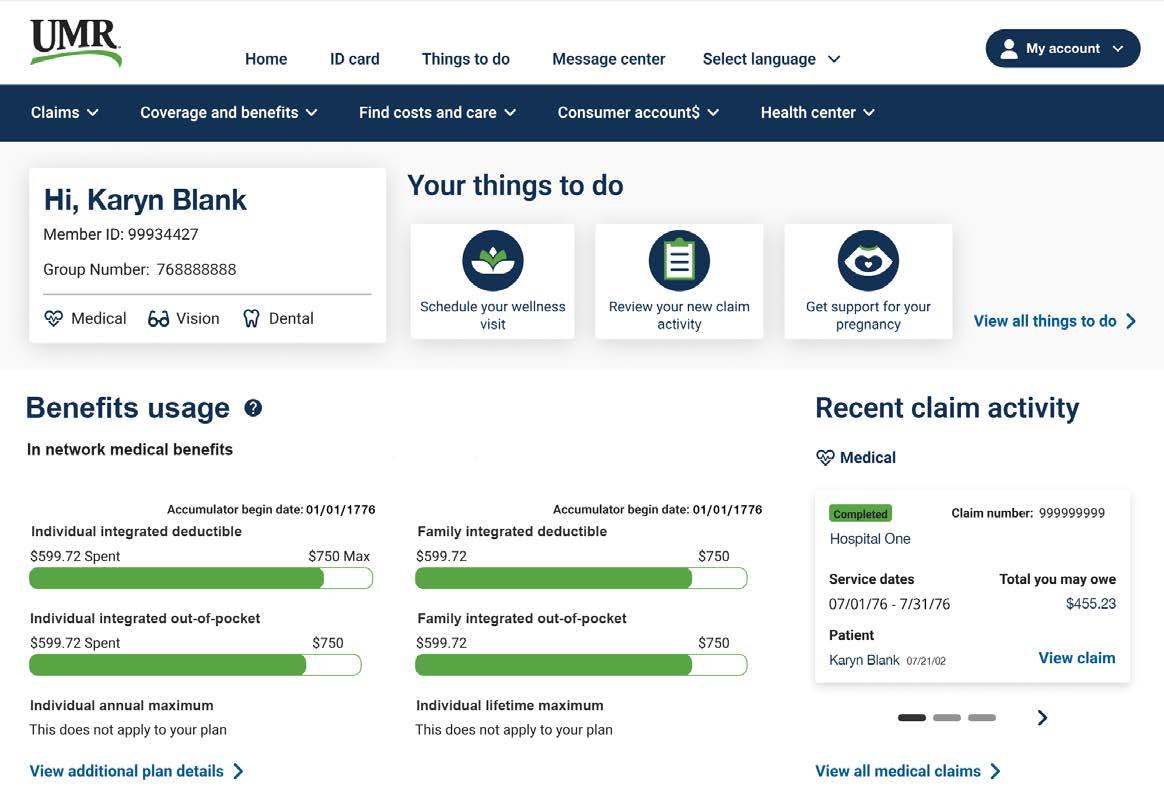
Sign in now to:
• View Things to do, your personalized benefts to-do list
• Check your benefts and see what’s covered
• Look up what you owe and how much you’ve paid
• Find a doctor in your network
• Learn about medical conditions and your treatment options
• Access tools and trusted resources to help you live a healthier life
The UMR app is another way we’re reimagining health care to work for you.
We have a smarter, simpler, faster way to manage your health care benefts, right from the palm of your hand.
Download the UMR app today Scan the QR code to the left or visit your app store to get started.
With just a tap, you can:
• Access your digital ID card
• View your plan details on-demand –anytime, anywhere
• Find out if there is a copay for your upcoming appointment
• Chat, call or message the UMR member support team
• Add your health plan details from your ID card to the mobile wallet on your smartphone for convenient and secure access.
You don’t need a Ph.D. to understand your benefts
We’ve made it easy to fnd the top things people want to know. Select Coverage and benefts from the blue secondary navigation to fnd out:
• What health care services are covered?
• What’s the cost diference between an in-network and out- of-network service?
• What’s your deduc tible, and are you close to reaching it?
• Is there a copayment for your ofce visit? If so, how much?
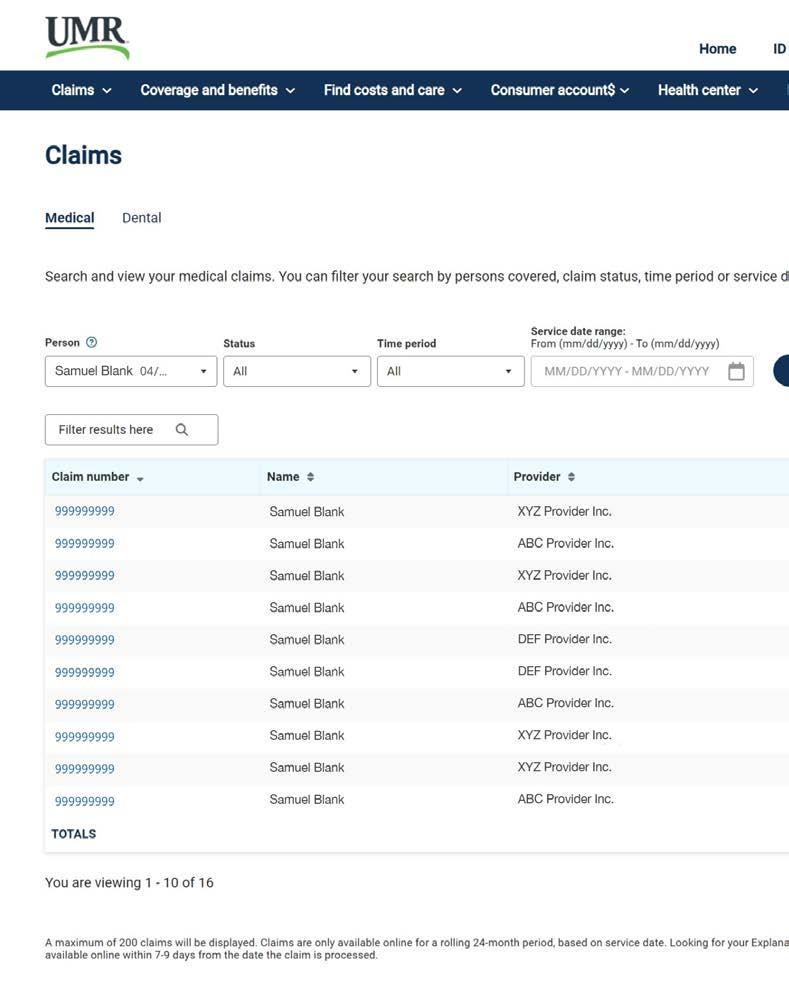
Buried in paperwork? A single click lets you track all your claims
With the Claims menu option, check in at your convenience to see if a claim has been processed and what you might owe. To get more details on a specifc claim, select the Claim # or the EOB link on the same row as the claim. This will tell you the type of services provided, the amount billed and the amount paid, if any, and whether there’s any action that needs to be taken before the claim can be processed.
You can choose to receive a secure email any time you have a new EOB. If you’re not ready to give up paper completely, you can print out copies from the Claims dashboard.
Don’t be surprised by unexpected costs
Under the Find costs and care menu option, you can fnd in-network doctors near you and get a better idea of what you’ll pay with the Health cost estimator tool.