Call, chat or message online –choose what’s convenient for you
Our team members are available to answer your questions by phone or online chat and messaging on umr.com.
Three ways to connect:
1 By phone
You can call the customer service phone number on your ID card. Your customer service team is available 24/7 to answer your questions.*
2 Via live chat
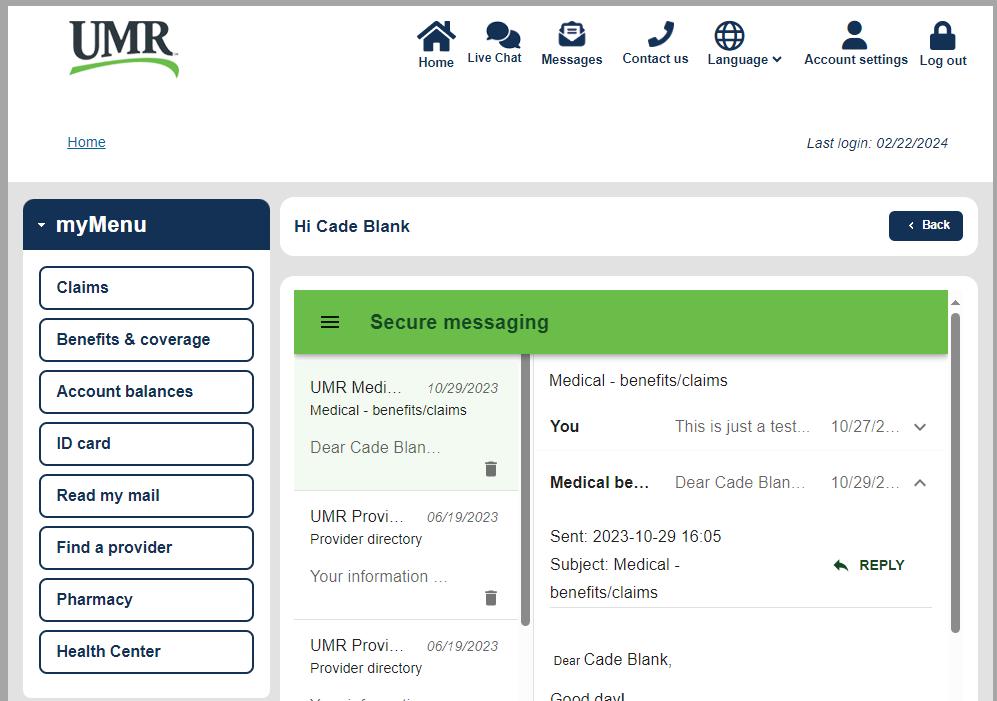
To access chat, just sign in to your umr.com account and select the Live Chat icon. After you start a chat session, you’ll be prompted to tell us more about your question. Within moments, a team member will join you to assist with your question.
3 Secure messaging
To send and receive secure messages and documents, just sign in to your umr.com account and select the Contact us icon. A Message Center window will display where you can create your new message. You will be notified by email when you receive a response and can view it by signing in to your online account and selecting Messages from the options at the top of the screen. It’s an easy way to exchange documents/files and receive reminders, alerts and other messages.
We’re making it easier for you to get the answers you need – fast.