Reporting Employers S EPTE M B E R 2 0 2 6
UPD TE
Vol. 45 Number 9
TE ACHER RE TIREMENT SYSTEM of TE X AS
TOP ARTICLES: Upcoming TRS Trainings l Child Nutrition Calculator Tool l Getting To Know Your TRS Reporting Coaches l Driver Education Instruction Comp.
Topic Legend Reporting and Training for REs Health Benefits Information Security General Communications
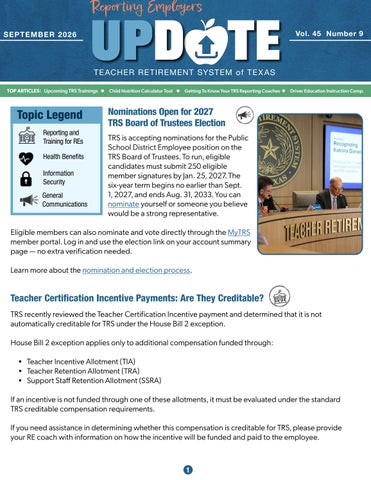
Nominations Open for 2027 TRS Board of Trustees Election TRS is accepting nominations for the Public School District Employee position on the TRS Board of Trustees. To run, eligible candidates must submit 250 eligible member signatures by Jan. 25, 2027. The six-year term begins no earlier than Sept. 1, 2027, and ends Aug. 31, 2033. You can nominate yourself or someone you believe would be a strong representative.
Eligible members can also nominate and vote directly through the MyTRS member portal. Log in and use the election link on your account summary page — no extra verification needed. Learn more about the nomination and election process.
Teacher Certification Incentive Payments: Are They Creditable? TRS recently reviewed the Teacher Certification Incentive payment and determined that it is not automatically creditable for TRS under the House Bill 2 exception. House Bill 2 exception applies only to additional compensation funded through: • Teacher Incentive Allotment (TIA) • Teacher Retention Allotment (TRA) • Support Staff Retention Allotment (SSRA) If an incentive is not funded through one of these allotments, it must be evaluated under the standard TRS creditable compensation requirements. If you need assistance in determining whether this compensation is creditable for TRS, please provide your RE coach with information on how the incentive will be funded and paid to the employee.
1
Upcoming TRS Trainings Fall 2026 Virtual Sessions TRS is offering the following virtual training sessions. Each attendee must register individually on the RE Portal Virtual Training page. This will ensure that you receive the link to access the web session as well as a copy of the materials being covered. All training sessions are scheduled to start at 10 a.m. CST. Fall 2026 Virtual Training Schedule Oct. 14
TRS Membership Eligibility: Non-Higher Ed
10 - 11:00 a.m.
Oct. 15
TRS Membership Eligibility: Higher Ed
10 - 11:00 a.m.
Oct. 21
TRS Reporting Requirements
10 - 11:00 a.m.
Oct. 22
View Employee Information
10 - 11:00 a.m.
Oct. 27
Error Resolution: Employee Demographic
10 - 11:00 a.m.
Oct. 28
Employer Contributions: Non-Higher Ed
10 - 11:00 a.m.
Oct. 29
Employer Contributions: Higher Ed
10 - 11:00 a.m.
Nov. 10
ORP
10 - 11:00 a.m.
Nov. 12
Employment After Retirement: Non-Higher Ed
10 - 11:00 a.m.
Nov. 17
Employment After Retirement: Higher Ed
10 - 11:00 a.m.
Nov. 18
Error Resolution: Employment After Retirement
10 - 11:00 a.m.
Nov. 19
Reporting Substitutes
10 - 11:00 a.m.
Dec. 10
Verify Membership Eligibility
10 - 11:00 a.m.
Dec. 16
RE Ledger Training
10 - 11:00 a.m.
Dec. 17
Error Resolution: Regular Payroll
10 - 11:00 a.m.
Jan. 13
RE Certifications
10 - 11:00 a.m.
Navigating Life Events With Ease We all experience life and job changes that can be both exciting and challenging. These events often require updates to your account information and other essential actions. Keeping your information current ensures you receive timely support and services tailored to your needs. Visit our dedicated webpage for “Life and Job Changes” - it’s a comprehensive guide to assist in navigating these events. TRS members will find the “Ready to Retire” section of our Life and Job Changes webpage holds valuable answers to common questions like: • • •
I’m thinking about retiring, what should I do first? How is my annuity determined? Am I eligible for TRS-Care?
Explore the Life and Job Changes webpage today! Whether starting a new job, transitioning or planning for retirement, these events have a significant impact. We’re here to help you make the most of your benefits – in all ways possible – with each step forward. 2
Child Nutrition Calculator Tool
TRS has added a new calculator tool to the Reporting Employers section of the TRS website. This tool is designed to help Reporting Employers calculate child nutrition-related Federal Fund/Private Grant and Federal TRS-Care contribution amounts more efficiently. • Child Nutrition Calculator Tool Reporting Employers may use one of the following methods to determine the total monthly child nutrition contributions reported under the Federal Fund/Private Grant and Federal TRS-Care contribution types. Method
Calculation Basis
Worksheet Requirement
The standard 35% labor cost percentage.
Complete Section I of the calculator. The system will automatically default to the 35% standard labor cost percentage in Section II.
Actual labor cost percentage
The district’s actual labor cost percentage calculated each month.
Complete Section I, change the radio button to “Calculate” and enter the labor cost information in Section II of the Child Nutrition Calculator.
Total salaries paid
The total salaries paid to food service employees.
The Child Nutrition Calculator is not used for this method.
Standard labor cost percentage
Reporting Employers may compare results under more than one method and use the method that is most advantageous, provided they retain supporting documentation. While the calculation method may be changed at any time, TRS recommends maintaining clear records to support the selected method and any changes made. The calculator is available under Contribution Resources on the Child Nutrition Reporting page in the Reporting Employers section of the TRS website. The calculator is replacing the Child Nutrition Calculation worksheet. The worksheet will be removed from the TRS website in January 2027 to allow REs to transition to the calculator.
3
New Plan Year Is Here - Help Your Employees Get The Most Out Of TRS-ActiveCare The 2026-27 TRS-ActiveCare plan year officially began on Sept. 1. Now is the perfect time to remind your employees to take a few simple steps, so they’re set up for a smooth year of coverage — before they ever need to use it. Share the reminders below with your staff to help them make the most of their benefits from day one.
1. Get to Know Your Plan Encourage employees to take a few minutes to review their new plan year materials. Whether they stayed in the same plan or switched to a new one, it’s worth confirming: • • •
What their plan covers and how it works Their deductible, copays and out-of-pocket maximum Where to find their digital member ID card
2. Save the Personal Health Guides Number One of the easiest things employees can do is save the TRS-ActiveCare Personal Health Guides number in their phone right now, before they need it: 1-866-355-5999 Personal Health Guides can help members: • Find in-network doctors, specialists and facilities • Get pricing estimates for medical services before scheduling care • Locate the nearest urgent care or other care options • Check current spending amounts, including progress toward their deductible and out-of-pocket maximum Having this number saved ahead of time means one less thing to search for when a question — or a health issue — comes up.
3. Know Where the Nearest Urgent Care Is — Before They Need It No one wants to be searching for urgent care while they don’t feel well. Encourage employees to look up the nearest in-network urgent care facilities to their home and workplace now, so they already know where to go if something comes up outside of normal doctor’s office hours. They can search for urgent cares using the BCBSTX Provider Finder tool.
4. Download the Virtual Health Apps TRS-ActiveCare includes virtual health options through Teladoc and RediMD, giving employees access to care from home, work or on the go. Remind employees to download the apps now so they’re ready to go the moment they need a virtual visit — no last-minute app store searches required. 4
New Plan Year Is Here - Help Your Employees Get The Most Out Of TRS-ActiveCare...con’t 5. A Reminder for You: The BA Toolkit As a Benefits Administrator, don’t forget you have your own set of resources available. The BA Toolkit on the BCBSTX BA website includes: • • • • •
The Annual Enrollment Guide and BA Reference Guide Flyers, posters and a copy-and-paste email toolkit Presentation decks and recordings for employee meetings Summary of Benefits and Coverage (SBC) documents Regional plan highlights and rates
Bookmark it and check back throughout the year as new materials are added.
Driver Education Instruction Compensation For TRS-eligible employees, compensation paid for driver education instruction is considered TRSeligible compensation when the instruction is part of the employee’s regularly assigned duties. If the instruction is provided outside the regular workday or as an additional duty, the amount eligible for TRS purposes may be limited. The sections below provide additional details of when this compensation is considered TRS-eligible. Part of Regular Workday When driver education instruction is performed during the regular workday and is part of the employee’s regular assignment, the compensation paid for that instruction is considered TRS-eligible. This compensation would be included as Eligible TRS Gross Compensation and is subject to TRS member and employer contributions. Outside the Regular Workday Driver education instruction provided outside the regular workday is treated differently. This includes instruction provided after normal work hours or during the summer. In these situations, the work is considered an additional duty rather than part of the employee’s regular assignment. Compensation credited for driver education instruction performed as an additional duty is limited to $5,000.00 annually for TRS eligibility purposes. Any amount paid above the $5,000.00 annual limit is not considered TRS-eligible compensation. However, the full amount paid must still be reported as gross compensation. If a reporting error occurs, additional review may be required. The RE may need to work with their coach to determine next steps. Clear documentation showing when the instruction was provided and how the compensation was reported can help support accurate reporting and audit review. For more information about creditable compensation, please visit the TRS website. 5
Getting To Know TRS Reporting Coaches A TRS Reporting Coach is your dedicated resource for reporting guidance and support. Coaches work closely with Reporting Employers (RE) and other TRS departments to answer questions related to member reporting through email, phone and chat. Key Responsibilities • Answer employer questions and provide training on the TRS Reporting Process. • Assist with membership eligibility and reporting questions. • Reach out to employers to resolve incomplete reports and reporting errors. • Review RE Ledger balances for shortages or missing deposits. • Create and prepare overrides when needed to help reports reach Complete status. • Partner with employers to improve reporting accuracy and efficiency. How Many Employers Does a Reporting Coach Manage? Each Reporting Coach supports approximately 60 to 70 REs, providing individualized assistance and guidance throughout the reporting process. How Many Emails Does a Reporting Coach Handle in a Typical Month? Reporting Coaches are busy helping employers every day. In 2026, coaches handled an average of 500 to 800 emails per month, assisting with reporting questions, troubleshooting issues and resolving errors. How Can a Reporting Coach Help You? Your Reporting Coach is an expert in TRS laws, rules and reporting requirements and is here to support your reporting efforts. Key Benefits of Working with Your Reporting Coach
✅ Expert Reporting Guidance • • • • •
Membership eligibility Creditable compensation Member contributions Employer contributions Employment after Retirement
✅ RE Portal System Support • • •
Learn how to navigate and use the RE Portal reporting system. Receive assistance with reports, warnings and error messages. Get help resolving reporting challenges quickly and efficiently.
6
Getting To Know TRS Reporting Coaches...con’t
✅ Report Review and Error Reduction • • •
Learn how to review and understand report warnings. Reduce recurring reporting errors. Improve the quality and accuracy of your monthly submissions.
✅ Customized Training for Your Team • • •
Receive training tailored to the RE’s needs. Address recurring reporting errors and process challenges. Provide targeted guidance for HR, Payroll and reporting staff.
✅ A Dedicated Partner • • •
Build a relationship with a coach who understands the RE’s reporting history and needs. Receive personalized support throughout the year. Gain confidence in TRS reporting processes and compliance efforts.
Your Reporting Coach is committed to helping you achieve accurate, timely and successful TRS reporting. Don’t hesitate to reach out whenever you need assistance!
7
HELPFUL LINKS:
TRS RE Portal
RE Resources
TRS Website
TRS Publications
Video: Submitting a Report for Validation Click Here to Rate This Issue of the Update
Pension Education Resources Members can learn all about TRS pension benefits by watching our Pension Education Resources.
Many people find that a video explanation is the best way to learn! Take advantage of more than a dozen informative videos in the TRS Employers Video Library to understand TRS processes and reports for reporting employers.
Thanks for all you do for Texas educators!
8
Follow TRS on Social Media