FEATURING
• Th e Business of Aging in Place
• Pr ojector Showcase
• La test Outdoor Tech Trends
• Th e Business of Aging in Place
• Pr ojector Showcase
• La test Outdoor Tech Trends
Outdoor Lighting Improves the Aesthetics of a Backyard Oasis — and the Dealer’s Bottom Line
Review: Juke Audio
AudioMate Remote
Source/Zone
Expander
Raising the Bar With Comprehensive Integrator Verification
All about CEDIA’s new Member of Excellence designation.
By Wendy Griffiths, CEDIA Senior Vice President, Membership & Global
CIs
Too many integrators still are not showing up in ways that
24 Tech Showcase — Projectors
Though a longtime staple of the custom installation industry, projectors continue to evolve. No longer confined to windowless home theaters, integrators are now able to bring 120-inch+ images into bright, multi-purpose living spaces. Here we look at some of the more recent additions to the category.
30 Review
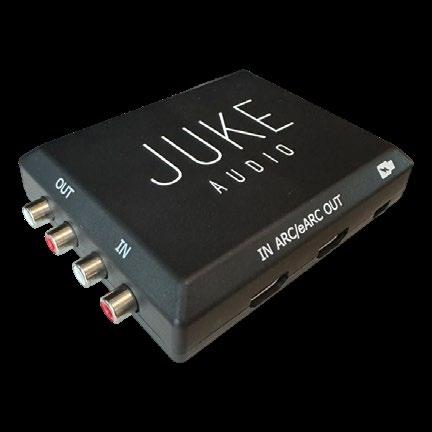
Juke Audio Juke+ and AudioMate Remote Source/Zone Expander
This slightly-bigger-than-a-deck-of-cards device lets you stream HDMI or RCA audio sources (inputs) across a wired or Wi-Fi network, as well as provide local HDMI and RCA audio outputs for expanding the system.
By John Sciacca
Building
How the resurrection of a decade-old motor technology is making a difference in shading installations
By Nero Yasokumar, Product Manager,
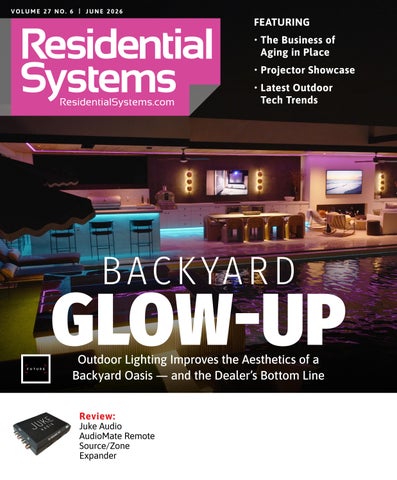
16 Creating a Backyard Glow-Up
Cactus Sight and Sound use its newly added lighting capabilities to upsell a small outdoor AV job into a marquee project.
By Anthony Savona
20 The Business of Aging in Place
How to prepare your company to serve the ever-expanding senior market.
By Anthony Savona
26 Integration Guide to Outdoor Tech
The outdoor environment continues to offer fertile ground for custom installers with an ever-expanding list of product categories entering the market.
By Karen Mitchell


BY ANTHONY SAVONA
My daughter has worked at Webster Hall, a medium-sized concert venue in NYC, for more than three years. I have been to the venue many times in my life to see bands I like, but not since she has worked there — not because I’m avoiding her, but because none of my bands have played there since she started.
Mind you, Webster has a full slate of concerts happening at any given time, but apparently ones that cater to a, let’s just say, more modern crowd. That all changed recently when one of my bands, Sugar, who has not toured together in more than 30 years, sold out the venue for three nights straight. Fortunately, I had my in, and she took great care of me. I did warn her that the place was about to be flooded with guys who pretty much looked a lot like me. Not your typical Webster Hall concertgoers these days.
I had plans to attend the third night, but my daughter was also working the first night. She changes positions, but one of her regular stations is checking IDs at the door — she has an eagleeye for spotting fakes. However, that particular skill would be unnecessary for Sugar’s visit, as the manager told them to skip checking because the crowd was obviously way over 21. No need to put wristbands on anyone either, which tells the bartenders that the attendees are old enough to drink. Their eyes can do the trick for this night.
To my daughter’s knowledge, this is the first time that directive was given.
I did get to the show on night three, and they were fantastic.
The point of the tale is that age happens to us all, and one minute you are standing at barricade adjacent to the mosh pit (I had no desire to go in, but liked being near) and the next you are digging the vibe at the back of the room and glad the show lasts only 90 minutes because that is about the maximum time you can stand for.
It is also the point of this month’s feature story on aging in place. I originally believed that aging in place would mean a specific set of technology we could sell to clients, which is also what story-subject Jeff Galea of Boca Tech and Automation thought before he had his CAPS (Certified Aging-in-Place Specialists) training. However, he learned that aging in place involves all the capabilities we already have, and is more of a change in perspective, and you needn’t only

offer it to seniors.
Aging in place requires you to challenge your clients with thinking about their future needs, not only for themselves, but for the people that will visit their homes. Sure, it includes convenience features that automation brings to assist with mobility issues, but it also includes making sure there enough seats in the home theater so that it can be the place where the full family gathers.
While I don’t think it will be its own category as it covers most of the areas we already provide, it can be an important service for your middle-aged clients through to your most senior.
There is no doubt that the needs of a house change as the family ages, and as the trusted technology advisor, there is no one better to advise, install, and maintain it than custom integrators.
See you on the barricade at the back of the club!

June 2026
Volume 27, Number 6
KATYE MCGREGOR BENNETT
Katye McGregor Bennett is chief strategist and CEO of KMB Communications and an avid podcaster. Podcasts include Connecting Tech + Design and AV Trade Talk.
MATT BERNATH
Matt Bernath is a CE veteran with more than two decades in retail, wholesale, CI, and business coaching. In 2021, Matt and a group of partners acquired VITAL, and Matt now serves as the company’s president/CEO.
BEN GOFF
Ben Goff is an award-winning, private cinema designer and technical director at Cinema Buro. A co-chair of CEDIA’s RP32 work effort and contributor to multiple industry standards, he specializes in RP22-aligned engineering.
SAM CAVITT
Sam is the founder and chief vision officer of Paradise Theater. He has also founded and spearheads Cinema Connoisseur, an initiative to build a community of enthusiasts who embrace the world of private cinema and film.
JOHN SCIACCA
John Sciacca is a principal with Custom Theater and Audio, in Myrtle Beach, South Carolina. In his free time, he blogs prolifically about the CE industry. cineluxe.com
NERO YASOKUMAR
As a product manager at Somfy, Nero Yasokumar leads the strategy for interior residential motorization across North America. He oversees a diverse portfolio spanning WireFree, AC, and low-voltage motor solutions.








Residential Systems (ISSN 1528-7858) is published monthly by Future B2B. 130 W. 42nd St, 7th Floor, NY NY 10036. Periodicals postage paid at New York, NY and at additional mailing offices. POSTMASTER: Send address changes to P.O. Box 254 Lowell MA 01853. PRINTED IN THE USA.

The company enters the CI market with a high-end
By Anthony Savona
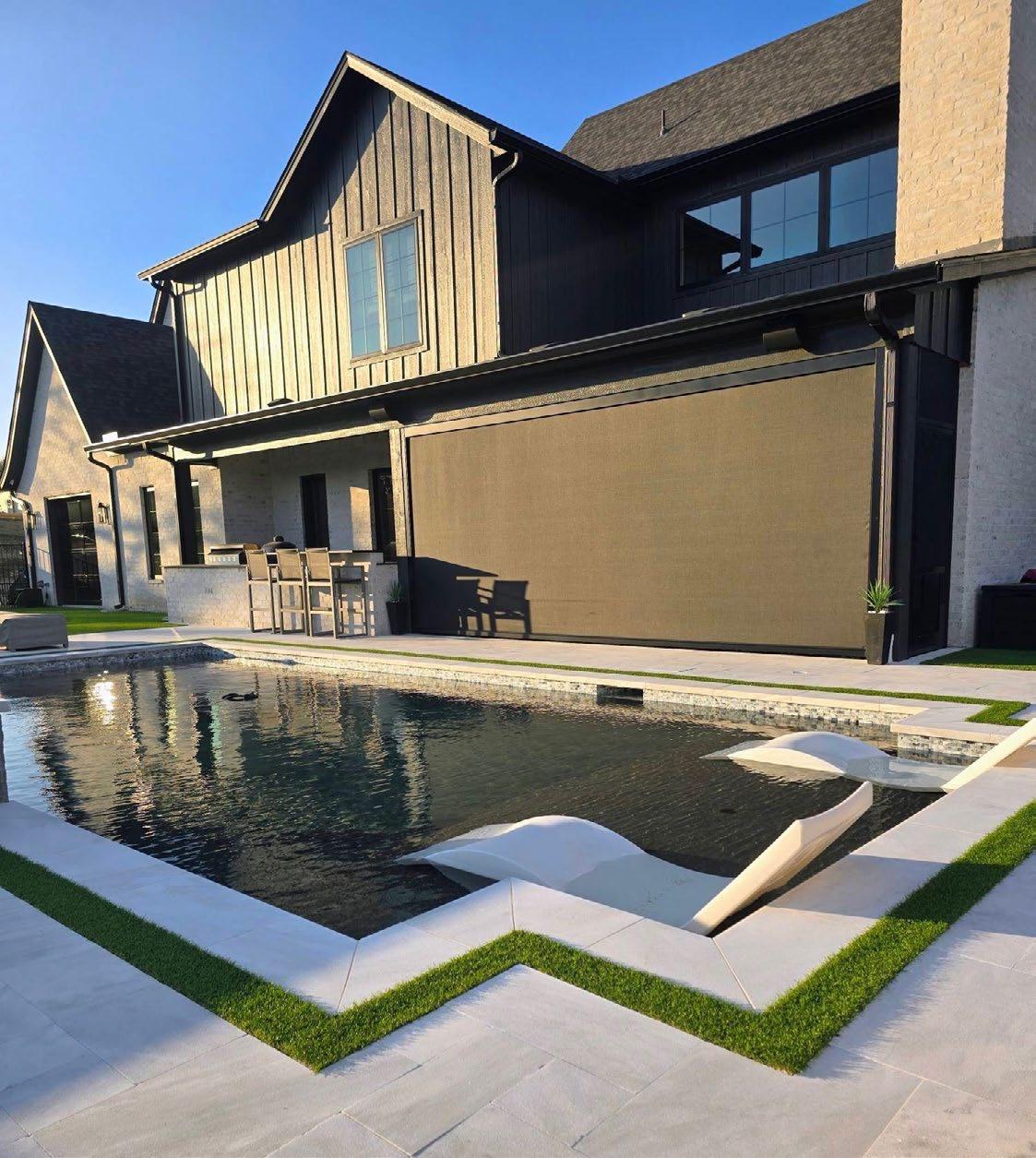
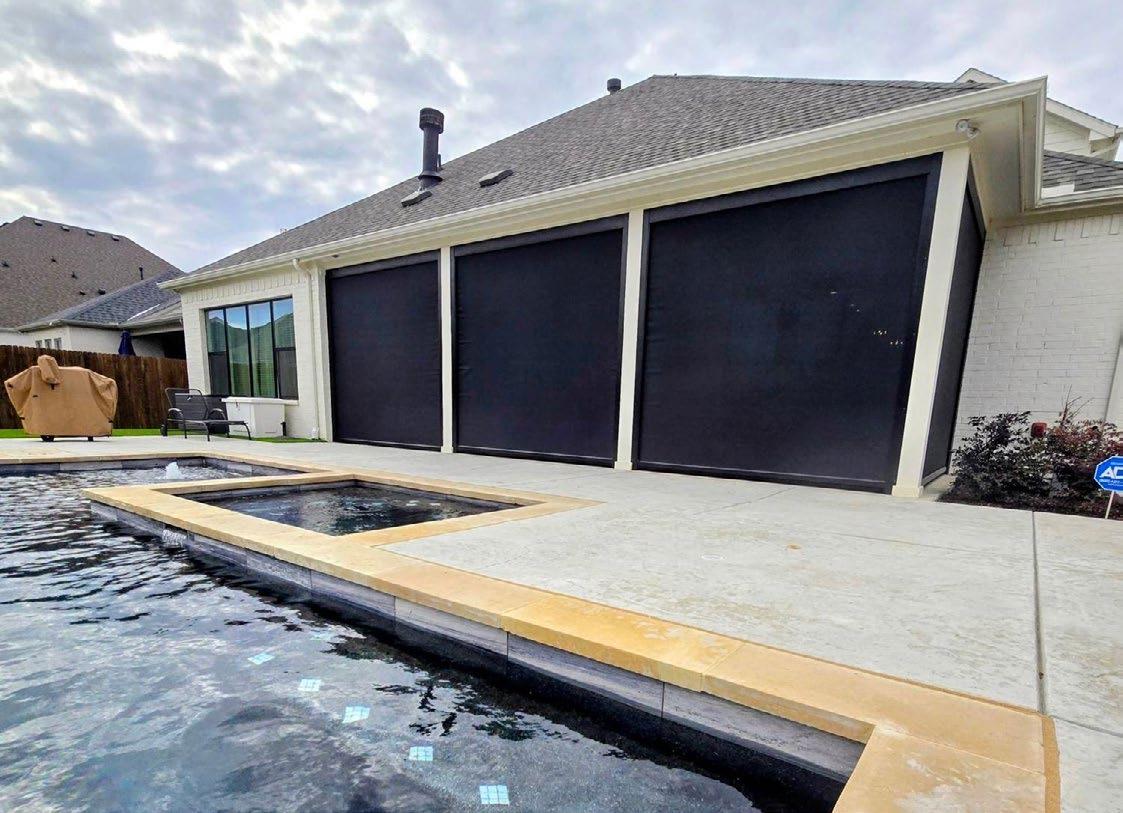
eder Screens was born out of frustration. Justin Collins, the founder, had an awning fabrication and installation company called AwnPro that he started in 2001. He felt that he was wasting too much time and energy servicing outdoor screens due to the weaknesses in the product. From fabric tearing at the corners near the weight bars to screens popping out of their channels and being too flimsy to withstand real-world use, the challenges were endless. He thought that there had to be a better way.
Turns out there is, and he invented it. It took about three years to develop it, but his V-Screen Retention System is designed to address all those issues and more in a high-performance outdoor shade system.
Former CEO of Screen Innovations Kim Parker was impressed enough by the product to make an investment in the company, and then formally joined Keder Screens as business development partner in January with the goal of helping it grow its channel beyond the Dallas-Fort Worth market and expand it to the entire United States. Parker sees that expansion happening through custom installation dealers.
Here, Parker discusses what the product is, what it can do, and what dealers need to know to get started working with Keder Screens.
RESIDENTIAL SYSTEMS: Why is this product a good fit for the custom installation industry?
KIM PARKER: I’ve been in the custom integration channel for 30 years and I’ve been everything from a secretary all the way to owning my own installation company and then working for multiple manufacturers over the years. My expertise in the CEDIA channel is why we’re focusing on it. There’s a huge gap in these product offerings that are offered to CEDIA, and even fewer companies in this particular category that know how to deal with the channel.
Of course, we’ve got a great product that the dealers love, but they need to get good training and understand the obstacles, the opportunities, and why this product is going to help them build a business rather than create another service model for something else that they’re installing.
It’s definitely targeted at luxury homes, say $750,000 and up. Those people want something that’s going to last. They want something that’s going to last 10, 15, 20 years, and that’s our product.
In your opinion, what is it that sets your offerings apart from the competition?
The primary difference is that most other shade companies require you to roll the shade up at 30-40 mph winds, and we want our shade to be down. Even at 100 mph winds, you can keep that shade down. Once you get over 100 mph winds, you’ve got more to worry about than a shade on your home. A lot of these houses are second homes, and clients don’t want to have to worry about whether they left it open or not. So, they can just leave it down. We have fabrics that are made from a company called Twitchel that have
Kevlar woven through them. Twitchel has two different fabrics, OmegaTex and StormShield, and both of them are fantastic materials. You would get those if you’re worried about something hitting and penetrating the screen, but all the other shade fabrics we use are still very strong for just wind abatement.
Also setting Keder Screen apart is that we have a patent on the design of the frame that specifically covers the way the weight bar is mounted in the track. The biggest issue that Justin found was that weight bars, once they come out of the track, act like a battering ram. They have this huge piece of heavy metal that’s now blowing in the wind, and it will rip out that zipper. If that weight bar doesn’t get retained inside that side channel, then it’s game over for your shade. You’re either having to roll it all the way up and reseat it, or you’re having to fix it because it ripped the material. That’s the primary function of the patent, as well as reinforced corners and the other design features.
Is manufacturing done in the USA?
We get parts from all over, but the good chunk of what we do is made here in the USA. There’re not very many fabric weavers or looms here in the United States, so all our fabrics do come from overseas, but everything else
is pretty much made here in the U.S.
How long does it take to fulfill a typical order? It depends on the time of year and season, but typically anywhere from three to five weeks.
How much training is involved in getting started? It depends on how experienced you are with construction using different types of materials. Are you going into brick, stucco, or rock? Are you recessing the tracks?
I would say for the average dealer that’s never done outdoor shades, it’s an 8- to 16-hour training requirement. There will be some handholding by us on your first project to make sure that it is successful. We have some unique processes, but, for the most part, you’re mounting a box, you’re mounting a side track, you’re mounting a tube with fabric and a motor, then you’re wiring and programming that motor. Those things are fairly common between everyone else’s shades and ours. The design of the track and the design of the fabric are very different, but it doesn’t take a whole lot of exceptional training to understand that. It does take an understanding of the process of each step to go through to make sure that you’re getting it right, so that you don’t have to make any adjustments and go back to fine-tune it.
What are the startup costs to the dealer? Are there any ongoing requirements that a dealer needs to meet?
They will have to get our demo kit, which is $350 plus shipping. Upfront, it’s a time investment more than it is anything else. As you would expect with anything that you’re doing new in your business, you’re going to have to get the knowledge and really understand that new category to make sure that you become the professional that your customers are going to expect you to be. We’re a pretty minimal investment.
What control systems do your screens work with?
We work with Bond Bridge on all three motor types. We also work with Alpha and Somfy motors, and we just released our own Keder Screen motor. The Somfy has a five-year warranty, Alpha has a seven-year warranty, and our motor has a 10-year warranty on it.
The Bond Bridge is a great device, and it will allow the screens to integrate with Control4, Crestron, Savant, Josh.ai, and other companies that are in the market. It’s an easy way to get it integrated. The drawback to it, though, is that there’s no two-way communication. So, if you use a remote control, the feedback will get out of sync with the automation system. There’s an opportunity in the marketplace for us to develop a twoway control architecture for outdoor motors, which no one has offered yet.
What power options do you offer?
Wiring 120 volts to the right side or to the left side of the shade.
Do you provide on-site support for dealers?
We have an escalation process and, if need be, we will fly someone out to the field to help the dealer remedy issues. I would say 99% of the time, a FaceTime call reveals the issue and it is solvable. The one thing that we don’t have is an RMA department. We don’t have a tech support department because we just don’t get the calls — our product goes in, and it just works. As long as the dealers are adhering to our design and installation processes, it’s just going to work really well.
What dealer programs and warranties do you offer?
We offer a 50% dealer margin when they first sign up. Then, at their first anniversary, we review items like trainings taken, tech support calls, and revenue attainment in the first 12 months to continue that 50-point margin. It is more than just a revenue target we want to see dealers doing. It is also about expertise attained and driving efficiency with high levels of customer satisfaction. We do all of this to make sure the dealer is representing Keder Screens as best as possible to the market.
Our best warranty is 10 years on fabric and motor with a limited lifetime on metal structure.
What tools are available to help dealers show the various fabrics and screen styles?
In the demo kit, there’s good amount of fabric samples to show their customers. By and large, I would say 80% of what we sell is black frame, black fabric, and the opacity is 10% to 5%. So, 80% of what they’re going to sell is not going to be a big design challenge with the customer or the homeowner.
We also have a cool virtual screen designer dealers can use to show what the screens will look like in their respective openings. It uses AI to generate a very realistic image, so it takes away the mystery or imagination of what the screens will look like.
Our Facebook and Instagram pages are also great for getting ideas and seeing the tech and how it performs in tough conditions. Find us under Keder Screens for Facebook and Vtrack Screens for Instagram.
When you get an interior designer involved, they’re obviously going to want to choose colors and they’re going to want more involvement in the choice of fabric than maybe the homeowner would ultimately care about. In those cases, the dealer can give those items to the interior designer — or exterior designer in this case — and we’ll work with them and help them make a good choice.
There are things that you should know about fabric. For example, if you use a very light-colored fabric, it’s difficult to see in and out of. If you use a dark-colored fabric, it’s easy to see out of and somewhat difficult to see in. That’s why most people go with dark fabrics because they still want to feel like they’re outside when they’re on their patio. And a 5% to 10% opacity on the screen allows you to feel like you’re outside, but still protect you from the bugs and wind.
For more information and to become a Keder Screens dealer, visit https://kederscreens.com
CEDIA’s new Member of Excellence designation gives credibility through endorsement across core categories that matter most to clients.
BY WENDY GRIFFITHS, CEDIA SENIOR VICE PRESIDENT, MEMBERSHIP & GLOBAL DEVELOPMENT
The smart home industry has matured significantly, and consumers deserve a way to identify integrators who demonstrate excellence across every aspect of their business, not just technical installation. That’s why, for the past year, CEDIA has been reshaping its Member of Excellence program, which is now currently accepting applications.
Member of Excellence is a rigorous and comprehensive designation for custom integration companies. It goes beyond recognizing their technical expertise by also verifying integrators for their longevity in the market, financial discipline, customer care commitments, professional design processes, industry leadership, and CEDIA Smart Home Awards recognition.
The Pillars of Verified Excellence Applicants must demonstrate all five pillars of excellence:
• Dedicated: Hold Premium and/or Professional tier integrator membership for at least five consecutive years
• Certified: Multiple active CEDIA certifications
• Disciplined: No active or historical insolvencies or bankruptcies associated with the company or its directors in the last ten years
• Committed: Documented customer care plans extending beyond installation completion
• Detailed: Comprehensive project detailed documentation Applicants must also meet one of the following pillars:
• Collaborative: Active involvement as a CEDIA volunteer or Design & Build Outreach Instructor
• Celebrated: Recognition as a CEDIA Smart Home Awards project or business finalist in the last five years
The Member of Excellence application process requires integrators to submit comprehensive documentation for review by CEDIA, including financial standing, customer care plans, and project documentation. Member of Excellence status is renewable every three years, requiring ongoing verification to maintain compliance and status. There is no additional fee for CEDIA members to apply — the only investment is time. Integrators who meet all the criteria will be given a complete marketing
toolkit, including logos, website badges, proposal templates, social media graphics, and customer-facing materials. They can then use these tools to:
• Command Higher Margins: Independent verification justifies premium pricing and eliminates price-only comparisons
• Differentiate permanently: Competitors can’t copy years of business building overnight. This creates a sustainable competitive positioning
• Close Faster: Third-party validation builds immediate trust, shortening sales cycles and reducing objections
• Attract Top Talent: Team members want to work for recognized leaders. This designation enhances recruitment and retention
• Win Desirable Projects: The top projects require documented credentials. Member of Excellence is a prequalification For more information about the Member of Excellence program or to begin an application, visit cedia.org/excellence or contact the CEDIA membership team at member@cedia.org.

Too many integrators still are not showing up in ways that earn trust, relevance, or a real seat at the table for designers, architects, and builders.
BY KATYE MCGREGOR
BENNETT
Nearly everyone in custom integration says the same thing: We need to get in earlier. Early and often. Earlier in the process. Earlier with the architect. Earlier with the builder. Earlier with the designer.
Fine. Great. Lovely sentiment. But at design/build events, builder shows, kitchen and bath gatherings, designer forums, and all the places where those relationships are actually formed and reinforced, and the integration community is, more often than not, conspicuously absent. Or worse: present, but not useful.
That is the disconnect we do not talk about enough.
Many people in the design/build community still do not fully understand what an integrator is, what the role should be, or why they should bring one in early, let alone often. They are not sitting around waiting for us to bless their projects with our presence. Many of them have experienced the technology trade at large as reactive, self-interested, or narrowly focused. They do not hear, “We’re here to help you.” Too often, what they hear is, “We want in.”
That distinction matters.
If all they hear from our side is we want in, we want in, we want in, without any meaningful proof that we can make their projects better, smoother, safer, more beautiful, or more profitable, then why exactly would they let us in?
Trust is not granted because we say the phrase “early and often” enough times. Trust is earned because we consistently show up, add value, and make ourselves useful long before there is a purchase order attached.
And that is where a lot of integrators lose the plot. Some show up expecting instant access. Some want the relationship without the relationship-building. Some want the builder, architect, or designer delivered to them like a qualified lead. Some think a single lunch, a oneoff CEU, a showroom event, or a slick ad is somehow enough to earn longterm relevance. It is not.
You are another trade. That is not an insult. It is simply reality. And like every other trade, you have to be vetted. You have to prove that you understand the flow of a project. You have to show that you respect the design intent. You have to demonstrate that your presence is going to reduce friction, not create more of it.
The irony, of course, is that the integration community is incredibly valuable to the design/build world now, more than ever. There are so many legitimate touchpoints. So many ways in. So many pain points we are uniquely qualified to solve. And yet we routinely under-serve the exact categories where our value should be the clearest.

If the project involves systems, interfaces, automation, sound, acoustical treatment, environmental control, communication, monitoring, or quality-of-life outcomes inside the home, that is our lane. Or at the very least, it should be.
So what does showing up the right way actually look like?
It looks like attending their events, not just ours. It looks like creating compelling talks, demos, and CEUs that solve real problems for designers and builders instead of turning into product pitches with bad lighting and worse snacks. It looks like following up after the event with an email, a coffee, a thoughtful introduction, or an idea that is relevant to the kind of work they do. It looks like listening more than talking. It looks like bringing proactive ideas before being asked.
Most of all, it looks like measuring success differently, not by how many cards you collected. Not by how many people walked your booth. Not by whether someone nodded politely while you explained your company for the fifth time that day. Measure success by this: How often does someone from the design/build community call you and say, "What do you think about this?"
That is the real metric, because once they start calling for your opinion, you are in the circle. And if they are not calling, you are probably not.
That sounds sharp because it is. But it is also fixable. Not every integrator needs to become a networking machine. Not every owner is wired to work a room, initiate relationships, and turn designer conversations into longterm business. Fine — then hire or develop someone who is.
If you are not showing up consistently, building trust intentionally, and adding value proactively, someone else will. In some cases, they already are.
So here is the challenge: pick one measurable step to deepen your design/build relationships in the next 90 days.
1. Attend one non-CI event.
2. Schedule three in-person meetings with design/build professionals.
3. Develop one useful CEU.
4. Invite a trade professional to walk an active project with you.
5. Follow up with five people you already met but did nothing with.
6. Do something real to effectively move a trade professional relationship forward.
And I’ll add one more: Commit to attending the International Builders Show/KBIS in 2027. Do more than just go. Submit to speak. Reach out to brands ahead of time that you see in the same projects as yours to learn more about what they do. Go to the booth and actively listen to their pitches. Share relevant anecdotes and ideas, and be sure to follow up afterward. Because “early and often” is not a strategy if you never show up.
Why it is important to face your business challenges one at a time.
BY MATT BERNATH
This is the second in a three-part series, illustrating business lessons from a not-so-businessy book. Last month, I wrote about the power of the strategic pause, the idea that deliberately slowing down is one of the most underrated moves a business owner can make. That piece was inspired by a conversation on The Flywheel Effect podcast, where my co-host Brent and I dug into the business lessons hiding inside a sailing memoir called The Long Way by Bernard Moitessier, a man who sailed alone around the world in 1968. This month we’re building on that foundation with a concept from the same book that struck me as just as strong.
There’s a moment in Moitessier’s account where he describes how he thought about the journey ahead of him as not one continuous, overwhelming race from England around Antarctica and back. He broke it down to the next cape. Just the next one. Get around that, then figure out the one after it.
It sounds almost too simple. But for a man alone on a steel boat in the most brutal stretch of ocean on the planet, it was the only approach that made the whole thing possible.
And I see the opposite pattern play out constantly in custom integration businesses. Owners who are capable, experienced, and genuinely talented, yet paralyzed by the size of what they’re trying to build.
Growth is funny. Most integrators want more of it — more revenue, more margin, a stronger team, better systems, and a business that doesn’t require them to be everywhere at once. The vision is clear. The desire is real. And yet they stay stuck.
When I dig into why, the answer is almost always some version of the same thing. The gap between where they are and where they want to be feels so wide that every step forward feels inadequate. So rather than taking the next right step, they wait. They plan. They research. They talk about it. And the months pass.
Moitessier had a name for the guy who did this on the water. There was another sailor in the same race who raised significant backing, showed up with fanfare, and set off with enormous confidence. He got as far as the South Atlantic and then something happened. He couldn’t hold it together mentally. The enormity of what he’d taken on hit him all at once, and he spent weeks essentially sailing in circles before his boat eventually gave out. He wasn’t underprepared, technically. He just made the mistake of trying to carry the whole journey in his head at once. And it broke him.
Before Moitessier ever left port, he spent years building his boat by hand. Every weld, every fitting, every inch of rigging was something he understood and could repair. He wasn’t waiting until the boat was perfect. He was building it to be ready for what was coming, one section at a time.

That preparation is its own version of one cape at a time. And it mirrors something I see in the strongest integration businesses. They don’t try to fix everything at once. They identify the one constraint that’s limiting everything else and they work on that. When it’s resolved, they find the next one.
Maybe right now your biggest constraint is that you don’t have a real sales process, so growth is unpredictable. That’s the cape. Round it. Once you have repeatable revenue, the next constraint becomes visible. Maybe it’s that your project management can’t handle the increased volume. That becomes the next cape.
This is how businesses actually scale; not in one dramatic leap, but in a series of focused, sequential steps where each one creates the conditions for the next.
One of the things Moitessier had that most of the other sailors in that race did not was deep experience. He’d grown up on the water in Indonesia, spent his teenage years making deliveries on a Chinese junk, and logged thousands of miles before this voyage. By the time he was rounding the capes of the Southern Ocean, his body and his senses knew things his conscious mind couldn’t fully articulate.
That’s intuition. And it only comes from going through things, not thinking about them.
The same thing happens in your business when you commit to moving through challenges rather than around them. Every difficult client conversation builds your instincts for the next one. Every hiring decision, good or bad, sharpens your intuition. Every pricing change, every new service, every system you build or rebuild. Each one adds a layer to your intuition that no book or consultant can replicate.
You can’t shortcut the capes. You have to round them.
There’s a particular kind of integrator I admire most. Not the one who grows the fastest, but the one who grows in a way that actually holds. Where the team is capable and confident, the systems work without heroics, and the owner has real visibility into what’s happening without being the one making every call.
That kind of business doesn’t get built in a sprint. It gets built one deliberate improvement at a time, each one informing the next.
Moitessier rounded the Cape of Good Hope, then the capes at the bottom of Australia, then Cape Horn, the most feared stretch of water in the world. He didn’t try to jump from England to Cape Horn. He sailed through everything in between and arrived at each challenge better prepared than he was for the last one.
That’s available to you, too. The capes in your business may not have names, but they’re there. And the only way around them is through them.
BY BEN GOFF
In an industry obsessed with product launches, spec sheets, and brand partnerships, it’s easy for integrators to let the hardware do the talking. Logos fill the showroom. Product lines headline the website. Certifications get framed on the wall. But here’s the uncomfortable truth: If your clients only know you by the brands you carry, you’re replaceable the moment someone else carries them cheaper.
The most valuable thing a professional integrator brings to a project isn’t access to a product catalog. It’s the ability to tell a client what they actually need, even when it contradicts what they walked in asking for.
Most high-end residential clients arrive with a vision. Sometimes that vision is a Pinterest board. Sometimes it’s a brief from an interior designer. Occasionally it’s a very specific request they picked up from a friend’s house or a YouTube video. What it almost never is, is a technically informed plan rooted in an understanding of acoustics, optics, signal flow, or room behavior.
That’s not a criticism. Why would they know? They haven’t spent years learning how sound interacts with architecture, or how a screen surface behaves under ambient light. They’re hiring a professional precisely because they lack that knowledge. The problem starts when the professional simply says yes to everything.
A client might want a white marble floor in their dedicated cinema because it matches the aesthetic of the rest of the house. You could install one. Nothing stops you. But polished stone is one of the most reflective surfaces you can put in a room, and in a space built for projected images, it will bounce light back onto the screen and wash out contrast in a way that no amount of projector calibration can fix. Saying yes to that request means handing over a room that looks beautiful in photos and underperforms every time the lights go down. We see this all too often with integrators on social media posting photos of highly compromised spaces with captions such as “A cinema doesn’t have to be a black hole.”
Of course it doesn’t, but I can bet they didn’t explain the trade off to the
The ideal client is one open to a relationship built on trust. They’ve chosen a professional for a reason. They want direction. They’ll push back, ask questions, and challenge your recommendations, which is healthy. But they won’t override years of experience with a five-minute Google search.
client, if they even understood it themselves.

An expert flags this early. They explain the trade-off clearly, without jargon, and they help the client make an informed decision rather than an expensive mistake.
This isn’t about saying no. It’s about reframing. Clients respect honesty when it’s delivered with context. “That won’t work” shuts a conversation down. “Here’s what happens if we go that route, and here’s an alternative that gets you closer to what you’re after” opens one up.
In multi-use spaces, compromise is inevitable. There’s no reason a media room that doubles as a family lounge can’t perform like a dedicated cinema, until consequences begin to stack up. Claiming otherwise is disingenuous at best. The right integrator makes sure those compromises are considered and chosen deliberately, not discovered after the fact. When a client understands that a particular speaker placement will sacrifice low-frequency consistency in exchange for an interior design requirement, they can weigh that against their own priorities. That’s an educated decision. That’s the process working.
The problems come when nobody in the room has the confidence or the knowledge to challenge assumptions before they get built on site.
There’s a temptation to chase clients who arrive with a detailed spec and a shortlist of products. On paper, they seem easy. In practice, they’re often the hardest to serve well, because they’ve already committed to a solution before understanding the problem.
The ideal client is one open to a relationship built on trust. They’ve chosen a professional for a reason. They want direction. They’ll push back, ask questions, and challenge your recommendations, which is healthy. But they won’t override years of experience with a five-minute Google search.
That dynamic only works if the integrator has earned it. And you earn it by consistently demonstrating that your value sits above any single product or brand. It sits in knowing what works and what doesn’t, which combinations of equipment and room treatment deliver results in the real world, and where the pitfalls hide that no spec sheet will ever warn you about.
If your marketing leads with brand logos, your client’s loyalty follows the logo, not you. If your reputation is built on the quality of your guidance and the performance of the systems you design, that loyalty stays with you regardless of which manufacturers come and go.
The expert’s value isn’t in having the right products on the shelf. It’s in knowing what belongs in the room and having the courage to say so.

Building a home theater that services an experienced client’s needs now and in the future.
BY SAM CAVITT
There comes a point in a client’s journey where the conversation changes in a fundamental way. Prior projects are, by nature, iterative. A media room becomes a better media room. A dedicated cinema evolves into something more refined. Each project captures lessons, preferences, and a progressively deeper understanding of what truly matters. Eventually, however, the question shifts. Not “what can we improve?” but “what must this be forever?” The client is no longer pursuing better. They are seeking finality. Resolution. They are ready to create their ultimate private cinema. The one that fulfills every expectation shaped by a lifetime of experience. Their Forever Cinema.
No client arrives at a Forever Cinema without history. That history is not incidental. It is the most valuable design input available. Through prior projects, clients discover what truly moves them. They learn their sensitivity to noise floor. They recognize that seating ergonomics matter deeply after hour two of a film. They understand whether image scale enhances immersion or introduces fatigue. Just as importantly, they learn what they cannot live with again. Mechanical systems that intrude. Isolation that falls short. Layouts that seemed right in concept but feel subtly compromised in use. Those lessons are not suggestions. In a Forever Cinema, they become non-negotiable constraints.
There is a clear hierarchy in cinema design. Some elements can be adjusted after completion. Many cannot. At the top of that hierarchy is build quality. Structural decisions define the acoustic and performance potential of the room. Wall assemblies, floor construction, and ceiling systems determine isolation, rigidity, and resonance behavior. Once built, these characteristics are effectively permanent.
Quiet room construction is equally essential. A low noise floor is not a luxury. It is a prerequisite for true dynamic range. As clients age, this becomes increasingly important. Older listeners often exhibit reduced tolerance for competing noise, even as hearing thresholds shift. Mechanical systems must be engineered to operate below audibility. Disciplined duct design, low-velocity air movement, remote equipment placement, and comprehensive vibration isolation are not refinements. They are foundations.
Engineering excellence must extend across all systems. Loudspeaker placement must be coordinated with structural framing. Screen selection must align with projection performance and room geometry. Accessibility is another consideration that must be addressed early, and without compromise. Entry paths, aisle widths, and circulation must anticipate future mobility needs. Riser heights and floor transitions must allow for adaptation. In some homes, an elevator is not an upgrade but a necessity. These are not aesthetic decisions. They are foundational. They determine whether the cinema remains fully functional and comfortable for decades.

A Forever Cinema acknowledges an unavoidable reality: human perception changes over time. Hearing acuity declines, particularly at higher frequencies. The appropriate response is not to artificially brighten the system. Excessive high-frequency emphasis leads to fatigue. The objective is balance. An acoustical environment that preserves clarity, intelligibility, and natural tonal character. Room acoustics are central to this goal. Poorly controlled reflections and excessive reverberation reduce intelligibility, and that issue becomes more pronounced with age. Dialog clarity must remain intact and effortless at all listening levels. Lowfrequency performance requires equal attention. A properly engineered system with uniform spatial response ensures consistent, controlled impact across all seating positions.
Visual acuity follows a similar trajectory. Contrast sensitivity declines. Brightness perception shifts. These changes elevate the importance of video system design. Projection must deliver adequate luminance without sacrificing color accuracy. Screen size must be selected with restraint and discipline. Larger is not inherently better. The image should fill the viewer’s field of vision comfortably, without inducing fatigue during extended viewing. High dynamic range can enhance the experience, but only when properly implemented. Ergonomics must not be overlooked. Seating must provide proper support over long durations. Consider lumbar support, head alignment, ease of ingress and egress. Control systems must be intuitive and accessible. Fatigue is cumulative. Small inefficiencies become significant over time.
Comfort is not secondary to performance. It is inseparable from it. Air quality has a direct impact on both health and perception. A poorly ventilated room diminishes the experience. A Forever Cinema incorporates dedicated ventilation that delivers fresh air silently and continuously. Temperature control must be stable and precise. Cinemas generate significant heat from equipment and occupants alike. Systems must be properly sized and zoned to maintain consistent conditions without introducing noise. Humidity must also be managed. Imbalances affect comfort, material longevity, and equipment reliability.
Lighting design must balance safety and immersion. Step lighting, indirect illumination, and task lighting must be carefully integrated. Control systems should allow seamless transitions between functional and presentation modes. The room must serve all of life’s moments, the casual and the cinematic alike.
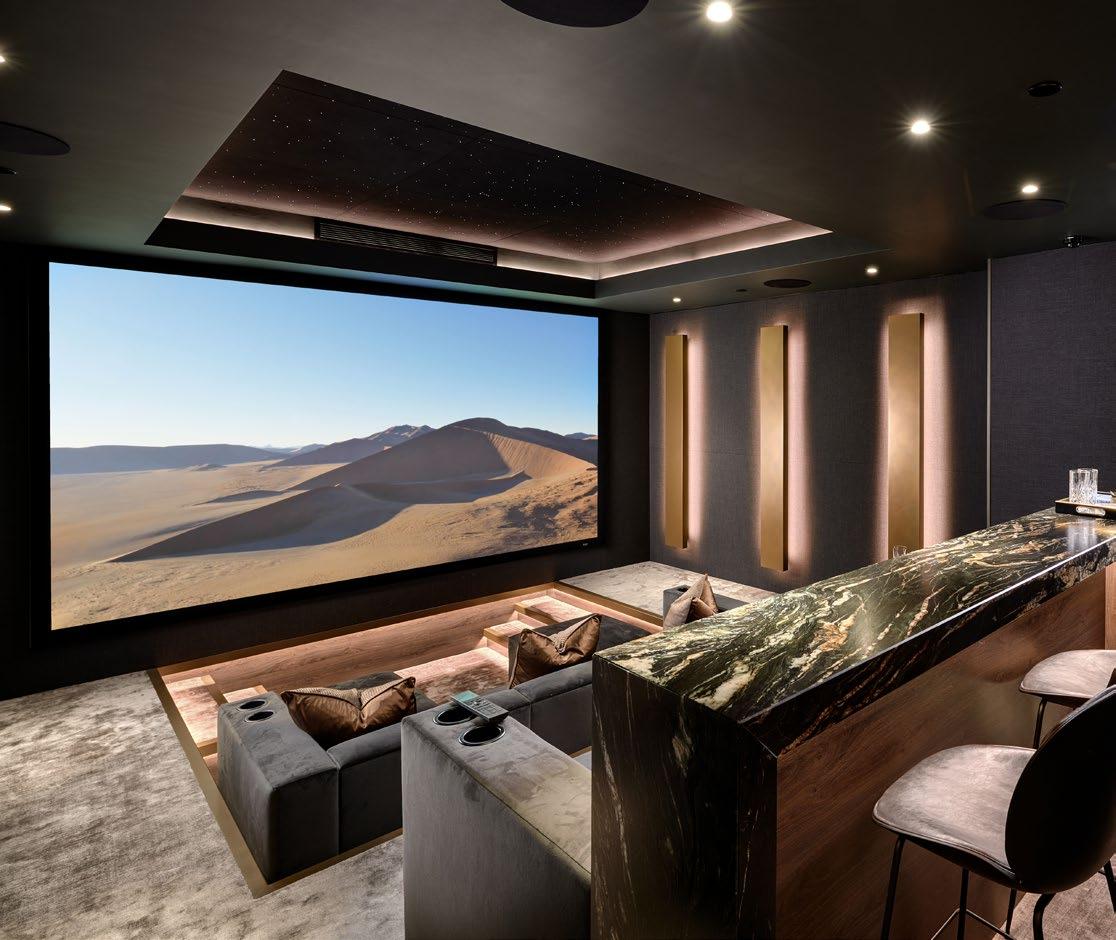
The Forever Cinema is, ultimately, an investment in experience. It is the convergence of architecture, engineering, technology, and human understanding. A private cinema that fulfills every expectation shaped over a lifetime. A space that continues to delight, to engage, and to create meaningful moments for the client, their family, and their friends.
Cactus Sight and Sound use its newly added lighting capabilities to upsell a small outdoor AV job into a marquee project.
By Anthony Savona
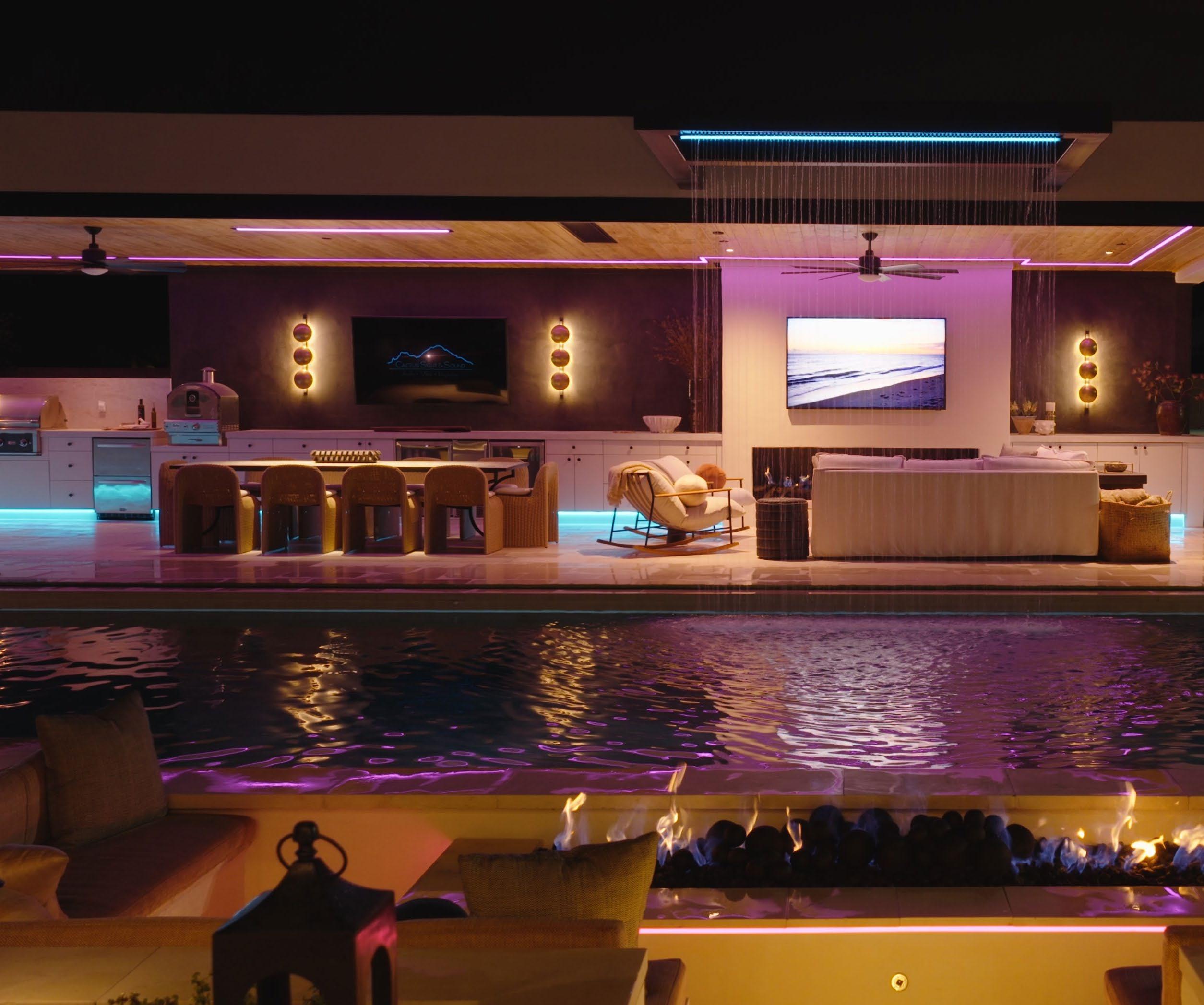
When Chase Goodman, owner of Cactus Sight and Sound in Tempe, Arizona, received a call from a local pool contractor to work on another backyard project together, he knew he wanted this one to be different.
“We had met on another project where I had a relationship with the client, and he was building their pool,” recalls Goodman. “On that project, we just did the outdoor audio. It was a beautiful backyard, but the lighting that they used was Home Depot pancake lighting.”
He did not want that to happen with this client.
Goodman continues, “When we left the initial meeting with the new client, I said, ‘We’re not going to do the same lighting that we did at that other project, right?’ That was a big miss, as that client would have spent the money, but at the point that I was involved, it was too late. He said I should pitch it to the new client and see what happens.
“So, I went back to the next meeting to go over the AV, and I also put together
a lighting lookbook with images that were supplied from PureEdge Lighting. I had drawn out what I thought would work in the space, and she wound up cutting back the AV to budget in the lighting I suggested. It took what should have been a $30,000 job and turned it into a $95,000 job just on the lighting. Plus, everybody’s blown away with it—even the guy who built the pool is getting a ton of recognition and buzz in the Phoenix area for that project.”
The irony of Goodman’s push for better lighting is not lost on him; after all, Cactus Sight and Sound has only recently gotten into the category themselves. In the past, the company had done some under-cabinet tape lighting, but not much else until they got the call to do a “carte blanche” home theater that was featured in Residential Systems’ September 2023 issue.
“After that theater, we started to spec fixtures and tried to be in on the ground floor instead of coming into jobs, seeing what was there, and knowing
PureEdge Luca 2.7 RGBTW down lights
PureEdge TruLine 1.5 recessed track
PureEdge Veil with the Lucy down lights (customized to fit a T&G ceiling)
PureEdge RGBTW tape light
Lutron Radio Ra3 control system
James Loudspeaker 42AT [8], EMB10M [2], SA63 [4], Power pipe 10-inch sub, A2.1 amps [3]
Control4 control system
we had to control it,” says Goodman. “That has been a big challenge for us. It’s much like drapery and shades — not a lot of people think of going to the ‘AV guy’ for those things.”
Goodman acknowledges the steep learning curve with lighting, and, for him, it started coming together at Lightapalooza 2025. “I met several people in those classes who are full-on lighting designers who told me to reach out to them if I needed help and that they’d be glad to collaborate and make sure we’re doing it right.
“That is also where I met Blake Matthew at PureEdge Lighting. A few weeks after the show, he came to my office, brought me a demo kit, and got me signed up as a dealer. What’s great about their product is that it is low voltage. We’re not electricians, but we can run that stuff, and that’s been a big selling point for us. Products like PureEdge’s track lights can be used in spaces where traditionally high-voltage products would be used.
“We ordered some PureEdge demo products for the shop, and one of their
engineers showed me how it all works in an integrated system, which opened up a bunch of doors in my mind. We can take the Lutron app, which I can use with Savant, Control4, and other automation systems, and integrate all these other products that I didn’t even think about. At my house, I just integrated my pool light into the Lutron app using PureEdge’s controllers. It’s opened up a lot of avenues for how we can use lighting products differently.”
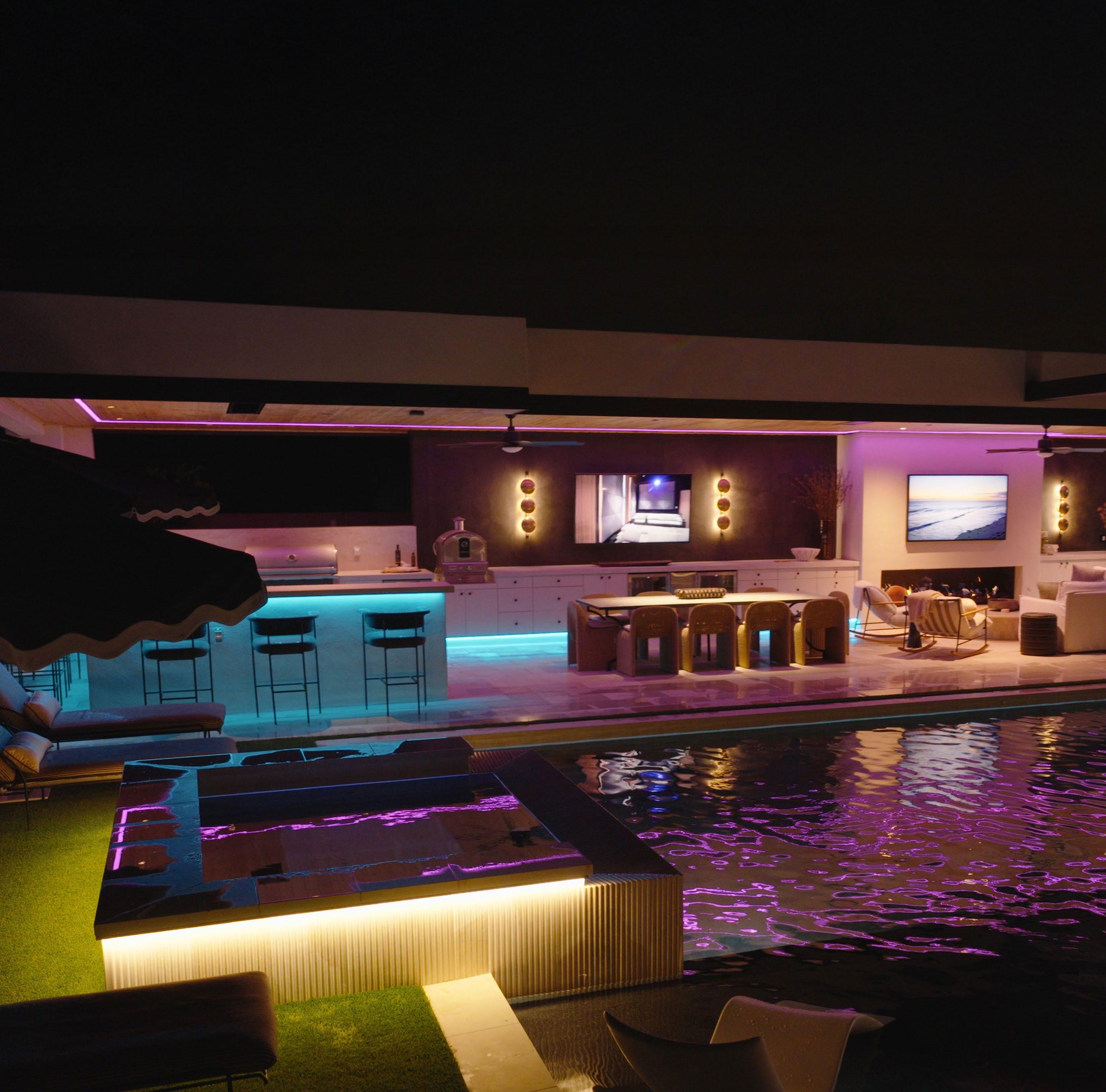
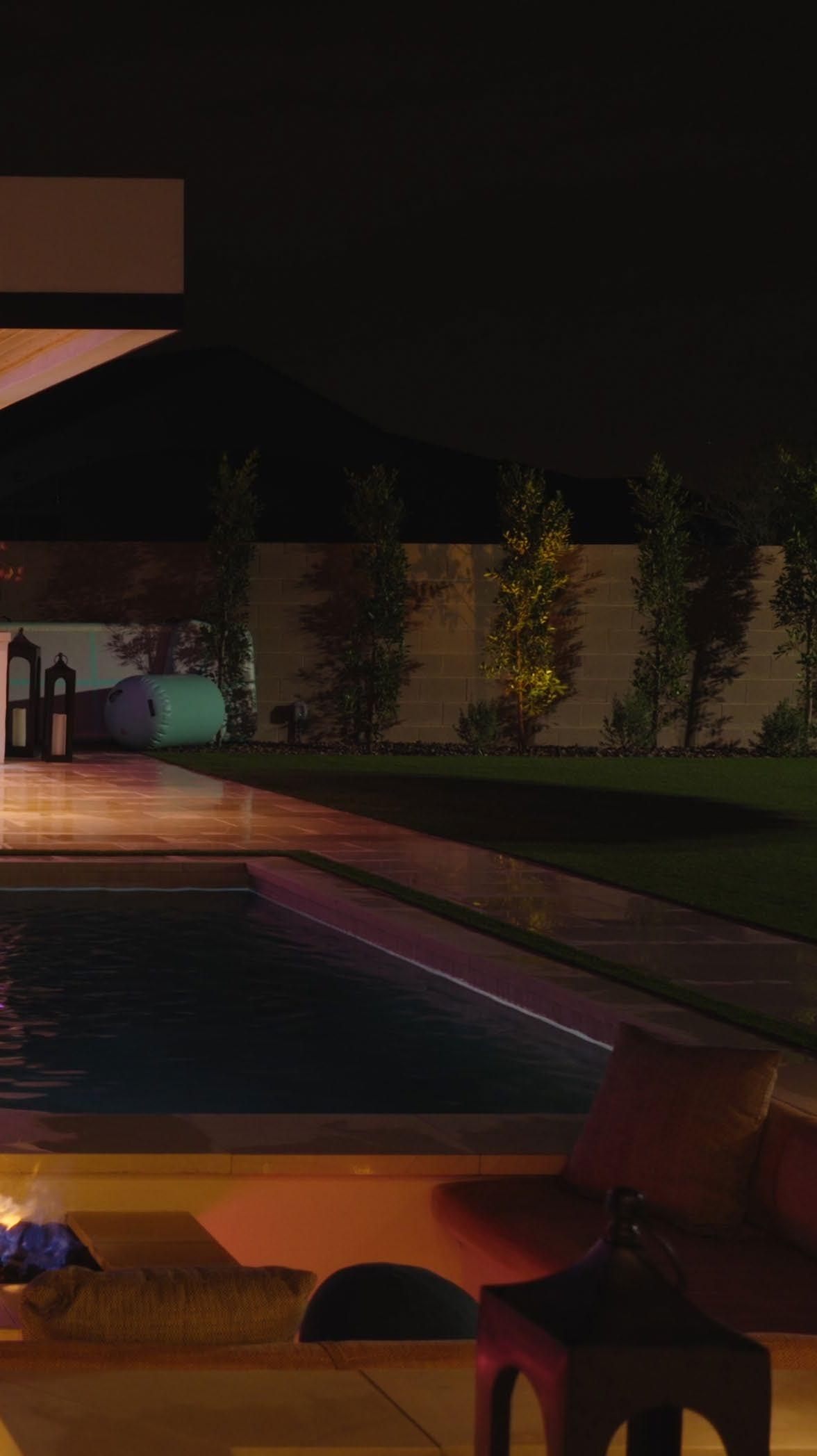
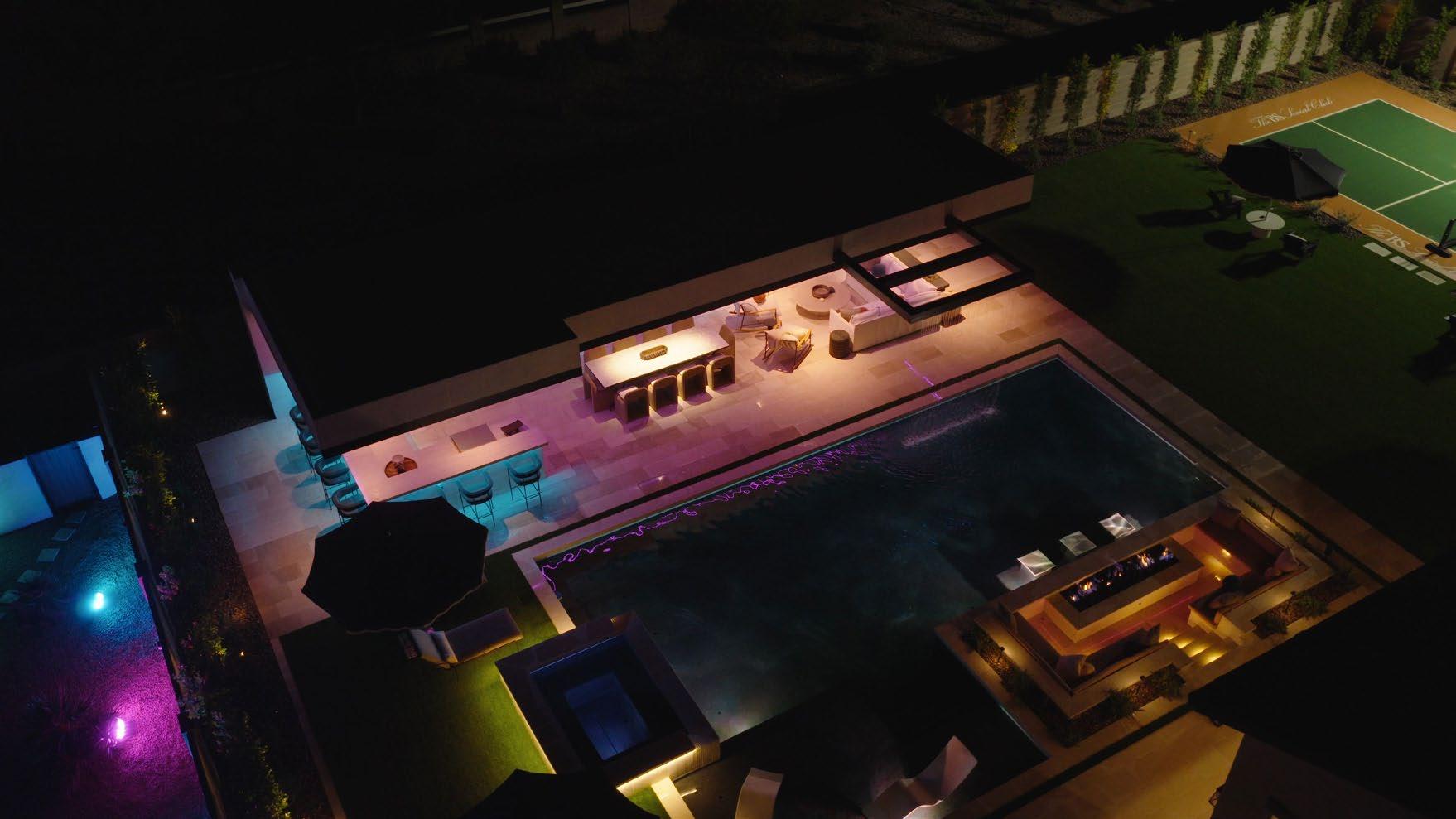
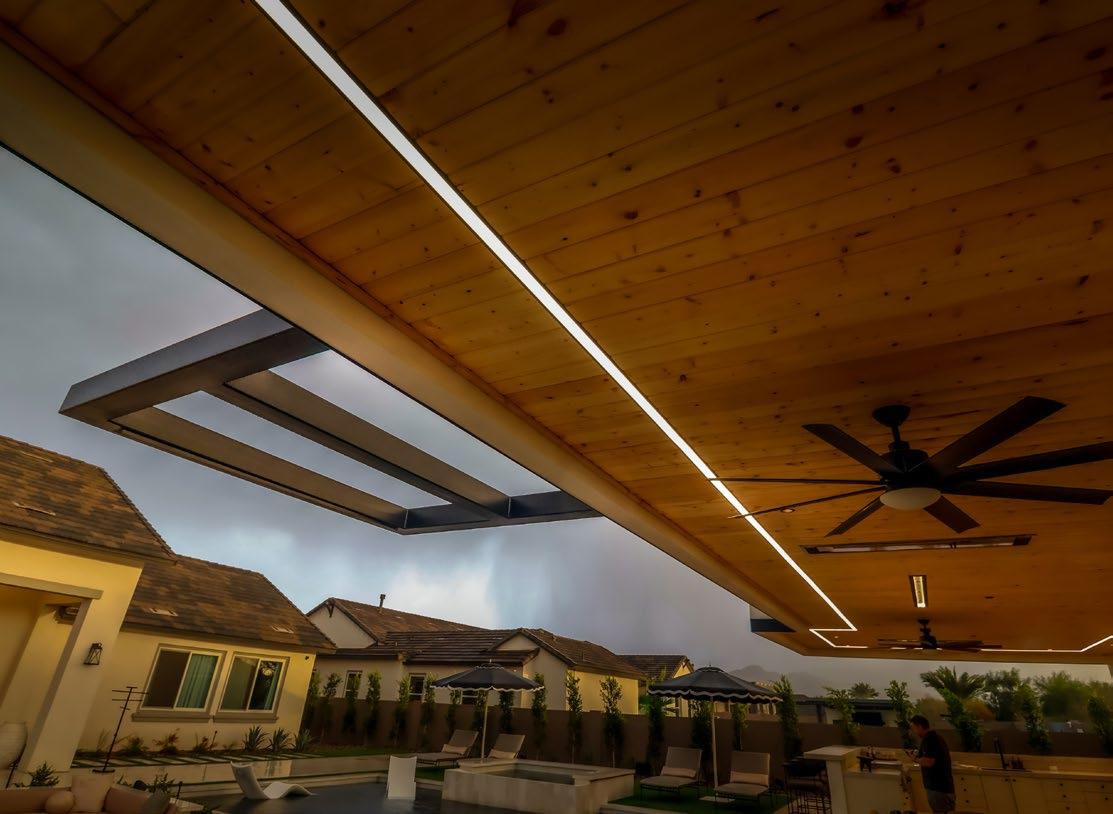
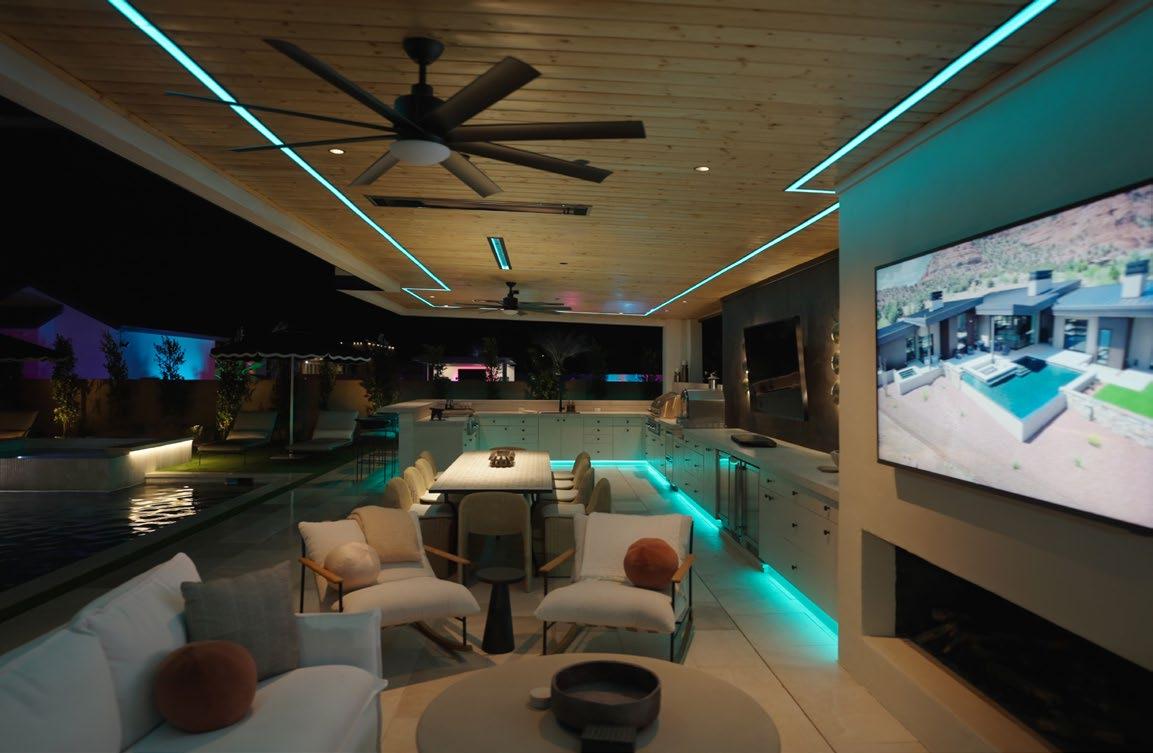
Which brings us back to the now-lighting-heavy backyard project. The pool lights were already in place, so the main job for Cactus was to add lighting to a large, standalone structure next to the pool with an open front and a solid concrete block wall at the back. Four steel beams support the ceiling. The space features a bar, a kitchen, a dining area, and a den.
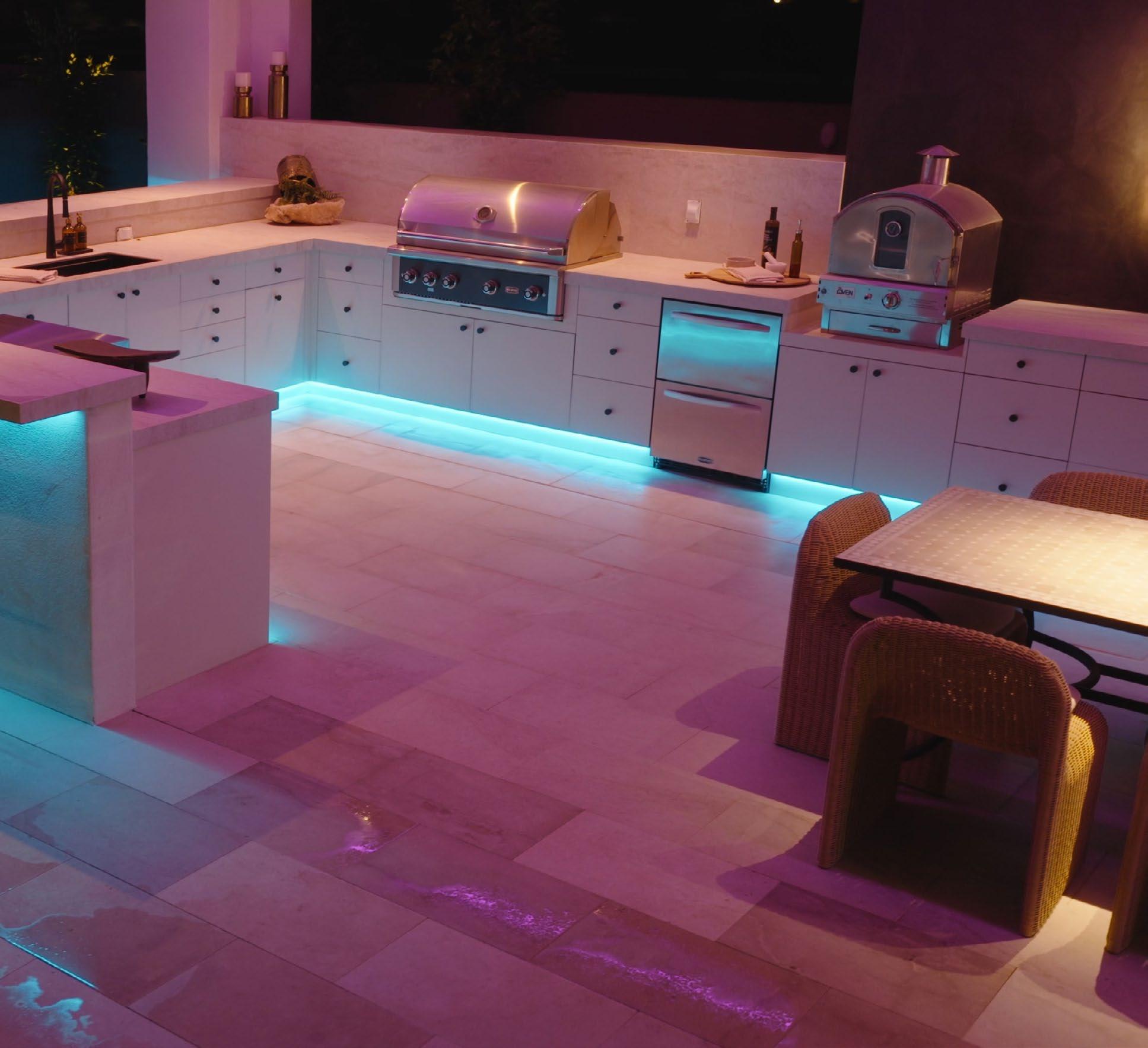
Tape lighting is used throughout the space — under cabinets, toe-kick areas, and under the bar’s counter. The long ceiling that covers the entire space is where Goodman’s vision came into view, particularly over the dining area table.
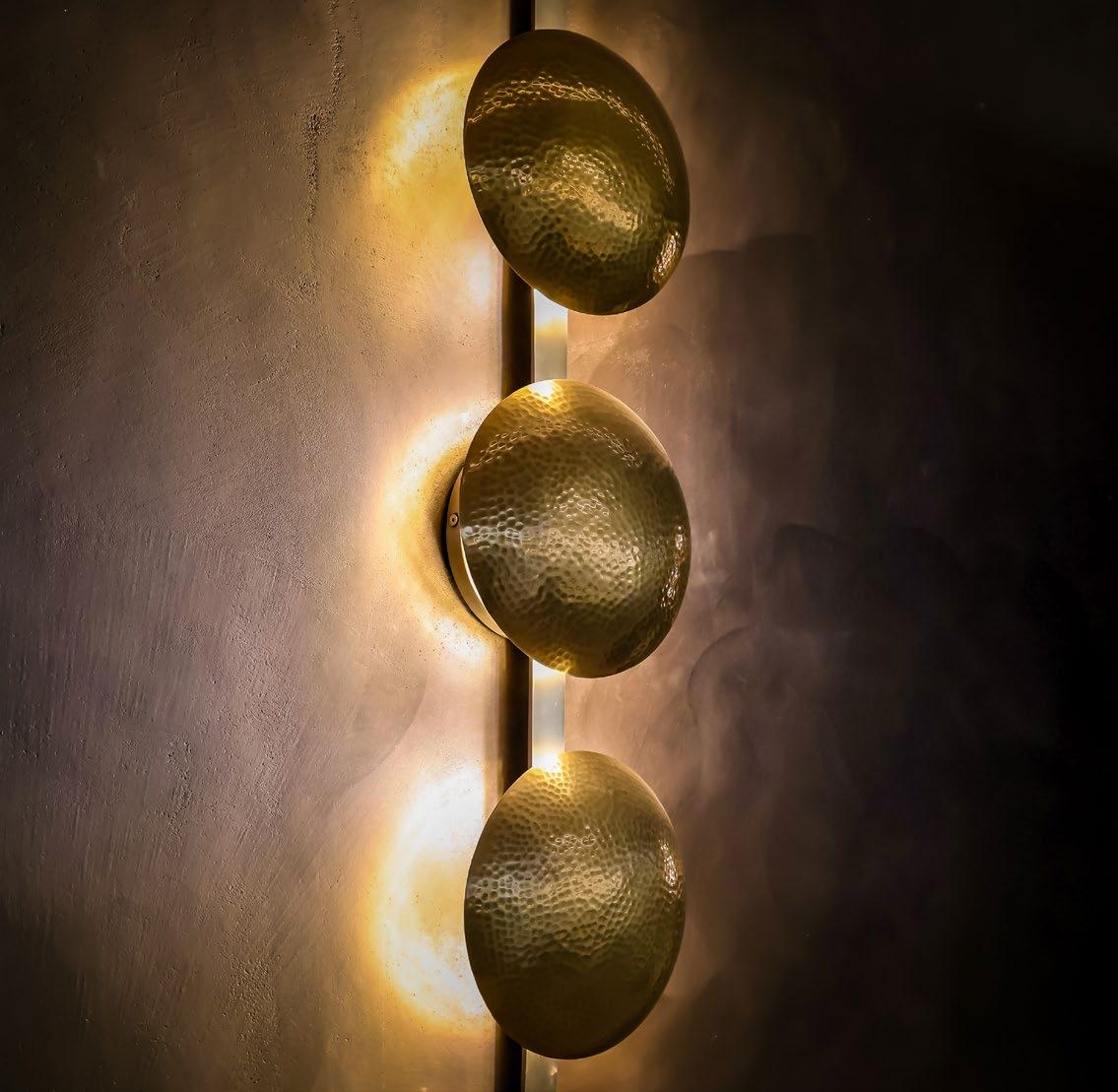
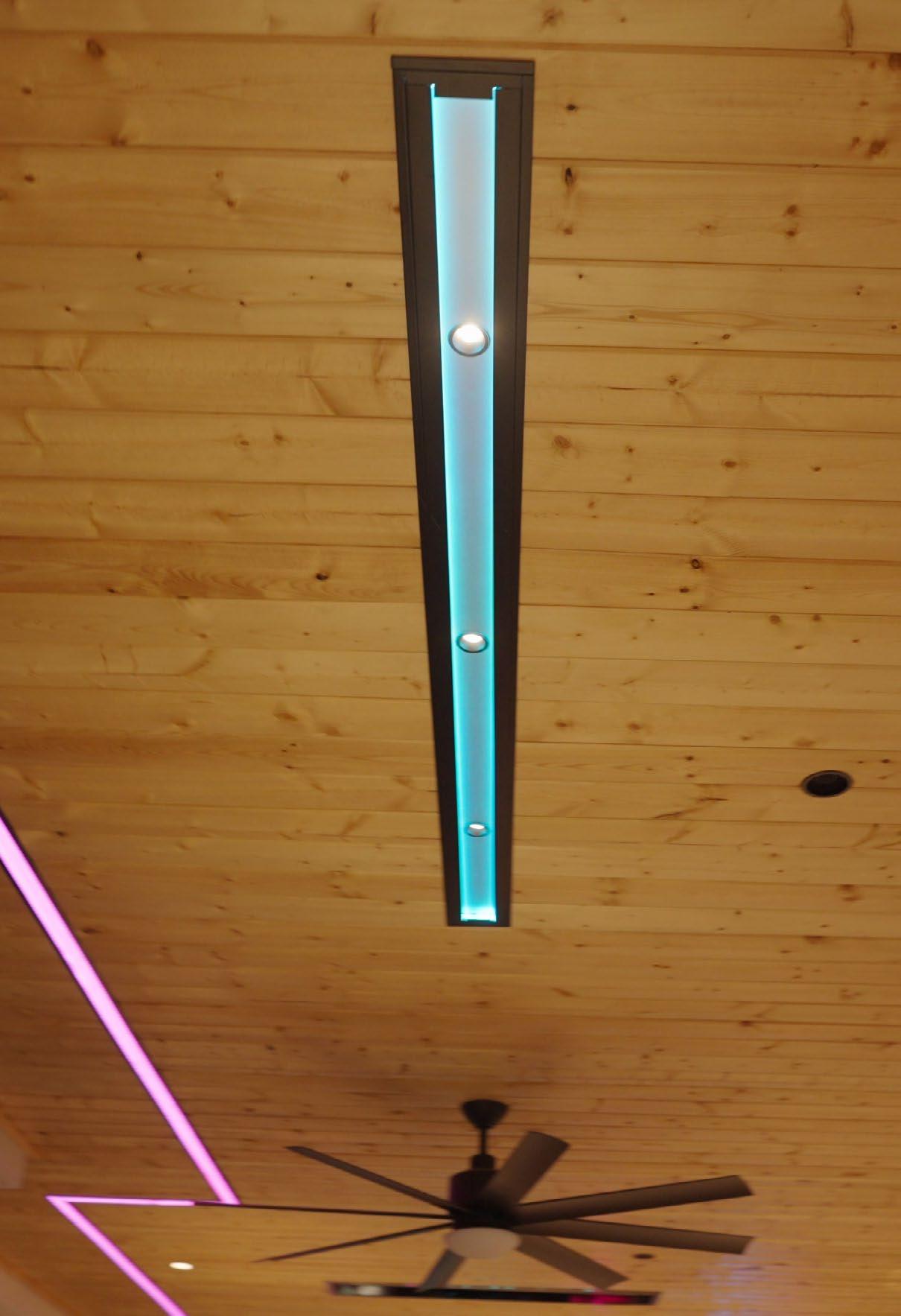
“We needed a fixture over the table, and she didn’t want anything hanging,” explains Goodman. “She wanted to have a clean roof, so I found a PureEdge fixture that would do the job. It’s got a color-changing strip on the inside of the fixture, and then there are three downlights in the middle of it. When you’re standing back, you see the table is lit up, but you don’t see the white light coming through. You just see the glow of whatever color they have on the edges. She loved that.”
However, it would not be an easy option to install because the light was designed to be mudded into a gypsum ceiling, and the project’s ceiling was made up of wooden planks.
“They didn’t offer it without a flange, so I asked Blake to send me a sample,” says Goodman. “Looking at it, I saw that I could run it through my table saw and cut the flanges off. I’ve got a metal guy, and he welded some aluminum on the edge, and then body-worked it — factory painted it for me and everything. It came out great, and I think that was my favorite part of the whole project.”
And that is saying something because, even after all that prep work, the installation still did not go as smoothly as Goodman would have liked. The three center lights, which stick out about 2 inches into the roof, happened to align with the studs in the ceiling. After some time spent notching, Goodman got the lights to fit.
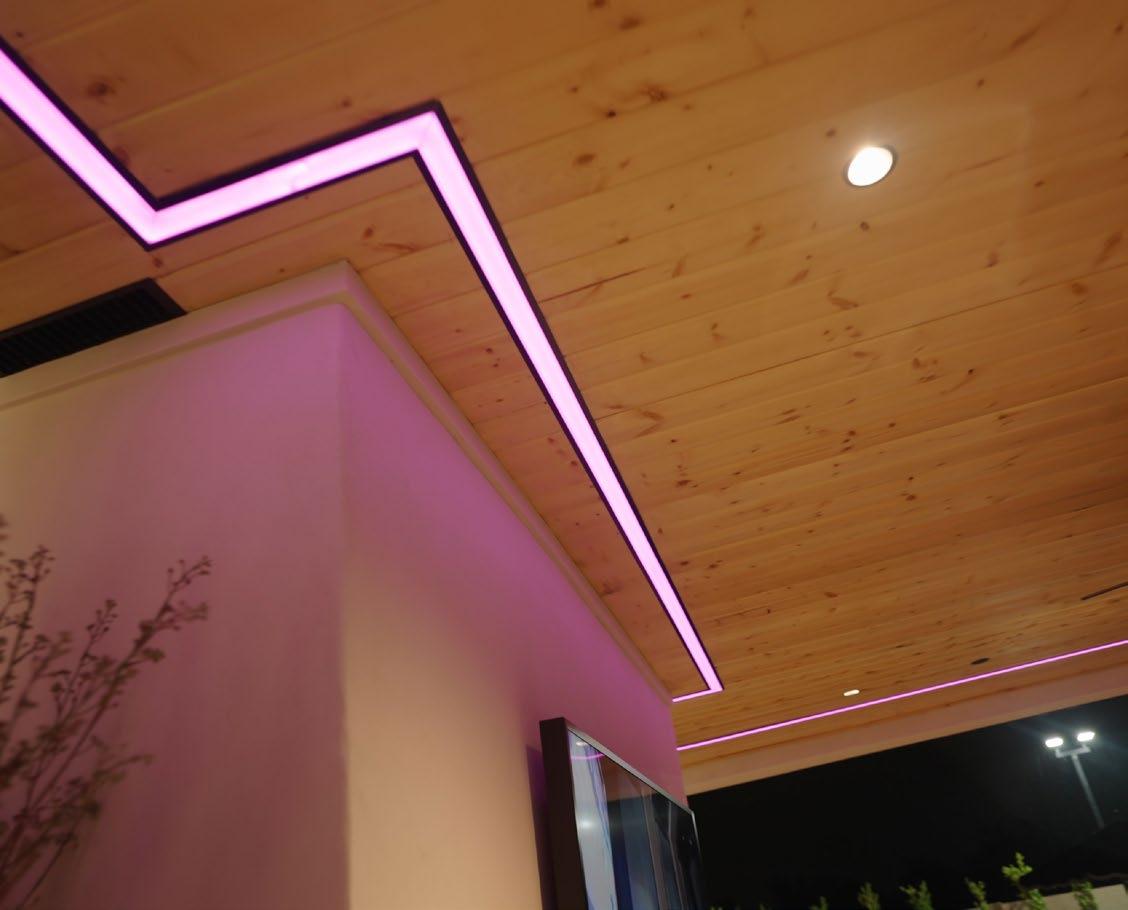
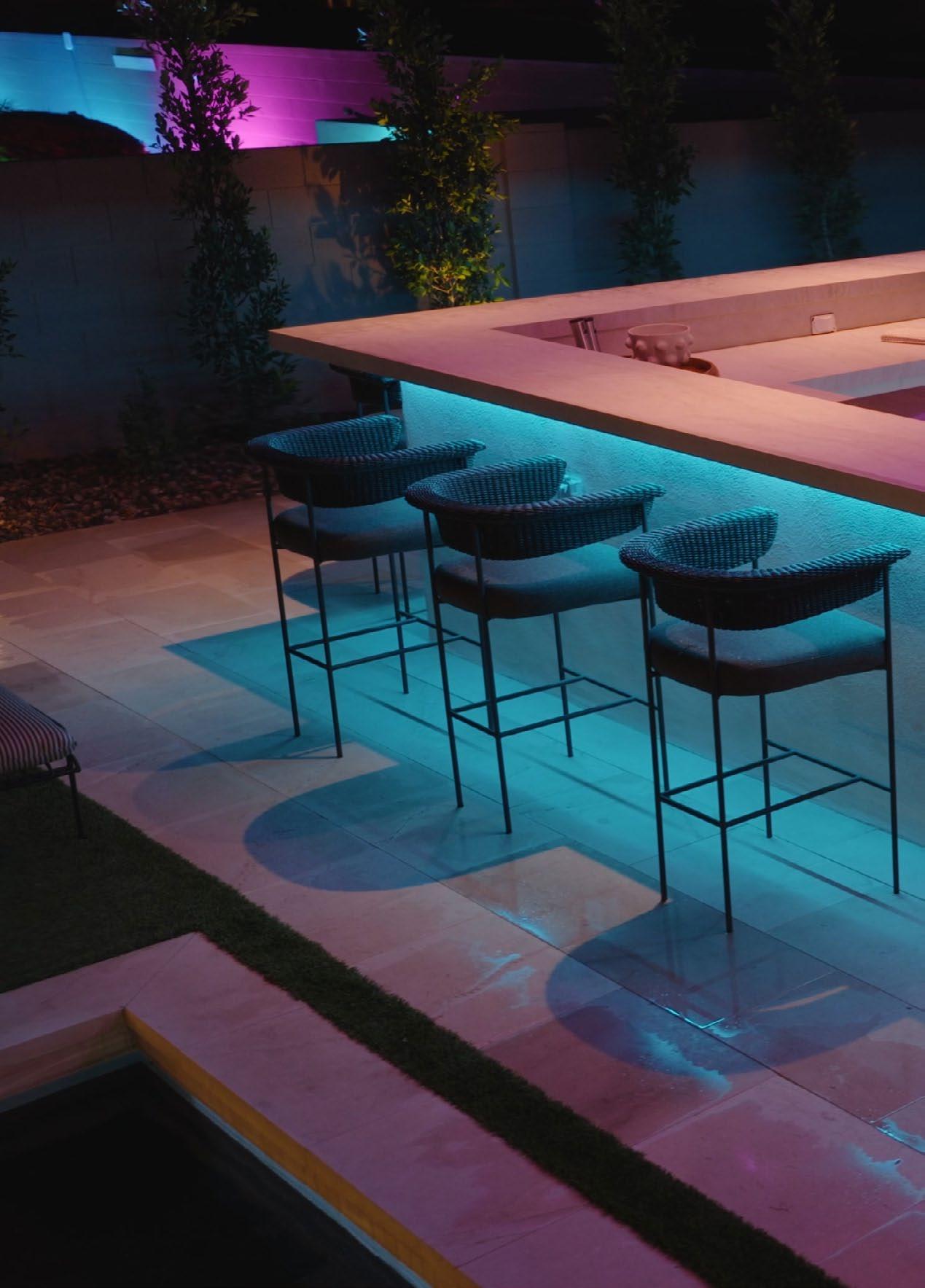
The other standout light in the project is the PureEdge TruLine that runs near the perimeter of the entire ceiling. “Originally, they were going to put the light under the eave, but I told them I thought it would be cooler if we brought it in about two feet off the edge all the way around, just as a highlight accent piece,” says Goodman. “They agreed.
“It was my understanding that the PureEdge pieces were going to come cut and ready to go, but they weren’t — they’re field-cuttable. I wasn’t going to cut that upside down along that whole thing, which is around 45 feet long, so I cut them and gave them to the ceiling guys to put in. Next time, I’ll just make a wood placeholder the same width as the light, get it straight, and then let the tongue-and-groove guys come in and do their thing. Then, we just remove the placeholder and lay the light in.”
In addition to the TruLine, tape, and table lighting, there are ten downlights under the canopy — six over the bar and four over the seating area. The ceiling also features four James Small Aperture Series speakers and an in-ceiling sub. The lights around the two televisions were supplied by the client.
“We also created a waterproof light that hangs over the waterfall that pours into the pool,” says Goodman. “It is a PureEdge light inside a black silicone diffuser, so you don’t see it until the light is turned on.”
The entire lighting system is controlled by a Control4 system, which is also used in the main house.
Since completing this project, Cactus has booked another outdoor lighting job — this one with a pool area triple the size and grounds that include a
wellness center. The company also has its first whole-home interior lighting job on the books, which is both exciting and nerve-wracking.
“Lighting is important,” says Goodman, “and to get it right the first time has been a challenge. This is going to be our first crack at a whole house and not just a zone like this backyard or a room like the home theater — there are going to be art lights, downlights, pendants, and more. So, it is scary, but it has been a fun thing for us, and it has renewed my team’s enthusiasm.
“And not just my team — I’ve had a lot of clients just wanting to simplify and looking for other things they can do in their homes. Good lighting elicits strong emotions from clients and leads to more business.” For more information, visit cactussightandsound.com/home.
How to prepare your company to serve the ever-expanding senior market.
By Anthony Savona
Tales of a “silver tsunami” have been circulating the industry for years, with people living longer and expressing a desire to stay in their homes for as long as possible. The nonmarketing-friendly term “aging in place” has been floating throughout custom installation as a field to watch and an opportunity waiting to be realized.
But what does that look like? What kind of training or additional services do integrators need to offer to participate?
For answers to those questions and more, we look to the retirement capital of the United States — Florida — and one of its key technology players, Boca Tech and Automation, located in the senior haven of Boca Raton. Boca is one of the few integration firms with Certified Aging-in-Place Specialists (CAPS) on staff. Presented by the National Association of Home Builders (NAHB), CAPS “teaches the technical, business management, and customer service skills essential to competing in the fastest growing segment of the residential remodeling industry: home modifications for the aging-in-place.”
If you think “aging in place” is not a great name to incentivize a sale, you are not alone. “Living freely” is an alternative Jeff Galea, president and CEO at Boca Tech and Automation, uses when talking to clients.
“One of the first lessons we had when we were doing the CAPS training is that aging in place is not for when you are old,” explains Marcio Gomes, marketing director for Boca. “You need to think about adapting the house even if you are not an old person. If we use the name ‘aging in place,’ you’re going to be setting us up for failure. Our concept of aging in place is not just related to safety; it is about comfort and anticipating your and your family’s future needs.”
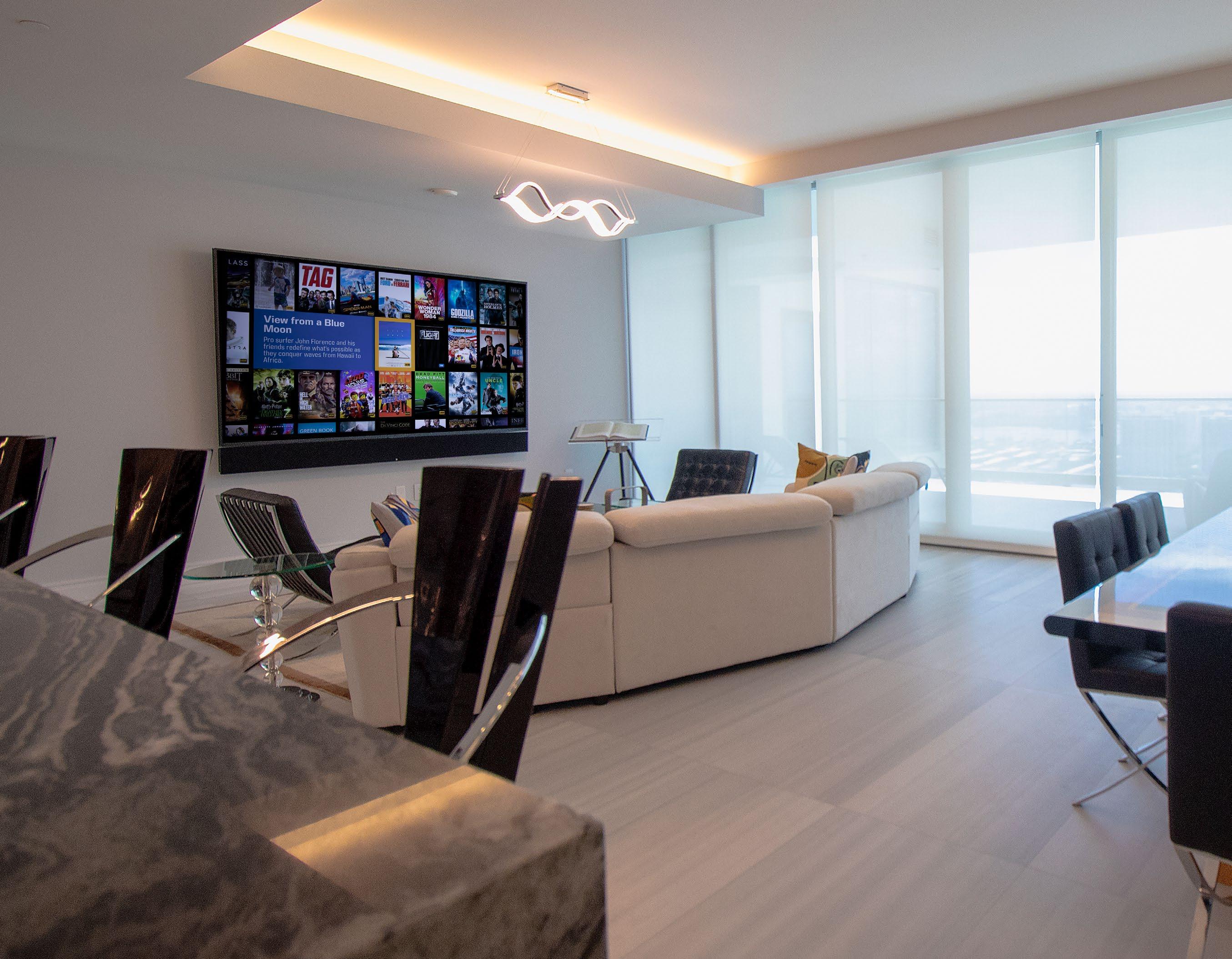
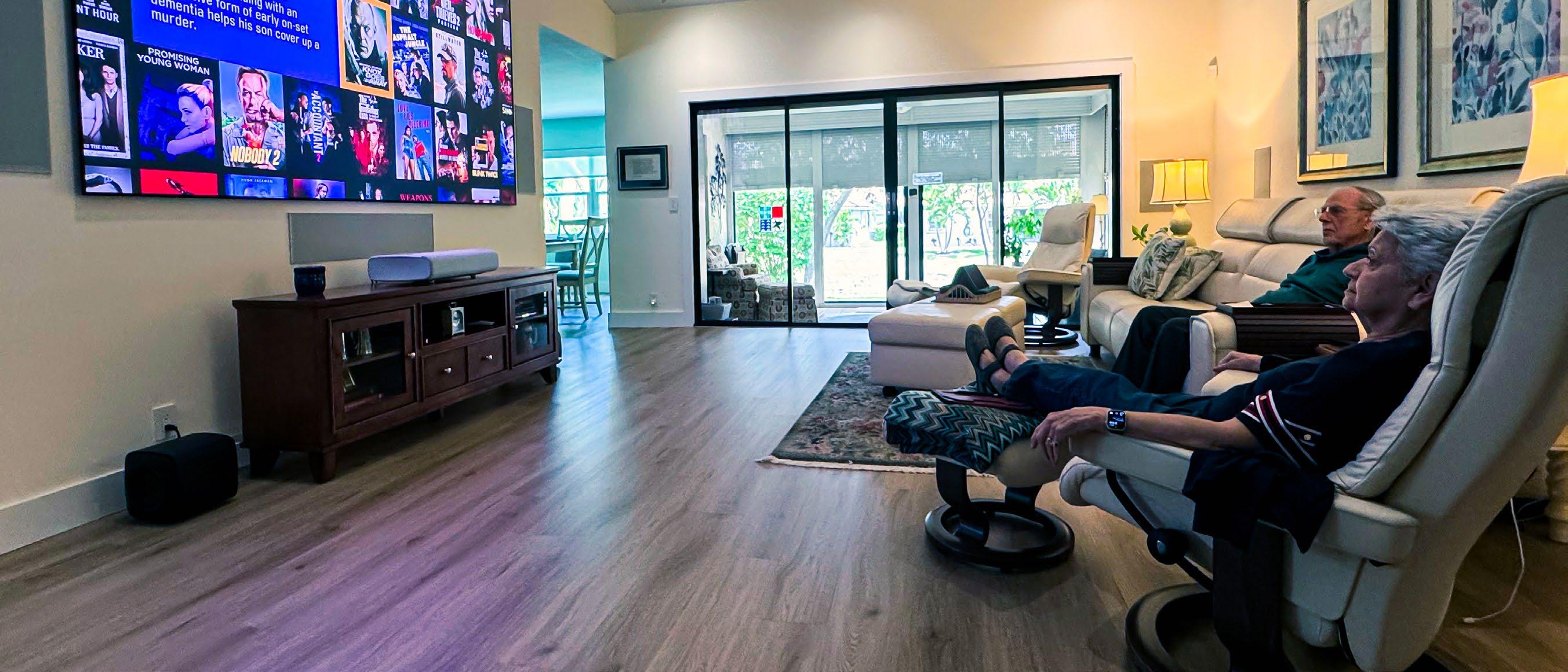
“When you hear those words, your tendency is, ‘This is about me growing old and not being able to take care of myself, right?’” says Galea. “But as Marcio said, there’s the other half of this. I might put a ramp in my own house because I want my parents to visit me. And it works the other way, too. Marcio and I share the same parents — my mom and dad are his mother- and father-in-law. So, his son goes over and watches TV with them on their UST projector. If they had a small TV without Dolby Atmos,
I doubt he’d be as interested.
“One of the things CAPS told us about aging in place is about making your house accessible to visitors, whether that’s us as younger adults bringing aging people in and having accommodations, or the other way around, like when my grandkids come over and I know they are going to want to play Xbox. It is about being aware of everybody’s needs, whether they themselves have the health issue or someone in their family might have a health issue at any age. The training made us aware of all of the other things that go on.”
When viewed through the CAPS lens, aging in place is not a specific set of technologies, but an awareness of the continued evolution of the home. Throughout our lives, our homes change as nurseries become kids’ rooms, then guest rooms, offices, studies, or craft rooms. Aging in place is asking for a more proactive approach to the home’s evolution.
“I first thought CAPS is a category — let’s put everything in a box and sell it that way,” says Galea. “Then you realize it’s the same stuff we’ve been
By Joe Piccirilli, CEO and founder, RoseWater Energy
As demand for aging-in-place solutions grows and more consumers look to create “forever homes,” systems integrators are being challenged to design environments that deliver more than convenience and comfort. While much of the focus is placed on connected devices and automation platforms as part of an aging-in-place strategy, one foundational element underpins it all: stable, reliable power.
At the heart of aging-in-place environments is an expanding network of sensors and connected technologies, including motion detectors, health monitoring devices, surveillance cameras, and voice-controlled systems. These microprocessor-driven technologies continuously monitor activity, detect anomalies, and trigger alerts that can indicate a fall, a missed routine, or a developing health issue. Their reliability is critical; even a brief disruption caused by a power glitch can compromise their effectiveness and, ultimately, the well-being of the occupant.
This shift is accelerating as homes increasingly serve as platforms for self-care. Remote diagnostics, virtual doctor visits, and ongoing health monitoring are becoming standard components of aging-in-place environments. Communication tools now connect homeowners with caregivers, family members, and medical professionals in real time. In this context, system reliability is not simply a performance metric; it is essential to maintaining continuity of care.
The broader ecosystem further reinforces this need. Voice control enables individuals with limited mobility to interact with their environment. Video surveillance allows remote check-ins for peace of mind. Smart appliances deliver alerts when something goes wrong. Together, these systems create a support network that enables independence but only if they remain consistently operational.
Modern aging-in-place environments often include wellness-driven technologies such as advanced HVAC systems, air quality monitoring, automated shading, and powered furniture like adjustable beds. These systems work in concert to create a comfortable, responsive living environment, but their performance depends entirely on uninterrupted power.
For integrators, these scenarios underscore the need to rethink how power is approached in residential design. It is no longer just infrastructure in the background but rather an integral part of a user’s safety, health, and well-being as they age.
As a result, a comprehensive power management strategy, encompassing standby power, surge protection, power conditioning, and continuous system monitoring, must be treated as a foundational requirement for any aging-in-place project. Without a deliberate power plan in place, even the most advanced technologies become unreliable, undermining the very systems designed to protect and support the homeowner.
As homes take on a greater role in supporting health, safety, and independence, the success of the entire aging-in-place ecosystem ultimately depends on one thing: a stable, reliable power foundation. For more information, visit rosewaterenergy.com.
doing anyway, just with a different purpose. Our categories are the same, but the justifications for the tech become more ‘needs’ than ‘wants.’”
For Boca, aging in place is not about putting in health and fall sensors. If a sensor fails, that is not something the firm wants to be responsible for. “One thing that we’re not doing, and I don’t have plans to do it,” says Galea, “would be for me to become your medical provider.” [Although there are services for that — see the sidebar entitled “How Integrators Are Redefining Care-Enabled Living” for more information.]
But the tools they currently offer can provide homeowners — and, if they choose, caregivers — peace of mind. “We do a lot of lighting sensors and occupancy sensors,” says Galea. “Those are very useful, and we have circled back and done more motorized shades after the client said they weren’t interested at first.
“From a security perspective, we need to take that category very seriously in an aging-in-place situation. The whole idea of using AI cameras and monitoring who’s coming and going is very popular with seniors. Everybody wants situational awareness — especially when you’re sitting alone in your house. It’s very comforting.
“When I’m talking to a client that is in this CAPS category, and they say they don’t really need that many cameras, I give them real-world use cases and usually it makes sense to them. This isn’t just monitoring my exits and entrances; it’s seeing what package just got delivered or if the mailman came and it’s worth a walk to the mailbox or not. My dad does that — he doesn’t go out there until he knows there is something to get.
“The other side of that, which was covered in CAPS, would be if there’s an adult contact in your world that you want to grant access to your cameras so they can check on you. It’s important for clients with multiple homes and also clients with adult children keeping track of them.”
Power is another staple in the CAPS world. While an uninterruptible power supply system is an expensive addition to a home, if you have lifesaving equipment that needs power at all times, it becomes a necessity. [See sidebar entitled “Why Reliable Energy Infrastructure Is Critical for Aging-inPlace Homes” for more information.]
Lighting also plays a part in this category, a lesson Galea experienced firsthand with his parents’ home. “After we had everything installed and they lived with it for a year or so, there were reports coming back from my sister that my mom wasn’t sleeping well and wasn’t engaged,” he says.
“This was around the time that the natural scenes were coming out with Lutron. Even though we had full lighting control, we went back into their main areas and added more lighting fixtures into their ceiling. Then we put Ketra in and added a natural show. Now the lights follow the sun just like our showroom does. And the report that we got back was that it did help the health and well-being of my mom in particular.
“I would say in retrospect that I would go forward with natural lighting now that it’s readily available, it’s something we can do, and we know how it works. I have a before and after with my own parents of what good quality light does in terms of how you feel and how active you are during the day.”
Aging in place, pardon…living freely is a hot topic in the markets that Boca serves, with the firm attracting new clients as well as continuing to service their current clientele as life goes on. While it is important to let people know these programs exist, marketing them in an appealing way can be difficult.
“It is a whole new market in this industry,” says Gomes. “When we were CAPS certified, I thought we should promote it with a blog and put a section about it on our website. Jeff was more interested in letting it happen naturally. So, when you have a conversation with a client, you have your mindset prepared to approach that concept without using the words that make them not want to talk about it. We have a conversation with the clients naturally and they will surely speak of some things that we can help them with — like power, for example.
“Working with this demographic here in South Florida, a bunch of our clients are older. Our customer service speaks their language and also, when we’re writing our marketing programs, we suit our language more toward the older crowd. We do the same when we answer the phone here. If you want to work with this demographic, you need to speak in their language, be patient and explain things better”.
“There’s nothing saying that everybody that’s aging in place needs to set up a hospital room in their master bedroom,” concludes Galea. “That applies to some people and those projects we can do a certain way. But the people we’ve been working with are otherwise healthy. They’re just older.” For more information, visit bocatech.com.
By Kyle Steele, Global Wave Integration and FutureCare Solutions Group
There’s a moment in almost every project when the conversation changes. The client stops talking about speaker placement or lighting scenes. They pause for a second, then ask something more personal:
“What happens when my parents can’t live alone anymore?”
“What happens when I can’t?”
I’ve had that conversation more times than I can count. Every time, I’m reminded that the most meaningful technology we install usually isn’t the thing that impresses guests at a dinner party; it’s the technology that helps families stay together in the homes they love for as long as possible, while preserving comfort, independence, and dignity.
That conversation is becoming more common, and one of the biggest opportunities in residential integration. It’s already sitting inside the client relationships many integrators have today.
According to AARP, 75% of adults over 50 want to remain in their homes as they age. By 2040, the population over 65 is expected to nearly double to 80 million people. These are our clients. Their parents. Their future.
Today, the care-enabled living conversation centers on two environments. The first is the care-enabled suite, designed for someone who wants to remain independent longer. Circadian lighting that supports natural rhythms throughout the day. Motorized shades. Voice control. Passive wellness monitoring that gives families peace of mind without making the person living there feel watched. That balance between support and discretion is where thoughtful design matters most.
The second is what we call the End-of-Life (EOL) room, and this is where many integrators still underestimate what’s possible.
The end-of-life environment Global Wave Integration has spent years developing is not a hospital room with nicer furniture. It is an adaptive multisensory system, a unified platform that integrates lighting, audio, spatial sound, visual projection, air quality, scent diffusion, and environmental sensing into a continuous, AI-driven feedback loop.
What makes it genuinely different is the concept of experiential modes. A caregiver or family member opens a wellness app and selects an environment, not a scene: calm, comfort, dawn, dusk, and a legacy video experience.
Each mode is a curated combination of lighting intensity and color temperature, audio output and spatial sound field, visual projection content, and airflow and temperature, all calibrated to support a specific emotional or therapeutic outcome.
A Legacy Video Experience fills the room with meaningful family media, softened lighting, and spatial audio tuned to a particular emotional register. Dawn brings a gentle, circadian-appropriate brightening paired with ambient sound that eases someone into the morning without jarring them awake.
These are not static presets. The environment continuously adjusts in the background as conditions change, whether that’s air quality, room temperature, or movement patterns. At the same time, the individual always stays in control of their own space. Nothing changes without consent.
For clients supporting a parent who wants to stay home independently, not yet at end-of-life, but at a stage where peace of mind matters, the integration opportunity centers on passive, sensor-based wellness monitoring. This is the core of what FutureCare Solutions Group deploys. No cameras. No microphones. No wearables. Just discreet environmental sensors that establish behavioral baselines: motion patterns, sleep quality, bathroom activity, kitchen use, and subtle anomalies, before they become crises.
Families receive visibility and peace of mind. Older adults maintain their privacy and independence. The system integrates naturally into existing smart home infrastructure. For integrators already specifying lighting and automation in a household, it’s a logical, high-value addon. For new construction or renovation projects, combining FutureCare’s monitoring layer with whole-home automation, circadian lighting, and voice control creates a premium care-enabled package that speaks directly to what clients actually want: peace of mind, and the ability to keep their family together.
The barrier to entry is not technical. Most integrators already have the core skills. You have hardware relationships. You have networking competence. You have client trust. What most integrators lack is a caretechnology partner who can supply the monitoring platform, the product training, and the industry context to have this conversation with confidence.
Global Wave Integration spent years building exactly that delivery model. Through our partnership with FutureCare Solutions Group, we offer a subcontract and referral path for integrators who want to bring careenabled and EOL room capabilities to their clients, without having to build the internal bandwidth or product portfolio from scratch.
GWI handles spatial design, hardware integration, and automation engineering. FutureCare layers in the passive health monitoring and family connectivity platform. The result is a whole-home care solution that clients can understand, trust, and actually use.
The families who have experienced these environments don’t describe them as technology. They describe them as gifts. A daughter who can check on her mother without calling three times a day. A father who gets to stay in his own bedroom, in his own home, surrounded by the things that matter to him, with a system quietly making sure he’s okay.
That’s what care-enabled living really means. Not a feature set. Not another product category. A promise to the people we serve that the home will take care of them, the way they’ve always taken care of everyone else.
The skills required are the same ones you’ve been building your entire career: understanding what a client actually needs, translating it into technology, and executing with precision. The difference is that the stakes are higher, and the gratitude runs deeper than anything a flat panel installation has ever produced.
For more information, visit globalwaveintegration.com.
The latest generation brings big, bright, and beautiful images to a variety of spaces.
Though a longtime staple of the custom installation industry, projectors continue to evolve. No longer confined to windowless home theaters, integrators are now able to bring 120-inch+ images into bright, multipurpose living spaces. Here we look at some of the more recent additions to the category.
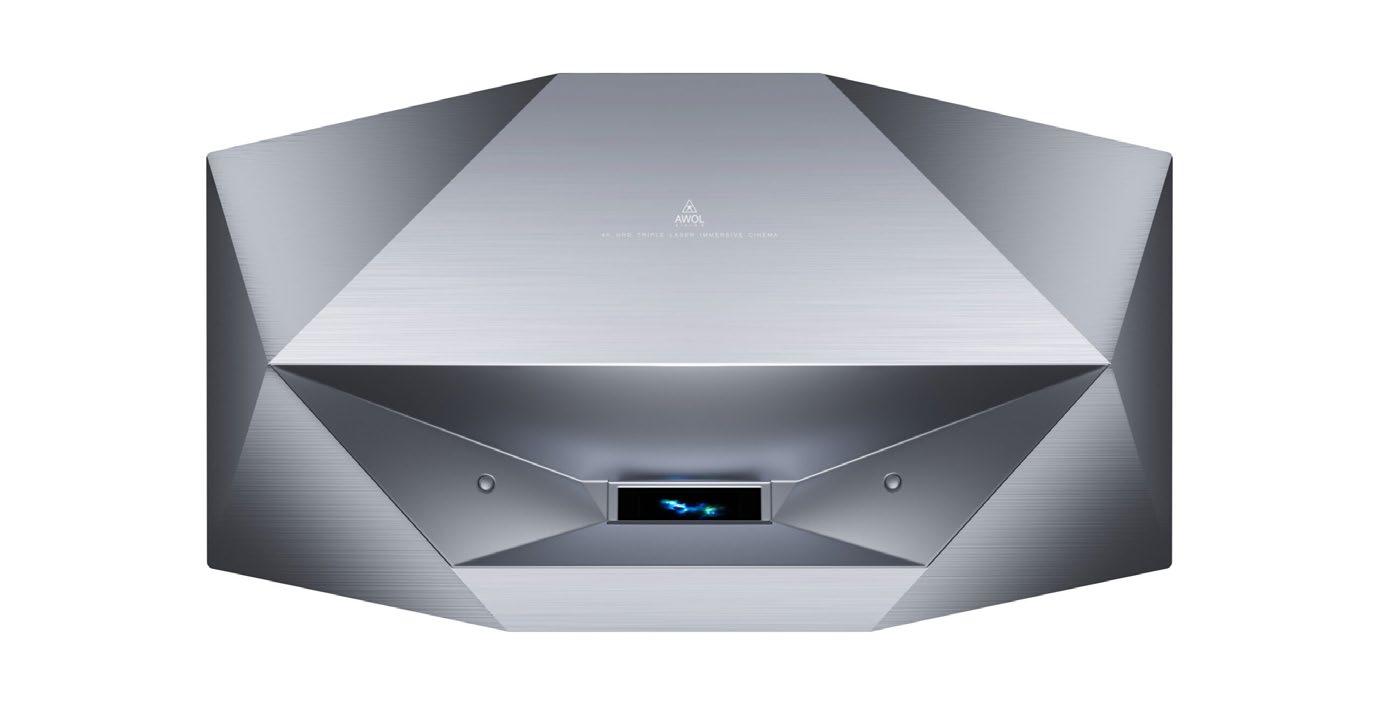
The AWOL Vision Aetherion Series triple-laser UST projectors deliver 4K clarity at screen sizes up to 200 inches. According to AWOL, the lineup introduces several industry-first technologies, including Anti-RBE technology, which reduces rainbow artifacts by 99.99% for more comfortable, distraction-free viewing, and proprietary PixelLock technology, which fuses and synchronizes each pixel at scale for edge-to-edge sharpness. The Aetherion Max provides 3300 ISO lumens of brightness and a 6000:1 native contrast ratio.
According to Optoma, the HCPro-5400 professional home cinema triple RGB laser projector is designed to be the industry’s first DLP laser projector featuring 5000 lumens of brightness and 4K UHD visuals with certifications for IMAX Enhanced, Dolby Vision, HDR10+, FILMMAKER MODE, and WiSA SoundSend. The HCPro-5400 provides up to a 300-inch image. For greater visual detail and depth, HDR10+ enhances content for improved dynamic range and color precision, combined with 96% BT.2020 color gamut and up to 98% DCI-P3 coverage to ensure accurate and lifelike colors.
The XGIMI TITAN Noir Series is engineered with RGB triplelaser technology and a Dual Iris system, redefining “absolute black” in home cinema and setting a new benchmark for professional-grade at-home projection. It provides up to 7000 ISO lumens and a 10,000:1
Native Contrast with Dual Iris technology. It supports IMAX Enhanced, Dolby Vision, and HDR10+ and has a refresh rate of up to 240 Hz for seamless gaming.
The Epson Lifestudio Grand Plus Ultra Short Throw Laser Projector is an all-in-one solution that delivers a 4K HDR picture up to 150 inches from just inches away, It includes an integrated audio system featuring Sound by Bose technology, and elevated viewing experiences with integrated Google TV with Gemini.
The Lifestudio Grand Plus projects 8.29 million pixels on-screen with HDR10 color. Combined with Epson’s 3-chip 3LCD technology, it offers 4000 lumens of color brightness (IDMS Rated) and 4000 lumens of white brightness (ISO Rated), producing vivid images even in well-lit spaces.
The Formovie Theater Premium Laser TV features ALPD Triple Color Laser Technology from Appotronics. This technology provides superior speckle control, rainbow effect suppression, and color reproduction, achieving a FOFO contrast ratio of 3000:1 with refined gradation between highlights and shadows, enhanced dark-scene detail, and improved color consistency. Combined with Bowers & Wilkins sound, Dolby Atmos, and DTS-X, it delivers a fully immersive and richly layered audiovisual experience.
Samsung The Freestyle+ is an AI-powered portable projector that is designed to deliver a flexible and personalized entertainment experience across a wide range of spaces. The Freestyle+ builds on the design of the original version of The Freestyle, while introducing smarter AI capabilities,
improved brightness, and expanded entertainment features. At the core of The Freestyle+ is AI OptiScreen, a suite of AI-powered screen optimization technologies that automatically adjusts the picture to different spaces — so you can point, place, and start watching. AI OptiScreen includes a set of intelligent features designed to automatically optimize the picture across different surfaces and environments.
Designed with portability in mind, The Freestyle+ features a compact cylindrical form factor that is easy to move between rooms or take on the go.
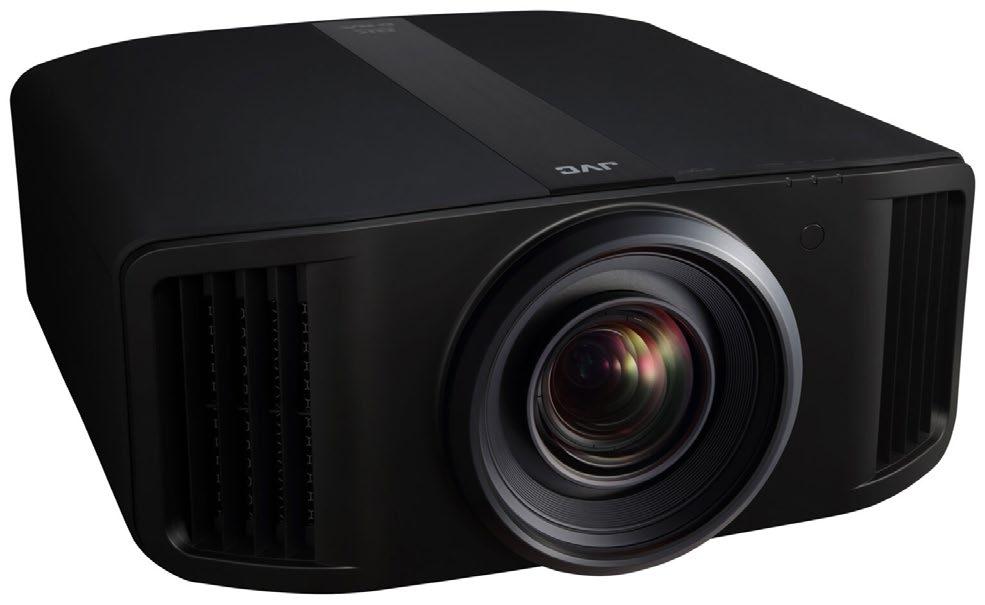
There are four high-end JVC D-ILA home projectors — DLANZ900/DLA-RS4200 and DLA-NZ800/DLA-RS3200 — that are all capable of inputting and displaying 8K60p resolution images with higher native contrast and brightness. Each model features JVC’s exclusive 4K D-ILA devices that have been further refined to the third generation to achieve a 1.5 times higher native contrast ratio when compared to a conventional device. JVC’s new proprietary BLU-Escent Laser light engine increases brightness and luminosity. Users can experience higher definition images through the improved performance of these projectors, achieved through 8K input and display, and the expansion of dynamic range by improving contrast and brightness.
The latest firmware update added new features to the projectors, including a Frame Adapt HDR feature that instantly analyzes the peak brightness of content that varies from scene to scene or frame by frame and automatically adjusts to the optimal dynamic range and a new picture mode called Frame Adapt HDR Vivid that improves contrast and color expression of the entire image by brightening bright areas and increasing deeper dark details.
Powered by a LPU 3.0 Digital Laser Engine, a fully upgraded chipset, and a pure RGB triple laser light source, the Hisense XR10 reaches 6000 ANSI lumens of brightness. Featuring 16 all-glass lenses for better light transmittance and temperature stability, it minimizes light loss and prevents discoloration. The new IRIS system automatically adjusts the lens aperture and exposure to match changing lighting, delivering clear images with contrast up to 6000:1 and well-balanced detail from bright highlights to dark shadows. Inside is a fully sealed, microchannel liquid cooling system that enhances heat dissipation, while the leak-resistant design ensures consistent performance over time. The XR10 delivers exceptional color fidelity with a dramatically expanded BT.2020 color gamut, while a speckle suppression rate as low as 6% ensures a clear, artifact-free image.
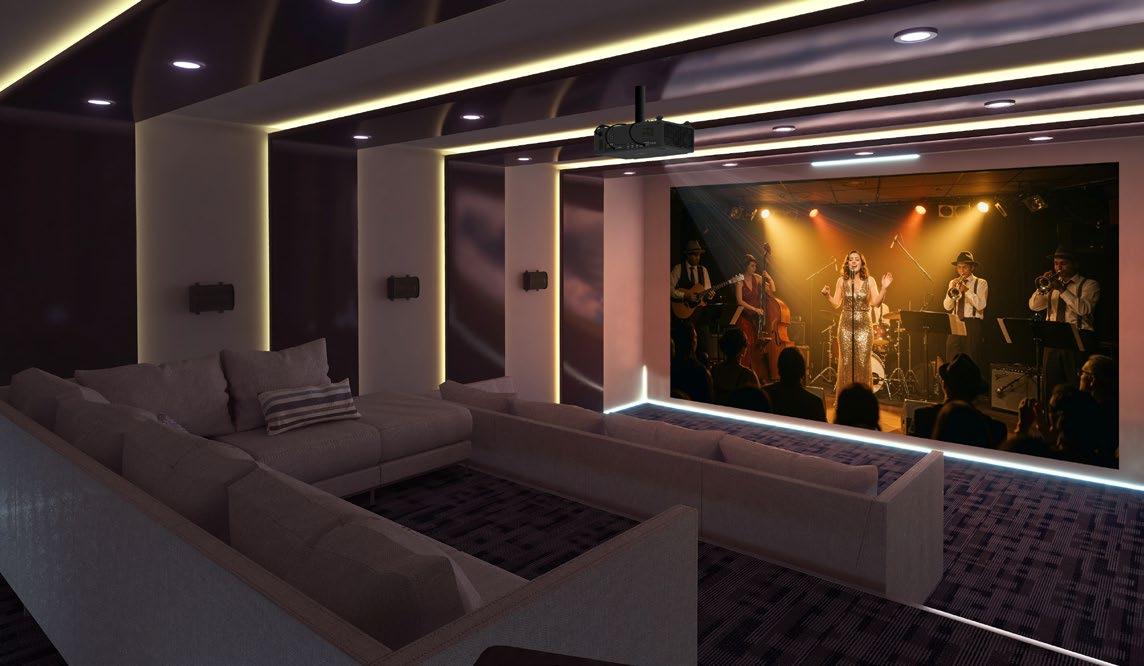
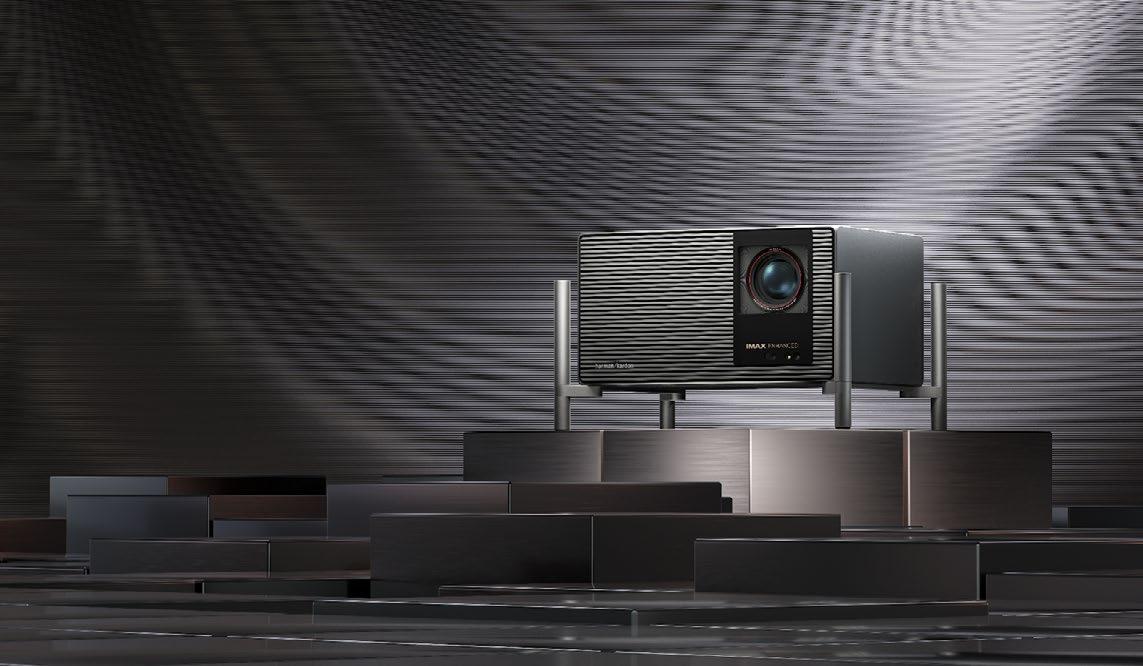
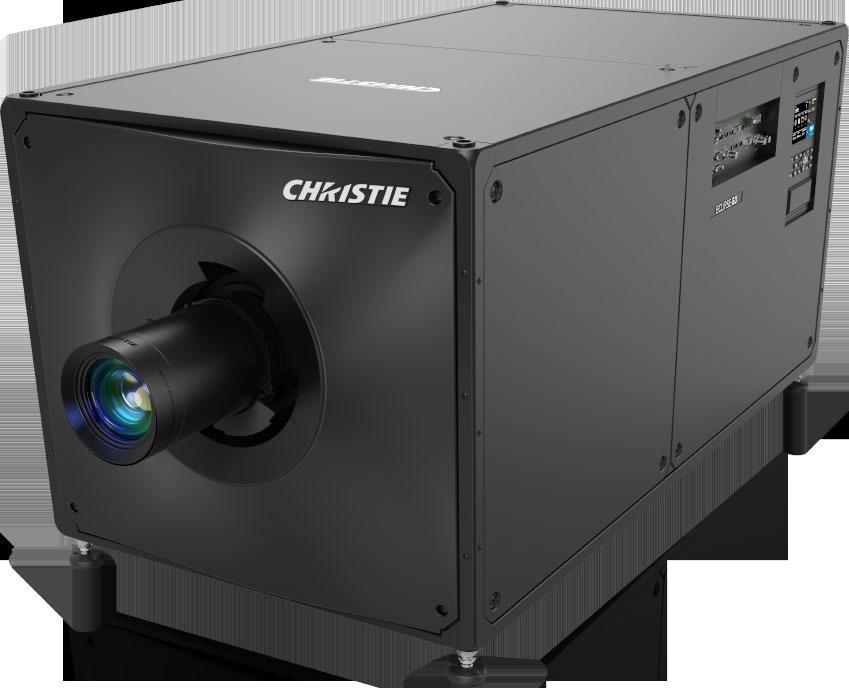
The Christie Eclipse G3 is a 6DLP projector that offers true HDR performance. With up to 20,000,000:1 sequential contrast ratio — 100 times Rec. 2100 contrast performance — Eclipse G3 delivers exceptional detail in the extreme black range and stunning specular highlights. Colors are rich, saturated, and lifelike with Eclipse G3’s color gamut of ≈98% of the Rec. 2020 color palette. Eclipse G3 supports up to 120 Hz 2D and active 3D at up to 60 Hz per eye at native 4K resolution. With this next generation of Eclipse technology, not only is the 30,000 ANSI lumen Eclipse G3 brighter and more durable — capable of maintaining full brightness for 50,000 hours — it’s also more refined, with built-in RGB pure laser illumination and a streamlined, easier-to-install form factor.
Sony BRAVIA Projector 7, powered by XR Processor for projector and high-brightness technology, benefits from the same technology found in the existing BRAVIA Projector 9 and Projector 8. XR Processor for projector enables four picture features — XR Dynamic Tone Mapping, XR Deep Black, XR TRILUMINOUS PRO, and XR Clear Image — to deliver a professionalgrade cinematic experience. XR Dynamic Tone Mapping analyses peak brightness frame by frame and delivers optimal tone mapping, showcasing images with rich gradation, high brightness, and brilliant colors. In addition, XR Deep Black controls laser dimming in dark scenes, bringing deeper blacks while maintaining tone and color expression. XR Deep Black improves power efficiency by optimizing laser output frame by frame. Plus, over a billion colors are brought to life by the XR TRILUMINOS PRO feature and refined by XR Clear Image technology, which upscales all imagery to 4K quality.
The outdoor environment continues to offer fertile ground for custom installers with an ever-expanding list of product categories entering the
By Karen Mitchell
As the outdoor living trend continues to grow, the basic weather-proof speakers of yesterday may be left in the dust as today’s complex outdoor AV landscape embraces motorized screens, automated pergolas, TVs designed for outdoor performance, and lighting integrated directly into indoor control platforms.
“We have seen a clear shift from ‘nice-to-have’ to ‘must-have’ when it comes to outdoor entertainment,” says Michael Gleason, director of sales, Skyworth North America. “Demand for outdoor TVs is up across the board, with partial sun models leading the way. While March through September is still ‘Christmas’ for outdoor TV sales, we now see a consistent demand year-round in many markets as homeowners treat their backyards as extensions of their living rooms. In most of these projects, the TV is the hero product around which the rest of the space is designed. It’s where families gather to eat, watch sports and host movie nights.”
Interest in outdoor entertainment exploded during Covid, he notes, when people were confined to their homes and started to see their yards and patios as essential living spaces rather than afterthoughts. That behavior stuck, and today homeowners expect their outdoor areas to support the same level of comfort and technology as their indoor family rooms.
“In the last couple of years, the industry has seen growth not just in out-
door TVs, but in landscape lighting and full, year-round audio systems that complement outdoor kitchens and seating areas,” says Gleason. “For many integrators, outdoor technology has become one of the fastest growing parts of their residential business.”
Brightness is the first question almost every homeowner asks about. “In many cases, they’re more worried about being able to see the screen in daylight than about weather protection or control features,” Gleason says. “Size is the second big topic. Our Clarus Outdoor 75-inch models consistently outsell the 65-inch one because people are building full outdoor entertainment zones and want a big, cinematic display that still looks great from across the patio.”
Skyworth dealer Robin Granko of Granko Inc. says his market for outdoor tech has increased in recent years. “I think homeowners have always been interested in using their outdoor spaces for entertainment, but the type of entertainment has changed,” he explains. “More people are watching movies and sporting events due to the availability and affordability of large outdoor televisions. The questions we get asked the most from customers are about what is possible and how soon can we get it done for them. We offer a wide range of outdoor technology from automated smart pergolas to full-sun televisions and amazing landscape sound systems. The best feature is the quality now offered that wasn’t previously available.”

At Peerless-AV, Earl Naegele, head of CI, retail and eCommerce, describes a “notable shift” in the residential market for outdoor technology driven by homeowners placing greater value on their living environments both indoors and out. “Outdoor spaces are increasingly being viewed as extensions of the home,” he says, “designed for relaxation, entertainment, and everyday use. As a result, interest in outdoor tech has grown steadily, particularly for solutions that enhance comfort, convenience, and overall usability. Homeowners are typically focused on versatility, durability, and long-term performance. They’re asking thoughtful questions around how systems will hold up over time, how easy they are to use and maintain, and how well different elements integrate into a cohesive outdoor environment. There is also a strong emphasis on futureproofing, with many looking for solutions that can adapt as their needs evolve.”
The outdoor category has shifted from accessory to expectation, notes Emily Pulis, director of marketing, Coastal Source. “What was once a pair of weather-resistant speakers or basic lighting is now a fully considered extension of the home,” she says. “Homeowners aren’t just asking for entertainment; they’re asking for continuity. They want outdoor spaces to feel as intentional as their interiors, with lighting, audio, and control systems working together seamlessly.”
According to Pulis, the increased demand is for unified control between indoor and outdoor environments, layered lighting to create depth rather than over-lighting, high-performance systems built for harsh environments, and solutions designed into the property, not added after the fact.
“The expectation is no longer for weather-resistant; it’s for design that’s architectural, integrated, and built to last,” she adds. “From both a manufacturer and dealer perspective, demand is being driven by a combination of client interest and earlier design involvement.”
Alex Schmitt of Premiere Systems, a Coastal Source dealer, says the demand for outdoor technology is evolving alongside the architecture itself, especially as these elements are being considered much earlier in the process. “It’s no longer treated as an add-on, but as an extension of the home that deserves the same level of detail and coordination,” he says. “Lighting and audio aren’t just features, they really help define the entire experience of the space. When they’re done right, they influence how everything else is designed and how the space actually gets used.
“Lighting in particular has evolved a lot. It’s not just about illuminating a patio or pathway anymore; it’s about creating layers and depth across the entire property. One of the biggest things we focus on is that outdoor lighting isn’t only meant to be enjoyed while you’re outside. It’s intentionally designed to be experienced from inside the home as well, almost as an extension of your interior spaces. When you’re sitting in your living room at night, your view shouldn’t just fall off into darkness. It should carry out into the landscape in a way that feels thoughtful and connected to the home.
“Audio plays a similar role in shaping how the space feels,” continues Schmitt. “The goal is rarely to ‘hear speakers,’ but it’s to feel like the environment is naturally filled with sound. When it’s designed properly, it creates a consistent, immersive experience across different zones without drawing attention to where the sound is actually coming from. That allows people to move through the space freely and still feel connected to it. And we’re seeing more projects incorporate large-format openings, covered structures, and defined outdoor living zones that naturally call for integrated lighting and audio. The result is a home that feels more connected, more usable, and ultimately larger, both inside and out.”
The post-Covid surge in demand for outdoor living and entertainment
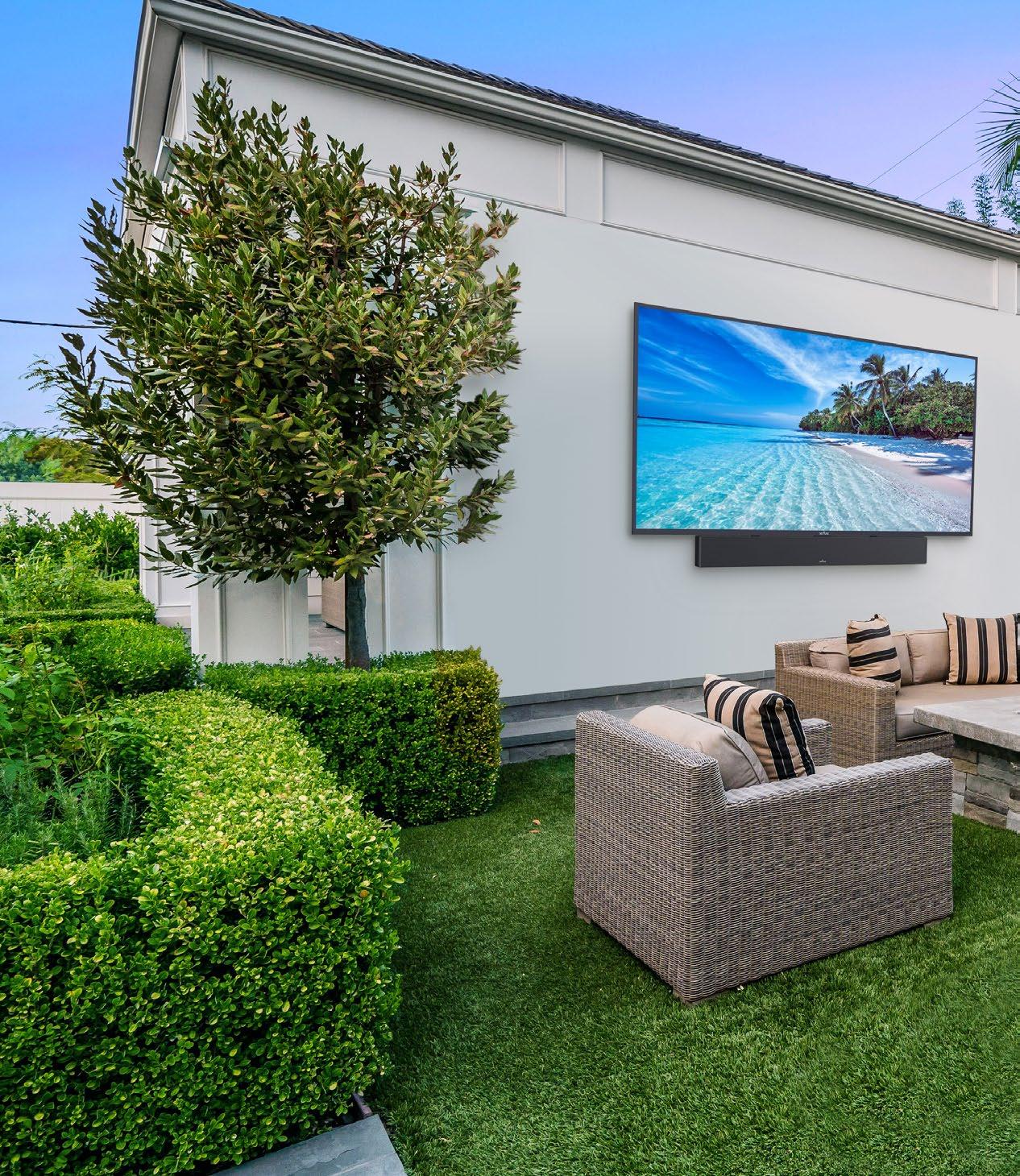
spaces has continued well beyond the initial boom, explains Michael Buratto, senior director, product management, entertainment, ADI. “Outdoor TVs in particular have become much more accessible. Advances in 4K HDR displays, combined with built-in smart features and streaming capabilities, have made high-performance outdoor TVs both easier to use and more affordable than ever before.”
Outdoor audio has always played a major role in creating great experiences, but technology has evolved substantially. “Control is now simpler and more intuitive thanks to built-in streaming amplifiers and preamps that integrate seamlessly with outdoor speakers, Buratto says. “Homeowners are no longer just asking for sound; they’re looking for speakers that perform better, look better, and blend more naturally into their spaces.
In terms of the latest prdoucts available to fill client yards, Burrato says, “Our latest outdoor technology offerings include the SunBrite Solis and Veranda 4 outdoor TVs, which provide full-sun and full-shade solutions with stunning 4K HDR performance, built-in smart TV functionality, and seamless streaming, all delivering exceptional durability and picture quality at price points that are now far more competitive than comparable options.
“Episode Radiance offers a truly innovative approach to outdoor environments by combining premium audio and lighting over a single 2-conductor cable, significantly reducing wiring and labor while creating a rich, ambient outdoor experience,” he adds. “Rounding out the lineup is Triad Stratus, a line of ultra-high-performance outdoor speakers engineered using the same core principles as professional concert speakers, delivering powerful, detailed sound and offering full color customization to blend effortlessly into any outdoor design.”
“Coastal Source’s recent product development has focused on expanding
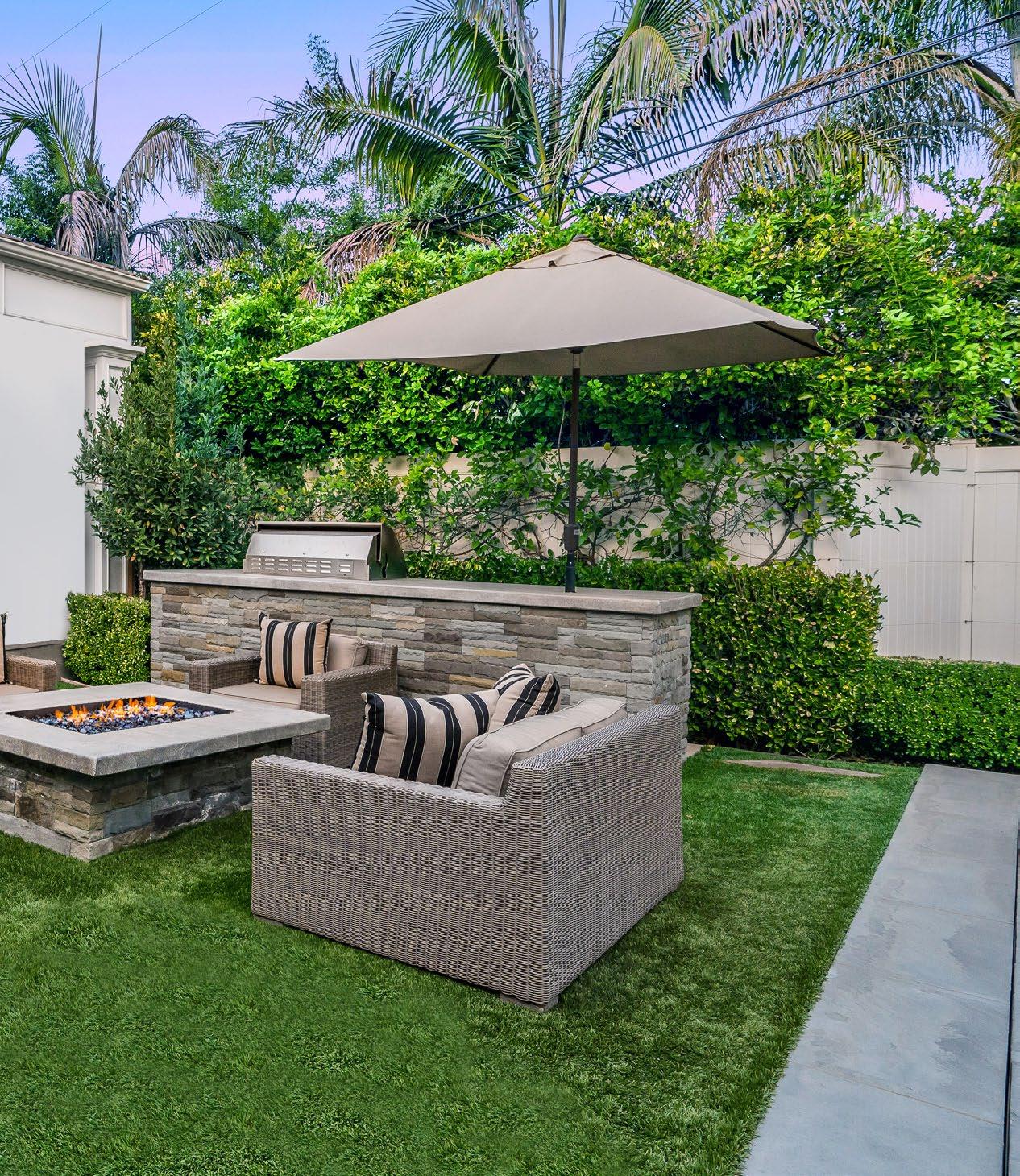
what’s possible outdoors while simplifying installation and ensuring longterm performance,” Pulis says. “The VIA Intelligent Lighting was developed with Lutron as part of its Native by Design program. VIA brings Ketra and Rania intelligent lighting technology into the landscape, delivering signature color vibrancy, precision white-light tuning, and seamless control in fixtures built to withstand the elements. The result is dynamic, fully controllable lighting that extends the interior experience outdoors, from subtle ambience to high-impact scenes.
“The Ovation outdoor in-ceiling speaker addresses the need for high-performance audio in covered outdoor structures without compromising durability,” she adds. “Engineered specifically for exterior environments, featuring a fully sealed construction that protects against moisture, salt, extreme heat, and freezing temperatures, it delivers clean, full-range sound in a flush-mounted form factor, bringing reliable, high-performance audio to covered outdoor and transitional spaces across any climate. EVO outdoor lighting is a highly modular system that gives designers and installers flexibility in the field, with interchangeable optics, shrouds, and configurations that adapt to the application without overcomplicating inventory or installation. With refined optical control and adjustable output, EVO allows for more efficient designs, often reducing the number of fixtures needed compared to conventional path lighting. The result is a flexible, high-performance system that simplifies installation while delivering more intentional, low-glare illumination.”
Seasonality plays a role, Schmitt says. “We are absolutely seeing more demand for integration between indoor and outdoor systems, and, in many ways, it’s becoming the expectation rather than the exception. Here in the Midwest, clients may not be using their outdoor spaces year-round, so the last thing they want is to step outside after a few months and feel like they have to relearn how everything works. If the experience is different or complicated, we consistently hear the same feedback. They just don’t use it.
“Clients are really looking for continuity,” he concludes. “They want to move from their kitchen or main living space out to a patio, pergola, or backyard and have everything feel familiar and intuitive. That means unified control systems, consistent lighting scenes, and music zones that transition naturally from inside to outside without requiring extra steps or thought. Unified control platforms play a critical role in delivering that seamless experience across the property.”
At Peerless-AV, one of the newest product offerings is the 2026 Neptune Full Sun Smart TV. “This new series is packed with key features, including 1500 nits of brightness, an enhanced commercial-grade panel, and an upgraded, outdoor-certified design trusted by the pros,” Naegele says. “Built with Neptune’s signature all-weather construction, these IP55-rated TVs withstand rain, dust, and extreme temperatures. They offer 4K UHD resolution, an advanced IPS panel for precise color and clarity, and anti-glare technology for uncompromised images from any angle.”
Skyworth currently offers five outdoor TV models in its Clarus Outdoor lines: one 75-inch Full Sun, three Partial Sun models 55-, 65- and 75-inch models. “All of our outdoor TVs ship with a matched soundbar, so dealers can deliver a complete entertainment solution out of the box,” Gleason says. “We have three, best-in-class features on our Clarus Outdoor Full Sun models, including 3000 nits’ brightness, IP66 protection, and IP 10 Tempered glass protecting you from hail or golf balls hitting the TV.”
The Clarus Outdoor Partial Sun TVs offer 1200 Nits brightness, IP55, Matte screen that absorbs light instead of refracting, 80-watt Soundbar, and retail pricing from $2K-$4K.
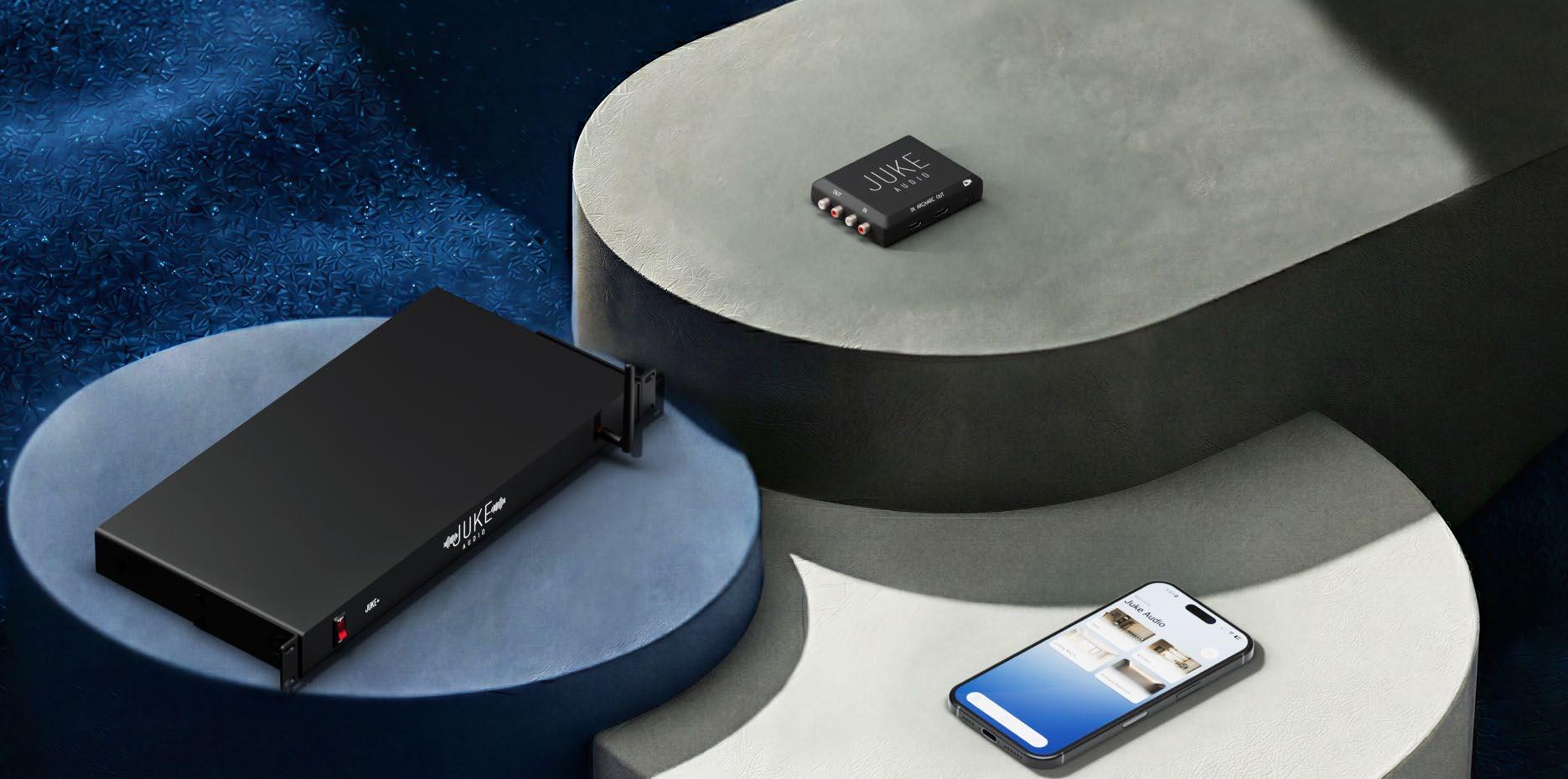
Nomatter how much you plan for a home’s distributed audio system, it’s possible that you’ll miss something, and even more likely the customer will have an “Aha!” moment after moving in that means they’d like to add a feature you didn’t account for.
Things like, “Oh, I just assumed I’d be able to play this TV audio through the system,” or, “I’m deciding to get into vinyl, and would like to put a turntable in my office that ties into the system,” or, “You know, we really wished we had some music in the [insert room name.]”
While pulling wiring for these things is often — but not always — possible, it could mean hours of labor and then wire and hardware costs. And even if done during construction, something like running a 100-foot Toslink or fiber HDMI cable from a remote TV back to a central audio rack is doable, but not always economical.
If you’ve felt any of these pain points, then you likely imagined a magical, problem-solving widget that performs very much like the Juke Audio’s new AudioMate. This slightly-biggerthan-a-deck-of-cards device lets you stream
HDMI or RCA audio sources (inputs) across a wired or Wi-Fi network, as well as provide local HDMI and RCA audio outputs for expanding the system. If you’ve had that client that wants to “just” add TV audio into a system or expand a zone, the AudioMate offers a painless method for doing it.
Since the AudioMate currently only works with Juke Audio hardware, either the original Juke 6/8 or upgraded Juke+, a quick refresher of the Juke+ is in order, as that is the component that will likely most interest the CI crowdwith its improved performance and connection features.
It’s been a couple of years since I reviewed the Juke+ (available online), but Juke Audio hasn’t been sitting still during that time, and quite a bit has changed since I reviewed it. While the hardware has remained intact, Juke has steadily improved and added features to its app.
The app has a new design that looks clean and modern, with options for Home, Music, Inputs, and Settings along the bottom. You
can now add pictures to customize the look of each zone, which certainly gives it a higherend, custom look and feel. On top of giving each zone a custom name, you can also use a host of little icons — a shower head, a cooking pot, a bed, RCA cables — to identify a zone graphically.
You can now disable the “Enhanced Speaker Protection” in the app. Prior, this required a call to tech support and having an engineer log into your machine to turn it off. This setting “allows your Juke to be more permissive to speakers with different impedance and crossover characteristics.” The first Juke+ I reviewed didn’t like my Niles CM4PR small aperture kitchen speakers, and it still doesn’t like them now, so turning this “protection” off was great for me. You can now output mono to a zone, which is great for large areas where speakers are widely spread apart or if using multiple pairs. There are also seven adjustable presets — Balanced, BassBoost, Rock, Acoustic, Classical, Electronic, and HipHop — with a 5-band EQ for each with frequency boost/cuts at 250 Hz, 500 Hz, 2 kHz, 4 kHz, and 16 kHz, which are all
By John Sciacca
310-564-9130
Easily add remote HDMI or RCA source components and/or expand zone outputs of Juke Audio system; simple operation and integration
Currently limited to Juke Audio systems; occasional hiccups that require resets; some sync delays; requires Ethernet for best results
Juke+
Six stereo audio zones powered by 100 watts/channel (stable to 2 ohms), with Zone 7 RCA and Zone 8 Toslink
Stream via Apple AirPlay2, Spotify Connect, Bluetooth 5, and DLNA
Android and iOS App control
Includes 5-band EQ adjustment for each zone
Rack-mountable (1U) with included rack ears
External Wi-Fi/Bluetooth antenna for increased range
Connections: Inputs: RCA stereo, Toslink Optical, two USB-A, RJ45 Ethernet; Outputs: Six sets of detachable Phoenix connectors, RCA stereo, Toslink Optical, Detachable IEC power cable
Dimensions: 17.13 x 1.75 x 8.38 inches (HxWxD); Weight: 7 pounds
AudioMate
Connects to Juke Audio systems across wired or Wi-Fi network
Add remote HDMI or RCA audio source available to all Juke zones
Expand system or add subwoofer with RCA output
Connections: Inputs: RCA stereo, HDMI eARC, RJ45 Ethernet; Outputs: RCA stereo, HDMI eARC, USB-C (power)
Dimensions: 1 x 4 x 3-inches (HxWxD)
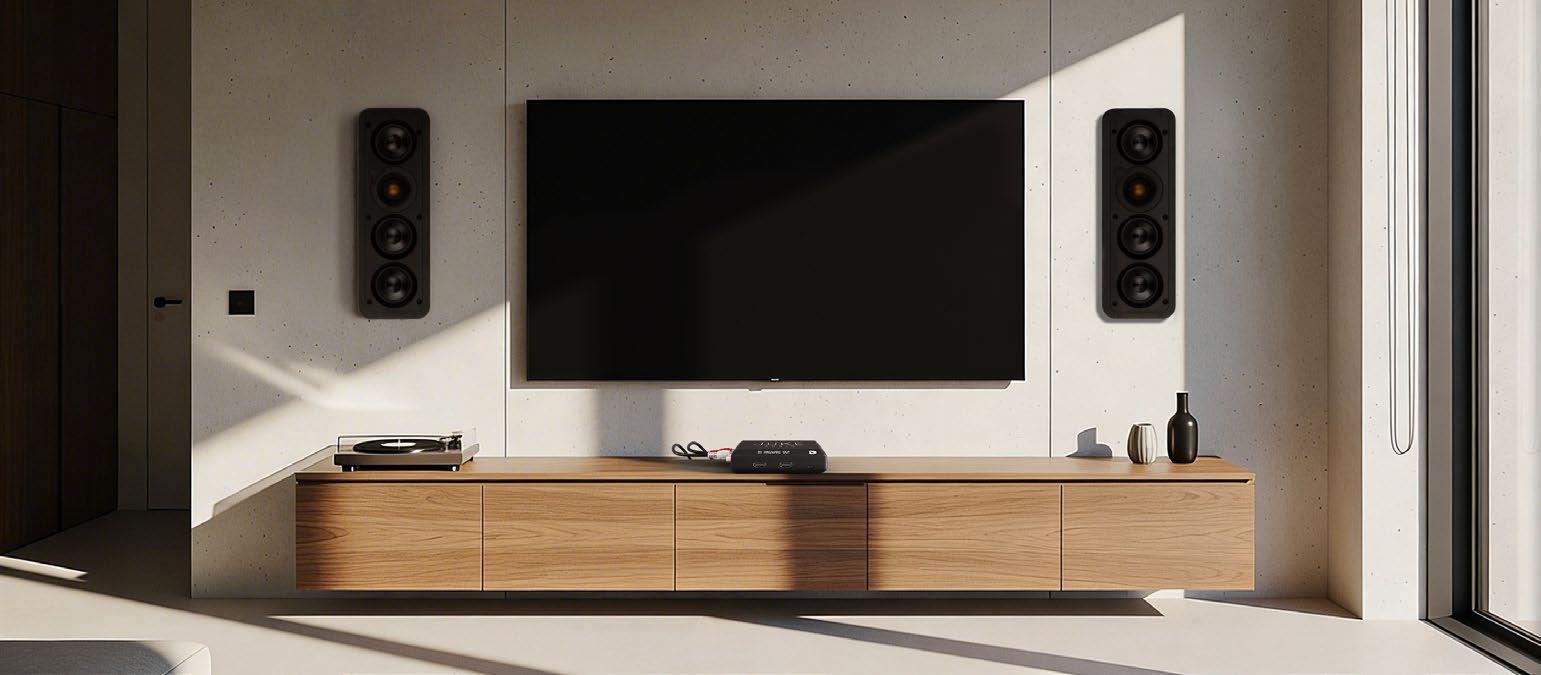
uniquely adjustable per zone.
But the most significant change is that Juke now supports internal Music Streaming (though still in beta, you can opt-in to use this feature in the app). While the system is primarily built around wireless AirPlay2 (Android users can use an app called “AirMusic” to connect to the Juke+’s AirPlay inputs), Spotify Connect, and Bluetooth streaming, this feature makes it function more like traditional streaming audio systems. Streaming currently supports TuneIn, Qobuz, Apple Music, Spotify, Tidal, and Pandora, giving you some of the most popular options.
The look of the streaming services is a bit different than you’re used to, and even though you login with your credentials, it doesn’t really connect to your account in the way you’d expect. For example, it won’t pull in any of your Pandora stations or Tidal playlists. In Tidal, you can search for Songs, Artist, or Albums, and then browse to find what you want. In Pandora, you search and select a song, artist, or station you want, but it isn’t going to present your list of stations, and you won’t have access to your Thumbprint Radio channel, a curated channel based on all the songs you’ve given a thumbs up. However, Juke says this will continue to develop, and it plans on adding support for playlists and favorites this year.
Another feature Juke Audio’s president, Colton Forth, mentioned being on the roadmap is using the Juke+’s USB inputs for connecting and playing back media. The USB connections are still available for connecting additional sources via third-party dongles. You can stream network audio to the Juke+ via DLNA using a server, and Juke recommends BubbleUPnP.
While I didn’t take a listen to them for this review, Juke Audio also offers speakers now. They have an architectural line called Sky Speaker that is available in 6.5- and 8-inch
round sizes with a toolless, flush-mount design, and the Spin Speaker, an outdoor, surface-mount speaker with a pivoting bracket for a variety of install options that comes in both black and white. This gives dealers the ability to be a one-stop-shop to sell an end-toend Juke system.
But the big news is the launch of the AudioMate.
Before seeing the product, I thought it would be similar to a balun, requiring both a send and receive unit, but that’s not the case with the AudioMate. Since it can simultaneously both send and receive signals to/from the Juke across the network, only one is required.
Out of the box, the AudioMate looks about exactly like you’d expect it to. On one side, there is an HDMI eARC in and out and USB-C for power, on another RCA in and outs, on another an Ethernet connection, and, on the fourth, three status LEDs and a reset button.
Inside the box is a handy quick start guide with QR code along with a USB-C cable and power charger, HDMI cable, and two strips of Velcro should you want to affix the AudioMate behind a flat-panel display.
While the AudioMate does support Wi-Fi connections, Juke Audio strongly recommends a hardwired connection to your router or nearest access point for the most reliable, stable performance. Juke’s advice is, “In the event you have Ethernet run to a TV location already, we suggest getting a small network switch at that location to split the Ethernet cable into the TV and the AudioMate. In the event you cannot get it hardwired, it is important that you have a wireless access point within at least 25 feet of the device to ensure a stable connection.”
As Ethernet was possible for my review, that’s what I used.


FOLLOW US twitter.com/resisys facebook/resisys
CONTENT
MD, Content, AV Anthony Savona anthony.savona@futurenet.com
Contributors: Katye McGregor Bennett, Matt Bernath, Sam Cavitt, Henry Clifford, Dave Donald, Tim Fitzpatrick, Jason Griffing, Anthony Grimani, Karen Mitchell, Lisa Montgomery, Todd Anthony Puma, John Sciacca, Lisa Slayman, Gordon van Zuiden
Production Manager Heather Tatrow
Art Editors Matt Lochrie & Rosie Webber
ADVERTISING SALES
Managing Vice President of Sales, B2B Tech Adam Goldstein, adam.goldstein@futurenet.com 212-378-0465
SUBSCRIBER CUSTOMER SERVICE
To subscribe, change your address, or check on your current account status, go to residentialsystems.com and click on About Us, email futureplc@computerfulfillment.com, call 888-266-5828, or write P.O. Box 254, Lowell, MA 01853.
LICENSING/REPRINTS/PERMISSIONS
Residential Systems is available for licensing. Contact the Licensing team to discuss partnership opportunities. Head of Print Licensing: Rachel Shaw, licensing@futurenet.com
MANAGEMENT
SVP, MD, B2B Amanda Darman-Allen VP, Market Lead Carmel King MD, Content, AV Anthony Savona
Global Head of Sales, Future B2B Tom Sikes
Managing VP of Sales, B2B Tech Adam Goldstein VP, Global Head of Strategy & Ops, B2B Allison Markert VP, Product & Marketing, B2B Andrew Buchholz Head of Production US & UK Mark Constance Head of Design, B2B Nicole Cobban FUTURE US, INC.
130 West 42nd Street7th Floor New York, NY 10036

Setup
Since a Juke Audio component is currently required for the AudioMate to function, I installed and configured the Juke+ first. (Forth did mention that the company is looking for industry partners that would enable them to open AudioMate for use with other systems, however, it is too early to speculate on what systems might be supported.)
Because I totally biffed it, I’m going to put in here that if you plan on using Bluetooth streaming to the system, be sure to connect the included front-panel antenna to the Juke+. Because I was connecting via Ethernet, I just left this antenna in the box and then had a head-slapping moment when I couldn’t get the Juke+ to appear under available Bluetooth devices. When I attached the antenna, it immediately appeared. I tried the AudioMate a variety of ways, all of which are quickly and easily configured within the app. I used my Sony TV’s HDMI eARC output into the AudioMate, and then the AudioMate’s HDMI output to my Sonos Arc Ultra soundbar. This actually deserves a bit of a callout. I love that using the HDMI feed from the display doesn’t strip out the audio entirely and prevent you from still being able to use a soundbar downstream. The fact that you can add TV audio into the Juke ecosystem while still outputting to a local soundbar is a great integration detail. I also connected my Kaleidescape M500 player and Marantz CD 50n via RCA, as well as connecting the RCA output to a Marantz Model 50 amplifier to add an additional Juke zone. You could also use an AudioMate’s RCA output to add a local subwoofer into an area that could use more bass.
While you can use both the HDMI and RCA outputs, you are limited to using either the HDMI or RCA input at a time, labeling and configuring in the Juke app. To be clear, the input and both outputs are concurrently functional and individually controlled. So, you could use a single AudioMate to add an input while also connecting a soundbar via HDMI and an amplifier or subwoofer via RCA.
But, since you can only use one input or the other, the likelihood of switching back and forth as I did in testing is probably small, and once you’ve established a good connection and it is working, it continued working.
The TV audio’s output must be set to PCM, meaning the soundbar won’t receive bitstream signals for Dolby Digital/Atmos audio. It took a bit of troubleshooting to discover why I couldn’t get my Sony TV’s audio into the system. After a few firmware pushes from Juke where everything should have been working and still wasn’t, I discovered that the digital audio output volume level in my TV defaulted to 0 when set to PCM. After raising this, voilà! Everything worked.
Also slightly bizarre: I lost the center channel content from my connected Sonos Arc Ultra when playing content from the Kaleidescape M500 through the TV via HDMI. The system seemed to have all other audio channels, just nothing (specifically dialog) mixed to the center channel. I know it was being sent by the Kaleidescape because when I played it through the TV speaker I could hear it. The resolution was to set the M500 to output 2-channel stereo, which was fine since that’s all the AudioMate could pass anyhow.
Juke Audio said it has plans to implement surround sound in its Juke+ systems at some point, allowing you to configure five of the Juke+’s speaker outputs and RCA as a 5.1-channel system, and also commented they felt it would be technically possible to allow the AudioMate to handle bitstream signal pass-thru at some point. In my setup, where the AudioMate was passing audio through to a full Sonos Arc Ultra surround system, that would be a welcome update.
And while it likely won’t happen frequently in the real world, when I switched between the AudioMate’s RCA and HDMI inputs, it could introduce some issues like static, break eARC, mute the HDMI output, create noticeable lip-sync delays, or stop streaming back to the Juke+. Typically, a reboot of either the AudioMate and/or TV would resolve these.
While each of the Juke+’s individual audio zones can broadcast as available AirPlay2 or Spotify Connect zones, letting you go in and quickly select which room(s) to play to, the AudioMate doesn’t natively have AirPlay or Bluetooth support. (Juke says it plans to enable the AirPlay support for the AudioMate by the time you read this.) Playing back this audio, or either of the Juke+’s Toslink or RCA inputs, is reliant on the Juke+’s grouping feature.
There are four configurable group inputs per Juke+ and one for the AudioMate. On the Juke+, these inputs can be designated as either Spotify (Connect), Airplay2, Bluetooth, DLNA, or the unit’s RCA and Optical inputs. Once you’ve enabled a grouping, you go into the input settings and select which rooms Vol. 27 No. 6
have access to this input and set a zone volume level. So, say you want a housewide AirPlay or Bluetooth option. You would just name it “House” (or anything else) and then add in all of the rooms, including the AudioMate’s HDMI and RCA outputs if they are being are being used. Then when you go to AirPlay/ Bluetooth something, you’d select the “House” to broadcast in all areas.
Sending audio from the AudioMate’s HDMI or RCA inputs back to the Juke+ is accomplished in the same manner.
I almost never use AirPlay when using my daily audio system, which is a combo Control4 and Triad system. Rather, I rely on the built-in streaming of my EA-5 controller. So, using the “new” built-in streaming in the Juke+ was a very familiar experience for me. But when I would use AirPlay, I definitely saw the simplicity in it.
Juke’s philosophy is that people are already familiar and comfortable using their preferred streaming apps — Apple Music, Tidal, Spotify, Pandora, etc. — so why make them learn a new one? Just go into the app you already know, start music, and then AirPlay to whichever rooms –or group – you want. And with AirPlay2, you can even individually select the volumes. To quickly adjust global volume, just tap the volume buttons on your device. Easy and intuitive.
And with the AudioMate’s outputs added to a group AirPlay, it expanded what I could do and where I could enjoy music. While virtually every modern soundbar offers streaming on its own, connecting the AudioMate’s HDMI output gives you access to all of the Juke+’s streaming features to any bar. Plus, with HDMI CEC control, you can even adjust the soundbar’s volume in the app.
Juke uses a “last come, first serve” protocol for inputs, meaning that once a new audio stream is detected, it will take control of the zone regardless of whether another source is playing in it or not. When you turn that stream off, the zone just reverts back to what it was doing, which is a great way to let people temporarily stream music to the AudioMate’s HDMI output, and then have it automatically return to the TV audio connection when finished. And if two or more active streams are trying to play in a zone simultaneously, you can toggle between them in the Juke app.
Admittedly, my home’s network is not the ideal environment. For one, I’m using a Luxul mesh network, which can cause issues for some devices as they hop from node to node. For
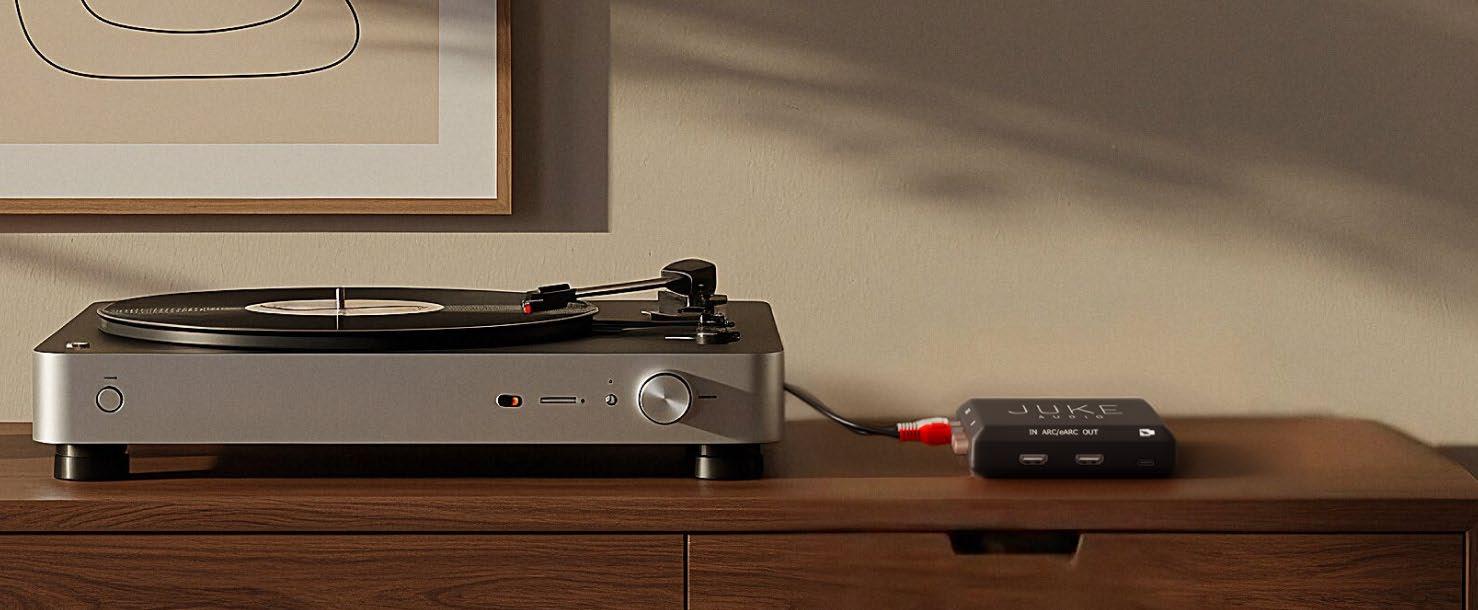
another, signals travel through four switches in my network to get from the Juke+ to the AudioMate. I say this to qualify some of the quirks I experienced with the system.
Sometimes music streamed across all zones in perfect sync; other times it was slightly off. For example, when using AirPlay, the AudioMate’s signal could be about 0.75 seconds ahead of the speaker outputs from the Juke+. And when I streamed audio from a device connected to the Juke+’s RCA input, the delay was reversed, with the Juke+’s speakers about 0.75 seconds ahead of the AudioMate’s outputs. This is not an issue if either is in a remote area, but is noticeable in areas where you can hear the AudioMate’s outputs — either HDMI or RCA — and the Juke+ at the same time. Forth stated Juke is working to enhance this and give user control over setting delays for outputs based on specific devices.
However, when playing a source connected to the AudioMate — say my Kaleidescape’s analog audio output or the HDMI output from my Sony TV — and streaming it back to the Juke+, the timing was close enough to stay in sync, certainly perfect for your big game party where you’re piping the TV audio around the house. Most importantly, the audio matched the video output onscreen.
Fortunately, I’ve found Juke’s engineering team to be very responsive to this kind of feedback, and I believe they will be continue working to tighten up these issues. (I only got off beta firmware near the very end of my review.)
As I experienced during my previous review of the Juke+, I found that the AudioMate’s RCA input was prone to being over-driven by a “hot” line level signal. For example, I connected the analog output from a Marantz CD 50n and played CDs and streamed HEOS content, and it was cracking and distorted to the point that I’d consider it unusable. When I changed to the CD 50n’s variable output and lowered the volume
to 75, the distortion mostly cleared up. I also connected my TV’s adjustable mini-jack analog output and was able to fine tune the level, lowering it to a point where the signal wasn’t being overdriven but still had a good range of volume. But between the volume control on the source, the source volume in the Juke app, and the room volume in the Juke app, it is a bit of a dance between settings trying to find the right balance. My Kaleidescape M500’s RCA output and played movies and music without any distortion issues.
Juke says that the AudioMate’s RCA input is spec’d for a 1V RMS signal. Since most CD players output at 2-2.2V RMS (with my CD 50n rated at 2.34V), this explains my issue. If you did need to attenuate the incoming line level of the RCA connection that didn’t have a variable output, you could install an RCA signal attenuator in line between the source and the AudioMate’s RCA input.
Obviously, getting analog inputs from the Juke+ to the AudioMate (or vice versa) requires digitizing and packetizing the signal to send it over the network. I found the audio sent this way to sound a bit compressed and congested. Comparing the sound quality from the same album played via a Denon BP-500BT turntable connected via RCA and AirPlay’ed via Tidal, the record lacked the dynamics, most notably high frequencies, and felt flatter in comparison. Streamed CDs lacked the bass depth and punch. Perfectly fine for background listening, but not something I’d use for critical playback. With the AudioMate, Juke Audio has offered a way to easily and quickly expand a Juke system and easily offer a solution for those customer “Aha!” moments. Whether you are looking to add a remote source, get TV audio into a system, expand audio to a new zone, or integrate a subwoofer, Juke’s AudioMate offers a simple, cost effective, no-new-wires way to do it.
How the resurrection of a decade-old motor technology is making a difference in shading installations today.
BY NERO YASOKUMAR, PRODUCT MANAGER, INTERIOR MOTORS AND CONTROLS, SOMFY SYSTEMS
In an industry driven by innovation, it’s easy to assume that the more complex a technology is, the greater its benefits will be. But when it comes to motorized drapery control, one of the most compelling opportunities for systems integrators lies in something far simpler: intuitive, touch-based control that comes not through a keypad, smartphone app, or remote, but through direct interaction with the installed window drapery itself.
This mode of operation may sound almost old-fashioned, but in a world dominated by screens, buttons, and sophisticated user interfaces, returning to a familiar, tactile experience is like a breath of fresh air. There’s nothing new to learn, no additional devices to integrate into the design, and no friction in the user experience — just a simple, instinctive way to interact with the space.
As consumers’ growing quest for reliable, user-friendly technology continues, a feature like touch motion is reemerging at an opportune time. By allowing users to open and close motorized draperies with nothing more than a gentle pull on the fabric, it delivers a powerful combination of simplicity and style. Just two to four inches of manual movement is enough to engage the motor and carry the drapery smoothly to its preset limit. For integrators, this seamless fusion of manual and motorized control offers broad appeal, helping them differentiate their solutions, close more projects, and deliver lasting client satisfaction.
Here are six reasons to implement this basic but far from boring technology on your next motorized drapery installation:
Familiarity Fuels Adoption: When users want to open or close a drape, their instinct is to simply reach out and move it. Touch motion builds on this natural muscle memory, eliminating the need to introduce a new concept or behavior. There’s no need to search for a remote or open an app. The interaction is immediate, familiar, and intuitive. This simplicity makes it especially valuable in aging-in-place environments, where easeof-use and independence are essential, as well as in hospitality and light commercial settings, where a wide range of users must interact with the system effortlessly.
Design Without Disruption: This touch-activated mode of operation also aligns with one of the biggest priorities in luxury residential design: discretion. Because drapery control can be initiated directly from the fabric, there is far less reliance on visible controls. This resonates naturally with designers and customers seeking clean, uncluttered aesthetics. At the same time, the motor ensures that the draperies move quietly, smoothly, and predictably, reinforcing a sense of quality and craftsmanship that supports the overall design intent. For integrators, this is more than a feature; it’s an opportunity to position themselves as true partners in the
design process.

Aging-in-Place and Wellness Support: As more homeowners prioritize longevity, wellness, and aging-in-place, ease of interaction with technology becomes increasingly important. Touch motion reduces dependence on fine motor skills, screens, or complex interfaces. The technology remains invisible, preserving the warmth and elegance of the space while supporting independence and dignity.
In wellness-focused homes, touch motion also complements broader lighting and automation strategies. When integrated with smart systems, draperies can be easily adjusted at any time to help regulate natural light, supporting circadian rhythms, and promoting healthier living environments without adding complexity for the user.
Drapery and Motor Protection: Beyond usability, touch motion delivers a critical functional benefit: protection. In traditional motorized systems, manual pulling can strain or damage both the motor and the fabric. Touch motion solves this by detecting the initial manual interaction and seamlessly transferring the movement to the motor, reducing wear on both components. This is especially valuable in high-end residential projects — and even more so in hospitality settings — where custom fabrics and large-scale installations represent significant investments. For integrators, fewer damaged systems mean fewer callbacks, lower service costs, and stronger long-term client relationships.
Reliability When It Matters Most: Another often-overlooked advantage of Touch Motion is its performance during a power outage. When power is interrupted, the system automatically disengages the clutch on the drapery track, allowing the drapery to be operated manually without causing damage. This enables homeowners to open or close the drapery as needed — an important consideration when natural light becomes essential in a darkened space. This built-in resilience adds a valuable layer of reliability that clients may not initially request, but will certainly appreciate when it matters most.
Softening a Hard Sell: For systems integrators, the takeaway is clear: simplicity sells. Touch motion makes motorized drapery more approachable for hesitant clients by removing perceived complexities. It enhances usability, supports design objectives, reduces service issues, and aligns with broader trends such as wellness and aging in place. In a competitive market, touch motion doesn’t just operate drapery; it opens the door to more intuitive, reliable, and successful installations. For more information about Somfy touch motion technology and other motorized window shade and drapery solutions, visit https://www.somfysystems.com/en-us/ products/shades-blinds-curtains/motorized-curtains.