



































By Mark J. Pescatore
By Adam Teeple
By Chuck Gloman
By James Knight
By Bill Bennett


By Mark J. Pescatore
By Adam Teeple
By Chuck Gloman
By James Knight
By Bill Bennett
Beyond singing along to Neil Sedaka in the car, my friend has never been musically inclined. And yet, now he’s a published songwriter. He sent me a link and there it was, a Christmas song. It wasn’t him singing, but it was a fully composed song. He wrote the lyrics and a prompt, and an online AI service built his musical vision.
I gotta try this, I thought. Finally, a chance to repair my relationship with AI. Between bad headshots and warped action figures, my AI experiments over the past couple of years, while fun, would probably not land in the win column.
I've always wanted to record music, but I was impeded by my musical limitations. Writing lyrics isn't the problem, and I could carry a tune in a bucket in my younger days. But my drumming is elementary at best, my keyboard work is weak on a good day, and I'm guessing at least two guitar manufacturers would gladly pay me to admit publicly that I don't use their gear. So, to make my rock star dreams a reality, I'd need a band, some sort of recording studio, and a substantial budget to pay for all of that.
Scratch that plan. Enter AI.

First, I needed a song. I’ve had a song title floating around my subconscious for a while, so I sat down and wrote “Rockin’ Chair” in about 20 minutes. If you study the lyrics, you can pick up the subtext of getting older and the loss of youth. But mostly it’s an invitation to get busy on the front porch. (Hey, this is rock ‘n’ roll, not a sewing circle.)
Then, on a lazy Saturday, I went to the Suno website on my personal laptop. It took a few minutes to register, a few minutes more to write a prompt, and maybe two minutes to type in the lyrics. So, let’s say I invested about 30 minutes in the process.
Suno spit out several versions of my song in less than a minute. And they were good. Oh, the cadence was off, and none of them sounded exactly like how I “heard” the song in my head. However, every version had a good beat, background vocals, solid instrument work, and all the spit and polish you’d expect from a hit single.
I literally closed my browser and walked away. Didn’t even look at it for more than a week. Honestly, I needed to process what had just happened. In seconds, AI had made my song a reality. I hadn’t even plugged in my amp.
At this stage of my life, I have no illusions of becoming a musical sensation. If everything goes right, maybe I’ll make tens of cents in royalties from “Rockin’ Chair” over the next decade, which will not even cover the cost to use the service for a month. Oh, you can get a taste for free, but if you want to tweak your song and avoid copyright issues, you’ll need to spend some money.
But that’s not the point, is it? The point is a guy who can only play a few chords on a guitar could publish a toe-tapping tune in less time than it took to write the lyrics.
That said, this is AI, which means it has to learn how to do all this, no doubt using data (read: songs) produced by copyrighted artists. Remember, AI is not about soul, it’s about statistical patterns. Essentially, my song is a kernel of creativity wrapped in a cocoon of predictive chunks and synthesized production.
So, is Suno a shortcut? You bet. Does that make it less of a song? I’m not sure. After all, we’ve been listening to songs built around music samples for decades. One could argue that AI is the next step in that sort of musical evolution. And I have it on good authority that Nashville music pros are using Suno to quickly produce demos (and save a lot of money in the process).
I’m not ready to equate machine learning to inspiration. But I’ll say this: I think “Rockin’ Chair” is a good song—and without AI, it would have never existed beyond my notepad. Rock on.

Content Director Mark J. Pescatore, Ph.D. mark.pescatore@futurenet.com
Senior Content Manager Wayne Cavadi
Contributors Bill Bennett, Chuck Gloman, Jennifer Guhl, James Knight, Adam Teeple Art Editors
Rob Crossland, Sam Richwood
Production Managers
Nicole Schilling, Heather Tatrow
ADVERTISING SALES
Managing Vice President of Sales, B2B Tech
Adam Goldstein, adam.goldstein@futurenet.com, 212-378-0465
Sales John Casey, john.casey@futurenet.com, 845-678-3839
Janis Crowley, janis.crowley@futurenet.com, 845-414-6791
Debbie Rosenthal, debbie.rosenthal@futurenet.com, 212-378-0468
Zahra Majma, zahra.majma@futurenet.com, 845-678-3752
Andi Tureson, andi.tureson@futurenet.com, 646-544-0007
SUBSCRIBER CUSTOMER SERVICE
To subscribe, change your address, or check on your current account status, go to avnetwork.com and click on About Us, email futureplc@computerfulfillment. com, call 888-266-5828, or write P.O. Box 254, Lowell, MA 01853.
LICENSING/REPRINTS/PERMISSIONS
SCN is available for licensing. Contact the Licensing team to discuss partnership opportunities. Head of Print Licensing Rachel Shaw licensing@futurenet.com
MANAGEMENT
SVP, MD, B2B Amanda Dawrman-Allen VP, Global Head of Content, B2B Carmel King MD, Content, AV Anthony Savona VP, Global Head of Sales, B2B Dena Malouf Managing VP of Sales, B2B Tech Adam Goldstein VP, Global Head of Strategy & Ops, B2B Allison Markert VP, Product & Marketing, B2B Andrew Buchholz Head of Production US & UK Mark Constance Head of Design, B2B Nicole Cobban
FUTURE US, INC. 130 West 42nd

By Wayne Cavadi
“You don’t last 40 years in this industry by accident.”
It’s an insightful observation from Jeremy Elsesser, president and CEO of Level 3 Audiovisual and chairman of PSNI Global Alliance, which is celebrating its fourth decade in Pro AV this year. “PSNI has stayed relevant because it’s selective, it’s disciplined, and the members take ownership of the outcome,” he added.
Elsesser’s words ring true in a Pro AV industry that continues to change and evolve. What began with four visionaries more than 40 years ago has evolved into the “world’s largest alliance and network of technology integrators” present on six continents and trusted by clients around the globe.
According to Chris Miller, executive director, PSNI was conceived as a regional U.S.-based service support model long before the industry fully understood what global service and collaboration could become. Those four industry thought leaders—including two past ICIA (now AVIXA) presidents—founded Professional Systems Network with a simple yet visionary purpose: to share ideas, exchange business best practices, build trusted relationships, and develop shared resources to better support customers across diverse regions of the country.
Together, Miller added, they explored how to develop and measure strategic KPIs, better understand business metrics, create innovative service models, and evaluate technologies and inventory strategies that would mitigate risk while keeping each company at the forefront of the industry.
“For Level 3 Audiovisual, PSNI is about being able to show up anywhere in the world with confidence,” Elsesser said. “We know the people on the ground, we trust how they operate, and we know the experience will match what our client expects. Forty years in, that



consistency and trust are what continue to make the Alliance work.”
The ROI is different for every member, ranging from the largest Certified Solution Providers (CSPs) in the world to the smallest CSPs in the network, Miller explained. Yet they all share a common bond of integrity, professionalism, and accountability to one another, as well as their customers worldwide. It’s a benefit and value-add differentiator that a company cannot build on its own.
These CSPs collaborate to better serve collective customers through more than 300 licensed and qualified locations, across six continents, represented by more than 19,000 employees worldwide. Those employees benefit from specialized certifications exclusive to Alliance personnel, including quality assurance and standardized system commissioning, system deployment and service certifications, and strategic account management training and certifications.
“Ultimately, the single most important benefit is the power of people and teams working together,” Miller said, “an ecosystem of relationships that elevates the brand and capabilities of every company
Panasonic Projector & Display Corporation has acquired U.K.-based media technology company Hive Media Control (HIVE), strengthening its capabilities in media playback and control for immersive and fixed-installation environments. The acquisition marks a further step in Panasonic’s evolution from a hardware-led manufacturer into a broader visual solutions ecosystem provider, expanding its proposition beyond projection and display into software, workflow, and integrated media-delivery solutions.
“Under MEVIX, our visual solutions brand, we have been clearly articulating our commitment to contribute to customers across the total workflow, not just at the hardware endpoint. This acquisition is a
major step in that direction,” said Yousuke Adachi, CEO of Panasonic Projector & Display Corporation.
“HIVE brings proven expertise in media playback and control, and when combined with our projector and display portfolio, we believe it can create meaningful customer value through simpler deployment, greater flexibility, and a better end user experience.”
HIVE will continue to operate as a standalone, vendor-neutral business. Panasonic will support HIVE’s continued growth while preserving the independence, agility, and openness that have shaped its position in the market. This includes continuity for HIVE’s existing customers and partners, including those using HIVE alongside other projector and LED display brands.
within the Alliance and delivers something no single integrator could replicate alone.”
For Jeff Davis, CEO of Avidex and president of PSNI, being part of the PSNI network has brought tremendous value to Avidex, including trusted global partnerships and shared best practices to expand the reach and confidence of delivering consistent experiences for clients around the world. “The strength of the PSNI community has elevated not only our capabilities,” he added, “but also the standard of excellence across the industry.”
Supersummit ’26, PSNI’s annual May event that brings together thought leaders from across the Pro AV and UCC industry to share their insights and collaborate, paid honor to the first 40 years. “Our toast to 40 years was dedicated to those in the room who will become mentors to the next generation of passionate leaders,” Miller said.
What does the next 40 years hold for PSNI? Miller feels the future of Pro AV will be shaped and defined by AI-driven workflows, increasingly complex global infrastructure, and clients who expect seamless support regardless of geography.
“The Alliance is already building the frameworks, certifications, and partnerships to meet that world, not react to it,” Miller said. “As communication and collaboration continue to evolve in form and complexity, our CSPs will be at the forefront, offering not just technology, but the trusted guidance that turns technology into outcomes.”
Davis agreed, adding that the role of PSNI has never been more important. “The continued evolution of workplace technology, AI, security, collaboration, and customer experience will require strong global alignment, innovation, and trusted partnerships which are all areas where PSNI is uniquely positioned to lead,” he added. “We are proud to be part of this journey and excited about what the next 40 years will bring.”

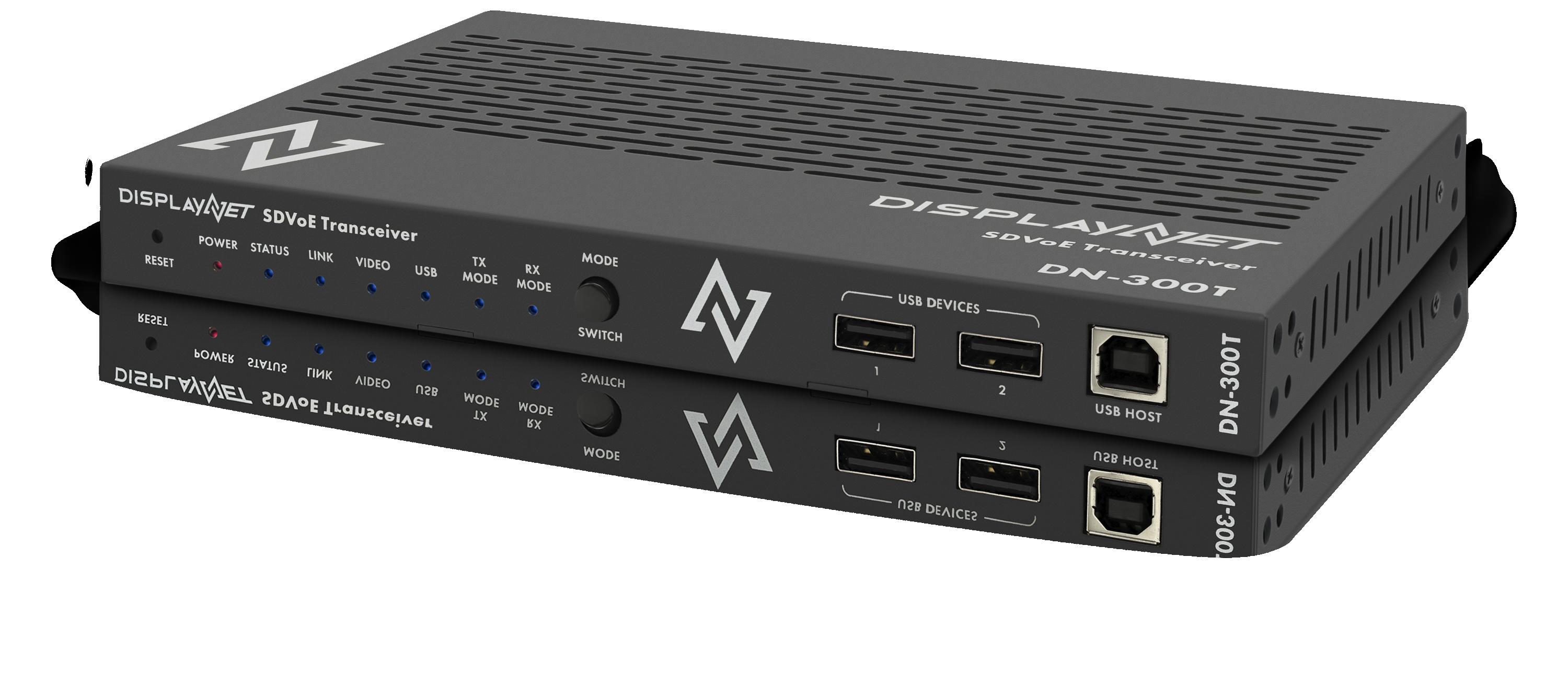
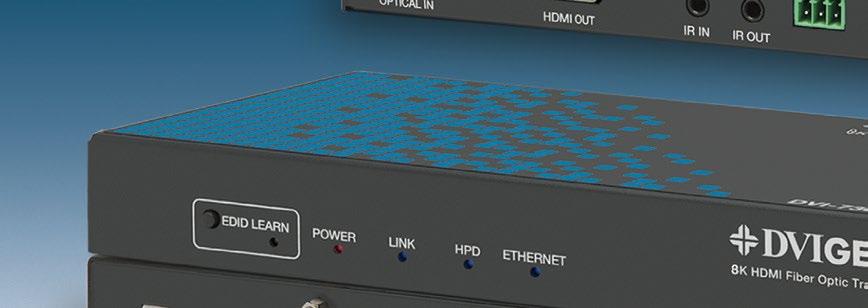
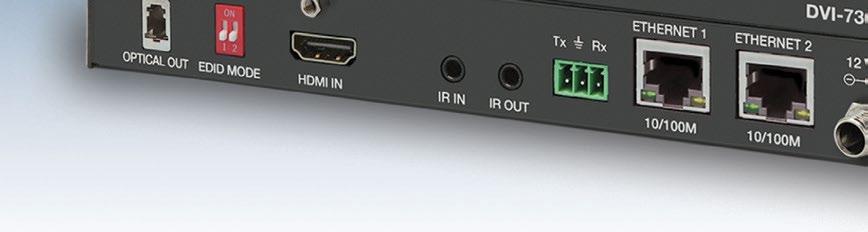
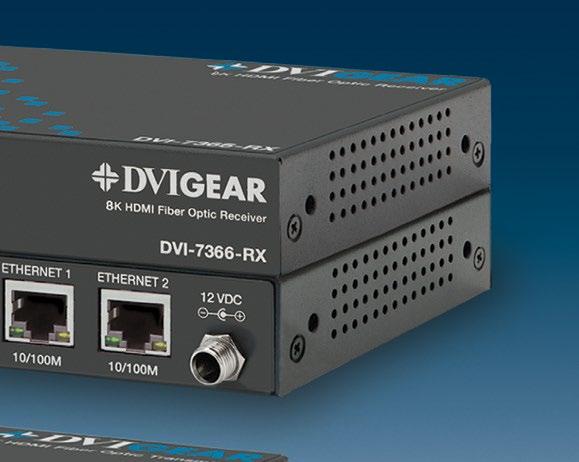
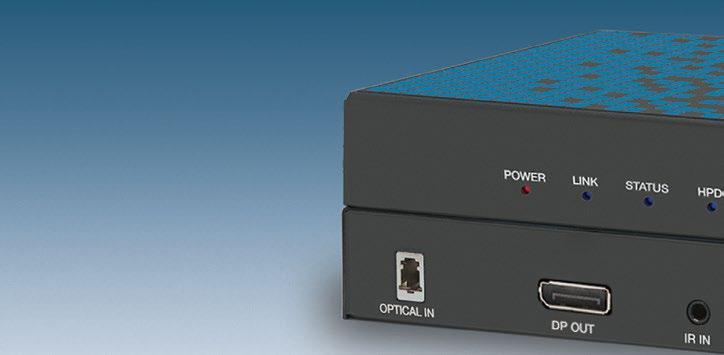
DisplayNet Signal Distribution has redefined the apex of AVoIP performance with a powerful AI-ready control interface that enables definition and deployment of complex AVoIP systems in minutes using natural-language instructions and with no prior knowledge of the underlying API. DisplayNet is the first AV-over-IP system to ship native Model Context Protocol (MCP) support, making it directly controllable by Claude, OpenAI Codex, Google Antigravity, or any MCPcompatible AI agent out of the box.
The DN-300 Series , DisplayNet’s award-winning endpoints, deliver flawless 4K/60 (4:4:4) video distribution with limitless scalability, zero-frame latency and zero image artifacts. These features allow system designers to deploy highly versatile AV signal distribution systems with robust performance, scalability, versatility and reliability at a fraction of the cost of traditional AVoIP systems.
Contact us today to see how DisplayNet can move your next AV system into the future.
sales@dvigear.com
(888) 463-9927 www.displaynet.com







Mason Technologies broke ground in May for its future corporate headquarters in the Long Island Innovation Park at Hauppauge, NY. The groundbreaking ceremony brought together business leaders, industry organizations, and government officials from across Long Island to celebrate the company’s continued success and investment in the region.
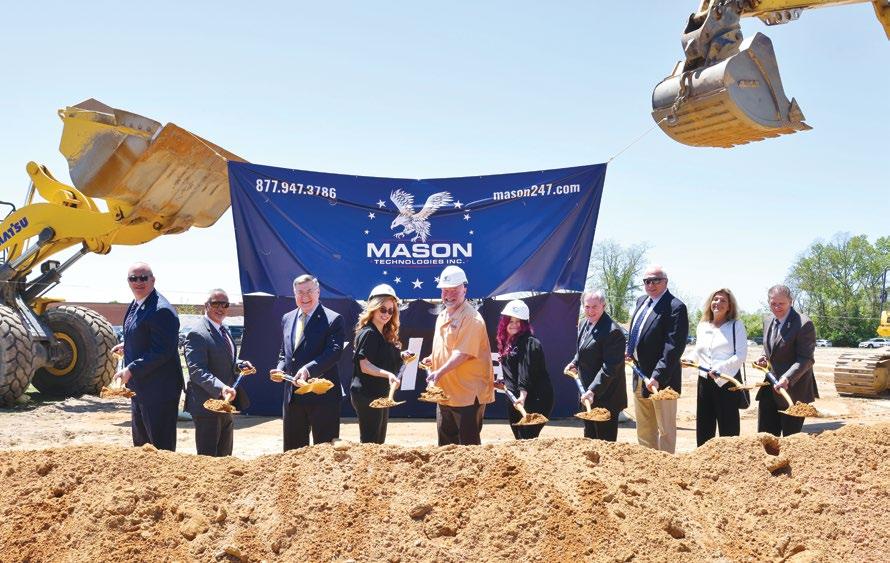
Its new HQ will be a 69,000-square-foot building with a 2,800 square-foot atrium and a dedicated exhibition and event space intended for networking, collaboration, and technology demonstrations.
The company’s mission has always been to work with individuals and organizations who help change the world, primarily in healthcare spaces, higher education, and government projects. Founded in 2002 by CEO Jennifer Mason with just two employees, Mason Technologies now has locations in four states and 275 W-2 employees, with plans for continued growth as construction moves forward on the new facility.
“Everything we do is guided by the Mason Way, which is our commitment to continuous improvement, smart solution, and a people-first culture. Mason’s new headquarters will showcase next-generation technology that is both simple to use and visually astonishing,” said Mason. “We want this to be a place where companies and organizations across our region can connect, innovate, and grow together. We’re excited for what’s ahead.”
After decades of helping Pro AV integrators, architects, designers, and developers deliver visual experiences, K-WAV announced its official rebrand to Total LED in May. The new name reflects the company’s expanded vision to provide more than just displays—Total LED delivers a full service ecosystem designed to simplify dvLED deployments, from design consultation and installation support to managed services, calibration, repair, and long-term support.
“Much like a championship race team, success in dvLED comes down to precision, reliability, teamwork, and performance under pressure,” said CEO Doug Wack. “Our evolution into Total LED reflects where we’re headed as a company: faster innovation, stronger support, and solutions designed to help our partners win.”


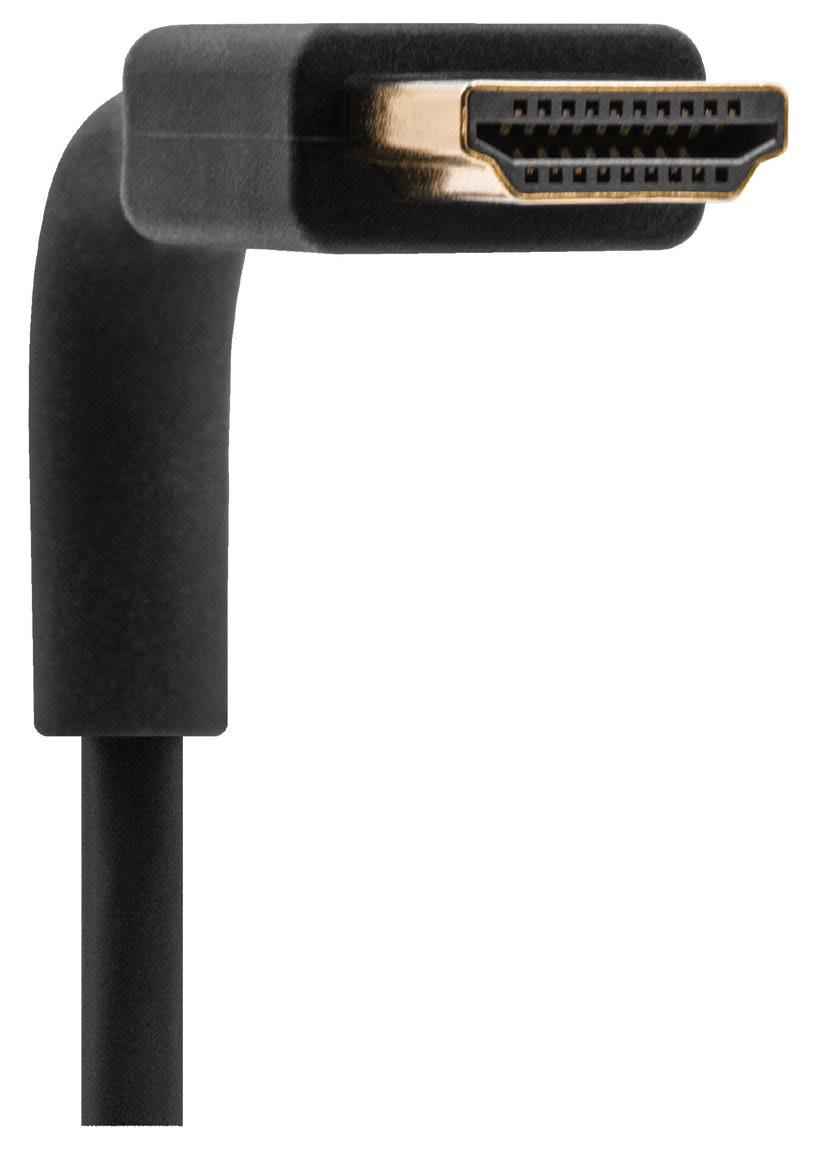
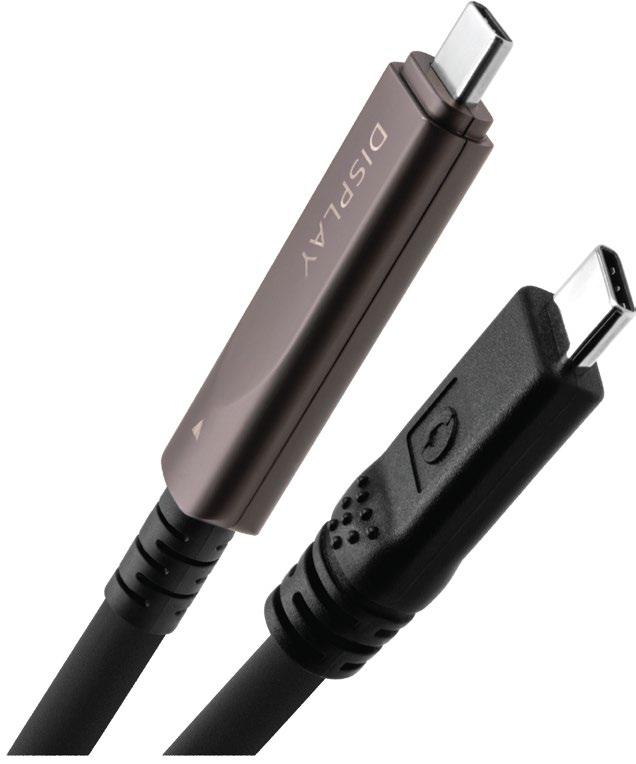

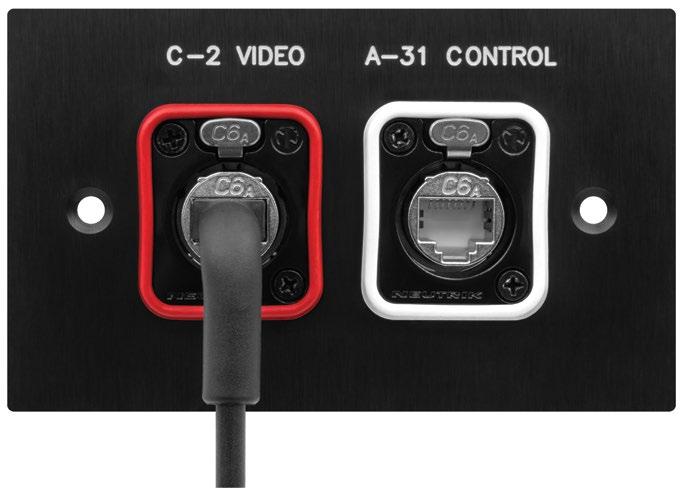

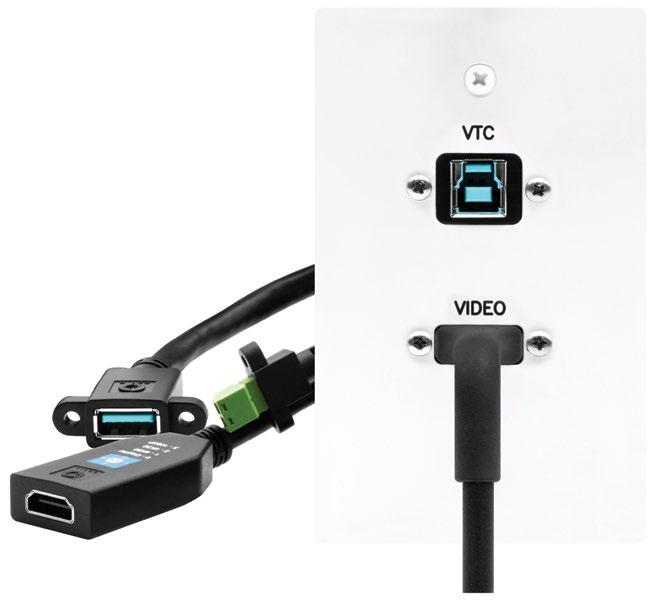

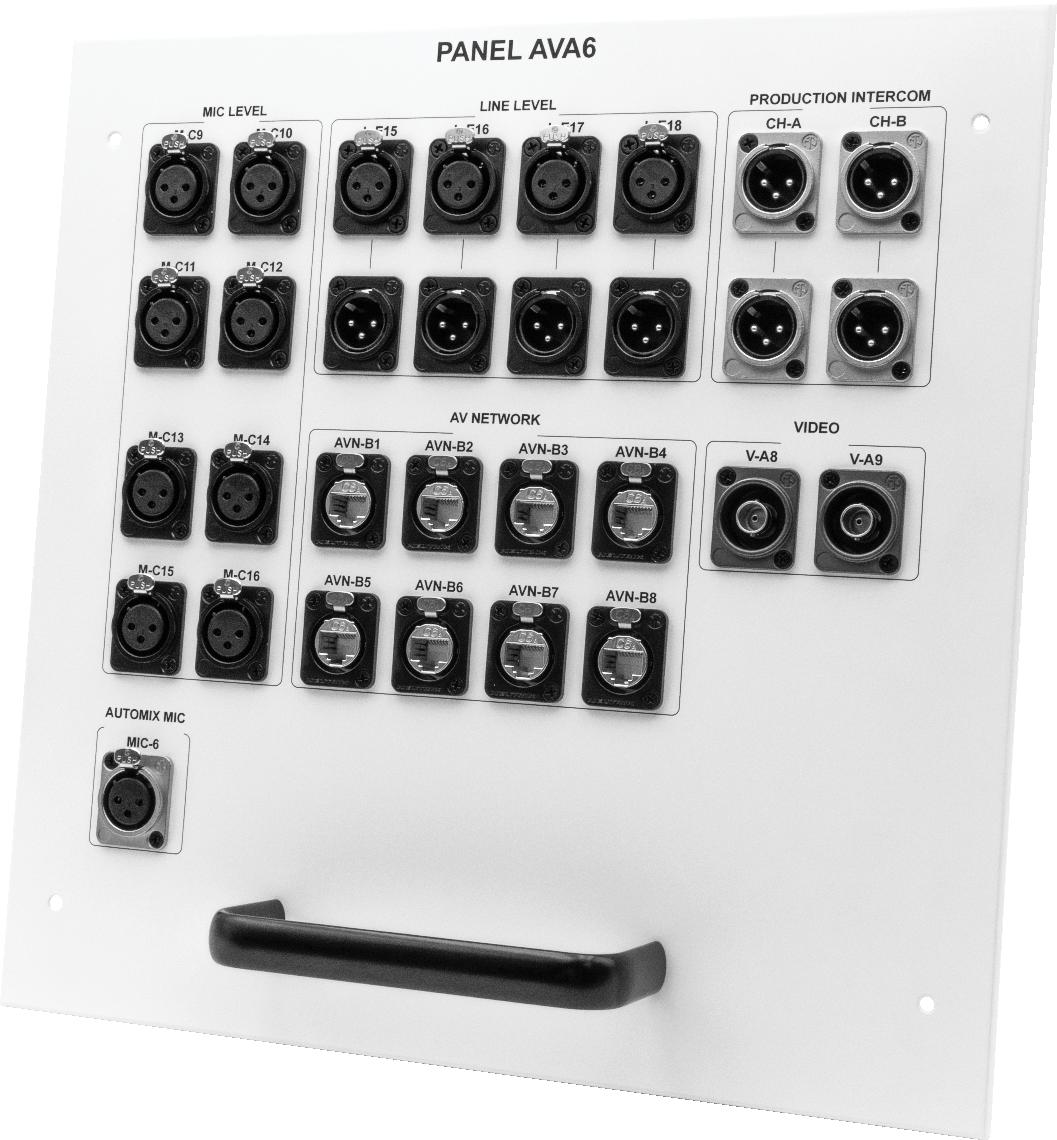

At its headquarters in Rockleigh, NJ, Crestron operates its Crestron Technical Institute (CTI), a hands-on training facility where integrators, engineers, and technology professionals learn to install, configure, and deploy Crestron systems at a professional level. As a refresh cycle approached to address outdated displays and aging mounts, the new environment needed to demonstrate what a modern AV deployment can deliver. What Crestron’s infrastructure team built, with the Chief Tempo flat panel in-wall mount system at its center, not only delivered on that goal, but added a training room where the technology itself became part of the lesson.
The training rooms had last been updated roughly 10 years prior, with a pair of 86-inch displays and two 65-inch screens on traditional articulating wall mounts. The plan for the next chapter of the interactive, hands-on CTI courses called for five 98-inch LG CreateBoard touchscreens capable of supporting simultaneous input from multiple users


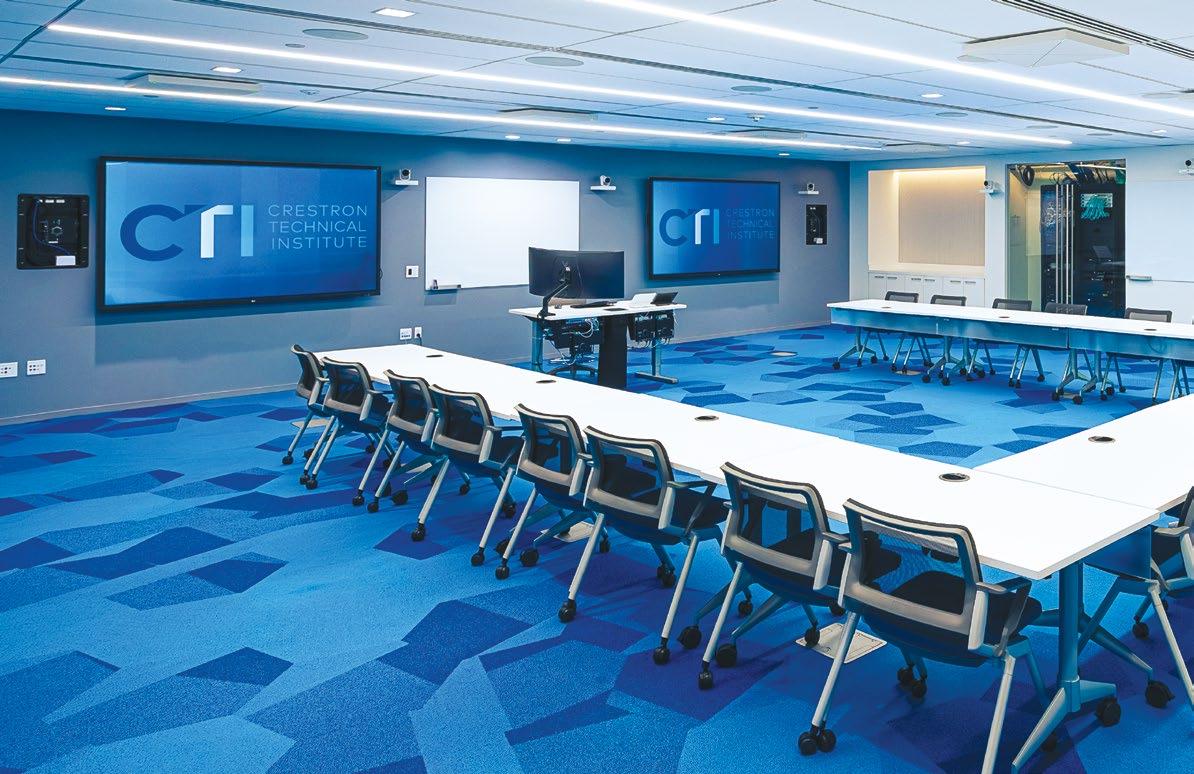
at once. At that size and weight, traditional articulating mounts weren’t built for the job. Any flex or movement degrades the touch experience, and for a room designed to demonstrate precision AV, that wasn’t something the team could work around.
Two additional requirements shaped the install. First, Crestron wanted its DM NVX AV over IP solutions visible to students rather than hidden behind the displays, staged in dedicated accessory boxes beside each screen so trainees could see the infrastructure they’d be specifying in the field. That meant accommodating an unconventional three-box configuration per position. Second, the team needed easy serviceability.
Chief’s Tempo was selected for all 10 display positions across three classrooms. It keeps large displays tight to the wall, eliminates flex during touch interaction, and provides built-in service access without needing to remove the display.
“When you’re training the people who install AV systems for a living, the room itself sets the
standard,” said Alex Villiard, principal infrastructure engineer, training, Crestron. “We needed mounting that could handle 98-inch touchpanels without any movement, support a custom layout that put the infrastructure on display, and let us get in and out for service without turning it into a project. The Chief Tempo flat panel in-wall mount system gave us the flexibility to build something that doesn’t exist as a standard configuration.”
Making the DM NVX AV over IP platform visible has had a real instructional effect. The exposed Crestron solutions generate conversations in the room, where students ask about the hardware they're looking at and get hands-on context for systems they'll be specifying in the field.
“The Crestron Technical Institute is where our customers come to learn how to build with our systems,” added Villiard. “The touch experience is exactly what it should be, the infrastructure is visible and purposeful, and we can service everything without taking the room offline.”

















ATLASIED appointed BARTOSZ PETLAK as applications engineer for the EMEA region and ROGER LIM to the role of applications engineer for the APAC region.
Pętlak joins the AtlasIED team with 17 years of AV and digital signage experience, supporting regional growth through technical expertise, tailored solution design, and close collaboration with customers and partners to deliver successful deployments. Lim is supporting customers and partners by providing solution design, implementation, and technical expertise to ensure successful deployments across the region.


AUDIO-TECHNICA made key leadership appointments designed to further strengthen its sales organization and drive continued growth across the Americas. MARK HUMRICHOUSER has been promoted to VP, sales, U.S. headquarters and System Solutions Group (SSG) Americas. In this expanded role, he oversees brick and mortar sales, e-commerce, SSG Americas sales, broadcast sales, SSG marketing, and regional SSG initiatives. JIM SCHANZ joined the company as executive director, system solutions sales, reporting to Humrichouser. He leads initiatives to strengthen pro audio channels, deepen customer relationships, and identify growth opportunities.

CHRISTIE’s parent company, Ushio, has promoted MICHAEL PHIPPS to president and CEO of Christie Digital Systems and its subsidiaries. Phipps succeeds Takabumi Asahi, who held the position for two years and continues as CEO of Ushio Group. Phipps joined Christie in 2008, becoming CFO in 2019 and president and COO in 2024.

DIVERSIFIED has appointed TYLER AFFOLTER as chief revenue officer (CRO) and VIRAL TRIPATHI as chief information officer (CIO). Affolter leads Diversified’s global commercial organization, helping accelerate growth across the company’s established media, collaboration, and digital signage businesses while extending those core strengths into broadcast and experiential. Tripathi leads the company’s enterprise technology strategy, overseeing global IT across


applications, cybersecurity, data and analytics, digital innovation, infrastructure, and business systems. His role includes strengthening the digital and data foundation needed to support AI enablement.
CHYRON appointed ERIC WOLFF as director of venues sales, North America. Wolff comes to Chyron with a wealth of relevant experience having served previously as director, broadcast operations and media production, for T-Mobile Arena, with prior stints in lead production roles with the Arizona Cardinals, Van Wagner (NCAA Championships), and the Pittsburgh Pirates. Wolff’s role focuses on growth in the collegiate and minor league space.

KORBYT has appointed ANDREW ROBSON as CEO. Robson brings a distinguished track record in the financial services technology sector, joining Korbyt from Verity, a provider of research management software, data, and analytics serving more than 350 financial services firms globally. As CEO, Robson is focused on accelerating Korbyt’s product innovation, strengthening customer engagement, expanding global market opportunities, and further scaling the Korbyt Anywhere platform.

MULTIDYNE VIDEO AND FIBER OPTIC SYSTEMS appointed ALEX COLLINS as sales director, APAC. Collins brings more than 20 years of experience across the broadcast and Pro AV industries, including more than a decade of leadership and channel management expertise throughout Southeast Asia and broader APAC markets. He leads regional sales development, channel partnerships, customer engagement, and business expansion initiatives across APAC. Prior to joining MultiDyne, Collins held senior regional sales and channel management positions with Vizrt, Ross Video, and Nevion.

PLANAR has expanded its U.S. sales force with the addition of ANTONIO DIAS and DOUGLAS SCHOENHERR. Dias leads Planar’s sales initiatives across the Western United States as regional sales director, bringing nearly 20 years of Pro AV industry experience. He previously held senior leadership roles at Crestron Electronics supporting consultants, resellers, industry partners, and end users. Schoenherr joins as the


company’s CAD Group business development manager for the Western United States. He brings nearly 30 years of experience in the Pro AV industry, with a strong focus on consultant engagement and specification development.
PLEXUSAV appointed SETH WARNER as U.S. sales manager, based just outside Cleveland. After serving six years in the U.S. Air Force and five years in law enforcement, Warner brings a disciplined, solutions-focused mindset to his role. He has spent the last decade working within the AV industry implementing EHR and EMR systems across hospitals, giving him a strong understanding of complex, mission-critical environments and customer needs.

PPDS has appointed NICOLE RUTHERFORD as new event marketing specialist. An accomplished business owner, leader, and marketing professional for more than 10 years, Rutherford supports PPDS day-to-day marketing efforts, including coordinating logistics for trade shows and regional events, managing marketing assets, supporting digital and social content, and driving brand awareness and engagement.

RENKUS-HEINZ added TONY JACQUES as applications engineer. He serves as a key technical resource for integrators, consultants, and end users, providing hands-on guidance and supporting the deployment of Renkus-Heinz solutions across a wide range of applications. His career spans live sound, touring, installation, broadcast, and event production.


RIEDEL COMMUNICATIONS expanded its leadership structure, appointing MARC ENGROFF CFO while FRANK EISCHET transitions into the role of COO of the Riedel Group. Engroff assumes responsibility for key corporate functions including finance, controlling, M&A, global purchasing, and IT. Eischet is now dedicating greater focus to overarching priorities across the Riedel Group, including strategic alignment, operational scalability, and the continued development of global structures. He continues to serve as managing director of Riedel Communications alongside Thomas Riedel.

Industry technologists discuss how AI is impacting Pro AV today and where we’re headed.
By Mark J. Pescatore
Artificial intelligence has taken over Pro AV. At least, it feels that way. New products tout “AI this” or “AI that.” Some folks brag how AI is simplifying their inbox or streamlining their reports, while others fear for their jobs. Every professional conversation somehow seems to wind its way back to AI.
Once we get past summaries that reduce hourlong meetings into bullet points and Instagram videos that trample on intellectual properties for comedic effect, what does it all mean? From machine learning to large language models (LLMs), how is AI truly impacting the Pro AV industry today, and what can we expect in the coming years?
To find the answers, SCN reached out to industry futurists and technologists to collect their thoughts on the current state of AI in Pro AV—and explore potential roadmaps into our industry’s next chapters.
Accentuate the Positive
Julian Phillips, SVP and managing director of XTG, the AVI-SPL Experience Technology Group, has spoken extensively about AI and last year released LevAIthan: A Brief History of Humanity and AI , a book co-authored with Athena, his AI assistant. In his book, he argued that we should stop calling it “artificial intelligence” and start calling it “augmented intelligence.” His point is that AI’s greatest value is in strengthening people, not replacing them.
“If we call it artificial intelligence, we think substitution. If we call it augmented intelligence, we think amplification,” he explained. “The wording matters because language shapes strategy.




The best AI does not remove the human being from the experience; it makes the human more capable within it.”
According to Phillips, AI is most powerful when it helps designers, technicians, support teams, and end users work faster, smarter, and with greater confidence. “At AVI-SPL, for example, Symphony helps organizations monitor and manage assets across the network, identify issues earlier, and support users more proactively,” Phillips said. “That is a practical example of intelligence improving both operational performance and the user experience.”
In his role at Midwich, Chris Neto, head of emerging markets, revealed that AI is changing the conversation both internally at and with external vendor partners. “‘Emerging markets’ used to mean geography. Now it also means capability,” he said. “AI is accelerating that shift. Markets and verticals that may have lagged in the traditional sense now have the opportunity to leapfrog through softwaredriven, AI-enabled solutions.”
And that’s where Neto’s role is evolving. “It’s no longer just about identifying where growth might happen,” he said, “it’s about helping our teams within Midwich understand what’s possible and then extending that insight to our vendors and manufacturer partners so we can move together, faster and more strategically. AI doesn’t replace strategy, but it absolutely sharpens it.”
Of course, the willingness to integrate AI with AV systems depends entirely on the client, said Rich Green, president and CEO of Rich Green Design. “We’re still very early in the AI journey,” he said, “so what my clients demand is superb audio, superb video, and flawless connectivity. Our job as integrators is to help them understand how AI fits into their broader digital transformation strategy. If AI can improve speech intelligibility or automate












“AI is only as effective as the data it ingests.”



Christine Schyvinck, Shure
presentation connectivity, hooray! If it gets in the way, VC partners get ornery.”





So, is AI being perceived in Pro AV as a godsend or a job killer? If you ask Neto, it’s following a very
“Every major shift, from DSP to networked AV to the cloud, came with the same fear cycle,” he said. “AI is just the latest iteration. The difference now is the speed and accessibility. The people who see it as a job killer are usually thinking about tasks. The people who see it as a tool are thinking about





“The Pro AV industry has always relied heavily on automated workflows, and AI represents a new era for efficiency,” added David Labuskes, CEO of AVIXA. “Adopting AI requires thoughtful consideration of how it fits into current systems and processes. In some cases, it may accelerate tasks or simplify programming, but the fundamentals







“AI doesn’t replace strategy, but it absolutely sharpens it.”
Chris Neto, Midwich


remain the same: Professionals are still defining the goals, guiding the system, and validating the outcomes.”
AVIXA maintained a pragmatic view of AI in its education program at InfoComm 2026. “AVIXA is focused on what’s actually happening with AI today,” Labuskes said. “We’ve moved past the phases of ‘AI will do everything’ and ‘AI isn’t doing most of those things.’ Instead, we’re now in a phase where practical applications are emerging and adoption is steadily growing. Rather than focusing on fears of widespread job loss, the emphasis is on how people are actually using AI in their day-to-day roles to work more efficiently and effectively.”
Phillips warned that AI literacy is vital in today’s Pro AV workplace, because AI is entering the workplace—whether people are ready for it or not.
“In modern Pro AV, understanding AI is becoming as important as understanding signal flow,” he said. “AI literacy matters because it helps people separate real capability from hype. It helps them ask better questions, apply the tools responsibly, and have more credible conversations with customers who are already looking at how AI fits into their workplace strategies. This is not about keeping up, it’s about staying ahead.”
Joe Andrulis, EVP of corporate development for Biamp, expects AI will empower productivity gains, because it eliminates training barriers and helps workers come up to speed more rapidly. “With AI, products get easier to implement because the products themselves incorporate artificial intelligence to make setup more dependable and to handle situations dynamically,” he explained. “However, I don’t know the net effect, positive or negative. I think the effect of AI will be varied by sector and by application area. Some jobs are going to be greatly enhanced, and AI will be a big boost to AV, while others might be negatively impacted.”
For example, Andrulis acknowledged that one of the big challenges in the dealer community has been finding qualified people. “The more that AV systems can incorporate intelligence natively, the more easily integrators can install systems with less specialized workers, which can make it easier to hire








“Scale is how dealers can win with AI.”
Joe Andrulis,


while also ensuring a more standardized outcome across geographies,” he said. “In the past, customers were often willing to pay for high-value installation services, but that was very difficult for dealers to scale as the pool of qualified experts is very limited. With AI, they are giving up some of that high-value work, but in return they get scale. Scale is how dealers can win with AI.”


work,” Green observed. “AI can help parse complex RFPs, draft system narratives, cross-reference equipment specifications, and even generate first-pass signal flow documentation. Work that used to take days can now take an hour. That’s not a small thing because it frees up real time for the higher-value, higher-judgment work that actually requires a human expert.”
That expertise is an indispensable part of equation. “We dare not underestimate the human in the loop,” Green warned. “Nurturing talented and competent professional humans is the most important path to sustained success and prosperity. The liability and the craft are still ours to own.”
AV has always been built on relationships, trust, and experience, which Neto said AI can’t replace. Instead, AI removes friction. “It handles the repeatable, the predictable, and the scalable, which frees us up to focus on what actually matters: creativity, customer experience, and quality service,” he said. “So no, it’s not killing jobs, but it is going to expose complacency.”
Based on discussions with clients and other integrators, Dave Van Hoy, president of Advanced Systems Group, said defining what AI is for Pro AV really depends on who you ask. “AI is a buzzword. AI is an initiative. AI is an actual functional tool. We’re at the evolution of these tools, where all these things are true,” he offered. “It’s in many applications. It’s a management initiative with no clear definition. It’s being used today in everything from camera tracking to closed captioning, graphics generation, and many other things.”

“On the design and pre-construction side, AI tools are meaningfully accelerating how integrators


AVIXA research shows a shift toward practical adoption. According to Labuskes, studies of AI use in the Pro AV workplace show significant growth in implementation, along with increased recognition of its benefits, particularly since the rise of GenAI. “While AI continues to evolve, it is clearly becoming more deeply embedded within organizations,” he said, “and as adoption matures, its business impact will be increasingly measurable.”
But Phillips believes too many organizations are treating AI as a productivity hack, rather than as a “partner in exploration” that can help teams model



“Pro AV is at the very beginning of the practical applications of AI.”
Dave Van Hoy, ASG










possibilities, test ideas faster, identify patterns, and solve problems. “If we’re implementing AI just to make us faster,” he argued, “we’re aiming too low.”
In the real world, AI features have gone from nice-to-have to expected faster than most people realize. “Walk into any modern meeting space, and AI is already there—whether people call it that or not,” Neto offered. “Auto-framing, speaker tracking, noise cancellation, transcription, translation. These aren’t futuristic features



“As adoption matures, its business impact will be increasingly measurable.”
David Labuskes, AVIXA

anymore, they’re baseline expectations.”
However, when it comes to AI and UCC, Neto thinks the industry needs a reality check. “AI is only as good as the environment it’s operating in,” he explained. “We can’t talk about AI-driven transcription and translation, arguably two of the most in-demand features from end users, without talking about acoustics. If the room sounds bad, the AI performs badly. It’s that simple.”
Shure is already integrating AI into its products to provide intelligent noise suppression and voice focus. “AI is only as effective as the data it ingests,”


agreed Christine Schyvinck, president and CEO of Shure, “so pristine audio is paramount for AI to do its job and for end users to experience greater productivity.”
In other words, speech intelligibility should now be considered foundational for meeting spaces. Poor acoustics lead to poor data, which leads to poor outcomes.
“So, while AI is raising the bar for what these systems can do, it’s also raising the bar for how we design spaces,” Neto advised. “Integrators and designers need to think beyond the camera and the









“If we’re implementing AI just to make us faster, we’re aiming too low.”



codec and start with the room itself. Because at the end of the day, if the AI can’t clearly understand what’s being said, everything else falls apart.”
Schyvinck believes AI can be a game changer when it comes to product development—with the right governance, policies, and planning. At her company, AI is not only assisting with the process, it’s making product development more effective and efficient.
“AI has definitely helped accelerate many tasks, which can help us bring products to market faster,” Schyvinck noted. “It is especially well suited for rapid prototyping. AI assists with learning and acquiring user feedback earlier in the development process, which is something we value a great deal at Shure because of our focus on customer input.”
Schyvinck said Shure has been leveraging AI in its products for years, and it serves a critical role in today’s UCC products. “ AI helps with hybrid work

Julian Phillips, XTG

pain points,” she explained. “It enhances meeting intelligence, workflow automation, personalization, and analytics.”
AI is certainly improving Biamp products—for example, cameras include auto zoom and focus as well as tilting capabilities, while AI noise reduction is helping to improve voice intelligibility in ways that users may not even realize. “Thinking broadly, AI is enabling products to become easier to use while also becoming more flexible,” Andrulis said. “AI software, such as Biamp Launch, is now embedded into system programming, including auto setup and auto tuning.
“This is useful beyond just installation, as it can adapt to changes in the environment. As a result, the end user is getting a much more polished experience in a wider set of use cases,” Andrulis added. “It’s all happening more efficiently and at lower cost, with overall better performance and without any overt action from individuals.”
AI has already made some pretty impressive technological strides. As Labuskes said, “While our eyes are on how AI is being used in practical AV applications, we’re also tracking its potential to make huge shifts across the industry.”

Coming soon, look for continued growth in Edge AI, which is the practice of running AI locally on AV devices instead of sending it to the cloud. And beyond that is Physical AI, which combines sensors and control systems with AI to create meeting rooms that essentially run themselves.
Van Hoy said the best

is yet to come. “Today, AI can take care of many mundane tasks,” he said. “As we go forward, it will be able to do more sophisticated things, including technical direct productions and allow voice control of AV systems for unattended use. The applications will continue to evolve, particularly in the routine applications where humans provide the least creative value.”
Schyvinck has already seen the shift from static hardware to adaptive learning systems. “End users want meetings that automatically generate, track, and facilitate action items and tasks,” she explained. “They want rooms that self-diagnose issues and trigger support workflows or even self-heal.”
Green agreed that platforms that can flag anomalies in system behavior before a client even notices a problem are a “genuine operational win” for integrators and end users. “AI-enhanced knowledge management systems for system integrators and support technicians will be a game changer,” he predicted.
Voice control in professional environments needs attention, Green said, mostly because consumer voice AI tech can’t be used due to cybersecurity and privacy concerns. However, he expects agentic AI, which makes its own decisions and takes action, to have a significant impact on system interoperability. “It’s a wild frontier fraught with hazards but improving exponentially,” he added. “That’s the space to watch right now.”
For Neto, the future of AI in Pro AV is about better overall experiences, not features. The industry is heading toward environments that are contextaware spaces that “understand who’s in the room, what they’re trying to do, and adjust in real time without manual intervention.”
However, that kind of AI integration should probably come with a warning sticker. “Just because we can automate everything doesn’t mean we should,” Neto said. “There’s a balance between intelligent and intrusive. The winners won’t be the ones who cram in the most AI; they’ll be the ones who use it with purpose thoughtfully, transparently, and in ways that actually make human interaction




better, not more complicated.”


For Green, the IT manager is often the integrator’s point of contact, and they are “extremely cautious” about introducing AI. “Cybersecurity is top of mind in these firms. AI poses new threats, often cleverly disguised,” he explained. “It’s best to defer to predictable reliability and hold off on AI tricks in these environments. Sophisticated clients can see right through them.”
While AI-driven diagnostics and remote monitoring are maturing, Green said the






“AI tools are meaningfully accelerating how integrators work.”
Rich Green, Rich Green Design

interoperability and standardization layer still needs improvement. “Integrated systems can be sourced from a dozen different manufacturers, and the AI features often live in proprietary ecosystems that don’t talk to each other elegantly,” he noted. “The industry needs either stronger open standards or deeper partnerships at the platform level before AI can reach its full potential in a fully integrated system.”
Andrulis had his own warning—about unintended consequences. “As the systems become smarter, we need to recognize that our industry is





about audio and video sensors,” he said, “and as they become more widely used and data is processed more intelligently, there are valid concerns about surveillance or the misuse of personal information. Users may not even be aware it’s happening.
“The good news is that as we get more information, we can do even more wonderful things with that information, but that is assuming good intentions,” he continued. “Bad actors can use that information in ways that do not benefit end users. There is a potential dark side to this paradigm and as an industry we need to be cognizant of that.”














By Bill Bennett
AI-based technologies are changing the captioning and translation landscape in education.
earning environments have endured a seismic shift over the past five years, as classroom and instructional models were transformed first through necessity and subsequently through new behaviors and preferences born through change. AV technology has played a substantial role along the way, from bringing physical and remote learners together through UC platforms to enhancing collaboration through streamlined connectivity and control technologies.
AI-based technologies have increasingly played a role in this changing classroom technology landscape, with beamforming microphones and camera tracking technology among the first to make a difference in our evolving education environments. Today, they have become powerful tools to help expand access to spoken word content across languages and models in real time with on-demand subsequent access just as easy (and expected) for the learners to access.
We’ve all become accustomed to live tools on our phones that can caption the words of the person in front of us, including real-time translations, and even re-speaking those words in a language we best understand. These capabilities (and much more) are possible today to help learning become more accessible, efficient, and comprehensible.
Besides all the “magic” AI can bring to maximize learning and understanding, there are also regulations
that have been increasing at federal, state, and local levels regarding accessibility. For example, “WCAG 2.1 Level AA” codifies the Department of Justice’s final rule on ADA Title II with respect to online content for public entities, including K-12 districts and public universities. So, in many situations, captioning is required, not just helpful.
The community that makes up an education student body has evolved over the decades. Today, you’ll find students of all ages and from diverse backgrounds as international as any United Nations event. With that comes all manner of hearing abilities and languages— but that doesn’t mean any of those languages are what’s being spoken in the room.
Add to that the art of multitasking by many of today’s students, where they slice their time in the classroom (if they’re in a room with others at all) across multiple activities and devices while lectures and classmate conversations unfold. Like me, some prefer to read transcripts rather than watch a video or listen to an audio recording; they may be a faster reader or their setting may just be more conducive to reading a transcript rather than experiencing a lecture in real time.
These are the dynamics that have propelled AI captioning or translation from advantageous to must-have. When evaluating these valuable solutions, buyers should consider aspects such as flexible pricing, ease of setup, accuracy, latency, allowance for
custom word libraries, word filtering and substitution, automated indication of speaker change, automated punctuation insertion, a documented API for automation, file-based access to transcripts and sidecar files (used for adding captions to videos), and a live data feed to get captions and translation out to other platforms and systems. That’s quite a list, but they all matter when it comes to performance.
The better AI captioning systems add a grammar filter to know the right spelling (for example, “they’re,” “their,” or “there”), with latencies of three to four seconds for native captions. An additional second or two is acceptable for translations. The field of translation is evolving rapidly and getting better at managing word-order differences between languages.
Voice fingerprinting is also coming along fast. At first, in file-based material, a system could identify someone’s voice in isolation so that the AI could ID the voice. It had time to process the file and provide their name along with their captioned words. Now, it’s possible to do this in real time with live captions as people speak, thanks to high-speed GPU processing.
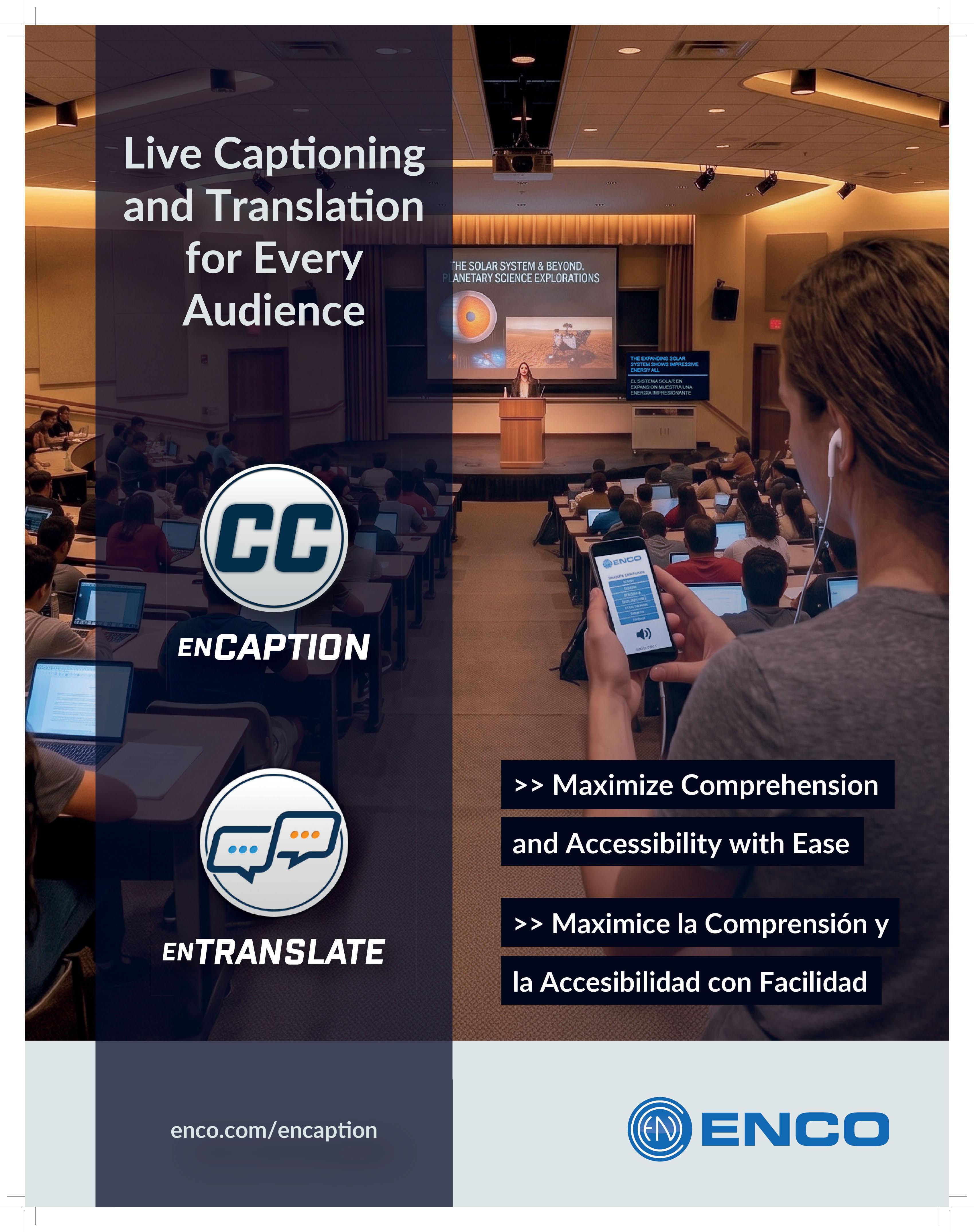
One of the easiest ways to make spoken word content easier for folks in the classroom to absorb and retain is with a caption video display. Tech by companies such as ENCO makes this simple, with a local NUC-type PC running totally on-prem, using no internet, taking a local in-room mic feed, and displaying text captions on a video monitor of any size in real time.
Further, those captions can be sent to mobile sites or
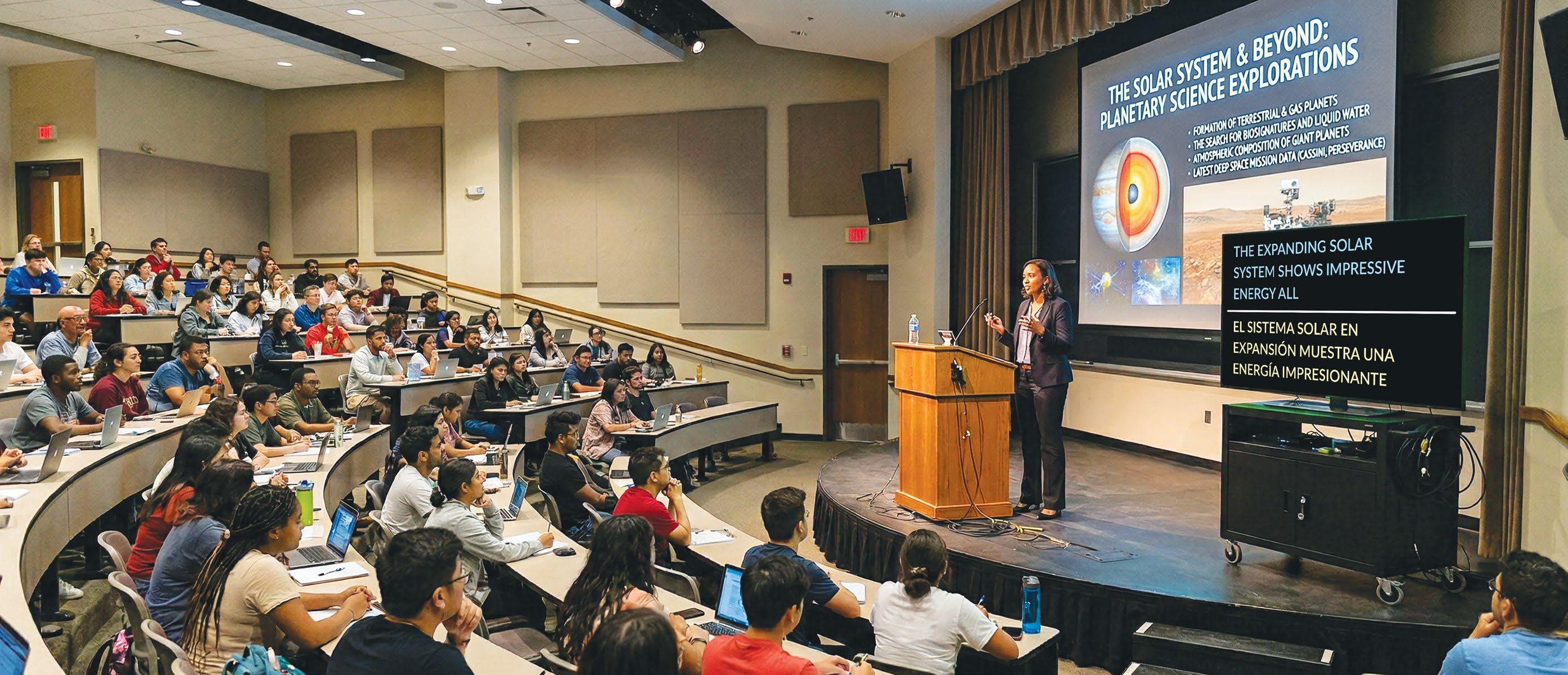
apps or other devices and recorded as text transcripts. After all, it’s just data. Then, those transcripts can be married with video or audio recordings of the sessions later, making them highly searchable for students who want to go back and review targeted material again. All this can happen while allowing the instructors to upload custom word libraries, so the AI systems have a leg up on knowing about complex or uniquely spelled words and technical jargon.
This same technology is available today to support students who may not speak the native tongue. In some cases, you might need an Internet connection for live translations, but more companies are providing entire on-prem live translation capabilities as well. Users can even display both the in-room language captions and various other live transitions on the same screens or on other screens or devices in the room. (And don’t forget those multi-lingual transcripts.)
Keep in mind that many students also learn remotely. Today’s technology can deliver these same live captions to where they learn, while still originating from the room where the little NUC computer resides. However, those captions and translations require relay through a public web server following standard datasec/cybersecurity policies. They can also be passed onto streaming encoders to feed streaming CDNs, a method traditionally closer to the proven CEA608/708 closed captions that broadcasters use.
The Third Rail Captions and transcripts are very much the “third rail” of content. When coupled with audio and video (live or recorded), they can be the gateway to identifying essential nuggets of information within hours of long recordings. Searchable transcripts can quickly return results—and with the right content management system, users can instantly link to the point in a recording where something specific was mentioned.
While smaller institutions might need an in-room, off-network portable caption cart for occasional captioning and translation needs, what if there are dozens of rooms that require captions? Not a problem—remember, it’s all just data.
A central cluster of campus servers can feed classrooms around a connected campus, employing useful signal routing capabilities such as audio over IP to get in-room audio to the central servers. The same infrastructure can bring the caption text data back to the room to show on a video monitor via a tiny Raspberry Pi or similar small computer, with its web browser looking back to the proper server.
You can also bank transcripts from all the sessions, allowing students to access them later (based on user authentication controls, since not everyone has access to every class). An overall “conductor” application can oversee when sessions are routed to a caption engine where the captions and transcripts can be accessed.
The ability to caption speakers isn’t limited to the lecturer up front, of course, as ceiling-mount or other additional microphones can capture student questions
and comments that inevitably take place. Some caption systems can even label the speakers, for example, as “lecturer” and “student.”
When learning is paramount, the best educational environments make available the course material and dialogues in as many ways as the learner can absorb. AI
tools are there to help make this highly affordable, flexible, and deployable across a variety of situations, buildings, technical environments, and other requirements.
Bill Bennett is the product design and solutions manager for ENCO.
SPONSORED BY ABSEN • ATLASIED • DAS AUDIO • LYNTEC • RIEDEL
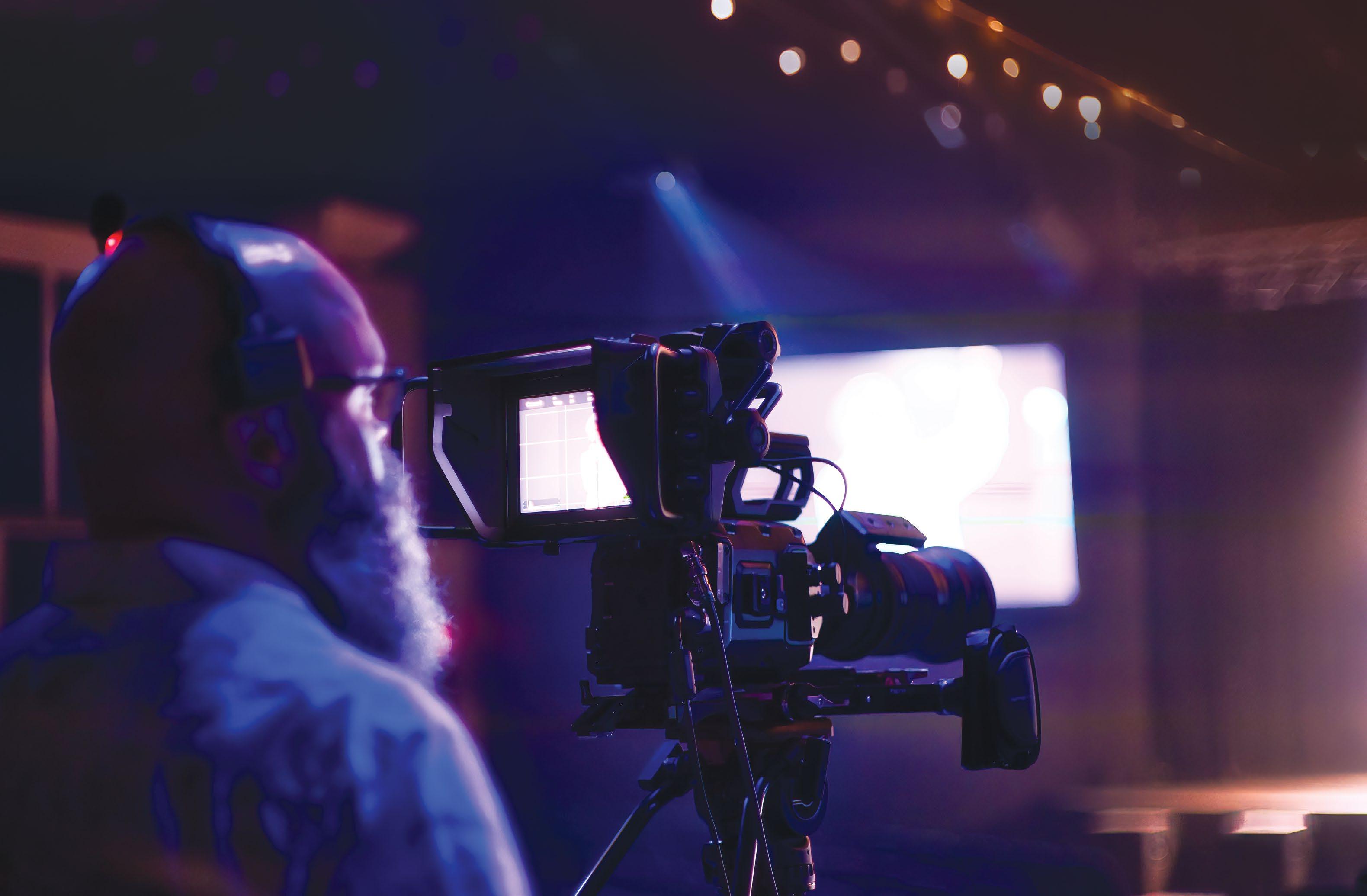
House of worship integrators emphasize the importance of balancing needs with budgets and long-term scalability.
By Jennifer Guhl
Hybrid worship has continued to surge in popularity long after the pandemic made it a necessity for many houses of worship. For Tennessee’s RockPoint Church Chattanooga, which has seen about 20% of its weekly congregation join virtually, online engagement has been critical to its ministry outreach.
“Online isn’t an afterthought or an overflow; it’s a meaningful portion of our congregation,” said Brad Anderson of HyperLite Media, who serves on the church’s production team and consults on technology upgrades. “For first-time guests, the livestream is often the first impression they have of RockPoint before they ever walk through the doors.”
With that in mind, RockPoint recently partnered with Blackmagic Design to deliver a seamless experience for both in-person and online audiences. Its upgraded production environment includes Blackmagic Studio Camera 4K Plus G2s, an ATEM 2 M/E Constellation HD live production switcher, and an URSA Mini Pro 4.6K G2 digital film camera that supports both I-MAG and livestream production.
Before transitioning to Blackmagic Design, the church operated a mixed-camera setup that had noticeable issues during services. “When we cut between cameras, you could see the mismatch in color, dynamic range,
and overall image quality,” Anderson said.
The new workflow is now built around four Blackmagic Studio Camera 4K Plus G2s and an URSA Mini Pro 4.6K G2, all feeding into the production booth via SDI wall plates throughout the sanctuary. “The fantastic quality of the touchscreen monitors on the Blackmagic Studio Camera 4K Plus G2s—paired with dials to quickly change contrast, brightness, and focus peaking strength—makes everything so simple for operators,” Anderson said.
Two of the wing-positioned cameras include Blackmagic Focus Demand, which helps reduce operator fatigue during services. Volunteer usability is a major part of the church’s production philosophy, and all technology choices are made with that in mind.
“Volunteer friendliness is the whole game in a church environment,” Anderson explained. “Our system must be easily operable by volunteers who may only serve once a month on a Sunday morning.”
The ATEM Constellation switcher is paired with an ATEM 1 M/E Advanced Panel, along with a HyperDeck Studio Pro deck, UltraStudio 4K capture and playback device, DeckLink Duo 2 video capture/playback card, and a dedicated livestreaming computer. “For reliability, the unified ecosystem is doing a lot of the work—fewer adapters, fewer protocol bridges, fewer points where something can fail,” Anderson added.
For other houses of worship considering similar upgrades, Anderson believes this project offers some good takeaways. “Many churches don’t have clear guidance on where to start with video production and
lean toward PTZ cameras due to staffing, but those systems often don’t scale well,” he said.
Anderson emphasized the importance of selecting technology that provides consistency and scalability, supports volunteer-centered workflows, and enables the long-term delivery of live and prerecorded content. For example, RockPoint’s production environment also supports prerecording testimonials, internal communications, and media initiatives. “The same gear that runs your services should be earning its keep the rest of the week, too,” he added.
RockPoint highlighted the need to select technology that can scale and to put volunteer usability at the forefront. Other integrators that specialize in working with houses of worship couldn’t agree more—and also highlighted the careful balance many navigate between adopting the latest and greatest AV technology, meeting their actual needs, and staying within their set budget.
“The mission should always drive the technology, not the other way around,” said Jared Rich, account executive, faith and performance, for Diversified, He stressed the importance of identifying what matters most for the ministry, whether that is online engagement, atmosphere, or speech intelligibility, and then focusing on investments that remove distractions and strengthen the ability to get the message across.
Then the focus turns to the budget, and balancing
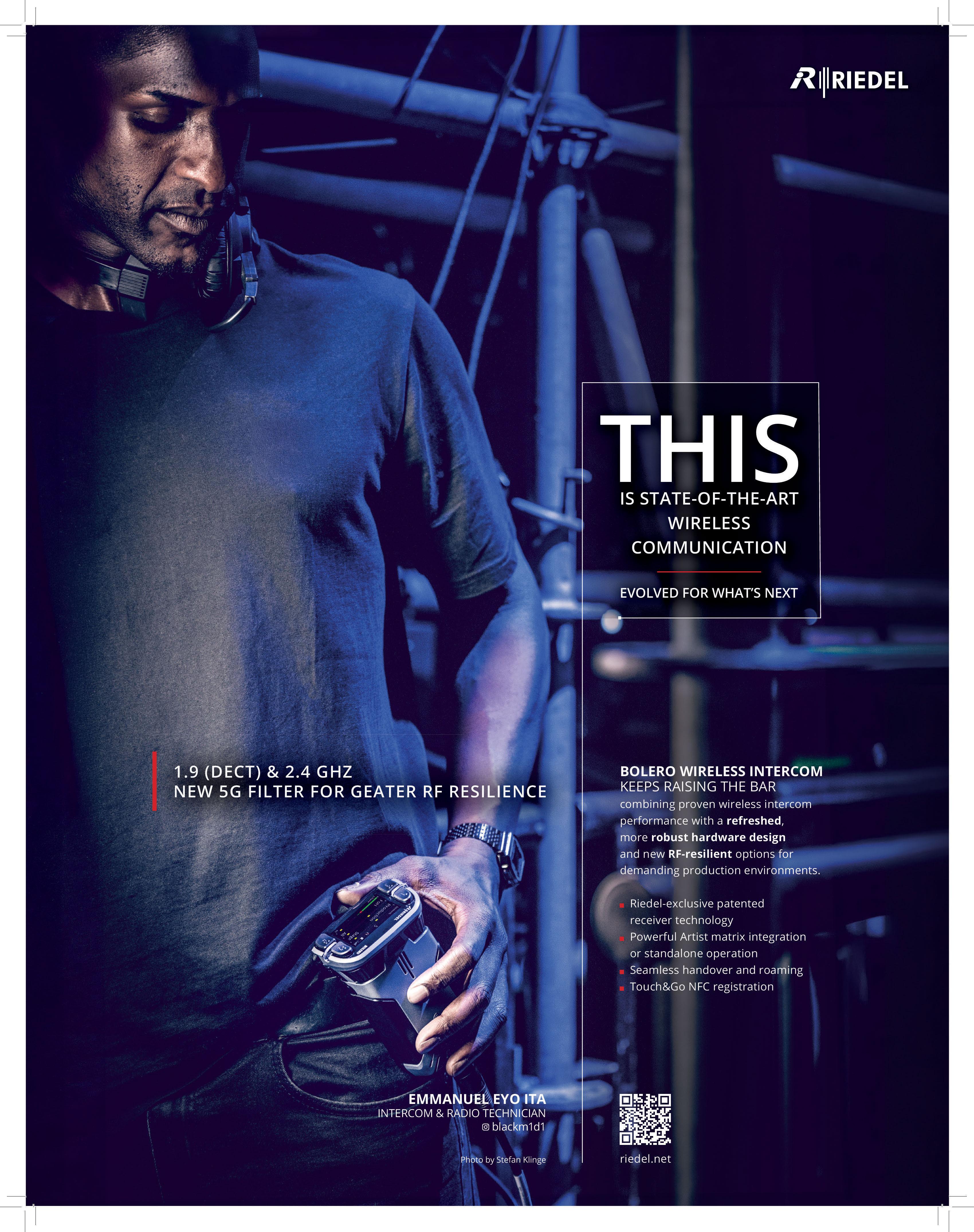
the vision with budget realities can be one of the biggest challenges. Rob Bender, CEO of Wave, works with houses of worship facing budget constraints to identify opportunities to reuse existing equipment or build systems that can scale over time, rather than being integrated all at once.
“Dream, figure out what the end goal is,” Bender said. “Put the infrastructure in to support that. Don’t buy the camera or the LED wall right now, but put enough power in so that the LED wall can be hung.”



intimidate them.”
One of the biggest budgeting mistakes Rich sees is “underestimating infrastructure and lifecycle costs while over-focusing on visible gear.” Many spend most of their budget on cameras, LED walls, or consoles, while overlooking the essentials that ensure a reliable experience, such as acoustics, power, networking, rigging, and long-term support.
Rich emphasized the importance of long-term scalability and of designing a system with a futureready mindset, thereby limiting the need for houses of worship to undertake expensive rebuilds years down the road. “As we say internally, cheap gear is often the most expensive choice long term,” said Rich.
This was evident in the upgrades at RockPoint,
where the church made a point of investing in scalable infrastructure. “We’d rather buy once and grow into it than have to revisit core infrastructure every few years,” Anderson noted.
The other key is volunteer usability, since many houses of worship rely on a mostly volunteer staff. As a result, AV designs need to prioritize reliability, predictability, and ease of use.
Beyond the selected technology, Diversified emphasizes training to ensure volunteers feel confident and comfortable using it to its fullest. “A well-designed system isn’t just technically impressive, it’s understandable under pressure,” said Rich. “Technology should empower volunteers, not
The Wave team includes many individuals with firsthand ministry experience, which shapes their approach to systems integration and to the understanding that most teams are made up of non-professionals. “They may not have a clue about mixing and being a sound engineer,” Bender said. “So, let’s not sell them the most complicated system. Let’s build a really good system, but then also let’s build in the controls and the pieces that are there.”
To simplify operations, Wave incorporates custom Q-SYS control systems built with a one-button approach. “It turns on the lights, turns on the projector, just does the simple things. It’s very user-friendly,” Bender said.
Training also plays a major role in making sure volunteers feel comfortable operating the technology. It’s important for integrators to spend time on site after integration to provide the necessary training for church teams and volunteers.
“We don’t want to sell you the Ferrari and give you the keys, and you’ve never even set foot in the race car,” Bender offered. “So, let’s not give them a Ferrari—let’s give them a really nice car, and then let’s teach them how to actually drive the car.”

How does the use of volunteer crews impact house of worship AV design and product selection?

Fernando Correa
Consultant Liaison, Absen
Volunteer-driven environments continue to shape how house of worship AV systems are designed, specified, and supported. For consultants and integrators, technology selection is no longer based solely on performance, but on how confidently volunteer teams can operate the system week after week. Simplified workflows, intuitive control, preset recall, reliability, and long-term support are now critical factors in product evaluation. For dvLED solutions, this means displays must deliver not only exceptional visual performance, but also operational simplicity, fast serviceability, and dependable system stability. Absen recognizes the importance of designing solutions that help reduce complexity for volunteer operators while supporting integrators with training, technical resources, and responsive support.

Gina
Sansivero VP Marketing and Corporate
Communications,
AtlasIED House of worship AV systems must deliver high-quality performance for both in-person and virtual attendees while remaining reliable and consistent. As a result, many integrators prefer manufacturers that offer easily configurable, lowmaintenance technology solutions that can be fully commissioned and left in place without ongoing adjustment. AtlasIED’s Aimline Series beam-steerable loudspeakers allow integrators to configure systems quickly without extensive troubleshooting. This process can halve setup time, reducing time spent on site while ensuring church staff and volunteer crews never have to worry about modifying settings after installation.

National Sales Director, LynTec Because most churches rely on rotating, mixed-skill volunteers rather than paid technical staff, systems must be intuitive for anyone to operate. For AV designers, this drives product selection toward solutions that focus on automation—power sequencing, simplified startup workflows, room control—to provide reliable protection against accidental operator error. For
example, intelligent power control offers automated sequencing, removing the guesswork from powering complex and expensive AVL systems on or off in the right order. High volunteer rotations or turnover also argues for consistent training programs and systems that reduce manual steps, minimizing the risk of equipment damage and protecting the investment churches make in their facilities.

Joshua Harrison
Regional Sales Manager, Riedel Communications
Volunteer crews have a major impact on house of worship AV design and product selection, making ease of use, reliability, and workflow simplicity essential. For Riedel Communications, this means delivering solutions that reduce operational complexity while maintaining professional-grade performance. In many worship settings, volunteer turnover and limited technical training make reliability and intuitive workflows especially important. Integrated solutions that combine communications, control, and media infrastructure help reduce setup time and operational errors, allowing volunteers to focus less on technology and more on supporting the worship experience. For houses of worship, the priority is deploying systems that are approachable, dependable, and scalable.


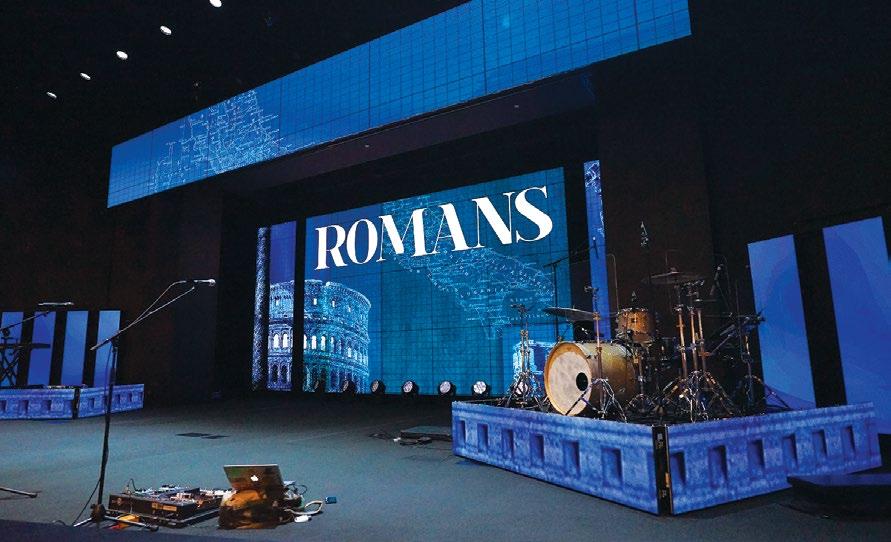
Absen’s recommended LED solutions for worship spaces combine visual performance, flexible installation, and intuitive operation to elevate the congregation experience. The PL V2 Series delivers ultra-black technology, HDR imaging, curved installation capabilities, and easy front/rear maintenance for dynamic, immersive environments. The NX Series features a sleek 16:9 design, advanced color management, low blue light protection, and simplified control, ensuring vibrant visuals, enhanced engagement, and reliable performance for modern houses of worship. The two core solutions are used depending on the space, distance, and design objectives. The solutions come in multiple cabinet sizes and pixel pitches.
Achieving clear audio in houses of worship can be challenging due to factors like reverberation and unique architecture. Beam steering loudspeakers offer an effective solution by directing sound where it’s needed while maintaining the aesthetics of the space. AtlasIED’s
Aimline Series utilizes advanced DSP and algorithms to provide flexible, steerable audio coverage. Easily configurable and suitable for sanctuaries of any size, the Aimline ALX-D ensures intelligible speech and rich music reproduction, enhancing the worship experience.

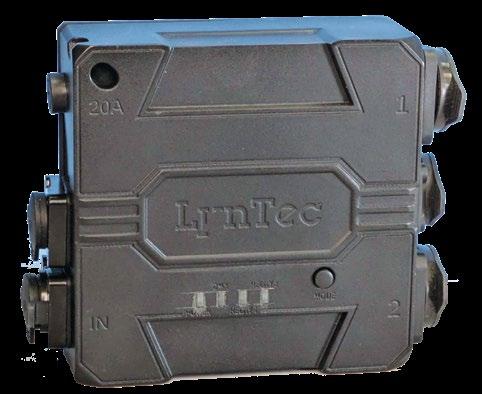
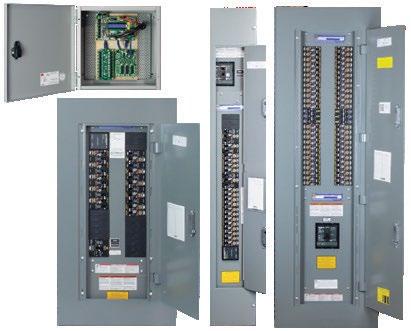
The LynTec DMX Dual Relay (DDR) is a compact, IP65-rated power control module that brings intelligent, distributed relay control to professional AV, lighting, and production systems. A single 20A input feeds two 20A PowerKon outputs, allowing integrators to pass a
full 20A load to one device or split it between two. The unit ships in DMX sensing mode for immediate plug-and-play operation, and supports onboard RDM for independent per-output DMX addressing in more complex configurations. It’s also UL Listed with CE and cMET certifications for domestic and international deployments.
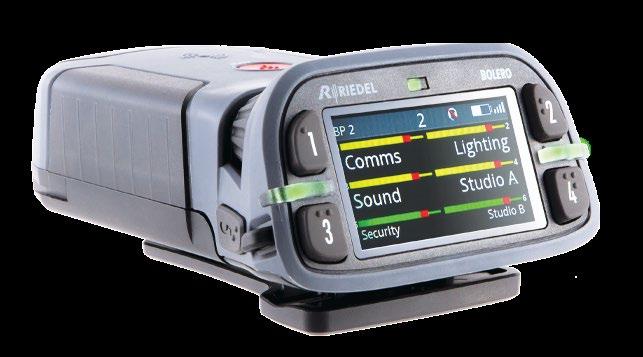
Riedel
Bolero
Standalone
Riedel Bolero
Standalone delivers reliable, high-quality wireless communications tailored for house of worship environments. Designed for simple deployment without requiring a full matrix system, Bolero Standalone gives worship teams and volunteer crews secure, interference-resistant communications across sanctuaries, campuses, and live event spaces. Its intuitive beltpacks, exceptional audio quality, and flexible coverage support seamless coordination between production, stage, and ministry teams. Easy to scale and operate, Bolero Standalone helps houses of worship stay connected while keeping technology simple and unobtrusive.





By Adam Teeple
Mission-critical video is being transformed for situational awareness.
ituational awareness across defense, public safety, and emergency response operations is built on one critical resource: timely access to accurate visual information. Whether it is an unmanned aircraft surveying a contested environment, a helicopter supporting search-and-rescue operations, or a drone monitoring the spread of a wildfire, video has become one of the most valuable sources of operational intelligence.
But raw video alone is not enough. The value of video lies in how quickly it can be delivered, processed, interpreted, and acted upon. Behind every mission-critical video feed is a complex ecosystem of technologies responsible for encoding, transporting, transcoding, and displaying video across networks that may be bandwidth-constrained, unreliable, or contested. This increases the need for edge-based technologies, which operate directly in the field, closest to where events are unfolding, where timely situational awareness is most critical and connectivity to centralized processing or analysis cannot always be guaranteed.
As missions become more complex and the number of video sources continues to grow, the industry is increasingly turning to AI to help transform video from a passive stream of imagery into actionable insight. When applied correctly, AI enhances existing video workflows; enabling more accurate interpretation, reducing cognitive load on operators, and helping teams focus on the information that matters most.
Video has become central to modern defense and civilian operations, which increasingly rely on edgeto process and act on realinsights even when connectivity to central systems is limited.
In military and defense operations, full-motion video from unmanned aerial vehicles (UAVs), manned aircraft, and ground-based systems provides commanders with real-time insight into evolving situations. These feeds allow teams to monitor troop movements, identify potential threats, and coordinate responses across multiple operational units. At the edge, forward-deployed teams, UAV operators, and tactical analysts rely
on immediate, locally processed video to make rapid decisions under dynamic and high-risk conditions.
Public safety agencies rely on similar capabilities. Police departments integrate video from helicopters, drones, fixed surveillance systems, and body‑worn cameras to support investigations and real-time incident management in the field. Fire departments increasingly deploy aerial drones during wildfire response to assess fire behavior, track fire lines, and identify potential risks to firefighters on the ground. Search-and-rescue teams also use aerial video to expand coverage across vast terrain, monitoring these feeds for visual clues that might otherwise go unnoticed from the ground.
What these scenarios share is a reliance on real-time video transport and edge-based processing. Video must move quickly and securely from the field to command and tactical operations centers (TOCs), often across multiple networks and systems. The workflows behind these operations must accommodate different video formats, varying bandwidth availability, and multiple viewing destinations simultaneously.
Video encoders compress and prepare feeds for transmission. Transcoders adapt those streams to different network conditions or viewing platforms. Players and visualization systems allow operators to view, analyze, and share information in real time.
These components work together to ensure that decision makers receive the video they need when they need it. However, as the number of video sources grows, so does the complexity of processing and interpreting them—and in environments where connectivity may be intermittent or constrained, edge processing can make the difference between receiving
Operators working in mission-critical environments are often tasked with monitoring multiple video feeds simultaneously. In some operations centers, teams may oversee dozens of live streams at once. During field operations, where fewer video feeds are typically available, the reduced number of video feeds create increased pressure on quick, yet accurate, decision making.
This is where AI is starting to play a bigger role. AI can analyze visual data in real time as well as identify objects or activities, so teams can make faster decisions or use the information later to spot patterns and support investigations. AI-powered video analysis introduces several capabilities that significantly improve how mission-critical video is used.
Object Detection and Recognition: One of the most widely used video-based AI capabilities is object detection using computer vision algorithms. AI models can automatically identify and classify objects within a video stream, such as vehicles, individuals, vessels, or aircraft. Instead of reviewing entire recordings, analysts can quickly locate moments where specific events occurred.
AI-enabled video analysis enhances missioncritical operations across defense, public safety, and search-and-rescue by rapidly identifying key elements within live or recorded imagery. For example, in military reconnaissance, automated detection can flag even hard-to-see vehicle movement within a surveillance zone, eliminating the need to manually scan hours of footage. During wildfire response, the same capabilities help identify hotspots, vehicles, or structures, giving incident commanders faster insight into emerging risks. For search and rescue teams, AI can highlight potential human figures in aerial imagery, dramatically reducing search time in sea rescues, difficult terrain, or other low-visibility environments.
Metadata Enrichment: AI also enhances video workflows through a process called structured observation management (SOM), which generates additional metadata such as image chips of detected objects, timestamps, geographic coordinates, or movement vectors. When combined with traditional video metadata, it creates a richer data environment that allows operators to search, filter, and analyze video more
Pattern Recognition and Behavioral Analysis (GEOINT AI): Geospatial intelligence artificial intelligence (GEOINT AI) is the National Geospatial Agency’s term for utilizing SOM to enable analysis of patterns and behaviors within geospatial data, including video. For example, a vehicle
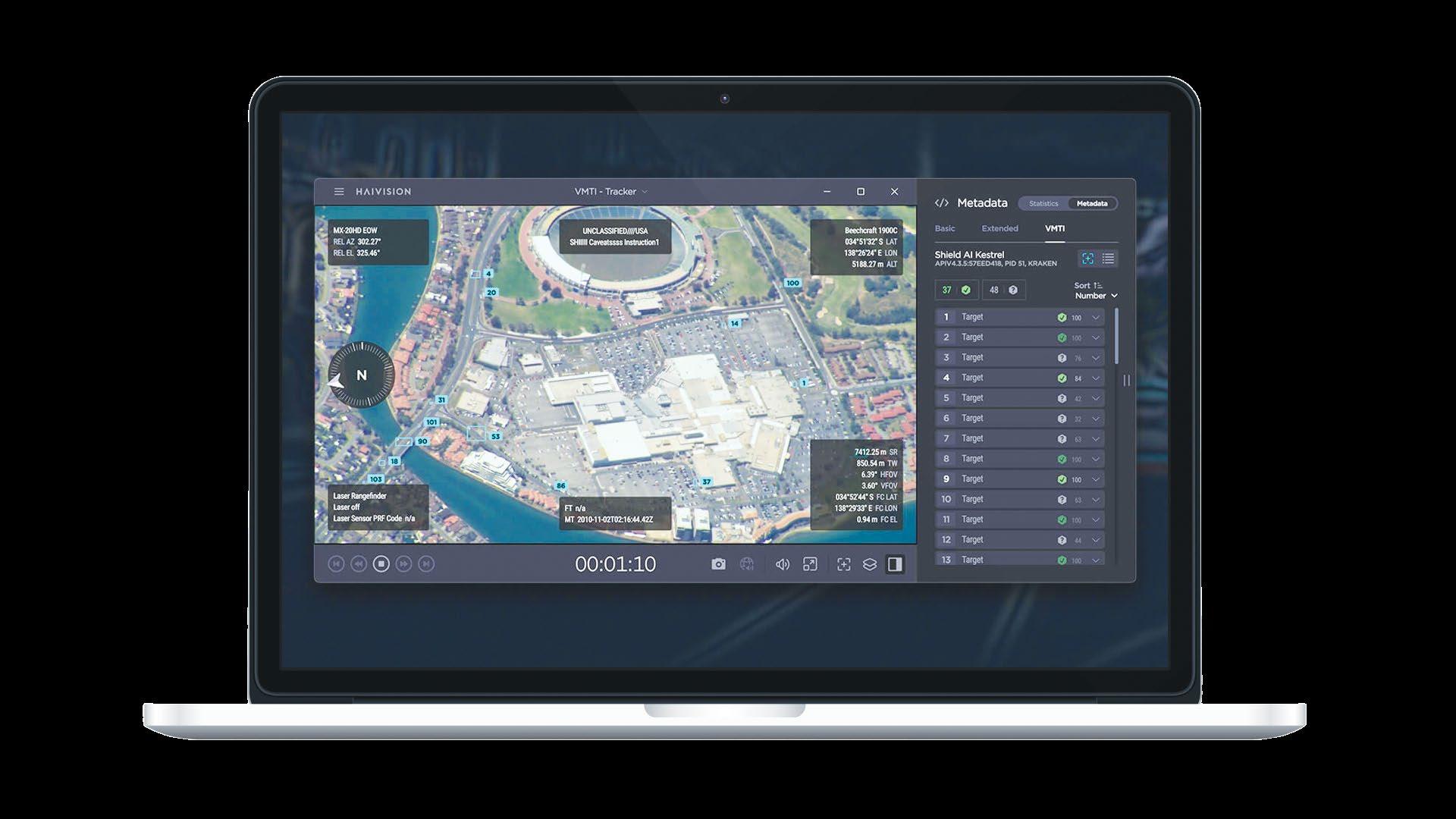
Real‑time video is processed by the Shield AI Tracker object detection solution, converted into detections and stored using Haivision’s rugged Kraken X1 video processing platform, and subsequently visualized through the Haivision Play ISR video player.
repeatedly circling a location or an object moving against expected traffic patterns may indicate a situation that requires closer investigation. These capabilities are particularly valuable in large-scale monitoring operations where the environment is constantly changing.
Another important shift in mission-critical video workflows is the movement of AI processing closer to the edge. In many deployments, this intelligence runs directly on field deployed encoding systems mounted on vehicles, aircraft, or portable command units.
Rugged edge devices, such as the Haivision Kraken X1 Rugged video processing appliance, illustrate how modern video encoders are increasingly designed not only to encode and transport video reliably, but also to support processing capabilities that help reduce bandwidth requirements and accelerate situational insight. This approach reduces network load while enabling faster insights for operators.
By performing object detection before transmission, systems can prioritize sending only the most relevant information. In many cases, full-motion video no longer needs to traverse constrained networks. Instead, detections, including cropped images of detected objects and metadata, are transmitted to inform which streams should be prioritized for further review.
Despite the clear benefits of AI in video workflows, security remains a primary concern in many missioncritical environments. Defense organizations and public safety agencies often operate under strict requirements governing how information is processed, transmitted, and stored.
The good news is that modern AI implementations do not require data to leave secure environments. AI models can be deployed locally within trusted infrastructure, whether in mobile edge devices, tactical systems, or secured data centers, ensuring sensitive video content remains within controlled networks.
Additionally, AI processing can occur without the need to permanently store video. Systems can analyze incoming footage in real time to generate operational metadata, then discard the raw frames once processing is complete. This approach allows organizations to extract AI-driven insights while reducing data duplication and maintaining strict control over sensitive information.
Encryption, authentication, and secure video transport protocols remain essential components of these workflows. AI should enhance operational capabilities without introducing new vulnerabilities.
The role of video in mission-critical operations will only continue to grow. AI will play a key role in helping organizations manage this scale. Rather than simply delivering video from point A to point B, modern video workflows are evolving into intelligent systems capable of analyzing, prioritizing, and contextualizing
visual information.
The goal is not to replace human expertise, but to ensure that operators receive the right information at the right moment. In high-stakes environments where decisions must be made quickly, that difference can be critical. By combining real-time video transport
with AI-driven analysis, mission-critical organizations are moving closer to a future where situational awareness is not limited by the volume of available data but enhanced by it.
Adam Teeple is VP of product management at Haivision.







By Chuck Gloman


A long forgotten animation project gets a shot at completion with AI.
n 2012, I wrote a four minute children’s film, My Garden Pals. The story concerned a female caterpillar (Katie), a child’s hammer (Mark), and a child’s saw (Saly) that were left out in the garden to fend for themselves. I was able to get three of my students to record the character voiceovers, and I videotaped their performance in the hopes that a computer science major would be able to lip sync the animated characters and bring the story to life.
Unfortunately, while every student I approached liked the idea, none had the time to commit to animating the 2D (or preferably 3D) comedy. Not being able to find anyone to work on the project, I removed the assets from my hard drive, stored them on one of my backup drives, and stuck it in the closet. There it sat for 14 years.
Fast forward to December 2025. I just completed an animation project where the boxes and bottles in a medicine cabinet come to life and try to save a tin of Rexall milk of magnesia tablets that had been left on the sink. I had intended to use stop motion animation, but I found it easier to complete the project using AI. With that project successfully completed, I thought AI would be a great way to bring that old children’s film over the finish line. Of course, the first challenge was to find where I put the footage. Eventually, I located the hard drive in a box and copied the video and audio of my former students speaking the lines. Although the audio was recorded in mono (left channel only), and I
was able to use Abobe Premiere Pro to make a stereo version.
I had some familiarity with Grok (an AI assistant from xAI), having used it for The Great Rexall Rescue, and decided to use it to bring My Garden Pals to life. I typed in the description of the first character, Katie the Caterpillar. The information in the script said, “Katie was chewing on some grass in the small backyard. She’s clearly a female caterpillar because she has a large bow on her one hair. Her eyes are too small for her face, and her mouth is overly large. Tiny, useless arms hang down at her side.”
With this information, I let Grok do its work and generate a still frame. After about 60 seconds, I had more than 50 different examples of what Grok thought my caterpillar should look like. I selected the one that I thought was best.
The next step was to type in Katie’s audio and have the animated character speak the words. This I got directly from the script. I would begin with typing, “Create a video having the caterpillar saying…” I made sure I selected the aspect ratio (16:9) and “Fun” or “Normal” for the style of video. After another 60 seconds, I had the caterpillar speaking the exact script. Each video scenario/shot generated was limited to eight seconds in the free version. Free is no longer an option, as Grok now charges $30 per month, but videos can now be up to 12 seconds in 720p (or 30 seconds in 480p).
The AI-generated video and audio would add a little background music, the dialogue (spoken in a female voice), and end with a music stinger or some
expression on the character’s face. Several times I had to hit the “Redo” button because it would add bizarre things that I didn’t really need.
Once I found what I wanted, I would select “Up Res” to make the footage 1,504x832 at 24p. I’m not sure how it arrived at those specific numbers, but I could use “Scale” under Effect Controls in Premiere to make it larger. At that point, I would download the file. I now had a completed file with video and audio.
Using the previous video just created, I would type in the next line of dialog that Katie the Caterpillar would say. All of Katie’s lines in the script were done in one sitting. I found it easier to do all of Katie’s shots first, followed by the shots of the other characters.
As I was just typing in the audio and what I wanted the character to do, I also wanted to add reaction shots. When Katie was talking, I may need a reaction shot from Mark the Hammer or Saly the Saw. Again, I would simply type in what I envisioned the other character doing with eye gestures, mouth movements, and expressions, and Grok would complete it.
I did all of Mark the Hammer’s shots next. Although he was a slightly mean character, I had envisioned a Wallace and Gromit clay animation look. Putting all this in Grok, it appeared as you see it in the photo, complete with tooth marks on the hammer. The last character, Saly the Saw, was all done at once, too. This all sounds relatively painless. However, it wasn’t quite that easy. Although the version of Grok that I used was free and had no watermark, there were some things I had to work around. For example, I needed several e-mail addresses to login to the software. After several hours of work, I got locked out of the software because I overused my free allotment of time. In my
defense, it never told me what my free allotment was.
I had tried other AI software, and you needed carrots or coins that would rapidly disappear as soon as you started working. Then, the software would request you get a license. Also, if I tried to do too much in one sitting, Grok would tell me that the hours of 2-8 p.m. were best suited for my needs, as 8:30 p.m. to 2 a.m. were “peak” hours. I rarely got much work done before 2 p.m. with my teaching schedule, but after 2 p.m. the software was less sluggish. (Again, this has changed with the pay model.)
In animation, you produce the audio first and then worry about the video. This project was done a little differently in that I would type the audio I wanted with the video, remove Grok’s audio, and then insert my own prerecorded audio.
I imported the shots with Grok-generated video and audio intact into Adobe Premiere Pro. Once moved to the timeline, I would take the audio from 2012 and lay it underneath the audio generated by Grok. By soloing my student’s audio, I would match the lip sync with the 2026 visuals.
Usually, it was close because the audio was short. Sometimes, I would either speed up or slow down the visuals to make the lip sync match. The pacing of the AI-generated audio was rarely what I envisioned as a director. But if I put the word “beat” or “pause” in, the AI character would speak the word “beat” or “pause.” Hey, what do you want for free?
One time, when I was adding the dialogue for Saly the Saw, there was a large black cable attached to the back of the saw that moved up and down with her. I didn’t want that, so I typed, “Please remove the black cable from the video.” When Grok completed the video, the dialogue was what I had typed in, plus Saly spoke, “Please remove the black cable from the video.”
Even typos would appear as real words. Other times, dialogue would appear as white text on the saw. I clicked the “Redo” button several times before the black cable disappeared and the audio mentioning the black cable was gone, too. Apparently, talking saw characters are difficult for Grok.
Sync or Sunk?
Getting my original audio to exactly match the AI’s audio was my next issue. The only remedy for that was the Razor Blade cutting tool in Premiere. I would get four or five words exactly how I wanted with lip sync, cut the scene, slow it to 83%, and keep it at that speed until the sync would drift. For an eight second bit of lip sync, there may have been five different cuts and five different speeds.
It took me several weeks to complete the project during the golden hours during which I was allowed to access Grok. Despite the hassles, this whole AI technology is really mind blowing. Considering how Grok could do this for free and I have no artistic skill, this was amazing!
Watching the final project dozens and dozens of times, little issues were corrected, inconsistencies in the characters were fixed, and music and sound effects were added at the appropriate places. Now that I have this film under my belt, I found another short project that I started in 2016 about three young women who are tired
of being 2D characters and go see a wizard to be converted to 3D characters. Looking forward to seeing how Grok brings that project to life.
Chuck Gloman is an associate professor of the TV/ Film Department at DeSales University. Contact him at chuck.gloman@desales.edu




In traditional PTZ/ prompter setups, pan movement is limited to prevent the prompter hood from entering the frame, restricting creative flexibility. The latest addition to Shotoku’s Aura suite of advanced PTZ-centric solutions, the PTZ Prompter Panner (P2) overcomes this compromise. Its novel design mounts the prompter on a precision-controlled rotating platform, allowing the prompter and PTZ camera to pan together as a unified system. The result is full, unrestricted pan movement without frame intrusion, opening new possibilities for presenter-led productions. Engineered to support larger PTZ and prompter payloads than earlier solutions, P2 delivers smooth on-air movement. When combined with the TR-XPTZ, prompter rotation and PTZ axes are combined in one camera channel control, enabling operators to adjust, store, and recall shots with ease manually or via automation, eliminating the need for manual intervention.

The new 65-inch LG UltraFine OLED Pro display (Model 65EP5Q) is a purpose-built professional monitor designed to meet the demands of high-end AV, virtual production, and broadcast environments. The 65EP5Q supports 4K resolution, four 12G-SDI I/O ports, and hardware-level calibration. At the core of the 65EP5Q is LG’s latest G5 OLED panel technology, which delivers higher peak and full-screen brightness than its predecessor. For AV professionals, this translates into improved HDR performance and greater visibility in real-world environments where ambient light, studio lighting, and LED volume spill can impact viewing conditions. The 65EP5Q integrates connectivity and calibration tools, including support for 1D and 3D LUTs (including user-loaded LUTs) for professional signal chains and color-critical workflows. Other features include HDMI connectivity and SDI over IP support via SFP+ for deployment options for broadcast facilities, virtual production stages, and video villages.
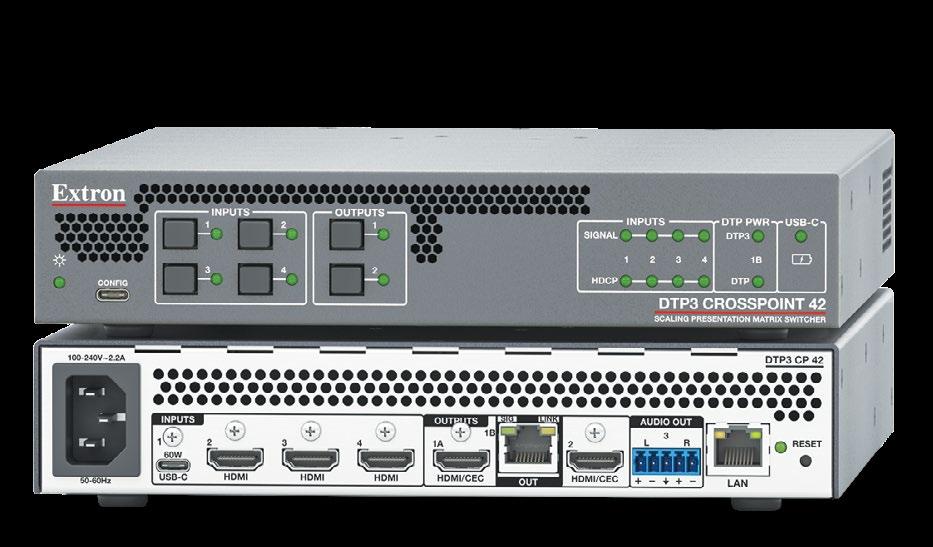
The DTP3 CrossPoint 42 is a compact 4x2 4K/60 matrix switcher with USB-C and HDMI inputs, HDMI outputs, and a DTP3 output for extending video, audio, and control signals up to 330 feet over a shielded Cat 6a cable. Integration-friendly features, such as 60-watt USB-C charging and audio de-embedding, simplify designs and streamline installation by reducing equipment needs. Extron’s Vector 4K scaling delivers pristine image quality, seamless transition effects, and logo keying. Built to serve the needs of environments where reliability, ease of use, and superior quality presentations are crucial, the DTP3 CrossPoint 42 ideal for meeting rooms, collaboration spaces, training rooms, and other Pro AV presentation venues.
The VPX-TC1-UCP isn’t just a 4K transceiver—it’s a sophisticated PoE++ power distribution center. Designed for the USB-C era, it allows you to charge high-performance laptops, power peripheral devices, and stream 4K60 4:4:4 video over a single 1 G network, eliminating the need for bulky power bricks on the conference table. With a response time of just 1.78ms, interaction is instantaneous, ideal for real-time collaboration and lag-free presentations. One USB-C cable handles it all—4K video, high-speed data, and enterprise-grade power delivery. USB ports are fully routable and can be set as a host or device to accommodate any workflow. Transition between internal sources or network streams with zero black frames for a smooth presentation experience. Plus, seamlessly integrate audio with professional sound systems; de-embed audio locally or route it across the network to Dante-enabled hardware.
The new LED Video Wall Calculator, available on Planar’s website, is designed to simplify LED video wall planning, selection, and configuration. It delivers a modern, intuitive experience with expanded capabilities across Planar’s full portfolio of LED video wall solutions. The calculator introduces a guided workflow that takes users through product selection, comparison, and detailed configuration.
Users can define their environment, explore recommended solutions, compare product specifications, and refine parameters with real-time updates to specifications and visualizations. The platform enables more accurate planning across a wide range of applications, environments, and performance requirements. Users can evaluate solutions with greater precision, helping accelerate planning and decision-making from concept through specification. The LED Video Wall Calculator is built on a scalable platform designed to evolve alongside Planar’s LED portfolio, ensuring continued innovation and support for future product offerings.
The new L1 sub-miniature lavalier microphone offers performance, consistency, and environmental resilience. Manufactured by semiconductor leader Infineon, the L1’s Sonaura capsule features studiograde MEMS micro-electro-mechanical systems (MEMS) silicon technology, which replaces traditional FET-based designs with an encapsulated diaphragm. It offers an ultra-low noise floor with an EIN of 11dB(A), 83dB signal-to-noise ratio, flat frequency response for natural and uncolored sound, and a switchable sensitivity mode when paired with the Lectrosonics DSSM transmitter. Designed for the harshest production environments, the L1 is fundamentally impervious to moisture due to the combination of the Sonaura capsule’s inherent properties, a specialized hydrophobic internal coating, and hydrostatic pressure-sealing via 0.4mm laser-drilled cap ports that allow the microphone to remain functional even while completely submerged. The L1 also features a flexible Kevlar-reinforced cable and unique ID ring system at the connector for easy on-set identification.

Built specifically for huddle rooms and small meeting spaces, the VB150 USB videobar combines 4K video performance, intelligent AI features, and simple plug-and-play connectivity to deliver seamless hybrid meeting experiences. Its 4K camera has a 120-degree wide-angle lens. AI Voice Tracking automatically follows the active speaker, while Smart Composition frames meeting participants for a balanced, engaging view. Equipped with five beamforming microphones and AI noise reduction, the VB150 captures speech accurately while minimizing background distractions. An optional expansion microphone, or speakerphone can be added to extend audio pickup coverage. Plus, the VB150’s integrated single-cable BYOD solution allows users to connect a laptop via USB. Users can quickly launch meetings on leading platforms with no additional software or configuration required. This streamlined approach helps IT departments simplify deployment and reduce ongoing support needs.


The Saramonic WiTalk9X wireless intercom system, paired with the WiTalk Base, is a full- duplex wireless intercom solution for live event, production, and broadcast environments. It’s designed to deploy quickly, scale easily, and remain stable in demanding conditions. WiTalk9X supports up to nine users in a hub-free setup. With the WiTalk Base, it expands to 16 users per Base unit and scales to 64 users by linking up to four Bases, which allows teams to grow communication capacity without changing systems or workflows. A modular headset design allows users to switch between single-ear, dual-ear, and helmet-ready configurations in seconds, making it easy to adapt across roles. The system operates on the 1.9 GHz DECT band, avoiding Wi-Fi and Bluetooth congestion. Dualantenna diversity helps maintain a stable connection, and audio clarity is handled by ClearTalk 2.0, which includes AI-powered processing.
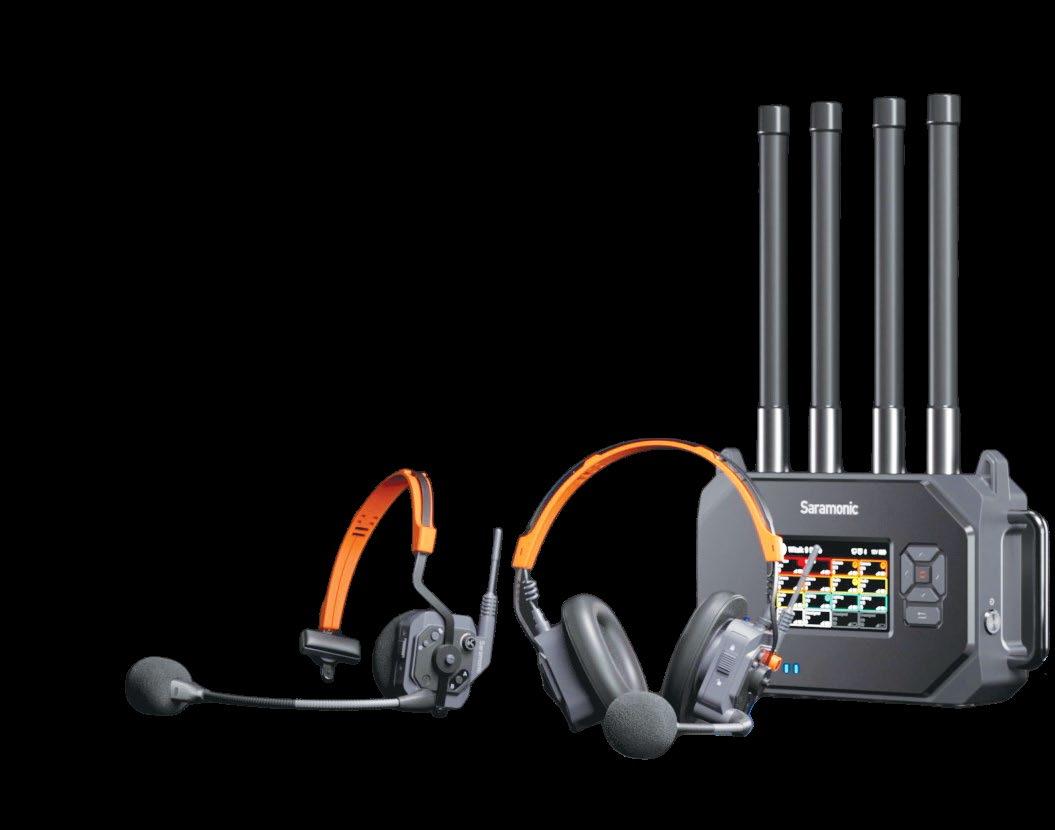





Designed to eliminate the two most-cited pain points of closed-back headphones, the HD 480 PRO delivers a tight, accurate bass reproduction and comfort for audio professionals in live audio environments or in the studio. Whether used by FOH or recording engineers, the HD 480 PRO is an ideal choice for monitoring, producing, recording, and mixing. Its accuracy, uncolored frequency response, and honest low-end ensure that the audio translates reliably to any listening situation. To adapt to different setups, the detachable cable can be worn on the left or right side of the HD 480 PRO. Like its open-back counterpart, the HD 490 PRO, the HD 480 PRO features special axes geometry so the headphones adapt to the head and maintain equal contact pressure, comfort zone for glasses, and a coiled part of the connection cable to block cable-borne noise.
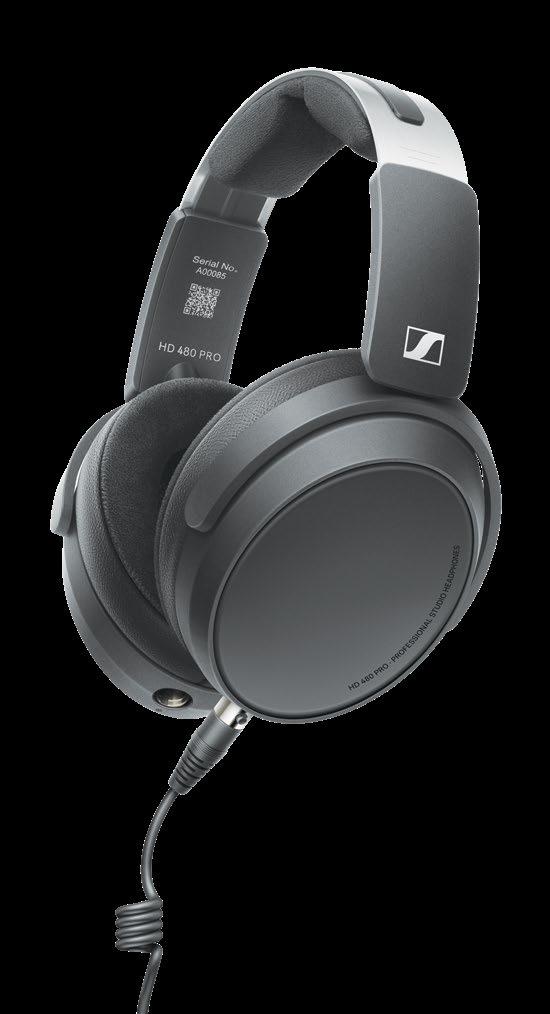



By James Knight
Here’s why ISO 42001 certification is a must-have for the Pro AV industry.
I capabilities in the AV industry are obviously accelerating rapidly—and with them comes a series of challenges. These include considerations around ethics and transparency about how AI is used, as well as training to ensure that teams across multiple parts of every business are using AI in a responsible way.
While the industry continues to navigate those challenges, it’s important to have some kind of formal accountability framework to keep everyone on the same page. Unfortunately, those frameworks have lagged behind the speed of development of AI tools.
That’s why we were really pleased to see the introduction of a new standard from the International Organization for Standardization (ISO). ISO 42001 is the world’s first AI management system standard, and it provides valuable guidance for the fast moving world of AI deployment.
According to the ISO, the standard is designed to “set out a structured way to manage risks and opportunities associated with AI, balancing innovation with governance.” It specifies the requirements for an organization to establish, implement, maintain, and continually improve an Artificial Intelligence Management System (AIMS) within organizations.
ISO 42001 supports businesses as they consider what they need when rolling out AI. It covers whatever AI tools are being used, as well as how best to manage AI projects, including the assessment and mitigation of risks.
The ISO outlines its target users for 42001 as organizations “providing or utilizing AI-based products or services” and its objective as making sure those organizations have the guidance they need to use AI responsibly and effectively, even while the technology continues to evolve.
Considering all this, we felt it was important for Pleneo to follow the standards set out by ISO 42001, and were pleased to be the first device manufacturer in AV and unified communications to achieve the certification laid out by the standard. But why is it important that not just us but the wider industry adheres to standardization like this? And how does it actually keep companies, particularly tech companies, accountable?
One of the biggest considerations for AI adoption is making sure that you’re using tools in line with regulations and in the most responsible way. There are a lot of ethical concerns over the data that’s used to train neural networks and models. If data is from an unverifiable source, there might be issues around ownership or biases being embedded into a final product or service. This unverifiable data is what stops people from trusting many AI products, as does the environmental impact of large AI applications.
The governance around how you use and manage data in your systems also ties into the correct use of AI. The ethical and responsible considerations aside, any organization using AI must be compliant with regulations and legal requirements. As the technology continues to be rolled out, there’s only going to be more regulations on the way.
The ISO 42001 framework, and its adoption of the PDCA—or Plan-Do-Check-Act—methodology ensure that companies are continually reviewing their use of AI data across their business to make sure they’re in line and compliant. For Pleneo in particular, the certification validates the approach we’ve taken to embedding AI technologies within our platforms. We’re not leaning on larger datasets available
Trust is going to be key for the entire industry as AI adoption continues.
to public-facing AI tools but are instead processing intelligence locally.
It’s this data processing that the ISO 42001 standard addresses. We know that our use of AI reduces cloud dependency and preserves privacy. And with this standard, we’re able to demonstrate to our users a responsibility with our AI adoption, and that they can trust our AI tools in the same way as any other products in our lineup. Trust is going to be key for the entire industry as AI adoption continues.
Businesses across all industries are appointing AI evangelists within their ranks. The AV industry is no different. Regardless of whether they’re new hires or people taking on the mantle within existing roles, many are working with AI for the first time. ISO 42001 provides those people, and organizations more widely, with practical guidance on how to deploy AI in many different ways, and how to mitigate AI-specific risks effectively when they arise.
Handling these sorts of issues more easily opens the door to innovation. Less time spent handling risks means more time taking advantage of the opportunities that AI presents across things like product and service development. That’s what is possible with the right framework in place thanks to the standards outlined by ISO 42001.
For the Pro AV sector, and for modern workspaces in particular, AI is influencing how meetings are prioritized, interpreted, and experienced. Oversight of the technology needs to extend beyond data protection to the integrity and predictability of automated decision making itself.
Formal governance standards like those from ISO will set mature platforms apart from experimental implementations. This is what ensures that intelligent meeting environments are viewed not as emerging technology, but as reliable, accountable enterprise systems.
James Knight is the CEO of Pleneo and Xilica.