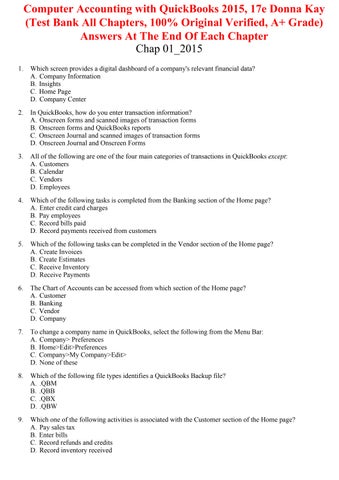
Computer Accounting with QuickBooks 2015, 17e Donna Kay (Test Bank All Chapters, 100% Original Verified, A+ Grade) Answers At The End Of Each Chapter Chap 01_2015 1.
Which screen provides a digital dashboard of a company's relevant financial data? A. Company Information B. Insights C. Home Page D. Company Center
2.
In QuickBooks, how do you enter transaction information? A. Onscreen forms and scanned images of transaction forms B. Onscreen forms and QuickBooks reports C. Onscreen Journal and scanned images of transaction forms D. Onscreen Journal and Onscreen Forms
3.
All of the following are one of the four main categories of transactions in QuickBooks except: A. Customers B. Calendar C. Vendors D. Employees
4.
Which of the following tasks is completed from the Banking section of the Home page? A. Enter credit card charges B. Pay employees C. Record bills paid D. Record payments received from customers
5.
Which of the following tasks can be completed in the Vendor section of the Home page? A. Create Invoices B. Create Estimates C. Receive Inventory D. Receive Payments
6.
The Chart of Accounts can be accessed from which section of the Home page? A. Customer B. Banking C. Vendor D. Company
7.
To change a company name in QuickBooks, select the following from the Menu Bar: A. Company> Preferences B. Home>Edit>Preferences C. Company>My Company>Edit> D. None of these
8.
Which of the following file types identifies a QuickBooks Backup file? A. .QBM B. .QBB C. .QBX D. .QBW
9.
Which one of the following activities is associated with the Customer section of the Home page? A. Pay sales tax B. Enter bills C. Record refunds and credits D. Record inventory received
10. The Home page in QuickBooks consists of all the following sections except: A. Employee B. Lists C. Customer D. Vendor 11. The objective of an accounting information system, like QuickBooks, is to: A. Save company resources, like time and paper B. Use the computer for keeping accounting records C. Collect, summarize, and analyze data D. None of these 12. Accounting information is used to do all of the following except: A. Prepare financial statements for investors B. Prepare tax returns for the IRS C. Prepare reports for management D. Prepare meeting minutes for the board of directors 13. Your QuickBooks data can be stored in all the following ways except: A. Online B. Backup C. Portable File D. All of these store QuickBooks data 14. A business transaction is an exchange between: A. Vendor B. Employee C. Customer D. All of these 15. Double-entry account records are exchanged in a transaction (debits and credits). Which of the following is recorded when a company purchases (receives) a computer and pays (gives) cash? A. The computer is recorded as a credit and the cash is recorded as a credit B. The computer is recorded as a debit and the cash is recorded as a debit C. The computer is recorded as a credit and the cash is recorded as a debit D. The computer is recorded as a debit and the cash is recorded as a credit 16. The onscreen form for ordering items from a vendor looks like the paper version of a(n): A. Purchase Order B. Invoice C. Check D. None of these 17. Which type of QuickBooks data file allows you to enter data and transactions? A. .QBM B. .QBB C. .QBX D. .QBW 18. The QuickBooks file extension .QBM indicates the file is a: A. QuickBooks working file B. QuickBooks movable file C. QuickBooks Accountant's transfer file D. QuickBooks Accountant's working file
19. The QuickBooks file extension .QBA indicates the file is a: A. QuickBooks working file B. QuickBooks movable file C. QuickBooks Accountant's transfer file D. QuickBooks Accountant's working file 20. Which QuickBooks window allows you to add your name to the checking account? A. Chart of Accounts B. Company Information C. Company Center D. Check Register 21. The Banking section of the Home Page includes which flow chart? A. Payroll flow chart B. Bill Pay flow chart C. Bank Reconciliation flowchart D. None of these 22. Which financial statement below summarizes the financial position of a company? A. Statement of Cash Flows B. Profit & Loss Statement C. Balance Sheet D. Income Statement 23. Which financial statement below summarizes a company's earnings? A. Statement of Cash Flows B. Profit & Loss Statement C. Balance Sheet D. Income Statement 24. Which financial statement below summarizes a company's cash inflow and outflow? A. Statement of Cash Flows B. Profit & Loss Statement C. Balance Sheet D. Income Statement 25. Management reports help identify: A. Overdue customer accounts B. Least profitable product C. Most profitable product D. All of these 26. Which icon is used to add a document on your computer into QuickBooks? A. Docs icon B. Customer icon C. Vendor icon D. All of these 27. List the 3 (three) different type of QuickBooks files. What is the purpose of each file type?
28. Name 2 (two) of the 5 centers on the QuickBooks home screen and briefly describe what kind of activity flows through those centers.
Chap 01_2015 Key 1. B 2. D 3. B 4. A 5. C 6. D 7. C 8. B 9. C 10. B 11. C 12. D 13. D 14. D 15. D 16. A 17. D 18. B 19. D 20. A 21. C 22. C 23. B 24. A 25. D 26. A • .QBX and .QBA - These are files used by accountants. • .QBM file - This is a QuickBooks movable file, also called a portable file. These files are compressed and are used to email or move a company file to another computer. • .QBB file - This is a QuickBooks backup file. You can save a backup file to the hard drive or to other media such as USB drive or memory stick, a CD drive or a network drive. Backup files are compressed files and used only if the working file (.QBW) file fails. • .QBW file - This is the regular company file that has a .QBW extension. It is a QuickBooks working file that is usually saved to the hard drive (C:) of your computer. 27. The three QuickBooks file types are:
• Company - items and services, chart of accounts, etc. • Banking - record deposits, check register, write checks, print checks, etc. • Employees - time entry, payroll, pay liabilities, etc. • Customers - create estimates, create invoices, record refunds and credits, record payments, etc. • Vendors - pay bills, enter bills, create purchase orders, receive inventory, etc. 28. The five centers are:
Chap 01_2015 Summary Category Accessibility: Keyboard Navigation Kay - Chapter 01
# of Questions 26 28