Why Does My Printer Leave Toner Marks on Paper?
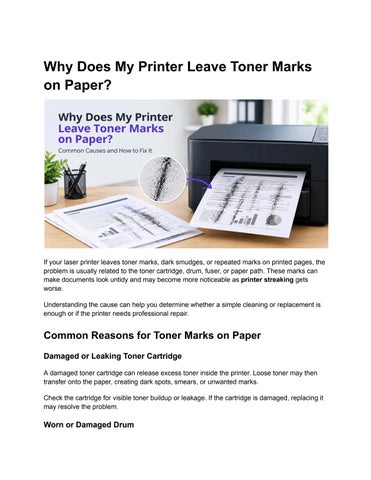
If your laser printer leaves toner marks, dark smudges, or repeated marks on printed pages, the problem is usually related to the toner cartridge, drum, fuser, or paper path. These marks can make documents look untidy and may become more noticeable as printer streaking gets worse. Understanding the cause can help you determine whether a simple cleaning or replacement is enough or if the printer needs professional repair.
Common Reasons for Toner Marks on Paper Damaged or Leaking Toner Cartridge A damaged toner cartridge can release excess toner inside the printer. Loose toner may then transfer onto the paper, creating dark spots, smears, or unwanted marks. Check the cartridge for visible toner buildup or leakage. If the cartridge is damaged, replacing it may resolve the problem.
Worn or Damaged Drum
The drum transfers toner onto the paper during the printing process. When the drum becomes scratched, worn, or contaminated with excess toner, it can leave repeated marks on every page. A damaged drum can also contribute to printer printing lines, dark streaks, and repeating patterns. If the marks appear at regular intervals, the drum should be inspected.
Fuser Problems The fuser uses heat and pressure to permanently bond toner to the paper. If it is damaged or not reaching the correct temperature, toner may not fuse properly. You may notice toner that easily rubs off the page, smearing, or repeated marks. A worn fuser generally requires replacement rather than basic cleaning.
Dirty Rollers or Paper Path Dust, loose toner, paper fibers, and other debris can accumulate inside the printer. As paper passes through the machine, this buildup can transfer onto the printed page. Cleaning accessible printer components and removing loose debris can sometimes improve print quality. Avoid touching sensitive components unnecessarily.
How to Fix Toner Marks on Printed Pages Start by checking the toner cartridge and replacing it if it is leaking, damaged, or nearly empty. Next, inspect the drum for scratches or excessive toner buildup. If your printer has a user-accessible cleaning function, run the recommended cleaning or maintenance cycle. Also check that you are using the correct paper type and size for your printer. Incorrect paper settings can sometimes contribute to poor toner transfer. If the problem continues, avoid repeatedly cleaning or replacing parts without identifying the underlying cause. Persistent printer streaking or a printer stripes problem can indicate a worn drum, fuser, transfer component, or another internal issue.
When to Get Professional Printer Repair If toner marks continue after replacing the cartridge and performing basic maintenance, professional inspection may be the better option. This is especially important when the printer is producing repeated lines, heavy toner deposits, smudges, or other print-quality problems. Professional repair can identify whether the issue is related to the drum, fuser, rollers, or another internal component.
For related troubleshooting, see our article on how to fix printer streaks for additional solutions to streaking and line-related printing problems.
Final Thoughts Toner marks are commonly caused by a faulty cartridge, worn drum, fuser problems, or contamination inside the printer. Identifying the pattern of the marks can help narrow down the cause. If basic maintenance does not solve the issue, professional printer repair can prevent the problem from getting worse. If you found this information and want to explore such more related articles, consider visiting DeviceFixes.com