OCTOBER 2017
the g... din a o l
ISSUE NO. 2
techNOW
NEWSLETTER
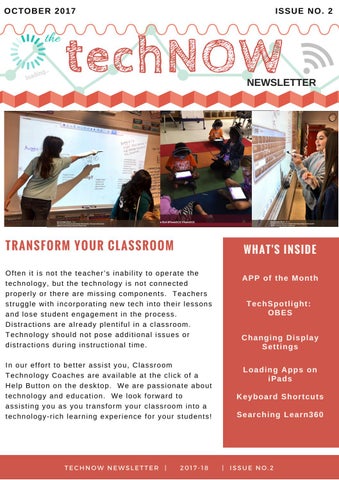
TRANSFORM YOUR CLASSROOM Often it is not the teacher’s inability to operate the technology, but the technology is not connected properly or there are missing components. Teachers struggle with incorporating new tech into their lessons and lose student engagement in the process. Distractions are already plentiful in a classroom. Technology should not pose additional issues or distractions during instructional time. In our effort to better assist you, Classroom Technology Coaches are available at the click of a Help Button on the desktop. We are passionate about technology and education. We look forward to assisting you as you transform your classroom into a technology-rich learning experience for your students!
WHAT'S INSIDE APP of the Month TechSpotlight: OBES Changing Display Settings Loading Apps on iPads Keyboard Shortcuts Searching Learn360
TECHNOW NEWSLETTER | 2017-18 | ISSUE NO.2
Fall/Winter M O N T H L Y
P L A N N E R
https://wonderopolis.org/wonder/why-do-we-change-the-clocks-twice-a-year
CHECK OUT THESE:
E P S O N
I N T E R A C T I V E
tips & tricks
P R O J E C T O R
10 Frame Tech
ACTIVITIES FOR YOUR INTERACTIVE WHITEBOARD AMAZINGCLASSROOM.COM'S
http://www.dreambox.com/teachertools
Educational Whiteboard Games SMART, ACTIVINSPIRE, ETC...
TEN FRAME MATH SEARCH RESULTS http://exchange.smarttech.com/search.html? q=%2210%20Frame%22
https://illuminations.nctm.org/Activity.aspx?id=3564
DESOTO CENTRAL & LEWISBURG AREAS
JENNIFER KLINGER App Portal (Filewave Kiosk)
Elements 4D
FEATURED APP
What is your favorite piece of technology? My favorite piece of technology this year is my iPad. Why? Last year I had a brand new interactive projector installed in M I C H E L L E C U M M I N G S my classroom and I really liked Olive Branch & Center Hill it. This year, I moved classrooms and now have different Areas technology. I was totally lost and What does technology in the would beg several times a day to classroom mean to you? see if one could be purchased Having technology in the for my classroom. I was classroom is very important to mentioning how much I missed me because I feel like it helps my old projector one day and the students prepare for the real Michelle Cummings taught me world. I also feel like using about an app that I could technology in the classroom download on the iPad that would helps save time and paper. I can copy my computer screen which have students use computer would turn it into an “interactive” programs such as MobyMax and projector. I downloaded the app, Stride to accomplish many Splashtop, and it was so easy to different things. For example, it use! I can now use my computer allows me to differentiate their and projector interactively from instruction, supplement my anywhere in my classroom. The instruction and obtain students love it too and think that information for assessments. All it is magic. It saves time as well of this can be completed with because now students don’t very little preparation. have to physically walk to the How does your digital board and use a pen. All I have classroom look and feel? to do is pass them the iPad. My students use technology I am also able to use Air Play as multiple times a day. We use a document camera which computers, iPads, and a means that I don’t have to take projector pretty much from the up the room for an actual time the students come in the document camera in my classroom until the time they classroom. This is really nice leave. They use MobyMax, since having enough space in a Stride, and Razz Kids. We also classroom can be a challenge. have Calendar Math time that is The great thing is I can also use on the computer. my phone as a document camera since Air Play is also found on the iPhone.
Some say K2 is too young to implement digital classrooms – to what extent does this ring true in your experiences? This does not ring true in my classroom at all. My students use technology constantly. With Splashtop, my students are taking the lead with Calendar Math. I am able to pick a student to be the “teacher” and they lead the class. This allows them to also take more ownership for their learning. What makes the digital classroom meaningful? I feel like a digital classroom is meaningful because the earlier we can have students learn how to use and become comfortable with technology, the better prepared they will be for its many different uses. Technology is everywhere and will only increase as they age. Do you have a favorite digital classroom moment you want to share? One of my favorite digital classroom moments actually happened this year. After I was able to get all of my technology up and running, I immediately switched to completing Calendar Math on the computer. My students loved it and I loved to see them excited about it. Not too long ago, I turned it over to have my students lead Calendar Math time. The first time one of my students was able to lead it, my class was so excited. I loved seeing how excited they were about being able to use the technology and being able to lead the class.
TECH SPOTLIGHT: with Stephanie Harrison, OBES
EXTEND OR DUPLICATE... THAT IS THE QUESTION
Change the Display Settings! How do I change the display style? Windows Key + P Keyboard Shortcut 1. Close all Open Programs. 2. Hold down the Windows key and press the P key on your keyboard. 3. Select one of the following display style options (below). PC Screen Only Duplicate Extend Second Screen Only g Usin ook 16? s n oteb tructio n N RT ins nitio g o SMA e for rec r e h h lay. c p u k s i o c Cli ing t ended D p e e t on k the Ex with
Shelby Elmore
Hernando & Southaven Areas
TECH TIP
CASSIE SANDERS LAKE CORMORANT/HORN LAKE AREAS
Are you here to take care of my ticket? Did you get my ticket? If we look at you like we have no idea what you are talking about, it is probably because we don’t know what ticket you are talking about. The way our ticket system assigns tickets is based on the category that you choose, when submitting your ticket. Here is how the categories are broken down and to whom the tickets are assigned. I hope that this helps clear up any confusion you may have. Of course, if you ever need help with anything go ahead and fill out a ticket and we will get you taken care of, no matter who the ticket is assigned to.
How do I have Apps put on the iPads? If you have an iPad from a cart or a district owned iPad, we can remotely push apps to most of these. The easiest way to have this done, is to complete a help ticket and choose iPad/Tablet Issue as your category. This will ensure that the ticket is assigned to the Classroom Technology Coach that serves your school. When you complete your ticket, be sure to state the barcode and the serial number of the iPad you would like the app pushed to, or the name of the cart that the iPads are on if you would like the app put on several of them. Please be as specific as possible about the name of the app and if possible please include a picture of it. If you would like apps that are not free, this will require a PO from your school and a few more steps, but we can walk your bookkeeper through this process.
FAQ
Pete Hicks
COMPUTER TIPS
Did you know we currently have over 300,000 resources OTHER than videos on Learn360? This year the district has access to Infobase, which is known for their unprecedented depth of coverage. These subjectspecific databases cover a wide range of core curriculum areas—from history, science, literature, and careers to geography, health, current issues and more— at the elementary, middle and high school academic levels. Non-video resources such as interactives, articles, audio, images, printables, science experiments, maps and interactive lessons can all be found in Learn360 now. There are three different ways to search for interactives and/or non-video resources. The first way to search is to simply put in a keyword search in the Learn360 search engine. For example, a search for Abraham Lincoln shows the following:
The second way to search for interactives is by way of the "Advanced Search". Below the keyword search box is the "advanced search" option.
p sto e of on s r l u yo eria lp t s i a 0 m e n36 sson dh o r e a e Le r le you n et k o i l f r f p ould gin fo sho orts. I w o r all s g in o dent l in tu sign our s chool, y er. s t r e w u e yo kno Str a n i il T a m e
Tin aS tre ete r
Website Tips & Tricks
Webmaster/Learn360 Coordinator Once clicked, choose "Interactives" in the dropdown and choose Search. After that, choose your grade levels and subject matter on the right. For this example, I chose 3-5 and Mathematics. Once there, you can scroll to view the interactives in alphabetical order, by most viewed, or newest to oldest. I chose "Around the World"; an international game in which the students must defeat the other students (from different nations) in a game of multiplication fact cards.
The last way to search is by the Menu button in the top left-hand corner. When you click the "Browser Other Media" option, you get all of the following: