F E B R U A R Y 2 0 1 6
the
I S S U E # 4
techNOW Newsletter
Office of Instructional Technology Mr. George Loper, CAO
http://www.desotocountyschools.org/ITDept 662.449.7295
"Technology is just a tool. In terms of getting the kids working together and motivating them, the teacher is the most important." --Bill Gates CONTENTS: ♦ Apps of the Month ♦ Frequently Asked Questions ♦ Tech Tips of the Month ♦ Formative Assessment ♦ Computer 101 ♦ Website & Web Tip of the Month ♦ Upcoming CEU's
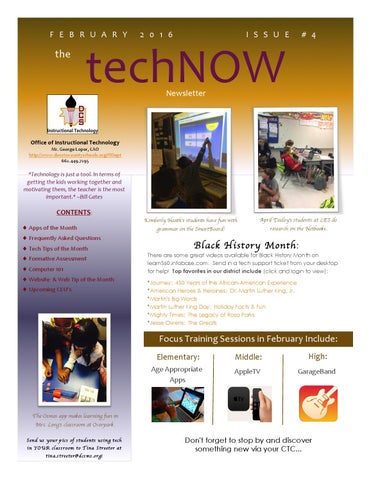
Kimberly Heath's students have fun with
April Dailey's students at LES do
grammar on the SmartBoard!
research on the Netbooks.
Black History M onth :
There are some great videos available for Black History Month on learn360.infobase.com. Send in a tech support ticket from your desktop for help! Top favorites in our district include (click and login to view): *Journey: 450 Years of the African-American Experience *American Heroes & Heroines: Dr. Martin Luther King, Jr. *Martin's Big Words *Martin Luther King Day: Holiday Facts & Fun *Mighty Times: The Legacy of Rosa Parks *Jesse Owens: The Greats
Focus Training Sessions in February Include: Elementary:
Middle:
High:
Age Appropriate Apps
AppleTV
GarageBand
The Osmos app makes learning fun in Mrs. Long's classroom at Overpark. Sen d us you r p ic s o f st ude nt s u sin g t ech in YO UR classroom t o Tina S treet er at t in a.st ree ter@dcsms.org!
Don't forget to stop by and discover something new via your CTC...
TECHNOW NEWSLETTER
FEBRUARY 2016
ISSUE #4
Cassie's App of the Month : Google Earth
Cassie Sanders, CTC
Center Hill & Horn Lake Zones
Use Google Earth to visit the settings of a story, tour a museum, walk the streets of historical monuments, and many other things. Fly around the planet with a swipe of your finger with Google Earth for iPhone, iPad, and iPod touch. Explore distant lands or reacquaint yourself with your childhood home. Search for cities, places, and businesses. Browse layers including roads, borders, places, photos and more. Visit the Earth Gallery to find exciting maps such as real-time earthquakes, planes in flight, hiking trails, city tours, and more. Integrated Google Maps Street View allows you to explore the world at street level.
FAQ: Why are my emails replying to
Cassie's Technology Tip of the Month:
everyone?
ANSWER:
This is a default that our email changed to with an update. You can easily change it by following the steps below: Sign into your email. Click on the Gear near the top right corner of your email screen. Click on Options. Click on Reply settings. Here you can select the radio button for Reply Finally, click Save.
Looking for an easy way to see what apps are running on your MacBook? Hold the following buttons down at the same time: command, option, and esc. This will prompt a screen to show you what is running and give you the option to force quit each application. Often times, your Mac may be running slow and it is simply because it is running too many applications.
Follow Cassie on Twitter! @cassie_e
Students in Mrs. Heath's class at OBES enjoy reading their
e-books on MyOn Reader and using interactive websites with the iPads.
2
TECHNOW NEWSLETTER
FEBRUARY 2016
ISSUE #4
Tyler's App of the Month : Fantastical The Fantastical App uses plain language to create appointments in your calendar. You can type “Meeting with Johnny’s parents next Tuesday at 7am” and Fantastical will translate that information to a calendar event for you. I use Fantastical as my primary calendar on both my phone and my Mac. I love it. Link: https://flexibits.com/fantastical
FAQ: Where can I find really good apps
Tyler Cummings, CTC
CTCW, DCAC/Magnolia & Southaven Zones
Tyler's Technology Tip of the Month:
for my grade level?
Closing out apps on your iPhone will HURT your battery life:
ANSWER:
When ever someone asks me this, I often turn to Google. You can use Google to look up apps specific to grade levels or subject areas. When you find one you want added to your iPads, you can contact me and I will get them on your iPads.
It is a myth that closing apps from the App switcher will save battery life. It will in fact, cause your phone to go dead faster. Your phone is designed to save every last watt and will work better when you leave it alone. Of course, you don’t have to take my word for it... you can find sources here, here, here, or here. And here’s a link to Apple’s own support page for the issue as well.
Follow Tyler on Twitter! @tylercummings
tR Independen
eading at S
IS.
Reaching every learner: using technology to guide small group instruction in Lesiah Thompson's class at SMS.
3
HMS collec
ts student input on a Google survey in the library .
TECHNOW NEWSLETTER
FEBRUARY 2016
ISSUE #4
Shelby's App of the Month : Simply YOGA Free Personal Trainer App for Quick Home Yoga Workouts, Poses, and Fitness Routines
Shelby Elmore, CTC Hernando & Lake Cormorant Zones
Winter weather often keeps us inside during this time of the year. Yoga can be done quietly during recess time and this app makes it simple. Not only does yoga improve flexibility, strength, balance & endurance, Yoga also teaches you how to cope better with stress. What teacher doesn’t deal with stress? Try adding a few poses to your daily routine to keep a healthy and relaxed atmosphere in your classroom!! Why not relieve the stress of learning with some Yoga? This might come in handy before a test!
FAQ: Where can I get free music files?
Shelby's Technology Tip of the Month:
ANSWER:
Using copyrighted music as part of a video or presentation you post online is generally not a good idea--especially if you or your students are posting to YouTube or Vimeo. Use of copyrighted content will get your video blocked or worse—a letter from the copyright owner’s attorney! I have found an alternative. www.freemusicarchive.com I came across this awesome website called “Free Music Archive”. FMA has a vast amount of genres to choose from and they use creative commons content— which means you can use them for all sorts of stuff you create! Just be sure and cite those sources! Artists like that sort of thing. J If you just want to play some music in class, you can even search for music according to BPM or Beats Per Minute. According to Brain-Based Learning theories: *Songs in the 35- 50 BPM range will be more calming. *Songs in the middle 55-70 BPM will be more moderate for seatwork. *Songs in the 70-100 BPM range will be good for activities. *Songs in the 100-160 BPM will REALLY rev it up!
Google Timer 1. Go to a Google Search: www.google.com 2. Enter: timer 5 minutes (or whatever time you want)
3. Press the enter key. The timer will automatically start counting down! 4. Click the speaker icon to mute the alarm. 5. Click the frame icon to switch to the full-screen mode. Important Note for Google Chrome Users: If you use the Google Chrome browser, you can just type, “timer 30 seconds” into the location bar at the top of any page! Then press the “Enter”
Follow Shelby on Twitter!
key to activate the timer.
@ctselmore
g, etwo rkin ion on n t Teachers explore project based learning c u r t s es in ent guid ore! d m u t d s n possibilities for student use of Explee in Mrs. a T WI sues, A CTC oting is o h s le b Elmore's CEU! trou
4
Filming & creating sp ecial effects Hubbard's in Teri Digital Med ia class at CTCW.
TECHNOW NEWSLETTER
FEBRUARY 2016
ISSUE #4
Stacey's App of the Month : Padlet Padlet is a digital canvas to create beautiful projects that are easy to share and collaborate on. It works like a piece of paper. They give you an empty page - a padlet - and you can put whatever you'd like on it. Drag in a video, record an interview, snap a selfie, write your own text posts or upload some documents, and voilà! A padlet is born. Make it even more beautiful by choosing custom wallpapers and themes. Stacey Moultrie, CTC Padlet is different from other blogging tools and inspiration boards Lewisburg & Olive Branch Zones because it’s flexible. Create a grocery list, a Venn diagram, a discussion board, a group greeting card, a portfolio, or a business plan, all in one app. Used by teachers, students, professionals, and individuals of all ages, all around the world, padlets can be selectively shared and edited among multiple contributors.
FAQ: Why is my Promethean board pen no Stacey's Technology Tip of the Month: longer working?
Cleaning Your Projector
ANSWER:
Most likely the reason that your pens are not working are simply because the USB cable that connects the board to the computer has come unplugged. Check to make sure that the USB cable is plugged into the board and into the back of the computer. If they are not, simply plug them back in and restart your computer.
If your projector’s filter needs to be cleaned, always make sure that the projector has cooled off for at least 30 to 45 minutes after being on to spray canned air in the projector. For best practice, clean it first thing in the morning before you power on your projector.
Follow Stacey on Twitter! @staceymoultrie7
Cathy Ding, Jaylon Edwards and the CTC West Engineering & Robotics students apply the concepts learned in their advanced mechanics unit by designing and building robots with single-stage lifts.
Crime scene investigation at
Superintendent Uselton shows off his gift
CTCE in Matthew Yardley's Law & Public
from an industrial maintenance student at CTCE!
Safety class.
5
TECHNOW NEWSLETTER
FEBRUARY 2016
ISSUE #4
Jennifer's App of the Month : Epic!
Jennifer Klinger, CTC CTCE & DeSoto Central Zones
Epic! is the leading all-you-can-read eBook library for kids 12 and under offering unlimited access to over 10,000 high-quality children’s books, now including thousands of read-to-me and Audio books. Epic! is absolutely free to elementary school teachers, and only $4.99 a month for parents. Epic! encourages young readers with badges and rewards, while letting teachers assign books and track individual reading progress. Link: https://www.getepic.com/
FAQ: I lost the Quick Links home page on Jennifer's Technology Tip of the Month: my computer. How do I make it my home page again?
ANSWER:
The address for our Quick Links home page is www.dcsdms.org. An easy way to remember that is, it’s short for DeSoto County School District Mississippi. In Firefox: 1. There is a little house icon on the main Command bar. 2. Drag the icon that is just to the left of the URL on top of the house. It will ask if you want this page to be your home page, select yes.
Before you create your own PowerPoint, perform an advanced Google Search first! Go to: http://www.google.com 1. Enter the desired search terms. (These may be key words of topics you will be teaching soon.) 2. Perform the search. 3. Click the “Gear” in the upper right corner and choose “Advanced Search.” 4. In the Advanced Search window: *Choose the File Type – Microsoft PowerPoint. *Click the “Advanced Search” button. *This will return a list of PowerPoint files.
Follow Jennifer on Twitter! @dcsctc
ma s cards in O own busines r ou g in at Cre at OBM S! ations class d n ou F h ec Moore's T
Teachers utilizing what they learned in Klinger and Sanders' CEU on Google Apps for Education.
6
Students in Katy Gilmore's class at H MS use QR codes and Padlet to gather evidence for argume ntative writing!
TECHNOW NEWSLETTER
FEBRUARY 2016
ISSUE #4
Tina's Website of the Month : www.desotocountyschools.org
The district website has recently changed to an entirely new look! Our site is constantly being updated in order to be more useful to you and our community. Check out where the links are now!
MENU BUTTONS: Tina Streeter
Webmaster/Learn360 Coordinator
Follow Tina on twitter at: tinastreeter2 More Websites to Consider: *Learn360.infobase.com *Wonderopolis.com *TheKidShouldSeeThis.com *Quill.org *TedED *NetSmartz.org *Oh! Noah! *Glogster
Includes the following: * Our Schools: links to all school websites * Students & Parents: links of interest to students and parents (ex. dress code, discipline, bullying report, Powerschool, etc.) * Employees: includes the Quick Launch page, Employee Self-Serve, CEU info, tech help, etc. * Departments: links to the department pages at the district office *Directory: staff info at the district office *Contact: link to contact someone at the district office for questions *DCSeNews: link to the Community Relations news page. *Search box: search for anything on the DCS website
Tina's Website Tip of the Month: Do you have problems copying and pasting content from Word to your teacher website? Use your computer keyboard for a quick fix: ON A MAC: *Use the Command key and the C key to copy: ⌘+C *Use the Command key and the V key to paste: ⌘ +V ON A PC: *Use the Control key and the C key to copy: Ctrl + C *Use the Control key and the V key to paste: Ctrl + V
ALL DCS SOCIAL MEDIA ICONS: Includes the following: * Our Vimeo Channel: Exciting videos created by DCS. * Our YouTube Channel: if you prefer YouTube, add our YT channel to your list! * Our Instagram Account: Follow us on Instagram. * Our Twitter Account: Our Twitter feed is especially active! Don't forget to follow us! * Our Facebook Account: Click here if you prefer Facebook. Note: We are more active on Twitter than Instagram or Facebook. * Email button: This button is the same link as the Contact Us link.
NEWS & UPCOMING EVENTS SECTION: This section houses some important announcements, school news, district events, our twitter feed, etc.
NOTIFY ME & CALENDARS: Includes the following: * Notify Me: Sign up for email and/or text alerts for school closings, newsletters, and general event notifications. * All District, School, and Sports Calendars: check here for events. * Google Translate Button: This button will turn our website into any language with the click of a mouse!
BE SURE TO CHECK IT OUT TODAY! 7
TECHNOW NEWSLETTER
FEBRUARY 2016
ISSUE #4
Computer 101 with Mr. Hicks : What is a browser? Which one should I use?
When you experience a problem with your computer, many times a tech support person will ask you this question: “What browser are you using?” The most common answer we get: “I don’t know what that is.” Pete Hicks A browser is the program you use to surf the Internet. There are many different Asst. Director browsers out there. I am often asked which one is the best. That’s like asking which soda is the best. Some people like Coke, some prefer Pepsi, while others prefer something else. It’s a matter of preference, usually determined by your specific online habits. Some are faster than others, some will sync with your phone or tablet. There are pros and cons to each of them. On your DCS computers, you have several options; usually Microsoft’s Internet, Mozilla Firefox, and some have Google Chrome. On our Macbooks and iPads, you’ll also see the Safari browser. All of these programs take you to the same Internet, but they sometimes present it to you differently. If you want to know a little bit more about the browser you’re using, open up this website: http://www.whatbrowser.org. And as always, if you have questions or problems with your browser, fill out a Help Ticket and a DCS Tech Support person can help diagnose and correct any issues.
FORMATIVE ASSESSMENT: An Open Invitation to View the PALMS ASSESSMENT PLATFORM
CLICK HERE to visit PALMS and see some of what it can do. You will login and view the site as the students see it. Try one of the available sample tests. The server you visit is one of two servers in use for PALMS. The other is currently running tests for thousands of DCS students! Username: guest1
Michael Putnam Formative Assessment
Password: Guest
8
TECHNOW NEWSLETTER
FEBRUARY 2016
ISSUE #4
Upcoming CEU Sessions:
Please go to Munis Self-Serve to register for the following classes. Tyler Cummings "My Mac Can Do That? Improving Teacher Workflow & Productivity with the Mac" Where: Southaven High School When: February 8th and 22nd, 2016 4:30 until 7:40 p.m. Target Audience: K-12 Teachers (Teachers must have a MacBook) Stacey Moultrie "Making the Most of your iPads in the Classroom: Capturing and Sharing Learning with Photos/iPhoto & Amplifying Learning with GarageBand " Where: Chickasaw Elementary When: February 9th and 19th, 2016 4:30 until 7:00 p.m. Target Audience: K-12 Teachers
Cassie Sanders and Jennifer Klinger "Let's Drive: Google Apps for the Classroom" Where: DeSoto Central Elementary When: February 11th and 18th, 2016 4:30 until 7:00 p.m. Target Audience: Elementary Teachers Pete Hicks "Technology Basics" Where: District Office Computer Lab (MIS Dept. Entrance) When: February 18th and 25th, 2016 4:30 until 7:00 p.m. Target Audience: K-12 Teachers & Administrators
Shelby Elmore & Tina Streeter "APPTASTIC! Top Apps to Increase Student Engagement" Where: Oak Grove Central Elementary When: February 18 and 25th, 2016 4:30 until 7:00 p.m. Target Audience: Pre-K-12 Teachers
Exploring Genetics using the Netbooks in Mrs. Tonya Briggs' class at HMS!
Source: BTW, Stuff You Should Know (McGraw-Hill)
9